Your city

AstanaAstana, Kabanbay Batyr Ave., 7/2 · +7 727 339-99-12
Eng

Apple repair articles for Almaty by device and topic

Close-up of the USB-C port on an iPhone
Charging

iPhone not charging, what to do first

Most charging faults come from the cable, the port or the battery. Here is how to find the cause and get a free check in Almaty.

April 8, 2026 · 12 min
iPad with a drawing on the screen and an Apple Pencil nearby on a desk
Apple Pencil

Apple Pencil not connecting to iPad

Most pairing failures come from a flat stylus, a stale Bluetooth entry or dirty contacts, and a free 15-minute check confirms the cause.

April 2, 2026 · 13 min
Two iPhone display modules on a technician mat next to tweezers
Screen

Original iPhone screen vs an aftermarket one

The difference is not always visible, but it can be checked. An original panel is the one the manufacturer installs; an aftermarket copy costs about 35% less.

March 29, 2026 · 12 min
Closed AirPods case and one earbud lying next to it on a desk
Battery

One AirPod dies faster

One earbud losing charge first is usually a worn cell or a dirty contact, not a dead pair. A free check tells which.

March 10, 2026 · 13 min
iPad with a cracked screen glass on a wooden desk, top view
Screen

Can you replace only iPad glass

On most iPads the glass, touch layer and display are one sealed module, so a glass-only swap is often impossible. An engineer confirms it for your model.

March 8, 2026 · 12 min
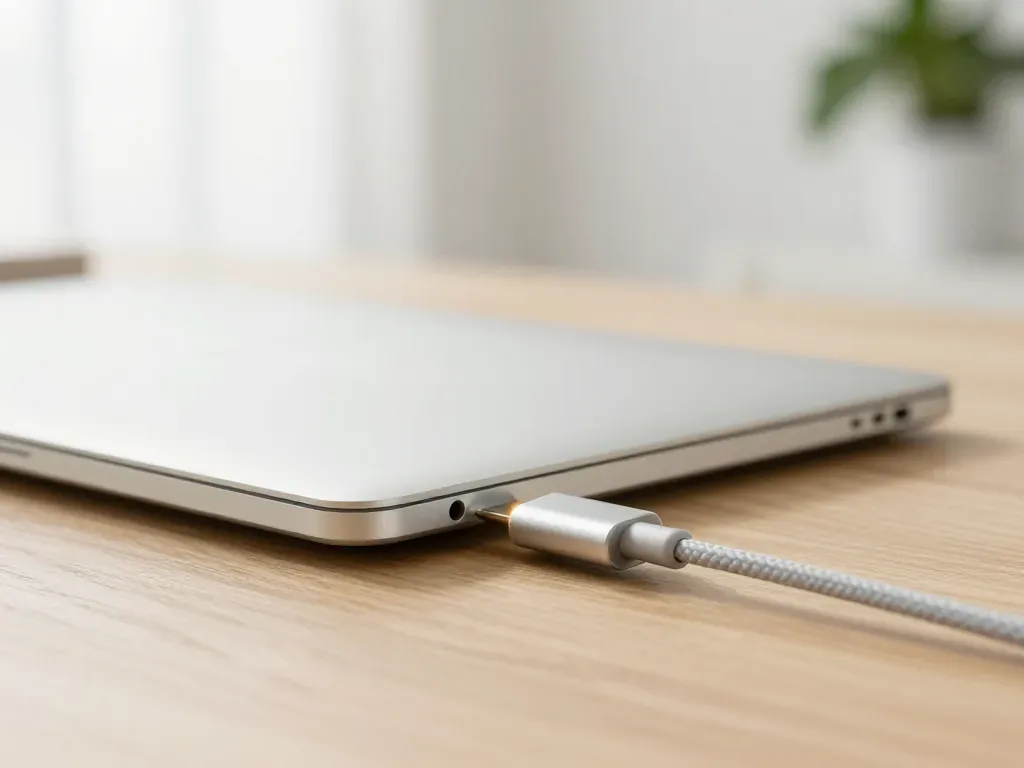
Open MacBook charging on a light desk by the window
Battery

When to replace a MacBook battery

Replace the battery when macOS reports Service Recommended and runtime no longer covers your workday. A free 15-minute check shows whether the cell is at fault.

March 7, 2026 · 12 min
Studio Display monitor with the screen off on a desk
Display

Studio Display Not Turning On

If your Studio Display stays dark, start with the cable and power, then let a technician check the backlight and board.

March 1, 2026 · 12 min
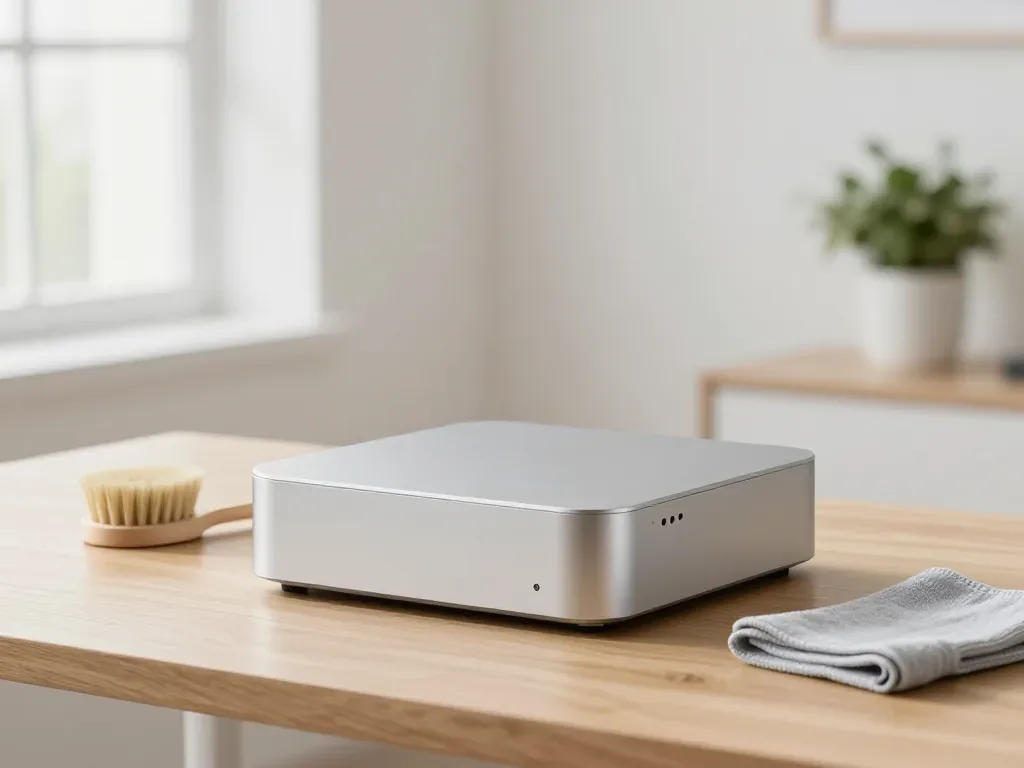
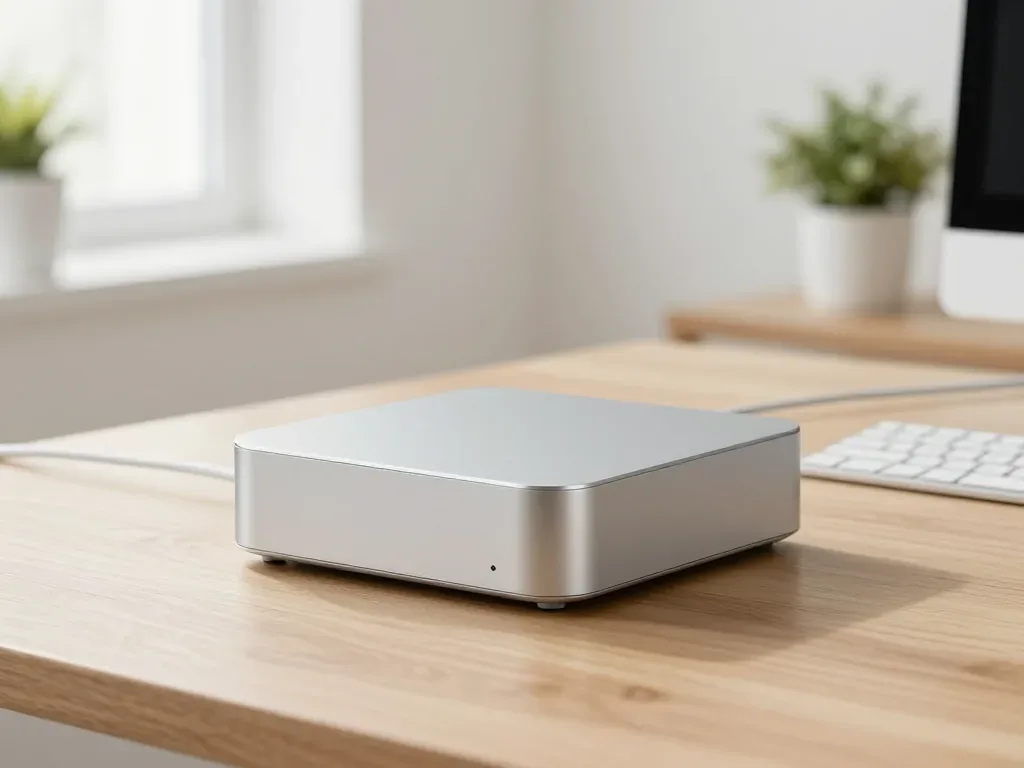
Compact Mac on a desk with a brush and cleaning cloth nearby
Overheating

Mac mini overheating and what to check first

Why your Mac mini or Mac Studio runs hot and loud, and how a free 15-minute check in front of you finds the cause.

February 25, 2026 · 12 min
iPad with the screen off, charging cable at the port and power adapter on the desk
Charging

iPad charging faults and how to trace the cause

Most charging faults come from the cable, the port or the battery. Here is how to tell which one and what to do next.

February 24, 2026 · 12 min
Apple Watch with a red lightning bolt on the screen on a desk by the window
Charging

Red Lightning Bolt on Apple Watch

The red bolt means the watch is receiving power but not charging. Here is how to tell a cable fault from a watch fault.

February 13, 2026 · 13 min
Magnetic MagSafe connector with a yellow indicator in a MacBook port
MagSafe

MagSafe not charging on your MacBook

Most MagSafe charging faults come from the cable, the port or the charging board, and a 15-minute check tells them apart.

February 13, 2026 · 12 min
Siri Remote on a coffee table, top view
Remote

Siri Remote not working

Most remote faults come down to the battery, Bluetooth pairing or a worn button — a free 15-minute check shows which.

February 7, 2026 · 12 min
Two AirPods earbuds on a desk next to cotton swabs for cleaning
Sound

Why your AirPods sound quiet and what to check

Most quiet AirPods come down to clogged mesh or a tired driver. Here is how to tell the difference before you clean anything.

February 1, 2026 · 12 min
Apple Watch with a cracked glass and a new display on a cloth
Screen

Cracked Apple Watch Glass

A cracked screen does not always mean a new display. Here is how to tell what broke and what to do next.

January 27, 2026 · 12 min
HomePod mini speaker on a wooden dresser
HomePod

HomePod Not Working

A smart speaker that stays silent or blinks can often be fixed the same day. Bring it in for a free check in front of you.

January 25, 2026 · 12 min
Blue iMac 24 on a light desk by the window with keyboard and mouse nearby
Speed

Slow iMac

Most slow iMacs are held back by a worn drive or too little memory. A short check shows which part is the real bottleneck.

January 22, 2026 · 12 min
A technician in a glove brushing dust off the fan inside a MacBook
Overheating

MacBook overheating

Why your MacBook runs hot and loud, and whether cleaning solves it or the board needs repair.

January 17, 2026 · 12 min
iPhone submerged in a glass of water with air bubbles around it
Water damage

What to do first if your iPhone dropped in water

Power it off, skip the rice, and get the board checked before corrosion starts. Here is the short version of the first 30 minutes.

January 13, 2026 · 12 min
Open AirPods Pro case with earbuds on a light desk
Charging

AirPods Case Not Charging

Find out why your AirPods case won't charge and what to check before visiting a repair shop.

December 31, 2025 · 14 min
iPhone with the lock screen on a wooden desk
Passcode

Forgot iPhone Passcode and Want Your Data Back

Reset the phone through a computer or iCloud, or bring it to a service in Almaty if your data matters.

December 23, 2025 · 12 min
iMac with the screen off on a desk, a brush and cleaning cloth nearby
Cleaning

iMac fan noise

Most loud-fan cases trace back to dust-packed fins and dried thermal paste, not a dead fan. A free 15-minute check shows which one you have.

December 22, 2025 · 12 min
MacBook, iPad and iPhone laid out on a desk before repair, top view
Preparation

How to prepare your Apple device for repair

Back up your data, turn off Find My, and bring proof of purchase — then the repair starts faster.

December 13, 2025 · 12 min
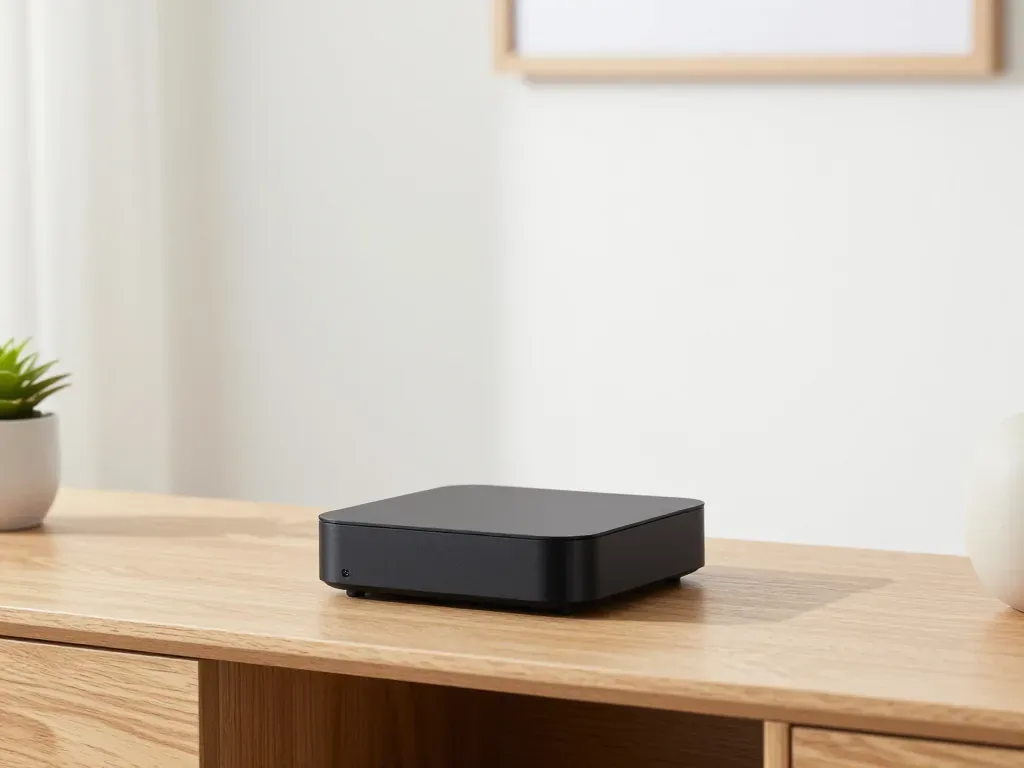
Apple TV set-top box on a cabinet in the living room
Apple TV

Apple TV Won't Turn On and What to Check First

A dead Apple TV is usually a power or board fault, not a setting. Free diagnostics in front of you shows what failed before you pay.

December 9, 2025 · 12 min
MacBook and spilled tea next to it on a kitchen table
Water damage

Spilled liquid on MacBook, first 10 minutes

Power it off, unplug the charger and bring the laptop in for a free 15-minute check before corrosion spreads.

November 26, 2025 · 12 min
Green iMac 24 with the screen off on a desk
Power

iMac won't turn on, what to do first

Most dead iMacs trace back to power delivery or the logic board, and a free 15-minute check in front of you settles which one it is.

November 22, 2025 · 13 min
Apple Watch with a dark blue band on a wooden tray next to keys
Choosing

Repair old Apple Watch

Decide whether your older Apple Watch is worth fixing: what breaks, what a repair costs and how long it takes.

November 14, 2025 · 12 min
iPhone with an empty battery icon next to a charging cable on a desk
Battery

When to Replace an iPhone Battery

What “maximum capacity” means, why the phone shuts down in the cold, and how long a new battery lasts.

November 9, 2025 · 8 min
iPad in a thick kids case with a stand on a table in a child's room, blocks and crayons nearby
Protection

How to protect an iPad from kids

A case with raised edges, tempered glass and a few tablet settings keep a child's iPad intact.

October 18, 2025 · 12 min
Apple Watch on a magnetic charger with a red lightning bolt on the screen
Battery

Apple Watch battery draining fast

Most fast drains come from a worn cell or background settings, and a 15-minute check shows which one you have.

October 11, 2025 · 13 min
Open MacBook with a brush on the keyboard and one key removed
Keyboard

MacBook keys sticking

Sticky or unresponsive keys usually mean debris, worn mechanisms or liquid damage. A technician can check the keyboard and advise on cleaning or replacement.

October 7, 2025 · 12 min
Mac mini on a desk next to a keyboard
Power

Mac mini won't turn on? What to check before repair

Most no-power Mac mini cases come down to the power supply or the logic board. Here is how to tell which one before you pay for anything.

October 5, 2025 · 13 min
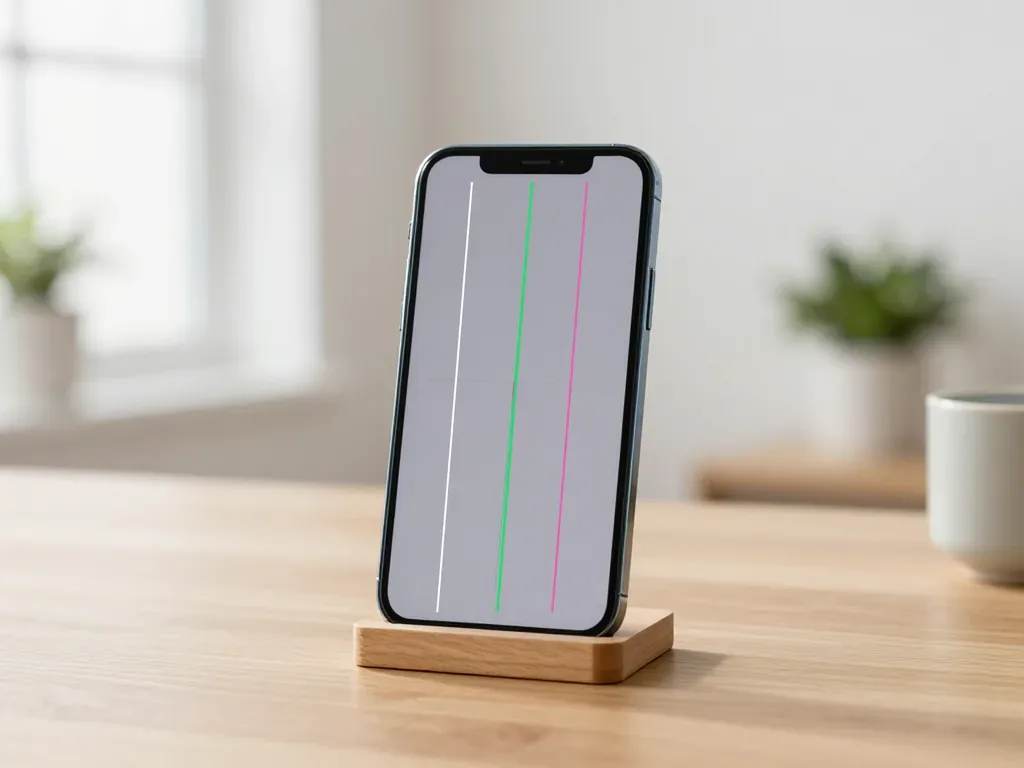
iPhone in a stand with colored vertical stripes on the screen
Screen

Lines on iPhone Screen

Lines across an iPhone display usually mean a damaged panel or display cable. Here is how to tell which one and what repair it needs.

September 27, 2025 · 12 min
Old iPad with a Home button on a coffee table next to a cup
Choosing

Repair old iPad

Decide whether to fix or replace your old iPad with a clear look at costs, turnaround and part options.

September 24, 2025 · 12 min

Who writes the Apple repair articles

Technicians for iPhone, Mac, iPad, Apple Watch and AirPods repair.

1 / 2
MNMukhpilov Nail — smartphone repair technician, iServices service center in AlmatyPhoto: Mukhpilov Nail

Mukhpilov Nail

smartphone repair technician
10years of experience
4.83rating, 83 reviews

SBSybanbaev Birzhan — firmware specialist, iServices service center in AlmatyPhoto: Sybanbaev Birzhan
Sybanbaev Birzhan

firmware specialist
7years of experience
4.75rating, 74 reviews

Device condition before and after stories from the blog

1 / 9
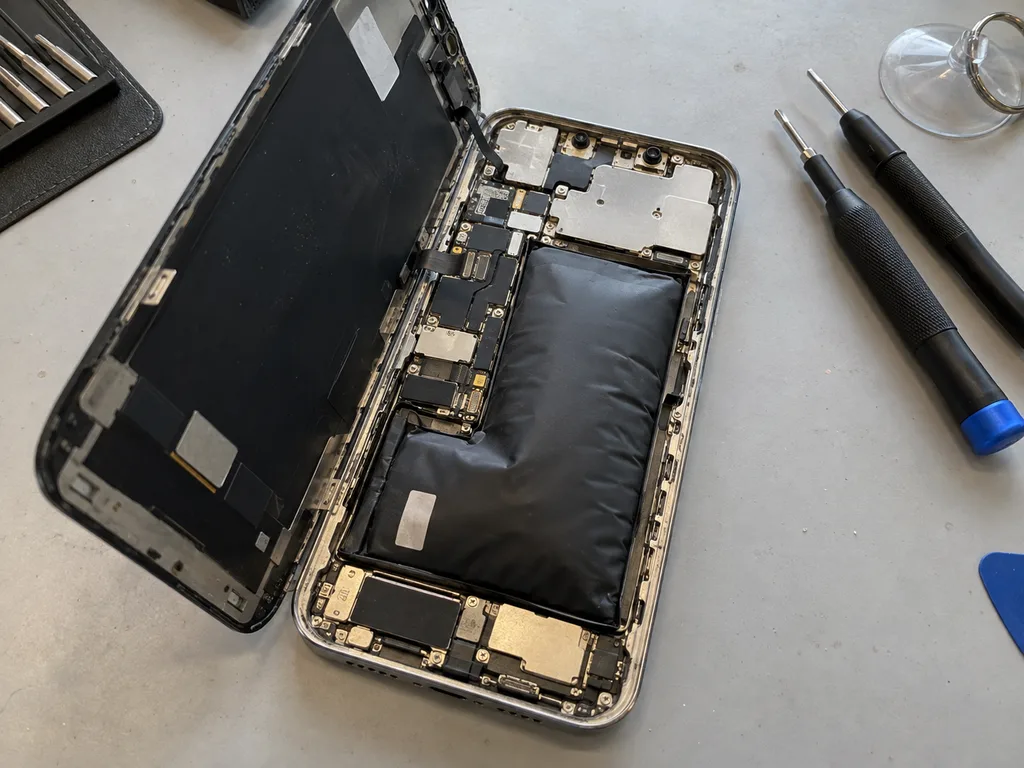
Before photo: the swollen battery of iPhone 13Before: a swollen battery in iPhone 13
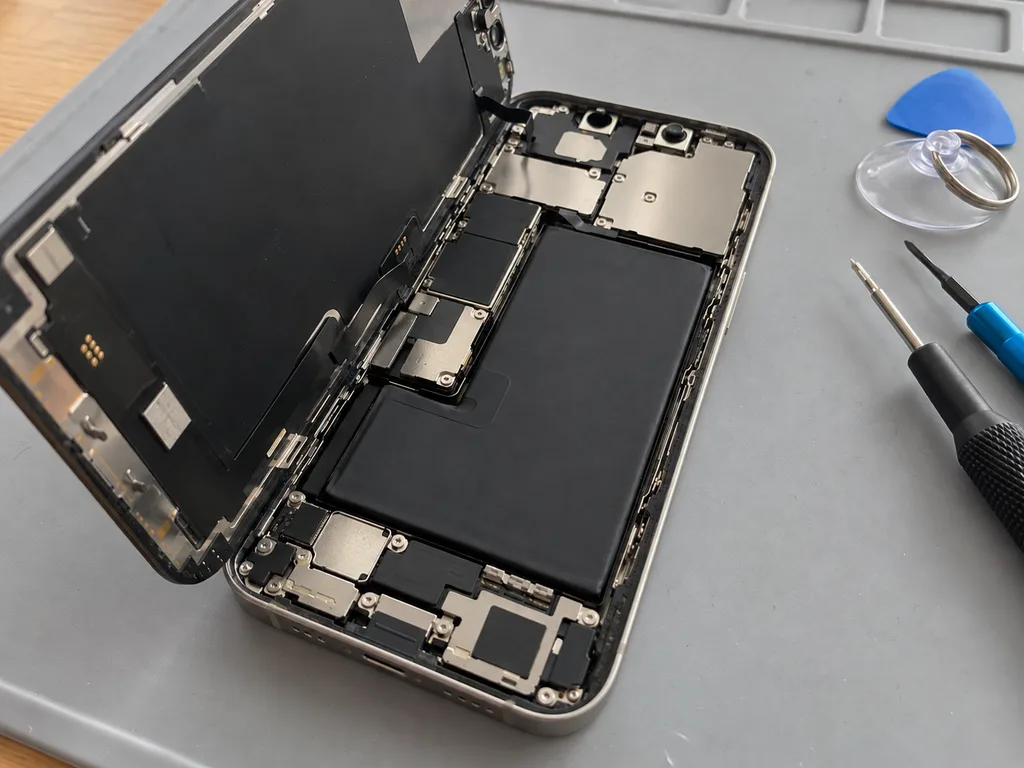
After photo: a new batteryAfter: a new battery in iPhone 13
BeforeAfter

iPhone 13: died by midday

25 minOriginalWarranty up to 1 year
Problem
Capacity 71%, the phone shuts down in the cold at 30% charge. The battery has swollen and started to lift the screen.
What we did
Replaced the battery and transferred the controller data — iOS shows the capacity without warnings.
+29%capacity, a day without charging
I want the same
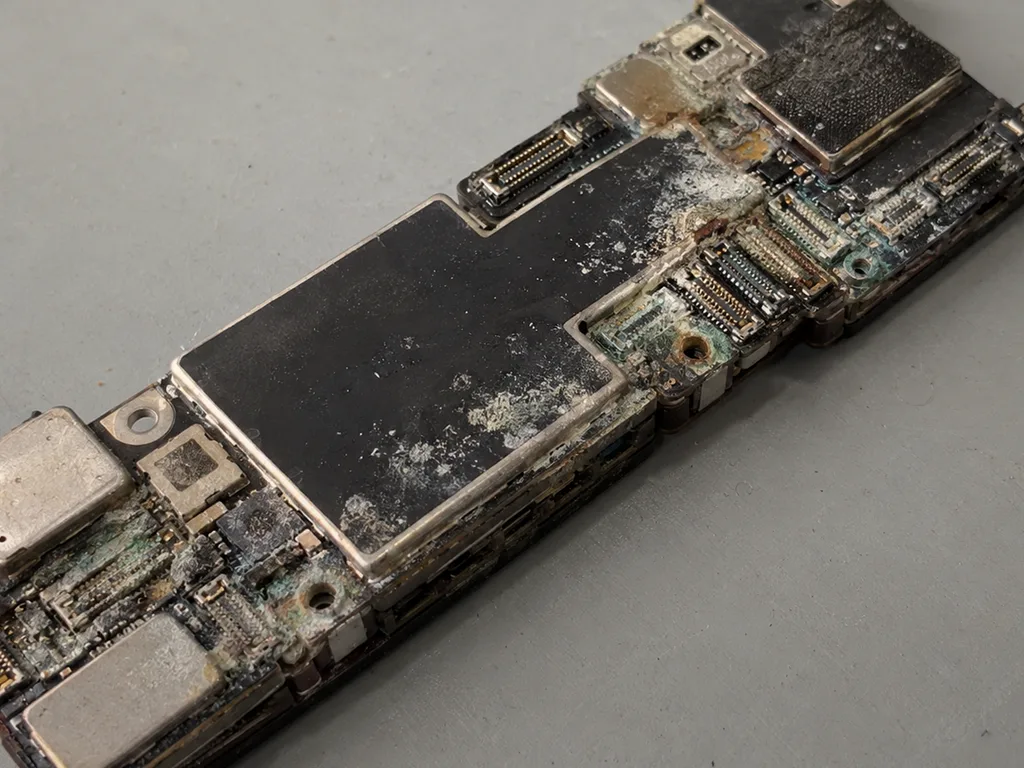
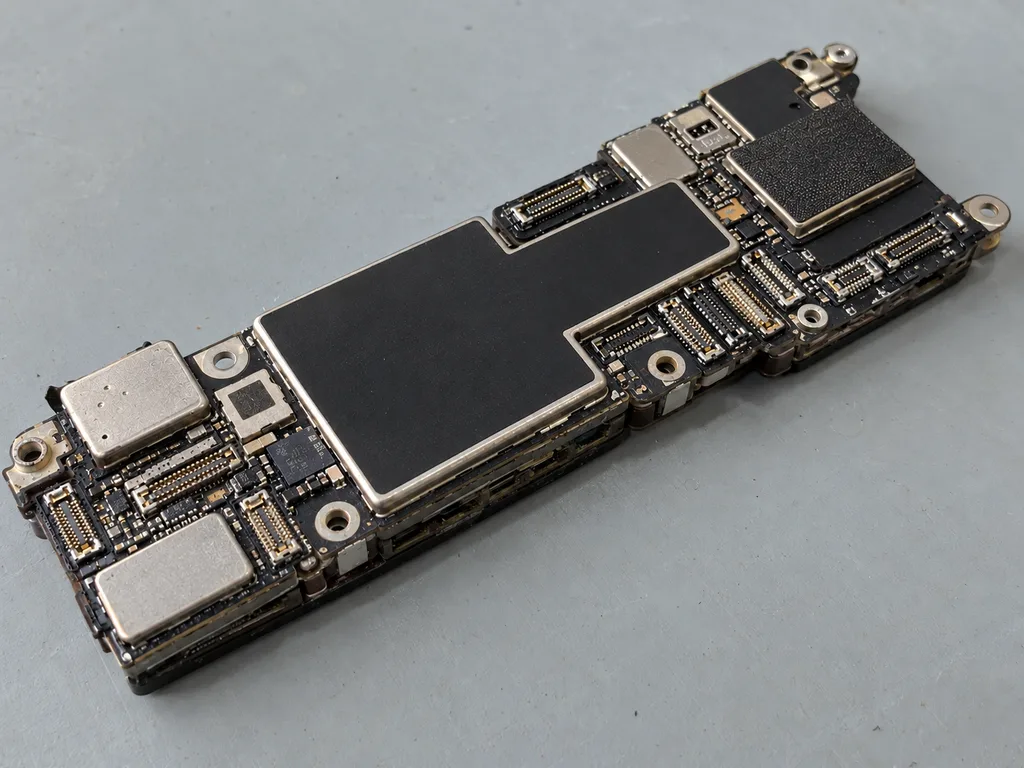
Before photo: a board with oxidation after salt waterBefore: a board with oxidation after salt water
After photo: board after ultrasonic cleaningAfter: the board after ultrasonic cleaning
BeforeAfter

iPhone 13: dropped into the sea

2 daysLogic board repairWarranty 6 months
Problem
Does not turn on after a dip in the sea, brought in 6 hours later. White oxidation under the board shields.
What we did
Cleaned the board in an ultrasonic bath, replaced the power controller, and transferred the data.
100%photos and messages preserved
I want the same
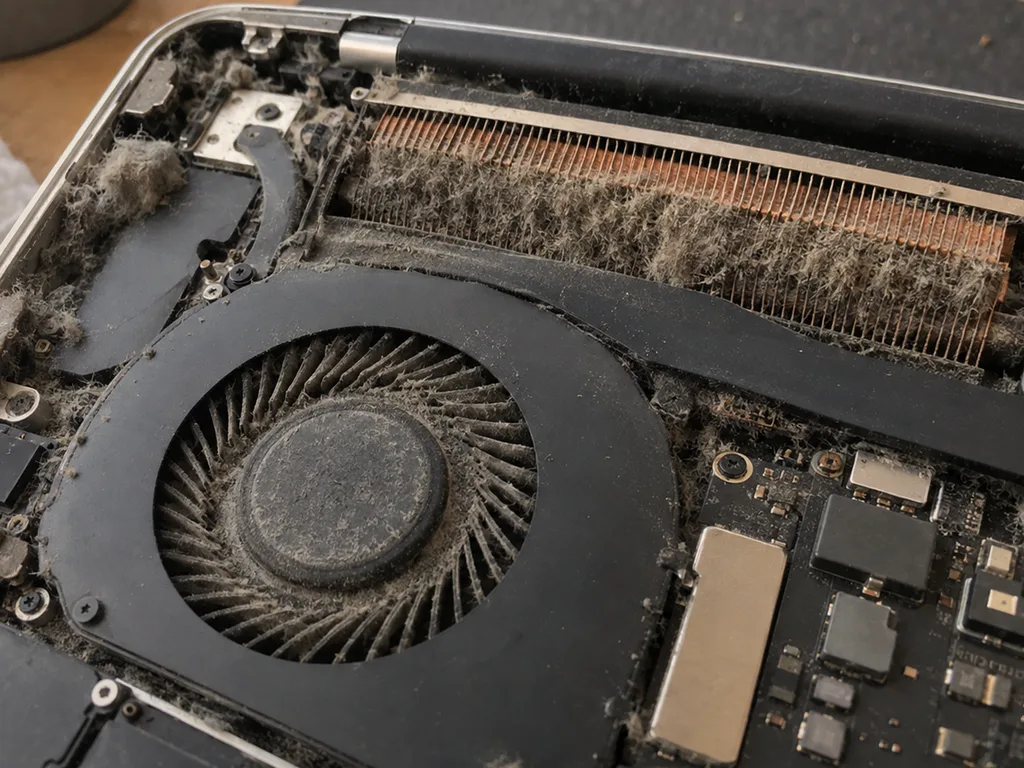
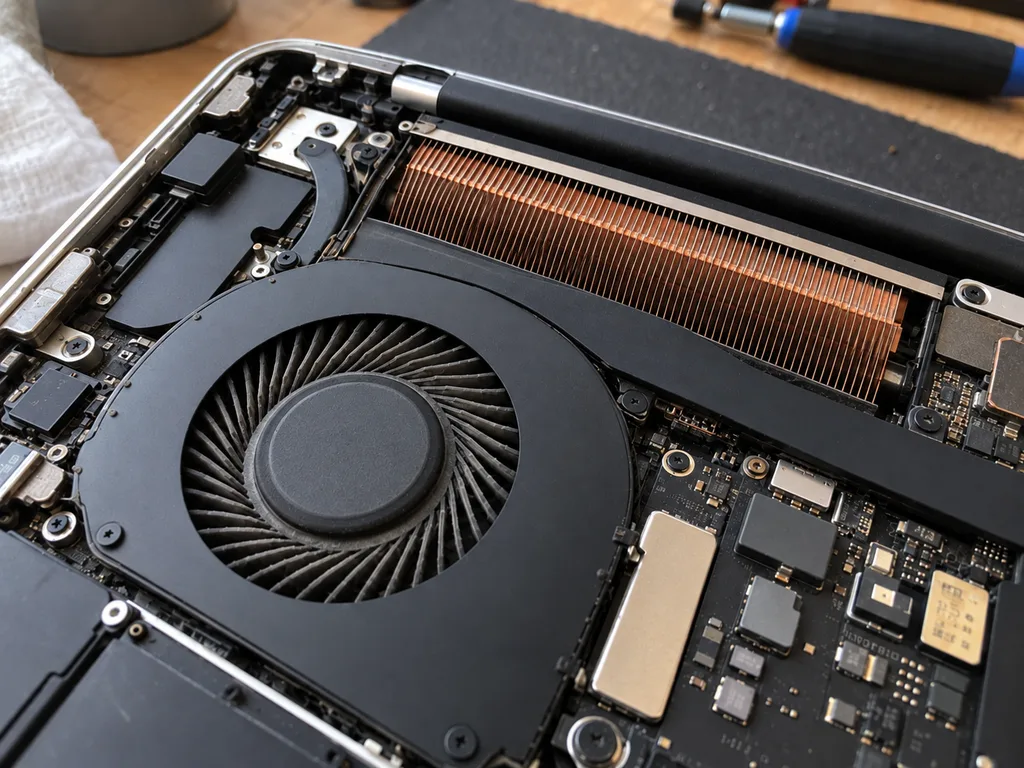
Before photo: dusty MacBook fanBefore: dusty MacBook fan
After photo: clean fanAfter: clean fan
BeforeAfter

MacBook Pro 14 M3: noisy and overheating

1 hourCleaningWarranty 3 months
Problem
Under load 98 °C, fans at maximum, Final Cut lags.
What we did
Cleaned the fans and heatsink, replaced the thermal paste and thermal pads.
−27 °Cunder load in Final Cut
I want the same
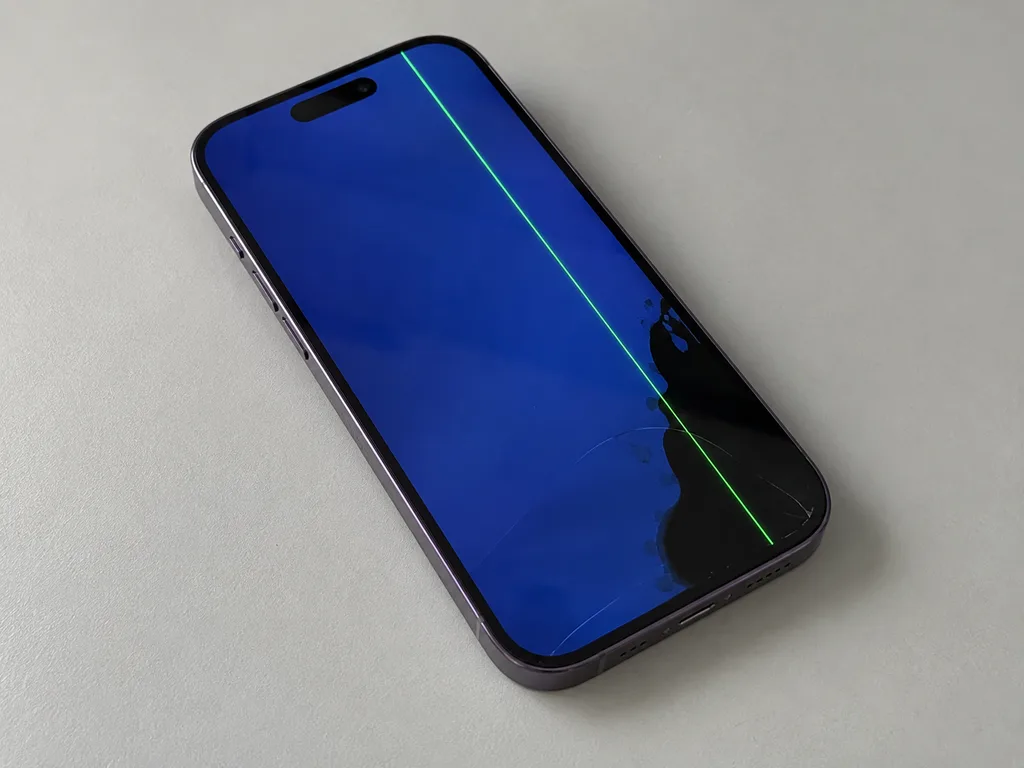
Photo before: green line on the iPhone screenBefore: green line and black spot on the iPhone 14 Pro screen
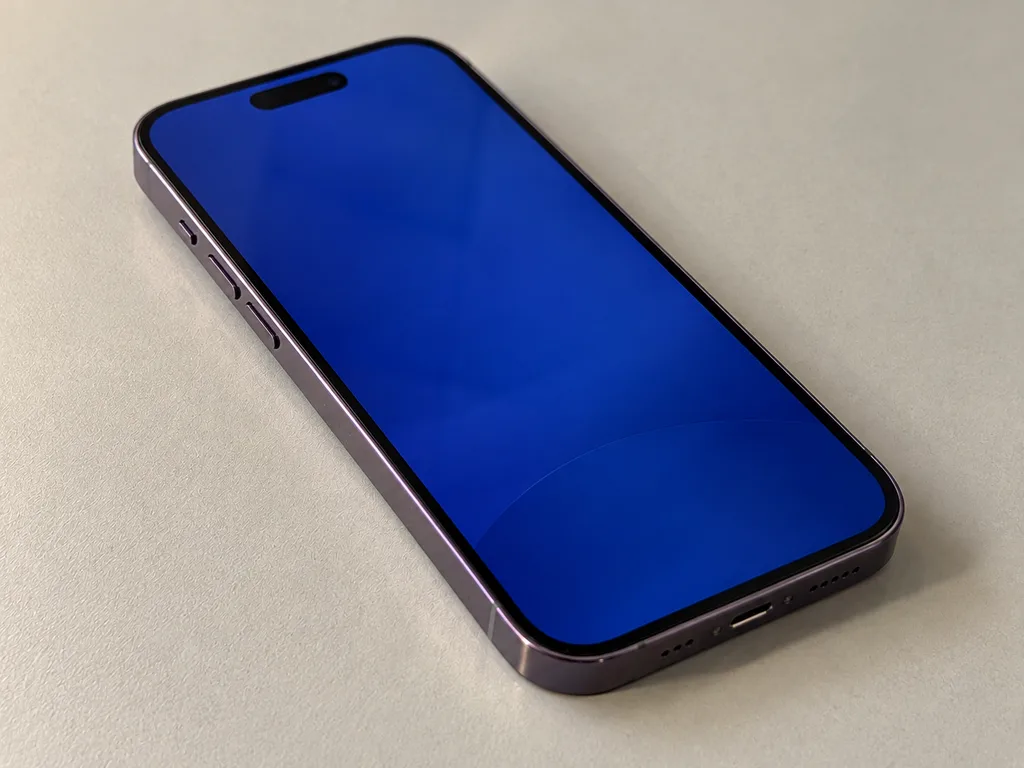
Photo after: new screenAfter: iPhone 14 Pro with a new screen
BeforeAfter

iPhone 14 Pro: green line after a drop

40 minOriginalWarranty up to 1 year
Problem
The glass is intact, but a green stripe runs across the screen and a black spot is growing in the corner.
What we did
Replaced the display module with an original one, transferred True Tone, and checked Face ID.
40 minscreen like new
I want the same
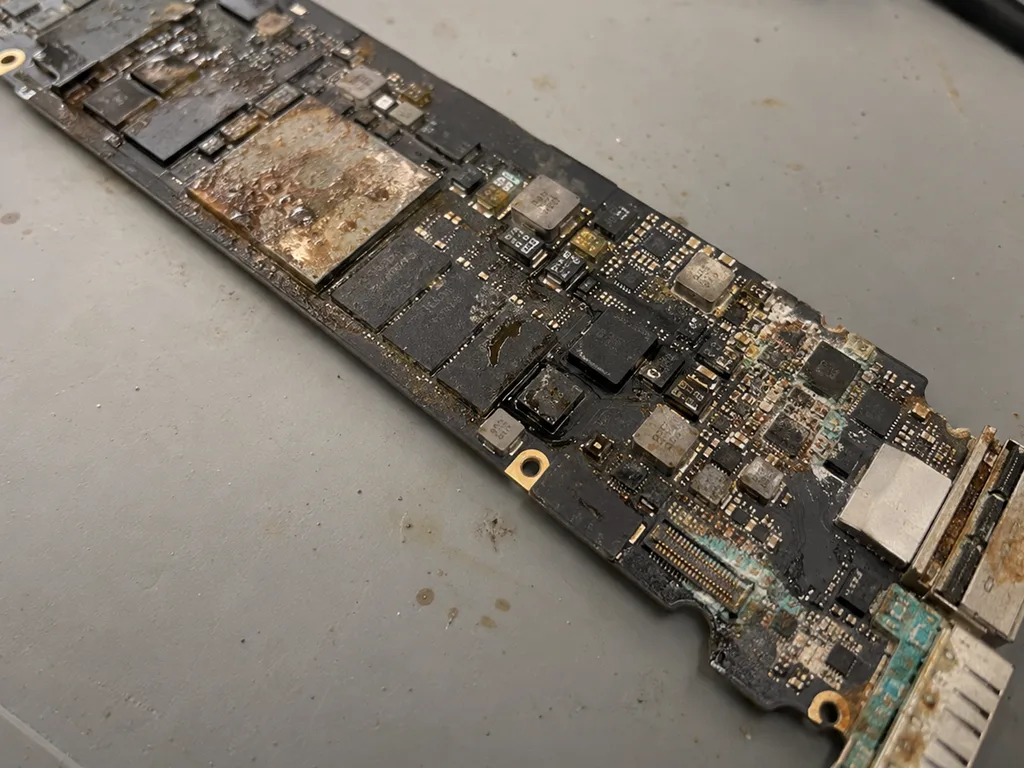
Before photo: MacBook board with corrosion after coffeeBefore: MacBook board with corrosion after coffee
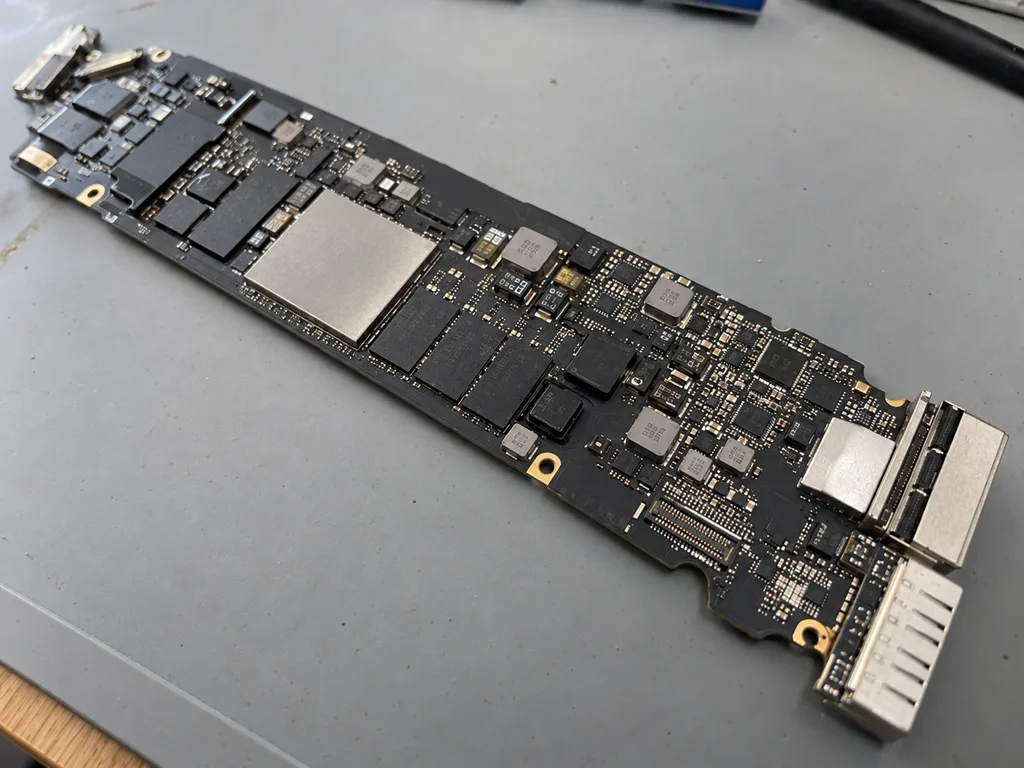
After photo: board after ultrasonic cleaningAfter: the board after ultrasonic cleaning
BeforeAfter

MacBook Air M2: coffee spill

2 daysLogic board repairWarranty 6 months
Problem
Coffee spilled on the keyboard, the laptop won't turn on. Another service suggested replacing the board for 520 000 ₸.
What we did
Cleaned the board in an ultrasonic bath, replaced 2 power controllers and the top case. The data was preserved.
−431 000 ₸against board replacement
I want the same
Photo before: cracked watch glassBefore: cracked watch glass
Photo after: watch with new glassAfter: watch with new glass
BeforeAfter

Apple Watch Series 9: crack in the glass

1 dayGlass onlyWarranty up to 1 year
Problem
A crack across the whole screen, the image and touch sensor are intact.
What we did
We only re-glued the glass — the display was not replaced. We restored the seal and checked it in a pressure chamber.
−30 000 ₸against display replacement
I want the same
Photo before: cracked camera glassBefore: cracked camera glass
Photo after: new camera glassAfter: new camera glass
BeforeAfter

iPhone 13: cracked camera glass

20 minOriginalWarranty up to 1 year
Problem
A crack in the main camera glass, glare and haze in photos.
What we did
We replaced the lens glass and checked autofocus and stabilization on the stand.
20 minphotos are sharp again
I want the same
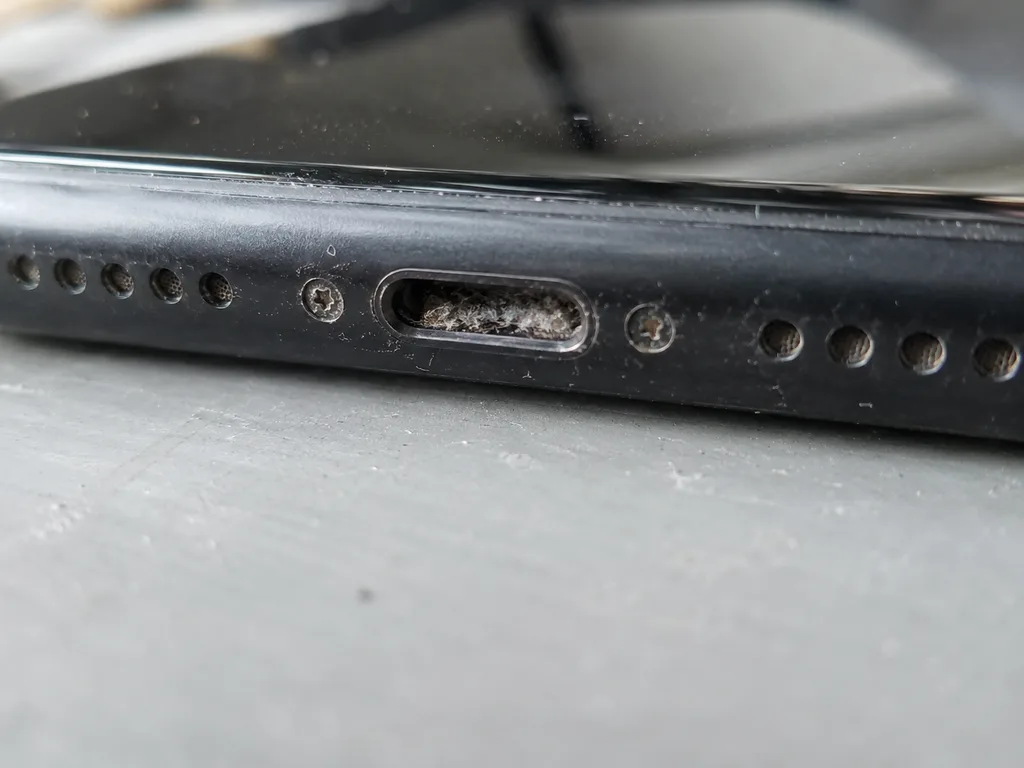
Before photo: Lightning port clogged with lintBefore: Lightning port clogged with lint
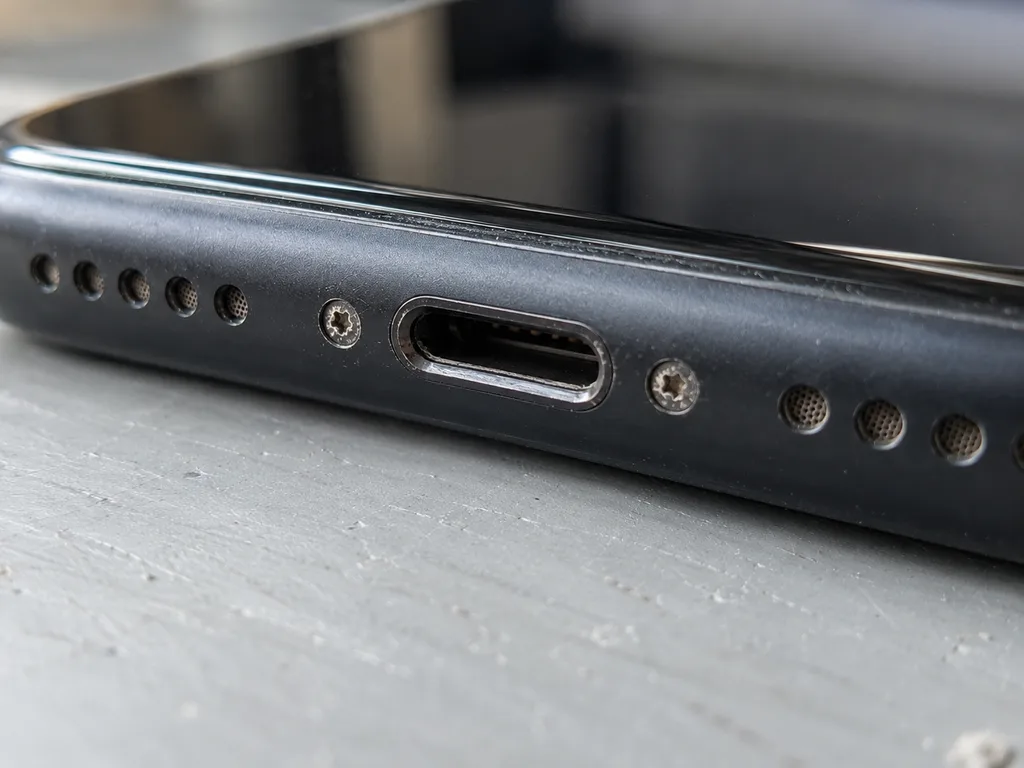
Photo after: clean connectorAfter: clean connector
BeforeAfter

iPhone 11: won't charge

40 minOriginalWarranty up to 1 year
Problem
It only charges at an angle, the cable falls out. Inside the connector there is a dense layer of pocket lint.
What we did
We cleaned the connector, one contact was bent — we replaced the charging flex cable and checked fast charging.
40 mincharges on the first try
I want the same
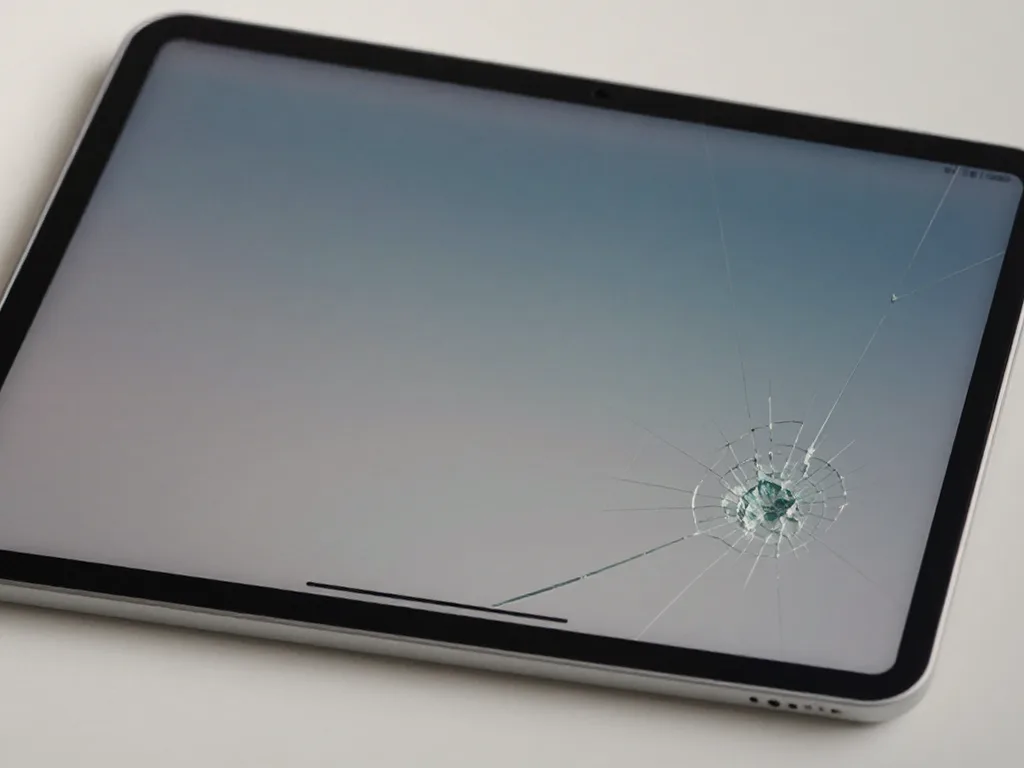
Before photo: cracked iPad glassBefore: cracked iPad glass
After photo: iPad with a new displayAfter: iPad with a new display
BeforeAfter

iPad Air M2: dropped from a table

1 dayOriginalFree courier
Problem
The glass is covered in a web of cracks, the touchscreen responds intermittently.
What we did
Replaced the glass with the display, checked Apple Pencil and Touch ID. The courier picked it up and brought it back.
1 daythe client didn't leave home
I want the same

When the blog article is not enough repair steps in Almaty

Usually the whole process takes less than an hour. Board repair — 1–3 days.

Book a repair
  1. Step 1

    Message or call

    5 min

    You send a photo of the damage on WhatsApp — we quote the price and available time. Or you call a courier.

  2. Step 2

    Free diagnostics

    15 min

    An engineer checks the device in front of you and shows what is broken. 0 ₸, even if you decline the repair.

  3. Step 3

    Price in the receipt

    2 min

    We fix the price, the part (original or analog), the timeline and the warranty. You sign — we start.

  4. Step 4

    Repair while you wait

    20–40 min

    Before installation we show you the new part in its factory packaging. You wait in the waiting area with coffee and Wi‑Fi.

  5. Step 5

    Checking 32 functions

    10 min

    Face ID, True Tone, cameras, microphones, speakers, charging, network. You check them together with the engineer.

  6. Step 6

    Pick up your device

    warranty up to 1 year

    Together with the receipt, warranty card and the old part. Payment — Kaspi, card or cash.

Gamid K, phone repair technician
“If the repair didn’t suit you or you have a complaint, write to me personally.”
Gamid Kphone repair technician · +7 701 333-47-01

No answer in the blog? Ask an engineer

Send a photo and the model — an engineer will reply on WhatsApp, give the price and available time. No calls or forms.

  1. 5 minAn engineer replies and names the price
  2. 0 ₸Diagnostics in front of you in 15 minutes
  3. 30 minMost repairs — while you wait

Apple repair blog in Almaty from the iServices workshop team

In short

The Apple repair blog section for Almaty is written by our own workshop team, not by copywriters, and turns 11 years and 46,000+ repairs into short practical guides. Each post opens with a two-minute self-check, then shows where a free 15-minute diagnostic beats guessing.

Mukhpilov NailWe reply on WhatsApp within 10 minutes
Ask

How we choose topics for the Apple repair blog

We choose topics from real customer questions at the front desk or in WhatsApp chats, then turn each into a practical answer.

The questions we hear most often at the front desk

We build every article around a question a customer actually asked us, so the blog answers real repair questions instead of generic tech trivia. That is how the Apple repair blog for Almaty stays tied to real cases rather than abstract theory. Most of those questions arrive on WhatsApp with a photo of the damage, and an engineer replies within five minutes with a price. Others come up during the free 15-minute diagnostic, which we run in front of the customer even if the visit ends without a repair. A topic only becomes a guide if the answer fits one screen of text and ends with a two-minute self-test.

The topic map behind the blog

  • Battery and charging: why phones drain faster, reading battery health, and 25-minute replacement.
  • Display and glass: cracked glass, dead touch, camera glass, and 40-minute panel jobs.
  • Water and boards: liquid damage, diagnostics up to two days, and microscope board work.

What a useful repair post lets you decide on your own

A good article ends with you either reassured or clear that a diagnostic is needed. So every breakdown here carries verifiable steps instead of vague advice.

A self-check you can finish before your coffee

  • Maximum Capacity: open Settings, then Battery; under 80% signals genuine wear.
  • Accessories: swap in a known-working pair; a steady charging icon clears the cable.
  • Connector: shine a light into the Lightning or USB-C socket for lint; a soft brush fixes most no-charge cases.

Symptoms that look like a breakdown but are not

False alarms and the first fix to attempt
SymptomLikely causeWhat to try first
Drains for a few daysRecent iOS update indexingWait, close background apps
Will not chargeFaulty cable, adapter or lintSwap in a known-working pair
Percent jumps fastCalibration or cell wearNote the pattern, run a diagnostic
Slow performanceBackground load or aged cellRead the power-cell health in settings

Where our guides come from and how we check them

Our guides are written by the technicians who open the devices themselves, so the timings and test routines come from the bench.

Written at the bench, not at a marketing desk

  • Eleven years of hands-on work: guides rest on 11 years in the trade and over 46,000 completed repairs.
  • Our own masters, no middlemen: as a direct contractor, your adviser does the job.
  • A guide needs a real repair: if we haven't seen the fault, we say so.

How a draft becomes a published post

  • Technician review: the repairing master reads the draft and corrects every step, timing and tool.
  • Process match: stated durations must match our quotes, from a 25-minute battery to microscope board work.
  • Plain-language pass: jargon is removed so non-technical readers can follow the check at home.

When a self-check should turn into a workshop visit

Some faults never respond to settings, and a good post names the point where a workshop visit becomes the next sensible step.

Signs that no setting will fix

  • Shutdowns at a healthy percentage: dies at 20–30 percent while the reading looks fine, indicating a worn cell.
  • A swollen case or lifted screen: internal pressure pushes the display up; stop charging and pressing.
  • Fast drain by midday: capacity not lasting a working day is hardware wear; app tweaks won't restore it.

Symptom to action, at a glance

Symptom, first action and escalation path in one grid
What you noticeFirst stepIf it persists
Faster drain, no shutdownsRead battery health, close background appsFree diagnostic to confirm wear
Cut-offs at 20–30 percentNote the pattern and temperatureVisit, likely cell replacement
Swollen case or lifted screenStop charging, do not pressBring it in the same day

How to read the Apple repair blog without wasting time

The blog saves time only when you arrive with one specific symptom in mind. Here is how to find the relevant breakdown quickly.

Start from the symptom, not from the newest entry

  • Search the exact symptom: type the issue into search instead of scrolling the feed; the answer sits in one entry.
  • Read the self-test first: each guide opens with a two-minute test showing if the cause is software or hardware.
  • Stop at the diagnostic line: once an entry says a bench check is needed, further reading adds nothing.

What to prepare before you contact us

  • A clear photo: the cracked part or battery health screen in good light tells the engineer more than a long description.
  • A short description: when the problem started and what you tried narrows the cause.
  • The exact model: the model name from Settings lets the engineer check the right component in advance.

Summary: Apple Repair Blog

Reading a repair guide should end with a decision, not more scrolling. These points sum up how to use any entry on this page well.

  • Start with a self-test: a settings path or two-minute physical test separates software and accessory issues from hardware faults.
  • Rule out false alarms: updates, cables and weak signal mimic battery problems and cost nothing to verify.
  • Treat swelling as urgent: stop charging and pressing a swollen battery; get it checked the same day.
  • Know the handoff point: if symptoms persist, a short diagnostic confirms the cause.

What readers often ask the Apple repair blog

Did not find an answer? Message us on WhatsApp: an engineer replies, not a bot.

Ask a question
How do I find a blog article that matches my problem?

Start from the symptom you see, such as battery, screen, liquid or software, and open the matching section. Then compare the advice with your device model and system version.

Which blog articles help with MacBook heat and fan noise?

Look at the MacBook section, which covers overheating, loud fans and battery wear. It explains what you can check yourself, like blocked vents and heavy apps. If the fans stay loud at idle, the article tells you when to see a technician.

Can I suggest a topic for the blog?

Yes, tell us which fault or device you would like to read about. Send your idea through the contact channels listed on the website.

Do the blog tips fit every Apple device?

Many tips apply to iPhone, iPad, MacBook and Apple Watch alike, but details depend on the model. Ask a technician about your exact device when in doubt.

Which warning signs from the blog mean I should stop using my iPhone?

A bulging back or screen, a burning smell or a phone that gets hot while idle are reasons to stop at once. Unplug it and do not try to charge it again. These signs usually point to a damaged battery.

Where in Almaty can I have a blog tip checked on my device?

Bring the device to our Almaty workshop and a technician will look at it with you. We are open on weekdays from 10:00 to 19:00 and at weekends and on holidays from 11:00 to 18:00. Mention which article you followed, so the technician knows what was already tried.

What Almaty customers say about our repair work

1 / 10
4.9

average rating on Google Maps, wikicity and our website · 445 reviews
Google Maps4.438 reviews ›wikicity5.015 reviews ›Reviews on the iServices website5.0392 reviews ›
ЖЧ
Жанна Ч.Order No. IS‑2611‑•••07 · 1 November 2026
MacBook Pro 14″ (M5 Pro, 2026) · sound

Проверила после ремонта несколько раз. С MacBook Pro 14″ (M5 Pro 2026) вышла неприятность: периодически пропадал звук. По результатам диагностики проверили аудиотракт и восстановили звук. Денис подсказал, что действительно надо проверять.

iServices customer review, in Russian
АА
Алишер А.Order No. IS‑2609‑•••16 · 27 September 2026
MacBook Pro 14″ (M3, 2023) · water damage

У моего MacBook Pro 14″ (M3 2023) после попадания жидкости устройство вело себя непредсказуемо. В сервисе осмотрели плату и устранили обнаруженную неисправность; Денис подсказал, что действительно надо проверять.

iServices customer review, in Russian
ВЗ
Владимир З.Order No. IS‑2609‑•••07 · 22 September 2026
MacBook Pro 16″ (M5 Pro, 2026) · screen

У моего MacBook Pro 16″ (M5 Pro 2026) после сна появлялся чёрный экран. По результатам диагностики разобрались с запуском и изображением; Спасибо Денис: разобрался с нюансами без лишних разговоров.

iServices customer review, in Russian
СА
Самат А.Order No. IS‑2609‑•••27 · 21 September 2026
iMac 27″ Retina 5K (2020) · connectivity

На iMac 27″ Retina 5K (2020) Bluetooth стал терять периферию. В сервисе проверили беспроводную связь и сопряжение; От Аждар получил понятные рекомендации на будущее.

iServices customer review, in Russian
РЮ
Рустам Ю.Order No. IS‑2609‑•••56 · 16 September 2026
iMac 27″ Retina 5K (2017) · sound

У моего iMac 27″ Retina 5K (2017) звук на подключённую акустику выводился с перебоями. В сервисе разобрались с настройками и аудиовыходом; От Аждар получил понятные рекомендации на будущее.

iServices customer review, in Russian
ГЕ
Гульмира Е.Order No. IS‑2608‑•••78 · 2 August 2026
AirPods (4-го поколения) · sound

Проблема была такая: во время звонков собеседники плохо слышали голос — и непонятно что делать. Ребята проверили микрофоны и качество передачи звука; Ринат не отмахнулся от моих вопросов.

iServices customer review, in Russian
КЦ
Ксения Ц.Order No. IS‑2607‑•••39 · 6 July 2026
MacBook Pro 13″ (2019, 4 порта) · board

У моего MacBook Pro 13″ (2019 4 порта) внешний монитор постоянно терял подключение. Ребята проверили порты и стабильность подключения; Аждар подсказал, что действительно надо проверять.

iServices customer review, in Russian
ЕБ
Ермек Б.Order No. IS‑2606‑•••66 · 10 June 2026
MacBook Air 13″ Retina (2018) · screen

Проблема была такая: на экране появились полосы — и непонятно, что делать. В сервисе проверили подключение и дисплей, изображение восстановили; Денис не отмахнулся от моих вопросов.

iServices customer review, in Russian
ЕЧ
Ермек Ч.Order No. IS‑2606‑•••82 · 5 June 2026
MacBook Air 13″ (M5, 2026) · keyboard

У моего MacBook Air 13″ (M5, 2026) клавиатура начала пропускать нажатия. В сервисе проверили клавиатуру и устранили проблему с клавишами; Спасибо Аждар: разобрался с нюансами без лишних разговоров.

iServices customer review, in Russian
РФ
Рустам Ф.Order No. IS‑2605‑•••43 · 20 May 2026
iPhone 16 · sound

iPhone 16 подвёл: динамик стал звучать очень тихо. По результатам диагностики проверили акустику и устранили причину тихого звука в i-service; Арман показал в чём была проблема.

iServices customer review, in Russian
Showing 10 of 438

Where to get Apple repair Blog in Almaty

Address
Kabanbay Batyr St., 260a, at the corner of Dzhambul and Auezov streets (entrance from the courtyard)
Opening hours
Mon–Fri 10:00–19:00Sat–Sun 11:00–18:00
Phone and messengers
+7 727 339-99-12WhatsApp: +7 701 333-47-01
Directions map: iServices Almaty — Kabanbay Batyr, 260a© OpenStreetMapFind us on the maps: Google Maps · 2GIS