MN Photo: Mukhpilov Nail
Mukhpilov Nail
smartphone repair technician
10years of experience
4.83rating, 83 reviews

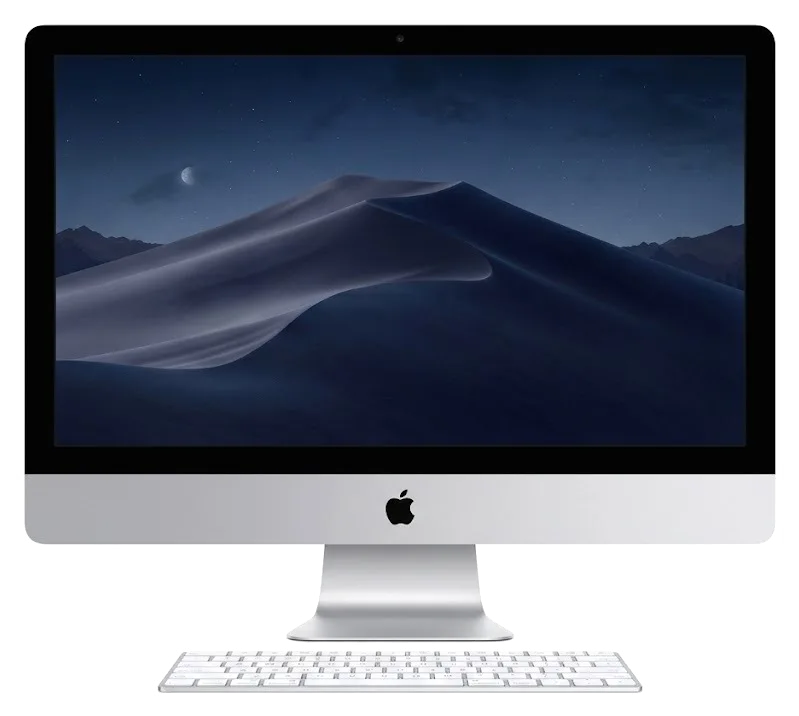
If your Intel-based iMac 27" overheats, flickers or won't turn on, we'll find the cause and fix it, with a warranty up to 1 year.

A large all-in-one with a glued-on screen and a discrete graphics card has its own typical faults — here's what they are.
Dust clogs the heatsink, the fan runs at full speed and the system throttles performance.
Artifacts or dark areas on the Retina 5K panel mean diagnostics are needed.
Nothing happens when you press the button: we check the power supply, cables and board.
Spilled coffee needs immediate disassembly and cleaning to prevent board corrosion.
The HDD or Fusion Drive is full and the system lags — we'll check the drive and fix it.
Sudden restarts are often caused by memory errors or a faulty logic board.
The speakers crackle or are silent — we check the cables and the audio path.
The network drops and devices won't connect — we check the antennas or wireless module.
Discrete graphics can distort the image or cause freezes under load.
Dark specks on a light background mean dust between the glass and the panel.
A crossed-out circle appears instead of the desktop — a startup disk failure.
Callers can't hear you though the mic is selected in settings — we check the cable.
See the prices for the main jobs in the price list below; the technician will give you the final amount after inspecting your all-in-one.
| Service | Original | Aftermarket |
|---|---|---|
| Display panel replacement | 146 900 ₸ | 90 900 ₸ |
| Power supply replacement | 130 900 ₸ | 72 900 ₸ |
| Fan replacement | 29 900 ₸ | 16 900 ₸ |
| Speaker replacement | 49 900 ₸ | 27 900 ₸ |
| Glass replacement | 69 900 ₸ | 38 900 ₸ |
| Other repairs | Price | |
| SSD installationstorage installation | 43 900 ₸with parts | |
| RAM replacementmemory chip installation | 15 900 ₸with parts | |
| Dust cleaningdisassembly and dust cleaning | 66 900 ₸per job | |
| Logic board repairmicrosoldering · 1–3 days | 61 900 ₸per job | |
| Graphics card replacementboard-level chip · microsoldering | 71 900 ₸with parts | |
| Wi-Fi module repairwireless module · board-level repair | 53 900 ₸with parts | |
| MacOS installationOS installation, no parts replaced | 16 900 ₸per job | |
The final cost depends on the fault and the part chosen — confirm it with the technician after diagnostics.
Original spare parts and quality equivalents are available for the display and other components — the choice depends on your needs and budget.
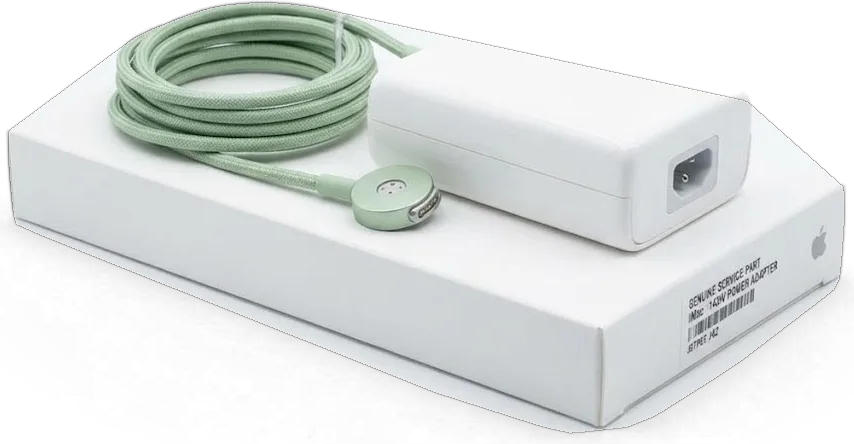
Repairing a large all-in-one takes experience and care — here's how we ensure quality and convenience.
Eleven years of work with Apple technology lets our technicians quickly find the causes of iMac 27" faults and fix them.
We give a warranty up to 1 year on all work performed — the technician explains the terms before the repair begins.
Only experienced specialists disassemble an iMac with a glued-on screen, so the panel isn't damaged.
We first identify the fault free of charge, then agree the cost and scope of work with you.
We explain the difference between original and equivalent parts and don't push expensive options unnecessarily.
We accept all-in-ones on weekdays from 10:00 to 19:00 and on weekends and holidays from 11:00 to 18:00 — pick a time that suits you.
Usually the whole journey — from message to pickup — takes less than an hour; complex repairs follow the timeline in the receipt.
Book a repairYou send a photo of the damage on WhatsApp — we quote the price and available time. Or you call a courier.
An engineer checks the device in front of you and shows what is broken. 0 ₸, even if you decline the repair.
We fix the price, the part (original or analog), the timeline and the warranty. You sign — we start.
Before installation we show you the new part in its factory packaging. You wait in the waiting area with coffee and Wi‑Fi.
Screen, camera, microphones, speakers, ports, Wi‑Fi and Bluetooth. You check together with the engineer.
Together with the receipt, warranty card and the old part. Payment — Kaspi, card or cash.
Technicians for iPhone, Mac, iPad, Apple Watch and AirPods repair.
Photo: Mukhpilov Nail Photo: Molchanov Rinat
 Photo: Shokan A
 Photo: Sybanbaev Birzhan
 Photo: Denis Gushchin
 Photo: Duisebaev Azhdar

“If the repair didn’t suit you or you have a complaint, write to me personally.”
Send a photo of the fault — an engineer will reply on WhatsApp, give the price and a time you can come in.
iMac 27 Intel Repair in Almaty with a Warranty up to 1 year
iServices repairs 27-inch Intel iMacs in Almaty with a warranty up to 1 year. Our engineers run free 15-minute diagnostics in front of you, show the faulty part, and fix most screen, cooling, storage and power issues the same day. You choose an original part or an aftermarket one before work starts.
A 27-inch Intel iMac is a mature machine with a spinning disk, one fan and an internal power supply. Most visits come down to five or six symptoms, and the symptom alone already tells us where to look.
| Symptom | Likely cause | What we do |
|---|---|---|
| Won't power on | PSU or logic board | Test rails, then board |
| No image, sound works | Display cable or matrix | Check cable, then panel |
| Vertical lines or spots | Matrix or GPU | Isolate panel vs graphics |
| Loud fan, hot case | Dust, dried thermal paste | Clean, replace paste |
| Shuts down under load | Cooling or PSU | Load test, inspect supply |
| Very slow boot | Failing HDD or Fusion | Test disk, offer SSD |
A 27-inch Intel iMac moves a lot of heat through one fan and a slim heatsink, so dust and dried thermal paste show up as noise and throttling long before anything fails outright. The aluminium body hides the problem well: the fan spins faster while the case stays warm, and the processor quietly drops its clock to stay inside thermal limits. After years of home use the fins can be packed solid, with the factory paste turned chalky and cracked. We clear the fins, replace the thermal interface and measure temperatures again under load. Cleaning is preventive, not cosmetic — a machine serviced on schedule keeps its performance and avoids the shutdowns that owners usually blame on the board.
On older Intel machines a failing HDD or Fusion Drive is the most common reason for slow boots, beachballs and freezes on the Apple logo. A mechanical disk that has run for years develops bad sectors, and the Fusion setup hides the damage until the system waits on reads that never complete on time. Disk Utility may report the volume as healthy while the surface is already degrading, and a SMART status of "verified" says little about mechanical wear. We read its own counters and compare boot time before and after a swap to an SSD. A unit that passes a quick check can still fail a full scan, so a SMART reading alone is not enough to clear it.
Diagnostics is a sequence, not luck. We move from power to board, from board to display and cooling, and the customer watches every step on their own machine.
Diagnostics take 15 minutes, are free even if you decide not to repair, and the engineer checks the device in front of you and shows what is broken. The technician connects a bench power supply to the internal rails, boots the machine and reads the values from the system report while you watch the screen. Nothing disappears into a back room: the cover stays off, the probes stay visible, and every measurement is named out loud. You also see the About This Mac panel and the SMART status of the drive on the same screen, so the picture is complete ahead of any reassembly. Watching the test matters more than the verdict — you see which rail or cable fails, so a second opinion later is easy to compare against what you saw. This is how an iMac 27 Intel repair in Almaty starts with a clear picture instead of guesswork.
Send a photo of the damage on WhatsApp and an engineer replies within 5 minutes with a price and a free time slot. The quote names the part — original or aftermarket — and both options are written on the receipt ahead of any work, alongside turnaround and warranty. A photo quote is only as good as the symptom you describe, so mention when the fault appears — at boot, under load or after a knock — and the estimate gets much closer. A short video of the screen flickering tells more than ten stills, because it shows whether the backlight or the panel itself is dropping out, and that single detail decides which part to prepare for the visit.
The screen, the cooling system and the power supply are the three nodes most often repaired on a 27-inch Intel iMac. Each needs its own approach, and not all of them are equally simple to swap.
The 27-inch Retina 5K display is held on double-sided tape, so we cut the strip with a special wheel and re-glue the assembly with fresh tape on reassembly. We run the cutter around the perimeter with suction cups holding the glass steady, then lift the module straight up and disconnect two ribbon cables before it leaves the chassis. Fresh strips go on in one pass, because a second attempt at re-seating lifts the edge and lets dust settle behind the front glass. That outer layer is the fragile part, not the matrix — prying at the wrong corner cracks it before the bond gives, which is why this step is never rushed.
| Option | What you get | Best for |
|---|---|---|
| Original part | Factory-grade colour and brightness | Colour and design work |
| Aftermarket unit | Good image at a lower outlay | Everyday use |
| Re-glue only | Fresh tape, same display | Intact screen, failed bond |
On the 27-inch Intel iMac the power supply sits inside the body, so a dead machine is tested at the internal rails rather than at an external brick. We meter the standby line, the main rail and the inverter feed in sequence, and a flat reading on one rail narrows the fault to a capacitor, a fuse or the power module itself before anything is unscrewed. The rear cluster — four USB-A, two Thunderbolt, Ethernet and the SD slot — is checked one port at a time, and the Wi-Fi and Bluetooth module on the logic board is tested for a live antenna connection. A socket that works intermittently is often a board-level solder issue, not a dead connector — swapping the jack alone would not fix it.
On a 27-inch Intel iMac the memory and the storage sit in different places than on the newer all-in-ones, and that is good news for upgrades — but your files still need preparing before any repair.
The 27-inch Intel iMac has a rear access door for memory modules, so RAM can be added or replaced without opening the display. Four SO-DIMM slots sit behind that small hatch above the power socket, and on most configurations you can fill all four rather than just the two fitted at the factory. Open About This Mac to see the current amount and speed, then match the modules to that spec — mixing speeds forces the whole set to run at the slower rating. Adding RAM helps most when the system swaps heavily under several apps at once; if the internal storage is the bottleneck, more memory will not show the gain you expect.
| Current drive | Can we change it | What you notice |
|---|---|---|
| HDD | Yes, to SSD | Faster boot and apps |
| Fusion Drive | Yes, to SSD | No more spinning lag |
| SSD | Yes, replace or expand | Same speed, more room |
Make a Time Machine backup before any board-level work, because data recovery from a failed disk or logic board is far harder than a copy made in advance. Board repair on this model means working under a microscope, and a disk that already shows SMART warnings can fail during the move to the bench — so save to an external disk and keep a second set in iCloud for documents you cannot lose. On the older Intel machines the drive is serviceable, which is exactly why a copy made now costs you nothing but time. A backup you have never restored is only a hope — test one restore before the unit goes in, so you know the archive is usable.
A desktop all-in-one is harder to move than a phone, and the deadline depends on the node. Below is what the receipt locks in, how long to expect, and how to bring the machine in without cracks.
Price, part, turnaround and the guarantee are fixed on the receipt ahead of any work, and the new part is shown in factory packaging prior to installation. Our coverage runs up to 1 year, and the paperwork names whether the replacement is an original unit or an aftermarket equivalent — 64% of customers pick the original. Alongside the receipt you get a warranty card and the old part back, so nothing about the job stays verbal. A written document protects both sides — if the agreed item or deadline shifts mid-repair, the paper is what you compare the final result against. Keep it until the coverage period ends, because it is the only proof of the terms you actually agreed to.
A courier can be called and covers the city in 90 minutes, free with a repair, and the device travels face-protected in its original box where possible. Keep the power cable, Magic Keyboard and mouse with the machine — we test input devices together with the unit. The display is the piece most likely to crack in transit, so keep the panel facing up and never rest the machine on its stand during the trip. Wrap the stand separately and pad the corners; a bare all-in-one on a car seat is the usual cause of a shattered panel. If you would rather not move it yourself, hand the packing to the courier and send a photo of the damage on WhatsApp first — an engineer replies within five minutes and quotes from the image.
A 27-inch Intel iMac is worth repairing once the failing node is identified. These five points decide whether the outcome holds up.
Did not find an answer? Message us on WhatsApp: an engineer replies, not a bot.
Ask a questionYes, in most cases the fault can be fixed. The technician will check the power supply, cables and logic board, then give you the scope of work. An exact forecast is hard without diagnostics.
If the all-in-one turns on, back up via Time Machine or copy important files to an external drive. A logic board repair may affect the drive. If the iMac won't start, tell the technician about any valuable data.
For photo and video work, an original panel is the better choice: at 27 inches the difference in colour accuracy is more noticeable. For office tasks an equivalent is usually enough. The decision is yours.
The cost depends on the nature of the fault and whether parts need replacing. You'll find guidelines in the table on this page. The technician will give the exact amount after inspection.
Unplug the all-in-one from the mains immediately and don't try to turn it on. The sooner the device is disassembled and cleaned, the lower the risk of corrosion. Don't dry it with a hairdryer.
Most often the heatsink is clogged with dust and the fan can't dissipate the heat. Also check that the all-in-one isn't placed against a wall. Cleaning the cooling system usually solves the problem, and it's covered by a warranty up to 1 year.
На iMac 27″ Retina 5K (2020) Bluetooth стал терять периферию. В сервисе проверили беспроводную связь и сопряжение; От Аждар получил понятные рекомендации на будущее.
У моего iMac 27″ Retina 5K (2017) звук на подключённую акустику выводился с перебоями. В сервисе разобрались с настройками и аудиовыходом; От Аждар получил понятные рекомендации на будущее.
У моего iMac 27″ Retina 5K (2015) компьютер начал запускаться только со второй попытки. В итоге проверили блок питания и стабильность загрузки; Аждар показал, в чём была проблема.
У моего iMac 27″ Retina 5K (2020) после отключения электричества перестал включаться. В сервисе сделали диагностику питания и восстановили запуск.
У моего iMac 27″ Retina 5K (2020) при подключении внешнего накопителя появлялись ошибки. После обращения проверили порты и работу хранения данных.
Проблема была такая: несколько портов перестали распознавать устройства — и непонятно, что делать. После обращения проверели разъёмы и цепи подключения; От Денис получил понятные рекомендации на будущее.
На iMac 27″ Retina 5K (2019) компьютер начал запускаться только со второй попытки. По результатам диагностики проверели блок питания и стабильность загрузки.
У моего iMac 27″ Retina 5K (2019) несколько портов перестали распознавать устройства. В сервисе проверили разъёмы и цепи подключения.
На iMac 27″ Retina 5K (2020) система иногда зависала на старте. В итоге проверели загрузку и программную часть.
Problema byla takaya: sistema inogda zavisala na starte — i neponyatno chto delat. V itoge provereli zagruzku i programmnuyu chast.

Most slow iMacs are held back by a worn drive or too little memory. A short check shows which part is the real bottleneck.

Most dead iMacs trace back to power delivery or the logic board, and a free 15-minute check in front of you settles which one it is.

Most loud-fan cases trace back to dust-packed fins and dried thermal paste, not a dead fan. A free 15-minute check shows which one you have.

Back up your data, turn off Find My, and bring proof of purchase — then the repair starts faster.

 iPad
 MacBook
 Mac mini and Studio
 Apple Watch
 AirPods
 Apple Pencil
 Apple TV
 HomePod
