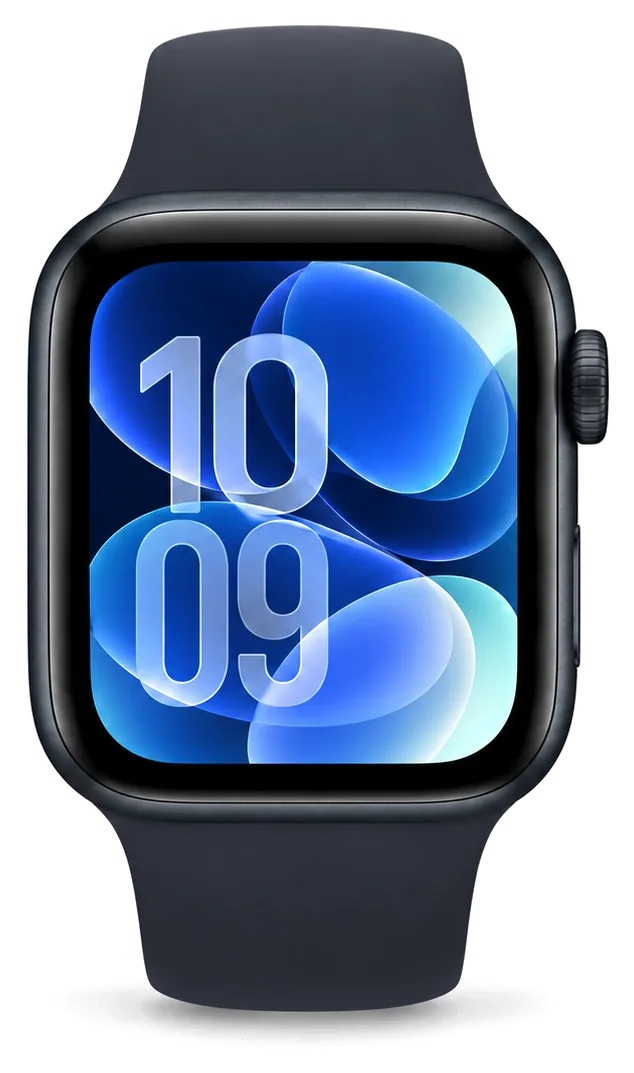
The SE is the Apple Watch we see most often at our workbench. Its aluminium case and Ion-X front crystal shape which faults appear first, so we start from the damage owners actually bring in.
Cracked Glass and Touch That Stops Responding
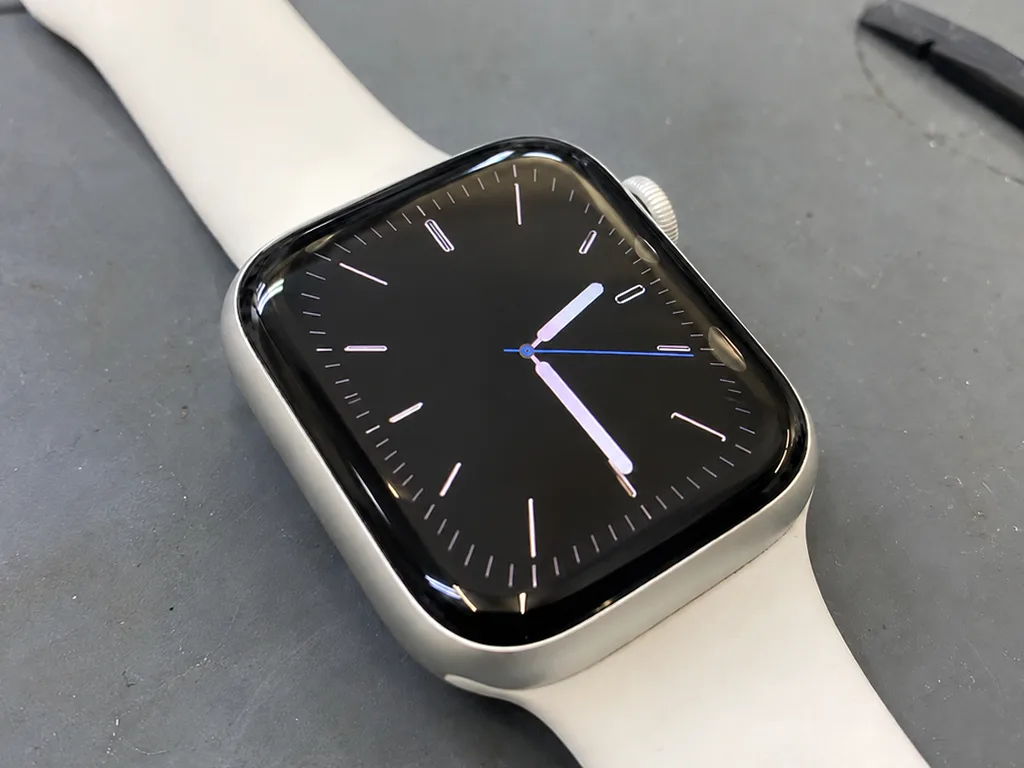
On the SE the Ion-X front crystal is bonded to the panel, so a crack with a clean image can often be fixed by replacing the outer layer alone, while stripes or dark patches mean the whole module goes. The touch layer sits directly beneath that surface, and a digitizer that ignores swipes usually follows a hard knock to the corner of the case. For the Apple Watch SE repair Almaty owners book most often, the first question is whether the OLED underneath survived. A clean picture with working touch narrows the job to the outer layer and adhesive. A hairline crack left alone lets moisture reach the OLED, so a cheap outer-only fix today can turn into a full module later — bring it in while the picture is still sharp.
A Battery That Drains Fast or Pushes the Screen Up
A swollen SE battery lifts the panel from the case, and that gap is the clearest sign to stop charging the watch and book a diagnostic the same day. The cell sits under the display flex and the induction coil, so expansion presses upward against the panel before it shows anywhere else. Owners often notice the watch losing charge overnight first, then a thin line of light at the edge of the screen. We open the case, check the seal and the flex for bending, then fit a new cell. Continuing to charge a swollen cell keeps pressure on the display flex, and a bent flex can add a screen replacement to a job that started as a battery swap.
When the Watch Will Not Charge or Power On
We test the stand and cable first, then the induction coil and rear-cover contacts, and only then the board, because most SE no-power cases trace back to the coil or a dirty contact ring rather than the logic board. A unit that shows the charging bolt but never gains percent is usually a coil or contact fault, while one that stays black on a known-good stand points to the board. The two need different repairs, and telling them apart before any part is ordered saves the owner from paying for work the watch never needed. A worn coil or grimy contacts inside the rear cover are the usual cause of a watch that only charges at an angle, and a device that gets warm and stops is checked coil and battery together.
Glass, Touch or Full Display for Your Apple Watch SE Repair
The most common question we hear is whether the glass alone can be swapped. The answer depends on what the damage actually reached, so here is how we decide.
Matching the Damage to the Right Repair
Damage type mapped to repair scope and parts retained| Damage you see | Repair we do | What stays original |
|---|
| Crack, image clean, touch works | Glass replacement | OLED panel, touch layer |
|---|
| Crack plus dead touch zones | Glass and touch layer | OLED panel |
|---|
| Stripes, dark patches, no image | Full display module | Case, battery, board |
|---|
| Glass lifting, no crack | Re-bond and reseal | Whole display |
|---|
Original or Aftermarket Display
64% of our customers pick an original part, and on the SE the difference shows up in brightness, touch response and how cleanly Always-On behaves on models that have it. An aftermarket panel can match the original on the bench, yet its brightness fades faster and touch sensitivity drifts at the edges after a year of daily wear. We show both options in factory packaging before installation, and the choice is written on the receipt so there is no swap later. On an older SE that already shows scuffs and a tired battery, the aftermarket route often makes sense because the watch is near the end of its useful life anyway. If you plan to keep the watch another two or three years, the original part usually outlasts the saving.
Water Resistance After the Case Is Opened
We re-glue the SE case seal after every screen job, but we tell owners plainly that factory water resistance cannot be guaranteed once the watch has been opened. The adhesive gasket that ships from the factory is pressed under controlled pressure, and a workshop reseal restores splash protection rather than the original WR50 rating. Showering and swimming put the most pressure on a fresh seal in the first days, so treat the watch as splash-resistant and keep it out of the pool even though it feels sealed. Give the adhesive a full day to cure before any contact with water, and bring the watch back if you notice fogging under the glass.
Bringing Your SE In and What the Visit Looks Like
Most SE repairs never leave the workshop bench. Here is the path from your first message to the moment you walk out with the watch.
From a WhatsApp Photo to a Fixed Price
Send a photo of the damage on WhatsApp and an engineer replies within 5 minutes with a price, then the free 15-minute diagnostic confirms it in front of you. A specialist opens the watch at the bench, shows the failed part and explains whether an original or aftermarket replacement fits the damage. Before any work starts, the receipt locks the price, the part, the turnaround and the warranty in about 2 minutes. When the new component goes in, you see it in factory packaging first, still sealed. The device comes back with the receipt, the warranty card and the old part in your hand. Ask for the diagnostic even if you plan to think it over — it costs nothing and turns a guess about Apple Watch SE repair Almaty into a written quote you can compare.
How Long an SE Repair Takes
turnaround and location by repair type| Job | Typical turnaround | Where it happens |
|---|
| Glass or display swap | While you wait | At the bench |
|---|
| Battery replacement | While you wait | At the bench |
|---|
| Charging coil or contacts | While you wait | At the bench |
|---|
| Board-level fault | 1–3 days | Under the microscope |
|---|
Preparing the Watch Before You Hand It Over
- Unpair from the iPhone: open the Watch app, tap your watch, then Unpair — the backup stays on the phone and Activation Lock clears.
- Run a fresh backup: back up right before unpairing so the latest health data is saved.
- Note the passcode: share the watch passcode — it is needed to test touch, sensors and charging.
- Bring the charger: the original puck lets the specialist confirm the coil works after the swap.
Sensors, Crown and Connection Faults on the SE
Not every SE fault is a broken screen. Crown, sensor and pairing problems have their own causes, and each one is checked a different way.
A Stiff Digital Crown or Unresponsive Side Button
A crown that grinds or sticks is usually clogged with dust and dried sweat, and we clean and re-seat it before considering a replacement. The rotating dial turns on a thin shaft with a rubber gasket behind it, and that barrier is where grit collects first. On the side button, the same mix of dust and skin oils builds up around the actuator and makes the press feel mushy or fail to register. We open the case, flush the mechanism, check the barrier and confirm the click and rotation before closing it back up. Grit left in the dial wears the internal gasket over time, so a cleaning early on is cheaper than waiting for the button to seize completely.
Heart Rate, ECG and Sensor Readings That Drift
The heart-rate sensor and electrodes sit in the rear cover, so readings that drift after a drop usually point to a rear-cover or contact issue rather than the display. The optical sensor shines light through the skin and reads the reflection, while the ECG electrodes pick up the electrical signal from your fingers and wrist. A cracked or lifted back breaks both paths at once, and the readings turn patchy or drop out during workouts. A loose rear cover also breaks the charging path, so a watch that reads pulse badly and charges slowly often has one shared cause worth checking together.
When the Watch Loses Its iPhone Connection
If the SE drops its iPhone link after a fall, the cause is usually an antenna or board connection rather than software, and a diagnostic separates the two quickly. The Bluetooth and Wi-Fi antennas are bonded to the system board and route through the case, so a sharp impact can crack a solder joint or shift the contact without any visible damage outside. We test the wireless modules on the board, check the antenna contacts and confirm the link with a known iPhone before touching any settings. Re-pairing fixes a software drop but hides a hardware fault for a few days, so if the link fails again after pairing, the antenna is the place to look.
Why Owners Trust the Workshop With Their SE
A repair is only as good as the workshop behind it. These are the things we let owners check for themselves before and after the job.
A Direct Contractor Rather Than a Middleman
iServices is a direct repair contractor with its own technicians and workshop, not an aggregator passing your watch to a third party. The engineer who quotes your SE is the same person who opens it on our bench, and the bench is ours rather than a rented corner across town. That matters because the shop you pay and the bench that handles the job are one and the same, so nothing gets lost in a handover. We have been at this for 11 years and have logged 46,000+ repairs across our branches in Almaty and Astana. A direct contractor answers for the part and the labour in one place, so there is no gap between the shop you paid and the bench that actually opened the watch.
Warranty, Old Part and What You Take Home
- Warranty up to 1 year: every repair leaves with a warranty card, and the same term is written on your receipt before any work starts.
- The old part: we hand back the failed component in a bag, so you can see exactly what came out of the watch.
- Payment your way: settle by Kaspi, card or cash once you have checked the device with the engineer.
- The receipt: price, part type, turnaround and warranty are fixed in writing, so nothing changes after you leave.
- The comparison: keeping the failed component lets us check it against the replacement if a warranty question ever comes up.
Repair or Replace an Older SE
A glass or battery fix on an SE is usually worth it, while a board fault after water damage is the case where a replacement often makes more sense. A cracked display or a worn cell is a straightforward swap that returns the watch to full daily use, and most such jobs take 20–40 minutes while you wait. Board work is different: we do it under a microscope and it runs 1–3 days, and after water exposure diagnostics alone can stretch to two days before we even know the extent. The deciding factor is not the age of the watch but whether the fault touches the board, since board work is the one repair that can approach the cost of a newer model. If a photo on WhatsApp shows only glass or a battery, repairing the SE almost always beats replacing it.
Summary: Apple Watch SE Repair
A watch that is fixed early and correctly lasts years longer than one left to fail slowly. These are the points worth remembering before you decide what to do with a damaged SE.
- A crack with a clean image: replacing the glass alone often solves it, while stripes or dead touch mean the full display module.
- A swollen battery: it lifts the screen, so stop charging the watch the same day you notice the swelling.
- Water resistance: it drops once the case is opened, so treat a repaired watch as splash-resistant rather than swim-ready.
- Before the visit: unpair the watch from the iPhone so the backup stays on the phone and Activation Lock clears.
- Repair or replace: a glass or battery fix is usually worth it on an older SE, but a board fault after water damage is where replacement starts to make sense.










 iPad
 MacBook
 iMac
 Mac mini and Studio
 AirPods
 Apple Pencil
 Apple TV
 HomePod