MN Photo: Mukhpilov Nail
Mukhpilov Nail
smartphone repair technician
10years of experience
4.83rating, 83 reviews

Mac mini M4 won't start or keeps losing the picture — we'll open it and check it free while you wait, and quote the price before any work begins.
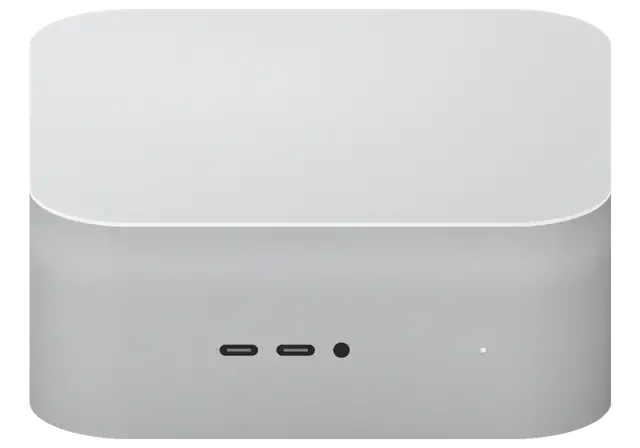
The compact M4 chassis houses the power supply and fan, so power, cooling and ports are the usual culprits rather than the processor itself.
No light and no sound when switched on: we check the power supply and the startup circuit.
A whine even at idle: the heatsink is clogged with dust or the thermal paste has dried.
The chip hits its thermal limit and throttles, and the interface stutters out of nowhere.
The computer runs but the monitor stays silent: we check HDMI and Thunderbolt.
An external drive or dock disappears: worn connector or a controller fault.
A flash drive shows up only sometimes: the front-panel connector has come loose.
The network comes and goes: we inspect the antennas and the wireless module.
After a macOS update the computer restarts endlessly: the firmware or storage is to blame.
Tea next to the unit causes corrosion: cut the power at once and don't delay the cleaning.
The Mac mini goes to sleep and won't respond to the mouse or the power button.
The macOS install fails with an error, and the volume won't be created or mounted.
The built-in storage is nearly full, apps open in fits and starts, and the system lags.
The table below gives ballpark figures for common Mac mini M4 jobs; the technician quotes the final amount after inspection.
| Service | Original | Aftermarket |
|---|---|---|
| Power supply replacement | 58 900 ₸ | 32 900 ₸ |
| Fan replacement | 24 900 ₸ | 13 900 ₸ |
| USB-C / Thunderbolt ports replacement | 37 900 ₸ | 20 900 ₸ |
| Other repairs | Price | |
| SSD installationstorage installation | 10 900 ₸with parts | |
| Dust cleaningdisassembly and dust cleaning | 17 900 ₸per job | |
| Logic board repairmicrosoldering · 1–3 days | 25 900 ₸per job | |
| Wi-Fi module repairwireless module · board-level repair | 33 900 ₸with parts | |
| MacOS installationOS installation, no parts replaced | 10 900 ₸per job | |
We price liquid-damage cleaning after diagnostics: the extent of board damage isn't known in advance.
Both routes are possible for this model, and the choice depends on workload, service life and the owner's budget.
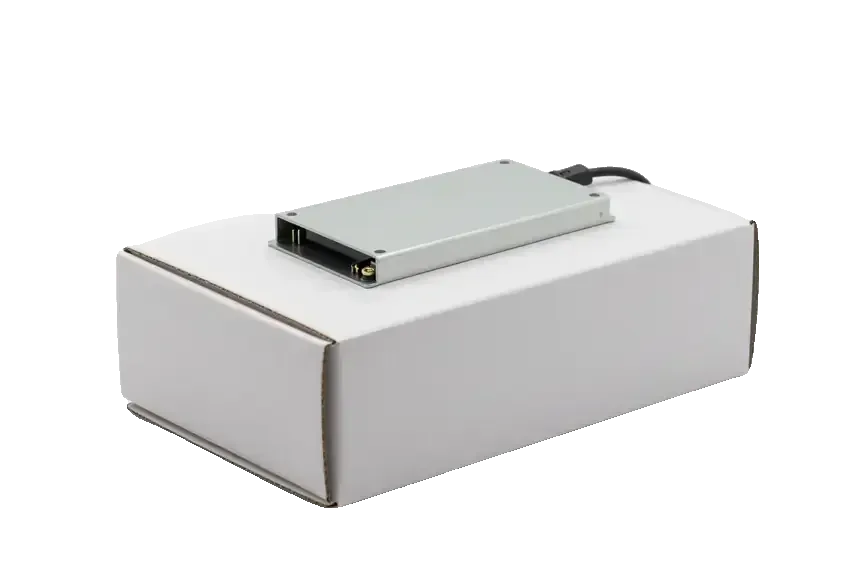
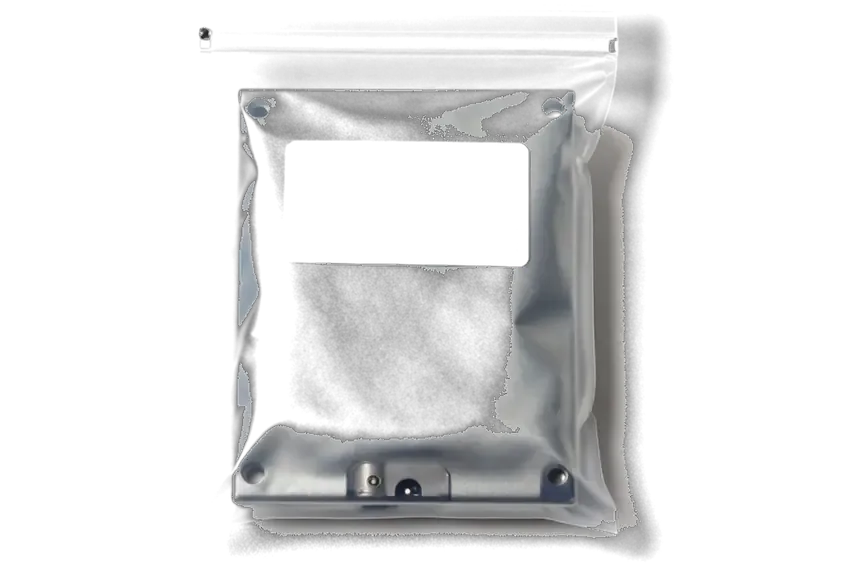
The mini sits on a desk and rarely leaves home, so a clear inspection and convenient drop-off in the city matter.
We've repaired Apple computers for eleven years, so we know the weak spots of the mini chassis and go straight to the likely cause.
Repairs carry a warranty up to 1 year, and if the fault returns we calmly work out what went wrong.
Experienced technicians open the case: they know the disassembly order and don't tear the thin fan and antenna flex cables.
We quote the price after diagnostics, once the cause is clear, so there's no "paid but the problem remains" situation.
The service operates in two cities, so warranty matters are easy to handle even if you've moved.
Weekdays 10:00 to 19:00, weekends and holidays 11:00 to 18:00, so you can drop by on a day that suits you.
Usually the whole journey — from message to pickup — takes less than an hour; complex repairs follow the timeline in the receipt.
Book a repairYou send a photo of the damage on WhatsApp — we quote the price and available time. Or you call a courier.
An engineer checks the device in front of you and shows what is broken. 0 ₸, even if you decline the repair.
We fix the price, the part (original or analog), the timeline and the warranty. You sign — we start.
Before installation we show you the new part in its factory packaging. You wait in the waiting area with coffee and Wi‑Fi.
Startup and operation under load, ports, Wi‑Fi and Bluetooth, sound. You check together with the engineer.
Together with the receipt, warranty card and the old part. Payment — Kaspi, card or cash.
Technicians for iPhone, Mac, iPad, Apple Watch and AirPods repair.
Photo: Mukhpilov Nail Photo: Molchanov Rinat
 Photo: Shokan A
 Photo: Sybanbaev Birzhan
 Photo: Denis Gushchin
 Photo: Duisebaev Azhdar

“If the repair didn’t suit you or you have a complaint, write to me personally.”
Send a photo of the fault — an engineer will reply on WhatsApp, give the price and a time you can come in.
Mac mini M4 Repair in Almaty with iServices Technicians
iServices handles Mac mini M4 repair in Almaty with its own technicians, not as a middleman. We run free 15-minute diagnostics in front of you, fix most faults while you wait, and back the work with a warranty up to 1 year. You pick an original or aftermarket part, and both are fixed on the receipt before work starts.
The Mac mini M4 is compact and tightly built, and that shape decides what a technician can reach, swap or repair. Here is what matters before any screwdriver touches the case.
The Mac mini M4 packs the logic board, the internal power supply and the fan into a very small case, with the power button on the bottom and front USB-C ports beside the headphone jack. Thunderbolt and HDMI sit on the rear panel, and airflow runs from the base fan across the circuitry toward the vents. Memory is soldered directly to the logic board, so there are no slots to open and no sticks to reseat. The internal supply means no external brick to test first, which shifts early fault-finding straight onto the rails. The bottom-mounted button also sits on a small flex, a common casualty when the case is opened carelessly. Because memory is soldered, a fault there is a board-level job, so ask for a microscope check rather than a part swap.
| Fault area | Replaceable as a unit | Component-level work |
|---|---|---|
| Fan and cooling | Yes | If the fan header is damaged |
| Internal power supply | Yes | If a rail on the logic board fails |
| Thunderbolt and HDMI ports | Sometimes | Often, when traces are torn |
| Memory and SSD | No, soldered | Yes, under a microscope |
| Front USB-C and audio jack | Sometimes | When the connector is ripped |
The SSD in the Mac mini M4 is soldered to the logic board, so it cannot be pulled out and read in another machine the way a desktop drive can. Storage and memory share that same circuitry, which means a fault can take your files offline even when the drive chips themselves are healthy. macOS boots from that soldered storage, so a corrupted controller or a broken rail shows up as a machine that will not start rather than as a missing disk. Time Machine is the practical answer: an external backup keeps a copy that does not depend on the hardware surviving. Back up with Time Machine before any board work, because once the unit is on the bench your data is only reachable through that same circuitry.
Units usually arrive with a clear symptom rather than a diagnosis. These are the patterns we meet again and again and what each one tends to point to.
A Mac mini M4 that shows no sign of life usually points to the internal power supply or the power rail on the logic board, so we test the PSU first. That module sits inside the chassis, which means a dead machine is rarely a matter of a loose plug — the cover comes off and the rail is measured against a bench unit. A Mac mini M4 repair job in Almaty often starts exactly here, because the compact case gives a surge nowhere to go but through the module and into the circuitry. We meet this pattern most often after outages in older apartment blocks. A mains spike can take the PSU and the logic board together, so once the power returns, ask for both to be checked, not just the plug.
A Mac mini M4 that gets loud under load is usually fighting dust in the fan and vents, and a clean plus a load test settles most of these cases. The fan pulls air through a narrow channel in the compact chassis, so a thin mat of dust is enough to push the machine into higher RPM and visible slowdown during exports or long builds. We run a load test after the clean to confirm the temperature drops back to normal. Persistent noise once the dust is gone can mean the fan bearing is worn, so ask for the fan to be checked as a whole rather than cleaned again.
Diagnosis decides what actually gets fixed and what can be left alone. Here is how a machine moves from a vague symptom to a confirmed fault in our workshop.
We run free diagnostics in front of the customer for 15 minutes, and the engineer shows what is broken even if you decide not to repair. The bench power supply, each connector and the fan are checked in sequence while you watch the readings change on screen. Nothing disappears into a back room: the machine stays on the table, and every step is explained as it happens. You leave with a clear picture of the faulty component, not a verbal summary. Watching the test lets you see which part failed, so a second opinion elsewhere starts from the same facts rather than a guess.
| Check | What we test | What it tells us |
|---|---|---|
| Bench power supply | Output under load | Whether the brick or the rail failed |
| Thunderbolt | Live device handshake | Connector health and traces |
| HDMI | Signal to a display | Output stage and cable |
| Front USB-C | Data and charge | Link and connector seating |
| Fan and heat | Spin and temperature | Cooling and dust build-up |
A Mac mini M4 that will not boot to macOS can sometimes be revived through DFU mode using a second Mac, before any hardware work is considered. The second machine flashes the firmware over a USB-C link while the target is held in recovery, and the process either completes cleanly or reports a specific error code that points to the broken stage. A clean DFU pass with no boot afterwards usually means the fault sits on the logic board rather than in software. DFU restores firmware but does not recover your files, so treat it as a repair step and keep a backup as the real safety net.
When the fault sits deeper than a cable or a setting, the work moves to the microscope bench. This section covers component-level repair, damaged connectors and what happens after a voltage spike or a spill.
We repair the mainboard under a microscope, and component-level jobs usually take 1 to 3 days depending on the fault. The workbench carries a hot-air rework station, a fine-tip soldering iron and a laboratory supply for controlled power-up, so a shorted rail is traced to the specific chip rather than swapped as a whole. Your files stay on the soldered SSD throughout, because the work happens around it rather than through a drive replacement. A microscope job is only as good as the load test after it, so ask for the unit to be run under load before you collect it.
Torn Thunderbolt, HDMI and front USB-C ports are common on a compact desktop like this one, and we repair the socket and its traces together. The audio jack and the internal power supply link get the same treatment, since both sit on the same edge of the mainboard and take stress from cables being pulled sideways. These assemblies are not interchangeable with earlier generations, so a part pulled from an older unit will not seat or report correctly. A port that was pushed in usually damages the pad underneath, so a socket swap alone can fail again without the trace repair.
A unit that took a voltage spike or liquid needs a deeper check, and after liquid contact diagnostics can take up to two days. Power is brought up slowly on a laboratory supply with the current limited, watching which rail pulls too much before anything else is switched on. Corrosion under the shields is mapped at high magnification and cleaned before the device is powered normally, and only then does the fault get traced to a component. Powering a liquid-hit unit on to test it can spread corrosion, so leave it off and let the mainboard be cleaned and inspected first.
What happens between the first message and the moment you carry the Mac mini M4 home matters as much as the repair itself. Here are the timings, documents and checks you get.
Most jobs finish while you wait, and 72% of our repairs are completed in the waiting area with coffee and Wi-Fi. The whole process from first contact to pickup usually takes under an hour, and for MacBook and iPad the turnaround runs from 1 hour to 1 day, with the exact window named after diagnostics. Board-level jobs are the exception at 1 to 3 days, and a liquid spill can stretch diagnostics to two days before we even quote. We send a photo-based estimate on WhatsApp within five minutes, so the window is known before you leave home. Plan a backup machine for the board-level window rather than expecting a same-hour fix — that single decision saves a wasted trip across the city.
Before work starts we fix the price, the part, the turnaround and the coverage term on the receipt, and you get the old part back with a card for it. That paperwork takes about two minutes and states whether the replacement is original or aftermarket, so there is no ambiguity once the case is closed. The term runs up to 1 year, and 64% of customers pick an original part for the longer service life it gives a desktop that runs daily. Payment works by Kaspi, card or cash, and a courier can collect the unit across the city in 90 minutes free with a repair. Keep the receipt with the card, since the fixed part and term on paper are what a claim is checked against later.
The M4 mini concentrates its most fragile electronics in a small space, so the fault pattern and the repair path matter more than the symptom itself. These are the points worth carrying into any repair decision.
Did not find an answer? Message us on WhatsApp: an engineer replies, not a bot.
Ask a questionUsually a clogged heatsink or dried thermal paste makes the chip throttle. Cleaning out the dust and replacing the paste helps. If the noise persists, the technician checks the fan bearing.
No, the memory is soldered to the board and the storage is built in, so they can't be expanded later. For more space, use an external drive over Thunderbolt or USB-C.
Not necessarily. First try another cable, port and screen, and disconnect the dock. If there's no picture on any output, the video circuits and board need diagnostics.
They have different boards and numbers of Thunderbolt ports, so parts are matched to the exact model. You can check it in "About This Mac" before coming in. The diagnostic approach is the same.
Unplug the power cord and disconnect all cables, then turn the computer over so the liquid doesn't run toward the board. Don't dry it with a hairdryer and don't try switching it on "just to check". The sooner the board is cleaned of liquid traces, the less oxidation there is.
Make a Time Machine backup or copy important files to an external drive. The storage here is built into the board, so after a serious failure data is harder to recover than from a regular SSD.
Mac mini (M4 2024) подвёл: компьютер начал запускаться только со второй попытки. По результатам диагностики проверили блок питания и стабильность загрузки; Денис спокойно объяснил, с чего лучше начать.
На Mac mini (M4, 2024) компьютер сильно нагревался под нагрузкой. По результатам диагностики проверили терморежим и состояние охлаждения.

 iPad
 MacBook
 iMac
 Apple Watch
 AirPods
 Apple Pencil
 Apple TV
 HomePod
