The iPhone 8 Plus is a glass-backed phone with a Home button, Touch ID and Qi wireless charging, and its weak points follow from that build. Here is what owners bring us most often.
The faults we see most on this model
- Cracked display module: a drop breaks the front panel or kills touch zones, and the whole module is swapped with True Tone kept.
- Worn battery: capacity fades after years of cycles, so the phone shuts down early or drains in hours.
- Loose Lightning port: pocket lint and bent pins stop the cable gripping, which shows as slow or interrupted top-ups.
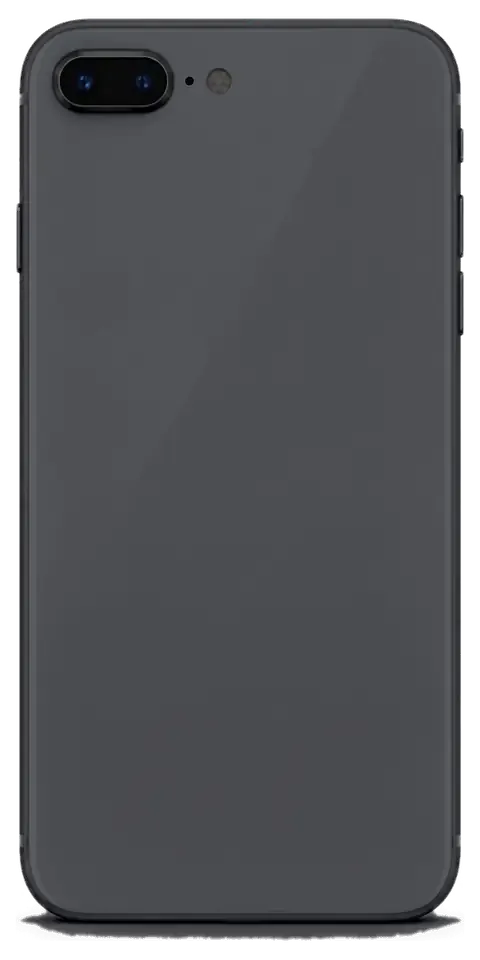
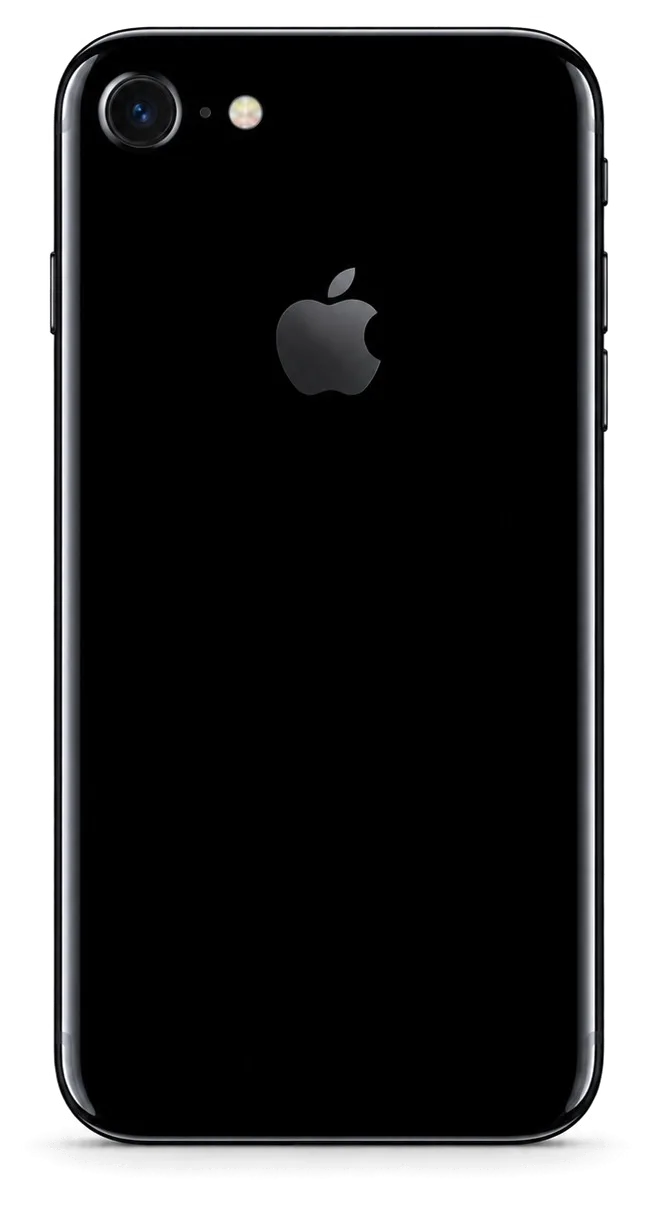
- Shattered rear panel: the back is glass over the Qi coil, so a drop exposes the wireless-charging hardware underneath.
Symptom, likely cause and what we do
How a symptom points to a part and a fix| Symptom | Likely cause | What we do |
|---|
| Lines or dead touch areas | Damaged display module | Replace the module, keep True Tone |
|---|
| Battery drops fast, phone shuts down | Worn battery | Fit a new battery, 25 minutes |
|---|
| Cable falls out, slow top-ups | Worn Lightning port or flex | Clean or replace the port |
|---|
| Blurry photos, cracked lens | Broken camera glass | Swap the glass, 20 minutes |
|---|
| No sound on calls | Speaker or microphone mesh | Clean or replace the part |
|---|
Rear glass, cameras and the frame
On this model we replace the rear panel and the camera lens separately from the frame, so a drop that only cracks the back does not mean a new housing. The lens sits over the sensor and the back sits over the Qi coil, so both are surface parts that come off without touching the board. A cracked lens scatters light and softens every photo long before the sensor fails, so swapping it early protects image quality you would otherwise lose gradually. The aluminium frame itself rarely bends on this model — what looks like frame damage is usually chipped material at the edges. If the frame is intact, we keep it; if it is bent, we tell you before any work starts.
Screen, Battery and Charging Faults and How We Fix Them
The screen, the battery and the charging port are the three repairs that bring most iPhone 8 Plus owners through our door. Each has a fast path and a slower one, and knowing which you need saves a trip.
Can you replace just the glass on an iPhone 8 Plus
On the iPhone 8 Plus the front pane and the LCD are bonded into one module, so a cracked surface is normally replaced as a full display unit rather than the top layer alone. The protective layer sits directly on the LCD and the digitiser, and separating them by hand leaves dust between the layers, uneven backlight and dead touch zones along the edges. We fit a complete assembly with the panel, front pane and digitiser already laminated at the factory, which is why the job takes around 40 minutes and keeps True Tone working. If only the outer layer is broken and the image and touch still work, ask the engineer to test the panel first — a module swap is only needed when the LCD or digitiser is damaged underneath.
Battery wear and when to replace it
We swap the iPhone 8 Plus cell in about 25 minutes, and we recommend it when Battery Health drops and the phone shuts down under load or drains within a few hours. Age alone is a weak signal: a device that holds a full day of moderate use with Battery Health in the low 80s needs no part yet, while one that dies at 30% in cold weather does. The replacement power cell is shown in its factory packaging before we open the phone, and the engineer checks the charging controller at the same time. A swollen pack pushes on the display from behind and can crack it, so a unit that has started to bulge should be replaced before it damages the screen as well.
Charging port or board
When an iPhone 8 Plus will not charge, the cause is usually the Lightning connector or its flex rather than the board, and our free diagnostics show which within 15 minutes. The engineer opens the phone in front of you, inspects the socket under magnification and tests the charging flex and the power controller separately. Lint packed into the opening looks exactly like a dead connector from the outside, so we inspect and clean the socket before quoting a replacement — sometimes no part is needed at all. A socket that works only at a certain cable angle, or charges slowly and heats up, points to worn contacts on the flex; a phone that ignores every cable and stays cold usually has a board fault, which we handle under a microscope over one to three days.
Original or Aftermarket Parts and the Functions They Keep
The part you choose decides which functions survive the repair. On the iPhone 8 Plus the key ones are Touch ID, True Tone and the wireless-charging coil, and each behaves differently depending on what goes in.
Original and aftermarket parts side by side
how each part type affects the same functions| Function | Original | Aftermarket |
|---|
| Fingerprint unlock | Works as before | Works as before |
|---|
| True Tone | Kept after calibration | May not work on some units |
|---|
| Wireless charging | Full Qi support | Full Qi support |
|---|
| Screen colour | Factory-matched | Close, slight variance |
|---|
Will Touch ID and True Tone survive the repair
Fingerprint unlock on the iPhone 8 Plus sits in the Home button and is untouched by a screen swap, while the adaptive colour shift is carried over to the new display by transferring its calibration during the repair. The button and its cable stay with the frame, so unlocking keeps working as long as the flex is not damaged during opening — we check it with you afterwards. That tint adjustment is a calibration, not hardware, so it can be preserved on an original display and is the first thing to verify on an aftermarket one — we test it with you before you leave. If the ambient sensor behind the glass is faulty, no replacement will bring the shift back, which is why we confirm it during the free 15-minute diagnostic rather than after the bill.
Water resistance after the phone is opened
The iPhone 8 Plus carries an IP67 rating from the factory, but any time the device is opened that seal is disturbed and the original water resistance is no longer guaranteed. The gasket is a strip of adhesive pressed between the screen and the frame, and it deforms the moment the glass lifts; no workshop can re-create that seal by hand. We re-apply the sealing adhesive on reassembly, which restores splash protection but not a factory guarantee — treat the phone as splash-resistant, not waterproof, after any repair. Keep it away from pools and heavy rain, and if it does get wet, power it off and bring it in rather than charging it.
How an iPhone 8 Plus Repair in Almaty Runs From Photo to Pickup
The whole visit is built around not leaving your handset behind. From the first WhatsApp shot to pickup, most iPhone 8 Plus jobs are done while you sit in the waiting area with coffee and Wi-Fi.
From a WhatsApp photo to a fixed price
Send a picture of the damage on WhatsApp and an engineer replies within 5 minutes with a price and an available time slot, then confirms everything on a receipt before any work starts. The image should show the cracked glass, the bent frame or the charging port straight on, because a clear view is what lets us quote the right part the first time. Before fitting, the engineer opens the new component in its factory packaging in front of you, so you see the exact screen or battery going into your phone. We still run the free 15-minute diagnostics in front of you, so the receipt price is fixed after we see the actual unit. That is how an iPhone 8 Plus repair in Almaty stays predictable from the first photo to the fixed price on the receipt.
What to do before you hand the phone over
- Back up your data: run an iCloud or computer backup before you leave home, so photos, chats and contacts survive even an unlikely failure during the repair.
- Know your passcode: the engineer needs it to unlock the handset and test touch, cameras and sensors once the new part is fitted.
- Switch off Find My iPhone: deactivate Activation Lock in settings so the unit can be tested and returned without a locked account blocking the checks.
- Note the current faults: list every symptom you have noticed, including ones unrelated to the main damage, so the free diagnostics covers them too.
How long the repair takes and whether you can wait
Most iPhone 8 Plus repairs take 20–40 minutes while you wait — a screen is about 40, a battery 25 and camera glass 20 — and 72% of our jobs finish while the customer stays in the waiting area. You can sit there with coffee and Wi-Fi, or drop the handset and call a courier to bring it back across the city in 90 minutes, free with a repair. Board-level faults are the exception and can run 1–3 days under the microscope, so if the phone is dead rather than cracked, plan for a second visit instead of an hour.
What You Get Back and What Stays on Paper
A repair is only finished when you have checked the device yourself. Here is what we test with you at handover, what comes back in the box, and why dealing with a direct repairer changes where accountability sits.
The 32-point check we run with you
- Touch ID and True Tone: we unlock the handset with your fingerprint and confirm the display shifts colour correctly after the screen work.
- Both cameras: we shoot a photo with the rear module and open the front one, checking focus and the flash.
- Microphones and speakers: we record a short voice note and play it back to catch a dead earpiece or muffled call.
- Charging and network: we plug in a cable, confirm the cell takes power, then check the cellular signal and Wi-Fi.
- The full list: 32 functions in about 10 minutes, run together with you at the counter before the device leaves our hands.
Receipt, warranty and the old part
The device comes back with the paper record, a guarantee card covering the repair up to 1 year, and the removed component, so you can see exactly what was replaced. That document lists the spare fitted, the turnaround and the coverage term, all fixed before work started. We hand over the extracted item in the same bag it came out of — a cracked screen or a worn cell you can inspect against the new one. Keep the paperwork and guarantee card together with that old component: the reference number on the sheet is what ties a future claim to your specific job, and without it the file no longer matches your handset.
Why a direct repairer is accountable
iServices is a direct repairer with its own technicians and workshop, not an aggregator or middleman, so the specialist giving you the quote is the person accountable for the result. Across 46,000+ jobs over 11 years, the technician running the free diagnostics is the same one fitting the spare and signing the guarantee card. With a middleman the coverage is split between the shop and whoever actually did the work, which is where disputes start — a direct repairer keeps that chain to a single party. Ask who holds the tools before you hand over the handset: if the answer is a dispatch desk, responsibility for a failed component travels further than your paperwork does.
Summary: iPhone 8 Plus repair
A repair holds up when the diagnosis, the part and the paperwork line up, so here is the short version of everything above to carry with you.
- Diagnosis first: match the symptom to the faulty unit — a charging fault is usually the port, not the board, and guessing wastes a swap.
- Screen means module: on the iPhone 8 Plus the front glass and LCD are bonded as one assembly, so a cracked surface is replaced as a whole display.
- Touch ID and True Tone: the fingerprint sensor survives a screen swap, while True Tone depends on the display and its calibration during fitting.
- Seals are spent: water resistance is never guaranteed again once the phone has been opened, whatever the gasket looks like.
- Paper matters: insist on a receipt naming the part, the turnaround and the warranty, since the cheapest-looking quote rarely stays cheapest after a second visit.














 iPad
 MacBook
 iMac
 Mac mini and Studio
 Apple Watch
 AirPods
 Apple Pencil
 Apple TV
 HomePod




