The 6s Plus is old enough that wear, not impact, drives most faults — battery, charging port, screen glass and camera glass. Below is what owners actually bring in.
The Faults Owners Bring In Most Often
We see four repeat faults on the 6s Plus — a worn battery, a clogged or oxidised Lightning port, a cracked front panel, and a shattered lens cover. The battery has usually been through hundreds of charge cycles and now falls below 80% of its original capacity, which is why the phone dies at 20% or shuts down in cold weather. The Lightning port collects lint and pocket dust until the cable no longer seats, and the contacts oxidise, so charging turns intermittent. The front panel cracks at the corners first, while the lens cover shatters from a single drop onto a hard surface. Because the aluminium body flexes less than later models with a glass back, a drop usually cracks the outer layer first while the display underneath keeps working. For an iPhone 6s Plus repair in Almaty, these are the cases we handle most often.
Symptom, Likely Cause and What We Do
Matching each complaint to the part that causes it| Symptom | Likely cause | What we do |
|---|
| Dies fast, shuts down at 20% | Worn battery | Battery replacement |
|---|
| Won't charge, cable loose | Dirty or oxidised Lightning port | Clean or replace connector |
|---|
| Cracked front panel, image fine | Broken outer layer | Front-panel-only replacement |
|---|
| Lines or dead touch zones | Damaged display module | Full module replacement |
|---|
| Blurry photos | Shattered lens cover | Lens cover swap |
|---|
Why an Older Model Still Makes Sense to Fix
A 6s Plus is simple to service, parts are widely available, and a single repair usually costs far less than a replacement phone. The chassis is held by two screws at the bottom, so a battery or screen swap is quick work rather than a full teardown. The 6s Plus keeps a physical Home button with Touch ID and 3D Touch, both of which are separate from the display module — so a screen repair does not touch the fingerprint sensor. Our engineers handle these units daily, and 72% of repairs are finished while the customer waits in the waiting area. On a model this old, a worn battery is the most common reason a phone feels finished — replacing it restores daily use for far less than a new device.
Screen Damage and What an iPhone 6s Plus Repair Keeps Working
A cracked 6s Plus screen is not always a full module job. Here is how we decide between glass and module, and which functions stay intact either way.
Glass Only or the Whole Display Module
If the image and touch still work and only the outer layer is cracked, we can replace just that layer; if there are lines, dead touch zones or a black patch, the whole module goes. On a 6s Plus the display module is a bonded sandwich of glass, digitizer and LCD panel, so the split depends on which layer failed. We test touch across the full grid and look for pressure marks before choosing. Replacing only the outer layer preserves the original panel and its colour calibration, so the screen looks exactly as before — a full module swap is the safer route once the panel itself is damaged. A single hairline crack often qualifies for a front-panel-only fix, while drop damage with spreading lines usually needs the module.
What Still Works After a Screen Repair
- Touch ID: the Home button and its sensor sit separate from the screen, so the fingerprint keeps working.
- 3D Touch: pressure sensitivity lives in the panel and stays if the module is intact.
- Front camera: unaffected by a screen swap and checked together with the engineer at handover.
- Proximity and light sensor: re-seated during assembly and tested before you leave the workshop.
- Display colour calibration: the original panel keeps its factory tuning, so there is no recalibration to lose — one less thing that can go wrong than on newer screens.
The 32-Point Check Before You Take It Home
After the repair we run a 32-function check in about 10 minutes, and you go through the key ones with the engineer. The list covers the display image and touch grid, front and rear cameras, both microphones, the earpiece and loudspeaker, charging, and network registration — the checks that catch a loose flex or a mis-seated connector. We do this with you watching, so nothing is hidden. Testing before you leave catches a mis-seated connector on the spot — far easier to fix in the workshop than to diagnose after the phone is back in your pocket. If any single function fails the pass, the engineer reopens the device and corrects it before you sign off.
Choosing an Original or Aftermarket Part
The part you fit decides how the phone behaves for years. We show both options in factory packaging and fix your choice on the receipt before any work begins.
How Original and Aftermarket Differ in Practice
Comparing factory and third-party parts by behaviour| Part | Match to factory | Best for |
|---|
| Original display | Exact brightness and colour | Keeping the phone as it was |
|---|
| Aftermarket display | Close, may differ slightly | Budget-conscious repair |
|---|
| Original battery | Full capacity and health reading | Long daily use |
|---|
| Aftermarket battery | Good capacity, shorter lifespan | Occasional use |
|---|
What the Receipt Locks In
Before work starts we write the price, the exact part, the turnaround and the warranty on the receipt — it takes about two minutes and both sides keep a copy. Our engineers mark whether the display module or battery is original or aftermarket, so there is no verbal agreement to argue about later. Warranty runs up to 1 year on the fitted part, and the old component goes back to you with the paperwork. A written part type protects you later: if a fault returns, the receipt shows exactly what was fitted, so the warranty claim is settled on facts rather than memory.
Why a Direct Contractor Beats a Middleman
We are a direct contractor with our own technicians and workshop, not an aggregator passing your device to a third party. The engineer who runs the free 15-minute diagnostics in front of you is the same person who later fits the part and signs off the 32-function check. Across 46,000+ repairs over 11 years, that single-handover model is what keeps turnaround predictable — most jobs finish in 20–40 minutes. With one team handling the whole job, the person who diagnoses the fault is the one who fixes it and answers for the result — no hand-offs where responsibility blurs.
How the Visit Runs and How Fast It Finishes
Most 6s Plus jobs finish in a single visit. Here is the order of steps, the timings we hold to, and what to do with your data before you come.
From WhatsApp Photo to Finished Repair
- Photo quote: send the damage on WhatsApp and an engineer replies within five minutes with a price.
- Free diagnostic: a quarter of an hour in front of you, even if you decide not to repair.
- Receipt: price, part, turnaround and warranty fixed in roughly two minutes.
- Part shown: the new component is opened from factory packaging before installation.
- Handover: you check the phone with the engineer and leave with the receipt, warranty card and old spare.
How Long Each Job Takes
repair jobs compared by duration and waiting| Job | Duration | Wait on site |
|---|
| Screen replacement | 40 min | Yes |
|---|
| Battery replacement | 25 min | Yes |
|---|
| Camera glass | 20 min | Yes |
|---|
| Board repair | 1–3 days | No |
|---|
What to Do Before You Hand the Phone In
Back up your data, know your passcode, and decide whether to sign out of your account before the visit. A 6s Plus repair in Almaty that owners book most often starts with a full iCloud or Finder backup, which takes a few minutes on Wi-Fi and protects photos, messages and notes if the work reaches the logic board. Write the passcode on paper rather than in a note on the same handset, and check that Find My is off if you have already signed out. Bring the device charged to at least 30%, because a dead cell slows the first diagnostic and hides charging faults. Remove the case and any screen protector so the technician sees cracks and lift at the edges. A current backup means a repair that touches the logic board carries no risk to your files, so run one even if you backed up months ago.
Charging, Battery and Camera Glass on This Model
Beyond the screen, three nodes account for most 6s Plus visits — the Lightning connector, the power cell and the camera glass. Each has its own tell and its own fix.
When It Is the Port and When It Is the Battery
A phone that will not charge is usually a dirty or oxidised Lightning port, while one that charges but dies quickly points to a worn cell. The two get confused constantly, so they are separated on the bench before quoting: a cable in the port, a look at Battery Health in Settings, a check of the charging flex. Lint packed into the connector over years of pocket carry mimics a dead port almost perfectly, and the 6s Plus still uses that standard, so a clean-out with a fine probe often restores power with no part fitted. When the connector is genuinely gone, we replace the charging flex rather than the whole mainboard. Before agreeing to a cell swap, ask to see the Battery Health figure and the port under light — that look decides which of the two you are actually paying for.
Camera Glass and the Rear Panel
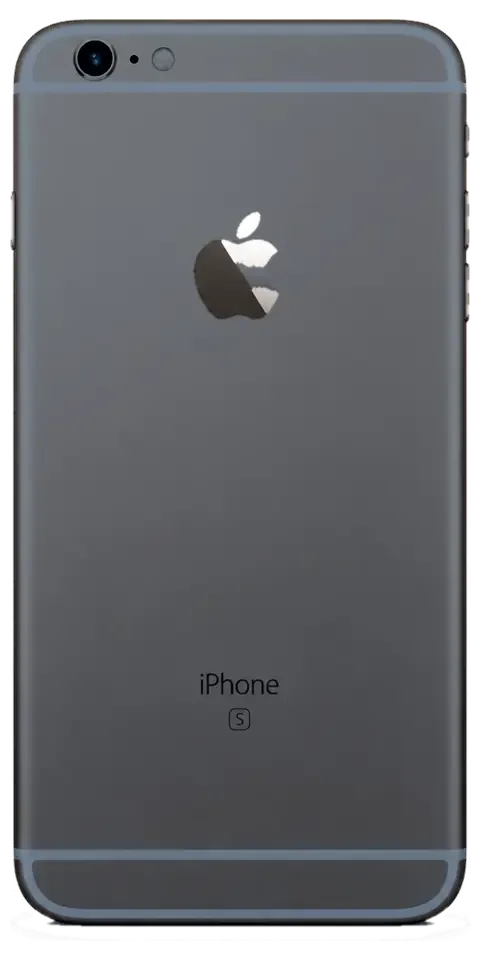
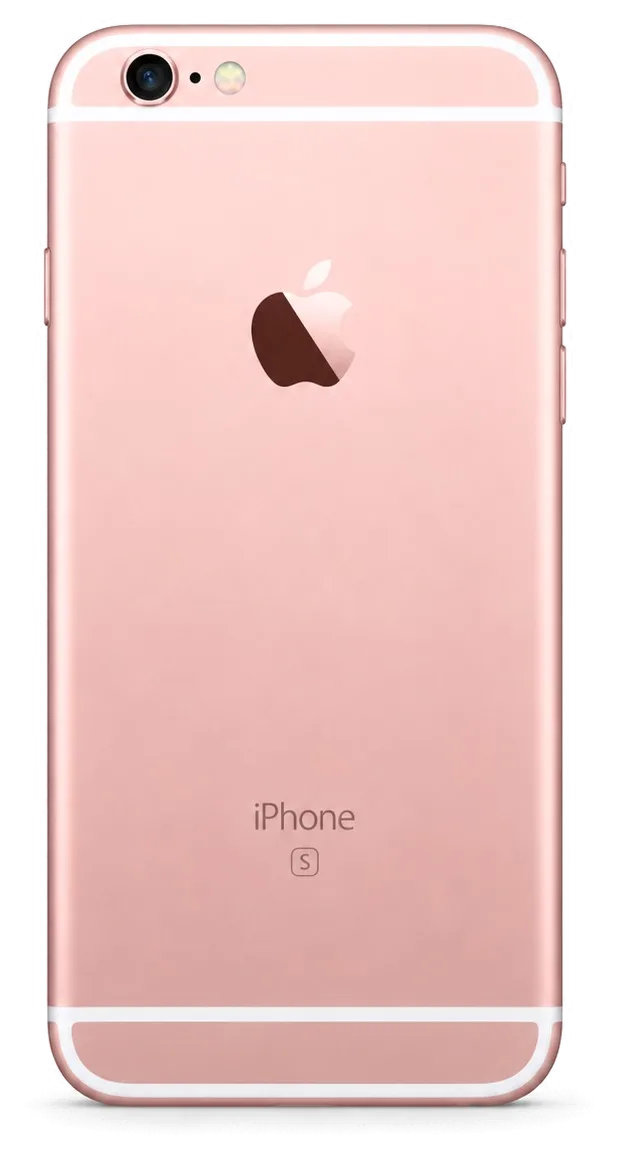
A shattered lens cover is a 20-minute swap, and it matters because a cracked cover lets dust and moisture reach the optics themselves. The ring on this model is a small sapphire-like disc bonded over the module, and it fails far more often than the sensor underneath: grit in a pocket, a corner drop, a keys-and-phone pocket all crack it while the optics stay intact. We lift the broken ring, clear the adhesive, and press a new one into place — the module is never opened for this job. The rear aluminium panel is a different story: a dented or bent housing can pinch the cell and the electronics, so we check fit before anything else. Replacing the cover early protects the module underneath — once grit scratches the lens, the fix moves from a cover swap to a full camera replacement.
Water Contact and What It Changes
A 6s Plus that took on water should not be powered on or dried with a hairdryer — it needs the mainboard cleaned, and that diagnostic can take up to two days. The model has no factory water rating to rely on, so any liquid is treated as board-level until proven otherwise. Heat from a hairdryer pushes moisture deeper and lifts conformal coating, which is why we ask owners to switch the phone off and bring it in wet rather than dry it first. On the bench the circuitry goes under the microscope, corrosion is cleaned from the pads and connectors, and we test power, audio and network before reassembly. Cleaning under a microscope is what stops corrosion spreading — a handset that looks fine after drying can lose a charging IC weeks later, so bring it in even if it seems to have recovered.
Summary: iPhone 6s Plus Repair
An older 6s Plus is still worth fixing when the owner knows which questions to ask, and the outcome usually turns on the part, the timing and the handover test.
- Diagnose first: a 15-minute inspection confirms whether the fault sits in the port, the battery or the board.
- Match the fix to the fault: cracked glass alone can be swapped without a full module.
- Choose the part knowingly: original and aftermarket units differ mainly in brightness and lifespan on this model.
- Confirm the turnaround: most jobs finish in 20 to 40 minutes while the customer waits.
- Verify before leaving: test the screen, charging, cameras and sound together with the engineer.












 iPad
 MacBook
 iMac
 Mac mini and Studio
 Apple Watch
 AirPods
 Apple Pencil
 Apple TV
 HomePod




