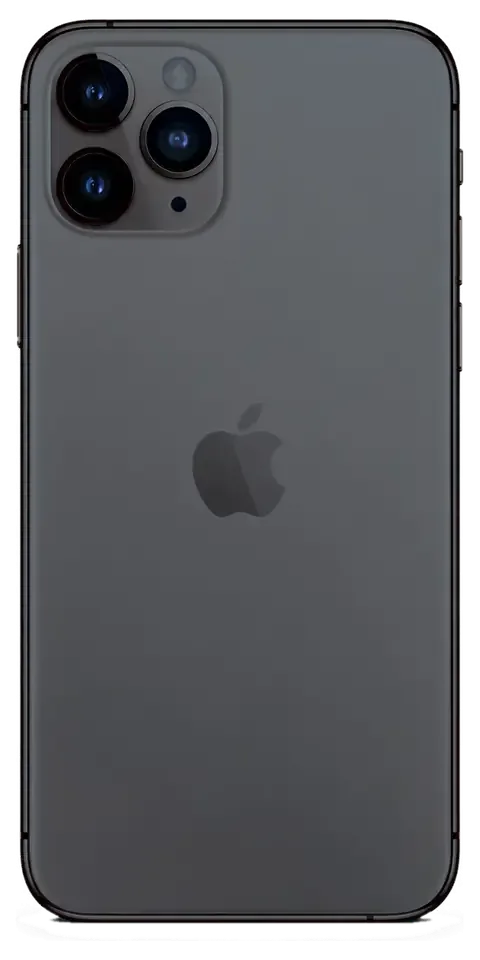
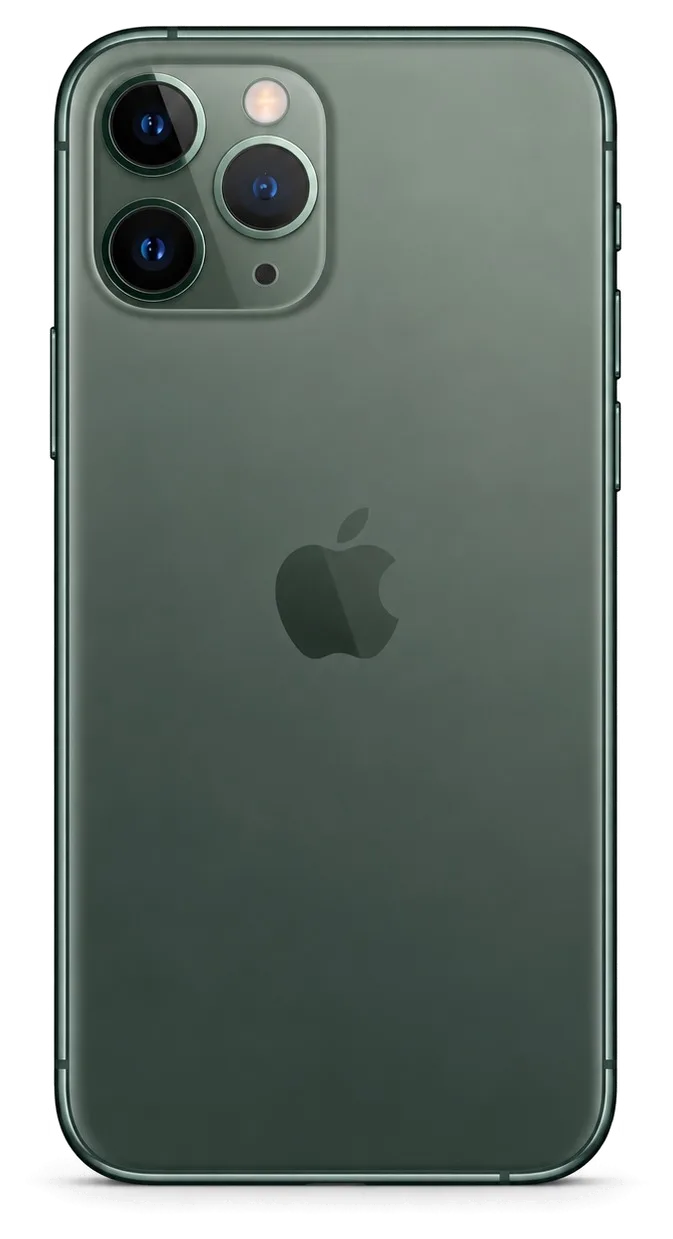
The 11 Pro Max is a big OLED phone with a stainless frame and three cameras, so drops, battery wear and power faults are the usual reasons owners bring it in.
The Three Faults We See Most on This Model
On the iPhone 11 Pro Max we most often replace the OLED display, the battery and the charging connector, because the large front panel and heavy steel body take the impact of a fall. The 6.5-inch screen is the priciest single part on the device, and the stainless frame adds weight that transfers shock straight into the corners. Wear on the power source shows up later than on smaller models, since the larger cell masks a falling capacity until it drops under load. Power faults usually trace back to the Lightning strip, which collects pocket lint and bends at the connector. A cracked back panel here is cosmetic until moisture gets in through the gap, so it is worth sealing even when the handset still works.
Symptom, Likely Cause and What We Do
Matching visible symptoms to the component behind them| What you notice | Likely cause | What we do |
|---|
| Green lines or dead touch zones | Damaged OLED module | Swap the display module |
|---|
| Drops fast, shuts down under load | Worn cell | Fit a new one |
|---|
| Charges only at an angle | Worn Lightning strip | Renew the charging assembly |
|---|
| Cracked lens, blurry photos | Broken camera cover | Renew the cover only |
|---|
| No sound on calls | Clogged speaker mesh | Clean or renew the speaker |
|---|
Battery Wear and Charging Faults
We read Battery Health in Settings during diagnostics, and a cell that shuts the handset down under load has usually lost real capacity even when the figure still looks acceptable. The number alone does not tell the whole story: cycle count, peak performance messages and how fast the percentage falls in the cold matter just as much. On the power side we test the Lightning socket for lint, bent pins and a strip that has lost contact, then measure current at the board. A device that only takes a charge at a certain angle almost always has a worn charging assembly rather than a dead board. A fresh cell only fixes the handset if the connector is healthy too, so we test current before and after the swap rather than guessing.
Screen Repair, Glass Only or the Whole Module
The 11 Pro Max uses an OLED panel bonded to the glass, so whether you can keep the original screen depends on how deep the damage goes.
When the Glass Can Be Replaced on Its Own
If the OLED matrix still shows a clean image and the touch layer responds, we can replace only the cracked glass and keep your original panel. The protective glass sits on top of the OLED panel, and the two are bonded at the factory, so separating them takes a dedicated heating and lamination station rather than a simple module pull. Our engineers test the matrix for dead pixels and check the touch layer across the full surface prior to quoting glass-only work. Glass-only repair costs less than a full module and preserves the factory panel, but it takes longer than a straight swap, so it suits owners who can leave the phone for the day. Ask for the matrix test result prior to agreeing, because a clean image today is the only condition that makes this route worth it.
When the Full Display Module Has to Go
Green lines, black patches or a dead touch zone mean the OLED itself is damaged, and then the whole display module is replaced in about 40 minutes. Those symptoms come from the OLED layer, not the glass above it, so laminating new glass over a broken matrix fixes nothing and the lines return within days. A display assembly swap replaces the panel, the glass and the touch layer together as one unit, and we run the 32-point check on the new unit before you leave. A module swap is the faster route, so if you need the phone back the same hour, this is the option to pick even when only the glass is cracked. Confirm the turnaround with the engineer when you hand the device in, since a same-hour pickup depends on the slot.
Will Face ID and True Tone Survive
Face ID keeps working after a screen repair because the TrueDepth module is a separate part, and we transfer the True Tone calibration so the display keeps its original colour balance. The TrueDepth module sits in the top bezel and is not part of the display assembly, so a careful technician moves it across intact and Face ID continues to unlock as before. True Tone depends on calibration data tied to the panel, and we copy that data to the new module so the colour shift under different lighting stays natural. On some aftermarket panels True Tone cannot be restored at all, which is the main reason to confirm the part type before the module goes in. Ask which panel is going in, then test Face ID and True Tone together with the engineer before you pay.
Original Part or Aftermarket, and What It Changes
The component you choose decides which functions stay intact, so we show both options and let you decide before anything is opened.
How Original and Aftermarket Parts Differ
Which functions survive with each part option| Part | Functions kept | Best for |
|---|
| Original display | True Tone, full brightness, colour accuracy | Owners keeping the phone long-term |
|---|
| Aftermarket display | Image and touch, True Tone may be lost | Budget repair of a backup phone |
|---|
| Original battery | Accurate Battery Health reading | Daily use, heavy load |
|---|
| Aftermarket battery | Works, health reading may be limited | Short-term or resale |
|---|
The Unknown Part Message Explained
The unknown component message is a status note from the phone about the item it detects, not a fault, and it appears on some aftermarket batteries and displays. The phone compares the fitted component against the serial data stored for the original, and when the two do not match it simply marks the item as unidentified in the settings menu. Nothing about charging, touch response or camera work changes because of it. The message does not affect how the device works, but it does follow the phone, so it is worth knowing about before a future resale. You can check the parts history in Settings under General, then About.
What Gets Written on the Receipt
Before work starts we write the price, the part type, the turnaround and the warranty on the receipt, and it takes about two minutes to fill in. The document names the exact component going in, whether original or aftermarket, and the engineer shows the new part in factory packaging prior to installation so the line on paper matches what you actually see. When you collect the device you also receive the warranty card and the old part, which is useful if you later want to compare what came out with what went in. A receipt that names the exact component is what lets you hold the service to its promise later, so read it before you sign rather than after.
How Long the Repair Takes and How to Hand the Phone In
Most 11 Pro Max jobs are finished while you sit in the waiting area, and the few that need longer are the ones we tell you about up front.
From WhatsApp Photo to Finished Repair
You send a photo of the damage on WhatsApp, a technician replies within 5 minutes with a price, and we book a free slot prior to your visit. That specialist quotes from the picture and holds the slot, so the visit opens with a known task instead of a guess at the counter. Free diagnostics run for 15 minutes and happen in front of you, even when you decide against going ahead. Price, chosen component, turnaround and warranty are fixed on the receipt in about 2 minutes prior to any work, and the replacement is shown in factory packaging first. A sharp, well-lit picture often settles the component question early — that saves a second trip when the needed item is out of stock.
Which Jobs Finish While You Wait
turnaround per work type and on-site waiting| Work | Duration | On-site waiting |
|---|
| Screen module | 40 minutes | Available |
|---|
| Battery | 25 minutes | Available |
|---|
| Camera glass | 20 minutes | Available |
|---|
| Charging port flex | 30–40 minutes | Available |
|---|
| Board repair | 1–3 days | Not possible |
|---|
What to Do Before You Hand It Over
- Back up first: use iCloud or a computer so your data survives any work on the handset, including board-level service.
- Turn off Find My: the phone cannot be fully tested while activation lock is still enabled, and it blocks a complete function test.
- Share the passcode: the specialist needs it to verify Face ID, True Tone and the cameras once reassembly is done.
- Note the symptoms: a short written list of what you notice — flicker, heat, dropped calls — speeds up the 15-minute diagnostics.
- Bring the charger: a charging fault is easier to confirm with your own cable and adapter than with a bench supply.
Who Does the Work and What You Get Back
The difference between a direct contractor and an agency shows up in who holds the device and who answers if something goes wrong later.
A Direct Contractor, Not an Agency
iServices is a direct contractor with its own technicians and workshop, so your handset is not passed to a third party and the person who fixes it is the person you talk to. The workshop has been running for 11 years and has handled 46,000+ repairs, with two branches in the country and one of them in Almaty. Our technicians are experienced, and every iPhone 11 Pro Max repair that Almaty customers bring in stays inside our own bench from intake to handover. With an agency the unit travels between hands and nobody owns the result, which is why the receipt and the warranty are only as strong as the workshop behind them. Ask who actually holds the screwdriver prior to agreeing to a job — the answer tells you more than any promise on a website.
The 32-Point Check Before You Leave
After the repair we run a 32-function check that takes about 10 minutes, and you go through Face ID, True Tone, cameras, microphones, speakers, charging and network with the engineer. The full list is longer than the seven you test by hand: it also covers sensors, buttons, vibration, proximity, brightness and the rest of the hardware that a quick glance never catches. We hand the device over only once every line is marked, and the engineer repeats the test in front of you rather than behind a closed door. Testing together means you see the result before you pay, so a fault found at the counter is fixed on the spot instead of on a return visit. On this model, the display and Face ID checks matter most, since a badly seated module can pass a casual look and fail the next morning.
Warranty, Old Part and Payment
The device comes back with the receipt, a warranty card covering up to 1 year and the old part, and you can pay by Kaspi, card or cash. A courier can be called across the city — 90 minutes door to door, free with a repair — so you do not have to rearrange your day around the visit. The warranty card names the component that was fitted and the date the work closed, which is what you show if anything misbehaves inside the covered period. Keeping the old component matters if you ever resell the handset, since a buyer can see the original was not swapped for scrap. Hold on to both documents together; a warranty without the receipt is hard to argue, and the pair takes a minute to file.
Summary: iPhone 11 Pro Max Repair
A few practical points decide how a repair goes: matching the fault to the right component, agreeing on that component before work begins, and confirming the phone afterwards.
- Match the fault to the part: lines or dead touch mean a full module, while clean glass with a working display can often be replaced on its own.
- Decide on the part before work starts: an original keeps every function, an aftermarket one may drop True Tone or battery reporting.
- Ask what the receipt says: price, part, turnaround and warranty should all be written down before anyone opens the device.
- Prepare the device: back up data and switch off Find My so every function can be tested at the end.
- Check the phone before you leave: Face ID, cameras, speakers, charging and network take a minute to confirm at the counter.












 iPad
 MacBook
 iMac
 Mac mini and Studio
 Apple Watch
 AirPods
 Apple Pencil
 Apple TV
 HomePod




