Your city

AstanaAstana, Kabanbay Batyr Ave., 7/2 · +7 727 339-99-12
Eng

iPhone 13 Pro repair in Almaty

Cracked ProMotion screen on iPhone 13 Pro? We'll install a new one in 40 minutes and lock the price in your receipt upfront.

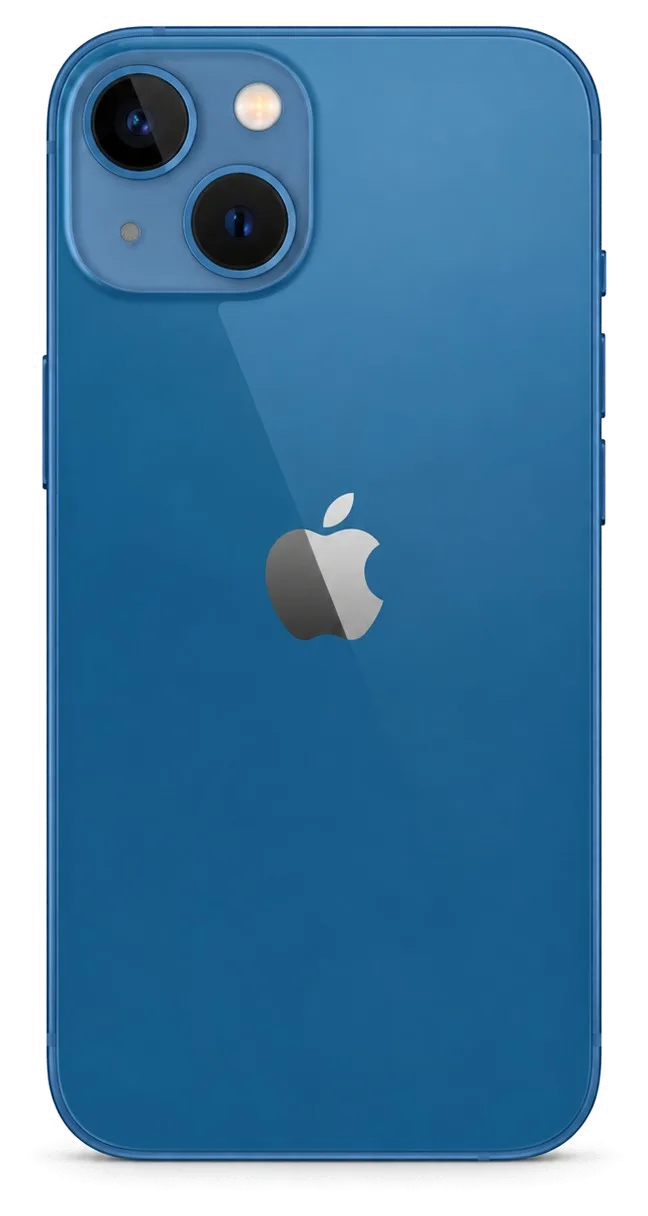
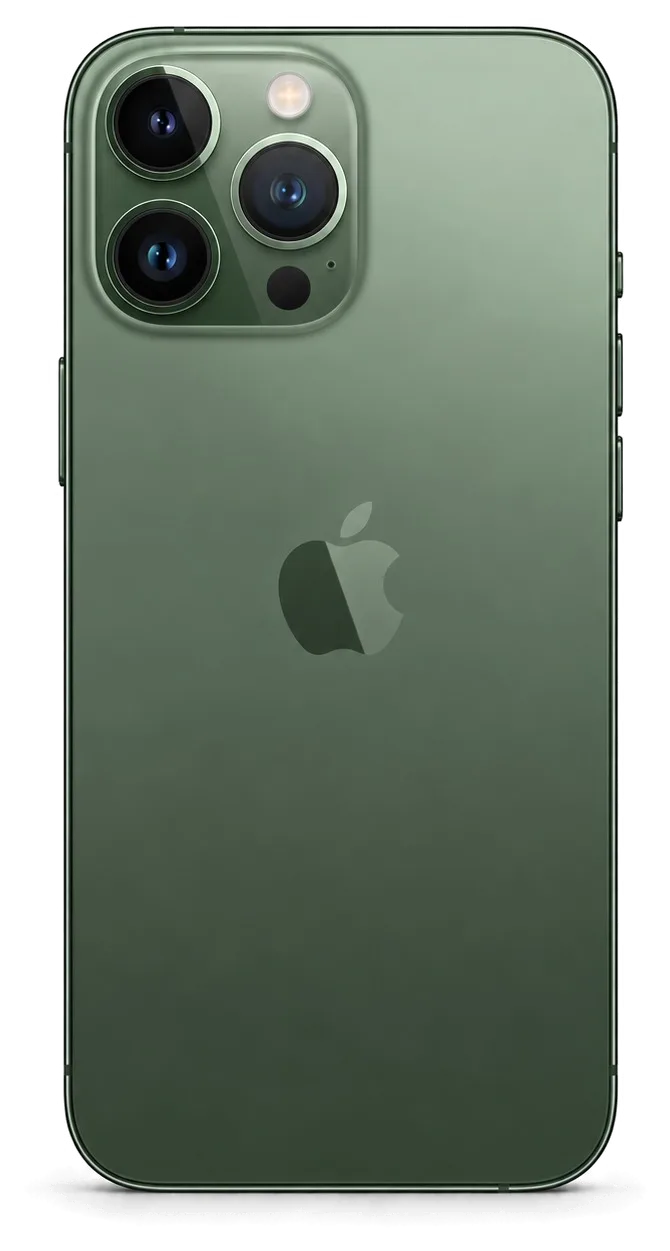
iPhone 13 Pro in graphite color showing the back side
iPhone 13 Pro, Graphite repair
Battery replacementfrom 32 900 ₸
Speaker replacementfrom 29 900 ₸
Display replacementfrom 84 900 ₸
All services and prices

Which Pro-specific faults bring an iPhone 13 Pro in for repair

A ProMotion display, a steel frame and a focusing camera: the weak points that belong to the Pro version of this generation.

01

ProMotion screen broken

Cracks and stripes on the OLED, smooth scrolling is gone, touch misfires.

02

Camera hunts for focus

The telephoto or main module pulses in and out and photos look soft.

03

Steel frame dented

A dent on the corner after a fall that also cracks the glass.

04

Frosted back cracked

A chip on the matte glass at the edge or around the camera block.

05

Battery drains quickly

The bright display eats charge, capacity has dropped and the phone warms up.

06

Face ID won't work

After a knock a message says Face ID could not be activated.

07

Charging fails

Grit or wear in the Lightning socket leaves the plug wobbling.

08

Quiet call audio

The earpiece crackles or sounds dull and the other side hears you poorly.

09

Camera jumps up close

When shooting close, the image switches between lenses.

10

LiDAR scanner silent

Night portrait is unavailable, and Measure can't see walls or tables.

11

Mic noisy on calls

The other person hears your voice with hiss or echo.

12

ProMotion flickers

The screen blinks at low brightness, scrolling stutters, and touch responds with a delay.

What each iPhone 13 Pro repair costs in Almaty

The table lists the main iPhone 13 Pro jobs with the price of the work, without phone-specific extras.

ServiceOriginalAftermarket
Battery replacement56 900 ₸32 900 ₸
Speaker replacement49 900 ₸29 900 ₸
Display replacement123 900 ₸84 900 ₸
Camera replacement110 900 ₸61 900 ₸
Button replacement59 900 ₸35 900 ₸
Housing replacement100 900 ₸55 900 ₸
Microphone replacement54 900 ₸32 900 ₸
Charging port replacement74 900 ₸44 900 ₸
Camera glass replacement42 900 ₸23 900 ₸
Display glass replacement94 900 ₸52 900 ₸
Back glass replacement70 900 ₸44 900 ₸
Front camera replacement89 900 ₸49 900 ₸
Earpiece speaker replacement64 900 ₸38 900 ₸
Vibration motor replacement47 900 ₸28 900 ₸
Proximity sensor replacement54 900 ₸32 900 ₸
Flex cable replacement75 900 ₸55 900 ₸
Other repairsPrice
Face ID repairpaired to the board — no aftermarket49 900 ₸per job
Water damage cleaningcorrosion cleaning · diagnostics up to 2 days27 900 ₸per job
Power controller replacementboard-level chip · microsoldering66 900 ₸with parts
Wi-Fi module repairwireless module · board-level repair30 900 ₸with parts
Logic board repairmicrosoldering · 1–3 days78 900 ₸per job
Firmware flashingsoftware restore, no parts replaced13 900 ₸per job

The final sum depends on the part you choose and the state of the phone, so the technician confirms it after inspection.

Does a Pro need an original part or will aftermarket do

On the Pro, differences show up in how smooth the screen is and how sharp the photos look, so keep that in mind.

Original Applewarranty up to 1 year
iPhone 13 Pro screen123 900 ₸
iPhone 13 Pro screen: original part in Apple packaging
Display
ProMotion brightness and smoothness as before
Camera
Focus and stabilization work as designed
Compatibility
Features such as True Tone stay in place
Warranty
On the work, up to 1 year
Chosen by 64% of clients
Book with an original part
Aftermarketwarranty 6 months
iPhone 13 Pro screen84 900 ₸−31%
iPhone 13 Pro screen: aftermarket part in an antistatic bag
Display
Good picture, but smoothness may differ
Camera
Fine for everyday shooting
Budget
Cheaper than an original part
Warranty
Also up to 1 year on the work
Chosen by 36% of clients
Book with an aftermarket part

Why people bring an iPhone 13 Pro to iServices

The Pro version involves moving sensors and minding small details, which is why it belongs in experienced hands.

11years

Eleven years of experience

11 years of Apple repairs lets our technicians work with confidence on the Pro, with its steel frame and triple camera.

1year

Warranty up to 1 year

Completed work is guaranteed up to 1 year onward, and the technician walks through the conditions at intake.

0opening marks

Careful sensor transfer

Experienced technicians shift the Face ID hardware and ambient light sensor while keeping clear of the delicate ribbons by the screen.

2options

A clear choice of parts

For the display and the camera you can pick an original or aftermarket part, and the technician explains what changes.

2cities

Almaty and Astana

We have a service in two cities, so if you split your time between them you can leave the phone in either.

7days a week

Reception hours

Reception runs Monday to Friday from 10:00 to 19:00, with Saturday, Sunday and holiday hours of 11:00 to 18:00.

iPhone 13 Pro before and after repair

1 / 3
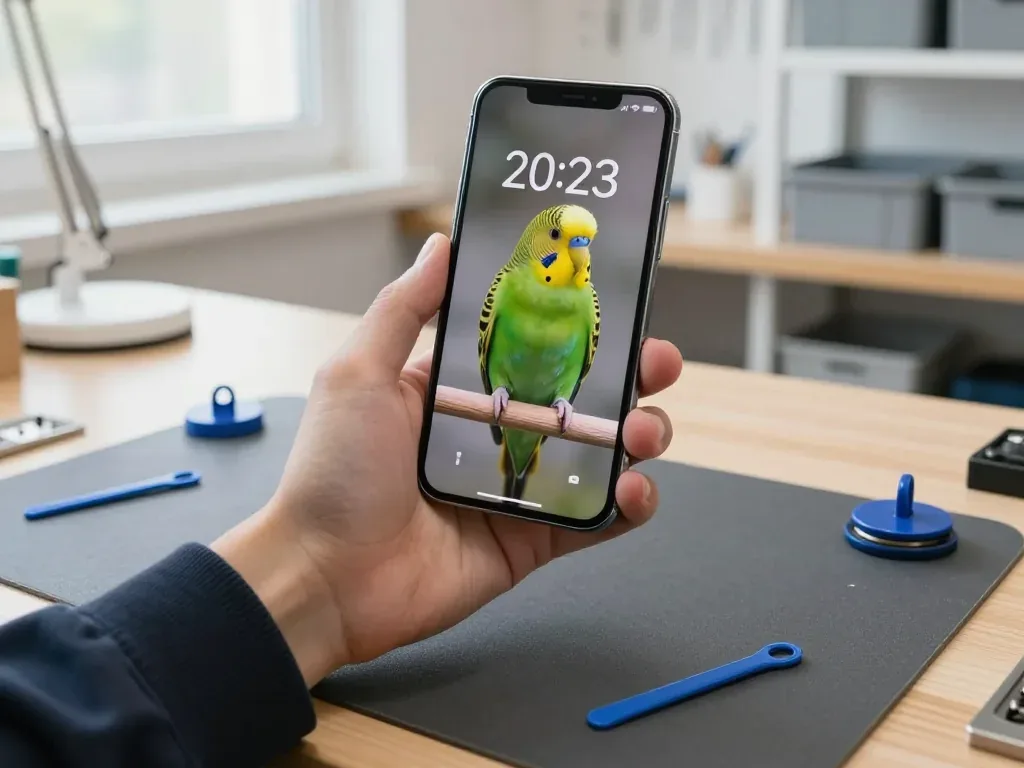
Master holding a graphite iPhone 13 Pro with the lock screen on, showing a parrot wallpaper

iPhone 13 Pro: touchscreen dead after a fall

The client dropped the phone on the tile by the entrance — cracks spread across the screen and the touchscreen stopped responding. We replaced the display module and checked the sensor, brightness and True Tone — the phone works properly again.

from 84 900 ₸repair cost
I want the same
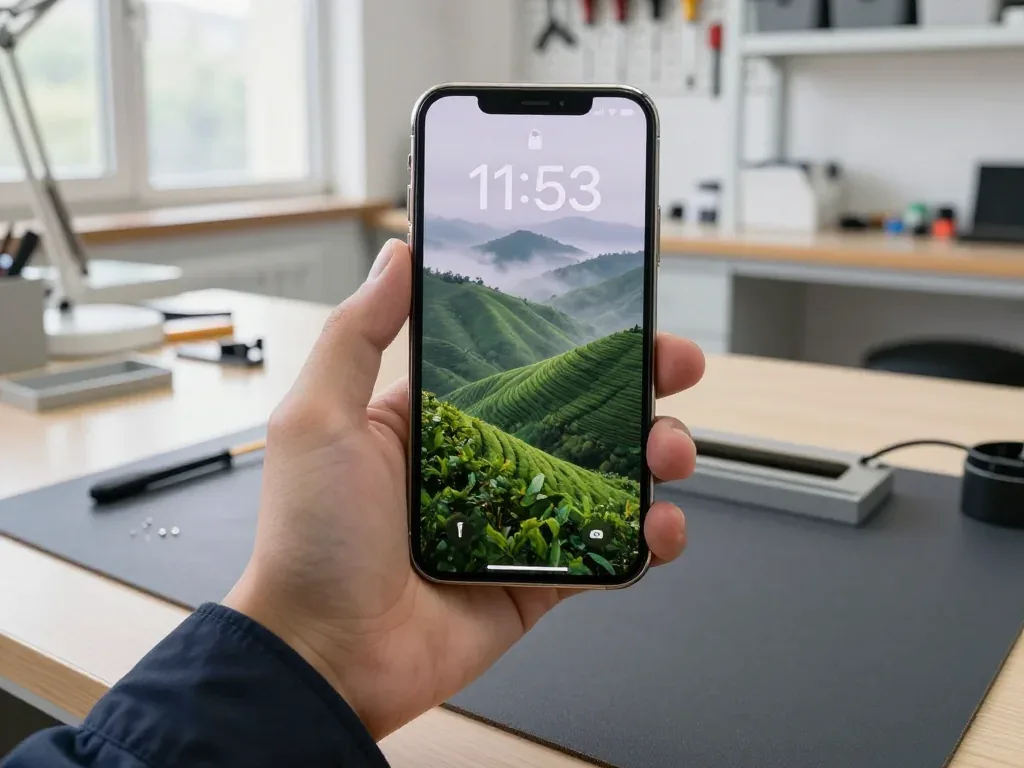
A technician holds a gold iPhone 13 Pro with the lock screen showing misty tea hills and the time 11:53

iPhone 13 Pro: shut down in the cold

A client brought in an iPhone 13 Pro that would shut down outside in the cold but show half charge at home. We replaced the battery and checked its capacity and charging — now the phone works reliably.

from 32 900 ₸repair cost
I want the same
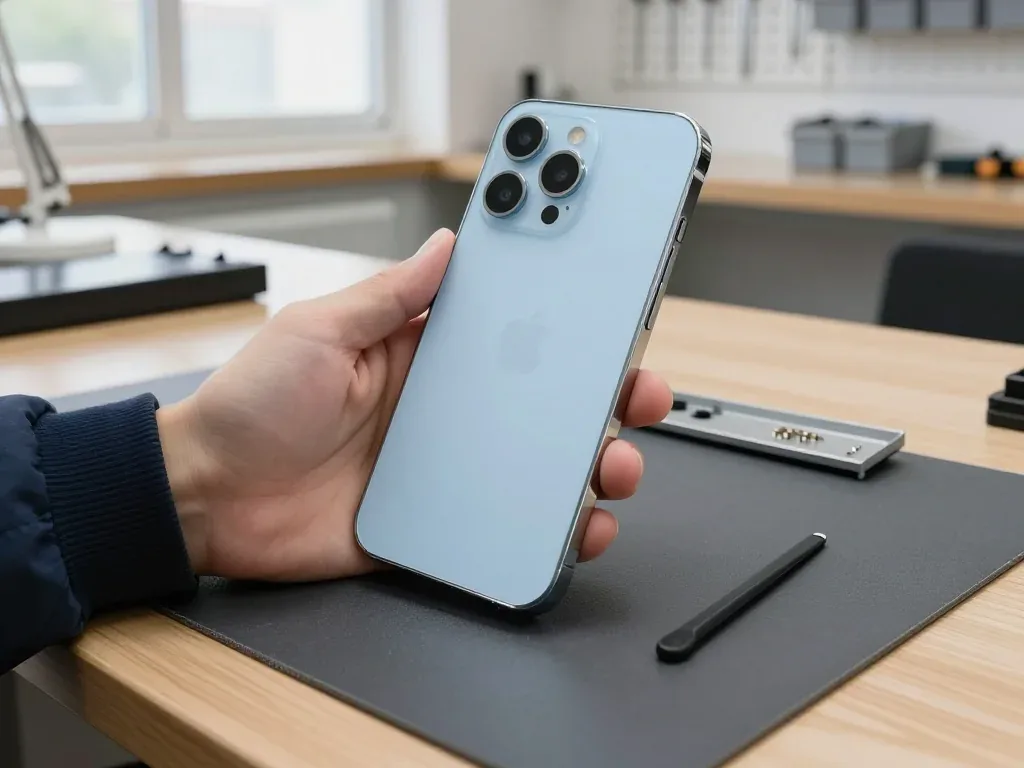
A technician holds a sky-blue iPhone 13 Pro back side out: new matte rear glass, three cameras and lidar

iPhone 13 Pro: rear glass shattered around camera

The client dropped the phone on a tiled bathroom floor — the back glass cracked right around the camera bump and shards were falling off. We replaced the rear glass in the matching color and checked the camera, lidar, flash and charging — everything works fine.

from 44 900 ₸repair cost
I want the same

How iPhone 13 Pro repair is done in Almaty

Screen — 40 minutes, battery — 25. Body and board — 1–3 days.

Book a repair
  1. Step 1

    Message or call

    5 min

    You send a photo of the damage on WhatsApp — we quote the price and available time. Or you call a courier.

  2. Step 2

    Free diagnostics

    15 min

    An engineer checks the device in front of you and shows what is broken. 0 ₸, even if you decline the repair.

  3. Step 3

    Price in the receipt

    2 min

    We fix the price, the part (original or analog), the timeline and the warranty. You sign — we start.

  4. Step 4

    Repair while you wait

    20–40 min

    Before installation we show you the new part in its factory packaging. You wait in the waiting area with coffee and Wi‑Fi.

  5. Step 5

    Checking 32 functions

    10 min

    Face ID, True Tone, cameras, microphones, speakers, charging, network. You check them together with the engineer.

  6. Step 6

    Pick up your device

    warranty up to 1 year

    Together with the receipt, warranty card and the old part. Payment — Kaspi, card or cash.

Who will fix your iPhone 13 Pro

Technicians for iPhone, Mac, iPad, Apple Watch and AirPods repair.

1 / 8
MNMukhpilov Nail — smartphone repair technician, iServices service center in AlmatyPhoto: Mukhpilov Nail

Mukhpilov Nail

smartphone repair technician
10years of experience
4.83rating, 83 reviews
GKGamid K — phone repair technician, iServices service center in AlmatyPhoto: Gamid K

Gamid K

phone repair technician
9years of experience
4.8rating, 65 reviews
AAArman A — on-site technician, iServices service center in AlmatyPhoto: Arman A

Arman A

on-site technician
8years of experience
4.9rating, 43 reviews
MRMolchanov Rinat — Apple repair and diagnostics engineer, iServices service center in AlmatyPhoto: Molchanov Rinat

Molchanov Rinat

Apple repair and diagnostics engineer
10years of experience
4.85rating, 33 reviews
SAShokan A — diagnostics technician, iServices service center in AlmatyPhoto: Shokan A

Shokan A

diagnostics technician
8years of experience
5.0rating, 37 reviews
SBSybanbaev Birzhan — firmware specialist, iServices service center in AlmatyPhoto: Sybanbaev Birzhan

Sybanbaev Birzhan

firmware specialist
7years of experience
4.75rating, 74 reviews
DGDenis Gushchin — display replacement technician, iServices service center in AlmatyPhoto: Denis Gushchin

Denis Gushchin

display replacement technician
20years of experience
5.0rating, 34 reviews
DADuisebaev Azhdar — connector replacement technician, iServices service center in AlmatyPhoto: Duisebaev Azhdar

Duisebaev Azhdar

connector replacement technician
7years of experience
4.3rating, 35 reviews
Gamid K, phone repair technician
“If the repair didn’t suit you or you have a complaint, write to me personally.”
Gamid Kphone repair technician · +7 701 333-47-01

We'll quote iPhone 13 Pro repair in Almaty from a photo in 5 minutes

Send a photo of the fault — an engineer will reply on WhatsApp, give the price and a time you can come in.

  1. 5 minAn engineer replies and names the price
  2. 0 ₸Diagnostics in front of you in 15 minutes
  3. 30 minMost repairs — while you wait

iPhone 13 Pro Repair in Almaty with Face ID and True Tone Kept Intact

In short

For iPhone 13 Pro repair in Almaty, iServices handles most jobs while you wait: screen swaps take around 40 minutes, battery changes about 25. We show the new part in factory packaging before fitting, fix price, part, turnaround and warranty on the receipt, and back the work with a warranty up to 1 year.

Mukhpilov NailWe reply on WhatsApp within 10 minutes
Ask

What Usually Breaks on the iPhone 13 Pro

The 13 Pro is a heavy, glass-backed handset with a 120 Hz panel, so drops and battery wear drive most visits. Here is what we see most often and how each fault shows up.

Cracks, Lines and a Screen That Stops Responding

On the 13 Pro a cracked front pane, green lines or a dead touch layer usually mean the display assembly needs attention, and we confirm which layer failed during free diagnostics. The stack holds three parts: the OLED that draws the image, the digitiser that reads your finger, and the cover on top. ProMotion at 120 Hz makes the assembly denser than earlier generations, so a drop that looks minor can still fracture the sensing grid while the picture stays perfect. We press-test the whole surface and inspect the OLED for pressure marks before quoting. A panel that still shows a clean image but ignores taps points to the digitiser rather than the OLED, so the repair path differs and it pays to check before assuming a full swap.

Battery Drain and Charging That Comes and Goes

A 13 Pro that dies by mid-afternoon or only charges at a certain angle is showing either battery wear or a dirty, oxidised Lightning port, and we tell the two apart on the spot. We read the health figure in Settings, then run a load check that shows real capacity under draw rather than the reported percentage. On the charging side we inspect the connector under a loupe for compacted lint and green oxidation on the pins, and wiggle-check the charging flex for hairline cracks. Lint packed into the port mimics a failing flex, so a quick clean often restores contact before any part is swapped.

Symptom to Cause to What We Do

How common faults map to their causes
SymptomLikely causeWhat we do
Green lines or dead touchDisplay assembly layerTest layers, then swap glass or assembly
Dies by afternoonBattery wearCheck battery health, replace cell
Charges only at an anglePort lint or oxidised flexClean port, check flex, swap if needed
Blurry photos, cracked lensCamera glassSwap glass, check camera
Face ID stops after a dropTrueDepth moduleDiagnose module, repair or replace
Back panel shatteredRear glassSwap rear glass, re-seal frame

Original Part or Aftermarket and What Each Keeps Working

The part you choose decides which features survive the repair. We lay out what original and aftermarket options keep on the 13 Pro, and where the difference actually shows.

Face ID and True Tone After a Screen Swap

Face ID keeps working after a screen swap because the TrueDepth module is a separate node from the display assembly, and True Tone returns once we transfer the calibration to the new panel. On the 13 Pro the TrueDepth stack sits behind the top edge of the OLED and connects through its own flex, so a screen job never touches the infrared projector, the dot projector or the flood illuminator. True Tone is a software setting that reads a sensor and adjusts white balance, and it survives only when the display carries a matching calibration record. Our engineers run a 32-function check after the swap, about 10 minutes, and Face ID, True Tone, cameras and sensors are all in that list. On some aftermarket panels True Tone cannot be carried over, so if that setting matters to you, it is worth deciding the part before the screen comes off.

What Original and Aftermarket Parts Keep on the 13 Pro

How the two display options differ in features and messages
FeatureOriginal partAftermarket part
Face IDWorksWorks
True ToneWorks after calibrationMay not carry over
Unknown-part messageNot shownMay appear
Colour and brightnessMatches factoryClose, varies by batch
Warranty coverUp to 1 year6 months

Glass Only or the Whole Display Module

When the OLED under the glass is intact and only the outer glass is cracked, we can replace just the glass on the 13 Pro instead of the full module. The touch layer and the image stay with your original panel, so the factory calibration record is never disturbed and True Tone needs no rework. A glass-only job makes sense when the picture is clean, touch responds normally and there are no green or pink lines across the screen. Lines, dead zones or a flickering image mean the OLED itself is damaged, and then the whole display module is the only route. A glass-only repair keeps your original panel and its calibration, which is often the cleaner route when the image and touch still behave normally.

How the iPhone 13 Pro Repair in Almaty Runs From First Message to Pickup

The visit is short and predictable. Here is the path from a photo on WhatsApp to a checked device back in your hand, and what gets written down along the way.

From a WhatsApp Photo to a Fixed Receipt

You send a picture of the damage on WhatsApp, an engineer replies within 5 minutes with a quote, and before any work starts we fix cost, component, turnaround and warranty on the receipt in about 2 minutes. The engineer reads the model, the cracked area and the symptoms from the image, then offers a free slot the same day. On arrival the handset is inspected, the replacement is confirmed as original or aftermarket, and the agreed terms go onto paper. Having the component and turnaround written down before the phone is opened means the quote you agreed to is the one you collect against, not a moving target. This is how the iPhone 13 Pro repair in Almaty runs from the first message to pickup, with every step agreed in advance.

Free Diagnostics and the Part Shown Before Fitting

Diagnostics are free and take about 15 minutes in front of you, even if you decide not to repair, and the new module is shown in factory packaging before it goes in. The engineer opens the device on the bench beside you, points to the failed component and explains what the swap changes. You watch the sealed box get broken open, the serial on the label and the hardware itself before a screwdriver touches the frame. Seeing the sealed module ahead of installation is the simplest way to know what is going into your handset, so ask to look at it if the engineer does not offer.

How Long Each Job Takes and Waiting on Site

Typical turnaround per job and whether you can wait
JobTypical timeWait on site
Screen replacement40 minutesYes
Battery replacement25 minutesYes
Camera glass20 minutesYes
Charging port20-40 minutesYes
Board repair1-3 daysNo

Water Damage and Board Work on the 13 Pro

A wet iPhone or a logic fault is a different kind of job from a cracked screen. Here is how we handle the cases that need more than a part swap.

What to Do First When the Phone Gets Wet

A wet iPhone should be powered off and kept away from a charger, and it should never be dried with a hairdryer, because heat pushes moisture deeper into the logic board. Skip the rice trick as well: grains do not pull water out of the circuitry, they only leave dust in the ports and beneath the shields. If the device was in the sea or a swimming pool, salt and chlorine start eating the copper traces almost at once. Bring it in without switching it on to test whether it still works, since a single power-up with moisture inside can short a rail that was still intact. Corrosion builds over hours, so the sooner the handset reaches a bench for cleaning, the better the odds of saving your data and the hardware itself.

Why Water Diagnostics Can Take Longer

After water contact, diagnostics can take up to two days, because we clean the logic board and watch how it behaves before promising a fix. The device goes into an ultrasonic bath, the shields come off, and the engineer inspects the traces at high magnification for the green and white bloom that means corrosion. Then the handset sits powered on for hours, sometimes overnight, while we log whether it holds a charge, keeps a network signal and stays cool at load. Our free diagnostics still take 15 minutes in front of you — that first look tells us whether the circuitry is worth saving. A device that powers on once is not proof of recovery, so the extra time is spent confirming it stays stable rather than just switching on.

Board Repair Under the Microscope

Logic-level faults on the 13 Pro, such as random restarts or a lost network, are repaired with micro-soldering rather than by swapping the whole module. Random reboots usually trace back to a cracked solder joint beneath the power management chip, and a missing network often means a damaged baseband line or a filter knocked off near the SIM tray. At 20x to 40x magnification we reflow the joint, rebuild a broken trace with jumper wire or replace the single failed component. Micro-soldering targets the failed element, which keeps the rest of the circuitry and its paired parts intact instead of replacing everything around the fault. Such work takes one to three days, and we confirm Face ID and network behaviour before the phone goes back to you.

Checking the Phone at Pickup and What Stays in Your Hands

The repair is not finished until you have checked the device yourself. Here is what we test together at the counter and what you take home with it.

The 32-Point Check You Do With the Engineer

  • Face ID and True Tone: unlock and the brightness shift are checked in front of you, so nothing silently stops working after the swap.
  • Cameras and microphones: each lens and each mic is tested for a clear image and clean sound.
  • Speakers and charging: playback runs at full volume and the port takes a live charge.
  • Network and calls: signal strength and a real test call confirm the antenna still works.
  • Touch and display: every corner of the screen responds, including the edges where a lifted digitiser shows first.

What You Take Home With the Phone

The device comes back with the receipt, a warranty card covering the work up to 1 year, and the old part, and you can pay by Kaspi, card or cash. The receipt repeats what was agreed before the work started: which component went in, whether it was original or aftermarket, how long the job took and how long the warranty runs. We hand over the removed part in the same bag it came out in, so you can compare it against the line on the paper. Payment takes a minute at the counter, and the warranty card is filled in on the spot rather than mailed later. Keeping the old component lets you see exactly what was removed, which confirms the swap matched what the receipt listed.

Before You Hand the Phone In

Before handing the device in, make a backup, note your Apple ID password and decide whether to keep Find My on, since a locked unit can block some repairs. A current backup means a repair that touches the board carries no risk to your photos and messages, so it is worth doing even for a quick screen swap. Write the passcode down somewhere other than the handset, because a four-digit code you only remember is the one thing that stalls a same-day job. If Find My stays on, tell the engineer at intake so the activation lock is handled before the case is closed. A fresh backup protects your data through any board-level work, and the five minutes it takes is the cheapest insurance in the whole process.

Summary: iPhone 13 Pro repair

Five habits decide whether an iPhone 13 Pro repair holds up over the years that follow, and none of them needs special tools.

  • Find the failing node first: match each symptom to the exact component before approving a swap, so a healthy screen or battery is not replaced out of habit.
  • Settle the grade early: choose original or aftermarket while the display is still on, since that decision sets which features come back to life.
  • Demand sealed packaging and a receipt: ask to see the spare in factory wrapping and get the terms written down ahead of any screw turning.
  • Treat a wet phone as urgent: skip charging and heat-drying, because power on a damp board turns a cleanable short into permanent damage.
  • Test together at pickup: run Face ID, cameras, charging and touch with the technician, then keep the old unit as proof of what was swapped.

Answers to common questions on iPhone 13 Pro repair

Did not find an answer? Message us on WhatsApp: an engineer replies, not a bot.

Ask a question
Will my iPhone 13 Pro keep its smooth ProMotion refresh after a new screen?

With an original module, yes, scrolling stays as smooth as before. Some aftermarket panels behave differently in refresh and touch response. Confirm which part you are getting before ordering.

Why does my iPhone 13 Pro camera switch lenses by itself up close?

That is the automatic macro mode: near a subject the phone moves to the ultra wide lens. It is normal, not a fault. You can control it with the Macro Control switch in Camera settings.

Why did Face ID stop on my iPhone 13 Pro after a drop?

The TrueDepth sensors above the display may have shifted or cracked from the impact. A diagnostic shows whether a cable reconnect is enough or the module is damaged. Do not open the phone yourself.

Does a bent iPhone 13 Pro steel frame have to be replaced?

Yes, if the bend is visible and the glass no longer sits flat, the housing is replaced. Light scuffs on the steel do not require it. The engineer shows you the frame before suggesting anything.

Will Cinematic mode work on my iPhone 13 Pro after a camera repair?

Yes, Cinematic mode is processing done by the phone with the rear cameras. With a working module fitted, it records with focus shifts as before. Try a short clip during the check at pickup.

Which iPhone 13 Pro features should I try at pickup after a display repair?

Scroll to feel ProMotion, look at True Tone and auto-brightness, and unlock with Face ID. Make a call to check that the screen turns off at your ear. You do this together with the engineer before leaving.

What Almaty clients say about iPhone 13 Pro repair

1 / 10
4.9

average rating on Google Maps, wikicity and our website · 445 reviews
Google Maps4.438 reviews ›wikicity5.015 reviews ›Reviews on the iServices website5.0392 reviews ›
ММ
Михаил М.Order No. IS‑2112‑•••29 · 31 December 2021
iPhone 13 Pro · sound

iPhone 13 Pro подвёл: динамик стал звучать очень тихо. В итоге проверили акустику и устранили причину тихого звука; С Арман всё обсудили по делу без спешки.

iServices customer review, in Russian
ТБ
Тимур Б.Order No. IS‑2406‑•••35 · 17 June 2024
iPhone 13 Pro · screen

iPhone 13 Pro подвёл: экран начал мигать после падения. В севрисе нашли проблему с дисплейным модулем и привели экран в порядок.

iServices customer review, in Russian
ОА
Олжас А.20 August 2026

Батарея на айфоне совсем износилась, телефон выключался на холоде даже при тридцати процентах заряда. Заменили аккумулятор на новый оригинальный буквально за полчаса. Теперь заряд держит отлично весь день, очень доволен.

ГС
Гульмира С.16 August 2026

Разбила стекло на своем айфоне, думала, придется менять весь экран за бешеные деньги. Мастер посмотрел и сказал, что сама матрица целая, можно переклеить только стекло. Сделали за пару часов, дисплей как новый, сенсор работает идеально.

ДА
Дастан Айбекулы18 December 2019

Надо было восстановить работу Айфона пытался сначала сам сделать но при переустановке по постоянно выдавало ошибку восстановления . В этом сервисном центре помогли исправить ошибку . Мастеру понадобилось пару часов на это . Когда я вернулся в сервис уже айфон был в порядке . Спасибо действительно лучше заплатить немного мастеру чем самому мучиться.

AY
Asya Yarosh18 August 2018

Обратилась в данную компанию по ремонту в связи с неработающей кнопкой на iPhone. Довольно профессиональная компания и сотрудники. Сделали все качественно и быстро. Подробно объяснили что случилось с моей техникой и пути решения моей проблемы. Прейскурант цен умеренный. Очень порадовали сами сотрудники. Обходительность и вежливость сотрудников уже 80 % успеха компании.

АШ
Айнур Ш.29 August 2026

Случайно сломал кнопку блокировки на телефоне, она просто провалилась внутрь корпуса и не нажималась. Мастер разобрал устройство и заменил сам механизм кнопки на шлейфе. Теперь нажимается с четким щелчком, не западает больше.

КЕ
Кайрат Е.18 August 2026

Телефон упал в воду на отдыхе, сразу выключился и больше не подавал признаков жизни. Прибежал сюда, мастера оперативно приняли устройство, полностью разобрали и удалили всю окись. Аппарат спасли, все фотки и данные внутри целы.

К
Крис18 November 2025

Отдала телефон, который перестал заряжаться, поменяли разъём и даже корпус протёрли, мелочь но приятно.

РР
Роман Расулев27 October 2024

Очень рекомендую Service Apple! Пролил воду на телефон, после этого перестала работать камера. Принес в этот сервис, и остался очень доволен. Все сделали быстро, и качественно. Очень вежливый персонал. Впечатление очень хорошее!

Showing 10 of 13

Where to get iPhone 13 Pro repair in Almaty

Address
Almaty, Panfilov St., 21
Opening hours
Mon–Fri 10:00–19:00Sat–Sun 11:00–18:00
Phone and messengers
+7 701 333-47-01WhatsApp: +7 701 333-47-01
Directions map: iServices Almaty — Panfilov, 21© OpenStreetMapFind us on the maps: Google Maps · 2GIS