Most cases start with one visible symptom, yet the same symptom can come from different parts inside the tablet. Here is how each sign points to the component that actually needs attention.
Cracked Glass, Lines and Dead Touch Zones
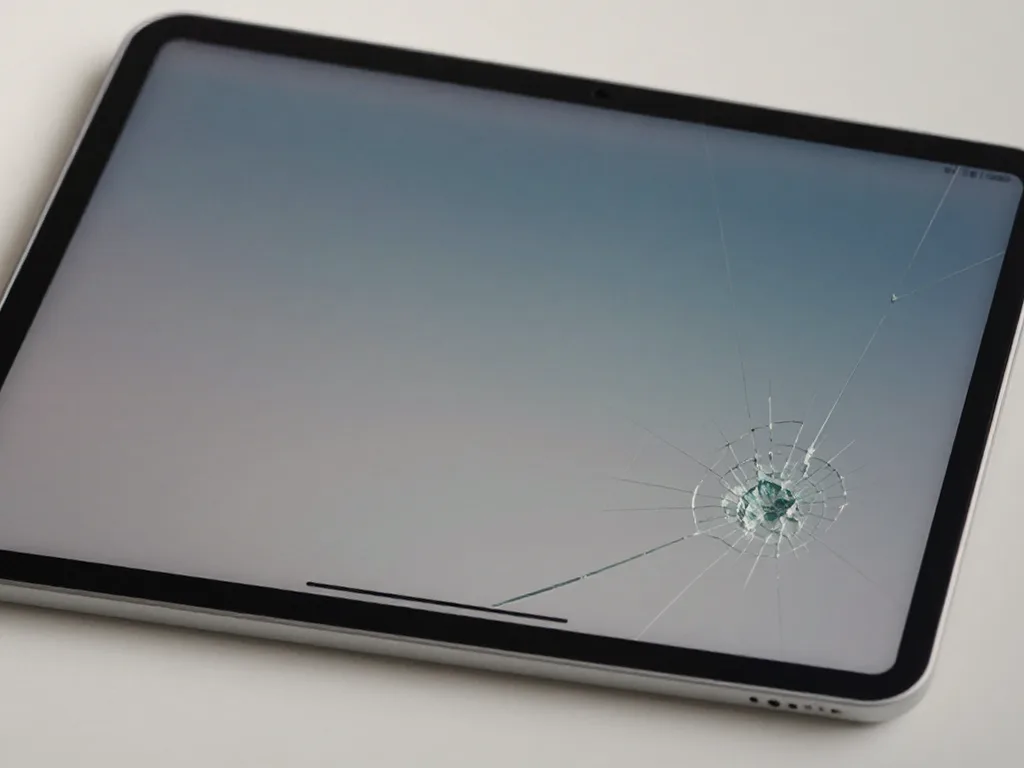
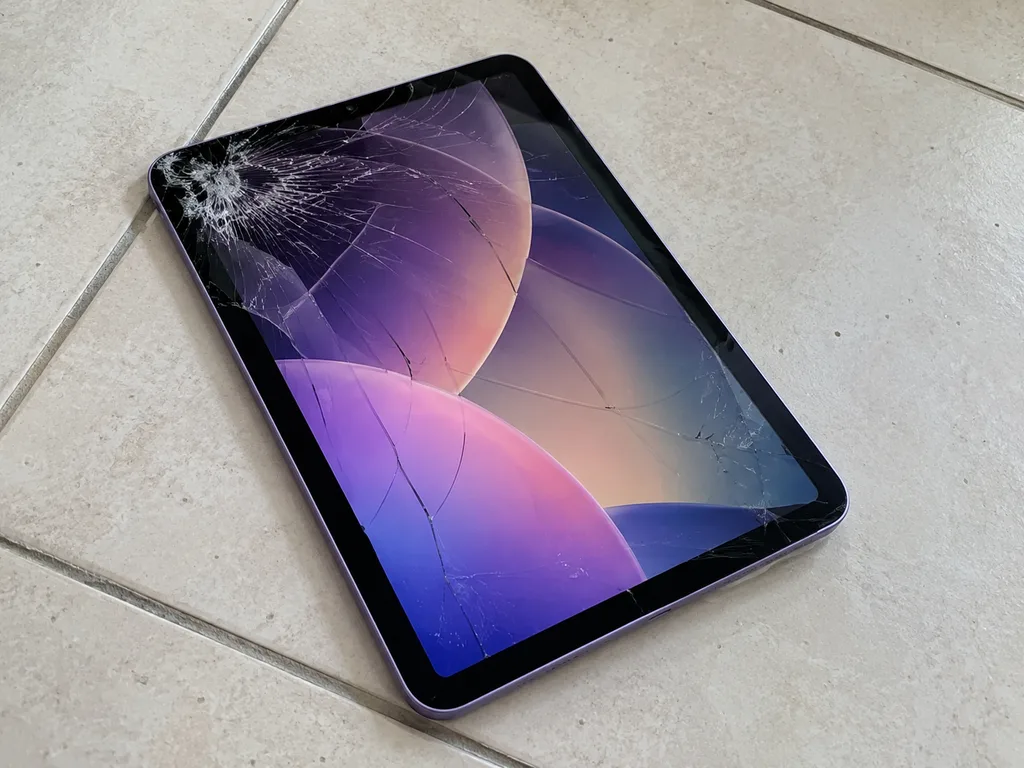
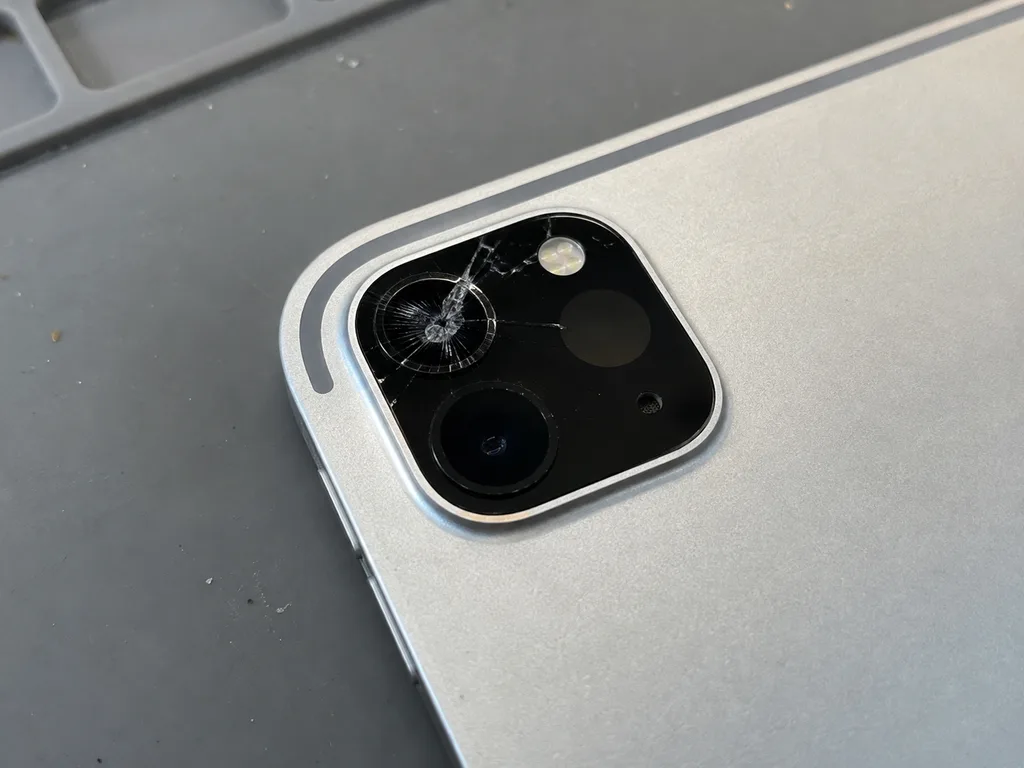
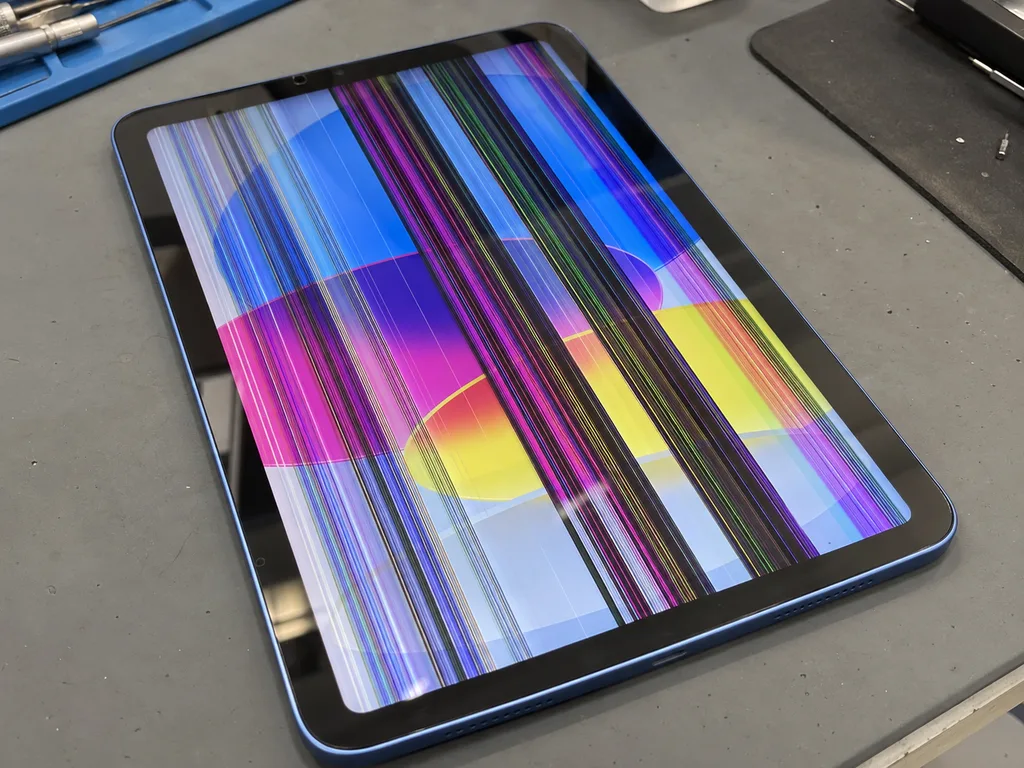
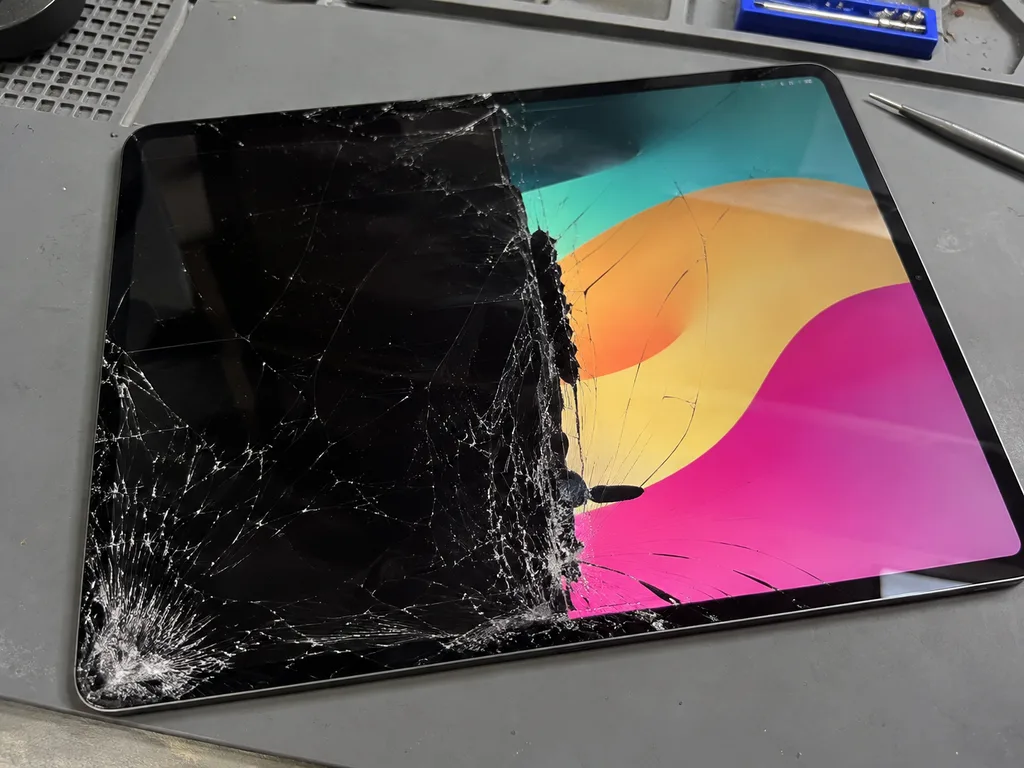
A cracked top layer, coloured lines or patches that ignore touch almost always point to the display assembly, not to the board. A hairline crack in the glass lets dust and moisture reach the LCD matrix underneath, and the backlight then shows bright spots or vertical bands along the damaged edge. On older generations the glass, digitiser and matrix are separate layers, so a clean image with dead touch zones means only the sensor layer failed. On laminated models those layers are bonded together, and any break in the top surface usually takes the whole module with it. If the picture is intact and touch responds only in some places, the sensor layer is often the culprit rather than the matrix, which on separate screens changes the scope of the work. Photograph the crack before you wrap the tablet — a fresh break is easier to match to the part.
When the Tablet Will Not Power On or Hold a Charge
- Cable and adapter first: swap the charging brick and cable before anything else, since a weak adapter mimics a dead port.
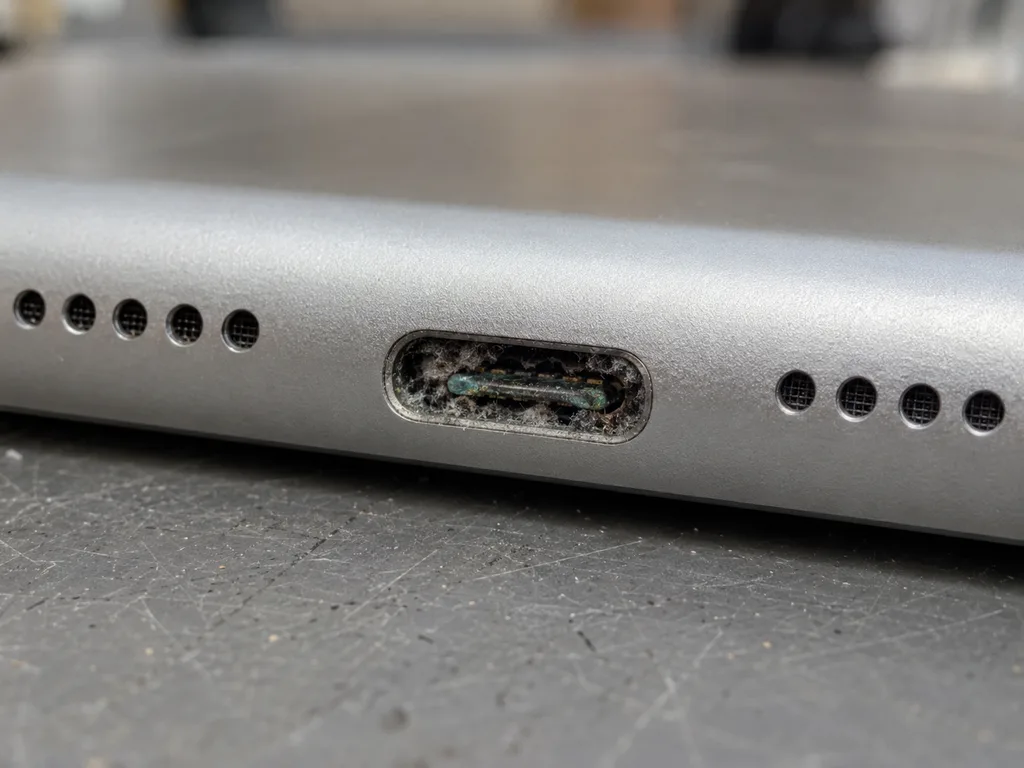
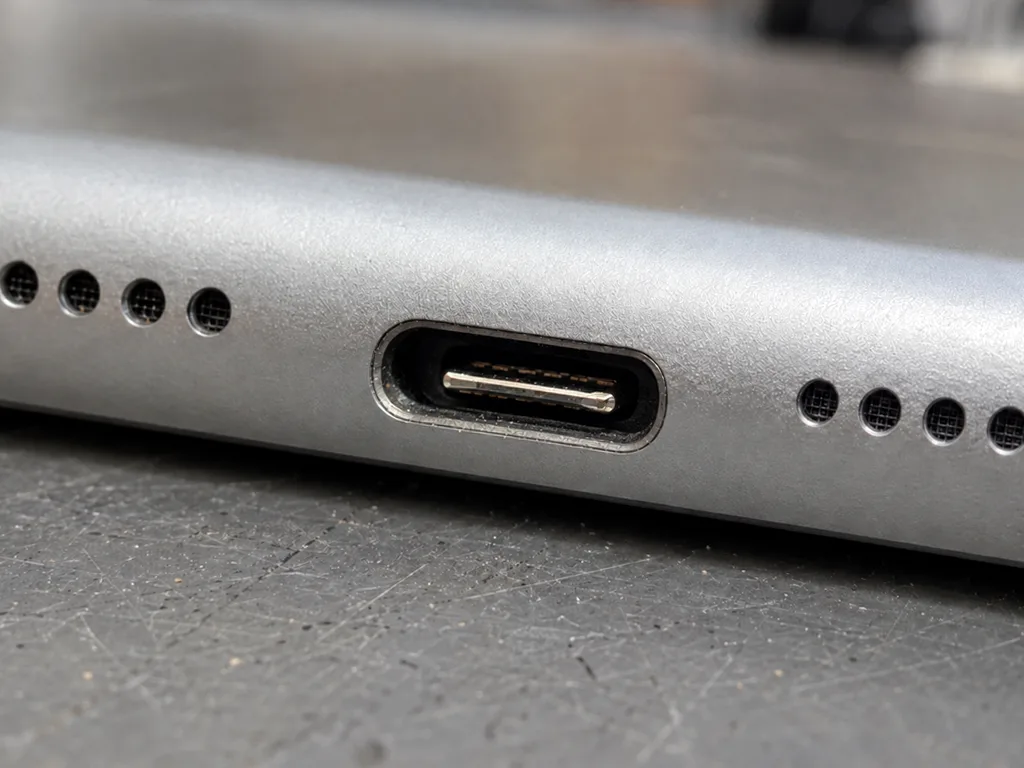
- Port and flex: inspect the Lightning, USB-C or 30-pin connector for lint, bent pins and a worn flex cable behind it.
- Battery: a cell that drains within an hour or refuses to pass 20% is tested next on a known-good adapter.
- Power controller: only after the three steps above does the check move to the charging circuit on the board.
Swollen Battery and a Screen Lifting Off the Body
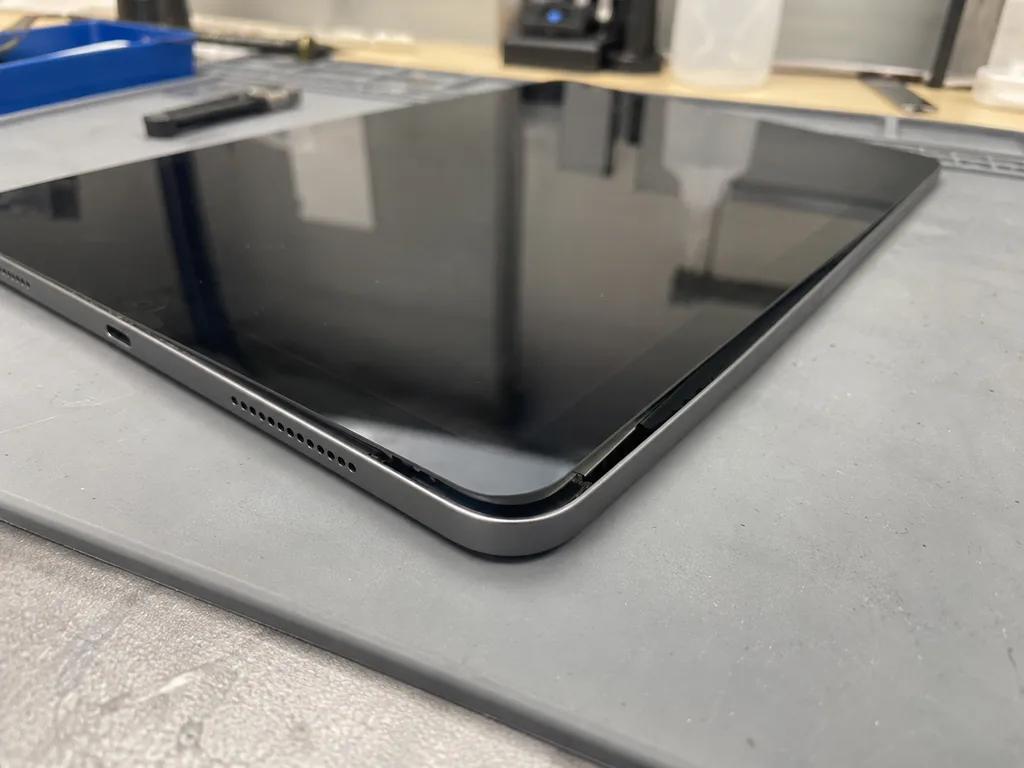
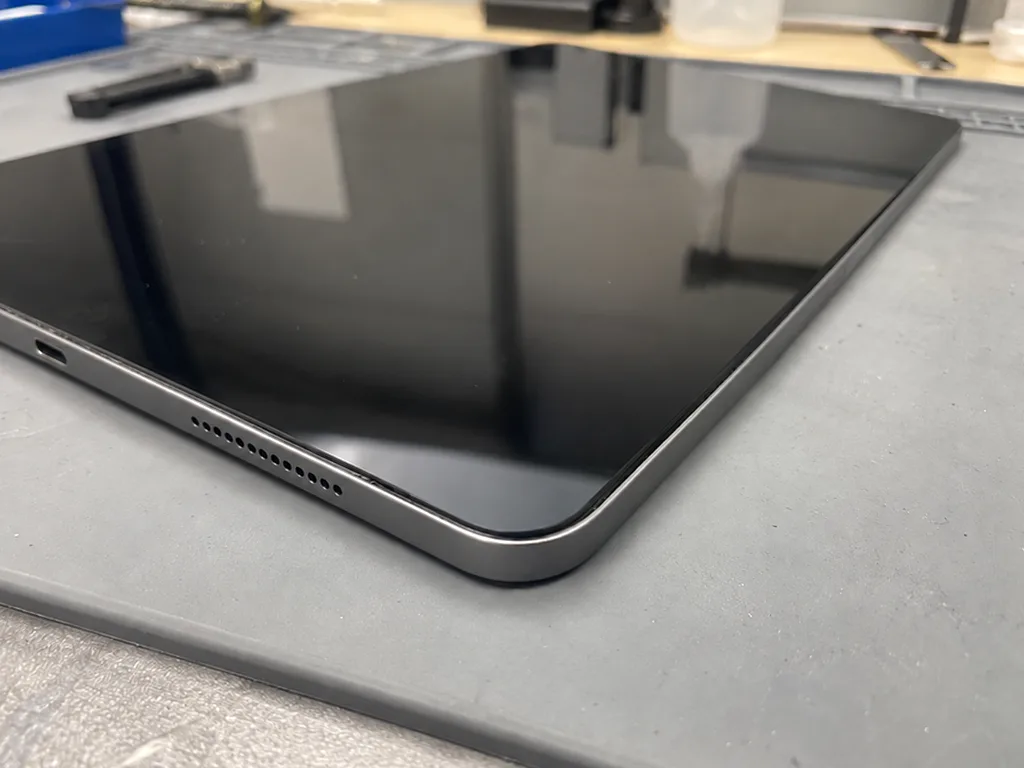
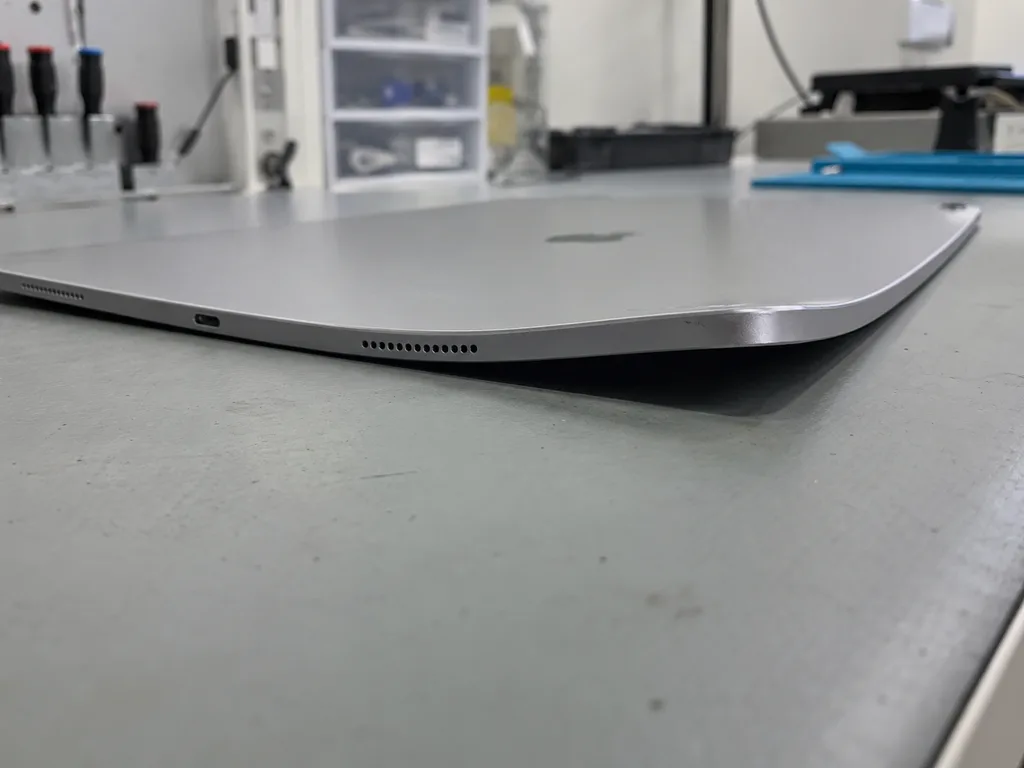
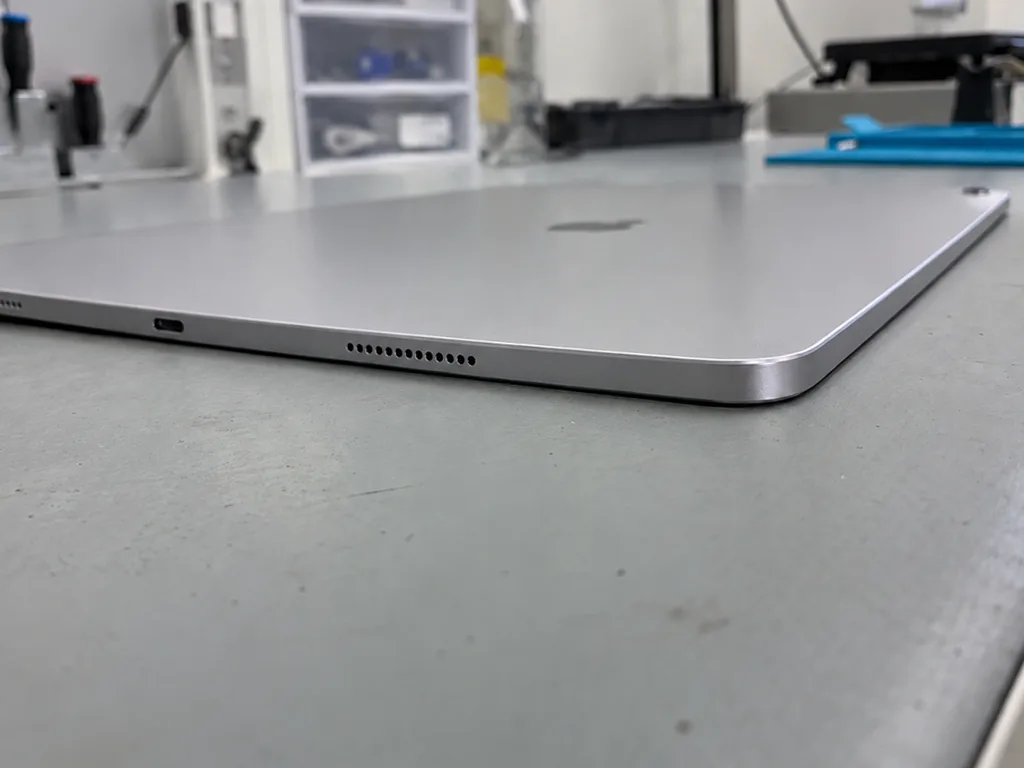
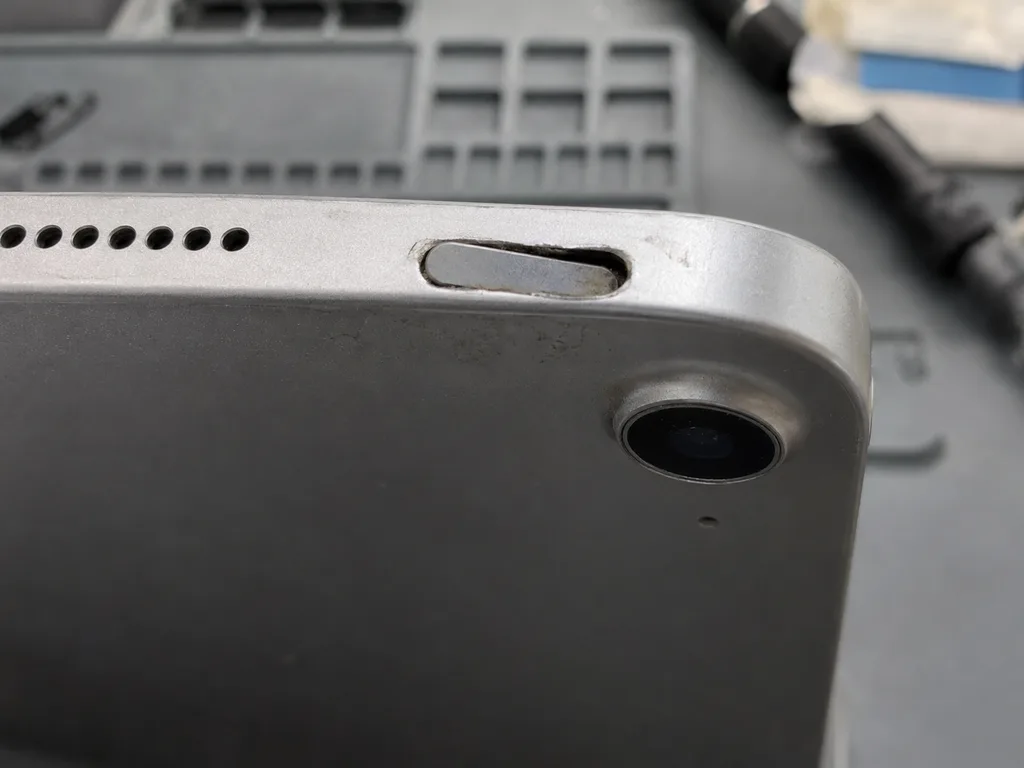
A gap along the edge of the screen with the tablet still working is usually a swollen battery pushing the display out from inside. The cell is glued into the aluminium body, so as it expands it has nowhere to go but upward, and the glass bows first at the corners. Pressure on the backlight shows as pale clouds in the corners long before the screen cracks. Do not charge such a device or leave it in the sun: the swelling presses on the glass and can split it with no impact at all. Store the tablet flat, screen up, away from heat, and bring it in before the frame bends — a warped chassis complicates the swap far more than the cell itself.
Glass Alone or a Full Module on Your Generation for iPad Repair
Display construction differs from one generation to the next, and that single fact decides whether we swap only the outer layer or the whole unit.
Which Models Have Separate Glass and Which Are Laminated
Display build by generation and the part we swap| Generation group | Screen construction | What we replace |
|---|
| iPad 2, 3, 4 | Separate layers | Outer sheet alone if the matrix is intact |
|---|
| iPad 9, iPad 10 | Separate layers | Outer sheet alone if the matrix is intact |
|---|
| iPad Air 1, mini 1–3 | Separate layers | Outer sheet alone if the matrix is intact |
|---|
| iPad Air 2, mini 4–5 | Laminated unit | Whole unit |
|---|
| iPad Air 3–5, mini 6 | Laminated unit | Whole unit |
|---|
| iPad Pro 11, Pro 12.9 | Laminated unit (mini-LED on M1 12.9) | Whole unit |
|---|
Keeping the Original Matrix and the Pencil Response
When the matrix is intact we keep it and swap only the outer layer, so image quality and Pencil response stay as they were. On a separate-layer device the LCD sits under its own sheet, and the digitizer that reads the Apple Pencil lives in that sheet, not in the pixels. A new cover restores touch and pressure sensitivity without touching the display underneath, which is why the picture looks identical afterwards. On a laminated unit the two are bonded, so the whole unit goes in as one piece. The Pencil behaves the same after either route, provided the digitizer connector is seated correctly. Ask which route your model takes before approving the job — on a bonded screen nobody can keep the old matrix.
Touch ID and Top-Button Sensor After a Screen Swap
The Home button with Touch ID is paired to the board, so we move the original button onto the new screen instead of fitting a new one. That pairing is set at the factory and cannot be re-created by a replacement part, which is why a fresh button kills the fingerprint sensor even though it clicks and looks fine. On Air 4, Air 5 and the Pro line the sensor sits in the top button, and there the pairing follows the same logic. If the button is worn, we still move it across and tell you the wear is cosmetic. Before the swap we recommend a backup so your data stays safe, and after the repair you can check the sensor together with the engineer.
How We Run iPad Repair in Almaty
This section walks through our process from the first message to pickup: what gets written down before work begins, how the free check works, and what you verify with the engineer at the counter.
From a WhatsApp Photo to a Fixed Receipt
- First contact: send a photo of the damage on WhatsApp — an engineer replies within 5 minutes and quotes a price from the picture.
- Free slot: we name a convenient time; for iPad the turnaround is from 1 hour to 1 day, and the exact срок we confirm after diagnostics.
- Diagnostics: the technician checks the device in front of you and shows which node has failed before anything is agreed.
- Receipt: price, part (original or aftermarket), turnaround and warranty are fixed on paper in about 2 minutes, before work starts.
- Packaging: the new component is shown in its factory packaging ahead of installation, and payment is by Kaspi, card or cash.
- Handover: you leave with the receipt, the warranty card and the old part, so nothing about the job stays undocumented.
Free Diagnostics in Front of You
The specialist checks the device in front of you for 15 minutes and shows what is broken, even if you decide not to repair. Nothing disappears behind a closed door: the failed node is pointed out on the spot, and the 15-minute check costs nothing whether or not the job goes ahead. This is how iPad repair in Almaty starts with us — with a free check before any work is agreed. Our technicians have handled 46,000+ repairs over 11 years, so a swollen battery or a dead touch layer is identified by pattern rather than guesswork. After water contact the check can stretch to two days, because corrosion under shields only shows up once the board is cleaned and inspected under the microscope. Seeing the fault before you approve removes the doubt that comes with a phone quote.
The 32-Point Check and What You Verify Yourself
- True Tone: toggle it in Display settings — it should shift the white balance visibly.
- Cameras: shoot front and rear, check focus, flash and video on both.
- Microphones: record a voice memo and play it back to hear each mic.
- Speakers: play audio at full volume and listen for rattle or a dead channel.
- Charging and network: plug in, watch the percentage climb, then test Wi-Fi and cellular.
- Old component and paperwork: the replaced module and the warranty card come back with the device.
Original Part or Aftermarket for Your iPad
The component you pick shapes colour, brightness, touch response and how long the fix lasts. Below is what genuine hardware gives you, where a compatible one earns its place, and how coverage works on both.
What Changes with an Original Screen or Battery
A genuine display keeps the factory colour, brightness and True Tone behaviour, and an original cell holds its rated capacity longer. On a laminated panel the gap shows up in the first minutes: whites stay neutral, auto-brightness ramps smoothly, and the image does not shift when you tilt the tablet. With a battery, the difference appears over months — a factory cell keeps its rated cycles, while a cheaper one loses capacity faster under daily charging. We show the new module in sealed packaging before installation, so you see the label and seal yourself. 64% of customers pick the genuine option — most often people who plan to keep the tablet for several more years and want the original behaviour preserved.
Where an Aftermarket Part Makes Sense
A compatible component is a reasonable choice on an older tablet where the goal is a working display rather than colour accuracy. If the device is a second one for streaming, notes and browsing, a quality aftermarket panel restores touch and image at a lower outlay, and the factory matrix is not touched on generations with separate glass. On a laminated model the whole assembly is replaced, so ask which glass and which panel go into the unit before you agree. One trade-off is Pencil work: on non-original glass the stylus response can feel slightly less precise, which matters if the tablet is your drawing tool. For handwriting and sketching, decide this in advance rather than after the swap.
Warranty on Each Option
Coverage lasts up to 1 year on original components and 6 months on aftermarket ones, and the terms are written on the receipt before work begins. The receipt names the item, the turnaround and the coverage period, so there is no ambiguity later about what was installed and when. We hand the device back with the receipt, the warranty card and the old item, which lets you compare what came out with what went in. Because the cover is tied to a specific component and the labour on it, a repeat visit on the same node is handled faster — the record already shows what was fitted and the date. Keep the warranty card with the receipt; together they are what we check first at the counter.
How Long It Takes and Whether You Can Wait
Turnaround depends on the node, not on the model: a screen or battery is a matter of hours, a board is a matter of days. Here is the split by work type.
Screen, Battery and Port Work While You Wait
Which jobs finish while you sit and which need a drop-off| Work type | Typical time | Can you wait |
|---|
| Screen module or glass | From 1 hour | Often, waiting area |
|---|
| Battery replacement | From 1 hour | Often, waiting area |
|---|
| Charging port and flex | From 1 hour | Often, waiting area |
|---|
| Board-level repair | 1–3 days | No, drop-off |
|---|
| Water damage diagnostics | up to 2 days | No, drop-off |
|---|
Board Repair Under the Microscope
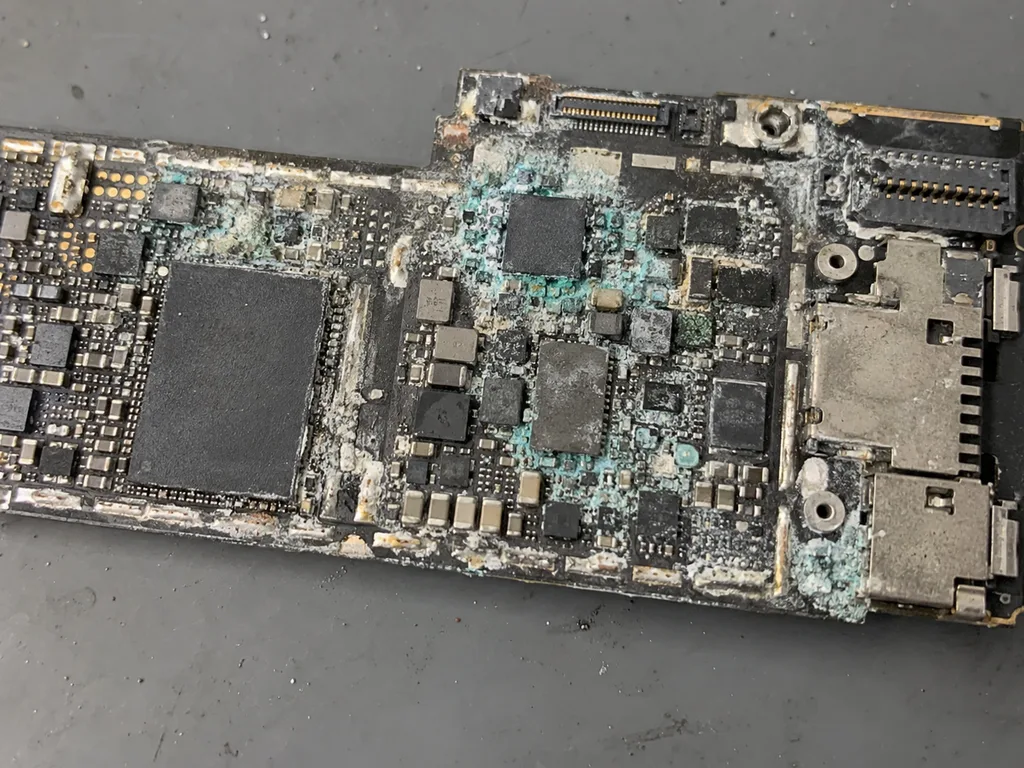
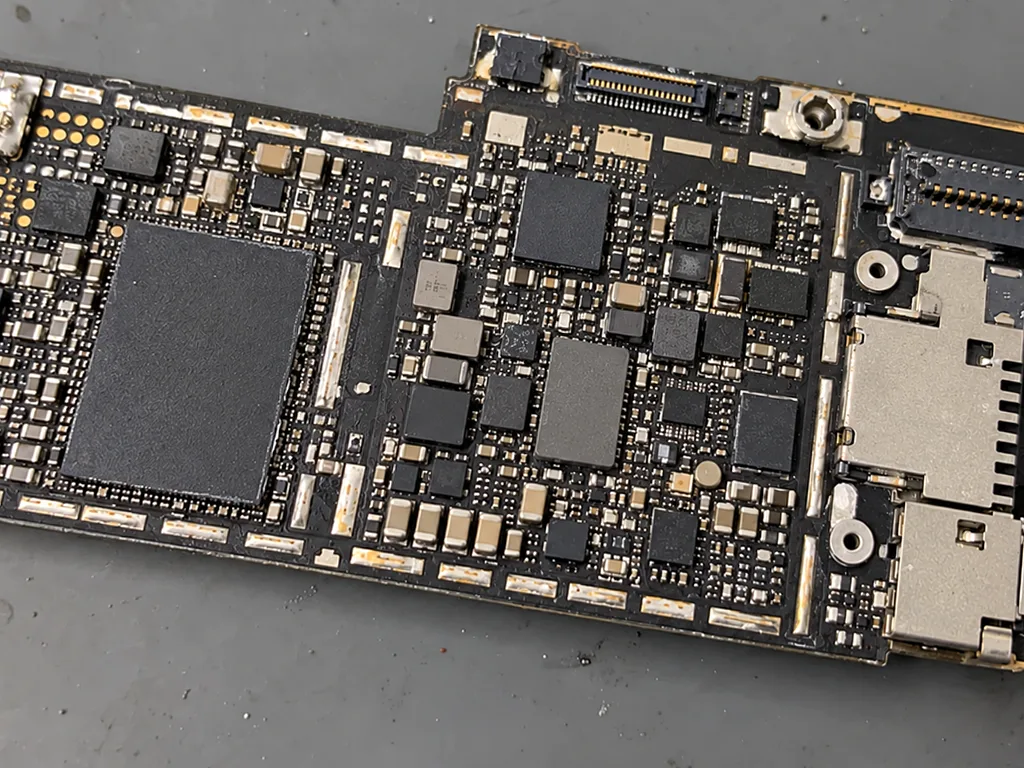
Board-level work is done under a microscope and takes 1–3 days, because the fault has to be traced on the board rather than swapped as a part. A technician works with a soldering station and a lab power supply, checks the shorted line against the schematic, and only then replaces the component — a power rail, a charging IC or a cracked joint under a shield. That is why a board job cannot be promised in forty minutes: the search itself takes hours, and the part has to be ordered for the exact generation. If the device came in after water, diagnostics sometimes runs up to two days — moisture leaves the board slowly, and an early verdict is often wrong.
Courier and Drop-Off Across the City
A courier can be called across Almaty — 90 minutes, free with a repair, so a drop-off does not cost you a trip. The engineer replies on WhatsApp within 5 minutes, quotes from a photo, and books a slot, then the tablet is collected, repaired and returned with the receipt, the warranty card and the old part. This route suits board jobs and water cases where waiting on site is not possible: you hand the device over once and get it back at your door. For a screen or battery, most people still prefer to come in and watch the work — 72% of our repairs are finished while the customer sits in the waiting area with coffee and Wi-Fi. Ask for the courier when the job is a drop-off; walk in when you want to see the part unpacked.
Preparing Your iPad and Keeping Your Data Safe
A short checklist before the visit keeps your files intact, and a clear look at the old-tablet question tells you whether the work is worth starting at all.
Backup, Passcode and Find My iPad
- Backup first: make an iCloud or computer backup so your photos, notes and app data survive any repair, even one that ends in a full board swap.
- Know your Apple ID: write down the password before you arrive — the tablet stays locked in Activation Lock without it and no final test can run.
- Switch off Find My iPad: turn the feature off in settings when the work touches the board, since the unit will not activate for testing otherwise.
- Note the passcode: tell the engineer the screen code so the post-repair check of cameras, speakers and charging can actually open the apps.
Is It Worth Repairing an Older iPad
An older iPad is worth repairing when the fault is a screen, a battery or a port and the rest of the hardware still does its job. An iPad 2, 3 or 4, a mini from the first three generations or an Air 1 handles reading, video and light browsing perfectly well once a cracked panel or a tired cell is replaced, and the part cost stays modest because those panels are simple to source. The picture changes when the fault sits on the board of a model that no longer receives iPadOS updates: the hardware may come back to life, yet missing security patches and unsupported apps keep it out of daily use. We say this plainly at the counter rather than after the invoice — if the logic board is the problem, put the money toward a newer unit.
What to Bring and What to Expect at the Counter
Bring the tablet itself and, if you have it, the charger — the engineer checks the port with a known-good cable during the 15-minute diagnostics. A photo of the damage sent on WhatsApp ahead of time gets you a price and a free slot within five minutes, and the diagnostic stays free even if you walk away without a repair. At the counter the engineer opens the device in front of you and names the failed part, then the price, the part type and the warranty go onto the receipt before any screw turns. Payment runs through Kaspi, a card or cash, so decide which one suits you if the tablet is needed the same day.
Summary: iPad repair
A short recap of what decides the job, when a swollen battery needs attention and how long each type of work takes.
- Screen construction sets the job: older tablets take separate glass, while Air 2 and mini 4 onward use a laminated module.
- A swollen battery pushes the screen out from inside: have it inspected before the device is charged again.
- Most screen, battery and port work takes from 1 hour to 1 day: board-level faults run for days, not hours.
- Original parts keep factory colour and True Tone: an aftermarket screen is a fair choice on an older tablet.
- A backup and a known Apple ID password: make the handover and the post-repair function check straightforward.
































 iPhone
 MacBook
 iMac
 Mac mini and Studio
 Apple Watch
 AirPods
 Apple Pencil
 Apple TV
 HomePod




