Your city

AstanaAstana, Kabanbay Batyr Ave., 7/2 · +7 727 339-99-12
Eng

iPad Pro 13" M4 Repair in Almaty

The thin iPad Pro 13 M4 with its OLED screen is easy to damage — we'll restore the display or port and check 32 functions in front of you.

iPad Pro 13" M4
iPad Pro 13" M4 repair
Front camera replacementfrom 33 900 ₸
Button replacementfrom 38 900 ₸
Speaker replacementfrom 20 900 ₸
All services and prices

Why the iPad Pro 13 M4 Comes in for Repair

A large tandem OLED, a thin body and a Thunderbolt port — these features shape the faults customers bring to us.

01

Cracks in the glass

The large screen area makes spiderweb cracks more likely after a drop.

02

Lines on the OLED screen

After an impact or pressure, coloured lines or dark patches appear on the display.

03

Burn-in and spots

Over time, static traces or uneven colour can show up on the dual-layer OLED.

04

Fast battery drain

The battery loses capacity and the tablet no longer lasts a full day under normal use.

05

Not charging via USB-C

The Thunderbolt port gets clogged with dust or works loose, and the cable no longer holds.

06

Face ID not working

The sensors on the long edge can be damaged after a drop or careless opening.

07

Pencil Pro won't pair

The stylus won't charge or respond to touches after a screen replacement or impact.

08

Magic Keyboard won't type

The keyboard attaches magnetically, but the Smart Connector doesn't transmit a signal.

09

Bent housing

The thin aluminium bends in a backpack, damaging the board and display.

10

Ghost touch

The screen opens apps and taps dots without being touched — common after liquid exposure.

11

Crackling speakers

At high volume you hear crackling, or the sound drops out in one of the corners.

12

Tablet won't turn on

After liquid exposure or a drop, the device doesn't respond to the power button.

What We Do on the iPad Pro 13 M4

From replacing the laminated display assembly to repairing the Thunderbolt port and cleaning after liquid damage.

ServiceOriginalAftermarket
USB-C port replacement83 900 ₸46 900 ₸
Battery replacement96 900 ₸55 900 ₸
Display replacement273 900 ₸169 900 ₸
Main camera replacement96 900 ₸53 900 ₸
Front camera replacement85 900 ₸47 900 ₸
Button replacement78 900 ₸43 900 ₸
Speaker replacement67 900 ₸37 900 ₸
Microphone replacement73 900 ₸40 900 ₸
Housing replacement202 900 ₸112 900 ₸
Flex cable replacement21 900 ₸15 900 ₸
Other repairsPrice
Logic board repairmicrosoldering · 1–3 days36 900 ₸per job
Liquid damage cleaningcorrosion cleaning · diagnostics up to 2 days13 900 ₸per job
Wi-Fi module repairwireless module · board-level repair21 900 ₸with parts
Firmware flashingsoftware restore, no parts replaced12 900 ₸per job

The price depends on the part chosen and the condition of the tablet — the technician will quote it after a free diagnostic.

Original Display or Analogue for the iPad Pro 13 M4

Both options are available for this model, and each has its own points to consider before the repair.

Original Applewarranty up to 1 year
iPad Pro 13" M4 glass and display
iPad Pro 13" M4 glass and display: original part in Apple packaging
Brightness and color
Match the factory OLED matrix specifications
Pencil Pro
Works with every stylus function, no limitations
True Tone
The ambient light sensor functions correctly
Warranty
Up to 1 year on the work performed
Aftermarket
iPad Pro 13" M4 glass and display
iPad Pro 13" M4 glass and display: aftermarket part in an antistatic bag
Image
Good quality, but brightness may be lower
Pencil Pro
Some stylus functions may behave differently
True Tone
Sometimes requires additional calibration
Warranty
Up to 1 year on the work performed

Why People Trust iServices in Almaty with the iPad Pro 13 M4

Repairing a thin tablet with an OLED screen takes experience and care — here's what you get with us.

11years

Experience with Apple repairs

Eleven years working with Apple tablets and laptops, and we know the quirks of thin bodies and laminated displays.

1year

Warranty up to 1 year

All work performed is covered by a warranty of up to 1 year — the technician explains the terms before the repair begins.

8technicians

Experienced technicians

Only experienced specialists trained to work with OLED modules are allowed to handle the iPad Pro 13 M4.

0₸

Free diagnostics

Before the repair we run free diagnostics to pinpoint the fault and agree the work with you.

32checks

32-point function check

After the repair we check 32 tablet functions with you, including Face ID, Pencil Pro and the Thunderbolt port.

7days a week

Convenient hours

We serve Almaty and Astana: weekdays 10:00–19:00, weekends and holidays 11:00–18:00.

iPad Pro 13" M4 before and after repair

1 / 2
Technician holding an iPad Pro 13 M4 on a mat after battery replacement, screen showing a father and son in the mountains

iPad Pro 13" M4: shut down with charge left

The tablet kept switching off while the battery still showed about a third left, so the owner couldn't rely on it on trips. We replaced the battery and checked charging — it now runs through a full day without issues.

from 41 900 ₸repair cost
I want the same
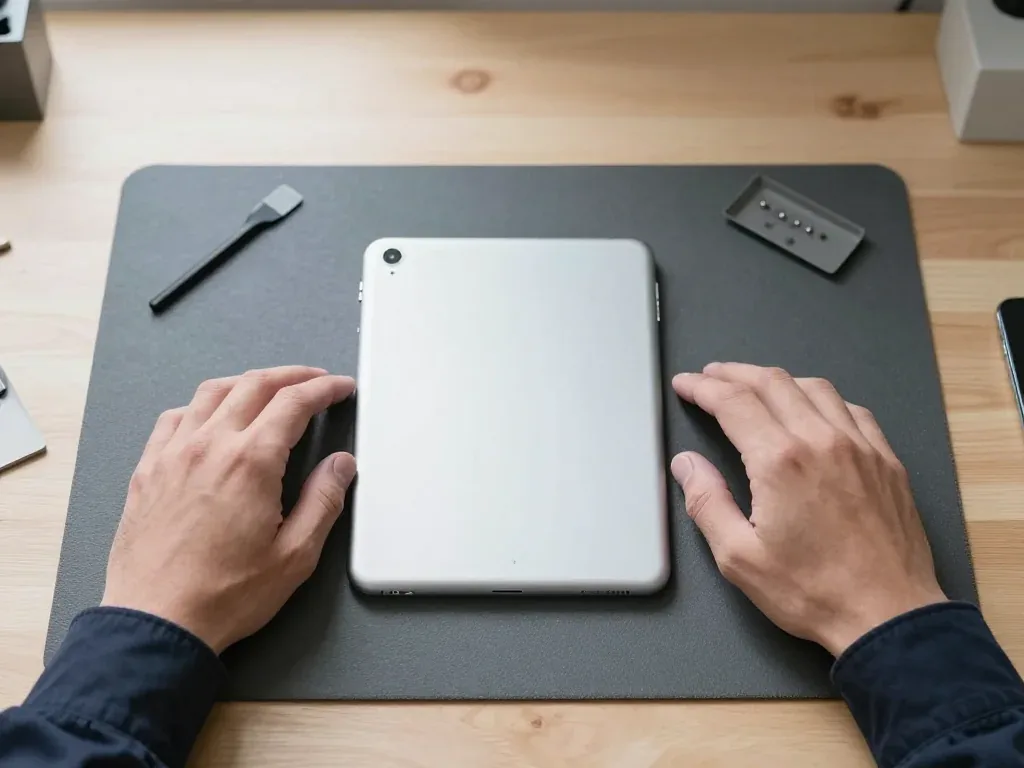
Silver iPad Pro 13 M4 face down on a mat, technician's hands on both sides

iPad Pro 13" M4: bent in a backpack

The customer brought the tablet in with a bent body — said it was carried in a backpack along with books. We moved the internals into a new housing and checked the buttons and screen — everything works as it should.

from 81 900 ₸repair cost
I want the same

How iPad Pro 13" M4 repair is done in Almaty

Usually the whole journey — from message to pickup — takes less than an hour; complex repairs follow the timeline in the receipt.

Book a repair
  1. Step 1

    Message or call

    5 min

    You send a photo of the damage on WhatsApp — we quote the price and available time. Or you call a courier.

  2. Step 2

    Free diagnostics

    15 min

    An engineer checks the device in front of you and shows what is broken. 0 ₸, even if you decline the repair.

  3. Step 3

    Price in the receipt

    2 min

    We fix the price, the part (original or analog), the timeline and the warranty. You sign — we start.

  4. Step 4

    Repair while you wait

    20–40 min

    Before installation we show you the new part in its factory packaging. You wait in the waiting area with coffee and Wi‑Fi.

  5. Step 5

    Post-repair check

    10 min

    Screen and touch, Face ID or Touch ID, cameras, microphones, speakers, charging, Wi‑Fi. You check together with the engineer.

  6. Step 6

    Pick up your device

    warranty up to 1 year

    Together with the receipt, warranty card and the old part. Payment — Kaspi, card or cash.

Who will fix your iPad Pro 13" M4

Technicians for iPhone, Mac, iPad, Apple Watch and AirPods repair.

1 / 6
MNMukhpilov Nail — smartphone repair technician, iServices service center in AlmatyPhoto: Mukhpilov Nail

Mukhpilov Nail

smartphone repair technician
10years of experience
4.83rating, 83 reviews
MRMolchanov Rinat — Apple repair and diagnostics engineer, iServices service center in AlmatyPhoto: Molchanov Rinat

Molchanov Rinat

Apple repair and diagnostics engineer
10years of experience
4.85rating, 33 reviews
SAShokan A — diagnostics technician, iServices service center in AlmatyPhoto: Shokan A

Shokan A

diagnostics technician
8years of experience
5.0rating, 37 reviews
SBSybanbaev Birzhan — firmware specialist, iServices service center in AlmatyPhoto: Sybanbaev Birzhan

Sybanbaev Birzhan

firmware specialist
7years of experience
4.75rating, 74 reviews
DGDenis Gushchin — display replacement technician, iServices service center in AlmatyPhoto: Denis Gushchin

Denis Gushchin

display replacement technician
20years of experience
5.0rating, 34 reviews
DADuisebaev Azhdar — connector replacement technician, iServices service center in AlmatyPhoto: Duisebaev Azhdar

Duisebaev Azhdar

connector replacement technician
7years of experience
4.3rating, 35 reviews
Gamid K, phone repair technician
“If the repair didn’t suit you or you have a complaint, write to me personally.”
Gamid Kphone repair technician · +7 701 333-47-01

We'll quote iPad Pro 13" M4 repair in Almaty from a photo in 5 minutes

Send a photo of the fault — an engineer will reply on WhatsApp, give the price and a time you can come in.

  1. 5 minAn engineer replies and names the price
  2. 0 ₸Diagnostics in front of you in 15 minutes
  3. 30 minMost repairs — while you wait

iPad Pro 13 M4 Repair in Almaty Done by Our Own Technicians

In short

For iPad Pro 13 M4 repair in Almaty, iServices handles the work in-house with our own technicians, not through a middleman. The Ultra Retina XDR display is a single laminated module, so screen damage means a full module swap. Free 15-minute diagnostics, original or aftermarket parts, warranty up to 1 year, most jobs done in under an hour.

Mukhpilov NailWe reply on WhatsApp within 10 minutes
Ask

What Usually Fails First on Your iPad Pro 13 M4 and Why Repair Matters

This tablet is thin, its display is a two-layer OLED stack, and its battery sits glued into a tight chassis — so the failures we see differ from older models. Here is what owners bring us most often.

Cracks, Lines and Touch That Stops Responding

On the 13-inch M4 the glass, the touch layer and the OLED panel are bonded into one laminated module, so a crack that leaves the image intact still means the whole module is replaced. The Ultra Retina XDR stack is thinner than earlier generations and sits closer to the frame, which is why a short drop often produces a hairline fracture across a corner rather than a shattered sheet. Once the touch grid is cut, taps stop registering in a band or across the whole surface, and Apple Pencil Pro input drops out in the same zone. Lines, green tints or dark patches point to the panel itself rather than the glass.

Battery Swelling, Sudden Shutdowns and Charging Trouble

We see two power faults most often on this model — a battery that has swollen enough to lift the screen at the edge, and a USB-C port that no longer holds a cable firmly or charges only at an angle. The cell is glued into the chassis, so as it ages and swells it pushes upward against the display, opening a gap along one side. On the charging side, lint packed into the port and worn contacts on the flex are the usual culprits, and a tired power controller can mimic both by cutting charge at random. Sudden shutdowns at 20–30% remaining usually mean the cell no longer holds voltage under load. A swollen battery should never be charged or pressed back down; the gas pocket is a safety issue, and the screen it has already lifted is far more likely to crack on the next knock.

Board-Level Faults, Overheating and Lost Connectivity

When the tablet heats up in one spot, reboots on its own or drops Wi-Fi and cellular signal, we trace the fault on the board under a microscope rather than swapping parts blindly. A warm patch near the top edge after ten minutes of use usually points to a power controller working against a shorted line, not to the battery. Wi-Fi that disappears while Bluetooth keeps running, or a cellular module that shows no service in a covered area, often comes back to a damaged antenna line or a cracked joint around the wireless module. Liquid contact leaves corrosion that spreads slowly along the board and shows up weeks later as random reboots. A failing power controller can look like a dead battery, and a damaged antenna line can look like a software bug — which is why the 15-minute check comes before any quote.

Screen Repair on the Tandem OLED Module of the iPad Pro 13 M4

On this tablet the display is built differently from base iPads, and that construction decides what can actually be repaired once the front is damaged.

Why the Glass Cannot Be Replaced on Its Own

The 13-inch M4 uses a two-layer tandem OLED panel bonded to the glass and digitizer, so unlike older models with a separate sensor film, there is no way to lift just the cover and leave the display in place. Ultra Retina XDR stacks two OLED layers to push brightness and cut power draw, and both sit under a single laminated assembly glued to the sensing grid. Separating those layers destroys the panel, the grid, or both. That single-piece construction is also why a cheap glass-only offer for this model is a warning sign: the panel cannot survive being separated, so the part being quoted is almost certainly not what gets fitted.

Face ID, Apple Pencil Pro and the Sensors Around the Screen

The Face ID array sits on the long edge in landscape orientation and is tied to the board, so we transfer the original sensor assembly into the new display instead of fitting a fresh one. Ambient light sensors and the top button contacts ride on the same flex, which is why a rushed swap can leave auto-brightness or wake-on-press behaving oddly. Apple Pencil Pro relies on the same sensing grid as your finger, so if the stylus skips or loses pressure sensitivity after a repair, the bond is the first thing to check, not the accessory itself.

Matching the Module to Your Exact Model

Two display assemblies compared by build and behaviour
OptionWhat it isTouch and stylus behaviourWarranty
Original assemblyFactory-spec tandem OLED unitFull True Tone and pressure responseUp to 1 year
Aftermarket assemblyThird-party OLED unitSensing works, colour and brightness may differ6 months
Aftermarket assembly (budget)Third-party OLED unit, lower gradeSensing works, colour and brightness may differ6 months

How Our iPad Pro 13 M4 Repair in Almaty Works

A repair here is a short sequence of steps where you see the part, the receipt and the result before you pay anything.

From a WhatsApp Photo to a Fixed Quote

You send a photo of the damage on WhatsApp, an engineer replies within 5 minutes with a price and a free time slot, and the device is checked in front of you for 15 minutes before any work starts. That diagnostic session is free, even if you walk away without a repair. Price, part type, turnaround and warranty go onto the receipt in about 2 minutes, before a screwdriver touches the tablet. The new component is shown in factory packaging first, so you know exactly what is going inside your device. This is how the iPad Pro 13 M4 repair in Almaty works from the first message to the fixed quote. iServices has run this process through 46,000+ repairs over 11 years, with technicians who work on Apple tablets daily.

What to Do With Your Tablet Before You Hand It Over

  • Back up first: run an iCloud or computer backup the morning of the visit, whichever you can reach quickly.
  • Know your Apple ID password: it may be needed to finish setup after the repair.
  • Decide on Find My: switching it off is your call, not ours — we will ask, never assume.
  • Note what is broken: a short list of symptoms — lines, touch dead zones, heat — saves time at diagnostics.

Watching the Repair Happen in Our Waiting Area

72% of the repairs we take in are finished while the customer waits in our waiting area, with coffee and Wi-Fi, and you can watch the new part come out of its factory packaging before it goes in. For iPad and MacBook work the turnaround runs from 1 hour to 1 day, and board-level faults under the microscope take 1–3 days. You are not handing the tablet into a black box — the engineer works within sight, and the old part goes back to you with the receipt and warranty card. Waiting on site is not just convenience: it means the engineer can hand you the tablet and run the function check with you present, so anything that feels off is caught before you leave the building.

Original Part or Aftermarket and What Warranty You Get

The component you pick is the one decision that shapes both the result and how long the tablet lasts. Here is how the two options differ and what stands behind each job.

How Original and Aftermarket Parts Differ in Practice

64% of our customers choose an original unit, and on this model the gap shows up most in the display — colour accuracy, peak brightness and how the panel behaves with Apple Pencil Pro. An aftermarket screen can look close on a menu screen, yet it often loses some top-end brightness and reacts less smoothly to the pencil at the edges. On the battery side the difference is quieter: both cells charge the same way, and the choice mostly comes down to how the cell ages over time. We show the new component in its factory packaging before installation, so you see exactly which unit goes in. For a battery the gap is smaller and mostly about how the cell ages, so an aftermarket cell is a reasonable call on a tablet you plan to replace soon, and a weaker one on a device you intend to keep.

What the Receipt and Warranty Card Actually Cover

Before work begins we write the price, the component, the turnaround and the coverage on the receipt, and it takes about 2 minutes — that document is what the card is checked against later. Each job carries cover of up to 1 year, and the card names the module we fitted, so there is no argument about what was replaced if you ever come back. The receipt is the anchor: it records whether the unit was original or aftermarket, which matters because the two carry different expectations over time. We hand the device back with the receipt, the card and the old component together, and the engineer walks you through all three before you leave. Keep the removed piece we return with the device; if a claim ever comes up, having it makes it obvious which unit was fitted and when.

Payment, Courier and Getting the Tablet to Us

You can pay by Kaspi, card or cash, and if you cannot come in, a courier can be called — across the city that run takes about 90 minutes and is free with a repair. Our workshop is open Mon–Fri 10:00–19:00 and Sat–Sun and holidays 11:00–18:00, so most owners drop the tablet off around their own schedule. If you would rather not travel, send a photo of the damage on WhatsApp first: an engineer replies within 5 minutes and quotes from the image, which saves a trip when the fault is clear. A courier pickup works best when the fault is visible in a photo, because the quote is agreed before the device leaves your hands and there is no back-and-forth once it reaches the bench.

Turnaround Times and What We Check Before Handover

Turnaround depends on which part is being replaced and on whether liquid got inside — below are the realistic windows we quote at diagnostics, plus the checks we run before you take the device back.

How Long Each Type of Job Takes

Expected waiting windows by repair type
JobTypical turnaroundNotes
Display module replacement1 hour to 1 dayDepends on module availability
Battery replacement1 hour to 1 dayScreen must come off first
USB-C port and charging fault1 hour to 1 dayPort or board-level, confirmed at diagnostics
Board repair under microscope1 to 3 daysMicroscope work, not a swap
Water damage diagnosticsUp to 2 daysBefore any quote is given
Camera or speaker module1 hour to 1 dayConfirmed at diagnostics

The 32-Point Check You Do Together With the Engineer

After the repair we run a 32-function check that takes about 10 minutes, and you go through it with the engineer rather than reading a report afterwards. Face ID is tested in landscape, where the sensor array sits on this model, and a note-taking app opens so Apple Pencil Pro pressure gets a real trial. Cameras and microphones are checked front and rear, including a short voice recording, then speakers play at both volume levels. Charging gets a live USB-C test, and the device joins Wi-Fi to confirm the network holds. Those two — Pencil and landscape Face ID — are skipped most often and noticed most often later at home.

Why We Work as a Direct Contractor

We are a direct contractor with our own technicians and workshop, not an aggregator passing your device to a third party, and we have handled 46,000+ repairs over 11 years in Almaty and Astana. The same team confirms the quote on the receipt ahead of work starting, and the engineer who checks the device is the one who runs the function check with you at handover. That matters most when something goes wrong after handover — a direct contractor means the person doing the work is the person answering for it, instead of a chain where each link points at the next. Ask whether the workshop has its own technicians before leaving a tablet anywhere.

Summary: iPad Pro 13" M4 Repair

A repair on a tandem OLED tablet rarely goes as planned when one detail is skipped, so here is the short version worth keeping in mind as you hand the device over.

  • The screen is one piece: on a tandem OLED model the glass, touch layer and panel are bonded, so damage means a full module.
  • Back up first: a fresh backup and a known Apple ID password remove most data worries once the tablet leaves your hands.
  • Ask what part goes in: original and aftermarket modules differ in colour, brightness and Pencil behaviour.
  • Get the terms on paper: price, part, turnaround and warranty belong on the receipt prior to any work starting.
  • Check the device with the technician: Face ID, cameras, speakers, charging and Pencil are quick to test and easy to miss later.


Common Questions About iPad Pro 13 M4 Repair

Did not find an answer? Message us on WhatsApp: an engineer replies, not a bot.

Ask a question
Can only the glass be replaced on the iPad Pro 13 M4?

No — the glass, touch layer and OLED matrix are bonded into a single laminated module. If the glass is damaged, the whole display assembly is replaced.

Will Apple Pencil Pro still work after a screen replacement?

With an original display, all stylus functions, including pressure and haptic feedback, are preserved. With an analogue, some features may behave differently — check with the technician.

How can I check that the Thunderbolt port works properly?

Connect an external drive or monitor via USB-C: if data transfer and charging are uninterrupted, the port is fine. If in doubt, the technician will test the connector during diagnostics.

Does the iPad Pro 13 M4 lose True Tone after a screen replacement?

On an original display, True Tone is preserved and the ambient light sensor functions correctly. On an analogue, additional calibration may be required — the technician will check this during the repair.

What should I do if liquid gets into the iPad Pro 13 M4?

Turn the device off, don't try to charge it and don't press the buttons. Bring it in for cleaning as soon as possible — sugary drinks speed up contact corrosion.

Does a display replacement affect Face ID?

The Face ID module itself isn't part of the display, but when opening the device the technician works near its flex cables. After the repair, test face unlock right at the service centre.

iPad Pro 13" M4 repair reviews from Almaty clients

1 / 7
4.9

average rating on Google Maps, wikicity and our website · 445 reviews
Google Maps4.438 reviews ›wikicity5.015 reviews ›Reviews on the iServices website5.0392 reviews ›
ОЧ
Ольга Ч.Order No. IS‑2601‑•••88 · 18 January 2026
iPad Pro 13″ (M4) · system

Сначала пыталась решить вапрос через настройки, только время потеряла. iPad Pro 13″ (M4) подвёл: устройство зависало при видеозвонках. После обращения проверили систему и работу приложений. Ринат спокойно объяснил, с чего лучше начать.

iServices customer review, in Russian
sk
shahram khizab9 October 2026

Я менял тут экран на айпаде. Мастер показал планшет после ремонта, дал гарантию. Я как смог проверил, вроде-бы никаких ошибок в системе не выходит, значит экран оригинальный поставили. Еще камеру заднюю прочистили, больше не мутное изображение.

КН
Карлыгаш Н.25 August 2026

После неудачного обновления системы планшет завис намертво на логотипе яблока. Сама разобраться не смогла, принесла сюда. Специалист полностью восстановил прошивку, сохранил все важные документы. Огромное человеческое спасибо.

КГ
Крокодил Гена3 December 2023

Спасибо за ремонт айпада, сделали быстро и без проблем

ДС
Диана С.23 August 2026

Экран планшета стал самопроизвольно нажиматься в разных местах, как будто им кто-то управляет. Мастер объяснил, что это из-за микротрещины на тачскрине после падения. Заменили стекло, проблема полностью исчезла, пользоваться комфортно.

АН
Айжан Н.17 August 2026

Планшет перестал заряжаться, приходилось ловить положение провода, чтобы пошел контакт. Привез в сервис, мастер заменил разъем питания за пару часов. Провод теперь сидит плотно, зарядка идет быстро и без перебоев, отличная работа.

АТ
Алия Тохтарова23 June 2022

Большое спасибо за ремонт планшета. Обращалась на прошлой неделе, сделали в короткий срок. Стоимость работы более, чем адекватная. Проблема исчезла, пользуюсь постоянно, все хорошо работает.

Service reply

Алия, добрый день. Спасибо вам за такой приятный отзыв!!! Будем рады видеть вас в числе наших постоянных клиентов!

Showing 7 of 7See all reviews

Where to get iPad Pro 13" M4 repair in Almaty

Address
Almaty, Panfilov St., 21
Opening hours
Mon–Fri 10:00–19:00Sat–Sun 11:00–18:00
Phone and messengers
+7 701 333-47-01WhatsApp: +7 701 333-47-01
Directions map: iServices Almaty — Panfilov, 21© OpenStreetMapFind us on the maps: Google Maps · 2GIS