MN Photo: Mukhpilov Nail
Mukhpilov Nail
smartphone repair technician
10years of experience
4.83rating, 83 reviews

MacBook Air drains fast or won't turn on — we'll find the cause free while you wait and quote the price before repair.
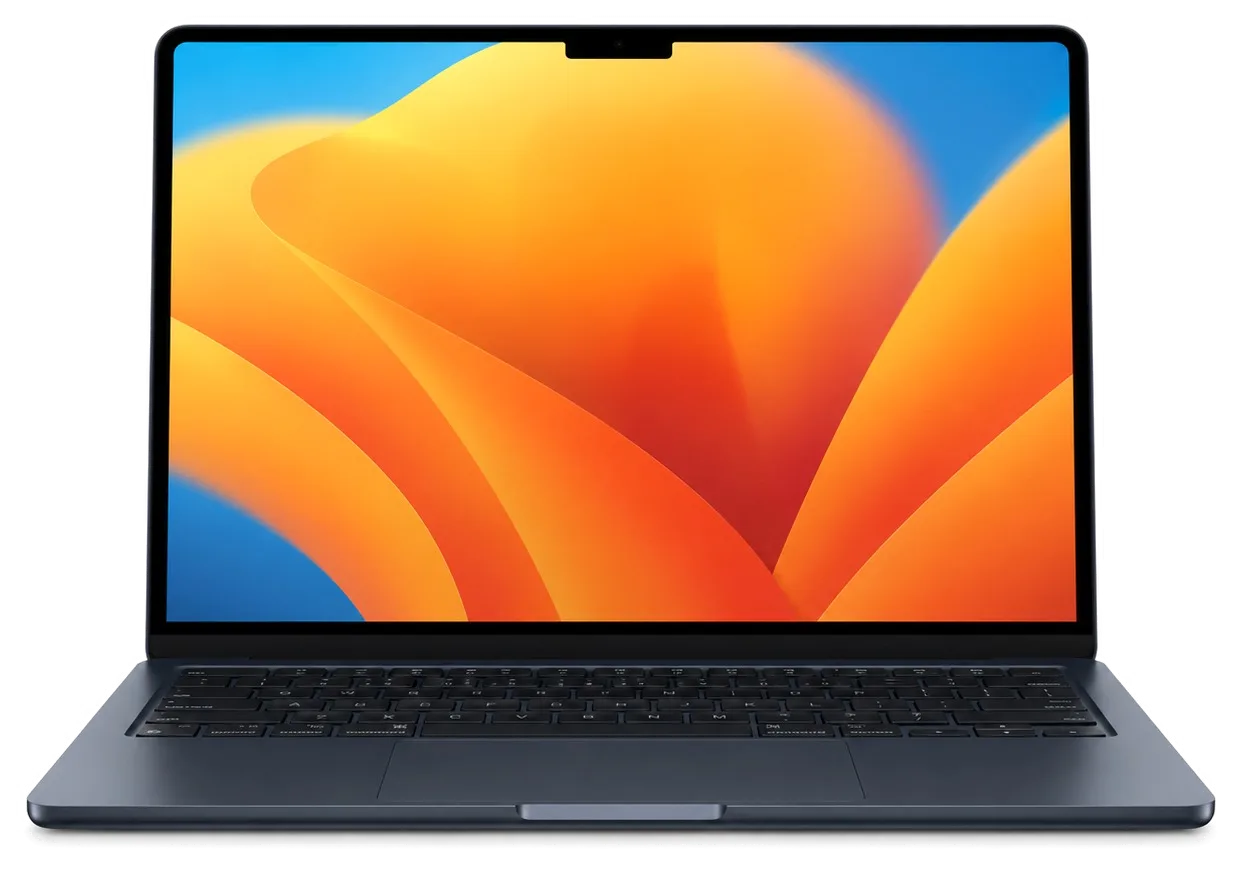
A thin body heats up and wears quickly, which is why Air laptops come in with tired batteries, sticky keys and liquid damage.
One or two hours of charge, then a sudden shutdown: a worn or swollen battery.
A spider web of cracks, dark spots or streaks after a knock or pressure on the lid.
Letters do not type or repeat: a worn mechanism, crumbs or moisture.
The cursor jumps and clicks fail: a swollen battery is pressing from below.
No reaction to the button or charger: power, the board or the charge controller.
Tea or water under the keyboard: cut the power, because speed matters here.
The disk is packed and the system lags: some models allow a storage swap.
A hot case, and on fan-cooled models a loud fan: dust and old thermal paste.
The plug sits weakly, and the laptop charges on and off.
The Touch ID sensor in the power button fails and asks for a password.
The speakers crackle or go silent, and the other person hears noise on calls.
The hinges have loosened, so the screen won't hold its angle and falls back.
The table gathers reference prices for the most frequent MacBook Air jobs, and the final sum depends on the model and the diagnostics.
| Service | Original | Aftermarket |
|---|---|---|
| Battery replacement | 56 900 ₸ | 32 900 ₸ |
| Display replacement | 181 900 ₸ | 112 900 ₸ |
| Keyboard replacement | 44 900 ₸ | 24 900 ₸ |
| Trackpad replacement | 49 900 ₸ | 27 900 ₸ |
| Display flex cable replacement | 37 900 ₸ | 27 900 ₸ |
| Charging port replacement | 35 900 ₸ | 19 900 ₸ |
| Speaker replacement | 33 900 ₸ | 18 900 ₸ |
| Fan replacement | 22 900 ₸ | 12 900 ₸ |
| Backlight repair | 364 900 ₸ | 225 900 ₸ |
| Other repairs | Price | |
| Keyboard replacementmicrosoldering · 1–3 days | 16 900 ₸per job | |
| SSD installation in astorage installation | 31 900 ₸per job | |
| Dust cleaningdisassembly and dust cleaning | 10 900 ₸per job | |
| Cleaning after liquid damagecorrosion cleaning · diagnostics up to 2 days | 16 900 ₸per job | |
| Wi-Fi module repairwireless module · board-level repair | 41 900 ₸with parts | |
| MacOS installationOS installation, no parts replaced | 10 900 ₸per job | |
Sums are given as a guideline: an original part and an aftermarket one cost differently, and the technician names exact options after inspection.
For the screen, battery and keyboard both original and compatible parts exist, and each option has its own advantages.


Apple laptops are our everyday work, and in both Almaty and Astana we run the diagnosis before preparing a quote.
We have taken Apple laptops apart for eleven years, so we know how to open a thin case without harming ribbons and adhesive mounts.
Completed repairs carry a warranty up to 1 year, and the terms for each part are stated by the technician before work.
The laptop is repaired by experienced technicians who handle the screen, battery and board with care, where a slip is costly.
We find the cause first and name the sum afterwards, so you do not pay for parts that never needed replacing.
The service works in two cities, so on a move or a business trip help with your laptop is available in the other one too.
Weekdays 10:00–19:00, weekends and holidays 11:00–18:00: you can drop by after work or on a Saturday.
Usually the whole journey — from message to pickup — takes less than an hour; complex repairs follow the timeline in the receipt.
Book a repairYou send a photo of the damage on WhatsApp — we quote the price and available time. Or you call a courier.
An engineer checks the device in front of you and shows what is broken. 0 ₸, even if you decline the repair.
We fix the price, the part (original or analog), the timeline and the warranty. You sign — we start.
Before installation we show you the new part in its factory packaging. You wait in the waiting area with coffee and Wi‑Fi.
Screen, keyboard and trackpad, camera, microphones, speakers, charging, Wi‑Fi. You check together with the engineer.
Together with the receipt, warranty card and the old part. Payment — Kaspi, card or cash.
Technicians for iPhone, Mac, iPad, Apple Watch and AirPods repair.
Photo: Mukhpilov Nail Photo: Molchanov Rinat
 Photo: Shokan A
 Photo: Sybanbaev Birzhan
 Photo: Denis Gushchin
 Photo: Duisebaev Azhdar

“If the repair didn’t suit you or you have a complaint, write to me personally.”
Send a photo of the fault — an engineer will reply on WhatsApp, give the price and a time you can come in.
MacBook Air Repair in Almaty with Parts You Can See
MacBook Air repair in Almaty at iServices means free diagnostics in front of you, a part you see in factory packaging, and a warranty up to 1 year. We fix screens, batteries, keyboards, charging and liquid damage, and most jobs take from 1 hour to 1 day.
The Air breaks in a narrow, predictable set of ways. Displays, batteries, keyboards and charging ports account for most of what reaches our bench, and each sign points to a specific check.
| Symptom | Likely cause | What we do |
|---|---|---|
| Lines or dark patches on screen | Display matrix or lid flex | Replace display assembly |
| Drains fast, trackpad bulges | Worn or swollen battery | Replace battery, check trackpad |
| Keys stick or type twice | Dust under key mechanism | Clean or replace keyboard |
| Won't charge on MagSafe or USB-C | Port, cable or power controller | Test port, then board |
| Dead after a spill | Corrosion on logic board | Clean and board repair |
| Random shutdowns, fan noise | Dust, dried thermal paste | Service cooling system |
The fanless Air M1 cools itself through the chassis, so it collects less dust than an Intel Pro but runs hotter under long loads. Without a fan and heatsink to carry heat away, the shell and the battery absorb it instead. On an Intel Pro the fan pulls dust through the vents and the radiator clogs over time; on the Air there is nothing to clog, so the thermal paste and the cells take the strain. Long exports and video calls raise the internal temperature fastest. Heat spreads into the pack and the pad beneath it, which is why swelling shows up as a stiff click before any warning appears. If you are looking for MacBook Air repair in Almaty, the same heat pattern is what we check first on every unit that comes in.
A swollen battery pushes on the trackpad and the bottom case, and the laptop should not be used or charged until the pack is replaced. The lithium pouch expands as it ages, and the pressure has nowhere to go except the aluminium shell and the Force Touch pad above it. Charging adds heat and stress to a unit that is already deformed, so unplug the machine and keep it away from soft furniture. A pad that clicks unevenly, a lid that no longer sits flat or a case that rocks on a desk are the visible signs. Check those two signs before assuming the power supply is fine.
The same symptom on two Airs can call for a different part, a different tool and a different turnaround. Identifying the A-number first turns a guess into a plan.
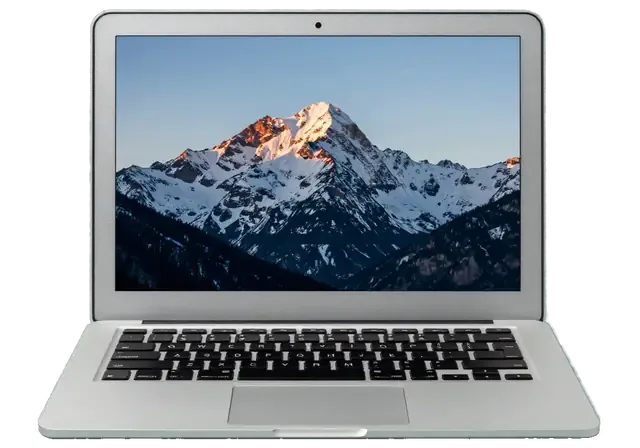
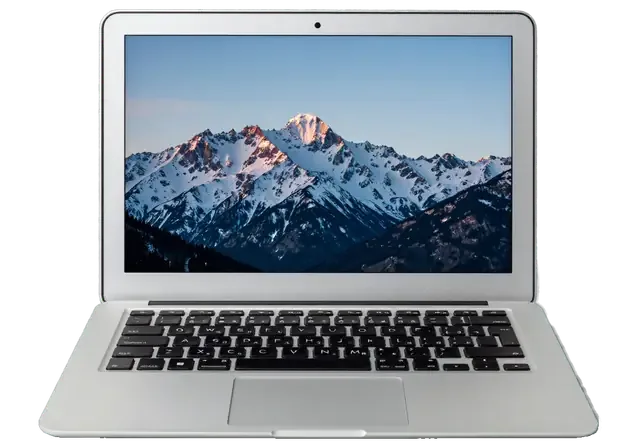
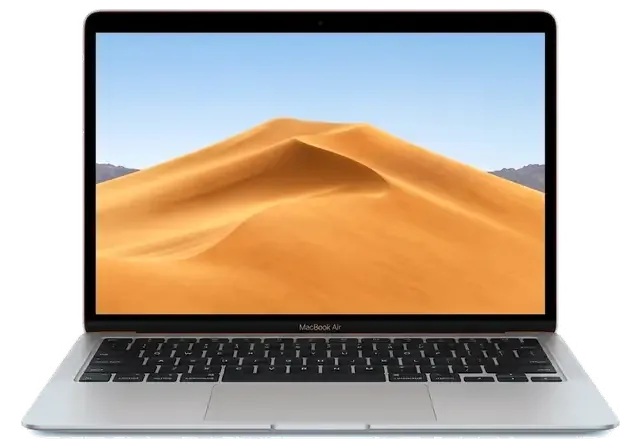
The model number sits in small print on the bottom case, and that A-number, not the marketing name, decides which display, battery and keyboard fit your unit. Look for a four-character code starting with A near the hinge, next to the regulatory markings — A1932, A2179, A2337, A2681. A 13-inch Air and its 15-inch sibling often share a name but not a chassis, and the display assembly from one will not seat in the other. The input deck differs too: an A1932 takes the butterfly mechanism, while the A2179 and everything after it use scissor keys with another ribbon layout. Two units sold under the same name can carry separate A-numbers, so a photo of the bottom case sent before the visit saves a trip with the wrong component.
| Air generation | Charging | Keyboard | Storage |
|---|---|---|---|
| Air 11 and 13 non-Retina | MagSafe 1 or 2 | Scissor | Removable SSD |
| Air Retina A1932 | USB-C | Butterfly | Soldered |
| Air A2179 | USB-C | Scissor | Soldered |
| Air M1 A2337 | USB-C | Scissor | Soldered |
| Air M2 A2681, Air 15 A2941 | MagSafe 3 | Scissor | Soldered |
On Apple Silicon Airs the memory and SSD are fixed to the board, so they cannot be swapped for larger ones the way storage could on older models. An 11-inch or 13-inch non-Retina Air accepted a standard drive in a caddy; from the Retina A1932 onward the flash chips sit directly on the logic board, and on M-series machines the unified memory is part of the same package. The T2 chip on Intel Retina models and the Apple Silicon boot architecture both tie storage to the board, so a third-party drive will not boot even if it physically fits. When that fixed SSD fails, the practical route is board-level repair or data recovery rather than a drive replacement, which is why a backup matters more on a modern unit.
From the first message to the moment you collect the device, the repair follows clear steps, and the price, part, turnaround and warranty are locked in before any work begins.
You send a photo of the damage on WhatsApp, an engineer replies within 5 minutes with a price, and the price, part, turnaround and warranty are fixed on the receipt before work starts. The quote depends on the fault, the model generation and whether you pick an original or an aftermarket component — 64% of customers choose the original. A courier can be called to collect the Air and brings it back once the work is done, and the repair itself is carried out by our own technicians in our workshop, not passed to a third party. Because the figure comes from a photo and is confirmed on paper, the amount you agree to is the amount you pay, even if the fault turns out to sit deeper than the picture showed.
Diagnostics take 15 minutes, are free even if you decide not to repair, and the engineer checks the device in front of you and shows what is broken. The check covers the logic board, the battery and the display, and a board-level fault is examined under a microscope rather than guessed at from symptoms alone. You see the failed component tested, so the diagnosis rests on a confirmed fault rather than an assumption about what usually goes wrong. Watching the check happen is what separates a proven cause from a guess, so ask to see the component tested before you approve the work — it is the difference between replacing what failed and replacing what seemed likely.
Most Air repairs take from 1 hour to 1 day, board repair takes 1 to 3 days, and after the work we check 32 functions in about 10 minutes together with you. The whole process, from first contact to pickup, usually fits inside an hour for standard jobs, and 72% of repairs are finished while the customer waits in the waiting area with coffee and Wi-Fi. The final check covers charging, ports, keyboard, trackpad, screen, camera, sound and Wi-Fi, so a fault that only appears under load is caught before you leave rather than at home. The device comes back with the receipt, the warranty card and the old part.
The component you choose decides how long the repair actually lasts. Below we break down how an original unit differs from an aftermarket one, and what goes onto the receipt before any screwdriver touches your machine.
| Aspect | Original part | Aftermarket part |
|---|---|---|
| Fit and finish | Matches factory | Close, may vary |
| Longevity | As designed | Depends on maker |
| Availability | Ordered to model | Often in stock |
| Best for | Long-term keepers | Budget repairs |
Before any work begins, the receipt records the price, whether the component is original or aftermarket, the turnaround and the warranty, and the new unit is shown in factory packaging before installation. We fix those four points in writing within about two minutes, so nothing shifts once the Air is open on the bench. An engineer replies on WhatsApp within five minutes and quotes from a photo, which means the figure you discuss at the start is the figure on the paper. A written record turns a verbal promise into something you can hold the service to, so keep the receipt and the warranty card together with the old part you get back.
Every repair carries a warranty up to 1 year, and the device is returned with the receipt, the warranty card and the removed component. That handover is part of the standard close-out, not an extra you have to ask for, and the engineer walks you through it at the counter. Keeping the removed component matters because it proves which one was actually replaced, which is useful if a related fault appears later. We have logged 46,000+ repairs over 11 years, and the handback of the removed component is one reason a dispute rarely comes down to memory. Store the removed component somewhere dry and label it with the date.
A spill and an Air that will not switch on are the two cases where the first minutes decide the outcome. Here is what to do immediately, what to leave alone, and how to keep your files safe.
After a spill, switch the Air off at once and do not charge it, because corrosion spreads while power is applied. Liquid reaches the logic board and the power controller within seconds, and current through a wet circuit is what turns a spill into permanent damage. Tilt the laptop to drain the vents, keep it open and unplugged, and bring it in as it is. Rice and a warm radiator do not stop corrosion and can make it worse, so the useful move is to keep the unit off and have the board inspected rather than dried at home. Corrosion keeps eating traces for days after the surface looks dry, so a device checked on day one is far cheaper to save than one opened two weeks later.
After liquid contact, diagnostics can take up to two days, and board repair is done under a microscope and takes 1 to 3 days. At iServices we let the unit dry in a controlled way first, then inspect it under magnification, because salts stay active until they are cleaned off. A microscope shows the damaged trace, the burnt capacitor or the shorted rail that a visual check misses. Corrosion hides under chips where it is invisible to the eye, so a magnified check finds the broken trace before a replacement component is wasted on a board that still will not power on. If the Air came in wet, expect the timeline to stretch — the two-day window exists so we do not promise a fix the hardware cannot hold.
Before handing the Air over, make a Time Machine backup, note your user password and decide what to do about Find My Mac, since a locked device limits what can be tested. Pull the files you cannot lose onto an external drive or into iCloud while the laptop still boots. Write down the login password and the firmware password if one is set — an engineer cannot run a full check on a locked unit. On models with a soldered SSD and a T2 chip, data recovery is far harder than on older removable drives, so a backup taken before the fault is the only reliable safety net. If the Air no longer starts, say so when you send the photo, and we will tell you what can still be read from the drive.
A repair on this machine rarely goes wrong because of the work itself. It goes wrong when the fault is guessed, the generation is ignored, or the component is agreed on a handshake.
Did not find an answer? Message us on WhatsApp: an engineer replies, not a bot.
Ask a questionOlder Airs with a wedge-shaped Intel design use a MagSafe connector, the Retina and M1 Airs charge over USB-C, and models from the M2 onwards add a new MagSafe port. Use an adapter with at least the wattage of the original, otherwise the laptop may charge very slowly or not at all.
That points to the MagSafe cable or the MagSafe port, since the rest of the charging path works. Try another MagSafe cable first, and if it still does not charge, the port needs repair.
Yes, the newest MacBook Air models with M-series chips are repaired too. For the latest generation, check part availability with the technician before the visit.
Yes, M-series MacBook Air models have no fan and slow the chip a little under long heavy loads instead of spinning up. Intel MacBook Air models do have a fan, so constant heat there is a reason to check the cooling.
If the laptop still runs the apps you need, a battery is usually the most cost-effective repair. It brings back the runtime and stops sudden shutdowns.
Open the Apple menu and choose About This Mac to see the chip and the year. The model number starting with A is printed on the bottom case and helps pick the right parts.
Проблема была такая: на экране появились полосы — и непонятно, что делать. В сервисе проверили подключение и дисплей, изображение восстановили; Денис не отмахнулся от моих вопросов.
У моего MacBook Air 13″ (M5, 2026) клавиатура начала пропускать нажатия. В сервисе проверили клавиатуру и устранили проблему с клавишами; Спасибо Аждар: разобрался с нюансами без лишних разговоров.
MacBook Air 13″ (M2, 2022) подвёл: клавиатура начала пропускать нажатия. В итоге проверили клавиатуру и устранили проблему с клавишами; Спасибо Денис: разобрался с нюансами без лишних разговоров.
Проблема была такая: компьютер не включался с первого раза — и непонятно что делать. Ребята проверили питание и вернули стабильный запуск; Аждар показал, в чём была проблема.
С MacBook Air 13″ (2015) вышла неприятность: на экране появились полосы. В сервисе проверили подключение и дисплей изображение восстановили.
У моего MacBook Air 13″ (M5, 2026) клавиатура начала пропускать нажатия. После обращения проверили клавиатуру и устранили проблему с клавишами.
Проблема была такая: периодически пропадал звук — и непонятно, что делать. По результатам диагностики проверили аудиотракт и восстановили звук.
С MacBook Air 15″ (M2 2023) вышла неприятность: после попадания жидкости устройство вело себя непредсказуемо. После обращения осмотрели плату и устранили обнаруженную неисправность в iservice.
Нужна была именно диогностика, а не совет сразу покупать новое. MacBook Air 13″ Retina (2019) подвёл: аккумулятор быстро садился; в сервисе проверили состояние батареи и решили вопрос с автономностью.
У моего MacBook Air 13″ Retina (2018) после попадания жидкости устройство вело себя непредсказуемо. В итоге осмотрели плату и устранили обнаруженную неисправность.

Replace the battery when macOS reports Service Recommended and runtime no longer covers your workday. A free 15-minute check shows whether the cell is at fault.

Why your MacBook runs hot and loud, and whether cleaning solves it or the board needs repair.

Power it off, unplug the charger and bring the laptop in for a free 15-minute check before corrosion spreads.

Sticky or unresponsive keys usually mean debris, worn mechanisms or liquid damage. A technician can check the keyboard and advise on cleaning or replacement.

Back up your data, turn off Find My, and bring proof of purchase — then the repair starts faster.
 iPad
 iMac
 Mac mini and Studio
 Apple Watch
 AirPods
 Apple Pencil
 Apple TV
 HomePod
