Your city

AstanaAstana, Kabanbay Batyr Ave., 7/2 · +7 727 339-99-12
Eng

MacBook Dust Cleaning in Almaty

Your MacBook is noisy and burning your lap — we clean the cooling in an hour, refresh the thermal paste, and charge no extra after approval.

MacBook with a dark blue wallpaper and a large orange warning icon in the center of the screenMacBook with a dark blue wallpaper and a large orange warning icon in the center of the screenMacBook with a dark blue wallpaper and a large gray hourglass icon in the center of the screen
Open silver MacBook laptop with the screen on and a dark blue wave wallpaper
BeforeAfter
Loud fan noise
Price incl. labor
from 10 900 ₸
Warranty
up to 1 year
  • Inspection and heat test
  • Opening the case
  • Fan cleaning

Signs you need MacBook dust cleaning

Dust clogs the fan and heatsink quietly, and the result shows up as noise, heat and sluggish performance.

The fan roars like a turbine

The cooler spins up on ordinary tasks, and the noise is heard even while watching video or working with documents.

The case is very hot

The keyboard and the bottom burn your palms, and the area above the function keys gets too hot to rest your hands on.

The laptop lags and freezes

When it overheats, the processor drops its speed: the cursor sticks, video stutters and apps open much slower.

Sudden shutdowns

The MacBook goes dark under load though the battery is charged, because protection kicks in from the high temperature.

MacBook dust cleaning prices in Almaty

The cost depends on the model and design: some laptops give easy access to the cooler, while others take longer to open.

ServiceWhat's includedPrice
Dust cleaning MacBook Pro A2289disassembly and dust cleaning10 900 ₸per job
Dust cleaningdisassembly and dust cleaning10 900 ₸per job
MacBook Pro A2991 dust cleaningdisassembly and dust cleaning10 900 ₸per job
MacBook Pro A2780 dust cleaningdisassembly and dust cleaning10 900 ₸per job
MacBook Pro A2485 dust cleaningdisassembly and dust cleaning10 900 ₸per job
MacBook Pro A2338 dust cleaningdisassembly and dust cleaning10 900 ₸per job
MacBook Pro A2251 dust cleaningdisassembly and dust cleaning10 900 ₸per job
MacBook Pro A2159 dust cleaningdisassembly and dust cleaning10 900 ₸per job
MacBook Pro A1990 dust cleaningdisassembly and dust cleaning10 900 ₸per job
MacBook Pro A1989 dust cleaningdisassembly and dust cleaning10 900 ₸per job
MacBook Pro A1708 dust cleaningdisassembly and dust cleaning16 900 ₸per job
MacBook Pro A1707 dust cleaningdisassembly and dust cleaning16 900 ₸per job
MacBook Pro A1706 dust cleaningdisassembly and dust cleaning16 900 ₸per job
MacBook Pro A1286 dust cleaningdisassembly and dust cleaning15 900 ₸per job
MacBook Pro A1278 dust cleaningdisassembly and dust cleaning12 900 ₸per job
MacBook Air A2179 dust cleaningdisassembly and dust cleaning10 900 ₸per job
MacBook Air A1932 dust cleaningdisassembly and dust cleaning10 900 ₸per job
MacBook Air A1466 dust cleaningdisassembly and dust cleaning12 900 ₸per job
MacBook Air A1465 dust cleaningdisassembly and dust cleaning12 900 ₸per job
MacBook Pro Retina A1502 dust cleaningdisassembly and dust cleaning15 900 ₸per job
MacBook Pro Retina A1425 dust cleaningdisassembly and dust cleaning10 900 ₸per job
MacBook Pro Retina A1398 dust cleaningdisassembly and dust cleaning16 900 ₸per job
MacBook Air 11" A1370 dust cleaningdisassembly and dust cleaning10 900 ₸per job
MacBook Pro A1297 dust cleaningdisassembly and dust cleaning10 900 ₸per job
MacBook Pro 16" M4 dust cleaningdisassembly and dust cleaning10 900 ₸per job
MacBook Pro 14" M4 dust cleaningdisassembly and dust cleaning10 900 ₸per job
MacBook Pro 14" M3 dust cleaningdisassembly and dust cleaning10 900 ₸per job
MacBook Air A1369 dust cleaningdisassembly and dust cleaning10 900 ₸per job

The technician names the exact sum after inspection, and thermal paste replacement and extra work are priced separately.

What the laptop cleaning includes

Cleaning begins with an inspection and a heat test and ends with reassembly and a check of the cooling system.

  1. 01
    Open MacBook with a thermometer icon on the screen
    Inspection and heat test

    We read the temperature at idle and under load and listen to the cooler to confirm that dust is the real cause.

  2. 02
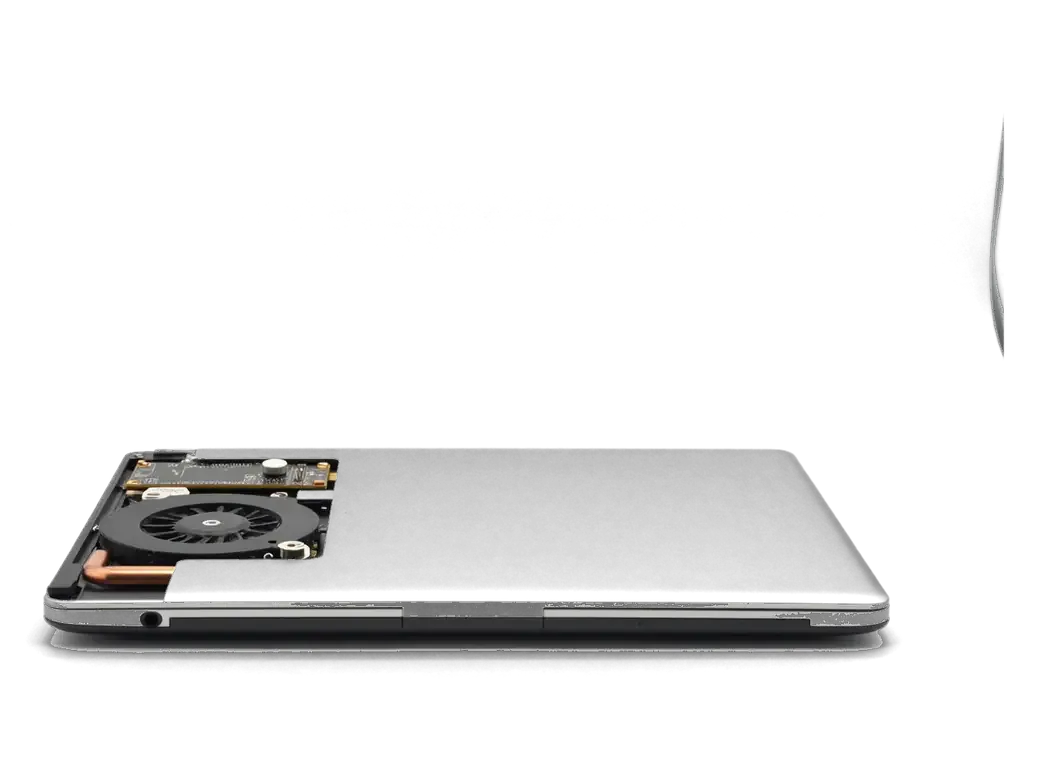
    MacBook with the bottom cover removed showing the fan and cooling system
    Opening the case

    We remove the bottom cover, disconnect power and carefully take away whatever blocks access to the fan.

  3. 03
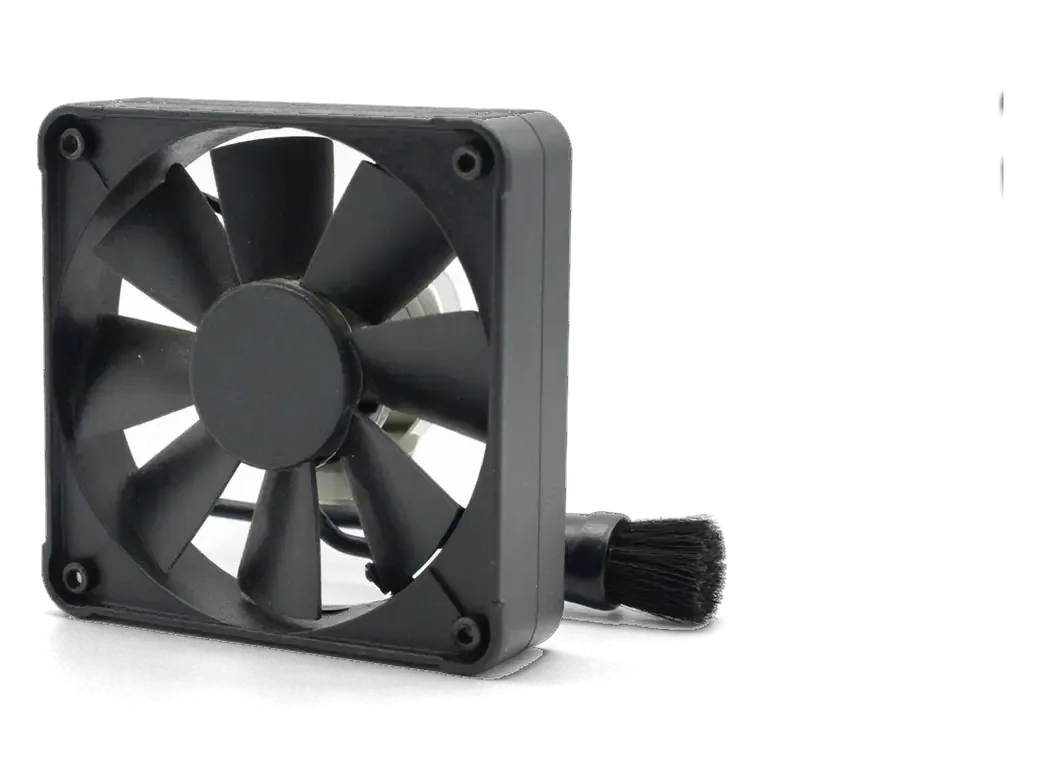
    Laptop fan with dust on the blades and a brush
    Fan cleaning

    We remove dust from the blades and the cooler housing with a soft brush and air, without harming the bearing.

  4. 04
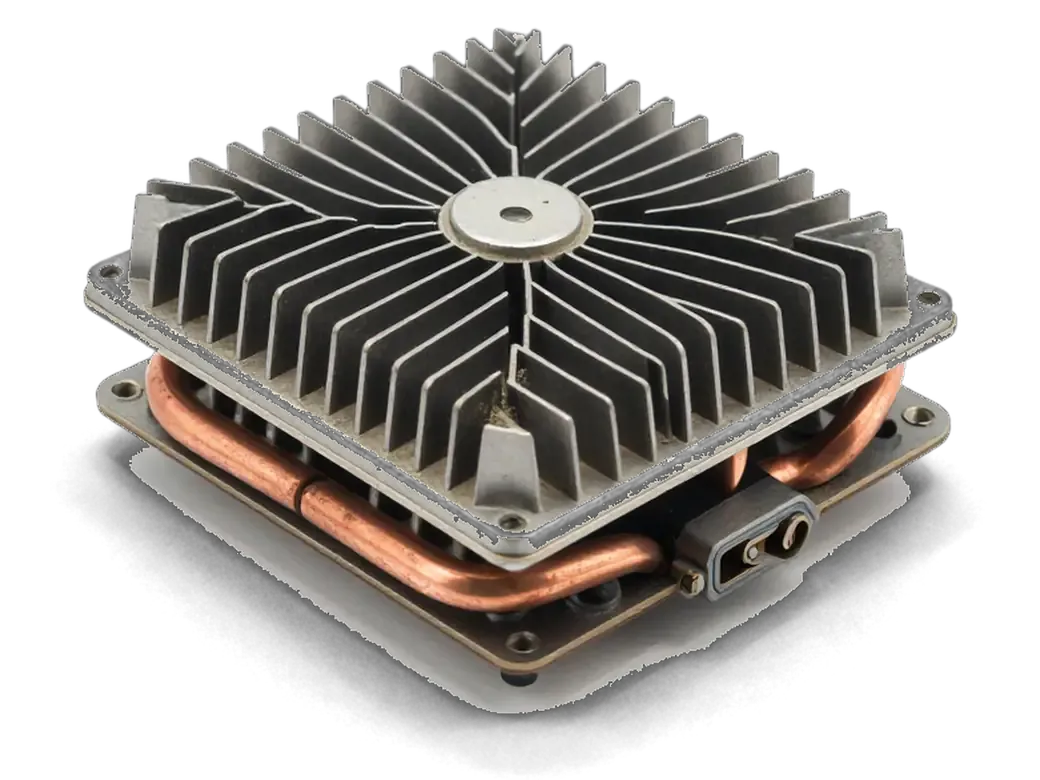
    Laptop heatsink with dust-clogged fins
    Heatsink cleaning

    We clear the heatsink fins, where dust packs into felt and blocks the airflow.

  5. 05
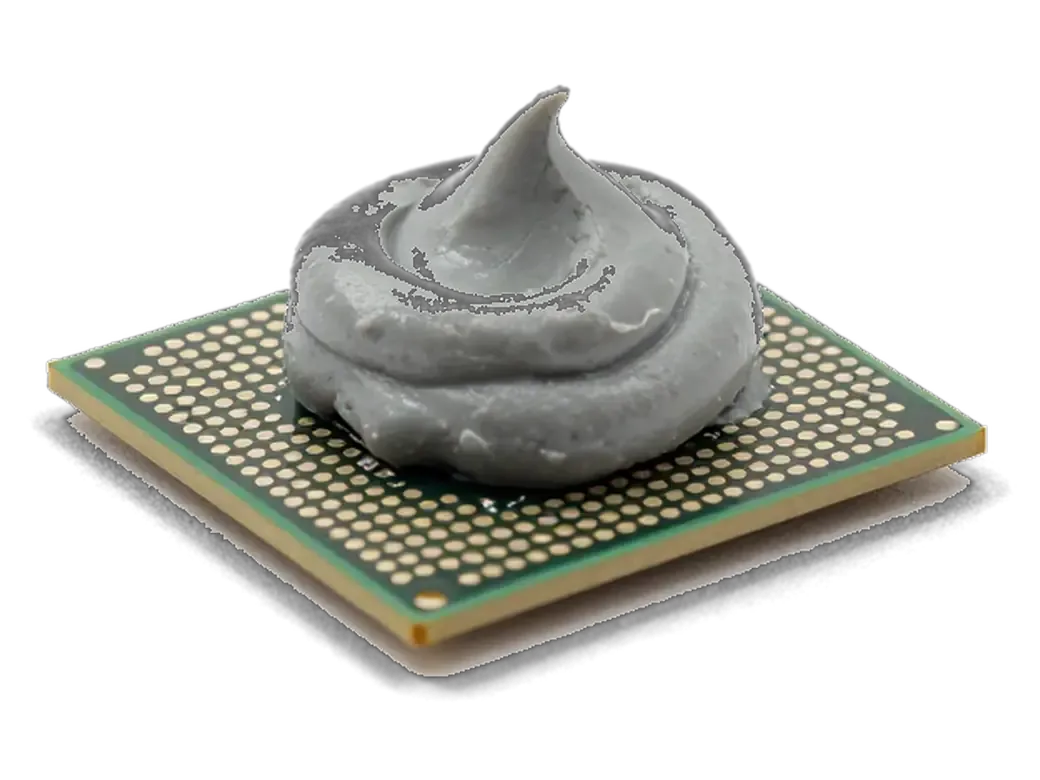
    Processor with thermal paste and a tube of thermal paste
    Thermal paste assessment

    We look at the paste on the processor and, if needed, suggest replacing it to improve heat removal.

  6. 06
    Open MacBook with a checkmark on the screen after reassembly
    Assembly and check

    We reassemble the laptop, run a load test and confirm that temperature and noise have dropped clearly.

  7. MacBook Pro A2289 dust cleaning
    from10 900 ₸

    After cleaning, the MacBook runs quieter and holds temperature with more confidence.

    Price for my model

Cleaning with or without new thermal paste

Sometimes removing dust is enough, and in other cases it is worth refreshing the paste too, and the technician will say which you need.

Original Applewarranty up to 1 year
MacBook dust cleaningafter diagnostics
Open MacBook with a fan icon displayed on the screen
Cleaning only
We remove dust from the cooler and heatsink
When enough
The laptop is newer and the paste has not dried
Result
Quieter fan, lower temperature
Best when
the computer is noisy because of dust
Chosen by 64% of clients
Book with an original part
Aftermarketwarranty 6 months
MacBook dust cleaning10 900 ₸
Black electric air blower with a nozzle and a gray anti-static brush nearby
With thermal paste
We also renew the paste on the processor
When needed
The laptop is old, or heat remained after cleaning
Result
Better heat transfer from the processor
Best when
the MacBook runs hot even without dust
Chosen by 36% of clients
Book with an aftermarket part

Why people entrust the cleaning to us

Dust is often only a symptom, so the technician looks for the reason behind the overheating and opens the case gently.

11years

11 years with Macs

Years of work with Apple laptops help us quickly find where dust gathers in your particular model.

1year

Warranty up to 1 year

The work carries a warranty up to 1 year, and the technician explains the terms upfront so you know what is covered.

8technicians

Experienced technicians

The case is opened by experienced technicians, who know the order of screws and cables and leave no damage behind.

0₸

The cause, not just dust

If the heat comes from something else, such as software or wear, we say so instead of cleaning in vain.

0opening marks

Careful disassembly

We handle tiny screws and cables with attention, so after cleaning the keyboard and trackpad work as they did before.

7days a week

Time for your visit

We receive visitors on weekdays from 10:00 to 19:00, and on weekends and holidays from 11:00 to 18:00, so any spare day works.

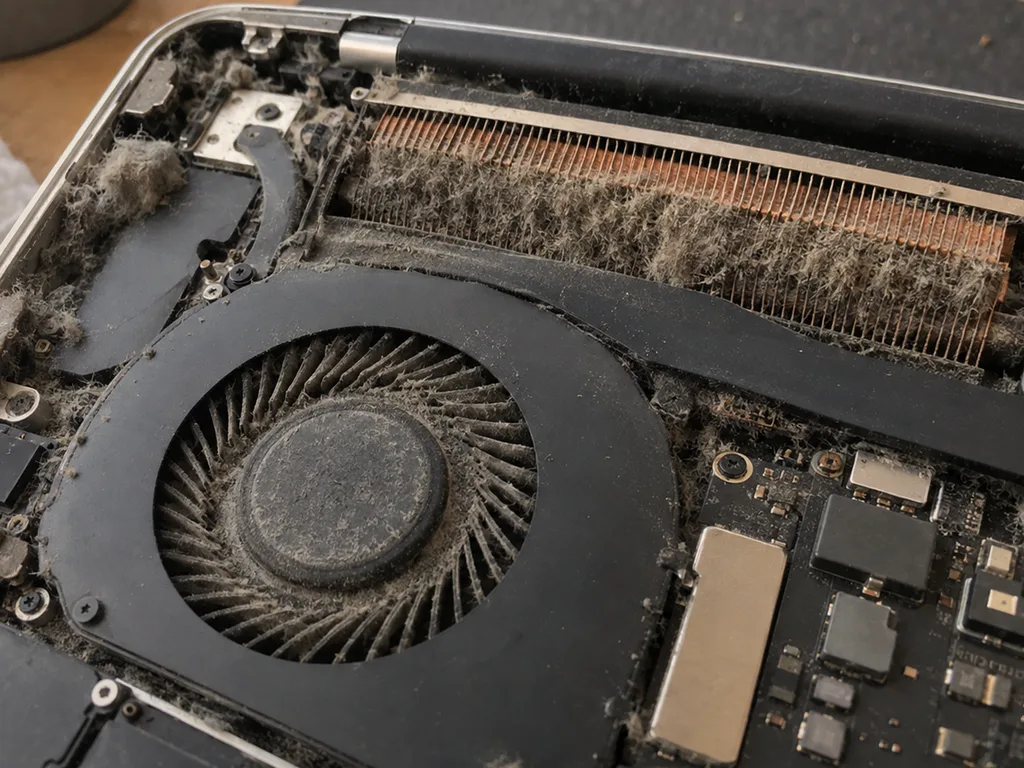
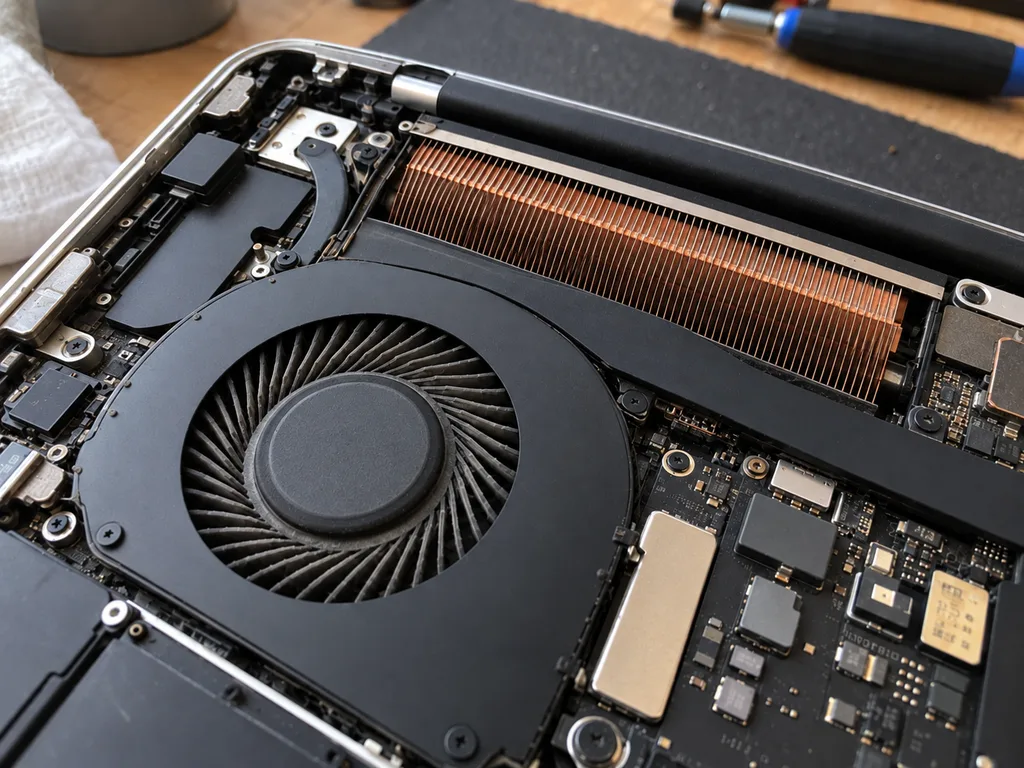
MacBooks after dust cleaning before and after in Almaty

1 / 1
Before photo: dusty MacBook fanBefore: dusty MacBook fan
After photo: clean fanAfter: clean fan
BeforeAfter

MacBook Pro 14 M3: noisy and overheating

1 hourCleaningWarranty 3 months
Problem
Under load 98 °C, fans at maximum, Final Cut lags.
What we did
Cleaned the fans and heatsink, replaced the thermal paste and thermal pads.
−27 °Cunder load in Final Cut
I want the same

How dust cleaning works in 40 minutes

Usually the whole journey — from message to pickup — takes less than an hour; complex repairs follow the timeline in the receipt.

Book a repair
  1. Step 1

    Message or call

    5 min

    You send a photo of the damage on WhatsApp — we quote the price and available time. Or you call a courier.

  2. Step 2

    Free diagnostics

    15 min

    An engineer checks the device in front of you and shows what is broken. 0 ₸, even if you decline the repair.

  3. Step 3

    Price in the receipt

    2 min

    We fix the price, the part (original or analog), the timeline and the warranty. You sign — we start.

  4. Step 4

    Repair while you wait

    20–40 min

    Before installation we show you the new part in its factory packaging. You wait in the waiting area with coffee and Wi‑Fi.

  5. Step 5

    Post-repair check

    10 min

    Screen, keyboard and trackpad, camera, microphones, speakers, charging, Wi‑Fi. You check together with the engineer.

  6. Step 6

    Pick up your device

    warranty up to 1 year

    Together with the receipt, warranty card and the old part. Payment — Kaspi, card or cash.

Who will clean your MacBook cooling system

Technicians for iPhone, Mac, iPad, Apple Watch and AirPods repair.

1 / 6
MNMukhpilov Nail — smartphone repair technician, iServices service center in AlmatyPhoto: Mukhpilov Nail

Mukhpilov Nail

smartphone repair technician
10years of experience
4.83rating, 83 reviews
MRMolchanov Rinat — Apple repair and diagnostics engineer, iServices service center in AlmatyPhoto: Molchanov Rinat

Molchanov Rinat

Apple repair and diagnostics engineer
10years of experience
4.85rating, 33 reviews
SAShokan A — diagnostics technician, iServices service center in AlmatyPhoto: Shokan A

Shokan A

diagnostics technician
8years of experience
5.0rating, 37 reviews
SBSybanbaev Birzhan — firmware specialist, iServices service center in AlmatyPhoto: Sybanbaev Birzhan

Sybanbaev Birzhan

firmware specialist
7years of experience
4.75rating, 74 reviews
DGDenis Gushchin — display replacement technician, iServices service center in AlmatyPhoto: Denis Gushchin

Denis Gushchin

display replacement technician
20years of experience
5.0rating, 34 reviews
DADuisebaev Azhdar — connector replacement technician, iServices service center in AlmatyPhoto: Duisebaev Azhdar

Duisebaev Azhdar

connector replacement technician
7years of experience
4.3rating, 35 reviews
Gamid K, phone repair technician
“If the repair didn’t suit you or you have a complaint, write to me personally.”
Gamid Kphone repair technician · +7 705 556-07-59

We'll quote MacBook dust cleaning in Almaty from a photo in 5 minutes

Send a photo of the screen and the MacBook model. An engineer will reply on WhatsApp, give the price and today's available time.

  1. 5 minAn engineer replies and names the price
  2. 0 ₸Diagnostics in front of you in 15 minutes
  3. 30 minMost repairs — while you wait

MacBook Dust Cleaning in Almaty with Cooling System Check

In short

For MacBook dust cleaning in Almaty, iServices performs a full cooling-system service: we disassemble the chassis, clear the fan and heatsink, renew the thermal interface and stress-test the machine before handover. Free 15-minute diagnostics in front of you, work fixed on the receipt, warranty up to 1 year.

Mukhpilov NailWe reply on WhatsApp within 10 minutes
Ask

What Overheating Actually Does to Your MacBook

Overheating is not a cosmetic nuisance. Once dust packs the heatsink, a machine that used to run warm only during heavy tasks starts running hot every day — and that affects both speed and the lifespan of its parts.

Warning Signs That Dust Is Already Costing You Performance

  • Constant fan noise: the blower stays at high RPM even with a browser and a few tabs open.
  • Hot bottom case: the aluminium above the keyboard stays warm an hour after you stop working.
  • Slowdown at load: exports, builds and video calls stutter when several apps run together.
  • Sudden frame drops: the picture in games or timeline scrubbing freezes for a second.
  • Rising readings in Activity Monitor: thermal values climb past idle level within minutes of starting work.

How Heat Shortens Battery and Board Life

Sustained warmth ages the battery faster and stresses the solder joints and power components on the board, so ignoring dust shows up months later as a swollen cell or an unstable machine. Lithium cells lose capacity quickest between 35 and 45 °C, a range a dusty laptop reaches during ordinary video calls. The same cycles expand and contract solder beneath the SoC and along the heat pipe, and micro-cracks there produce freezes, kernel panics and dropped Wi-Fi that look like software faults. Battery health falling faster than the charge-cycle count suggests is a useful early indicator — it usually tracks how hard the cooling system has been working.

Which MacBooks Need Dust Cleaning and Which Barely Do

Not every laptop has a fan, and that single fact changes the whole logic of servicing. Here is how the lineup splits by cooling type, and what that means for dust.

Fan-Cooled Models vs Passively Cooled Models

Cooling design across MacBook families and dust behaviour
Model familyCooling typeDust impactTypical service focus
MacBook Pro IntelActive coolerHighBlower, heatsink, thermal paste
MacBook Pro Apple SiliconActive coolerHighBlower, heatsink, thermal paste
MacBook Air IntelActive coolerMedium-highBlower, heatsink, thermal paste
MacBook Air M1 and newerPassiveLowVents, thermal pads, surface

Why Intel-Era Machines Overheat Sooner

Intel-based laptops run hotter by design, so the same amount of dust that a newer chip tolerates will push an older machine into throttling much sooner. The Intel architecture draws more power under sustained load, and the blower has to spin harder to compensate — which pulls in more airborne debris per hour of use. Apple Silicon chips finish the same tasks at lower wattage, so their fans idle more and accumulate lint at a slower rate. A first-generation Retina Pro that has never been opened is a classic candidate: the heatsink fins clog into a solid mat, and the chip drops below its rated clock within minutes of a video export. Age and thermal load compound, so an Intel machine overdue for service is the one most likely to show a noticeable performance jump after cleaning.

What a Professional MacBook Dust Cleaning Includes

A professional clean is not a quick puff of air into the vents. It is a full teardown with direct access to the fan, heatsink and thermal interface, and here is what that work actually involves.

Step by Step Through the Service

  • Chassis opening: we remove the bottom panel with the correct driver bits and lay out each screw by position.
  • Battery disconnect: the cell is unplugged from the logic board before any tool touches the internals.
  • Cooling assembly cleaning: antistatic brushes and compressed air lift the compacted dust mat off the fins, then isopropyl alcohol clears the residue.
  • Thermal interface renewal: the old paste is wiped away and a fresh layer is applied so heat transfers to the radiator again.
  • Reassembly: the panel goes back on, every connector is seated and the screws are torqued in the original sequence.
  • Stress test: we load the CPU and GPU and watch temperatures to confirm normal readings under sustained work.
  • Battery safety: pulling power before touching the board prevents a short that can turn a routine clean into a board repair.

Why Blowing Air Through the Vents Does Not Work

A can of compressed air through the vents pushes dust deeper into the heatsink fins instead of removing it, and it cannot reach the compacted layer that actually blocks airflow. The blower only moves the loose top layer, then drives it toward the far edge of the radiator where the gap between plates is narrowest. What settles there over months is a felt-like mat of fibres and grease that no external stream can lift, because pressure drops the moment the spray leaves the nozzle. Opening the chassis is the only way to reach both faces of the radiator and the blades. Machines regularly "cleaned" with a can still arrive with the plates fully bridged by dust. Only physical access after disassembly clears it properly.

Thermal Paste, Thermal Pads and the Load Test

A clean cooling system only works if the heat interface is still doing its job, and the real result shows up under stress — so cleaning and testing belong together.

When Thermal Paste and Pads Need Replacing

We renew the heat-transfer paste when it has dried and cracked, and replace the pads where they have hardened, because a dried interface transfers heat poorly no matter how clean the blower is. On an Intel MacBook the compound sits between the chip die and the heatsink, and after years of heat cycles it turns chalky and pulls away from the contact surface. These pads bridge the smaller gaps around the VRM and the heat pipe, and once compressed and stiff they stop conducting as they should. We judge compound condition only after the heatsink is off — a spotless blower can still sit on a dried layer that keeps temperatures high.

How We Verify the Result Under Load

  • Stress test: we push the CPU and GPU to full load and watch how quickly temperatures climb and where they settle.
  • Fan behaviour: we log RPM against temperature to confirm the blower ramps up smoothly instead of jumping or stalling.
  • System Monitoring: we read sensor data in the utility and compare idle and load readings against the pre-service baseline.
  • Airflow check: a blower that spins but no longer moves enough air only reveals itself once the machine is pushed, so the stress run is where that fault surfaces.

Timing, Receipt and Warranty for MacBook Dust Cleaning in Almaty

Timing, paperwork and how often the procedure is actually needed are the questions we hear most before a booking. This section answers them from our own workflow.

How Long It Takes and How to Book

Work on a MacBook takes from 1 hour to 1 day, and you can start by sending a photo of the machine on WhatsApp, where an engineer replies within 5 minutes and quotes a price from the photo. Diagnostics take 15 minutes and are free even if you decide against the repair, done in front of you with the engineer showing what is clogged. Most jobs finish while the customer waits in the waiting area with coffee and Wi-Fi, and 72% of our repairs are completed on the spot. If coming in is awkward, a courier can be called across the city in 90 minutes, free with a repair. Booking from a photo lets the engineer reserve the right time slot. For anyone searching for MacBook dust cleaning in Almaty, this is the fastest way to lock in a slot.

What the Receipt and Warranty Cover

Before work starts we fix the price, the part, the turnaround and the warranty on the receipt, and the warranty runs up to 1 year. That takes about 2 minutes at the counter, and the document names whether the replacement part is original or aftermarket — 64% of customers choose the original, and every part is shown in factory packaging before it goes in. When you collect the device you get the receipt, the warranty card and the old part back, so nothing about the job is left undocumented. A written receipt protects both sides — it records exactly what was agreed, so there is no ambiguity about what the warranty covers.

How Often to Clean Depending on Conditions

  • Dusty city air: living beside busy roads or construction pushes grit into the intake faster, so plan on an annual visit for a fan-cooled machine.
  • Pets at home: shed hair and dander mat the fins of the heatsink, and a yearly internal clean keeps temperatures from creeping up.
  • Heavy daily load: video editing, compiling or long gaming sessions keep the fan spinning and pull more dust through, so check the vents every 12 months.
  • Passively cooled Air: without a fan there is far less airflow to trap debris, so the interval stretches well beyond a year unless the case runs hot.
  • Soft surfaces: working on a bed or carpet pulls lint straight into the intake, so a hard flat surface extends the interval between cleanings.

Summary: MacBook Dust Cleaning

Dust cleaning is rarely an emergency, yet ignoring the early signals costs far more than the service itself. Here is what matters most when you weigh up the options.

  • Fan-cooled machines first: Laptops with an active cooler trap dust on the heatsink fins and lose cooling capacity far faster than passively cooled models.
  • Early signals: Rising fan noise, a warm palm rest and frame drops during long sessions usually show up long before a thermal shutdown.
  • Air in the vents is not enough: Blowing compressed air through the grille pushes debris deeper into the heatsink instead of removing it.
  • Paste and pads by condition: The compound and pads are swapped only when inspection shows they have dried out or lost contact.
  • Verified under load: The outcome is confirmed with a sustained-load check, and the scope, turnaround and warranty are written on the receipt before work begins.


Questions about MacBook dust cleaning

Did not find an answer? Message us on WhatsApp: an engineer replies, not a bot.

Ask a question
Does a fanless MacBook Air need dust cleaning?

Rarely: MacBook Air models with M-series chips have no fan, so dust is not pulled through the case. Intel MacBook Air models do have a fan and collect dust like any other laptop.

Why is my MacBook fan still loud after cleaning?

Fans react to load, so a background process such as indexing or a heavy browser tab can keep them spinning. Check Activity Monitor for anything using the processor. If the load is low and the fans still roar, a temperature sensor or the fan itself may be faulty.

Can dust make a MacBook shut down by itself?

Yes, when the cooling system is clogged, the chip can reach its protective temperature limit and the laptop slows down sharply or switches off. Cleaning the fan and the heatsink usually solves it.

How can I tell if my MacBook is overheating before I bring it in?

macOS does not show temperatures by itself, but a clear sign is fans at full speed while Activity Monitor shows little load. A hot area above the keyboard during simple tasks points the same way.

Why do Intel MacBook Pro models clog up faster than M-series ones?

Intel chips produce much more heat, so their fans run harder and pull more air and dust through the heatsink. On M-series laptops the fans spin less often and dust builds up more slowly.

How often should a MacBook in a home with pets be cleaned?

More often than usual, because pet hair wraps around the fan and blocks the heatsink fins. If the fan noise rises noticeably, bring the laptop in without waiting for the yearly schedule.

Reviews after MacBook dust cleaning in Almaty

1 / 2
4.9

average rating on Google Maps, wikicity and our website · 445 reviews
Google Maps4.438 reviews ›wikicity5.015 reviews ›Reviews on the iServices website5.0392 reviews ›
ТД
Талгат Д.16 August 2026

Макбук стал жутко греться и тормозить даже от простых задач по работе. Принес на чистку от пыли и замену термопасты. Всё почистили быстро, теперь работает абсолютно бесшумно и больше не зависает. Спасибо большое за оперативность.

AL
Andrey Lunyov18 November 2019

Проблема: не было изображения на экране макбука. Принес в этот сервис на диагностику. На следующий день мне сообщили что нужно восстанавливать материнскую плату, и время работы 2 недели. По прошествии 2х недель со мной ни кто из менеджеров не связался, звонил им сам, ответивший менеджер не знал ситуации с макбуком, якобы в работе. Я попросил узнать почему ещё в работе. Через полчаса мне звонят с сервиса, и говорят, пришли бракованные чипы для замены, и для решения проблемы ждать ещё 2 недели. По прошествии более 2х недель, со мной так же ни кто не связывался, и опять мне нужно было звонить самому. Ситуация повторилась. Менеджер не в курсе состояния, связывался техник который этим занимался. Главный техник который курирует мастеров, говорил что они позвонили все питание на видеочипы, питания на чипы было. Как проводилась диагностика вызывает большой вопрос. И почему все мероприятия продлились месяц, мне так и ни кто не ответил. В итоге, макбук не починен, якобы нужна замена материнской платы и нужно ещё месяц ждать и 250 тысяч тенге, месяц пустых ожиданий, не известно сколько он просто пылился у них на складе в ожидании, пока я его не заберу. Складывается смутное ощущение что они больше нанесли вреда состоянию макбука. П.с. при возврате макбука, оказалось, что диагностика продлилась месяц, и что современные макбуки они быстро не ремонтируют, мой макбук 2016 года, главный техник не в курсе что чем занимаются его подчинённые. Кажется бредом. Потерян месяц, очень разочарован этим сервисом. Ещё и часть креплений потеряли. Не рекомендую обращаться к ним

Showing 2 of 2See all reviews

Where to get MacBook Dust cleaning in Almaty

Address
Almaty, Zharokov St., 128
Opening hours
Mon–Fri 10:00–19:00Sat–Sun 11:00–18:00
Phone and messengers
+7 705 556-07-59WhatsApp: +7 705 556-07-59
Directions map: iServices Almaty — Zharokov, 128© OpenStreetMapFind us on the maps: Google Maps · 2GIS