The iPhone 13 is a durable phone, but a few failures come up again and again. Here is what each symptom usually points to before you bring the device in.
Symptoms that point to a cracked display or a failing touch layer
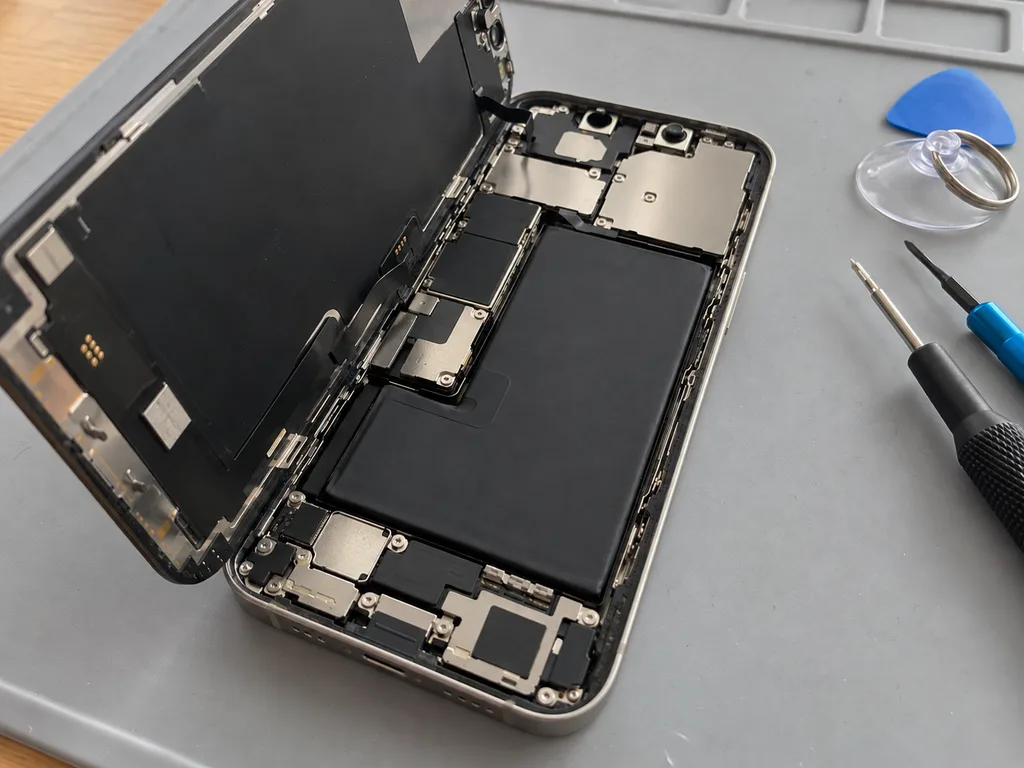
A shattered front pane, green lines across the screen or a digitizer that ignores swipes almost always means the display module is damaged, not just the surface. The iPhone 13 carries a 6.1-inch OLED bonded to the touch layer and covered by a protective sheet, so impact energy travels straight through the front into the layers beneath. A phone that survived a drop with a perfect picture can still develop a dead strip along one edge days later, once the substrate starts to separate. On this model the screen and the digitizer are fused into one unit, so a hairline crack that still shows a crisp image can spread through the stack after another drop.
Battery, charging port and camera glass failures
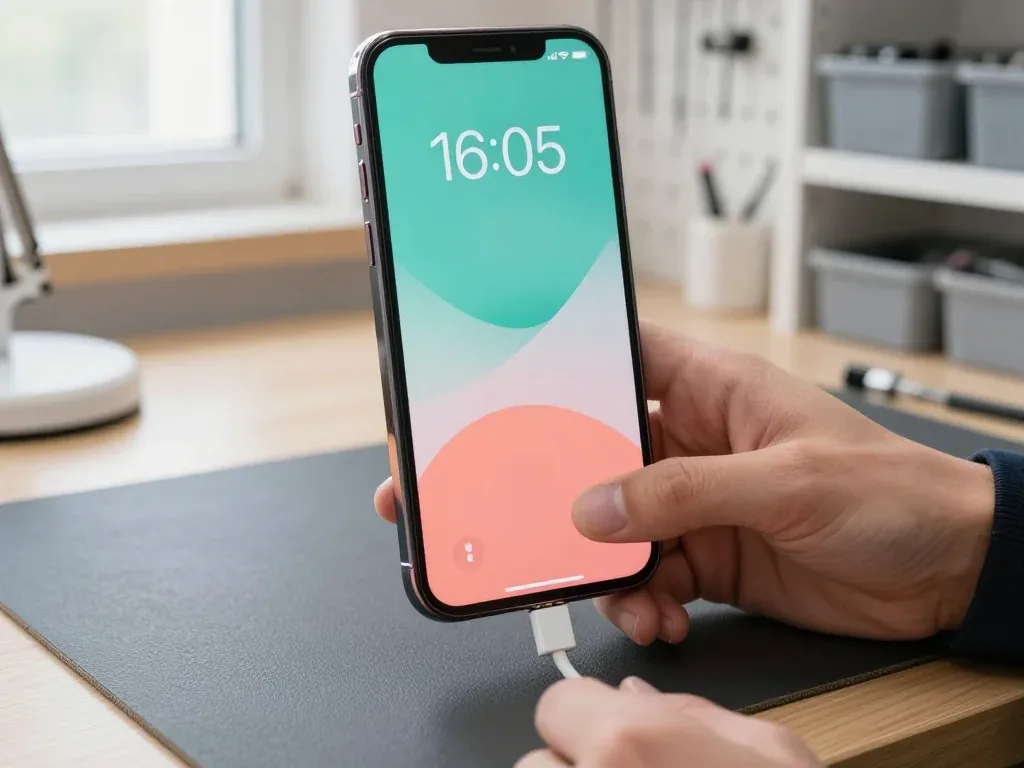
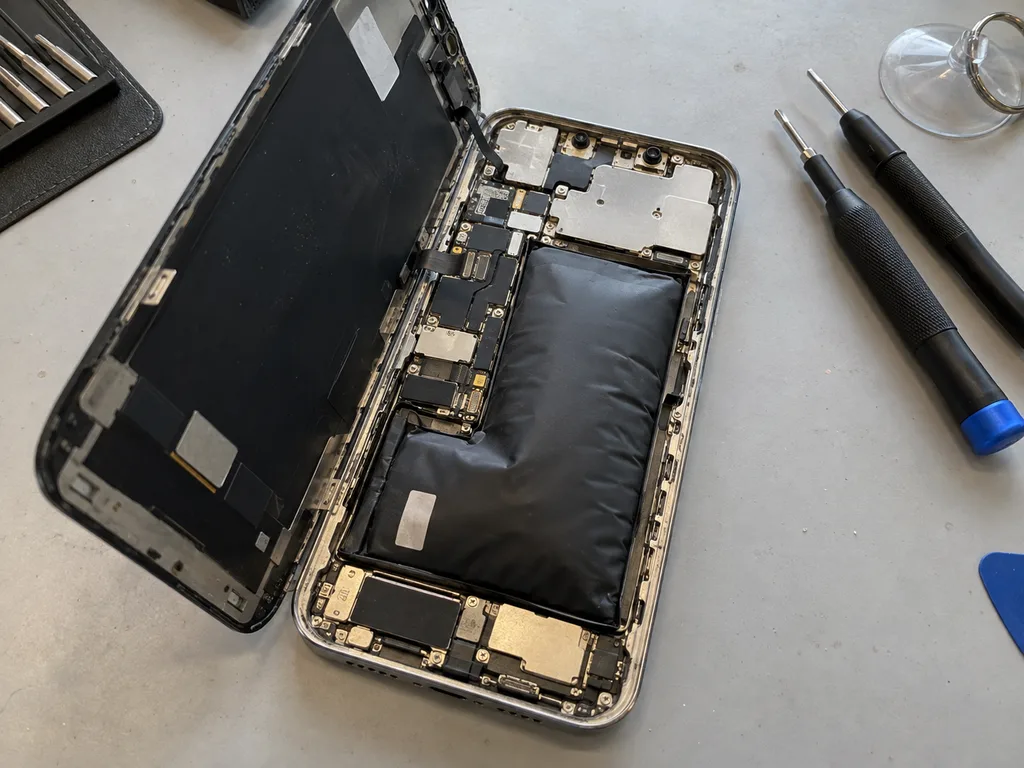
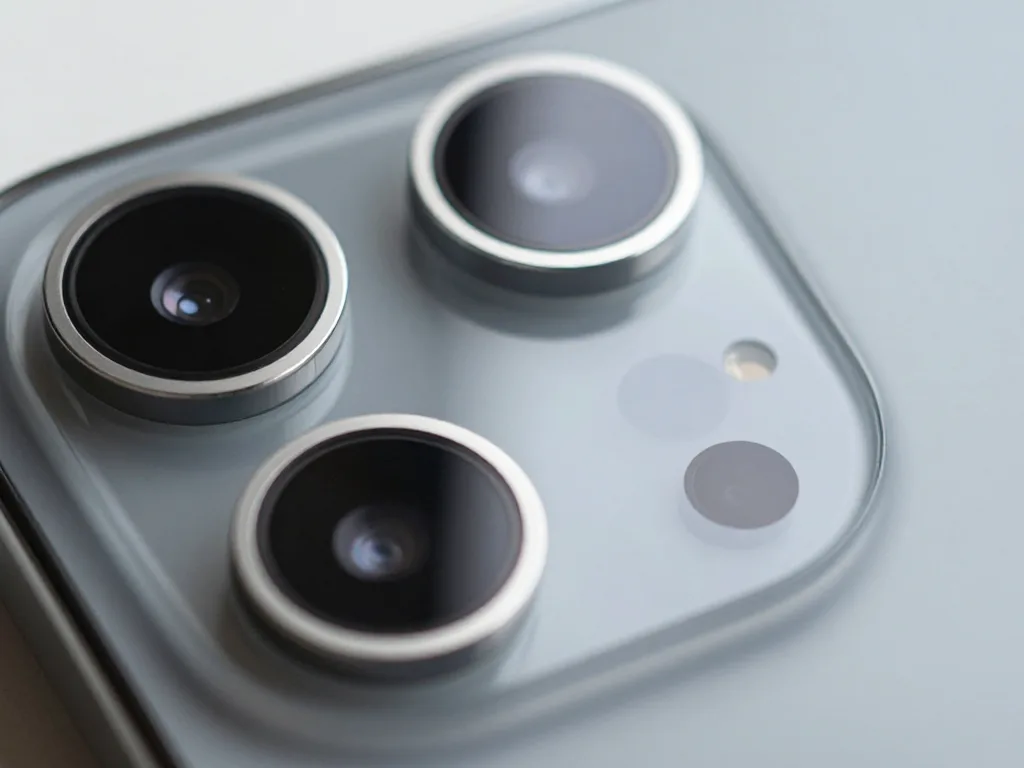
We see three common iPhone 13 complaints in the workshop: a cell that drops fast, a Lightning connector that only charges at an angle, and a shattered camera lens cover. Health below 80% shows up as sudden shutdowns in cold weather and a phone that dies by mid-afternoon. The charging flex carries both the Lightning inlet and the microphone, so a worn contact affects charging and call quality together. The lens cover sits proud of the body and takes the hit in most drops. A port that charges only when the cable is wiggled is often packed with lint or oxidized rather than dead, and the free 15-minute check shows which of the two it is before any part is ordered.
Symptom to cause to what we do
Matching common iPhone 13 faults to the part we replace| Symptom | Likely cause | What we do |
|---|
| Green lines or dead touch zones | Damaged OLED module | Swap the display assembly |
|---|
| Drains by midday | Worn cells | Fit a new battery |
|---|
| Charges only at an angle | Lint or oxide in the port | Clean or renew the charging flex |
|---|
| Blurry photos with a cracked lens | Broken camera cover | Swap the camera glass |
|---|
| Spiderweb cracks on the back | Shattered rear panel | Renew the rear glass |
|---|
Glass Only or the Whole Display Module for iPhone 13 Repair
A cracked screen does not always mean a new display. On the iPhone 13 the choice between re-glassing and a full module swap depends on what is still working underneath the glass.
When re-glassing the front is enough
If the OLED picture is clean, touch responds everywhere and there are no lines, we can replace only the front glass and keep your original panel. The cracked protective glass is separated from the OLED and the digitizer, then a fresh front layer is laminated back onto the same display. This preserves the factory calibration and the original brightness curve, so colours and touch sensitivity stay exactly as they were. It only makes sense while the panel underneath is undamaged, so the decision is made after the engineer inspects the display under light, checks for dead pixels and runs a touch test across the whole surface. If you are looking for iPhone 13 repair in Almaty, the engineer will tell you right after the inspection whether re-glassing is enough or a full module is needed.
When the full module has to go
When the OLED shows lines, dead zones or a black patch, we replace the whole display module, and we transfer the True Tone calibration so the screen tint stays correct. A damaged OLED cannot be repaired by swapping glass, because the failure sits in the light-emitting layer itself. The module is a single unit of glass, panel and digitiser, and it goes in as one piece. True Tone lives in the display pairing, not in the glass, so a module fitted without the calibration transfer will look either too warm or too cool next to the rest of the interface. We move that pairing data across before the new module is sealed in, then confirm the tint against a reference image during the handover check.
What stays working after a screen repair
- Face ID: the TrueDepth sensor is a separate part and is not touched during a screen swap, so unlocking by face keeps working.
- True Tone: restored by transferring the calibration to the new module, so the tint matches the rest of the interface.
- Front camera: keeps working as long as the flex is handled correctly and the connector is seated without stress.
- Water resistance: the factory seal is broken once the case is opened, so IP68 protection is no longer guaranteed after any screen work.
Original Part or Aftermarket and What Each Keeps
Your choice of component changes how the device behaves afterwards. Here is how the two routes differ on the iPhone 13 and how the decision is locked in before work starts.
How original and aftermarket parts differ in daily use
Original components keep every function the device shipped with, while aftermarket ones can match the picture and touch but may lose True Tone or trigger a message about an unverified component. On an aftermarket display the panel often reaches full brightness slower and shifts colour slightly at low levels, which you notice on white text at night. A replacement battery may report health unevenly in the first weeks and charge at a lower peak rate on cold mornings. 64% of customers pick an original component, and the gap shows up months later in brightness consistency and battery behaviour rather than on the first day. If you keep the device for two years or more, the original route usually costs less per month of use.
The part message and what it really means
A component notice on the iPhone 13 is an indicator of the component type, not a fault, and it appears when the device cannot confirm a genuine component. The screen or battery keeps working normally — no drop in touch response, no charging fault, no error in daily use. The notice simply sits under Settings, in the battery or display section, and reports that the component was not verified by the device. It does not stop updates and does not affect calls, cameras or network. The notice does not stop the screen or battery from working, but it stays in Settings, so it matters if you plan to resell the handset later. Buyers check that section first, so an aftermarket component is worth declaring upfront.
Comparing component options by what they keep
Function-by-function view of two component routes| Feature | Original part | Aftermarket part |
|---|
| Picture and touch | Full factory quality | Close match, varies by batch |
|---|
| True Tone | Kept | May be lost |
|---|
| Face ID | Unaffected | Unaffected |
|---|
| Component notice | Usually absent | May appear |
|---|
| Warranty | Up to 1 year | 6 months |
|---|
From WhatsApp Photo to Signed Receipt
The visit is short, but a few steps happen before the technician opens the phone. Knowing them in advance saves a second trip and protects your data.
What to do before you hand the phone over
Before handing over the device, make a backup, note your Apple ID password and decide whether to keep Find My on or turn it off for the visit. A full iCloud or computer backup takes a few minutes over Wi-Fi and captures photos, chats and app data that no repair can rebuild afterwards. The passcode matters too: the engineer needs it to test Face ID, the touch layer and the cameras after the fix, so write it down rather than relying on memory. Find My can stay active during a screen or battery job — the technician works around it — but a board-level fault is a different story, because a restore may be needed. Most repairs keep your data intact, yet a backup costs nothing and covers the rare case where a board-level fault forces a restore.
Sending a photo and getting a quote in minutes
Send a photo of the damage on WhatsApp and an engineer replies within 5 minutes with a price and a free time slot. Shoot the phone straight on in good light, add a second frame of the frame edge or the charging port if the fault sits there, and mention the model in the first message — that is enough for us to identify the part. A photo quote is accurate for screens, batteries and camera glass, but a phone that will not power on needs the 15-minute in-person check before anyone can name the spare. That check is free and happens in front of you, so you see the same cracked flex or swollen cell the technician sees.
What the receipt locks in before work starts
Before any work begins, the receipt fixes the price, the part type, the turnaround and the warranty in about 2 minutes. You sign it while the new unit is still in its factory packaging, and we open that packaging in front of you prior to installation — original or aftermarket, the choice is written down, not agreed verbally. Because the part is recorded, there is no swap between original and aftermarket mid-repair, and the old unit comes back to you with the warranty card. The warranty runs up to 1 year, and the receipt is the document you show if anything needs a second look. Keep it with the replaced unit until you have tested the phone at home.
Turnaround, Handover Checks and Who Stands Behind the Work
Speed matters, but so does what you walk out with. This section covers how long the work takes, what you check at handover and who is accountable afterwards.
How long each iPhone 13 repair takes
job types compared by duration and on-site waiting| Work | Typical time | Wait on site |
|---|
| Screen replacement | 40 min | Yes |
|---|
| Battery replacement | 25 min | Yes |
|---|
| Camera glass | 20 min | Yes |
|---|
| Board repair | 1–3 days | No |
|---|
The 32-point check you do together with the engineer
- Face ID: unlock the phone and confirm the sensor registers your face in one clean pass.
- True Tone: toggle it on and off and watch the screen tint shift as it should.
- Cameras: shoot with the rear and front lenses, then open the gallery to inspect focus.
- Microphones and speakers: record a voice note, play it back and listen for crackle or dropouts.
- Charging and network: plug in the cable and confirm the signal bars hold steady.
- Why it matters: testing Face ID and True Tone on the spot catches a calibration issue while the phone is still on the bench, not after you get home.
Direct contractor, warranty and courier
iServices is a direct contractor with its own technicians and workshop, not an aggregator, and every repair carries a warranty up to 1 year. That means the person who quotes your job also signs off on it, and there is no middle layer to relay a complaint through. Pay however suits you — Kaspi, card or cash — and the old part goes home with you in the box. A courier across the city takes 90 minutes and is free with a repair, which matters when the handset is your only line and you cannot leave work. The handover conversation is where trust is either built or lost, so the receipt, warranty card and old part stay in your hands before you leave the bench.
Summary: iPhone 13 repair
A repair goes smoothly when you know what to confirm before the visit and what to test at handover, so here is the short version to keep in mind.
- Check the OLED panel: confirm the display layer is intact before agreeing to a full module swap, since re-glassing keeps the original screen.
- Ask about calibration: find out how True Tone and Face ID will be handled, because calibration transfer decides how the new screen looks day to day.
- Pick the part knowingly: choose original or aftermarket with the trade-offs clear, and make sure the part type is written on the receipt.
- Prepare the phone: back up your data and settle the Find My question ahead of the visit, so the technician can start without delays.
- Test at handover: run through Face ID, True Tone, cameras and charging while the technician is still beside you, not after you get home.












 iPad
 MacBook
 iMac
 Mac mini and Studio
 Apple Watch
 AirPods
 Apple Pencil
 Apple TV
 HomePod




