MN Photo: Mukhpilov Nail
Mukhpilov Nail
smartphone repair technician
10years of experience
4.83rating, 83 reviews

If your iMac M3 is noisy or won't turn on, we'll find the cause free of charge and quote the price upfront.
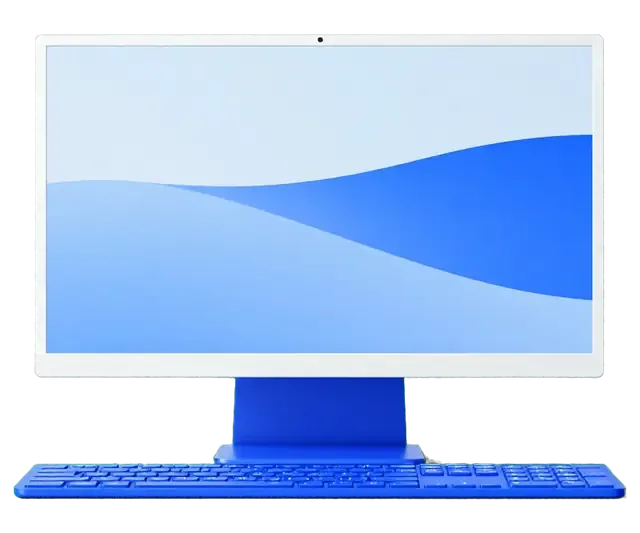
An all-in-one sits on a desk for years, and fan noise, panel stains and fussy ports are what show up first.
A slim body clogs with dust, so the fan spins up hard even when you are just browsing.
Vertical bands or bright edges send us to check the display and the backlight cable.
Dark screen and no light: we test the power cable, the socket and the board circuits.
Contacts oxidize or wear, so power drops out at the slightest nudge of the cord.
If a port ignores devices or won't charge, we check the socket and the power controller.
After a spill the machine needs opening, board washing and power circuit testing.
Video vanishes on calls or audio crackles; we test the module and its ribbon cable.
Storage and memory faults cause stalls, so tests come first and board work second.
The all-in-one reboots by itself and then shows a crash message.
It got knocked while cleaning — cracks and colored spots spread across the glass.
The network drops only on this all-in-one, even with the router right next to it.
An external display over USB-C isn't recognized or keeps flickering.
The table collects reference prices for the main jobs, and the technician confirms the final amount after inspecting your all-in-one.
| Service | Original | Aftermarket |
|---|---|---|
| Power supply replacement | 80 900 ₸ | 44 900 ₸ |
| Fan replacement | 24 900 ₸ | 13 900 ₸ |
| Speaker replacement | 37 900 ₸ | 20 900 ₸ |
| Other repairs | Price | |
| Logic board repairmicrosoldering · 1–3 days | 84 900 ₸per job | |
| Dust cleaningdisassembly and dust cleaning | 19 900 ₸per job | |
| Wi-Fi module repairwireless module · board-level repair | 34 900 ₸with parts | |
| MacOS installationOS installation, no parts replaced | 19 900 ₸per job | |
Prices are confirmed after diagnostics and depend on the fault and the part chosen.
Two kinds of replacement display are available, and they differ noticeably in picture quality and price.
Opening an all-in-one takes a careful hand, so we diagnose first and then suggest a fix without pressure.
Eleven years around Apple hardware means we know how slim all-in-ones behave and skip the guesswork.
Completed work is covered by a warranty up to 1 year, and the technician explains the details of your repair first.
Experienced technicians lift the display with a dedicated tool so the frame and ribbon cables stay undamaged.
We name an amount after the inspection, when it is clear what happened and which work is really needed.
We describe original versus aftermarket and leave the decision to you instead of pushing the costly option.
Weekdays 10:00–19:00, weekends and holidays 11:00–18:00, so you can stop by after work or classes.
Usually the whole journey — from message to pickup — takes less than an hour; complex repairs follow the timeline in the receipt.
Book a repairYou send a photo of the damage on WhatsApp — we quote the price and available time. Or you call a courier.
An engineer checks the device in front of you and shows what is broken. 0 ₸, even if you decline the repair.
We fix the price, the part (original or analog), the timeline and the warranty. You sign — we start.
Before installation we show you the new part in its factory packaging. You wait in the waiting area with coffee and Wi‑Fi.
Screen, camera, microphones, speakers, ports, Wi‑Fi and Bluetooth. You check together with the engineer.
Together with the receipt, warranty card and the old part. Payment — Kaspi, card or cash.
Technicians for iPhone, Mac, iPad, Apple Watch and AirPods repair.
Photo: Mukhpilov Nail Photo: Molchanov Rinat
 Photo: Shokan A
 Photo: Sybanbaev Birzhan
 Photo: Denis Gushchin
 Photo: Duisebaev Azhdar

“If the repair didn’t suit you or you have a complaint, write to me personally.”
Send a photo of the fault — an engineer will reply on WhatsApp, give the price and a time you can come in.
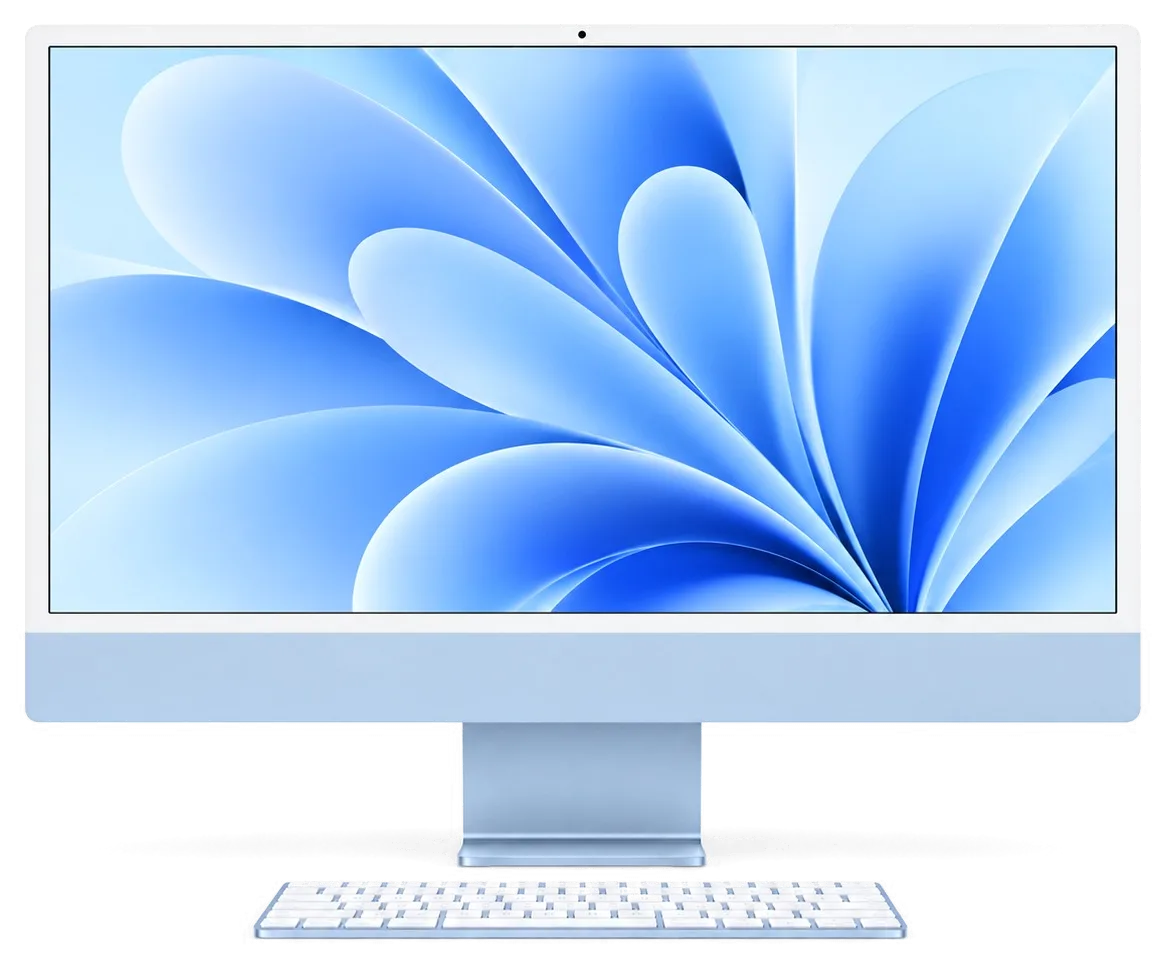
iMac M3 Repair in Almaty with Free On-Site Diagnostics
iServices handles iMac M3 repair in Almaty as a direct contractor with its own technicians. We run free 15-minute diagnostics in front of you and fix most units while you wait. Price, part, turnaround and warranty up to 1 year are fixed on the receipt.
The iMac M3 looks identical to the M1 outside, but the logic carries a different chip, so the same symptom can point to a different node. Here is how we read the common failures before touching a screwdriver.
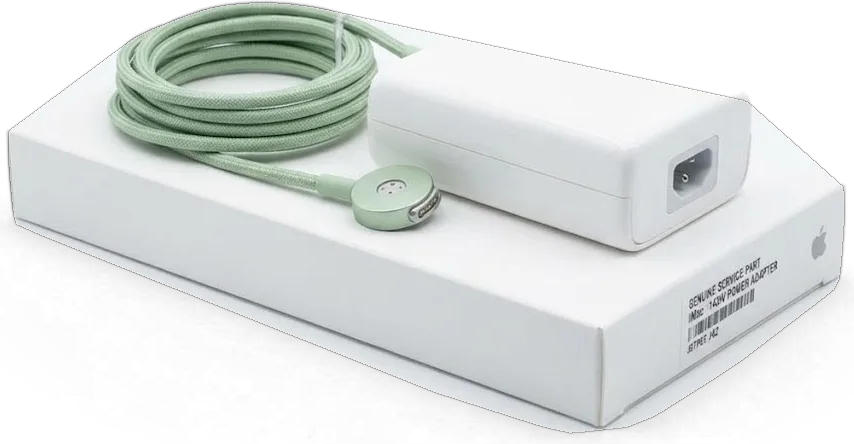
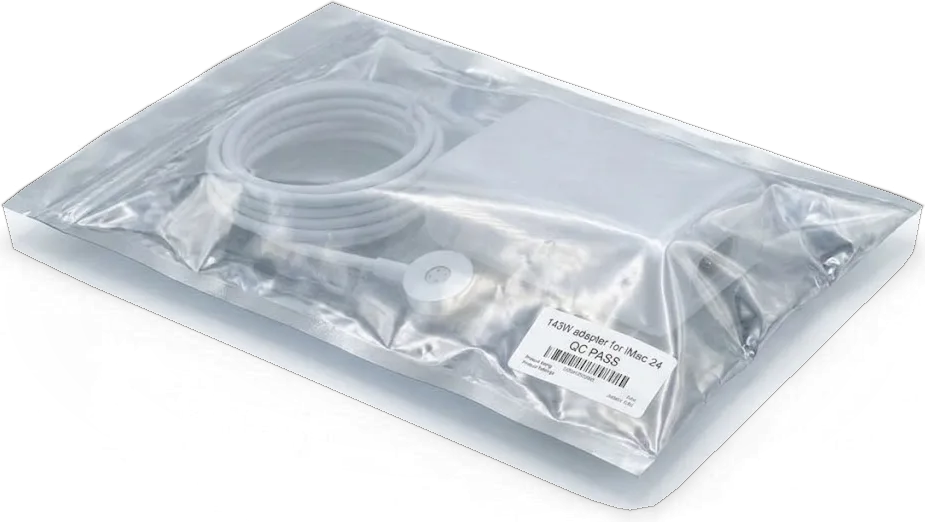
When the machine stays dark, we check the external supply and the magnetic cable first, because the monoblock draws all its current from that brick, not from a lead running up the stand. The module converts mains current and feeds the logic board through a magnetically seated plug, so a loose contact or a failed unit leaves the whole machine silent. Our engineers test the output and the plug seating prior to the housing coming off — minutes of work that rule out the most common cause. A dead fan with a completely silent unit usually means the supply, while a spinning cooler with no image points inward to the mainboard or display, and that split saves the customer a full teardown.
| Symptom | Probable cause | What we check first |
|---|---|---|
| No power, no fan | External supply or magnetic plug | Output and contact |
| Fan spins, screen dark | Mainboard or backlight | Power rails, display connector |
| Vertical stripes or spots | Display panel or its flex | Panel and re-glued joint |
| Random restarts under load | Cooling or mainboard | Cooler, heatsink, thermal state |
| Ethernet port dead (models with it) | Supply module | Ethernet block inside the unit |
A thin 24-inch body leaves little room for dust, so we open the unit, clear the cooler and heatsink, and re-check thermal behaviour under load prior to calling a shutdown fixed. Dust compacts on the fins over months of use, the blades spin faster to compensate, and the chip throttles or cuts current when temperature crosses its limit. Our bench runs a sustained load test after cleaning and watches the thermal state rather than trusting a quiet blower at idle. Shutdowns that appear only during long video exports or heavy app sessions are a cooling signal, not a mainboard failure, and cleaning often removes the symptom without a part swap.
Prior to any repair we need to know which node failed, and on an iMac M3 that decision starts outside the case. Our diagnostics are free and happen in front of you, so you see the same readings we do.
We run free diagnostics in front of the customer for 15 minutes, even if you decide not to repair, and the engineer shows you exactly what is broken on the bench. The inspection begins with the magnetic cable and the external brick, moves to the voltage rails inside the chassis, then to the display backlight and the fan. We work on a lab supply with a current readout, so a short shows up as a spike you can see on the screen yourself. Watching the whole procedure matters because a charger that looks fine on a meter can still sag under load, and only a live run under the customer's eyes proves which side is at fault.
We test the external brick on a lab supply, examine the magnetic connector for burn marks, and on configurations with an Ethernet port we verify that module inside the same unit. The connector is the first suspect on a monoblock that goes dead without warning: a single scorched pin cuts current entirely, while a worn magnet gives an intermittent contact that fails only when the cable is nudged. On the bench we load the adapter to its rated current for several minutes and watch for voltage sag. A unit that runs the desktop but fails the Ethernet test is a partial fault, and replacing only the cable would leave the port dead — so we verify both functions before quoting a part.
If the brick and display test clean, we move to the mainboard and inspect it under a microscope, because the M3 chip, memory and SSD sit together on one dense PCB. The engineer traces the boot sequence rail by rail with a soldering station under the microscope, looking for a shorted capacitor or a burnt via that a visual inspection would miss. Most dead-on-arrival monoblocks trace back to the voltage delivery section rather than the M3 itself. Board-level work on an iMac M3 takes 1 to 3 days, so a same-hour promise on such a fault is a warning sign rather than a selling point.
The iMac M3 screen is held by glue, not screws, and the memory and SSD are soldered to the mainboard. That shapes both what we can swap and how carefully the unit opens.
The 4.5K Retina panel sits on a full glue bead, so we cut the old bond with a dedicated tool, lift the glass with suction cups and fit a fresh one prior to closing. The cutting wire runs along a recessed channel at the edge, and a single slip can scratch the polariser or nick the ribbon routed close to the bottom left corner. We warm the bead first to soften it, then work the tool at a shallow angle across all four sides. Reusing the old glue is the usual cause of dust creeping behind the glass weeks later, which is why a fresh seal is part of the job rather than an optional extra.
| Component | Replaceable | Notes |
|---|---|---|
| Front panel | Yes | Re-glued with a new seal |
| External power supply | Yes | Ethernet module on some units |
| Fan and heatsink | Yes | Cleaned or swapped |
| Memory | No | Soldered to the board |
| SSD storage | No | Soldered, no upgrade path |
| USB-C and Thunderbolt ports | Yes | Board-level if damaged |
We offer an original part or an aftermarket one, and 64% of our customers choose the original; either way the new component is shown in its factory packaging prior to installation. An aftermarket panel can differ in brightness uniformity and colour calibration out of the box, so we power the unit on and compare the new screen against the old one prior to the glue setting. Replacing the supply module follows the same rule: the module is matched to the Ethernet variant fitted on that unit, and mismatched versions leave the network port dead. The choice is fixed on the receipt prior to work starting, so a customer who picks aftermarket still knows the exact part going in and the warranty that covers it.
Because storage sits on the mainboard itself, data questions come up before any repair on an iMac M3. Here is how we protect what is on the drive and what you should do first.
We ask you to run a Time Machine or iCloud backup prior to opening the unit, because once the mainboard is on the bench the soldered SSD travels with it. A Time Machine copy to an external drive captures the full system, while iCloud covers documents, photos and messages if no external disk is at hand. The storage chip is part of the mainboard on this model, so it cannot be lifted out and read in another machine the way a socketed drive could. The backup step is the one clients skip most often, and it is the one that decides whether a repair ends with a working desk or a blank screen. A backup taken while the machine still boots is worth more than any recovery attempt later, so if the device powers on at all, copy the data first and diagnose second.
Data survives a mainboard repair only while the storage chip and its controller stay intact, so we treat the SSD area as untouchable and work around it under the microscope. Board-level faults on this model usually sit in the voltage rail, a shorted component or a corroded trace, and none of those require touching the storage section. When a component near the chip has to be replaced, we shield the area and keep heat away from it, since sustained temperature is what kills flash memory. If the storage chip itself is damaged, recovery is a separate lab job with no guarantee, which is why we flag that risk prior to the repair rather than after. Ask for that risk to be written down prior to work starting.
If liquid reached the unit, power it off, unplug the magnetic cable and bring it in without trying to dry it with heat, since corrosion spreads while the mainboard is wet. This desktop draws current from an external supply through a magnetic connector, so unplugging that cable is the fastest way to cut current to a wet mainboard. Rice, a hairdryer or a warm radiator push moisture deeper under the chips and turn a cleanable mainboard into a corroded one. After liquid contact diagnostics can take up to two days, because corrosion under components shows up only after cleaning and a load test, not on the first look. Hand the unit over wet rather than dry — the sooner cleaning starts, the more of the mainboard survives.
A 24-inch monoblock is awkward to carry, so turnaround and delivery matter as much as the repair itself. Here is how long the job runs, how the unit travels and what the warranty covers.
Most repairs take from 1 hour to 1 day, board-level service runs 1 to 3 days, and 72% of our jobs finish while the customer waits in the waiting area. A display swap or supply module replacement is usually done within a single working day, while a soldered SSD or a damaged mainboard goes to the bench under the microscope and stays there for one to three days depending on how deep the fault runs. We quote the turnaround before anything starts and fix it on the receipt, so the estimate does not drift once the unit is open. For iMac M3 repair Almaty, the timeline depends on the fault, and we name it before work begins. The waiting area has coffee and Wi-Fi, so a display or supply module swap can be planned around a single visit instead of two trips across the city.
You can bring the unit yourself or call a courier, and across the city the courier takes 90 minutes and is free with a repair. Our workshop serves both Almaty and Astana, and the driver handles the monoblock as fragile cargo rather than a parcel, strapping the stand and keeping the unit upright in the vehicle. If you carry it in yourself, lay the computer flat on a folded blanket in the boot and never rest it on the glass edge. Keep the original box if you have it, because the thin glass rim is the element most often chipped in transit, and a padded box removes that risk on the way in.
Prior to anything starting we fix price, component, turnaround and warranty up to 1 year on the receipt, and after the repair you check 32 functions with the engineer for about 10 minutes. The check covers the FaceTime camera, microphones, speakers, charging, network and True Tone, and you watch each test rather than reading a report afterwards. The device comes back with the receipt, warranty card and the old component, so you keep proof of what was replaced and can compare it against the new one. Ask the engineer to walk you through the old mainboard or display prior to leaving — the comparison takes a minute and settles any doubt about which element failed.
A short recap of what determines the outcome of an iMac M3 repair: where the fault is found first, what can and cannot be replaced, and what paperwork should back the job.
Did not find an answer? Message us on WhatsApp: an engineer replies, not a bot.
Ask a questionOften yes, if the machine was unplugged straight away and the liquid reached only part of the board. After a thorough cleaning the technician tests each circuit and replaces only the components that were damaged.
Most often it is dust in the cooling path or load from a background process. Check Activity Monitor first, and if software is not the cause, a cleaning with fresh thermal paste usually helps.
On configurations with a network port, the Ethernet socket sits in the external power adapter rather than in the body. A drop in the network with stable power points to the adapter, its braided cable or the router side, which the technician tests one by one.
Usually the keyboard lost its pairing after a macOS update or a repair. Connect it with a USB-C cable to pair it again; if the fingerprint sensor still does not respond, the keyboard itself is checked.
Check the settings first: a colour profile or True Tone can shift the whole picture. If the tint stays on the login screen as well, the panel or its cable is the likely cause and needs diagnostics.
Hold it with both hands by the stand and the lower edge, never by the glass. The slim display flexes easily, so the original box or soft padding over the screen is the safest way to travel.
Техникой пользуется вся семья так что вапрос надо было закрыть быстро. На iMac 24″ (M3, 2023) Bluetooth стал терять периферию; ребята проверили беспроводную связь и сопряжение; Денис спокойно объяснил, с чего лучше начать.
iMac 24″ (M3 2023) podvyol: izobrazhenie inogda ischezalo na vneshnem monitore. Posle obrashcheniya provereli videovykhod i soedineniya.

Most slow iMacs are held back by a worn drive or too little memory. A short check shows which part is the real bottleneck.

Most dead iMacs trace back to power delivery or the logic board, and a free 15-minute check in front of you settles which one it is.

Most loud-fan cases trace back to dust-packed fins and dried thermal paste, not a dead fan. A free 15-minute check shows which one you have.

Back up your data, turn off Find My, and bring proof of purchase — then the repair starts faster.



 iPad
 MacBook
 Mac mini and Studio
 Apple Watch
 AirPods
 Apple Pencil
 Apple TV
 HomePod
