MN Photo: Mukhpilov Nail
Mukhpilov Nail
smartphone repair technician
10years of experience
4.83rating, 83 reviews

Your Mac Studio M2 won't turn on or is acting strangely — we'll check it free of charge, identify the cause and quote the price before any repair begins.
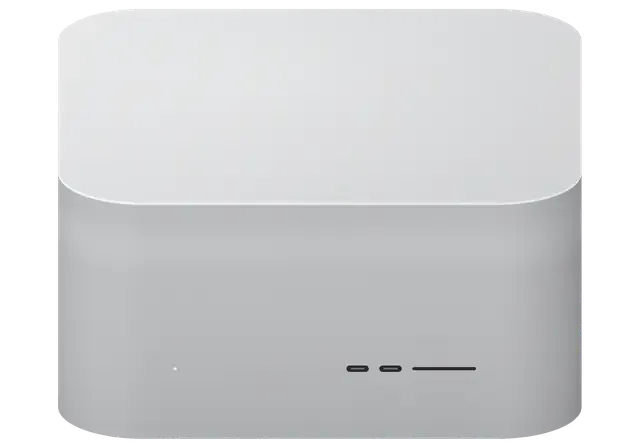
The station's dense layout means many faults show up through the ports, cooling and power. Here are the typical reasons for a visit.
The indicator is off and the fans are silent — the cause is the power supply.
The cooling is noisier than usual. Dust in the heatsink or worn bearings are to blame.
The front slot no longer detects media. We check the contacts, flex cable and controller.
Front ports don't detect devices, though rear ones work. We check the cable or connector.
The image flickers or disappears. We diagnose Thunderbolt, HDMI and the video chain.
The 10 Gbps network isn't detected or runs slowly. We check the port and controller.
The station shuts down during rendering. Overheating or power may be the cause.
A drink spilled onto the grille. Power it off immediately and bring it in for inspection.
A keyboard or flash drive in USB-A isn't detected. We check the connectors and controller.
After waking, the station doesn't respond to the mouse or keyboard. We diagnose the power.
Copies stutter. We check the drive and controller.
The case is dented and the ports are bent. A full diagnostic is needed.
We quote the cost of Mac Studio M2 repair after diagnostics, once the cause is confirmed. You can send a request by phone or on WhatsApp.
| Service | Original | Aftermarket |
|---|---|---|
| Power supply replacement | 80 900 ₸ | 44 900 ₸ |
| Fan replacement | 24 900 ₸ | 13 900 ₸ |
| USB-C / Thunderbolt ports replacement | 37 900 ₸ | 20 900 ₸ |
| Other repairs | Price | |
| SSD installationstorage installation | 39 900 ₸with parts | |
| Dust cleaningdisassembly and dust cleaning | 17 900 ₸per job | |
| Logic board repairmicrosoldering · 1–3 days | 44 900 ₸per job | |
| Wi-Fi module repairwireless module · board-level repair | 33 900 ₸with parts | |
| MacOS installationOS installation, no parts replaced | 12 900 ₸per job | |
The final amount depends on the station version, the part needed and the complexity of the work, so we don't give figures in advance.
On the Mac Studio M2, fans, connectors and power components are replaced most often, and each option has its own characteristics.
The station is a working tool, and we understand how important it is to get it back up and running quickly and without worry.
Over eleven years we've studied the specifics of compact stations and know where they most often need attention.
We provide a warranty up to 1 year on repairs. If the fault returns, we'll sort it out and fix it.
Only experienced specialists, familiar with the delicate fan and front-port flex cables, open the case.
We don't guess at the price. After a free diagnostic you get a clear explanation and decide for yourself whether to go ahead.
The service operates in two cities, so if you move you can continue servicing at another branch.
We're open weekdays from 10:00 to 19:00 and weekends and holidays from 11:00 to 18:00, so you can drop by at a convenient time.
Usually the whole journey — from message to pickup — takes less than an hour; complex repairs follow the timeline in the receipt.
Book a repairYou send a photo of the damage on WhatsApp — we quote the price and available time. Or you call a courier.
An engineer checks the device in front of you and shows what is broken. 0 ₸, even if you decline the repair.
We fix the price, the part (original or analog), the timeline and the warranty. You sign — we start.
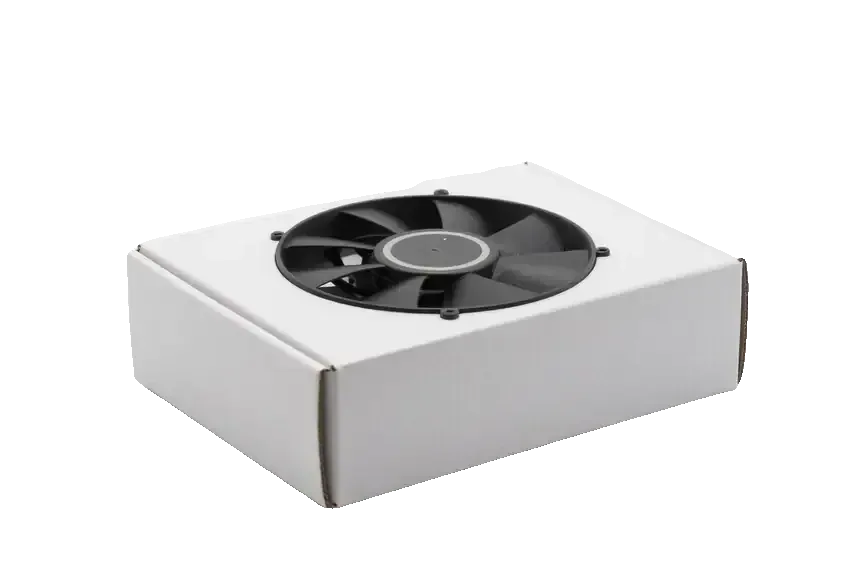
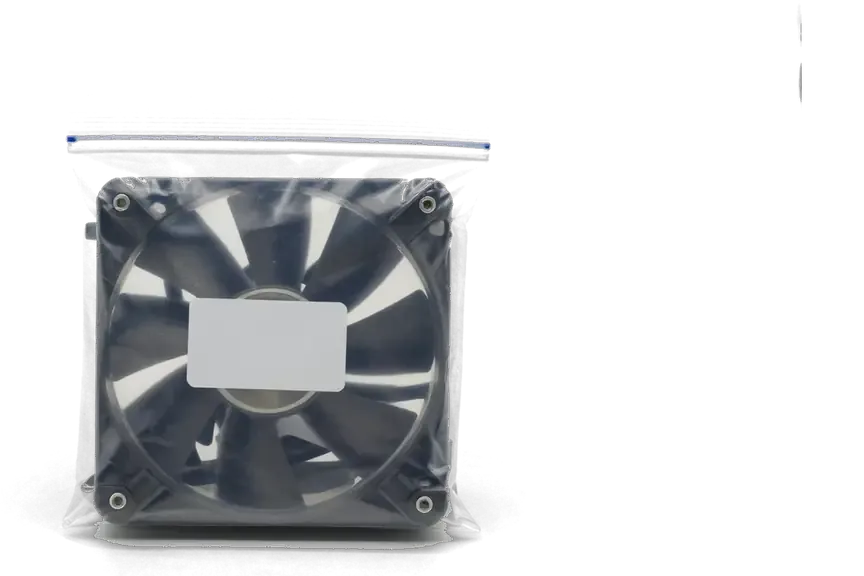
Before installation we show you the new part in its factory packaging. You wait in the waiting area with coffee and Wi‑Fi.
Startup and operation under load, ports, Wi‑Fi and Bluetooth, sound. You check together with the engineer.
Together with the receipt, warranty card and the old part. Payment — Kaspi, card or cash.
Technicians for iPhone, Mac, iPad, Apple Watch and AirPods repair.
Photo: Mukhpilov Nail Photo: Molchanov Rinat
 Photo: Shokan A
 Photo: Sybanbaev Birzhan
 Photo: Denis Gushchin
 Photo: Duisebaev Azhdar

“If the repair didn’t suit you or you have a complaint, write to me personally.”
Send a photo of the fault — an engineer will reply on WhatsApp, give the price and a time you can come in.
Mac Studio M2 Repair in Almaty with a Warranty up to 1 year
iServices handles Mac Studio M2 repair in Almaty with experienced technicians and a warranty up to 1 year. We run free 15-minute diagnostics in front of you, fix the board under a microscope, and finish most jobs while you wait in our lounge. Price, part and turnaround are fixed on the receipt before work starts.
Mac Studio M2 ships with M2 Max or M2 Ultra, and the two differ in cooling and layout — which changes what a repair involves. Here is what sits inside and what we can actually swap.
The M2 Ultra pairs two M2 Max dies under one heat spreader and carries a heavier cooling assembly, so board-level work on the top chip takes longer to access and test. Both variants share the same compact chassis, a large central fan and a dense aluminium heatsink, yet the dual-die version moves noticeably more heat across a bigger area. Opening either unit means working around the power supply, the storage modules and the Thunderbolt controllers before the mainboard is even visible. On the flagship chip, the two-die package also means more thermal paste surface and tighter tolerances when the assembly goes back together. Because that configuration runs hotter under sustained load, a repair that ignores the cooling stack tends to return — we always re-seat and re-paste the whole assembly, not just the failed part.
| Component | Replaceable | What it means for you |
|---|---|---|
| Unified memory | No | Fixed inside the chip, cannot be upgraded |
| SSD modules | Yes, paired | Swapped and re-paired to the logic board |
| Fans and cooling | Yes | Cleaned or replaced as a set |
| Power supply | Yes | Tested separately from the mainboard |
| Front and rear ports | Yes | Re-soldered or module-swapped |
The front panel carries USB-C and an SD slot, while the rear holds Thunderbolt, HDMI, 10-gigabit Ethernet and audio — a dead port usually points to a specific controller, not the whole mainboard. Each rear Thunderbolt bus is driven by its own controller, and the front USB-C pair shares a separate path, so a single non-working socket rarely takes the others down with it. The SD reader sits on its own small module, which makes it one of the easier parts to address when cards stop mounting. Ethernet and HDMI route through dedicated chips near the rear edge, and audio through a separate codec. A single failed port is often the cheapest fix on the machine, so it is worth testing each one individually before assuming the mainboard is gone.
Most Mac Studio M2 faults show up as one of three symptoms — it will not power on, it gets loud under load, or the display drops out. Each points to a different part of the unit.
A unit that stays dark is usually a supply or mainboard fault, and we test the internal supply separately from the logic board to tell the two apart. The compact chassis hides one of the densest supply sections in the lineup, so the unit runs on a bench supply before any board work begins. A slowly dying supply can still light the machine briefly before cutting out, which is why a "sometimes it starts" symptom counts as a supply fault until proven otherwise. A dead Mac Studio M2 repair case in Almaty more often ends at the supply section than at the M2 Max or M2 Ultra chip itself. Bring the power cable you use at home — a marginal cable or socket explains a surprising share of no-start calls.
Mac Studio M2 pulls air in through the perforated base and pushes it out the back, so dust collects in the fans and heatsink and makes the unit run hot and loud. Sitting on a desk or a carpet, the base acts as a filter and traps lint for months. A unit that only gets loud during long renders is often dust-bound rather than broken — a full clean and re-paste restores quiet running without replacing a single part. We confirm this with a 15-minute free diagnostic in front of you, and you see the dust layer on the heatsink yourself. Keep a few centimetres of clear space under the base and avoid soft surfaces; that single habit keeps fan noise down and stretches the interval between cleanings.
A missing image is usually a cable, port or display-controller issue, and testing a second screen and cable first separates a machine fault from an accessory fault. Thunderbolt and HDMI outputs are driven by separate paths on the mainboard, so one port can fail while the other keeps working. Multi-screen setups fail one output at a time, so note exactly which port drops the signal — that detail narrows the repair before we open anything. If a known-good display and cable stay black on every output, the fault sits in the unit and needs bench testing of the display controller. Write down the display model and refresh rate you use: some dropouts trace back to a resolution the panel cannot hold, not to failed hardware.
Diagnosis comes before any repair. We check the machine in front of you, then decide whether the fault is a simple part swap or component-level work on the mainboard.
Our engineer runs free diagnostics in front of you in about 15 minutes, even if you decide not to repair, and shows you exactly what has failed. The check starts on a bench power supply so we can watch current draw at the rail level, then moves to each port and the display output. You see the readings yourself: which line drops, which port fails to negotiate, whether the fault sits in the power stage or further inside. Watching the test is the point — the quote you get afterward is tied to a fault you have already seen, not a guess.
We repair the logic board under a microscope, and component-level work on a Mac Studio M2 typically takes one to three days. The microscope and the rework station let us trace a broken line, replace a single failed chip or reflow a joint without disturbing the rest of the circuitry. Such work keeps your original board and its paired data, which matters on a computer where the SSD is tied to the motherboard — a straight swap is the last resort, not the first. The lens is also what separates a real fix from a guess: a hairline crack or a cold joint is invisible at arm's length and obvious at 40x magnification.
On a working machine the data matters as much as the hardware. Here is how we protect it and how a firmware fault is recovered.
We ask you to back up working files with Time Machine before the machine comes in, and we handle the drive carefully during board work. The backup runs to an external drive over Thunderbolt or USB, and it captures the whole APFS volume set, not just the folders you remember to drag across. Our engineers note which SSD modules are involved before opening the case, so nothing is moved or reseated without a record of its original position. The board work itself happens under the microscope with the storage modules untouched unless the fault sits inside them. On a Mac Studio M2 the SSD is paired to the board, so a backup taken beforehand is the only copy that survives a board-level repair — make it before you travel to the service.
The SSD sits on modules but is paired to the system, so a drive from another machine will not boot without re-pairing to the mainboard. Apple ties each storage module to the logic board through a hardware key stored in the controller, and macOS checks that pairing at every boot. A module pulled from an identical Mac Studio M2 carries a different key, so the machine rejects it and drops into recovery instead of the desktop. The same rule blocks a module bought loose and fitted by hand. This pairing is why a "cheap SSD upgrade" from a PC shop does not apply here — the module and the mainboard have to be matched as a set.
A machine stuck on a firmware fault is recovered through DFU using a second Mac, which restores the system without touching the hardware. We connect the two machines with a USB-C cable, hold the correct key combination on the target, and let Apple Configurator push a fresh firmware image and a clean macOS install over the link. The process rewrites the boot loader and the recovery partition, so a corrupted update or an interrupted install stops blocking startup. We try DFU recovery before any mainboard work, because a firmware fault that looks like a dead board is often fixed in software alone — and it saves the customer the cost and the days a board repair would take.
A workstation that is down costs time, so speed and paperwork matter as much as the repair itself. Here is how long the work takes and what you leave with.
| Service type | Typical duration | Where it is done |
|---|---|---|
| Port or fan replacement | 1 hour to 1 day | In the workshop |
| SSD module swap and pairing | 1 hour to 1 day | In the workshop |
| Board-level repair | 1–3 days | Under the microscope |
| Water damage diagnostics | Up to 2 days | In the workshop |
Before service starts we fix the price, the component, the schedule and the warranty on the receipt, and we give a guarantee up to 1 year. The item is marked as original or aftermarket, so you know exactly what goes into the machine, and the schedule is written down rather than promised verbally. You see the new component in its factory packaging before it goes in, and you leave with the receipt, the warranty card and the old unit — so nothing is left to memory. Keep that removed component: if a fault returns, the engineer compares it against the replacement and traces the cause faster than starting from scratch.
You can bring the machine to our branch or call a courier, who crosses the city in about 90 minutes and is free with a repair. We operate in Almaty and Astana, and the courier route covers the whole city, so a heavy desktop does not have to travel on your lap. Send a photo of the damage on WhatsApp first — an engineer replies within five minutes and quotes from the photo, so you know the likely fault before the equipment leaves your desk. For a Mac Studio M2 repair in Almaty, that first message also reserves a free time slot, which matters when the unit sits at the centre of a working day.
A Mac Studio M2 rarely fails without a traceable cause — dust, heat, a power event or a worn storage module. The points below are the ones worth carrying into any repair decision.
Did not find an answer? Message us on WhatsApp: an engineer replies, not a bot.
Ask a questionThe heatsink has probably clogged with dust, forcing the fans to spin faster. Cleaning with a bearing check and thermal paste replacement helps. If the noise persists, the fan is replaced.
Try another card and a card reader in a rear port. If the rear ports work, the problem is in the front-panel connector, flex cable or controller — diagnostics are needed.
Open the Apple menu → About This Mac: the chip and memory are listed there. The board, cooling system and port configuration depend on it, so the technician needs the exact specs.
Not always. First check the cable, the monitor input and another port. If the picture is unstable on all outputs, the video chain and power need checking.
On the outside you can carefully blow out the grille and rear openings. But that won't clean the heatsink inside, and the case opens from the bottom through a rubber base, where careless disassembly damages the flex cables. Internal cleaning is best left to a technician.
The station is left under load to see whether it runs stably, doesn't overheat and doesn't shut down. Then all ports, the SD slot and the image output to the monitor are checked. The work carries a warranty up to 1 year.
Долго сомневалась насчёт ремонта. Mac Studio (M2 Ultra 2023) подвёл: компьютер неожиданно отключался во время работы. После обращения проверили питание и причину перезагрузок. Аждар спокойно объяснил, с чего лучше начать.
С Mac Studio (M2 Ultra, 2023) вышла неприятность: компьютер сильно нагревался под нагрузкой. В итоге проверили терморежим и состояние охлаждения.
На Mac Studio (M2 Max, 2023) после отключения электричества перестал включаться. В сервисе зделали диагностику питания и восстановили запуск.
У моего Mac Studio (M2 Max 2023) несколько портов перестали распознавать устройства. После обращения проверели разъёмы и цепи подключения.
У моего Mac Studio (M2 Max 2023) связь по Wi-Fi периодически пропадала. После обращения проверели модуль связи и настройки.
Mac Studio (M2 Ultra 2023) podvyol: neskolko portov perestali raspoznavat ustroystva. Posle obrashcheniya provereli razyomy i tsepi podklyucheniya.
Mac Studio (M2 Max, 2023) podvyol: kompyuter silno nagrevalsya pod nagruzkoy. V itoge proverili termorezhim i sostoyanie okhlazhdeniya.

 iPad
 MacBook
 iMac
 Apple Watch
 AirPods
 Apple Pencil
 Apple TV
 HomePod
