The XS Max is a large OLED phone with a steel frame, and its age shows up in a few predictable places. Here is how each fault announces itself before you book anything.
Symptoms That Point to a Specific Fault
Symptom-to-part map for the XS Max| Symptom | Likely cause | What we do |
|---|
| Green lines or black patches | OLED panel damage | Replace the display module |
|---|
| Dies by midday | Worn battery | Fit a new cell |
|---|
| Charges only at an angle | Dirty or worn Lightning port | Clean or replace the port flex |
|---|
| Blurry photos, cracked cover | Broken camera glass | Swap the outer piece |
|---|
| Random restarts | Board or power controller | Microscope board diagnosis |
|---|
Battery Wear on a Large Screen
We replace the XS Max cell in about 25 minutes, and we check Battery Health with you before touching a screwdriver. The 6.5-inch OLED panel draws more current than the screens on smaller models, so a unit that reports 80% capacity can still leave you hunting for a charger by early afternoon. We read the cycle count and peak performance figures together, then show you the worn component next to the new one in its factory packaging. A large display also heats up faster under load, and heat is what ages a power cell quickest in daily use. That reading is a guide, not a verdict — judge by how often you actually reach for a cable.
Camera Glass and the Back Panel
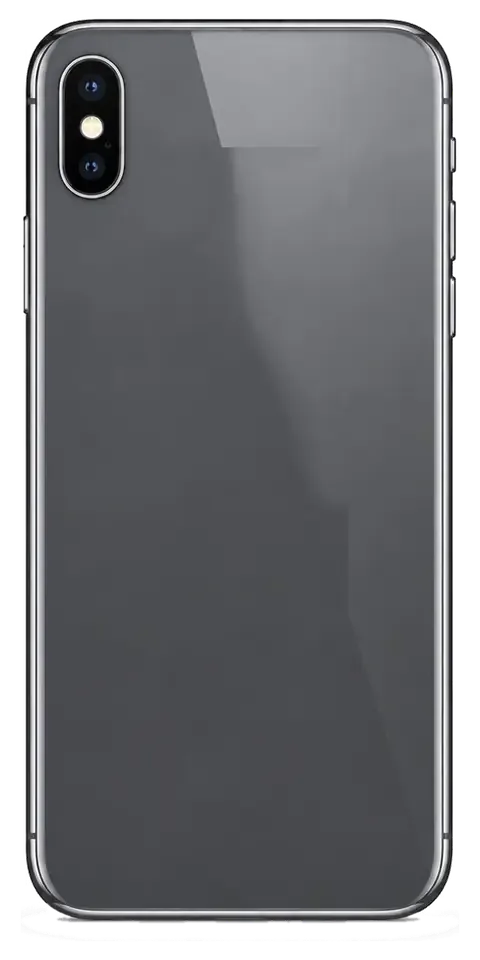
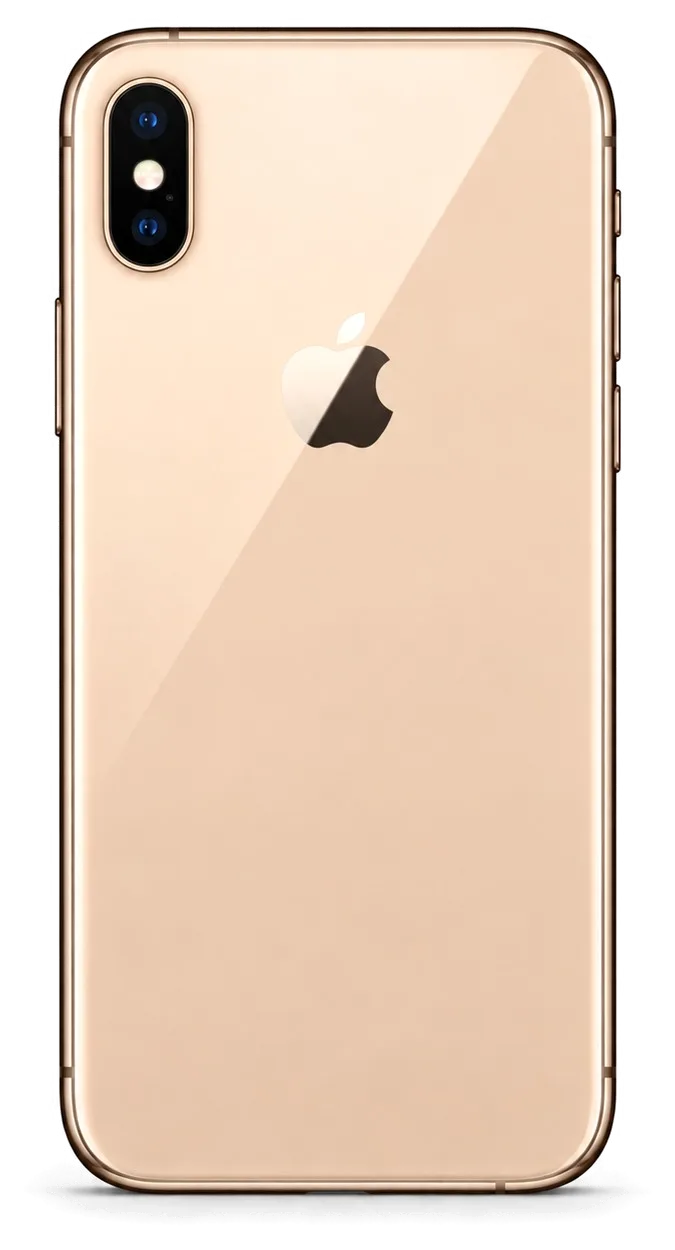
We swap cracked camera glass on the XS Max in around 20 minutes, and on this model the rear panel is bonded to the frame, so it is replaced as a unit rather than patched. The cover sits directly over the main lens, and even a hairline crack lets dust settle on the sensor window, which softens focus across the whole frame. A full break exposes the optics to direct impact, and a scratched element cannot be polished back. On the XS Max the rear panel is glued to a steel chassis, so separating the two without heat damage to the wireless charging coil is slow work — we treat it as one assembly. Replace a hairline crack early rather than waiting for a full break.
Screen Repair for the iPhone XS Max Glass or Full Module
A cracked XS Max is not always a full display swap. Which repair you need depends on whether the OLED underneath still works, and that changes both the job and the result.
Glass Only or the Whole Display
On the XS Max we replace just the outer pane when the OLED matrix is intact and the touch layer still responds, and we fit a full module when the panel shows lines, dead zones or no image. The pane is the protective layer bonded to the front; the module combines pane, OLED panel and digitiser. A glass-only job keeps your original panel and its colour tuning, which is why it is worth asking for when the picture itself still behaves. Send a photo of the damage and we tell you which of the two your iPhone XS Max repair in Almaty needs before you commit. If the touch layer is dead in one corner, the OLED is already compromised — a new pane alone will not bring that zone back, so a full swap is the honest answer.
Will True Tone and Face ID Survive
Face ID keeps working after a screen repair because the TrueDepth module is a separate part we do not touch, and we transfer the True Tone data so the display keeps its warm-to-cool shift. That module sits in the top bezel and carries the dot projector, infrared camera and flood illuminator; the swap never reaches it. True Tone depends on a calibration transfer, not on the front glass, so ask for it explicitly; a display fitted without it looks flat in warm light. On the XS Max the ambient sensor and its stored values travel with the original unit, and a technician who skips that step leaves you with a picture stuck at one colour temperature. We move those values across during the job and run True Tone against a warm lamp before the phone leaves the bench.
Water Resistance After the Phone Is Opened
The XS Max left the factory with an IP68 rating, but once any repair opens the frame, that factory seal is gone and cannot be promised again. The rating rests on a gasket and adhesive bead pressed at assembly, and the moment the frame is separated that bead is cut. A shop can re-apply fresh adhesive around the perimeter, which restores dust protection and reasonable splash tolerance, yet it does not recreate the pressure-tested factory seal. Treat a repaired phone as splash-resistant at best, and keep it away from pools and sinks even though the spec sheet still says IP68. Rain, a wet hand or a spilled glass of water are survivable; a dropped phone in the bathtub is not. If liquid got inside before the repair, ask for a full diagnostic first — corrosion on the board shows up later, not on the day.
Choosing an Original or Aftermarket Part for Your iPhone XS Max Repair
The component you choose decides how the phone feels afterwards. We lay out both options by function, not by price, so the choice is yours before any work begins.
How the Two Options Differ by Function
How original and aftermarket parts compare on screen and battery traits| Part | Brightness and colour | True Tone | Typical lifespan |
|---|
| Original display | Matches factory output | Works after calibration | Longest |
|---|
| Aftermarket display | Slightly cooler, dimmer | May not work | Shorter |
|---|
| Original battery | Full capacity reading | Not affected | Longest |
|---|
| Aftermarket battery | Good, may read lower | Not affected | Shorter |
|---|
What the Unknown Part Message Means
On the XS Max a component notice can appear in Settings after a battery or screen swap, and it reports the component type rather than a fault. The phone keeps working normally, keeps charging and keeps its touch response; the notice simply records that a component was replaced outside the factory chain. It shows up under Settings, then General, then About, and it names the battery or the display module as the component it cannot verify. Nothing in that line tells you the component is failing, and the device does not lose brightness, capacity or camera behaviour because of it. The message does not stop the phone working, but it stays in the device history, so decide on the component before the repair rather than after.
Fixing Your Choice on the Receipt
Before work starts we write the price, the component, the turnaround and the warranty on the receipt, and it takes about two minutes. The line names the exact component — original or aftermarket — so nothing about the job is left to memory, and the warranty card carries the same wording for up to 1 year. Our engineers also show the new component in factory packaging before installation, so you see what goes into the phone rather than reading a label afterwards. A receipt that names the exact component protects you later, because a warranty claim can be checked against what was actually fitted.
How Long the Fix Takes and How to Book It
Most XS Max jobs finish inside a single visit. Here is what happens from your first message to the moment you walk out with the phone.
From WhatsApp Photo to Finished Repair
You send a photo of the damage on WhatsApp, an engineer replies within five minutes with a price, and we book a free slot; the whole process from first contact to pickup usually takes under an hour. The engineer quotes from the picture, then confirms the price, the component (original or aftermarket), the turnaround and the warranty on the receipt before any work starts — that takes about two minutes. Free diagnostics run for 15 minutes in front of you, and the new component is shown in factory packaging before installation. You can wait in the seating area with coffee and Wi-Fi while the technician works. A photo taken in good light gets a more accurate quote than a written description, so shoot the damage straight on before you message.
Which Jobs Finish While You Wait
how long each common job takes and whether you can stay| Job | Time | Wait on site |
|---|
| Screen replacement | 40 minutes | Yes |
|---|
| Battery replacement | 25 minutes | Yes |
|---|
| Camera glass | 20 minutes | Yes |
|---|
| Board repair | 1–3 days | No |
|---|
Backing Up and Turning Off Find My Before You Hand It Over
Make an iCloud or computer backup and switch off Find My iPhone first, because a locked device cannot be tested fully once the work is done. The passcode goes with the phone too — the engineer needs it to open apps, check Face ID and run the network test. Do this at home rather than at the counter: a full backup over Wi-Fi can take an hour on a 256 GB model, and that stretch adds to your visit. A copy saved the morning of the repair is worth more than one from last month, since it captures the photos and messages you would miss most.
Checking the Phone at Pickup and What You Keep
The repair is not finished when the screws go back in. We hand the phone over only after you have tested it yourself, with the paperwork and the old part in your hands.
The Functions We Test Together
- Face ID: unlock the phone several times and confirm it reads your face quickly, even at an angle.
- True Tone: toggle it in Display settings and watch the screen shift between warm and cool tones.
- Cameras: shoot with the front and rear lenses, check focus and look for dust or blur.
- Microphones and speakers: make a call and record a voice memo to hear both ends clearly.
- Charging: plug in the cable and confirm the battery icon shows charging within a few seconds.
- Network: check the signal bars and run a quick speed test to confirm cellular data works.
The Receipt, the Warranty and the Old Part
You leave with the receipt, a warranty card covering the work up to 1 year, and the old part in a bag. The receipt lists the component fitted, the turnaround and the warranty terms, all fixed before the work started, so the numbers on the paper match what you were quoted. The warranty card carries the same terms in writing, which matters when a screen or battery needs attention months later. Your old component goes back to you rather than into a bin, and you can compare it against the new one before leaving the workshop. Keep the old component until the warranty period ends, since it is the simplest proof of what was removed if a claim ever comes up.
Why a Direct Repair Shop Beats an Aggregator
We are a direct repair shop with our own technicians and workshop, not an aggregator passing your phone to a third party, and we have handled 46,000+ repairs over 11 years. That structure changes the conversation: the engineer who quotes your iPhone XS Max repair is the one who opens the device, and the same team answers when you call back about it. An aggregator routes the job to whichever contractor is free, so the diagnosis, the quote and the actual work can sit with three different people. With a direct shop the specialist who quotes the job is the one doing it, so there is no handover where details get lost. Ask any workshop whether repairs happen in-house before you hand over a device — the answer tells you where accountability sits.
Summary: iPhone XS Max Repair
A repair decision on this phone comes down to five checks that protect both the hardware and the functions you use daily.
- Match the symptom first: screen lines, fast battery drain and charging faults each point to a different failing unit, so name the culprit before discussing any work.
- Ask about glass-only service: a cracked front can often take new glass instead of a full module, which keeps the original display panel in place.
- Secure Face ID and True Tone: confirm both will be preserved and recalibrated after a screen job, since an uncalibrated panel loses the warm colour shift.
- Fix the choice on paper: pick by function and lifespan, and have the exact component written on the receipt before the technician opens the housing.
- Test and keep records: verify the phone yourself at pickup, then hold the paperwork and the replaced unit until the warranty period runs out.











 iPad
 MacBook
 iMac
 Mac mini and Studio
 Apple Watch
 AirPods
 Apple Pencil
 Apple TV
 HomePod




