Your city

AstanaAstana, Kabanbay Batyr Ave., 7/2 · +7 727 339-99-12
Eng

MacBook screen panel replacement in Almaty

Cracked your MacBook screen or seeing lines? We’ll fit a new panel in a day, hand back the old one, and keep your data in place.

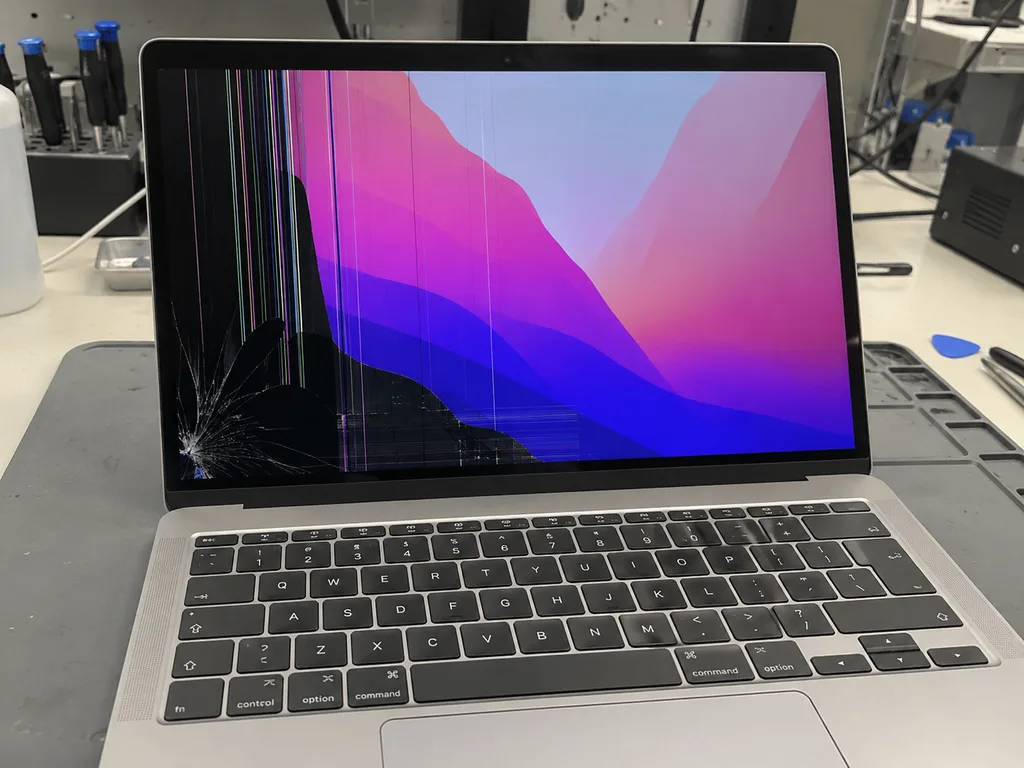
MacBook with spiderweb cracks from the screen corner, the dark blue wallpaper distorted at the impact pointMacBook with bright vertical and horizontal stripes and flickering on the screenMacBook with dark spreading spots and iridescent smudges on the screen
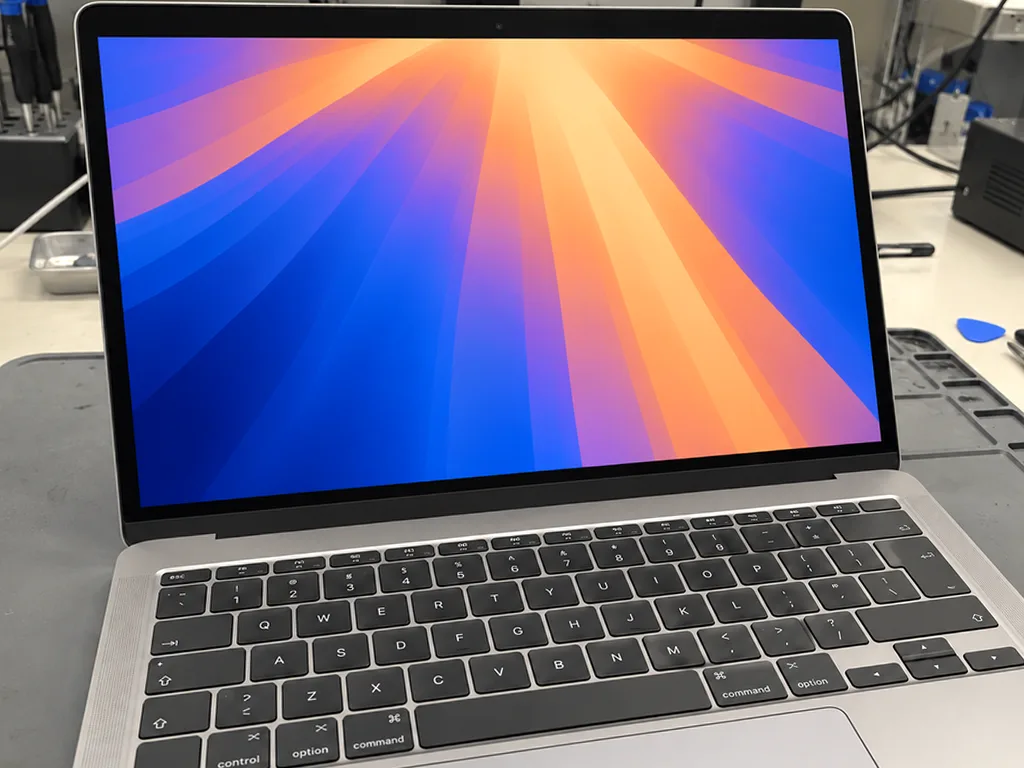
Open silver MacBook laptop with the screen on and a dark blue wallpaper with waves
BeforeAfter
Cracked glass
Price incl. labor
from 49 900 ₸
Warranty
up to 1 year
  • Cause check
  • Part matching
  • Lid disassembly

When a MacBook display needs replacing

A panel is due for replacement once stains spread across the screen, stripes appear, the backlight flickers or the glass cracks from inside.

Lines and flicker

Vertical or horizontal bands cross the picture, or the image shimmers and flickers while you work.

Dark or rainbow patches

After an impact part of the picture goes dark, or oily rainbow blotches spread from one point.

Cracked glass

A crack runs from a corner, and the image vanishes or warps at the spot where it was hit.

Backlight is dead

The Mac starts and makes sounds, but the screen stays black; a torch shows only a faint image.

MacBook screen panel replacement prices by model

Cost depends on the generation and A-number, and the common versions are listed below.

ServiceOriginalAftermarket
Panel replacement80 900 ₸49 900 ₸
MacBook Air display replacement181 900 ₸112 900 ₸
MacBook Air A1466 display replacement236 900 ₸146 900 ₸
MacBook Air A2179 display replacement251 900 ₸155 900 ₸
MacBook Air A2337 display replacement267 900 ₸165 900 ₸
MacBook Pro display replacement80 900 ₸49 900 ₸
MacBook Pro A1706 display replacement214 900 ₸132 900 ₸
MacBook Pro A1708 display replacement219 900 ₸135 900 ₸
MacBook Pro A1989 display replacement209 900 ₸129 900 ₸
MacBook Pro A2159 display replacement261 900 ₸161 900 ₸
MacBook Pro Retina A1534 display panel replacement378 900 ₸234 900 ₸
MacBook Pro Retina A1502 display panel replacement319 900 ₸197 900 ₸
MacBook Pro Retina A1398 display panel replacement346 900 ₸214 900 ₸
MacBook Pro A2991 display panel replacement548 900 ₸339 900 ₸
MacBook Pro A2780 display panel replacement521 900 ₸322 900 ₸
MacBook Pro A2485 display panel replacement501 900 ₸310 900 ₸
MacBook Pro A2338 display panel replacement301 900 ₸186 900 ₸
MacBook Pro A2289 display panel replacement261 900 ₸161 900 ₸
MacBook Pro A2251 display panel replacement364 900 ₸225 900 ₸
MacBook Pro A1990 display panel replacement548 900 ₸339 900 ₸
MacBook Pro A1707 display panel replacement501 900 ₸310 900 ₸
MacBook Pro A1297 display panel replacement191 900 ₸118 900 ₸
MacBook Pro A1286 display panel replacement107 900 ₸66 900 ₸
MacBook Pro A1278 display panel replacement80 900 ₸49 900 ₸
MacBook Air A2941 display panel replacement294 900 ₸182 900 ₸
MacBook Air A2681 display panel replacement273 900 ₸169 900 ₸
MacBook Air A1932 display panel replacement251 900 ₸155 900 ₸
MacBook Air A1465 display panel replacement181 900 ₸112 900 ₸
MacBook Pro 16" M4 display panel replacement598 900 ₸370 900 ₸
MacBook Pro 14" M4 display panel replacement519 900 ₸321 900 ₸
MacBook Pro 14" M3 display panel replacement487 900 ₸301 900 ₸
MacBook Air 15" M4 display panel replacement416 900 ₸257 900 ₸
MacBook Air 13" M4 display panel replacement438 900 ₸271 900 ₸

We confirm the exact figure after inspection, since part type and lid design both affect it.

What MacBook screen panel replacement includes

The job covers a careful opening of the lid, fitting the new panel or module and checking the picture.

  1. 01
    MacBook with a magnifying glass icon on the screen for diagnostics
    Cause check

    The technician separates a failed panel from a damaged cable, a board fault or a software glitch.

  2. 02
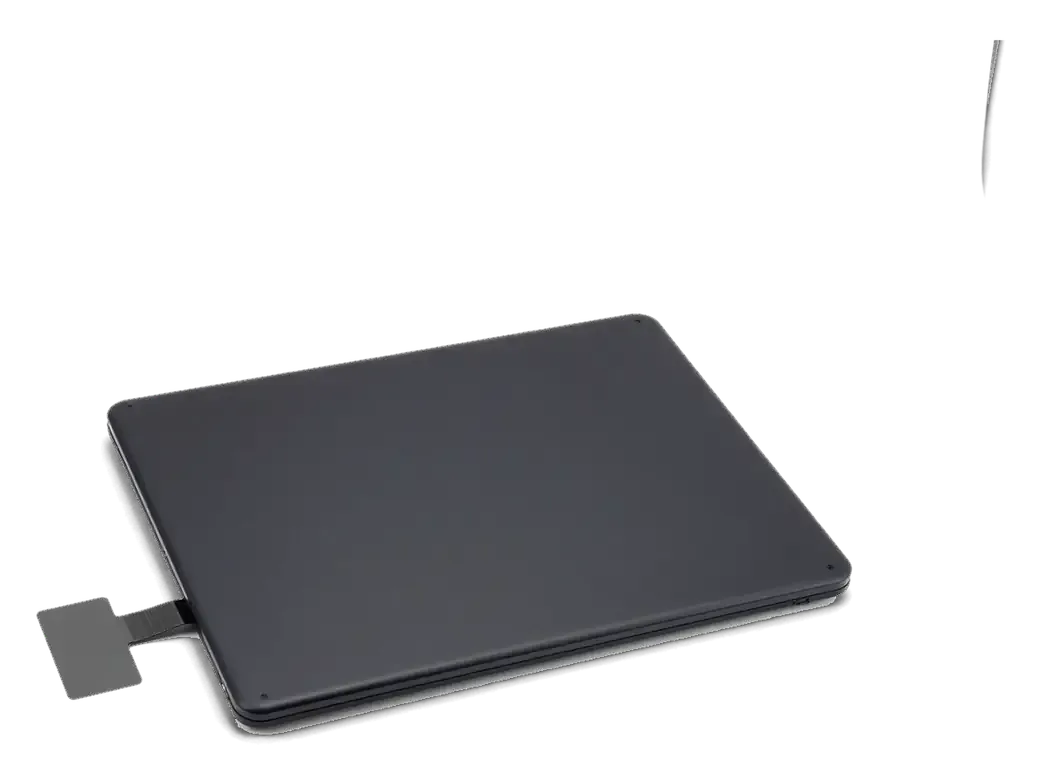
    New matrix for MacBook with a cable and a card
    Part matching

    We choose the panel by A-number and explain how original and aftermarket parts compare.

  3. 03
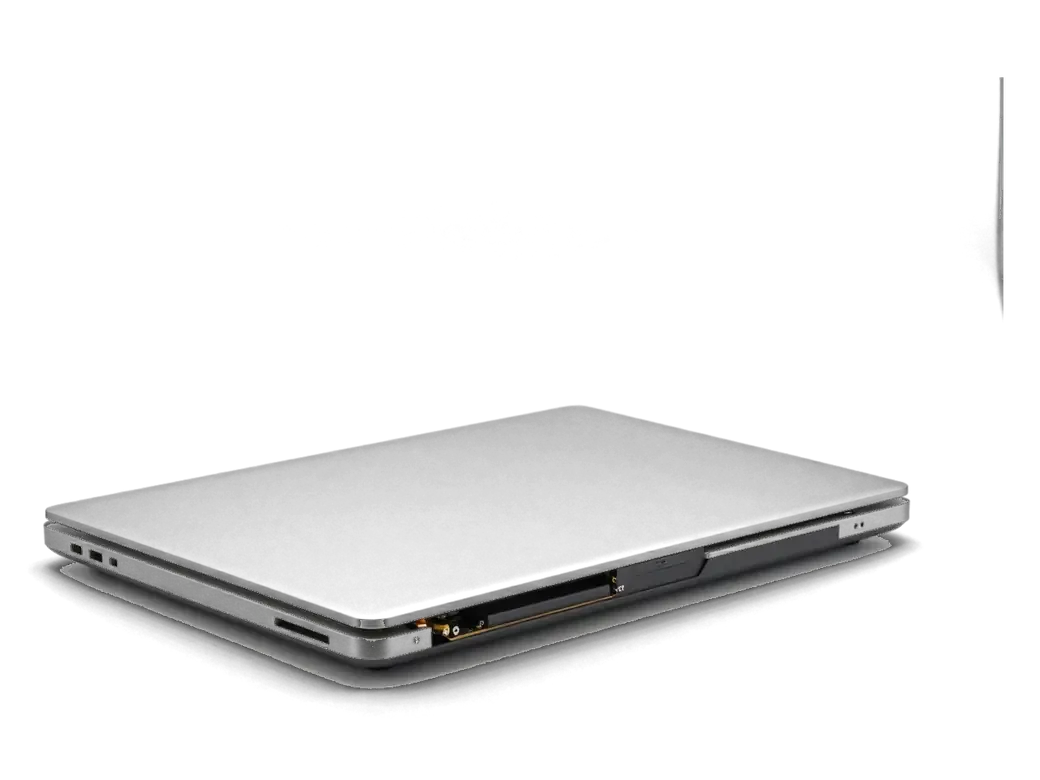
    MacBook with the bottom cover removed and parts visible
    Lid disassembly

    The bottom cover and battery connector come off, then the hinges and the display are unscrewed.

  4. 04
    New matrix in the MacBook lid being installed
    Fitting the new screen

    The panel or module goes in, the cables are connected and the fit within the frame is checked.

  5. 05
    MacBook with a checkmark icon on the screen after calibration
    Brightness and pixel test

    We look at brightness, backlight evenness, dead pixels and the webcam before closing up.

  6. 06
    Assembled MacBook with a shield icon on screen after replacement warranty
    Reassembly

    The case is closed, the lid is checked for a flush fit, and you see the result before pickup.

  7. MacBook screen Panel replacement
    from49 900 ₸

    Finished work is covered by a warranty, and we state its term when we take the device.

    Price for my model

Original versus aftermarket parts in a MacBook screen panel replacement

Both parts work, but they differ in brightness and color, so the choice depends on how you use the laptop.

Original Applewarranty up to 1 year
MacBook screen panel replacement80 900 ₸
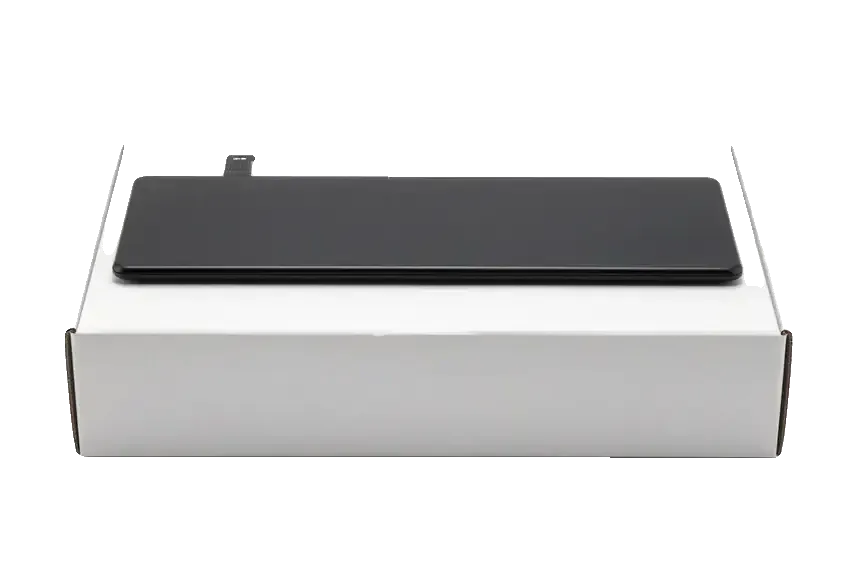
Original: a matrix for MacBook on a white box
Color
Familiar color without any shift
Brightness
Full factory-level brightness
Compatibility
Built for exactly your model
Best for
Designers and photo editors
Chosen by 64% of clients
Book with an original part
Aftermarketwarranty 6 months
MacBook screen panel replacement49 900 ₸−38%
Analog: a matrix for MacBook in an antistatic bag
Cost
Much lower than an original panel
Brightness
May sit slightly below the original
Color
Tones can differ a little from factory
Best for
Office, study and evening work
Chosen by 36% of clients
Book with an aftermarket part

What you get when you repair your screen with us

Laptop screen repairs are done by experienced technicians, and the part is chosen by your model number.

11years

Repair experience

Eleven years of servicing Apple devices means we know how lid construction changes from one MacBook generation to the next.

1year

Warranty on repairs

Our warranty on completed repairs lasts up to 1 year, and we go over the terms when you hand the laptop in.

2options

Experienced technicians

A experienced technician opens the laptop and explains exactly which part has failed before any work starts.

You choose the part

We lay out the original versus aftermarket difference and never push the pricier option on you.

2cities

Almaty and Astana

Devices are accepted in two cities, and the repair approach and intake process are the same in both.

Extras only with consent

If we spot moisture damage or another fault, we tell you first and start only once you approve.

MacBooks after screen panel replacement before and after in Almaty

1 / 1
Before photo: crack and black spots on the screenBefore: crack and black spots on the screen
After photo: new displayAfter: new display
BeforeAfter

MacBook Pro 14 M3: cracked display

1 dayOriginalWarranty up to 1 year
Problem
The lid was closed with headphones on the keyboard. A crack in the corner, and stripes spread across the screen.
What we did
Replaced the display assembly with the lid, transferred the color calibration, checked True Tone.
1 dayscreen like from the factory
I want the same

How MacBook screen panel replacement works in Almaty

Usually the whole journey — from message to pickup — takes less than an hour; complex repairs follow the timeline in the receipt.

Book a repair
  1. Step 1

    Message or call

    5 min

    You send a photo of the damage on WhatsApp — we quote the price and available time. Or you call a courier.

  2. Step 2

    Free diagnostics

    15 min

    An engineer checks the device in front of you and shows what is broken. 0 ₸, even if you decline the repair.

  3. Step 3

    Price in the receipt

    2 min

    We fix the price, the part (original or analog), the timeline and the warranty. You sign — we start.

  4. Step 4

    Repair while you wait

    20–40 min

    Before installation we show you the new part in its factory packaging. You wait in the waiting area with coffee and Wi‑Fi.

  5. Step 5

    Post-repair check

    10 min

    Screen, keyboard and trackpad, camera, microphones, speakers, charging, Wi‑Fi. You check together with the engineer.

  6. Step 6

    Pick up your device

    warranty up to 1 year

    Together with the receipt, warranty card and the old part. Payment — Kaspi, card or cash.

Who will replace your MacBook screen panel

Technicians for iPhone, Mac, iPad, Apple Watch and AirPods repair.

1 / 6
DGDenis Gushchin — display replacement technician, iServices service center in AlmatyPhoto: Denis Gushchin

Denis Gushchin

display replacement technician
20years of experience
5.0rating, 34 reviews
MNMukhpilov Nail — smartphone repair technician, iServices service center in AlmatyPhoto: Mukhpilov Nail

Mukhpilov Nail

smartphone repair technician
10years of experience
4.83rating, 83 reviews
MRMolchanov Rinat — Apple repair and diagnostics engineer, iServices service center in AlmatyPhoto: Molchanov Rinat

Molchanov Rinat

Apple repair and diagnostics engineer
10years of experience
4.85rating, 33 reviews
SAShokan A — diagnostics technician, iServices service center in AlmatyPhoto: Shokan A

Shokan A

diagnostics technician
8years of experience
5.0rating, 37 reviews
SBSybanbaev Birzhan — firmware specialist, iServices service center in AlmatyPhoto: Sybanbaev Birzhan

Sybanbaev Birzhan

firmware specialist
7years of experience
4.75rating, 74 reviews
DADuisebaev Azhdar — connector replacement technician, iServices service center in AlmatyPhoto: Duisebaev Azhdar

Duisebaev Azhdar

connector replacement technician
7years of experience
4.3rating, 35 reviews
Gamid K, phone repair technician
“If the repair didn’t suit you or you have a complaint, write to me personally.”
Gamid Kphone repair technician · +7 705 556-07-59

We'll quote a price for MacBook screen panel replacement in Almaty from a photo in 5 minutes

Send a photo of the screen and the MacBook model. An engineer will reply on WhatsApp, give the price and today's available time.

  1. 5 minAn engineer replies and names the price
  2. 0 ₸Diagnostics in front of you in 15 minutes
  3. 30 minMost repairs — while you wait

MacBook Screen Panel Replacement in Almaty for Air and Pro

In short

For MacBook screen panel replacement in Almaty, iServices covers Air and Pro with free 15-minute diagnostics in front of you and warranty up to 1 year. We show the new part in factory packaging before installation, fix price, part and turnaround on the receipt, and finish most screen jobs in 1 hour to 1 day.

Mukhpilov NailWe reply on WhatsApp within 10 minutes
Ask

What your MacBook screen is made of and which panel you have

A laptop display is not a single sheet of glass but an assembly of matrix, backlight, flex cable and lid. Which of those parts gets replaced depends entirely on the generation.

Matrix, backlight and lid assembly explained

The screen is a stack of four parts — the LCD matrix, the backlight layer, the display flex cable and the aluminium lid that carries the camera, light sensor and antenna lines. The matrix produces the image, the backlight pushes light through it, and the flex carries video and sensor signals down to the mainboard. The aluminium cover is structural: it holds the camera module, the ambient light sensor and the antenna lines that run along its edges. On Retina and M-series machines the matrix is bonded directly to the glass, so the layers cannot be peeled apart by hand. Because the camera and sensor sit in the cover, any work on the panel starts with disconnecting the battery and the display flex, otherwise the backlight circuit can short during removal.

Air 13 and Pro panels by model number

Panel families and replacement routes by model number
Model familyPanel typeWhat is replaced
Air 13 A1369, A1466Non-Retina LCDMatrix separately from the lid
Air 13 A1932, A2179RetinaDisplay assembly with lid
Air 13 A2337 (M1)RetinaDisplay assembly with lid
Air 13 A2681 (M2)Liquid Retina, notchDisplay assembly with lid
Pro A1278, A1286Glass over matrixGlass or matrix separately
Pro Retina, Touch BarBonded panelAssembly or backlight flex
Pro 14, 16Mini-LED moduleFull display module

Reading the Damage Before Any MacBook Screen Panel Replacement

The same crack can come from three different causes, and the symptom usually points to which part failed. Here is how we read each one before quoting a repair in Almaty.

Cracks, dark spots and lines and what they mean

Symptoms mapped to the failing part
What you seeLikely causeWhat is replaced
Crack with black spider webBroken matrixMatrix or assembly
Dark spot with sharp edgePressure on the lidMatrix or assembly
Vertical or horizontal linesPanel or its connectorPanel or ribbon
Screen dark but image visibleBacklight layerLight strip or panel
Flicker when tilting the lidWorn ribbonRibbon only

When the fault is the backlight, not the panel

We shine a flashlight on the screen during diagnostics — if a faint image appears, the matrix still works and the fault sits in the backlight or its ribbon. A genuinely dead panel stays black under the beam, with no menu bar or wallpaper visible at an angle. On the Retina assemblies used in Air and Pro bodies the light source sits behind the glass, so a failed strip there kills illumination while the picture itself keeps rendering. We test this before touching the display, because the answer decides whether you need a full display or a single cable. This check is the first step of any MacBook screen panel replacement that Almaty owners ask us about, and it often saves them the cost of a full assembly.

Why MacBook screens crack without a drop

Most cracked Air screens we see never hit the floor. The damage comes from pressure on a closed lid, and knowing the cause helps prevent a second break.

Pressure on a closed lid and the objects that cause it

A thin Air lid flexes under pressure, so closing the laptop on earbuds, a pen or a cable concentrates force on one point of the glass and starts a crack that spreads overnight. The panel itself is a few millimetres thick and sits directly behind the aluminium cover, with no gap to absorb a bump. A cable left near the hinge, a memory card on the palm rest, a small stone caught in a sleeve — each leaves a star-shaped fracture in the corner where the display meets the chassis. The screen looks shut even when a small object sits on the keyboard, so the damage is done before the owner notices anything wrong. Run a palm across the keys before every close: a five-second habit removes the most common cause of a cracked screen we document.

Swollen battery and water as hidden causes

A swollen battery pushes the trackpad and the top cover from inside, and water leaves faint streaks on the panel that turn into dead pixels weeks later. A cell that has lost capacity bulges upward, lifting the keyboard deck and pressing the back of the display until the glass bows past its tolerance. Liquid rarely kills the panel on contact — a few drops near the hinge wick along the backlight sheet and dry into mineral lines that show as pale bands under a white background. Continuing to use a cracked screen lets dust and moisture reach the backlight layer, which turns a simple panel swap into a full assembly replacement. If a corner of the display has started to bow, stop closing the laptop until the battery is checked.

Checking the screen at home before you come in

Two quick tests at home tell you whether the panel or the board is at fault, and a backup makes the visit faster. Neither test needs tools.

The flashlight test and the external monitor test

  • Flashlight test: point a phone light at the dark screen and look for a faint image — a visible ghost means the matrix still works.
  • External monitor test: connect a monitor and check whether the picture there is clean and complete.
  • Tilt test: open and close the display slowly and watch for flicker or sudden blackouts at certain angles.
  • Backup first: save your files to an external drive or cloud before handing the device over.
  • Note the model number: it is printed on the bottom cover and speeds up part matching.

Preparing the laptop for handover

We ask you to make a backup and share the login password so the engineer can test the camera, ambient light sensor and lid-close sensor after the new panel is in. The 15-minute free diagnostics happen in front of you: the technician shows what is broken and explains whether the panel, its flex or the board is the cause. A backup also protects you if the logic board turns out to be involved, since board work takes longer than a screen swap and the device stays with us longer. Bring the charger as well — we test charging and the battery after reassembly. If you cannot come in person, a courier can be called across the city and the device comes back with the receipt, warranty card and the old part.

How we replace the panel and what you get back

From the first WhatsApp photo to the moment you check the screen yourself, every step is fixed and written down. Here is what happens during the work and what you take home afterwards.

From WhatsApp photo to receipt in two minutes

  • Photo on WhatsApp: you send a picture of the damage, and an engineer replies within 5 minutes with a price and a free time slot.
  • Free diagnostics: 15 minutes in front of you, even if you decide not to repair — the engineer shows what is broken.
  • Receipt in 2 minutes: price, part, turnaround and warranty are written down before any work starts.
  • Part shown first: the new panel arrives in factory packaging and is opened in front of you before installation.
  • Courier option: across Almaty in 90 minutes, free with a repair, if you cannot come in yourself.

What we check after the new panel is in

After the repair we run a 32-function check of about 10 minutes and go through brightness, colour, camera, light sensor and sleep-on-close together with you. The engineer also tests microphones, speakers, charging and network, then hands the device back so you can open and close the display yourself. The sleep sensor and camera sit in the upper part, so a panel that looks perfect but fails to wake on opening usually means a loose connector, which we catch in this check. For MacBook and iPad the turnaround is from 1 hour to 1 day, and the exact time is confirmed after the free diagnostics; 72% of repairs are completed while the customer waits in the seating area with coffee and Wi-Fi. Ask to see the sleep test before you leave — it is the one fault a quick glance at a bright screen never reveals.

Warranty, old part and keeping the screen intact

Every screen job comes with warranty up to 1 year, and you leave with the receipt, the warranty card and the old part in hand. The warranty covers the panel and our work, but a new drop or water is a separate case, so a hard case and a clean keyboard before closing the laptop are the cheapest protection. Stickers, cards and keys left on the keyboard are the most common cause of pressure cracks on a closed laptop, and a swollen battery pushes the display from inside. Have the battery checked during the free diagnostics if the screen closes with resistance. We hand back the old panel so you can see the crack line yourself and compare it with the replacement.

Summary: MacBook screen panel replacement

A MacBook screen fault is diagnosed by its symptom, its model number and a quick test at home — the repair itself follows from those three.

  • Know your panel: the model number on the bottom cover tells you whether the matrix separates from the display or comes as a full assembly.
  • Read the symptom: a spider-web crack, a sharp-edged dark spot and steady lines point to different layers of the display.
  • Test at home: a flashlight and an external monitor separate a panel fault from a board fault before you travel.
  • Prevent the second break: most Air cracks come from closing the laptop on an object, not from a drop.
  • Check on pickup: brightness, colour, camera, light sensor and sleep-on-close are the functions that confirm a clean repair.


Your questions about MacBook screen panel replacement

Did not find an answer? Message us on WhatsApp: an engineer replies, not a bot.

Ask a question
Can the screen of a MacBook Air M2 be restored after a crack?

Yes, the screen of the Air M2 can be restored after a crack. Depending on the damage and the parts available, the engineer fits a new panel or a complete display assembly and explains the difference before the work.

Does the FaceTime camera survive a MacBook screen replacement?

Yes, it keeps working. When a full display module is fitted, the camera comes with it as part of the assembly; when only the panel is replaced, your original camera stays in place, and in both cases it is tested at pickup.

Is it safe to keep using a MacBook with a cracked screen?

Only for a short time, while the image is still readable. Cracks spread a little with every opening of the lid, and the dark ink-like area usually grows, so it is better to plan the replacement soon.

How do I copy my files off a MacBook whose matrix has gone dark?

Connect an external monitor or TV over USB-C or HDMI and the desktop usually appears there, since the logic board still works. From there you can run a Time Machine backup or copy files to a drive before handing the laptop in for the matrix replacement.

Why did my MacBook Air screen crack after I simply closed the lid?

Usually something small was left on the keyboard, such as an earbud, a pen or a hair tie, and the thin lid pressed the panel onto it. Thick keyboard covers have the same effect because they take up the narrow gap.

Will my resolution and Night Shift settings stay after a new MacBook display is fitted?

Yes, display preferences are stored in macOS rather than in the screen, so they stay as they were. If colours look slightly different, choose the colour profile for the built-in display again in Displays settings.

Reviews of screen panel replacement in Almaty

1 / 10
4.9

average rating on Google Maps, wikicity and our website · 445 reviews
Google Maps4.438 reviews ›wikicity5.015 reviews ›Reviews on the iServices website5.0392 reviews ›
ВЗ
Владимир З.Order No. IS‑2609‑•••07 · 22 September 2026
MacBook Pro 16″ (M5 Pro, 2026) · screen

У моего MacBook Pro 16″ (M5 Pro 2026) после сна появлялся чёрный экран. По результатам диагностики разобрались с запуском и изображением; Спасибо Денис: разобрался с нюансами без лишних разговоров.

iServices customer review, in Russian
ЕБ
Ермек Б.Order No. IS‑2606‑•••66 · 10 June 2026
MacBook Air 13″ Retina (2018) · screen

Проблема была такая: на экране появились полосы — и непонятно, что делать. В сервисе проверили подключение и дисплей, изображение восстановили; Денис не отмахнулся от моих вопросов.

iServices customer review, in Russian
ЕБ
Ерлан Б.Order No. IS‑2605‑•••85 · 5 May 2026
MacBook Pro 15″ (2018) · screen

С MacBook Pro 15″ (2018) вышла неприятность: на экране появились полосы. После обращения проверили подключение и дисплей изображение восстановили; Денис спокойно объяснил, с чего лучше начать.

iServices customer review, in Russian
АВ
Андрей В.Order No. IS‑2512‑•••18 · 31 December 2025
MacBook Pro 13″ (2019, 2 порта) · screen

На MacBook Pro 13″ (2019 2 порта) после сна появлялся чёрный экран. Ребята разобрались с запуском и изображением; Аждар спокойно объяснил, с чего лучше начать.

iServices customer review, in Russian
ЕД
Елена Д.Order No. IS‑2412‑•••40 · 7 December 2024
MacBook Pro 16″ (M3 Max, 2023) · screen

С MacBook Pro 16″ (M3 Max 2023) вышла неприятность: на экране появились полосы. Ребята проверили подключение и дисплей, изображение восстановили; Денис потом ещё уточнил, всё ли работает.

iServices customer review, in Russian
СШ
Светлана Ш.Order No. IS‑2610‑•••44 · 4 October 2026
MacBook Air 13″ (2015) · screen

С MacBook Air 13″ (2015) вышла неприятность: на экране появились полосы. В сервисе проверили подключение и дисплей изображение восстановили.

iServices customer review, in Russian
НТ
Никита Т.Order No. IS‑2505‑•••14 · 21 May 2025
MacBook Pro 13″ (2016, 2 порта) · screen

У моего MacBook Pro 13″ (2016 2 порта) на экране появились полосы. По результатам диагностики проверили подключение и дисплей, изображение восстановили.

iServices customer review, in Russian
ЕИ
Елена И.Order No. IS‑2502‑•••78 · 4 February 2025
MacBook Pro 14″ (M4 Pro, 2024) · screen

Проблема была такая: на экране появились полосы — и непонятно, что делать. Ребята проверили подключение и дисплей, изображение восстановили.

iServices customer review, in Russian
МК
Максим К.Order No. IS‑2312‑•••75 · 14 December 2023
MacBook Pro 16″ (M3 Pro, 2023) · screen

С MacBook Pro 16″ (M3 Pro, 2023) вышла неприятность: после сна появлялся чёрный экран. После обращения разобрались с запуском и изображением.

iServices customer review, in Russian
ИД
Илья Д.Order No. IS‑1804‑•••51 · 14 April 2018
MacBook Pro 15″ (2017) · screen

Сначала пытался решить вапрос через настройки, только время потерял. На MacBook Pro 15″ (2017) на экране появились полосы; в сервисе проверили подключение и дисплей, изображение восстановили.

iServices customer review, in Russian
Showing 10 of 22

Where to get MacBook screen panel replacement in Almaty

Address
Almaty, Zharokov St., 128
Opening hours
Mon–Fri 10:00–19:00Sat–Sun 11:00–18:00
Phone and messengers
+7 705 556-07-59WhatsApp: +7 705 556-07-59
Directions map: iServices Almaty — Zharokov, 128© OpenStreetMapFind us on the maps: Google Maps · 2GIS