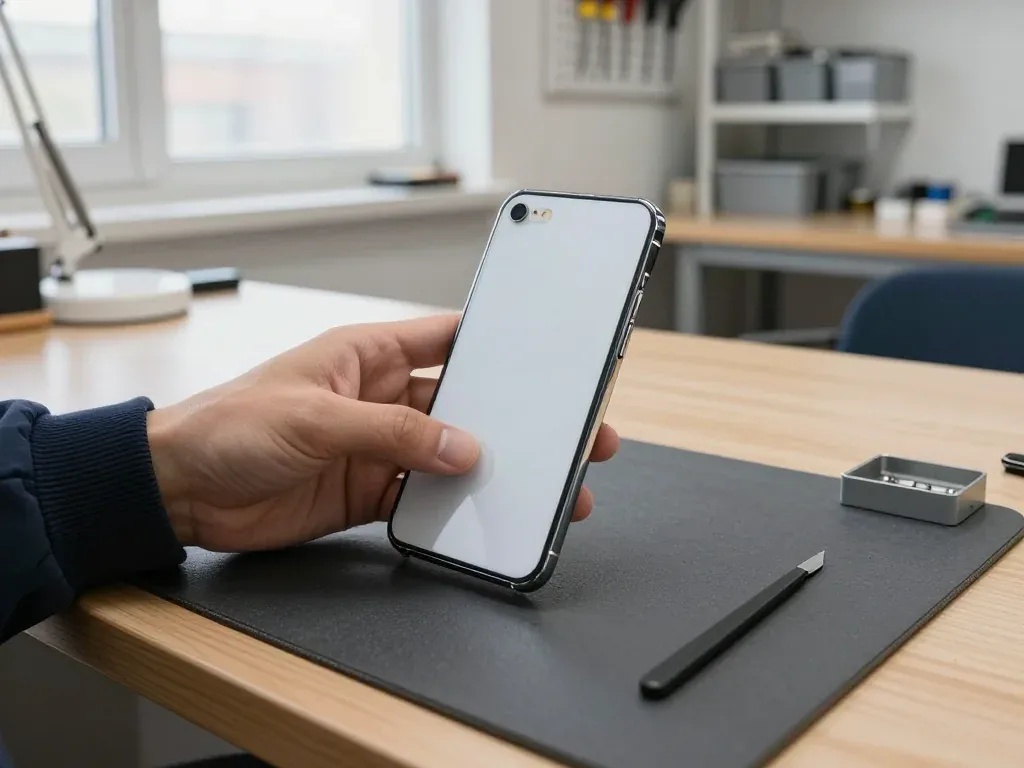
This handset carries a pane on both faces, a steel frame around the edge and a 30-pin connector underneath, so most faults cluster around those panels, the cell and the charging socket.
The Faults We See Most on This Model
On an iPhone 4 the most common jobs we take in are a cracked front or rear panel, a worn cell that drains fast, and a 30-pin port that no longer charges reliably. The steel edge stays straight in most drops, yet the panes on either side rarely survive one. Power cells in these units are well past their design life, so a handset that dies by mid-afternoon usually needs a fresh one rather than software work. The connector collects lint and oxidises over years of pocket carry, which shows up as a cable that only charges at a certain angle. Because both faces are panes, a single drop often cracks front and rear at once, so it pays to have both checked in the same visit rather than returning a week later.
Symptom, Likely Cause and What We Do
Each complaint and the part behind it| Problem | Probable reason | Our action |
|---|
| Screen cracked or unresponsive | Broken pane or display module | Replace pane or full module |
|---|
| Battery drains in hours | Aged cell | Install a new battery |
|---|
| Will not charge | Dirty or worn 30-pin port | Clean or replace the port |
|---|
| Blurry photos | Scratched lens cover | Swap the camera cover |
|---|
| No sound on calls | Speaker or microphone fault | Test and replace the part |
|---|
When the Back Glass and Camera Need Attention
We replace the rear pane and the camera cover separately, so a cracked back does not force you into a full housing swap. That pane sits on the steel chassis, and on this model the chassis doubles as the aerial, which is why we avoid pulling the whole shell when only the outer layer is broken. The lens cover takes the worst of it when a handset is set down on a table camera-first, and a scratched surface turns every photo soft without the sensor itself being at fault. If the rear is shattered but the chassis is straight, replacing only the outer layer keeps the original aerial intact, and that matters on a model where the outer edge carries the signal.
Screen Repair for an iPhone 4 and What It Withstands
The iPhone 4 uses an LCD panel under a separate outer layer, so the question of a pane swap versus full module comes up on almost every screen job we take.
Just the Glass or the Full Display Assembly
If only the outer pane is cracked and the LCD still shows a clean image with a working touch layer, we can replace just that layer; if there are dead pixels, lines or a dead touch zone, the full module goes in. The two jobs differ in what stays behind: a pane-only repair keeps your original LCD panel and touch layer, while a module swap replaces the panel and the digitizer as one sealed unit. On this model the outer layer sits above the LCD with a thin air gap, which is why a clean crack often leaves the picture untouched. A pane-only job keeps your original LCD, which on an older panel is often brighter and more even than a budget replacement module, so it is worth asking which option your fault actually allows.
Which Screen Option Fits Your Fault
matching the visible damage to the right screen job| Damage | Best option | Turnaround |
|---|
| Cracked glass, image fine | Glass replacement | About 40 minutes |
|---|
| Lines or dead pixels | Full display module | About 40 minutes |
|---|
| Touch not responding | Full display module | About 40 minutes |
|---|
| Glass and frame bent | Module plus frame check | Assessed on site |
|---|
What Still Works After a Screen Repair
On this handset, replacing the display leaves the Home button, the front-facing camera and the earpiece alone, so all three behave just as they did once the new panel or module goes in. The vibration motor, the proximity sensor and the rear camera are mounted outside the screen unit and remain untouched as well. What does get renewed is the adhesive strip around the chassis: a fresh seal stops dust from working its way beneath the new glass over the following weeks. Since this model carries neither Face ID nor True Tone to recalibrate, swapping a screen here is more straightforward than on later models, and the key point to check when collecting is a uniform picture and touch that responds across the entire panel.
Original or Aftermarket Parts for an Older iPhone
On a model this old, part availability changes month to month, so the honest answer on original versus aftermarket starts with what is actually in stock.
How Original and Aftermarket Differ Here
We offer an original part or an aftermarket one and tell you which is available for your exact fault, because on this handset some original parts are simply no longer obtainable. The difference shows up in the display module and the battery first: an original assembly keeps the factory colour balance and charge behaviour, while a good aftermarket screen can run slightly warmer and an aftermarket cell may lose capacity faster over a couple of years. Both fit the same housing and both pass our 32-function check at pickup. An aftermarket battery or screen can behave perfectly well day to day, but the honest trade-off is longevity rather than function, so ask how each option is expected to hold up before you decide.
Matching the Part to the Job
Which grade we fit per repair type| Repair | Original option | Aftermarket option |
|---|
| Display module | When in stock | Usually available |
|---|
| Battery | When in stock | Usually available |
|---|
| 30-pin port | When in stock | Usually available |
|---|
| Camera glass | When in stock | Usually available |
|---|
What the Receipt Locks In
Before any work begins we lock in the price, the part grade, the turnaround and the warranty on the receipt, so what you select is what you receive. Writing that line takes two minutes and closes off every later dispute about what went in. We also present the replacement part in its factory packaging prior to fitting, which lets you verify the grade you agreed to instead of trusting us once the phone is sealed. The warranty lasts up to 1 year, and the device is returned to you together with the receipt, the warranty card and the previous component in a bag. Hold on to that paperwork — it is the sole record linking a particular component to your handset.
How an iPhone 4 Repair in Almaty Fits Around Your Day
Most jobs on this model are quick enough to wait for, and the whole visit from first message to pickup usually takes less than an hour.
From WhatsApp Photo to Pickup
You send a picture of the problem via WhatsApp, and within 5 minutes an engineer replies with a price based on that picture plus a free time slot; the no-charge check, performed in your presence, takes 15 minutes. At the counter the technician disassembles the handset and identifies the defective component before any tool touches it. The cost, part, duration and warranty are recorded on the receipt within about 2 minutes, before any work begins. The replacement part arrives in sealed factory packaging and is shown to you prior to installation, so you can confirm exactly which component goes into your phone. The inspection is free even if you decide not to proceed with the repair. An iPhone 4 repair in Almaty fits comfortably into a lunch break, since the whole process from the first message to pickup usually takes less than an hour.
How Long Each Job Takes
Typical turnaround per job type on this model| Repair | Typical time |
|---|
| Screen or glass | About 40 minutes |
|---|
| Battery | About 25 minutes |
|---|
| Camera glass | About 20 minutes |
|---|
| 30-pin port | Assessed on site |
|---|
Waiting, Courier and Payment
You may relax in the lounge with coffee and Wi-Fi, request a courier who reaches any address in the city within 90 minutes at no charge when paired with a repair, and settle the bill via Kaspi, card or cash. Most repairs need 20 to 40 minutes, and 72% are completed while the customer sits in the waiting area, so a routine screen or battery job seldom means parting with the phone overnight. Board-level work is the exception: it is done under a microscope and runs 1 to 3 days. As a direct contractor running its own technicians and workshop rather than an aggregator, we have the same person diagnose and repair your phone, which keeps the timeline dependable.
Checking the Phone at Pickup and What You Take Home
The handover is where a good repair proves itself, so we check the device together with you before it leaves the workshop.
The Functions We Test Together
After the repair we check 32 functions in about 10 minutes, and you go through the key ones with the engineer before you leave. The list covers both cameras, microphones, speakers, charging and network, and each item is confirmed while you watch rather than signed off in a back room. On an iPhone 4 the checks focus on the touch layer across the whole screen, both cameras, the earpiece and speaker, and a clean charge through the 30-pin port, since those are the parts a repair most often touches. If a swipe fails at one edge or the earpiece sounds thin, we reopen the unit on the spot instead of asking you to come back another day. Ask the engineer to run the touch test across all four corners — edge faults on an older panel rarely show up in the centre.
Steps to Take Prior to Handing Over the Device
- Save a copy first: store your photos and contacts in iCloud or on a computer, so nothing essential hinges on the repair going without a hitch.
- Turn off Find My: switch off Activation Lock in settings, because this lets the technician test the device fully instead of working around a locked screen.
- Note your passcode: share it at the counter so the screen, touch layer and cameras can be checked straight after the work.
- Bring the charger: a known-good cable and adapter help confirm the 30-pin port charges cleanly and holds a steady connection.
What You Leave With
You get back the device along with the old component in the bag and a warranty card that covers the work for 1 year, plus the receipt. The receipt repeats what was agreed before the job — the part fitted, the turnaround and the warranty conditions — so there is no mismatch between the quote and the bill. Saving the old component matters on a model this old, because a spare original panel or battery can determine whether a future repair is even feasible. We also return the old component for board-level jobs, where a donor part frequently saves a device that would otherwise be discarded. Photograph the warranty card before you store it away — a picture on your phone answers most questions faster than searching through drawers.
Summary: iPhone 4 Repair
An iPhone 4 is old enough that the fault, the component and the visit all need to line up first. These five points cover what decides the outcome.
- Match the repair to the fault: cracked glass with a clean image can mean glass only, while lines or dead touch need the full module.
- Ask what is in stock: on an older model, original and aftermarket availability shifts, so confirm the component before work starts.
- Expect a quick visit: most screen and battery jobs finish in under an hour while you wait.
- Prepare the device: back up data, turn off Find My and note the passcode ahead of handing it in.
- Check at pickup: test the touch, cameras, sound and charging together, and keep the replaced component and paperwork.



















 iPad
 MacBook
 iMac
 Mac mini and Studio
 Apple Watch
 AirPods
 Apple Pencil
 Apple TV
 HomePod




