MN Photo: Mukhpilov Nail
Mukhpilov Nail
smartphone repair technician
10years of experience
4.83rating, 83 reviews

Cracked against a rock or the battery is fading — free diagnostics while you wait, and a experienced technician repairs it at no extra cost.
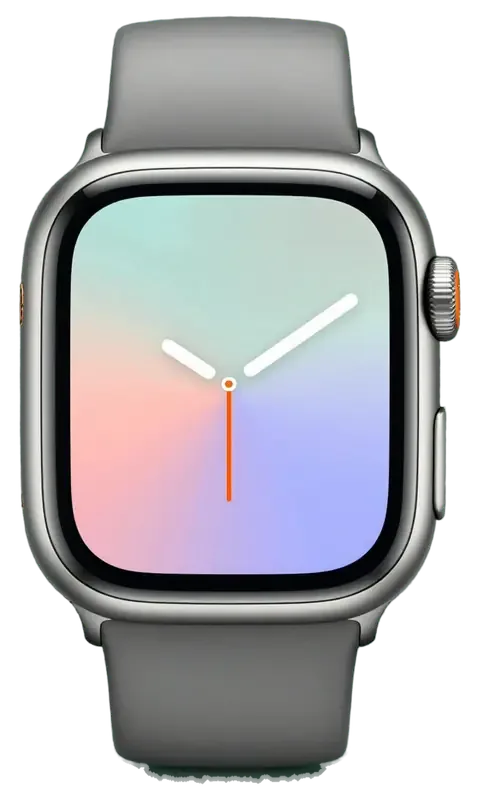
The titanium case is tough, yet on a sports watch the glass, battery and buttons wear out first.
The screen reaches closer to the rim, so a knock hits the working glass.
A bright display and GPS use more charge than a multi-day plan assumes.
A drop on rock leaves areas of the wide display with no backlight.
Dust and sand under the raised button make its travel heavy.
The puck loses contact and charging stops and starts.
Water and dirt in the grille mute the siren and calls.
A swing in temperature leaves fog under the glass.
Dirty or scratched sensors on the back give jumpy readings.
The wheel turns with effort and clicks, especially after dust and sand.
The track on the map breaks up and drifts away from the real trail.
The screen works, but swipes and taps near the edge get lost.
When you dive, the depth sensor shows wrong values.
We carry out the main jobs for Ultra 3; the final amount depends on the part chosen and the inspection.
| Service | Original | Aftermarket |
|---|---|---|
| Rear cover with sensors replacement | 206 900 ₸ | 114 900 ₸ |
| Digital Crown repair | 24 900 ₸ | 13 900 ₸ |
| Side button replacement | 24 900 ₸ | 13 900 ₸ |
| Speaker replacement | 65 900 ₸ | 36 900 ₸ |
| Microphone replacement | 49 900 ₸ | 27 900 ₸ |
| Display replacement | 253 900 ₸ | 140 900 ₸ |
| Vibration motor replacement | 100 900 ₸ | 55 900 ₸ |
| Other repairs | Price | |
| Board repairmicrosoldering · 1–3 days | 44 900 ₸per job | |
| Firmware flashingsoftware restore, no parts replaced | 38 900 ₸per job | |
| Water damage repaircorrosion cleaning · diagnostics up to 2 days | 83 900 ₸per job | |
We confirm the final cost after diagnostics, once the case, battery and seals have been examined — by phone or WhatsApp.
A very recent model has fewer part sources, so batches differ more than on watches that have been around for years.


A watch taken on trails and into water needs an honest diagnosis and a clear choice of parts.
Our eleven years with Apple hardware let us get to grips quickly with the quirks of each new watch generation.
Finished work is covered by a warranty up to 1 year; a repeat of the same fault through our work means the watch is taken in again.
Experienced technicians open the case, because titanium, gaskets and the bonded glass demand a careful, practised hand.
We pin down the cause and do not propose a replacement when a cleaning or an update is enough.
We show both parts, explain the difference and let you choose, without pushing the pricey one.
We open 10:00–19:00 on weekdays and 11:00–18:00 on weekends and holidays, so you can stop by on your way home.
Usually the whole journey — from message to pickup — takes less than an hour; complex repairs follow the timeline in the receipt.
Book a repairYou send a photo of the damage on WhatsApp — we quote the price and available time. Or you call a courier.
An engineer checks the device in front of you and shows what is broken. 0 ₸, even if you decline the repair.
We fix the price, the part (original or analog), the timeline and the warranty. You sign — we start.
Before installation we show you the new part in its factory packaging. You wait in the waiting area with coffee and Wi‑Fi.
Touchscreen, brightness, Digital Crown, sensors, microphone, speaker, charging. You check them together with the engineer.
Together with the receipt, warranty card and the old part. Payment — Kaspi, card or cash.
Technicians for iPhone, Mac, iPad, Apple Watch and AirPods repair.
Photo: Mukhpilov Nail Photo: Molchanov Rinat
 Photo: Shokan A
 Photo: Sybanbaev Birzhan
 Photo: Denis Gushchin
 Photo: Duisebaev Azhdar

“If the repair didn’t suit you or you have a complaint, write to me personally.”
Send a photo of the fault — an engineer will reply on WhatsApp, give the price and a time you can come in.
Apple Watch Ultra 3 Repair in Almaty Done While You Wait
iServices handles Apple Watch Ultra 3 repair in Almaty as a direct contractor with its own experienced technicians, not an agency. We run free 15-minute diagnostics in front of you, show the replacement part in factory packaging, and fix most units in 20–40 minutes while you wait in our lounge. Warranty lasts up to 1 year.
The Ultra 3 keeps the titanium shell and flat sapphire crystal of the Ultra line, adds a larger screen and satellite connectivity. These build choices decide which parts we order and how the crystal is separated.
The Ultra 3 uses a titanium body and a flat sapphire crystal, the same scratch-resistant material as earlier Ultra models, over a screen that is larger than on Ultra 2. Titanium is lighter than stainless steel and takes impact differently from the aluminum shells on the standard Series, which flex on a corner hit instead of passing the shock into the display. Sapphire sits above the OLED panel as a separate bonded layer, so the module here is a stack rather than a single piece. That crystal resists scratches but cracks under a sharp point impact, so one drop on tile can split the surface while the OLED underneath still shows a clean image. For an apple watch ultra 3 repair in Almaty, this stack is what the engineer checks first.
We treat the action button, the Digital Crown and the case gasket as one assembly, because on the Ultra 3 they share the same opening and the same water seal. The crown carries the haptic feedback and the electrode for the ECG reading, so a crown that stops clicking or reads erratically points to the contact strip rather than the titanium shell. Opening the body breaks the factory adhesive gasket every time — there is no way to lift the screen and keep the original seal intact. A gritty-feeling crown after salt water usually needs cleaning, not replacement, and cleaning it early keeps the seal intact longer than waiting for it to seize. Most complaints on this model come from dried salt and sand, not worn metal.
| Part | Original option | Aftermarket option | What stays the same |
|---|---|---|---|
| Display module | Full brightness and always-on | Bright, dimming curve may differ | Touch and raise-to-wake |
| Battery | Rated capacity and health reading | Close capacity, health may read low | Charging and runtime |
| Back cover | Pulse sensor and electrodes | Sensor works, finish differs | Heart rate and charging coil |
| Case gasket | Factory seal profile | Matches profile, adhesive varies | Water resistance after reseal |
A crack is not always a dead panel. On the Ultra 3 the sapphire, the touch layer and the OLED are bonded, so the symptom tells us which layer failed and what we actually replace.
If the image is sharp and every swipe registers, we can replace just the sapphire and keep your original OLED panel. The cover is bonded to the module through a thin optical adhesive, and a hairline crack that stops at the surface rarely reaches the OLED beneath it. We run a sweep across all four edges and check the corners for pressure marks before committing to this route. 64% of customers choose an original part, and on glass-only jobs the factory panel stays in place, so colour and brightness calibration is never touched. Glass-only work costs less and preserves that calibration, but it takes longer at the bench than a full swap, so plan for a wait rather than a quick pickup.
Vertical lines, dark blotches or a touch layer that ignores swipes point to a damaged OLED or touch grid, and the whole module has to be replaced. A blotch that spreads when the watch warms up is an OLED fault; a dead strip along one edge is usually a broken touch trace on the flex. We test each zone separately, because a single dead corner sometimes comes from a loose connector rather than the panel itself, and that is a different job. Pressing on a blotch to make it disappear is a sign of a failing panel, not a loose connector, so the fault will return even if it looks fine for a day.
| Symptom | Part we inspect first | Typical fix |
|---|---|---|
| Crack, picture clean | Sapphire glass | Glass replacement |
| Lines or blotches | Display module | Full module swap |
| Dead touch in one zone | Touch layer | Module swap |
| Screen lifted at edge | Battery | Battery and reseal |
| Crown stiff or gritty | Digital Crown | Clean or replace |
A watch that dies by noon or refuses to charge is telling you where the fault sits. On the Ultra 3 the battery, the charging coil and the back-cover contacts are the usual suspects.
A battery that drops below twenty percent by mid-afternoon, or a screen that has lifted at one edge, means the cell has aged or swollen and needs replacing. On the Ultra 3 the power source sits directly under the display module, and a worn one loses capacity fast once it passes a few hundred full cycles. A swollen cell is the more serious case: it expands against the casing and pushes the panel up from behind, and the gap you see at the edge is the first visible sign. We open the watch, read its condition and show you the part before anything is fitted. A bloated cell keeps pressing on the display from behind, so keep top-ups to a minimum and bring the watch in before the pressure cracks the panel too.
When an Ultra 3 will not charge, we test the magnetic puck and cable first, then the induction loop and back-cover contacts, and only then the board. The loop sits inside the casing next to the heart-rate sensor, and sweat, salt and a knock to the case can break its alignment or corrode the pads around it. A watch that powers up on one puck but not another has a charger problem, not a watch problem, so bring your own puck to the diagnostic and we will test both. Free diagnostics take about fifteen minutes and happen in front of you, so you see the loop and contact readings yourself.
The Ultra 3 is rated for deep water and salt, but any repair that opens the case changes that. Here is what we can and cannot promise once the seal is broken and remade.
Salt and chlorine attack the contacts and the charging coil first, and a watch that still powers on following a swim can fail days later as corrosion spreads. Pool sessions leave mineral film on the coil, sea exposure pushes chloride into the connector pins, and hot shower steam slips past a tired gasket without any pressure at all. The system board sits closest to the openings, so the earliest symptoms are usually a dropped charge, a flickering display or a Digital Crown that feels gritty. Rinsing with fresh water right away buys time, but it does not stop corrosion already inside, so a watch that took on liquid should be opened and dried even if it works.
We reseal the case with a fresh gasket and adhesive, but we cannot guarantee the factory rating against liquid ingress once we have been inside, and we tell you that before work begins. The titanium case goes back together with a new compressible seal, the display is bonded back down, and we pressure-check the assembly — yet the original rating was set on a sealed factory line, not on a bench. That is why the honest line is splash-resistant, not swim-ready. Treat a repaired Ultra 3 as protection against rain, handwashing and sweat rather than a session in the pool or the sea, even though the watch was rated for them when new. If swimming matters to you, ask us to note the reseal detail on your receipt.
A watch that took on liquid sometimes needs up to two days of diagnostics, because corrosion under the shield can show up only once cleaning and a test cycle are done. We put the board under a microscope, lift the shields, clean the traces and then run the device through a full charge and discharge before we call it sound. Some units look perfect on arrival and fail on the second cycle — that is the pattern we watch for. If the board is badly corroded, we tell you what a repair can and cannot restore before you commit, rather than once the part is ordered. A courier can collect the watch anywhere in the city if you cannot come in yourself.
From the first WhatsApp photo to the moment you walk out, the Ultra 3 repair follows a fixed path. Each step is built so you know the component, the timing and the coverage before any work begins.
Send a photo of the damage on WhatsApp and an engineer replies within five minutes with a quote, then checks the watch free for fifteen minutes in front of you. The message reaches a technician who works on Ultra 3 units daily, not a call-center script, and the estimate comes from the picture itself. That free look lasts the same quarter of an hour whether you go ahead or not, and the engineer opens the case in your sight so you see the crack, the swollen cell or the corroded contact yourself. From first contact to pickup, the whole process usually takes under an hour. Unpair the watch from your iPhone before you come in, since the backup stays on the phone and the device arrives ready for service rather than locked.
Before we open anything, the receipt fixes the price, the component, the turnaround and the warranty in about two minutes, and we show the new module in factory packaging. The document names whether the hardware is original or aftermarket, so there is no quiet swap mid-job; 64% of customers pick an original item, and the rest choose aftermarket with the difference written down. Coverage runs up to 1 year and sits on the same paper as the turnaround estimate, which is 20–40 minutes for most Ultra 3 jobs. Keep that receipt and the removed component, because the warranty card and the old hardware are what you present if a fault returns within the covered period.
Five points are worth carrying out of this page before you decide anything about a broken Ultra 3, from the first symptom to the moment you walk out with the watch on your wrist.
Did not find an answer? Message us on WhatsApp: an engineer replies, not a bot.
Ask a questionNo. Modules differ in size and mounting between generations. The technician identifies the version and orders the right part.
The screen sits closer to the edge, so a crack reaches the matrix sooner. Protect the rim with a film and have it inspected.
Usually not. Extreme use can age it faster, so judge by the capacity figure in the Watch app.
If the fault appeared on its own and there are no signs of impact or water, yes. For mechanical damage, a service repair is usually the route.
Not automatically. It depends on the new adhesive seam and the seals. The technician will say whether it is safe.
Stop wearing and charging the watch at once. A swollen cell presses on the display from inside and can crack it, so bring the watch in for a check.
Yes for a spare or city wear, but ask about the current batch. For outdoor sport the original is the safer pick.
На Apple Watch Ultra 3 экран не реагировал на часть нажатий. В айсеврис проверили дисплейный модуль и устранили проблему с сенсором.
Забрала эпл вотч с ремонта, поменяли стекло на часах, супер, а то сколы глаза мазолили постоянно и красоту портили
Добрый день, Гульнура. Благодарим Вас за обратную связь. Мы рады, что Ваше обращение в наш сервис оставило положительные эмоции. Если потребуется квалифицированный совет, мы всегда готовы оказать необходимую помощь.
На смарт-часах треснуло защитное стекло на задней панели, где стоят датчики. Боялся, что внутрь попадет пот или влага при тренировках. Принес ребятам, деталь оперативно заменили на новую. Всё работает корректно, часы как новые.
Умные часы перестали ловить домашний вай-фай и постоянно теряли связь с телефоном. В сервисе обновили внутреннее программное обеспечение и устранили ошибку модуля связи. Теперь всё подключается моментально, уведомления приходят.

A cracked screen does not always mean a new display. Here is how to tell what broke and what to do next.

Most fast drains come from a worn cell or background settings, and a 15-minute check shows which one you have.

The red bolt means the watch is receiving power but not charging. Here is how to tell a cable fault from a watch fault.

Decide whether your older Apple Watch is worth fixing: what breaks, what a repair costs and how long it takes.

Back up your data, turn off Find My, and bring proof of purchase — then the repair starts faster.
 iPad
 MacBook
 iMac
 Mac mini and Studio
 AirPods
 Apple Pencil
 Apple TV
 HomePod