Your city

AstanaAstana, Kabanbay Batyr Ave., 7/2 · +7 727 339-99-12
Eng

Apple TV 4K 2 repair in Almaty

If the set-top box won't wake from sleep or keeps losing the HDMI signal, we'll test it together with the remote and identify the cause before any work begins.

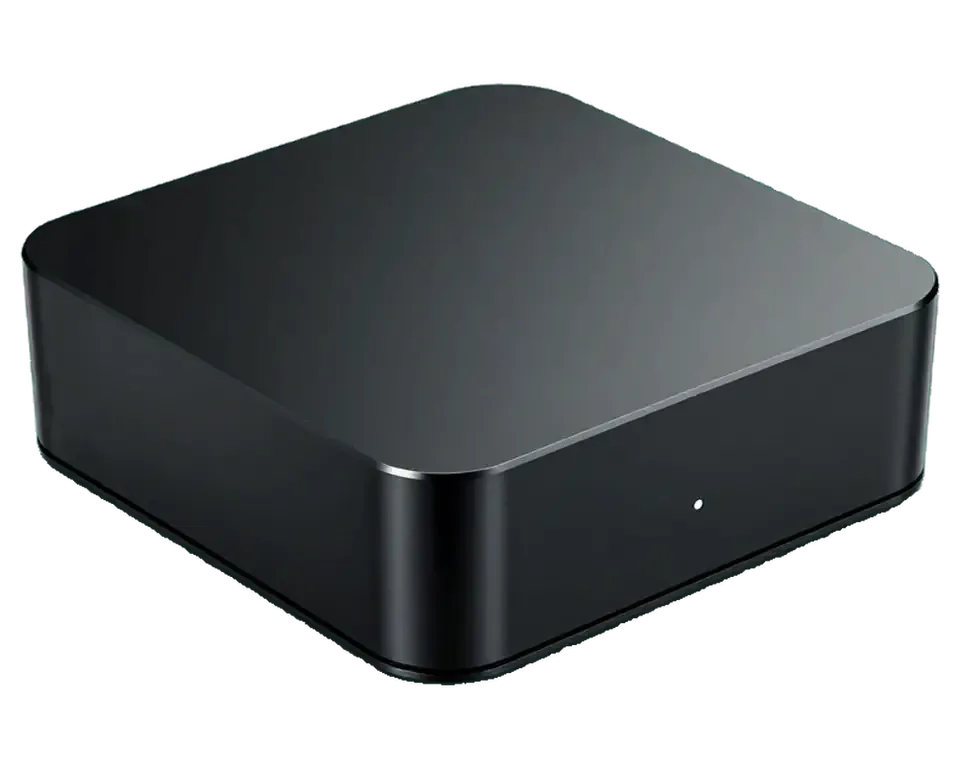
Black Apple TV 4K 2 media player with its remote control
Apple TV 4K 2 repair
Power supply repairfrom 27 900 ₸
Software update and restorefrom 10 900 ₸
Dust cleaningfrom 6 990 ₸
All services and prices

What usually breaks on Apple TV 4K (2nd generation)

Requests for this set-top box involve power, the picture on the TV, the network and the Siri Remote — here are the common cases.

01

The set-top box won't turn on

No indicator light, the case stays cold, and the box ignores the remote and buttons

02

Black screen while running

The box is humming, but the TV shows no signal on the selected input

03

HDMI picture drops out

The image flickers, stripes appear, and the sound lags or disappears when the cable moves

04

Overheating and fan noise

The case gets very hot, the fan is louder than usual, and the box slows down

05

tvOS boot failures

The Apple logo hangs, the update aborts, and the box gets stuck in a reboot loop

06

Wi-Fi network not found

The network list is empty, the connection drops, and streaming video keeps buffering

07

Ethernet port is dead

The cable is plugged in, but the box doesn't get an address and has no wired internet

08

Siri Remote doesn't respond

Buttons don't work, the cursor doesn't move, and voice requests don't start

09

The remote won't charge

Lightning is connected, but no charging indicator appears and the remote drains quickly

10

The box loses pairing

The remote disconnects after sleep, and you have to pair it with the Apple TV again

11

iPhone remote control freezes

The remote widget can't find the box, and commands arrive late or not at all

12

Video settings are broken

The TV rejects the chosen HDR format, and the picture vanishes after a resolution change

How much Apple TV 4K (2nd generation) repair costs

We quote the price after checking the set-top box and the remote: it depends on what has failed — power, the port, the board or the firmware.

ServiceOriginalAftermarket
Apple TV 4K 2 power supply repair49 900 ₸27 900 ₸
Apple TV 4K 2 HDMI port replacement38 900 ₸21 900 ₸
Apple TV 4K 2 charging port replacement29 900 ₸16 900 ₸
Apple TV 4K 2 fan replacement19 900 ₸10 900 ₸
Other repairsPrice
Apple TV 4K 2 software update and restoresoftware restore, no parts replaced10 900 ₸per job
Apple TV 4K 2 dust cleaningdisassembly and dust cleaning6 990 ₸per job
Apple TV 4K 2 logic board repairmicrosoldering · 1–3 days25 900 ₸per job
Apple TV 4K 2 water damage cleaningcorrosion cleaning · diagnostics up to 2 days13 900 ₸per job

If the repair turns out not to be worthwhile, the technician will say so in advance and suggest a sensible option.

When an original part is better for the set-top box, and when an analog is fine

The choice concerns the power board, the HDMI port and the remote: it affects stability and familiar controls.

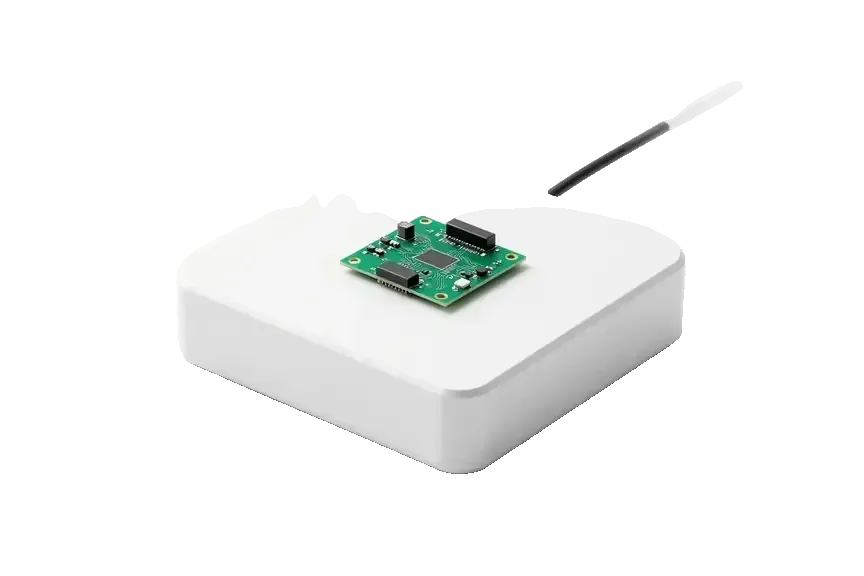
Original Applewarranty up to 1 year
Apple TV 4K 2
Original power supply board for Apple TV on a white box
Compatibility
Fits the board revision of this exact model
Remote
Siri Remote with voice control and touch surface
Heat
Thermal behavior close to factory
Warranty
Up to 1 year on the work performed
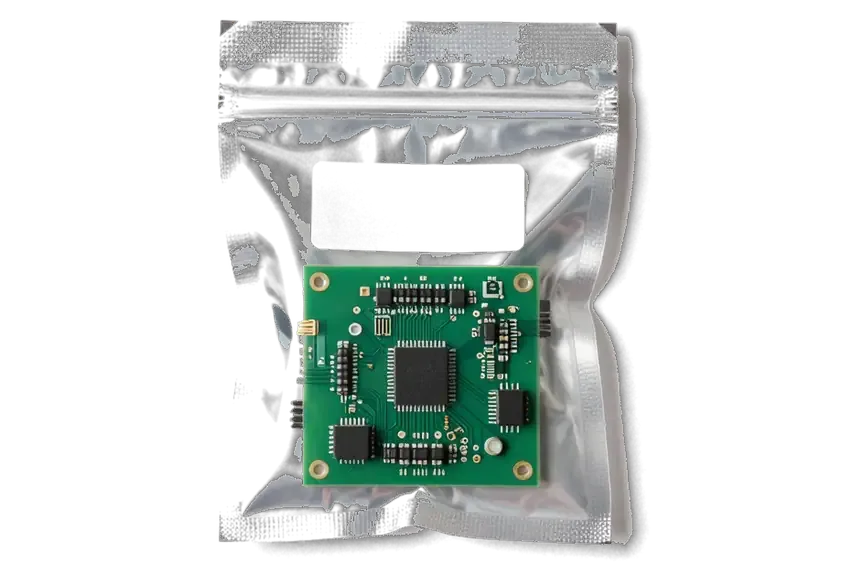
Aftermarket
Apple TV 4K 2
Analog power supply board for Apple TV in an antistatic bag
Compatibility
The technician selects it for the specific board
Remote
May lack the microphone and touch panel
Heat
Depends on the quality of the batch's components
When appropriate
When an original part is hard to find

Why people bring Apple TV 4K to iServices in Almaty

We accept the set-top box together with the remote and check both devices, and we agree on the price before repair begins.

11years

Eleven years with Apple technology

Over eleven years of work we've learned how power boards and ports differ across Apple TV generations, and we don't confuse the 4K versions with each other.

1year

Warranty up to 1 year

We give a warranty up to 1 year on the repair performed, and the technician spells out the exact terms before the set-top box goes into service.

0₸

Set-top box and remote together

We check both the Apple TV and the Siri Remote: sometimes the box is fine and commands simply don't arrive because the remote is discharged or frozen.

32checks

We check the cable and TV first

We connect the box to a working screen and a high-speed HDMI cable so we don't repair what works and don't charge for unnecessary work.

2options

Experienced technicians

Experienced technicians handle the set-top boxes: they check power, ports and the tvOS software rather than replacing parts at random.

7days a week

Easy to drop off

We're open Monday to Friday from 10:00 to 19:00, and on weekends and holidays from 11:00 to 18:00 — it's easy to drop the box off on your way.

What Apple TV were like before and after repair

1 / 3
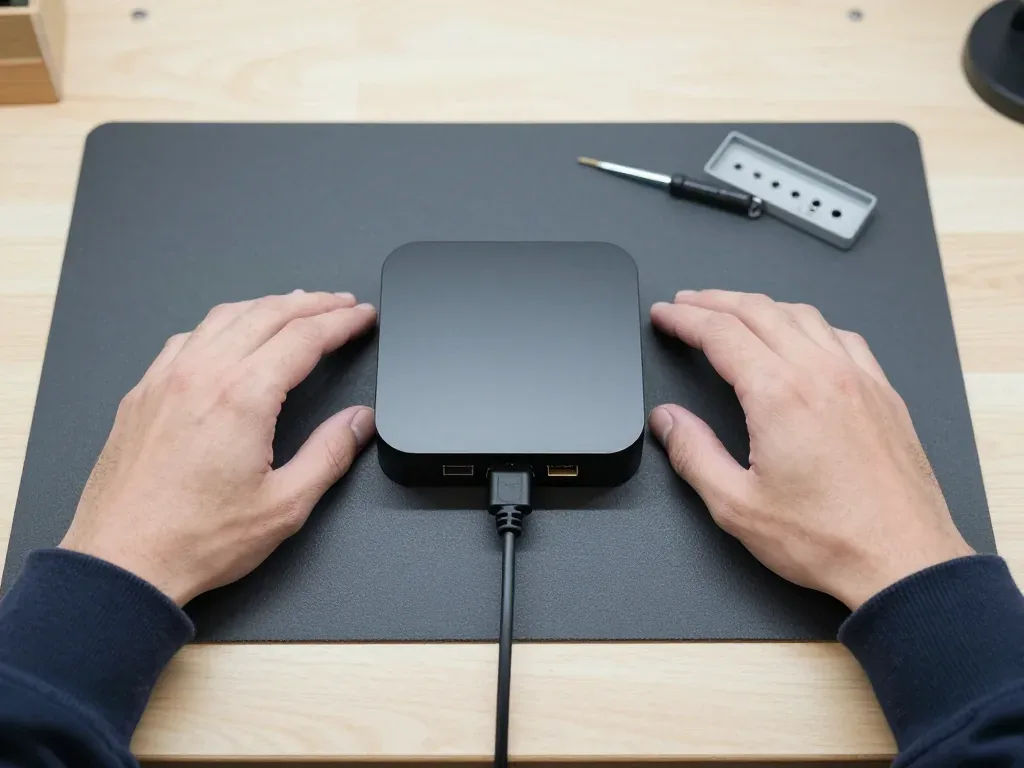
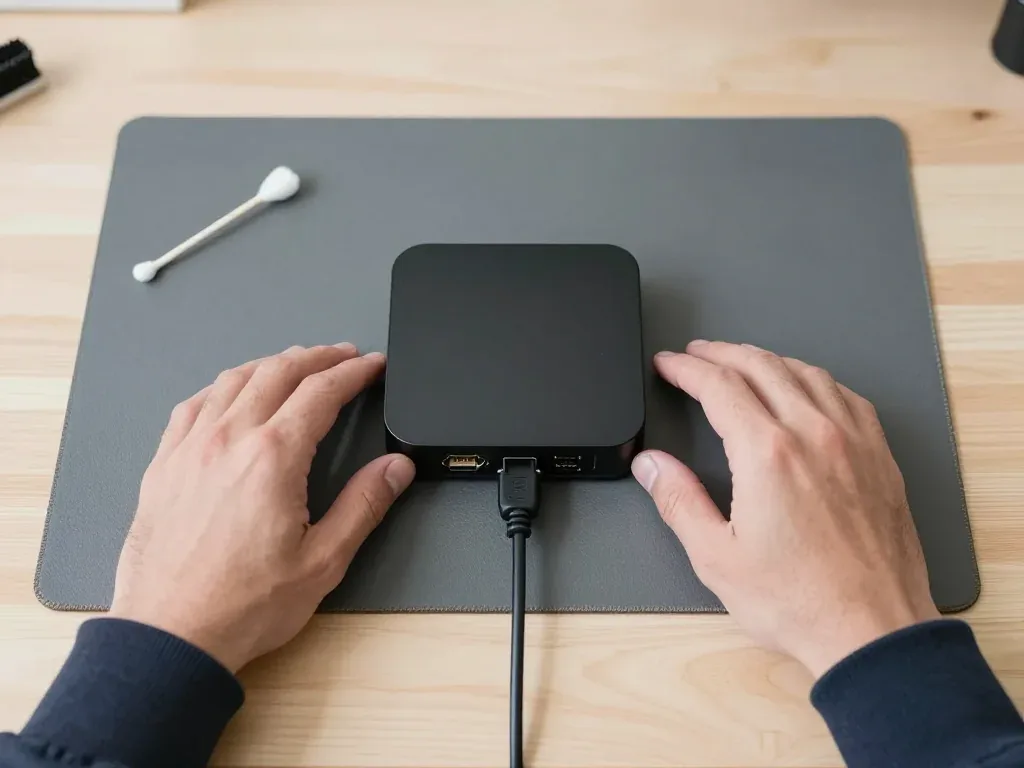
Second-generation Apple TV 4K on a mat with the cable plugged in, technician's hands on both sides

Apple TV 4K 2: won't turn on, no light

The client brought the box in after a voltage spike at home — the indicator stayed dark and the remote got no response. We opened it up, found a faulty component in the power supply, replaced it and checked the startup — the Apple TV works again.

from 27 900 ₸repair cost
I want the same
Apple TV 4K box on a mat with an HDMI cable plugged in at the back, indicator light on

Apple TV 4K 2: no picture on the TV

The client brought the box in after moving: the HDMI cable sat loose in the port and there was no picture on the TV at all. We replaced the HDMI port on the board and checked the picture — the box is showing again.

from 21 900 ₸repair cost
I want the same
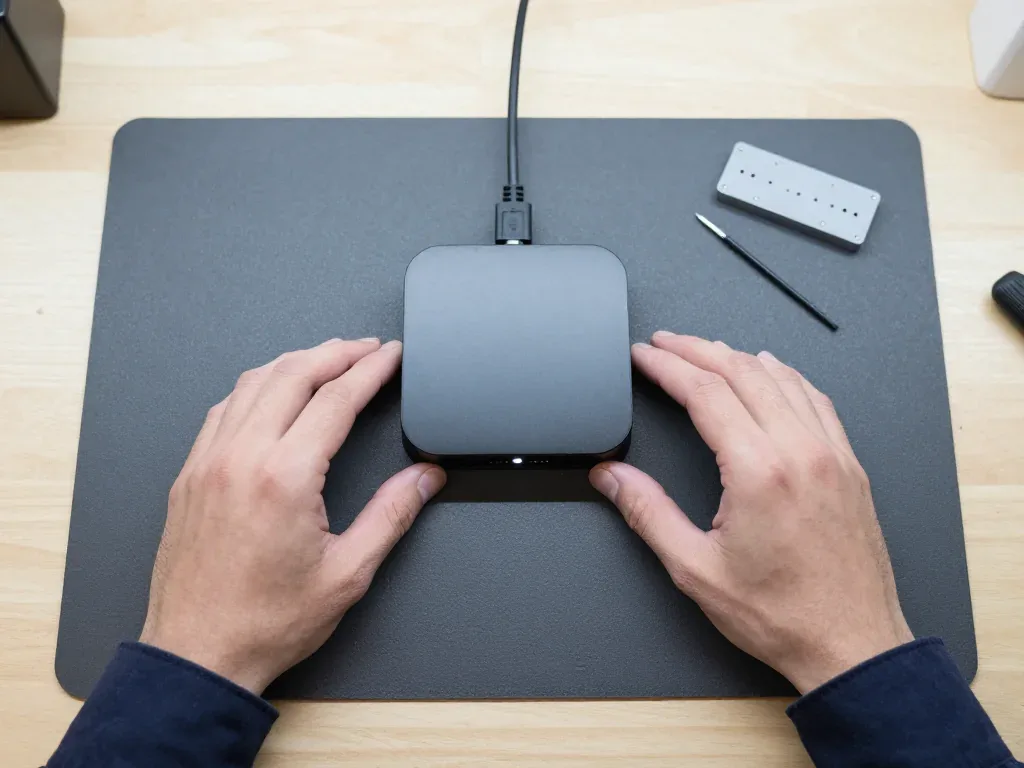
Second-generation Apple TV 4K on a mat after cleaning, cable plugged into the back, technician's hands on both sides

Apple TV 4K 2: overheating and freezing

A customer in Almaty complained the box was getting hot and video kept stuttering. We opened it up, cleaned out the dust, replaced the thermal paste and checked it — the case now stays at a normal temperature and the freezing is gone.

from 6 990 ₸repair cost
I want the same

Bringing your Apple TV 4K 2 to Almaty what happens next

Usually the whole journey — from message to pickup — takes less than an hour; complex repairs follow the timeline in the receipt.

Book a repair
  1. Step 1

    Message or call

    5 min

    You send a photo of the damage on WhatsApp — we quote the price and available time. Or you call a courier.

  2. Step 2

    Free diagnostics

    15 min

    An engineer checks the device in front of you and shows what is broken. 0 ₸, even if you decline the repair.

  3. Step 3

    Price in the receipt

    2 min

    We fix the price, the part (original or analog), the timeline and the warranty. You sign — we start.

  4. Step 4

    Repair while you wait

    20–40 min

    Before installation we show you the new part in its factory packaging. You wait in the waiting area with coffee and Wi‑Fi.

  5. Step 5

    Post-repair check

    10 min

    Picture, sound, remote, Wi‑Fi, HDMI. You check them together with the engineer.

  6. Step 6

    Pick up your device

    warranty up to 1 year

    Together with the receipt, warranty card and the old part. Payment — Kaspi, card or cash.

Who will fix your Apple TV 4K 2

Technicians for iPhone, Mac, iPad, Apple Watch and AirPods repair.

1 / 6
MNMukhpilov Nail — smartphone repair technician, iServices service center in AlmatyPhoto: Mukhpilov Nail

Mukhpilov Nail

smartphone repair technician
10years of experience
4.83rating, 83 reviews
MRMolchanov Rinat — Apple repair and diagnostics engineer, iServices service center in AlmatyPhoto: Molchanov Rinat

Molchanov Rinat

Apple repair and diagnostics engineer
10years of experience
4.85rating, 33 reviews
SAShokan A — diagnostics technician, iServices service center in AlmatyPhoto: Shokan A

Shokan A

diagnostics technician
8years of experience
5.0rating, 37 reviews
SBSybanbaev Birzhan — firmware specialist, iServices service center in AlmatyPhoto: Sybanbaev Birzhan

Sybanbaev Birzhan

firmware specialist
7years of experience
4.75rating, 74 reviews
DGDenis Gushchin — display replacement technician, iServices service center in AlmatyPhoto: Denis Gushchin

Denis Gushchin

display replacement technician
20years of experience
5.0rating, 34 reviews
DADuisebaev Azhdar — connector replacement technician, iServices service center in AlmatyPhoto: Duisebaev Azhdar

Duisebaev Azhdar

connector replacement technician
7years of experience
4.3rating, 35 reviews
Gamid K, phone repair technician
“If the repair didn’t suit you or you have a complaint, write to me personally.”
Gamid Kphone repair technician · +7 701 333-47-01

We'll quote Apple TV 4K 2 repair in Almaty from a photo in 5 minutes

Send a photo of the fault — an engineer will reply on WhatsApp, give the price and a time you can come in.

  1. 5 minAn engineer replies and names the price
  2. 0 ₸Diagnostics in front of you in 15 minutes
  3. 30 minMost repairs — while you wait

Apple TV 4K 2nd Generation Repair in Almaty at iServices

In short

At iServices we repair the Apple TV 4K 2nd generation in Almaty as a direct contractor with our own technicians, not an aggregator. Free 15-minute diagnostics in front of you, a choice of original or aftermarket part, and warranty up to 1 year. Most board-level work takes 1–3 days.

Mukhpilov NailWe reply on WhatsApp within 10 minutes
Ask

Why the Apple TV 4K 2 repair stops powering on

When the box ignores the remote and the indicator stays dark, the device is rarely beyond saving. A specific node has failed, and the first step is figuring out which one.

The Built-In Power Supply and What a Voltage Spike Does to It

The Apple TV 4K 2nd generation has its power supply built into the chassis, so a voltage spike hits the board directly rather than an external adapter. That design removes a cheap sacrificial part from the chain: there is no separate brick to burn out first. A surge from the mains, a faulty socket or a storm-induced jump travels straight to the input stage of the supply and to the system mainboard behind it. We see this pattern often after outages in older apartment blocks, where the voltage returns unevenly. A surge frequently damages only the input stage of the supply, which is why the box can look completely dead yet still be repairable without swapping the entire mainboard.

Dead Indicator vs Blinking Indicator and What Each One Means

How indicator behaviour maps to the failed node
Indicator stateLikely causeWhat we check first
No light at allPower supply input stagePower path and board
Blinking repeatedlyBoot failuretvOS restore, then board
Solid, no pictureHDMI outputCable, port, board
Light, reboots in loopFirmware or storageRestore, then storage

How We Confirm the Fault in 15 Minutes

We run free diagnostics in front of you for 15 minutes, even if you decide not to repair, and show exactly which node failed. The engineer opens the unit on the bench, measures the power path with a meter and traces where the voltage stops. You watch the readings change as the probe moves, and the dead section becomes visible on the board itself. If the fault sits deeper, the unit goes under the microscope and the check extends. Nothing is quoted before that step, and nothing gets swapped on a hunch. Watching the check happen is what separates a real diagnosis from a guess — you see the meter readings and the board, not just a verdict.

No signal on the TV and Apple TV 4K 2 repair HDMI port

"No signal" is the most common reason owners call us, and in roughly half of those calls the Apple TV is not the guilty party. Here is how to rule out the cable and the television first.

Check the Cable and TV Input Before You Blame the Box

  • Try a second cable: a damaged HDMI cable produces the same black screen and the same "no signal" message as a failed connector.
  • Switch the TV input: confirm the television is set to the source the box is plugged into.
  • Test on another TV: a working set with a known-good lead rules the television out in under a minute.
  • Watch for flicker: intermittent dropouts that come and go point to the lead or the socket, not to tvOS.
  • Note HDR behaviour: a lead rated for older standards can blank the picture only on 4K HDR content.

When the HDMI Port Itself Is Damaged

A bent or loose HDMI port on the Apple TV 4K 2nd generation is replaced at board level, and we show the new part in factory packaging before fitting it. The connector is soldered to the main board with fine-pitch legs, so the work needs a hot-air station and a steady hand rather than a simple plug-in swap. We order both original and aftermarket connectors and tell you which one goes in before work starts — 64% of our customers pick the original part. A wiggling socket usually means cracked solder joints underneath, so the fix is reflowing the pads and fitting a fresh connector rather than condemning the whole mainboard.

Board-Level Work Under the Microscope

Board repair on the Apple TV 4K 2nd generation is done under a microscope and typically takes 1–3 days. A dead HDMI output often traces back to a broken trace, a shorted capacitor or a damaged filter coil near the connector, and those parts sit close enough together that the naked eye cannot separate them. Under magnification we follow the signal path from the socket inward, find the exact break and replace only that component. Microscope work lets us trace a broken trace or a shorted component instead of condemning the entire mainboard, which keeps the original hardware in place and preserves every function the box shipped with.

Boot loops and tvOS restore for Apple TV 4K 2 repair

An endless reboot or a freeze on the logo is more often software than hardware. We explain the order of steps we follow and when the fault finally leads to the board.

Restoring tvOS Without a Service Port

The Apple TV 4K 2nd generation has no service port, so tvOS is restored over the network or by a full reset rather than a cable. The older Apple TV HD carried a USB-C port for exactly this job, which is why some guides still tell owners to plug in a laptop — that step does not apply to this model. On the 4K 2 we start with a factory reset from the Settings menu, then let the box pull the current tvOS build over Wi-Fi and reinstall it from scratch. A restore wipes settings but not your purchases, which stay tied to the account — so a software fix costs you nothing in content. If you need apple tv 4k 2 repair in Almaty, this is the same restore sequence we run in the workshop before any hardware work begins.

What a Failed Update Leaves Behind

An interrupted update can leave the box stuck in a boot loop, and we first attempt a clean tvOS restore before touching the hardware. A power cut in the middle of an update, a dropped Wi-Fi link or a stalled download is enough to corrupt the image the device tries to load on every start. A blinking indicator on the front usually points to a boot failure rather than a dead power supply, which is the case we handle in the workshop every week. If the loop returns right after a successful restore, the storage or mainboard is the real culprit — software keeps failing because the hardware cannot hold the image.

When the Loop Points to the Board

If restores keep failing, we move to mainboard diagnostics under the microscope, which usually takes 1–3 days. The NAND storage chip and the power rails that feed it are the first suspects: a worn cell that loses data on reboot, or a rail that sags under load, will drop the box back into the same loop no matter how many times the software is rewritten. We test the rails under load, reflow the joints around the storage and, where the chip itself is failing, replace it and reflash tvOS. A box that boots only when cold and loops once warm is a classic sign of a failing component that a restore can never fix.

Siri Remote Repair and Network Faults on the Apple TV 4K 2

The remote and the network are handled separately from the box itself, and each follows its own diagnostic path. Here is what we actually repair in both cases.

What We Fix Inside the Siri Remote

Parts and symptoms we handle in the remote
Remote partSymptomWhat we do
BatteryDies fast, won't hold chargeReplace the cell
Lightning portWon't charge at allClean or replace the port
Touch surfaceCursor jumps or sticksRepair or replace the panel
ButtonsUnresponsive clicksClean or replace contacts
MicrophoneSiri doesn't hear youCheck the mic module

Wi-Fi Drops, Ethernet and Buffering

The Apple TV 4K 2nd generation has both Wi-Fi and an Ethernet port, so we test the wired path to separate a router problem from a failed network module. During diagnostics in Almaty, we plug the box into a known-good cable and watch whether streaming holds for ten minutes. If the wired link is stable while wireless drops every few minutes, the Wi-Fi and Bluetooth module or its antenna is the culprit. Buffering on a healthy connection often traces back to a weak module rather than to your internet plan. A router reset will never fix a failing module — it only masks the symptom for an evening.

Heat, Dust and the Cooling Fan

The Apple TV 4K 2nd generation has a cooling fan, and a dust-clogged fan is a common cause of overheating and shutdowns. Air enters through the chassis vents, and in a flat with pets or near a radiator the fins fill up within a couple of seasons. When the fan cannot move enough air, the chip throttles and the picture stutters or the box reboots mid-film — a pattern owners often mistake for a software freeze. Technicians open the unit, clear the fins and the fan blades, and check that the bearing still spins freely. A cleaned fan restores stable playback without any board work. The fanless 3rd generation does not collect dust this way, so this model needs the check more often.

Is Apple TV 4K 2 repair worth it and how the visit works

Before you carry the unit in, it helps to know whether the repair is justified and how the visit itself runs. Both answers sit below, in the order a customer usually needs them.

Repair or Replace the Apple TV 4K 2

A power-supply or HDMI-port fault is usually worth repairing, while a failed mainboard on an old unit may not be. The supply, the HDMI port and the Siri Remote are the parts that fail most often, and each one is a contained job rather than a rebuild of the whole device. A mainboard failure is different: it calls for microscope work and 1–3 days, so the decision turns on how much the unit still does for you. The 2nd generation still handles 4K HDR and has Ethernet, so a targeted repair keeps a capable device in service rather than replacing it outright. The 3rd generation runs without a fan and adds HDR10+ and a faster chip, which matters only if you are already considering an upgrade.

What the Receipt Fixes Before Work Starts

Before any work we fix the price, the component (original or aftermarket), the turnaround and the warranty on the receipt, and we show the new component in factory packaging. The record takes about 2 minutes to write and covers the four things customers ask about most: what is being changed, which component goes in, how long the job runs and what happens if it fails again. You choose between an original and an aftermarket item before installation, and 64% of our customers pick the original. The old item goes back to you with the device, together with the warranty card. A written receipt is what protects you if the same fault returns — the warranty up to 1 year is only as good as the record behind it.

Checking the Device at Pickup and Courier Options

At pickup you check the picture, sound, network and remote together with the engineer, and a courier across Almaty takes 90 minutes, free with a repair. The handover check runs about 10 minutes and covers 32 functions, including 4K HDR output, Ethernet and Wi-Fi, the Siri Remote pairing and audio through the HDMI port. While the work is done you can wait in the waiting area with coffee and Wi-Fi, since 72% of repairs finish while the customer waits. Payment is by Kaspi, card or cash, and the receipt, warranty card and old item leave with you. Testing the remote and network at the counter catches the faults that only show up once the unit is back on your own TV.

Summary: Apple TV 4K 2 repair

Five checks decide whether the box goes on the bench: the indicator colour, the HDMI path, the power input stage, the Siri Remote and the network module, and a written receipt.

  • Indicator colour: a dark light points to the power path, a blinking one to a boot failure — read it before opening anything.
  • Cable and input first: a bad HDMI cable mimics a dead port exactly, so test both before blaming the socket.
  • Power input stage: the built-in supply takes voltage-spike damage at the input, which keeps the repair off the whole mainboard.
  • Remote and network: the Siri Remote and the Wi-Fi module are repaired as separate units from the box itself.
  • Written receipt: the part, turnaround and warranty fixed on paper are what make a repair worth doing at all.

Frequently asked questions about repairing this set-top box

Did not find an answer? Message us on WhatsApp: an engineer replies, not a bot.

Ask a question
Why doesn't Apple TV 4K (2nd generation) respond to the remote or buttons?

First check the power and try charging the Siri Remote via Lightning. If the indicator on the box doesn't light up, the internal power supply is most likely at fault, and an on-site diagnostic is needed.

Can the Siri Remote be repaired separately from the set-top box?

Yes, we accept the remote on its own too: the technician will check the charge, the Lightning connector and the buttons. If the remote won't pair, it's better to bring the set-top box as well so we can tell which side is failing.

Why does the set-top box get hot and the fan run louder than usual?

Dust builds up inside the case over time, making it harder for the fan to cool the board. Cleaning the cooling system restores quiet operation, and the technician will also check whether the power supply is overheating.

What should I do if the Apple TV stopped turning on after a thunderstorm?

A voltage surge likely damaged the power board. The main board often remains intact, so the repair usually comes down to restoring power after checking the voltages.

Why doesn't the TV show a picture from the set-top box?

The cause may be the HDMI cable, the selected HDR format or the box's port itself. We test the box with a known-good cable and screen so we can name the culprit precisely.

Will my movies and apps be preserved after tvOS recovery?

Yes, purchases are tied to your Apple account, not to the box's storage. After recovery, just sign in to your account and download the apps you need again.

Customer reviews of Apple TV 4K (2nd generation, 2021) repair

1 / 3
4.9

average rating on Google Maps, wikicity and our website · 445 reviews
Google Maps4.438 reviews ›wikicity5.015 reviews ›Reviews on the iServices website5.0392 reviews ›
АИ
Александр И.Order No. IS‑2212‑•••29 · 7 December 2022
Apple TV 4K (2nd generation, 2021) · system

Apple TV 4K (2-го поколения 2021) подвёл: после обновления приставка перестала нармально запускаться. После обращения проверили систему и восстановили запуск.

iServices customer review, in Russian
АМ
Асем М.Order No. IS‑2302‑•••14 · 19 February 2023
Apple TV 4K (2nd generation, 2021) · charging

Apple TV 4K (2-го поколения, 2021) подвёл: блок питания работал нестабильно. Ребята проверили цепь питания.

iServices customer review, in Russian
КЕ
Куаныш Е.Order No. IS‑2602‑•••00 · 10 February 2026
Apple TV 4K (2nd generation, 2021) · sound

У моего Apple TV 4K (2-го поколения 2021) звук перестал корректно выходить на колонку. После обращения проверели аудиоподключение.

iServices customer review, in Russian
Showing 3 of 3See all reviews

Other Apple TV models in Almaty

Where to get Apple TV 4K 2 repair in Almaty

Address
Kabanbay Batyr St., 260a, at the corner of Dzhambul and Auezov streets (entrance from the courtyard)
Opening hours
Mon–Fri 10:00–19:00Sat–Sun 11:00–18:00
Phone and messengers
+7 727 339-99-12WhatsApp: +7 701 333-47-01
Directions map: iServices Almaty — Kabanbay Batyr, 260a© OpenStreetMapFind us on the maps: Google Maps · 2GIS