MN Photo: Mukhpilov Nail
Mukhpilov Nail
smartphone repair technician
10years of experience
4.83rating, 83 reviews

Mac mini Intel won't start, is noisy or loses the disk — we'll check it for free in front of you and name the cause before disassembly.
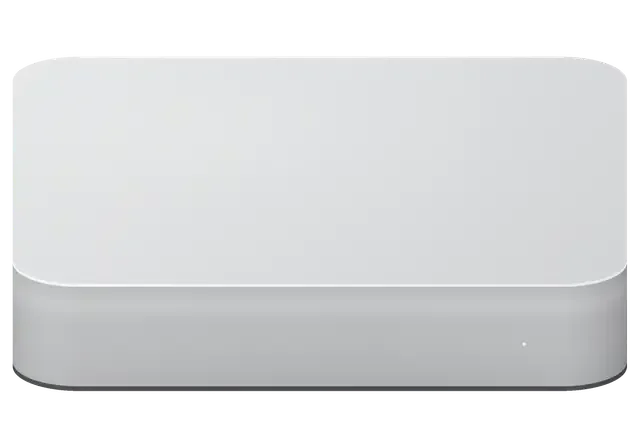
This model's weak points are related to power, storage and cooling. Let's look at the complaints owners most often come with.
Indicator is off, fan is silent. We check the power supply and startup circuit.
Fan is loud under no load. Usually dust in the heatsink or thermal paste is to blame.
Mac mini turns off during rendering or compiling. Looks like overheating or power drop.
System won't boot, question mark flashes. We check the cable, HDD and board connector.
Sounds from the drive mean mechanical wear. Replacement is needed while data is readable.
System lags when copying, SSD part is full. We check the condition of both drives.
After a power failure the drive vanished. We diagnose the controller and cable.
Cooler doesn't slow down after startup. Cause is temperature sensor or firmware.
Monitor sees no signal though the Mac runs. We check the HDMI port and video circuit.
External drive or dock drops by itself. Often the connector or controller is at fault.
Keyboard and mouse not detected. We check port power and front panel cable.
Cable was knocked or connector damaged. We'll reassemble carefully and test connections.
The table shows approximate prices for popular jobs. The final amount depends on diagnostics and chosen parts.
| Service | Original | Aftermarket |
|---|---|---|
| Power supply replacement | 58 900 ₸ | 32 900 ₸ |
| Fan replacement | 24 900 ₸ | 13 900 ₸ |
| USB-C / Thunderbolt ports replacement | 37 900 ₸ | 20 900 ₸ |
| Other repairs | Price | |
| SSD installationstorage installation | 48 900 ₸with parts | |
| RAM replacementmemory chip installation | 23 900 ₸with parts | |
| Dust cleaningdisassembly and dust cleaning | 17 900 ₸per job | |
| Logic board repairmicrosoldering · 1–3 days | 25 900 ₸per job | |
| Wi-Fi module repairwireless module · board-level repair | 33 900 ₸with parts | |
| MacOS installationOS installation, no parts replaced | 10 900 ₸per job | |
For liquid damage recovery, we quote the price after inspection because damage may be hidden.
Both options are available for this model, and the choice depends on budget and plans for the computer.
For a desktop computer, precise diagnostics and a convenient reception schedule are important.
Over eleven years of work, we've studied the Mac mini Intel design and know where faults most often occur.
After repair, a warranty up to 1 year applies. If the problem returns, we'll sort it out and fix it.
The case is opened by experienced specialists, so cables and connectors remain intact.
First we find the cause for free, then we name the amount. No unexpected extra charges.
Service centers are in two cities, so you can visit whichever one is more convenient for you.
On Saturday and Sunday we accept from 11:00 to 18:00, on weekdays — from 10:00 to 19:00. Come when it suits you.
Usually the whole journey — from message to pickup — takes less than an hour; complex repairs follow the timeline in the receipt.
Book a repairYou send a photo of the damage on WhatsApp — we quote the price and available time. Or you call a courier.
An engineer checks the device in front of you and shows what is broken. 0 ₸, even if you decline the repair.
We fix the price, the part (original or analog), the timeline and the warranty. You sign — we start.
Before installation we show you the new part in its factory packaging. You wait in the waiting area with coffee and Wi‑Fi.
Startup and operation under load, ports, Wi‑Fi and Bluetooth, sound. You check together with the engineer.
Together with the receipt, warranty card and the old part. Payment — Kaspi, card or cash.
Technicians for iPhone, Mac, iPad, Apple Watch and AirPods repair.
Photo: Mukhpilov Nail Photo: Molchanov Rinat
 Photo: Shokan A
 Photo: Sybanbaev Birzhan
 Photo: Denis Gushchin
 Photo: Duisebaev Azhdar

“If the repair didn’t suit you or you have a complaint, write to me personally.”
Send a photo of the fault — an engineer will reply on WhatsApp, give the price and a time you can come in.
Mac mini Intel Repair in Almaty by iServices Experts
For Mac mini Intel repair in Almaty, iServices offers free 15-minute diagnostics in front of you, original or aftermarket parts, and a warranty up to 1 year. Most jobs finish in 1 hour to 1 day while you wait; board-level microscope work takes 1–3 days. Price, part, turnaround and warranty are fixed on the receipt before work starts.
A Mac mini Intel is a desktop Mac with an internal power supply, a cooling fan and an HDD, Fusion Drive or SSD inside. Some parts are serviceable, others need component-level work. Here is what sits where.
A Mac mini Intel has an internal power supply, a cooling fan, a 2.5-inch HDD, Fusion Drive or SSD, and on many models removable RAM, so the storage and memory are serviceable parts rather than soldered ones. The power supply feeds the board directly from the mains, with no external brick, and the fan pushes air across the aluminium chassis. Thunderbolt and USB ports sit on the main circuit assembly, while HDMI output runs through the same circuitry. Because the RAM slots and storage bay sit under the same bottom cover, a single opening gives access to both — which is why a storage upgrade and a memory upgrade are usually planned together rather than as two separate visits.
Unlike newer Mac mini models with soldered memory and storage, the Intel generation keeps a replaceable drive and, on many versions, removable RAM, which changes both the repair options and the cost of keeping the machine alive. On later designs the storage and memory are fixed to the board, so a failed component there means board-level work under a microscope. On the Intel chassis a dead 2.5-inch drive is a straight swap, and extra memory is a matter of fitting modules into the slots. That serviceability is the main reason an Intel Mac mini is still worth repairing rather than replacing — a failing drive is a swap, not a board-level job.
Before any part is ordered, the engineer confirms what actually failed. Diagnostics are free, done in front of you, and take about 15 minutes — even if you decide not to repair.
We run free diagnostics in front of the customer for about 15 minutes, opening the unit and showing exactly which component has failed before any work is agreed. Mac mini Intel repair in Almaty starts here, at the bench, with the failed part in plain sight. The engineer starts at the internal supply, then works through the fan, the startup drive and the logic board, pointing at each part as it is tested. Nothing goes to a back room and nothing is swapped out of sight — you watch the whole sequence at the bench. The findings go onto paper: what failed, what it affects, and which replacement options exist. Seeing the failed part yourself is what makes the later choice between an original and an aftermarket replacement an informed one rather than a guess.
After a power surge, the desktop may power on but behave erratically, or stay completely dead, because the internal supply and the logic board can be damaged independently. A surge travels through the mains adapter and hits the internal supply first; from there it can pass to the logic board and take out the Thunderbolt controller or the memory channels along the way. That is why a unit that lights up but drops its display or refuses to recognise drives is not necessarily a board write-off. Unplugging the unit and leaving it off until it is checked is safer than repeated power-on attempts, which can turn a supply fault into deeper component damage.
When the fault sits on the board itself, replacement is not an option — the work moves to a microscope. Here is what board-level repair covers and how long it takes.
We repair the logic board under a microscope, tracing the fault to a specific component rather than replacing the whole assembly, and this work usually takes 1–3 days. The bench setup is a stereo microscope, a temperature-controlled soldering station and a lab power supply used to feed the unit in isolation and watch current draw on a shorted rail. That combination lets an engineer find a failed capacitor, a burned power rail or a cracked solder joint without disturbing the rest of the assembly. The PCB carries the CPU, the memory and the power delivery stages, so a fault there can look like anything from a dead machine to random shutdowns — the same symptoms a failing supply produces. Component-level repair keeps the original PCB and the data tied to it, which a full swap would not.
A port that stops responding is usually a physical or controller fault, and we test each Thunderbolt, USB and HDMI connection separately to isolate whether the connector itself or the controller behind it has failed. Thunderbolt 3 on the Intel chassis carries display output, data and power over one connector, so a bent contact inside the shell can take out an external monitor while USB devices on the same branch keep working. The HDMI output runs through a separate path, which is why one screen lights up and the other stays dark. Physical damage — a cable yanked sideways, a plug forced in upside down — is the most common cause we see. A monitor that works on one output but not another points to the connector, not the display, so check the cable and the second output before assuming the graphics hardware is gone.
The storage inside holds everything the machine is worth, so data questions come before part questions. Here is how we treat the drive, the memory and a machine that will not boot.
We check whether the storage is readable before starting work, and where it is, your data is copied off or backed up so a repair does not cost you the files on it. An Intel mini can carry a spinning HDD, a Fusion Drive or a later SSD, and each behaves differently when it starts to fail: a Fusion Drive splits files across two devices, so a Time Machine backup is the cleanest way to keep a copy in one place. We read the storage on our bench first and tell you what state it is in prior to opening the unit. A failing disk often reads for a short window before it stops entirely, so backing it up first is more reliable than repairing around it and hoping it holds.
On this machine the drive is replaceable and, on many versions, so is the RAM, which means a slow machine can often be brought back with an SSD and more memory rather than a new computer. The older chassis takes two SO-DIMM modules, while later Intel versions solder memory to the board, so we confirm your exact version before quoting a scope. Swapping a mechanical HDD or Fusion Drive for an SSD cuts boot time and app launch delays noticeably, and adding memory keeps more apps open at once without swapping to disk. An SSD upgrade changes perceived speed far more than a memory upgrade on its own, so if only one is possible, the storage is the better first move.
A Mac mini Intel that powers on but will not reach the desktop may have a firmware or startup-disk problem rather than a hardware fault, and we separate the two before touching hardware. We test the machine in target disk mode, read the startup volume from another Mac, and run Disk Utility to see whether macOS can see and verify the volume at all. If the volume mounts, the fault is usually software: a corrupted system, a broken update or a damaged boot partition. If the storage is healthy and the system still will not start, recovery through a second Mac is the next step — worth trying before assuming the board has failed.
What most owners want to know last is also what matters most — how long it takes, what is guaranteed, and what they walk out with. Here is the full picture.
| Type of work | Typical turnaround | What we check before handover |
|---|---|---|
| Cleaning and fan service | from 1 hour to 1 day | Temperatures under load |
| Drive replacement | from 1 hour to 1 day | Startup disk and data transfer |
| Port repair | from 1 hour to 1 day | Each port with a test device |
| Power supply replacement | from 1 hour to 1 day | Power-on and stable output |
| Board-level repair | 1–3 days | Full function test after repair |
We fix the price, the part, the turnaround and the warranty on the receipt before work starts, show the new part in its factory packaging before installation, and give a warranty up to 1 year. The receipt is written in about two minutes, and a copy stays with you. You can choose an original part or an aftermarket one, and the receipt states which one goes in prior to any work on the case. Board work on the Mac mini Intel is done under a microscope, so the part list and the warranty cover the actual component, not a vague promise. Having the part and the warranty written down before the work begins is what lets you compare an original and an aftermarket option on equal terms rather than after the fact.
At handover you check the machine together with the engineer — ports, display output, drive and fan — and you leave with the receipt, the warranty card and the old part. We run a full function check across roughly ten minutes, and you watch each one rather than take our word for it. If you cannot come in, a courier collects and returns the unit across the city, free with a repair. Keeping the old part matters beyond sentiment — it is proof of what was actually replaced if a warranty question ever comes up. The engineer also confirms that the machine boots to the desktop and that the fan settles to its normal speed before you take it away, so nothing is left to discover at home.
A repair decision on an Intel-generation desktop comes down to a handful of facts: what is serviceable, what the symptoms point to, and what is agreed beforehand. The points below pull those facts into one place.
Did not find an answer? Message us on WhatsApp: an engineer replies, not a bot.
Ask a questionYes, in most models this is possible. We'll select a compatible SSD and transfer data if the drive is still readable. After replacement, we'll install macOS and check operation.
Most often due to dust in the heatsink or dried thermal paste. Cleaning and paste replacement usually solve the problem. If noise remains, we'll check the fan and sensors.
Check the power cable and outlet. If the indicator is off, the power supply or startup circuit is likely faulty. Don't disassemble it yourself — bring it for diagnostics.
In some Mac mini Intel models the memory is replaceable, and we can install higher-capacity modules. We'll determine the exact possibility after checking the configuration.
Immediately disconnect power and don't try to turn it on. Bring it to the service as soon as possible — the faster we clean the board, the fewer consequences.
Simple jobs like cleaning or drive replacement are done on the day of contact. Complex board repair may take several days. We'll give the exact time after diagnostics.
На Mac mini (2014) компьютер начал запускаться только со второй попытки. По результатам диагностики проверели блок питания и стабильность загрузки.
Mac mini (2014) подвёл: связь по Wi-Fi периодически пропадала. Ребята проверили модуль связи и настройки.
У моего Mac mini Intel (2018) компьютер неожиданно отключался во время работы. В айсервис проверили питание и причину перезагрузок.

 iPad
 MacBook
 iMac
 Apple Watch
 AirPods
 Apple Pencil
 Apple TV
 HomePod
