MN Photo: Mukhpilov Nail
Mukhpilov Nail
smartphone repair technician
10years of experience
4.83rating, 83 reviews

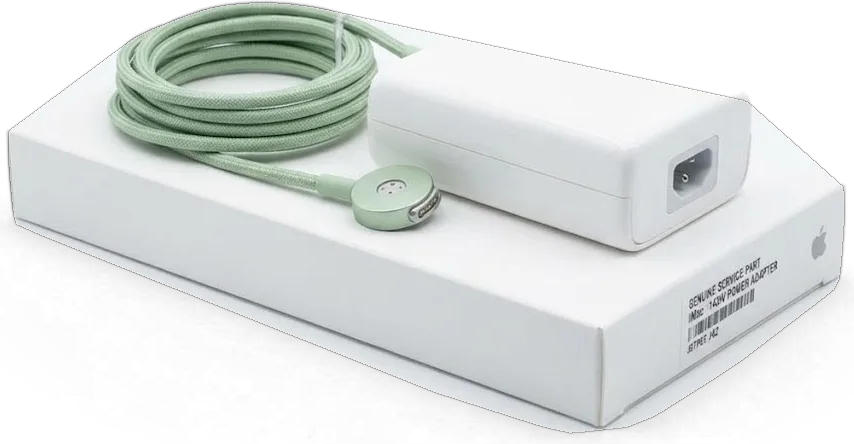
The all-in-one is noisy, overheating or won't turn on — we'll find the cause and fix it, and agree the price before starting work.

In this model the screen is glued on, and the memory is often soldered or hidden behind the matrix — it needs to be disassembled carefully and to the point.
Dust clogs the heatsink, the cooler runs at maximum, and the case gets hot.
The all-in-one is silent when the button is pressed — we check the power supply and board.
Artifacts on the matrix, dark corners or flickering — we check the cable and the display.
Memory or board failures cause sudden restarts; we test each component.
No boot, a folder with a question mark flashes — we check the drive and its connection.
Unusual sound from the case is often due to fan wear or the disk mount.
Dark dots on a light background — the adhesive layer and matrix need careful disassembly.
The network drops, keyboard and mouse won't connect — we check the antennas.
Speakers are silent or distort sound: we check the cable and audio path.
The SD card is not recognized, though it works elsewhere — we check the slot and contacts.
After spilled tea or water, disassembly and board cleaning are needed.
The disk is full, updates won't install — we'll check the drive and free space.
The table below shows approximate prices for the main works on this model. The exact amount will be given by the technician after inspection and diagnostics.
| Service | Original | Aftermarket |
|---|---|---|
| Display panel replacement | 254 900 ₸ | 157 900 ₸ |
| Power supply replacement | 110 900 ₸ | 61 900 ₸ |
| Fan replacement | 28 900 ₸ | 15 900 ₸ |
| Speaker replacement | 49 900 ₸ | 27 900 ₸ |
| Other repairs | Price | |
| SSD installationstorage installation | 46 900 ₸with parts | |
| RAM replacementmemory chip installation | 17 900 ₸with parts | |
| Dust cleaningdisassembly and dust cleaning | 19 900 ₸per job | |
| Logic board repairmicrosoldering · 1–3 days | 55 900 ₸per job | |
| Graphics card replacementboard-level chip · microsoldering | 71 900 ₸with parts | |
| Wi-Fi module repairwireless module · board-level repair | 53 900 ₸with parts | |
| MacOS installationOS installation, no parts replaced | 13 900 ₸per job | |
The final cost depends on the fault and the chosen part — check it with the technician after inspection.
For the display and storage, there are original and analog options. The choice depends on tasks and budget; we'll explain the difference during diagnostics.
It's not easy to bring an all-in-one to service, so we explain in advance how work with this model is organized.
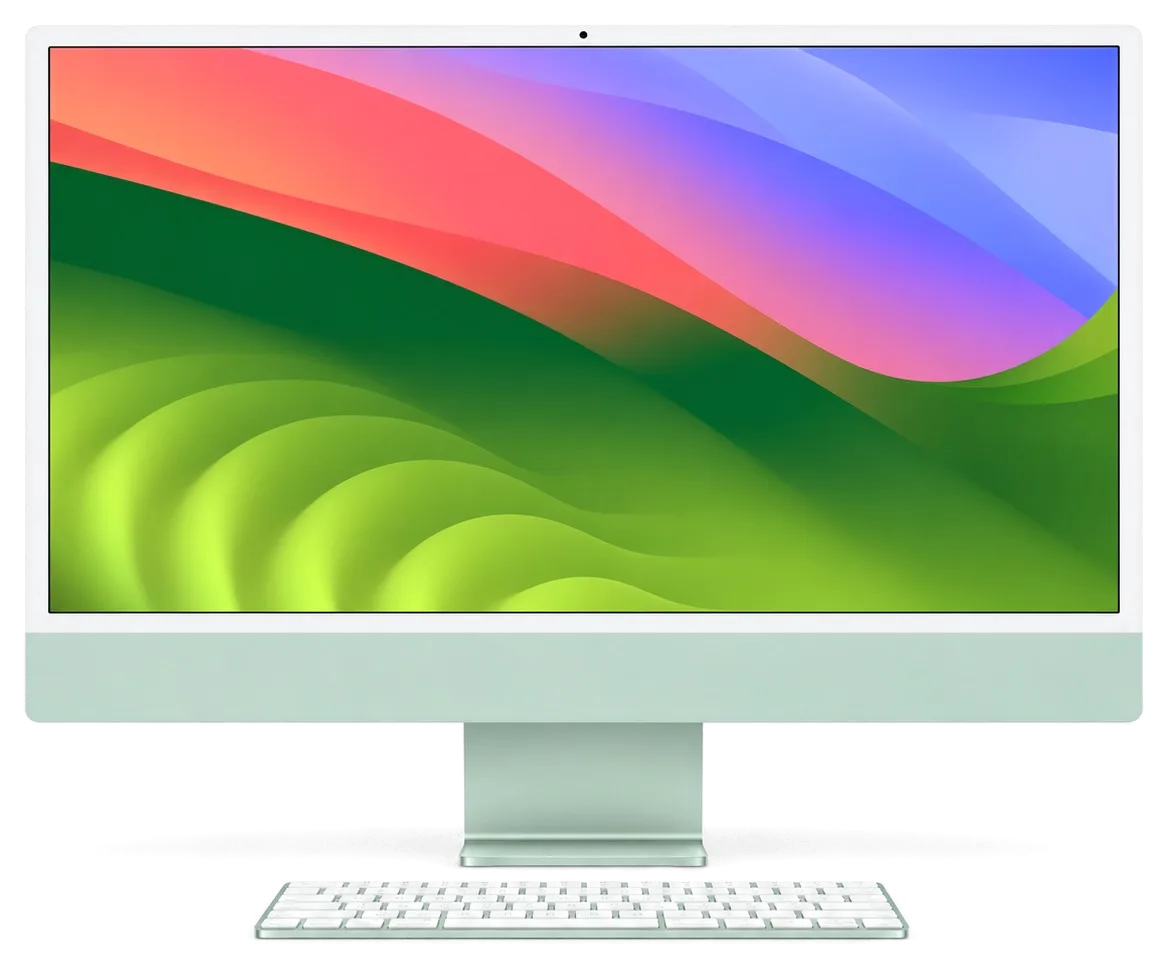
Eleven years of repairing Apple equipment: technicians know how to carefully open the glued screen of the iMac 21.5 without damaging the matrix.
We give a warranty up to 1 year on the work performed — the technician will explain the terms for your repair in advance, before disassembly.
iMac disassembly is done by experienced specialists: the glued screen requires precision and the right tools.
First we find out the cause of the fault, and only then we name the cost and list of necessary works.
We explain the difference between original and analog and won't push an expensive option if you don't need it.
We work on weekdays from 10:00 to 19:00, on weekends and holidays from 11:00 to 18:00 — come when it's convenient.
Usually the whole journey — from message to pickup — takes less than an hour; complex repairs follow the timeline in the receipt.
Book a repairYou send a photo of the damage on WhatsApp — we quote the price and available time. Or you call a courier.
An engineer checks the device in front of you and shows what is broken. 0 ₸, even if you decline the repair.
We fix the price, the part (original or analog), the timeline and the warranty. You sign — we start.
Before installation we show you the new part in its factory packaging. You wait in the waiting area with coffee and Wi‑Fi.
Screen, camera, microphones, speakers, ports, Wi‑Fi and Bluetooth. You check together with the engineer.
Together with the receipt, warranty card and the old part. Payment — Kaspi, card or cash.
Technicians for iPhone, Mac, iPad, Apple Watch and AirPods repair.
Photo: Mukhpilov Nail Photo: Molchanov Rinat
 Photo: Shokan A
 Photo: Sybanbaev Birzhan
 Photo: Denis Gushchin
 Photo: Duisebaev Azhdar

“If the repair didn’t suit you or you have a complaint, write to me personally.”
Send a photo of the fault — an engineer will reply on WhatsApp, give the price and a time you can come in.
iMac 21.5 Intel Repair in Almaty with Warranty up to 1 year
iServices handles iMac 21.5 Intel repair in Almaty with our own technicians, not through a middleman. We run free 15-minute diagnostics in front of you, offer a choice of original or aftermarket parts, and back every job with a warranty up to 1 year. Most screen, storage and cooling work is finished while you wait.
An Intel all-in-one ages in a predictable order: storage and thermal compound first, then voltage delivery and the display. Below is a symptom map showing which assembly to test first.
A spinning beachball, a slow login and a fan that never quiets down usually mean a worn HDD or dried thermal paste, not a dead logic circuit. A mechanical HDD in these bodies has often logged a decade of spin-ups, and its SMART status drifts toward caution long before it fails outright; meanwhile the compound between the CPU and heatsink hardens into a chalky layer that no longer transfers heat, so the fan ramps up under any load and macOS throttles the processor to protect it. The storage sits behind the display, so the same teardown that swaps the HDD also lets us refresh the CPU — plan both in one visit instead of two. If you are looking for an iMac 21.5 Intel repair in Almaty, this symptom map helps you describe the fault accurately before you arrive.
No power at all points to the internal supply or the logic board, while sound without picture points to the panel or its backlight. A chime with a dark screen narrows the fault to the backlight circuit or the video cable, and a flashlight angled at the glass often reveals a faint desktop image underneath. Random shutdowns under load split between the same two systems: a unit that sags when the GPU draws current, or a cooling path that lets temperatures spike. Because the PSU is built into Intel models, a dead unit gives no light and no chime — do not assume the main circuit is gone until the supply is measured with a meter.
| Symptom | Likely cause | What we check | Typical work |
|---|---|---|---|
| No power, no chime | Internal power supply | Voltage with a meter | PSU replacement |
| Sound but no image | Panel or backlight | Backlight, cable | Screen service |
| Lines or spots | Matrix or glass | Panel test | Matrix replacement |
| Loud fan, heat | Dust, dried paste | Temps at load | Clean and re-paste |
| Slow, beachballing | Worn HDD | SMART status | SSD upgrade |
| Random shutdowns | Cooling or PSU | Thermal and power test | Repair or replace |
Diagnosis follows a fixed order — power, then board, then display, then cooling. That order keeps us from replacing an expensive panel when the fault actually sits in a supply rail.
We run diagnostics free of charge and in front of you, and the check takes about 15 minutes even if you decide not to repair. The engineer opens the machine at the bench, probes the internal supply with a lab power unit and reads the temperature sensors while the Mac is still running. You watch the same readings on the screen: rail voltages, fan behaviour, storage health. Nothing is quoted from a back room, and nothing is added to a list later. On a 21.5-inch Intel machine the supply is built into the chassis, so a dead unit is not automatically a dead main circuit. Watching the engineer probe the power unit and read temperatures tells you more than any written estimate — you see the failing rail yourself before agreeing to work.
We measure the internal supply first, then the main circuit, then the display, then cooling, so the cheapest fix is ruled in or out before the costly one. Each step has its own reading: the supply under load, the main circuit's power rails, the panel's backlight and image, the fan speed against temperature. Only the stage that fails moves to the next level of work. A supply that reads correct at idle can still sag under load, so we test with the Mac running a stress loop rather than sitting on the desktop. This single step separates a failing power stage from a failing logic circuit more reliably than any symptom description over the phone.
An engineer replies on WhatsApp within 5 minutes and quotes a price from a photo, which is enough to plan a visit for most visible faults. Send a shot of the screen with the fault on display and a second one of the model label on the stand — those two images fix the exact configuration and narrow the part list before you leave home. We then name a free time slot and tell you whether the job looks like a wait-in-the-lounge repair or a longer bench case. Those two shots let the workshop have the right panel or storage ready when you arrive.
The display here is bonded with adhesive, not screws, so every internal job starts with a careful cut and ends with a fresh strip. That single fact shapes screen, drive and cooling work alike.
The front panel is held by adhesive, so we slice that bond with a special tool and re-glue it with a new strip on reassembly instead of prying it loose. Suction cups lift the freed edge evenly, and a thin cutting wire follows the original channel around the frame. Prying with a screwdriver concentrates force on one corner, and on this size a single chip spreads into a crack across the visible area. The matrix underneath is thinner than the outer sheet and flexes if the assembly is twisted during removal. Reused adhesive is the usual cause of dust creeping behind the glass weeks later, so we treat the new strip as a required item, not an optional extra.
Lines, spots and dead zones come from the matrix, while cracks and chips come from the glass, and we replace whichever part actually failed. Vertical stripes that stay in place when the image changes point to the panel itself, and pressure marks in a corner usually trace back to a knock on the bezel. A cracked outer sheet with a clean picture is a glass-only job, which costs less and takes less time than a full swap. Retina 4K assemblies on this size are matched to the board's display connector, so the replacement is ordered against the exact model identifier. A screen that shows an image but no backlight is often a supply fault, not a dead matrix — confirm the backlight rail before ordering.
| Work | What it fixes | Component choice | Notes |
|---|---|---|---|
| SSD upgrade | Slow boot, beachballing | Original or aftermarket | Data migrated on request |
| Cooling service | Fan noise, heat | Paste and cleaning | Done with the panel off |
| Memory | Low RAM | Depends on board layout | Soldered on some models |
| Thermal re-paste | Throttling under load | Quality compound | Tested under stress |
Data is the part of a repair you cannot swap for a new component. On this model the drive sits separately from the main circuit, but component-level faults still make a backup the first step.
Make a Time Machine or iCloud backup before any component-level work, because a circuit fault can leave the drive unreadable until it is repaired. On the 21.5-inch Intel model the 2.5-inch drive is a separate part, so a storage failure rarely touches your files directly — but a dead main circuit can cut power to that drive mid-write and corrupt the volume table. Time Machine to an external disk gives you a full restorable copy; iCloud covers documents and photos but not the system itself. If the Mac will not boot, pull the drive and copy it through a USB adapter first — recovering files after a failed circuit repair costs far more than a backup taken now.
We repair the logic board at component level under a microscope, and such work usually takes one to three days. A failed capacitor, a shorted power rail or a corroded trace after a liquid spill gets traced on the bench with a lab power supply and a soldering station, then reworked and tested under magnification. That is slower than swapping the whole board, but it keeps your original circuit and the parts tied to it in place. Component repair also preserves the serial-linked components of the module, which matters on Intel models where a replacement can drag in pairing issues. We show the failed component and the rework under the scope before the Mac goes back together.
When we replace the HDD with an SSD we migrate your files across, so the Mac comes back with the same desktop, apps and logins. The old HDD is cloned to the new one first, then macOS boots from the clone and we confirm the user account, documents and settings are intact before anything is erased. A failing drive sometimes copies cleanly but corrupts silently, so we verify the clone against the original — file counts, folder sizes, a test boot — prior to wiping anything. The original drive goes back to you with the receipt, so you keep a physical copy of your data. If the old disk is already dead, we tell you honestly what can and cannot be recovered.
A desktop is harder to move than a phone, so delivery and turnaround matter as much as the repair itself. Here is how the job is timed, documented and handed back.
Most display, drive and cooling jobs are finished while you wait, while board-level repair takes 1 to 3 days. A panel swap, an SSD replacement or a fan and thermal paste service is usually done while the customer sits in the waiting area with coffee and Wi-Fi — 72% of repairs are completed this way. For MacBook and iPad the turnaround is from 1 hour to 1 day, and the exact time is confirmed after diagnostics. Anything that needs the main circuit on the bench beneath the microscope goes to 1–3 days, because component-level work is scheduled rather than rushed. The whole visit from first contact to pickup usually takes under an hour for wait-able jobs, so bring the power cable and plan to stay rather than make two trips.
A courier can be called and crosses the city in about 90 minutes, free with a repair, but the machine must travel upright with the display protected. Keep the original carton if you still have it — the moulded inserts hold the stand and stop the panel from flexing. If not, wrap the glass in a soft cloth or bubble wrap, tape a stiff card over it, and belt the unit into the seat rather than leaving it loose in the boot. Never lay the monoblock face-down in a car boot — pressure on the glass is the most common way a working screen arrives cracked.
Price, part, turnaround and coverage are fixed on the receipt before work starts, and every job carries a guarantee up to 1 year. The paper is signed in about 2 minutes and states whether the replacement is original or aftermarket — 64% of customers pick the original — and the new part is shown in factory packaging before it goes in. At pickup you test the display, speakers, camera, microphones, charging and network with the engineer, and the device goes home with the receipt, the guarantee card and the old part. Ask for the removed component to be bagged and labelled with the serial number, since it proves which unit came out of your machine if a fault ever returns within the covered period.
A short recap of what matters most when a 21.5-inch Intel iMac starts to fail — what usually breaks, how the job is done, and how to protect your files and your device.
Did not find an answer? Message us on WhatsApp: an engineer replies, not a bot.
Ask a questionYes, in most cases the cause is found and fixed. The technician will check the power, cables and motherboard, then name the scope of work. Without diagnostics, an exact forecast cannot be given.
If the all-in-one boots, make a copy via Time Machine to an external drive or upload folders to the cloud. Board repair may affect the storage. If the iMac won't start, immediately tell the technician which data is important.
If you work with photo, video or color, choose the original — on 21.5 inches, color inaccuracies are more noticeable. For office tasks, an analog is usually sufficient. The choice is yours.
The final cost depends on the found fault and whether a part is needed or cleaning and soldering are enough. Approximate prices for works are in the table on this page. The exact amount will be given by the technician after inspection.
Immediately unplug it from the power and do not turn it on. The faster the all-in-one gets to disassembly and cleaning, the lower the risk of corrosion. Do not dry it with a hairdryer.
Most often the heatsink is clogged with dust and the fan lacks airflow. Check that the all-in-one is not placed close to the wall. Cleaning the cooling system usually restores normal temperature; this work is covered by a warranty up to 1 year.
На iMac 21,5″ Retina 4K (2019) система иногда зависала на старте. По результатам диагностики проверили загрузку и программную часть; Денис подсказал что действительно надо проверять.
С iMac 21,5″ (2017) вышла неприятность: компьютер сильно нагревался под нагрузкой. После обращения проверили терморежим и состояние охлаждения; Спасибо Аждар: разобрался с нюансами без лишних разговоров.
На iMac 21,5″ Retina 4K (2017) компьютер начал запускаться только со второй попытки. После обращения проверили блок питания и стабильность загрузки; Спасибо Денис: разобрался с нюансами без лишних разговоров.
Проблема была такая: компьютер начал запускаться только со второй попытки — и непонятно что делать. В итоге проверили блок питания и стабильность загрузки; Аждар показал, в чём была проблема.
С iMac 21,5″ (2015) вышла неприятность: система иногда зависала на старте. После обращения проверили загрузку и программную часть; Аждар не отмахнулся от моих вопросов.
На iMac 21,5″ Retina 4K (2017) при подключении внешнего накопителя появлялись ошибки. После обращения проверили порты и работу хранения данных.
У моего iMac 21,5″ Retina 4K (2017) связь по Wi-Fi периодически пропадала. В сервисе проверели модуль связи и настройки; Аждар не отмахнулся от моих вопросов.
На iMac 21,5″ (2015) после отключения электричества перестал включаться. После обращения зделали диагностику питания и восстановили запуск.
У моего iMac 21,5″ Retina 4K (2017) система иногда зависала на старте. В сервисе проверили загрузку и программную часть.
У моего iMac 21,5″ (2015) система иногда зависала на старте. Ребята проверели загрузку и программную часть.

Most slow iMacs are held back by a worn drive or too little memory. A short check shows which part is the real bottleneck.

Most dead iMacs trace back to power delivery or the logic board, and a free 15-minute check in front of you settles which one it is.

Most loud-fan cases trace back to dust-packed fins and dried thermal paste, not a dead fan. A free 15-minute check shows which one you have.

Back up your data, turn off Find My, and bring proof of purchase — then the repair starts faster.


 iPad
 MacBook
 Mac mini and Studio
 Apple Watch
 AirPods
 Apple Pencil
 Apple TV
 HomePod
