Your city

AstanaAstana, Kabanbay Batyr Ave., 7/2 · +7 727 339-99-12
Eng

iPhone SE 2 Repair in Almaty

A cracked screen or a battery that won't hold a charge on your iPhone SE 2 gets fixed with your data kept safe, and the work is guaranteed for a year.

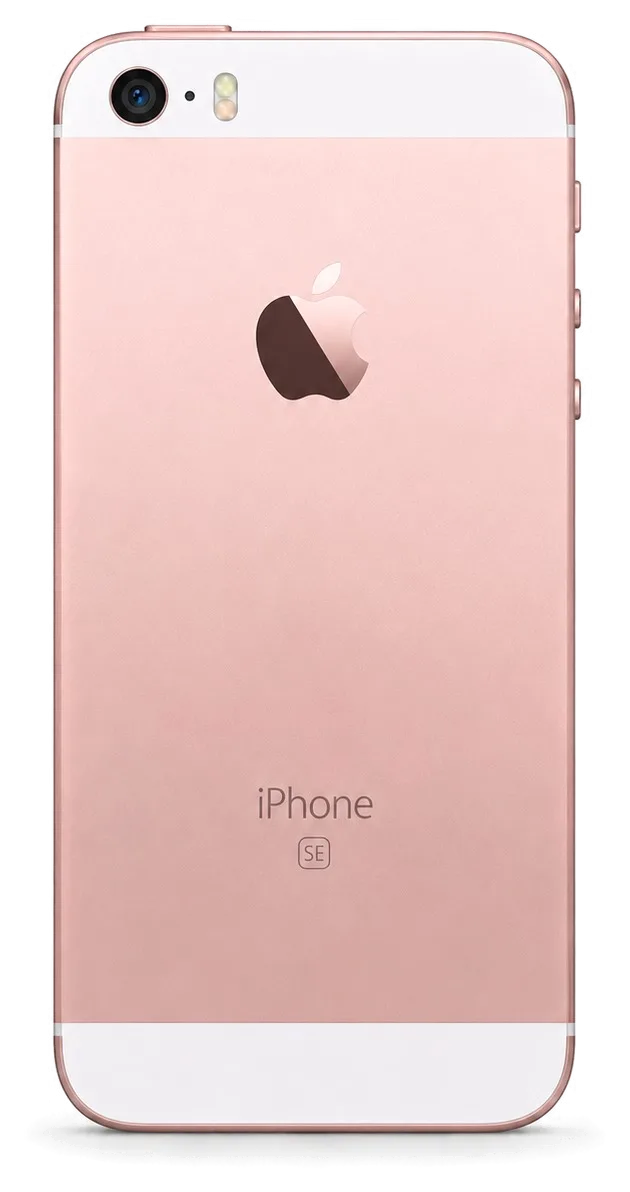
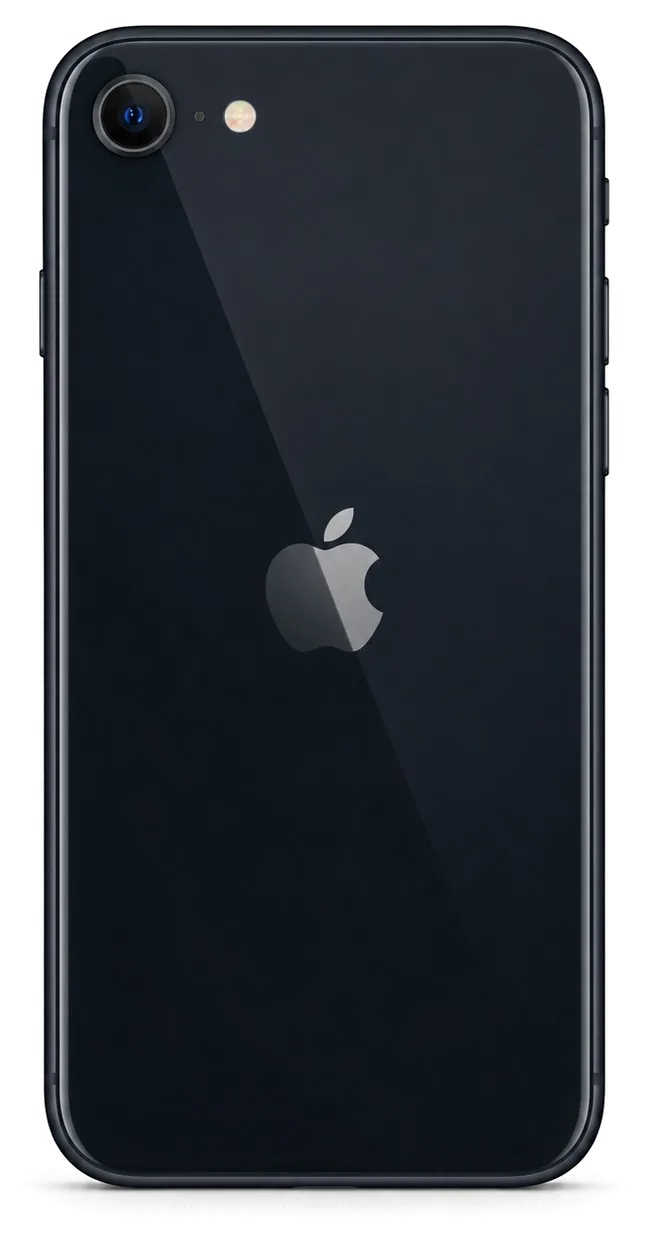
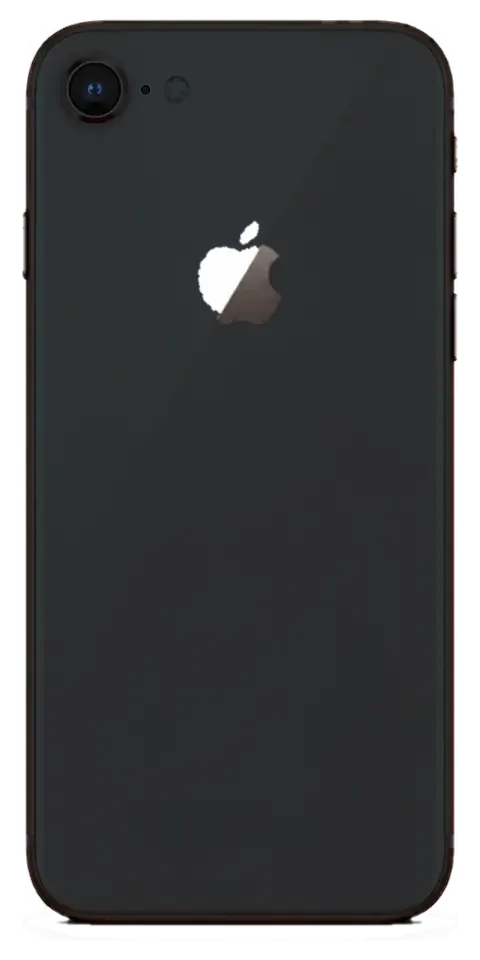
iPhone SE 2 in black showing the back side of the phone
iPhone SE 2, Black repair
Display replacementfrom 27 900 ₸
Battery replacementfrom 16 900 ₸
Housing replacementfrom 41 900 ₸
All services and prices

Common reasons people bring their SE 2 in for service

The compact SE 2 with its Home button and glass back needs attention over time: the screen cracks, the battery wears out, and Touch ID starts acting up.

01

Cracked LCD screen

Cracks, dark spots or lines on the display, and the touchscreen stops responding.

02

Worn-out battery

Charge drains fast, the phone shuts down early or dies in the cold.

03

Home button problems

Touch ID won't recognize your fingerprint, or the button doesn't vibrate when pressed.

04

Cracked glass back

The glass panel shatters on impact and the edges become sharp.

05

Wireless charging not working

The phone won't charge on the pad or keeps interrupting charging for no reason.

06

Swollen battery

The screen lifts away from the body and the back panel bulges.

07

Quiet or crackling speaker

You can barely hear the person on the call, and speakerphone crackles at high volume.

08

Microphone not working

People can't hear you on calls, and voice messages record with noise.

09

Camera won't focus

Photos come out blurry, the camera is noisy or won't open.

10

Lightning port won't charge

The cord needs jiggling and power keeps dropping off and on.

11

Volume buttons not working

Presses don't register or only work every other time, and you have to press harder.

12

No signal or weak reception

The phone takes ages to find the carrier, and the signal drops indoors.

How much SE 2 fixes cost in Almaty

See the prices for the main iPhone SE 2 repairs. The final cost depends on the part you choose — original or aftermarket.

ServiceOriginalAftermarket
Display replacement34 900 ₸27 900 ₸
Battery replacement28 900 ₸16 900 ₸
Housing replacement74 900 ₸41 900 ₸
Camera glass replacement19 900 ₸10 900 ₸
Main camera replacement51 900 ₸28 900 ₸
Charging port replacement27 900 ₸16 900 ₸
Microphone replacement32 900 ₸19 900 ₸
Display glass replacement46 900 ₸25 900 ₸
Back glass replacement40 900 ₸25 900 ₸
Front camera replacement35 900 ₸19 900 ₸
Home button replacement42 900 ₸25 900 ₸
Earpiece speaker replacement26 900 ₸15 900 ₸
Speaker replacement24 900 ₸14 900 ₸
Button replacement32 900 ₸19 900 ₸
Vibration motor replacement27 900 ₸16 900 ₸
Proximity sensor replacement26 900 ₸15 900 ₸
Other repairsPrice
Water damage cleaningcorrosion cleaning · diagnostics up to 2 days8 900 ₸per job
Logic board repairmicrosoldering · 1–3 days36 900 ₸per job
Firmware flashingsoftware restore, no parts replaced13 900 ₸per job
Touch ID repairpaired to the board — no aftermarket20 900 ₸per job
Power controller replacementboard-level chip · microsoldering21 900 ₸with parts
Modem repairboard-level chip · microsoldering33 900 ₸with parts
Wi-Fi module repairwireless module · board-level repair21 900 ₸with parts

The technician will give you an exact quote after free diagnostics, especially if the damage affects several components.

Original or aftermarket for the SE 2

With the iPhone SE 2, it's important to decide what matters most: accurate color, battery life or budget.

Original Applewarranty up to 1 year
iPhone SE 2 screen34 900 ₸
iPhone SE 2 screen: original part in Apple packaging
Display
Keeps True Tone and natural colors
Battery
Capacity and performance under load like the factory one
Home button
Touch ID works without delays or errors
Price
Higher than aftermarket, visible in the price list
Chosen by 64% of clients
Book with an original part
Aftermarketwarranty 6 months
iPhone SE 2 screen27 900 ₸−20%
iPhone SE 2 screen: aftermarket part in an antistatic bag
Display
Simpler colors, True Tone may be missing
Battery
Lower capacity, doesn't last as long
Home button
Touch ID may respond a little slower
Price
Lower than original, suits a limited budget
Chosen by 36% of clients
Book with an aftermarket part

How iServices helps SE 2 owners

For iPhone SE 2 owners we offer an honest choice of parts and transparent terms, so the repair won't come as a surprise.

1year

Warranty up to 1 year

All our work comes with a guarantee of up to 1 year, so your SE 2 is in safe hands once it's fixed.

11years

Eleven years with Apple

Over 11 years of work we've built up experience with many iPhone models and know the ins and outs of the SE 2, including the Home button and glass back.

8technicians

Experienced technicians

Repairs are handled by experienced specialists who treat delicate flex cables with care and choose exactly the right tools.

0₸

Free diagnostics

Before any work begins, the technician will inspect your phone free of charge and name the possible causes, so you can make an informed decision.

7days a week

Convenient hours

Our doors are open 10–19 Monday through Friday, 11–18 Saturday, Sunday and public holidays. Choose whatever slot fits your schedule best.

2cities

Two cities, one service

Our service centers are in Almaty and Astana, so help stays within reach if you move or travel.

iPhone SE 2 before and after repair

1 / 3
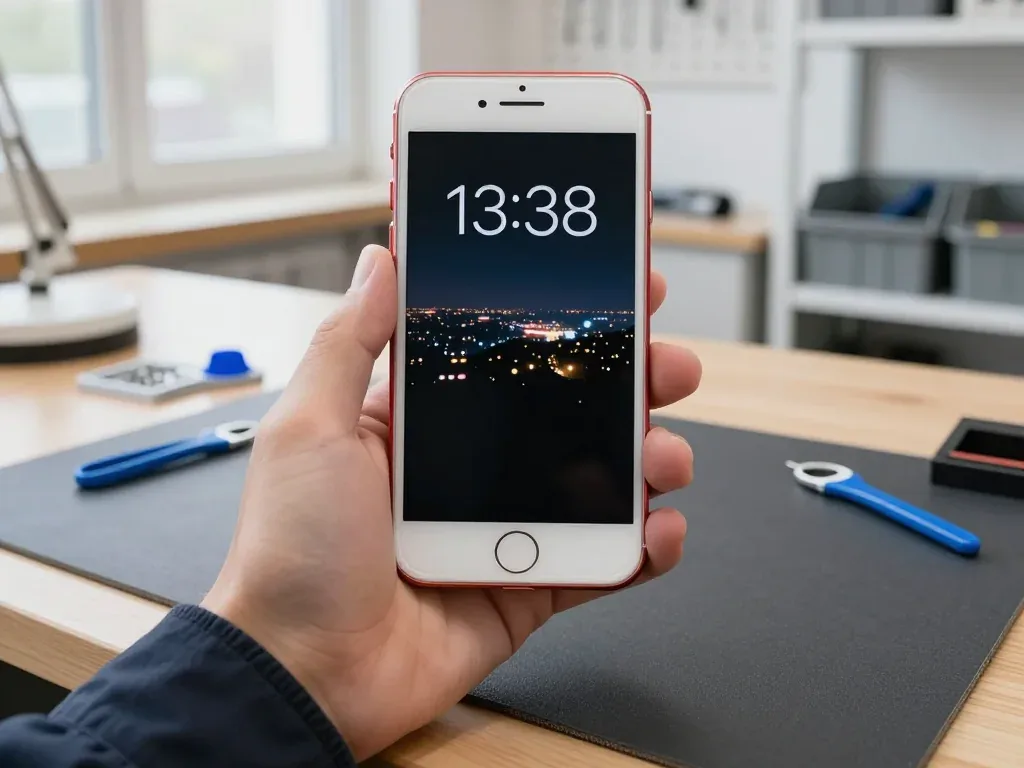
Red iPhone SE 2 in the technician's hand with a new screen, Home button and night city wallpaper visible

iPhone SE 2: screen cracked after a drop

The client dropped the phone on the tiles by the entrance — the glass cracked and the touchscreen stopped responding in places. We replaced the display module, checked the sensor and brightness, and the Home button works as before.

from 27 900 ₸repair cost
I want the same
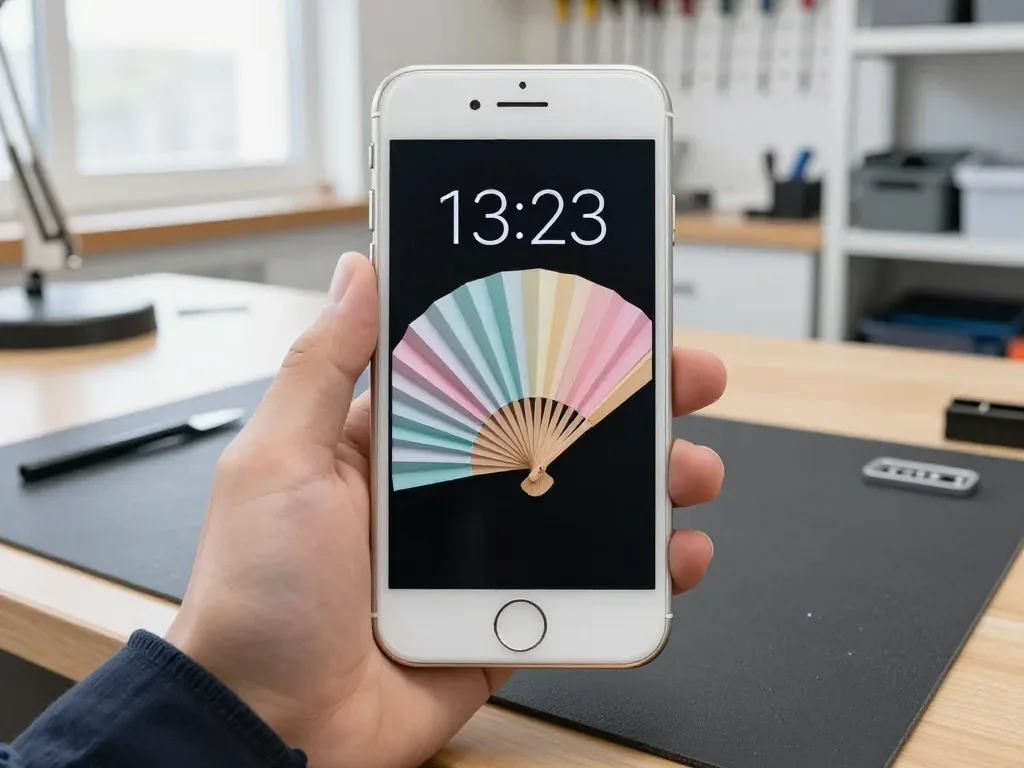
White iPhone SE 2 held in hand, powered on after battery replacement, with Home button and dark wallpaper visible

iPhone SE 2: died by midday

A client in Almaty said the phone ran out of charge by lunchtime even with light use. We replaced the battery and checked capacity and charging — it now lasts the whole day again.

from 16 900 ₸repair cost
I want the same
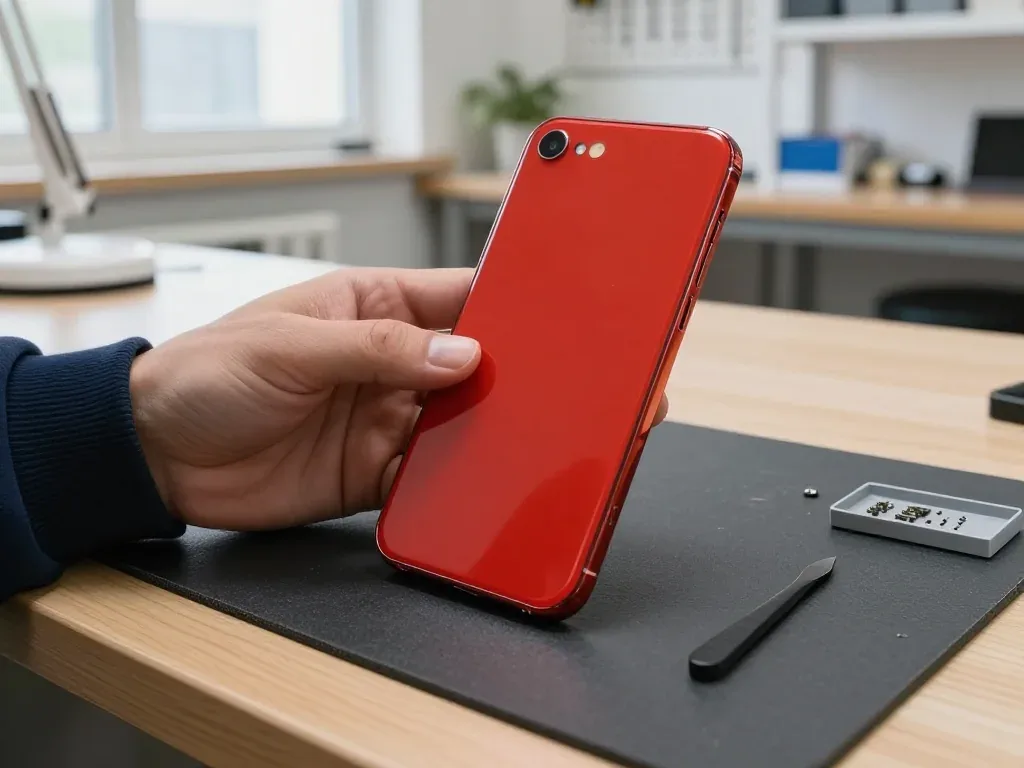
Red iPhone SE 2 held back-side up by a technician after back glass replacement: lens, microphone and flash

iPhone SE 2: back glass crumbled at the camera

The phone slipped out of a jacket pocket onto the pavement — the back glass cracked and was flaking away right by the lens. We replaced the back glass in the matching colour and checked the camera, flash and charging — all working fine.

from 25 900 ₸repair cost
I want the same

How iPhone SE 2 repair is done in Almaty

Screen — 40 minutes, battery — 25. Body and board — 1–3 days.

Book a repair
  1. Step 1

    Message or call

    5 min

    You send a photo of the damage on WhatsApp — we quote the price and available time. Or you call a courier.

  2. Step 2

    Free diagnostics

    15 min

    An engineer checks the device in front of you and shows what is broken. 0 ₸, even if you decline the repair.

  3. Step 3

    Price in the receipt

    2 min

    We fix the price, the part (original or analog), the timeline and the warranty. You sign — we start.

  4. Step 4

    Repair while you wait

    20–40 min

    Before installation we show you the new part in its factory packaging. You wait in the waiting area with coffee and Wi‑Fi.

  5. Step 5

    Checking 32 functions

    10 min

    Face ID, True Tone, cameras, microphones, speakers, charging, network. You check them together with the engineer.

  6. Step 6

    Pick up your device

    warranty up to 1 year

    Together with the receipt, warranty card and the old part. Payment — Kaspi, card or cash.

Who will fix your iPhone SE 2

Technicians for iPhone, Mac, iPad, Apple Watch and AirPods repair.

1 / 8
MNMukhpilov Nail — smartphone repair technician, iServices service center in AlmatyPhoto: Mukhpilov Nail

Mukhpilov Nail

smartphone repair technician
10years of experience
4.83rating, 83 reviews
GKGamid K — phone repair technician, iServices service center in AlmatyPhoto: Gamid K

Gamid K

phone repair technician
9years of experience
4.8rating, 65 reviews
AAArman A — on-site technician, iServices service center in AlmatyPhoto: Arman A

Arman A

on-site technician
8years of experience
4.9rating, 43 reviews
MRMolchanov Rinat — Apple repair and diagnostics engineer, iServices service center in AlmatyPhoto: Molchanov Rinat

Molchanov Rinat

Apple repair and diagnostics engineer
10years of experience
4.85rating, 33 reviews
SAShokan A — diagnostics technician, iServices service center in AlmatyPhoto: Shokan A

Shokan A

diagnostics technician
8years of experience
5.0rating, 37 reviews
SBSybanbaev Birzhan — firmware specialist, iServices service center in AlmatyPhoto: Sybanbaev Birzhan

Sybanbaev Birzhan

firmware specialist
7years of experience
4.75rating, 74 reviews
DGDenis Gushchin — display replacement technician, iServices service center in AlmatyPhoto: Denis Gushchin

Denis Gushchin

display replacement technician
20years of experience
5.0rating, 34 reviews
DADuisebaev Azhdar — connector replacement technician, iServices service center in AlmatyPhoto: Duisebaev Azhdar

Duisebaev Azhdar

connector replacement technician
7years of experience
4.3rating, 35 reviews
Gamid K, phone repair technician
“If the repair didn’t suit you or you have a complaint, write to me personally.”
Gamid Kphone repair technician · +7 701 333-47-01

We'll quote iPhone SE 2 repair in Almaty from a photo in 5 minutes

Send a photo of the fault — an engineer will reply on WhatsApp, give the price and a time you can come in.

  1. 5 minAn engineer replies and names the price
  2. 0 ₸Diagnostics in front of you in 15 minutes
  3. 30 minMost repairs — while you wait

iPhone SE 2 Repair in Almaty with Same-Day Service

In short

At iServices in Almaty, iPhone SE 2 repair covers the most common faults — cracked screen, worn battery, Lightning port and camera glass — usually in 20–40 minutes while you wait. The replacement component comes in original factory packaging, we fix the price, list the part and guarantee on the receipt, and cover the work with a 1-year warranty.

Mukhpilov NailWe reply on WhatsApp within 10 minutes
Ask

What Usually Breaks During iPhone SE 2 Repair

The iPhone SE 2 keeps the classic iPhone 8 shell — a Home button with Touch ID, a 4.7-inch LCD, a Lightning port and a glass back. That body decides which parts fail first.

The Faults We See Most on This Model

On this model we encounter four defects more often than on any other device — a broken 4.7-inch display, a worn-out battery, a Lightning connector that no longer charges, and cracked camera glass. In most drops the screen suffers first, since its surface is flush with the frame and there is no raised edge to take the blow. The battery is the shell's oldest wear item, and after several hundred full cycles it can no longer hold voltage under load, which makes the phone switch off at 20–30%. The charging port gathers fabric dust and corrodes, while the lens cover cracks at the rear corner, where it lies almost level with the back panel. Since the Home key houses Touch ID, damage to it from a fall is repaired separately from the screen, so check the fingerprint reader before you hand the phone in.

Symptom, Likely Cause and What We Do

Symptom, probable cause and the matching repair
What you noticeProbable originOur action
Lines or dead spots on screenDamaged LCD moduleReplace the display module
Cell drains fast, shuts downWorn power packFit a new cell
Will not charge on LightningDirty or oxidised portClean or replace the port
Blurry photos, cracked lensBroken camera coverSwap the camera cover
Touch ID stops respondingDamaged Home buttonDiagnose the button module

Why the SE 2 Body Shapes the Repair

The SE 2 shares the iPhone 8 shell, so it opens from the front, uses a Lightning connector rather than USB-C, and has a rear panel that supports Qi wireless charging. Opening from the front means the display module comes off first, and the Home button flex stays attached to it — a technician who pulls the screen without releasing that flex can tear Touch ID. The charging connector limits the phone to the older standard, so a worn cable shows up as a slow charge long before the socket itself fails. The back plate is a separate piece from the frame, and a knock there can crack it without touching the screen, so check the rear as carefully as the front after any drop.

Display Repair, iPhone SE 2

The SE 2 uses a 4.7-inch LCD, and a cracked front is the repair we do most on it. Here is how we decide between glass-only and a full module, and what stays working afterwards.

Just the Glass or the Full Display Assembly

On the SE 2 we replace the whole LCD assembly rather than the outer layer alone, because the panel and digitiser are bonded together and separating them risks the sensor grid underneath. The unit bundles the liquid-crystal panel, the digitiser and the protective cover into one factory-sealed part, so this job means swapping it in a single pass. A glass-only job is possible on some units, but the heat and blade work that lifts the cracked sheet can leave the sensor grid uneven along the edges, and the result shows up as dead zones weeks later. We quote the full assembly because it holds calibration and accuracy out of the box. If only the outer sheet is chipped but the image and response are perfect, ask the engineer to confirm on the spot whether a glass-only job is even possible prior to agreeing.

What Keeps Working After a Screen Repair

Once the SE 2 display is replaced, Touch ID continues to work, as the Home button is not part of the screen assembly, and we verify it with you on the spot before you go. The button has its own flex and sensor, so the replacement never disturbs the fingerprint hardware — unlocking, Apple Pay approval and app logins remain unchanged. The front camera, earpiece and proximity sensor are mounted on an upper flex that moves across to the fresh screen, and they function as before after reconnection. On this LCD model True Tone relies on calibration carried over to the replacement, so inspect the colour cast in daylight before you accept the job.

The 32-Point Check We Run With You

  • Touch ID: unlock the phone with a registered finger to confirm the Home button survived the swap.
  • Front camera and earpiece: take a selfie and make a call to test the top flex.
  • Screen response: drag an icon across every corner to catch dead zones.
  • Charging: plug in a Lightning cable and confirm the battery icon reacts.
  • Buttons: press volume and power to check the side flexes were not pinched.
  • Display tint: open a white page and tilt the phone to spot uneven backlight.
  • Speaker and microphone: play a track and record a voice note to confirm the bottom flex.

Genuine or Third-Party Components for iPhone SE 2 Repair

Every SE 2 part comes in two versions, an original and an aftermarket equivalent, and they differ in how functions behave. We let you choose and record that choice on the receipt.

How Original and Aftermarket Differ by Function

How each part type behaves by version
PartOriginalAftermarket
Display moduleTrue Tone carries overTrue Tone may not work
BatteryHealth reads correctlyHealth may read unknown
Home buttonTouch ID keeps workingTouch ID may be lost
Camera glassMatches factory fitFit can vary slightly

What Goes on the Receipt Before Work Starts

Before any work begins, we confirm the price, the type of part, how long it will take and the warranty period, and record all of it on the receipt — this takes roughly 2 minutes. The document specifies the exact component, notes whether it is original or a compatible alternative, and gives the date when you can call us. Every repair comes with a warranty up to 1 year, and the same terms appear on the copy you receive. Nothing extra is ever done without your approval — should the technician find another fault under the shield, we contact you and update the document before any further work starts. If a problem arises later, the receipt showing the exact part is what you show us, so store it alongside the warranty card and the replaced part that we hand back.

Why the Part Is Shown in Factory Packaging

Before fitting, we unwrap the fresh component in your presence from its sealed factory box, so you can see precisely what goes into your SE 2. The seal is cut at the counter rather than in a back room, and the module or battery is laid next to your opened phone for comparison. As a direct contractor with in-house technicians and our own workshop, we fit the very component you approve, with no intermediary substituting it. 64% of customers pick a genuine component, and on a phone this old the decision usually depends on how long you intend to keep it. Ask to inspect the packaging before you consent — it is the easiest proof that the component matches the entry on your receipt.

iPhone SE 2 Repair Times and How a Visit Works

Most SE 2 jobs are finished while you wait, and the whole visit from first contact to pickup usually takes under an hour. Here is the order of steps and how long each one takes.

Photo on WhatsApp, Then Collection

Take a photo of the fault and send it via WhatsApp — a technician replies in 5 minutes with the price, after which we arrange a free visit at your convenience. In the workshop, the specialist performs a no-cost 15-minute inspection in your presence and describes the issue, even if you decide against proceeding. Before work starts, the specialist notes on the receipt the price, type of part, time needed and warranty — it takes about 2 minutes. Next the new part is installed, and together with the technician you test True Tone, the cameras, microphones and speakers, plus charging and signal. You get the phone back along with the receipt, warranty card and the old part. For iPhone SE 2 repair in Almaty, beginning with a photo lets you know the price and timing before leaving home.

How Long Each iPhone SE 2 Repair Takes

Typical turnaround by repair type and waiting option
RepairTypical timeCan you wait?
Screen module40 minutesYes
Battery25 minutesYes
Camera glass20 minutesYes
Board-level repair1–3 daysNo

What to Do Before You Hand the Phone In

  • Back up: run an iCloud or computer backup so your photos and messages are safe.
  • Know your Apple ID: have the password ready in case the specialist needs to test functions.
  • Find My: ask whether the job needs it switched off before you arrive.
  • Passcode: share it only for the test, then change it afterwards if you prefer.
  • SIM and case: remove the case and note whether the SIM stays in.

Battery, Charging and Camera Glass

Beyond the screen, the SE 2 most often needs a new cell, a power-connector fix or fresh rear glass. These are quick jobs, and each has its own signs worth knowing.

When the Battery Needs Replacing

If your SE 2 shuts down early or the health reading has dropped low, a new cell takes about 25 minutes and restores normal runtime. In Settings, Battery, Battery Health, the Maximum Capacity figure tracks chemical wear over hundreds of cycles; once it falls into the low 80s, the handset throttles and dies at 20–30% on cold mornings. We fit the replacement while you wait in the seating area, then run the 32-function check together with you. A swollen cell can lift the display module from the frame, so a bulging case is a reason to stop topping up and book a check rather than keep using it.

Charging Problems and the Lightning Port

When an SE 2 will not charge, the cause is often a dirty or oxidised Lightning port rather than the board, and the engineer confirms which during the free check. Lint packed into the connector blocks the pins; moisture leaves green corrosion that interrupts contact. If the port is clean but the handset still ignores the cable, the flex or the power controller on the motherboard is next in line, and we test each on the bench before quoting. Try a different cable and clean lint from the socket with a dry brush prior to assuming the worst, since a blocked connector mimics a dead circuit.

Camera Glass, Warranty and Getting the Phone to Us

A shattered rear panel on the SE 2 is swapped within 20 minutes, the work is covered by a guarantee of up to 1 year, and a courier reaches any Almaty address in roughly 90 minutes, at no cost when ordered alongside a repair. A slim case shields the lens and shatters on impact, while the main module underneath usually remains intact, so only the outer layer gets replaced, not the sensor. Our workshop handles this task in-house with its own technicians, never through an aggregator. Replacing the cover without delay keeps dust and moisture away from the lens itself, which costs less than swapping the whole module later.

Summary: iPhone SE 2 Repair

A repair on this model is predictable once the fault, the part and the timeline are clear before you commit. Here is the short version to carry with you.

  • Identify the defect first: a broken LCD, a worn battery, a blocked Lightning port and cracked camera glass make up the bulk of SE 2 repairs.
  • Screen means the module: the LCD and digitizer are bonded, so a full assembly is the dependable fix, and Touch ID survives because the Home button sits separately.
  • Pick the component deliberately: genuine and aftermarket parts differ in how the fingerprint reader, True Tone and battery condition perform, so decide before work begins.
  • Most jobs are quick: display, power cell and camera glass finish in 20–40 minutes, which makes waiting on site realistic for the majority of visits.
  • Prepare in advance: back up data, confirm your Apple ID password and resolve the Find My question prior to the appointment.

Questions people ask about iPhone SE 2 repair

Did not find an answer? Message us on WhatsApp: an engineer replies, not a bot.

Ask a question
Why might Touch ID stop working after an iPhone SE 2 screen replacement?

The Home button with Touch ID is paired to the logic board, so it has to be carefully transferred when the screen is replaced. If the technician damages the flex cable, the sensor stops working. That's why you should only trust the replacement to experienced specialists.

Can only the glass be replaced on an iPhone SE 2 instead of the whole display?

On the iPhone SE 2 the screen is a single module, and replacing just the glass requires special equipment. Most often the whole display module is replaced, which is faster and more reliable. The technician will suggest the best option after inspecting the phone.

What should I do if my iPhone SE 2 stops charging wirelessly?

First check that the case isn't in the way and try a different charging pad. If the problem persists, there may be a crack in the glass back or damage to the coil. Diagnostics will pinpoint the cause.

Is a swollen battery on an iPhone SE 2 dangerous?

Yes, a swollen battery presses on the screen and can damage the display. There's also a risk of fire. At the first signs of swelling, stop charging and take the phone to a service center.

What could make the Home key on my SE 2 quit buzzing?

The Home button's haptic feedback comes from the Taptic Engine. If it doesn't respond, the cause may be a flex cable or the settings. The technician will check the connections and replace the component if needed.

How do I check my iPhone SE 2 after a repair in Almaty?

Test Touch ID, Lightning charging and wireless charging, the camera, speaker and microphone. Make sure the screen responds to touch across its whole surface. The technician will demonstrate that all functions work while you're there.

iPhone SE 2 repair reviews from Almaty clients

1 / 10
4.9

average rating on Google Maps, wikicity and our website · 445 reviews
Google Maps4.438 reviews ›wikicity5.015 reviews ›Reviews on the iServices website5.0392 reviews ›
ДУ
Диана У.Order No. IS‑2401‑•••64 · 5 January 2024
iPhone SE (2-го поколения) · charging

С iPhone SE (2-го поколения) вышла неприятность: кабель зарядки приходилось ловить под углом. После обращения разобрались с разъёмом зарядки и проверили питание; Шокан не отмахнулся от моих вопросов.

iServices customer review, in Russian
МЕ
Марат Е.Order No. IS‑2312‑•••53 · 15 December 2023
iPhone SE (2-го поколения) · charging

iPhone SE (2-го поколения) подвёл: кабель зарядки приходилось ловить под углом. Ребята разобрались с разъёмом зарядки и проверили питание.

iServices customer review, in Russian
АЛ
Асем Л.Order No. IS‑2111‑•••46 · 10 November 2021
iPhone SE (2-го поколения) · sound

iPhone SE (2-го поколения) подвёл: динамик стал звучать очень тихо. В сервисе проверили акустику и устранили причину тихого звука.

iServices customer review, in Russian
АС
Алуа Саянова27 July 2020

Решила восстановить свой iphone SE , думаю для звонков подойдет, щас после ремонта работает отлично. Стекло поменяли, аккумулятор новый, и все, эффект получен.

Service reply

Здравствуйте, Алуа! Благодарим Вас за такой душевный и теплый отзыв. Спасибо за доверие и прекрасные слова в адрес нашего сервиса. Всего Вам хорошего! Ждем Вас снова!

ОА
Олжас А.20 August 2026

Батарея на айфоне совсем износилась, телефон выключался на холоде даже при тридцати процентах заряда. Заменили аккумулятор на новый оригинальный буквально за полчаса. Теперь заряд держит отлично весь день, очень доволен.

ГС
Гульмира С.16 August 2026

Разбила стекло на своем айфоне, думала, придется менять весь экран за бешеные деньги. Мастер посмотрел и сказал, что сама матрица целая, можно переклеить только стекло. Сделали за пару часов, дисплей как новый, сенсор работает идеально.

ДА
Дастан Айбекулы18 December 2019

Надо было восстановить работу Айфона пытался сначала сам сделать но при переустановке по постоянно выдавало ошибку восстановления . В этом сервисном центре помогли исправить ошибку . Мастеру понадобилось пару часов на это . Когда я вернулся в сервис уже айфон был в порядке . Спасибо действительно лучше заплатить немного мастеру чем самому мучиться.

AY
Asya Yarosh18 August 2018

Обратилась в данную компанию по ремонту в связи с неработающей кнопкой на iPhone. Довольно профессиональная компания и сотрудники. Сделали все качественно и быстро. Подробно объяснили что случилось с моей техникой и пути решения моей проблемы. Прейскурант цен умеренный. Очень порадовали сами сотрудники. Обходительность и вежливость сотрудников уже 80 % успеха компании.

АШ
Айнур Ш.29 August 2026

Случайно сломал кнопку блокировки на телефоне, она просто провалилась внутрь корпуса и не нажималась. Мастер разобрал устройство и заменил сам механизм кнопки на шлейфе. Теперь нажимается с четким щелчком, не западает больше.

КЕ
Кайрат Е.18 August 2026

Телефон упал в воду на отдыхе, сразу выключился и больше не подавал признаков жизни. Прибежал сюда, мастера оперативно приняли устройство, полностью разобрали и удалили всю окись. Аппарат спасли, все фотки и данные внутри целы.

Showing 10 of 15

Where to get iPhone SE 2 repair in Almaty

Address
Almaty, Panfilov St., 21
Opening hours
Mon–Fri 10:00–19:00Sat–Sun 11:00–18:00
Phone and messengers
+7 701 333-47-01WhatsApp: +7 701 333-47-01
Directions map: iServices Almaty — Panfilov, 21© OpenStreetMapFind us on the maps: Google Maps · 2GIS