Your city

AstanaAstana, Kabanbay Batyr Ave., 7/2 · +7 727 339-99-12
Eng

Apple Watch Series 7 Repair in Almaty

Apple Watch 7 dies during the day — we replace the battery in two hours and give a warranty up to 1 year.

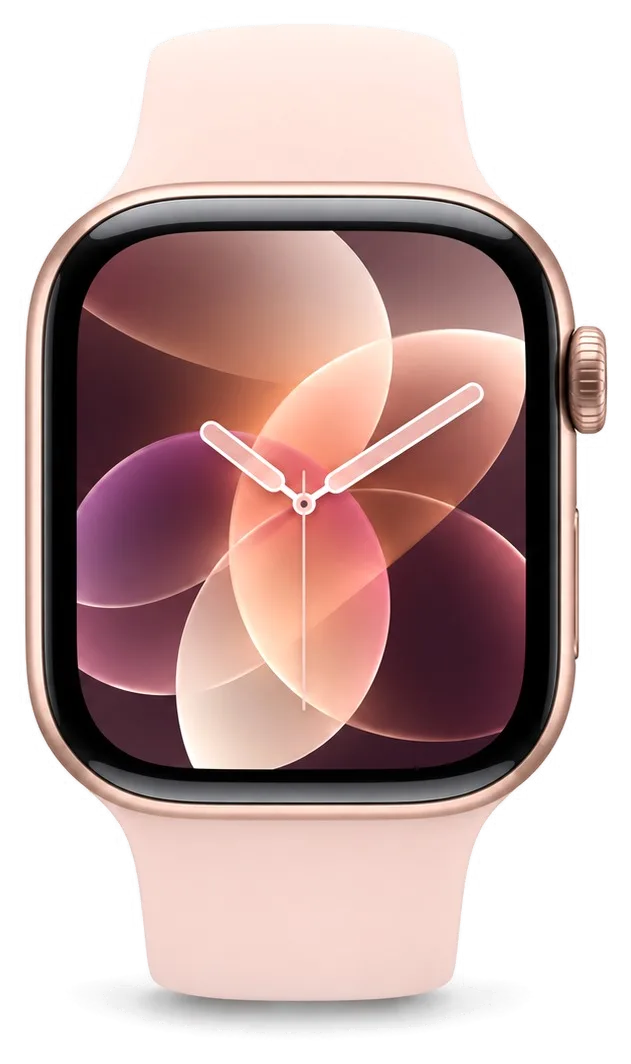
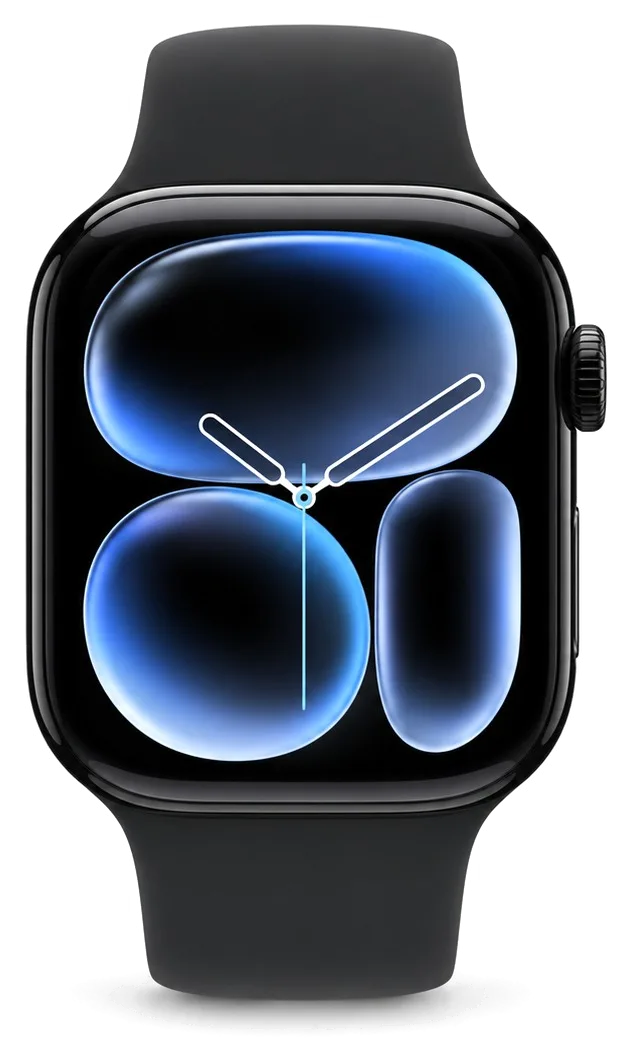
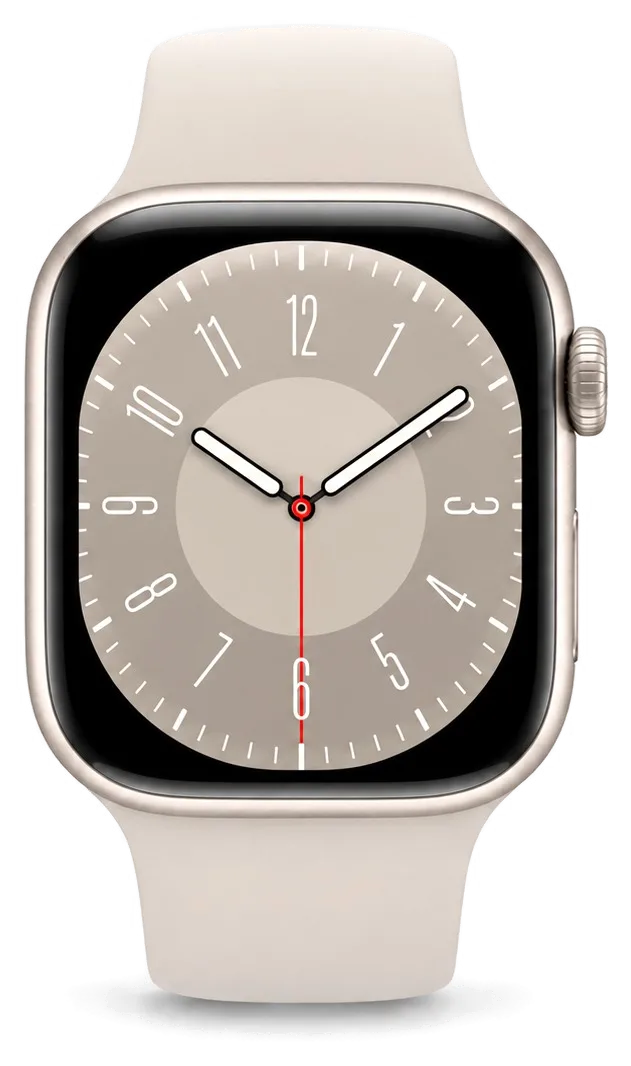
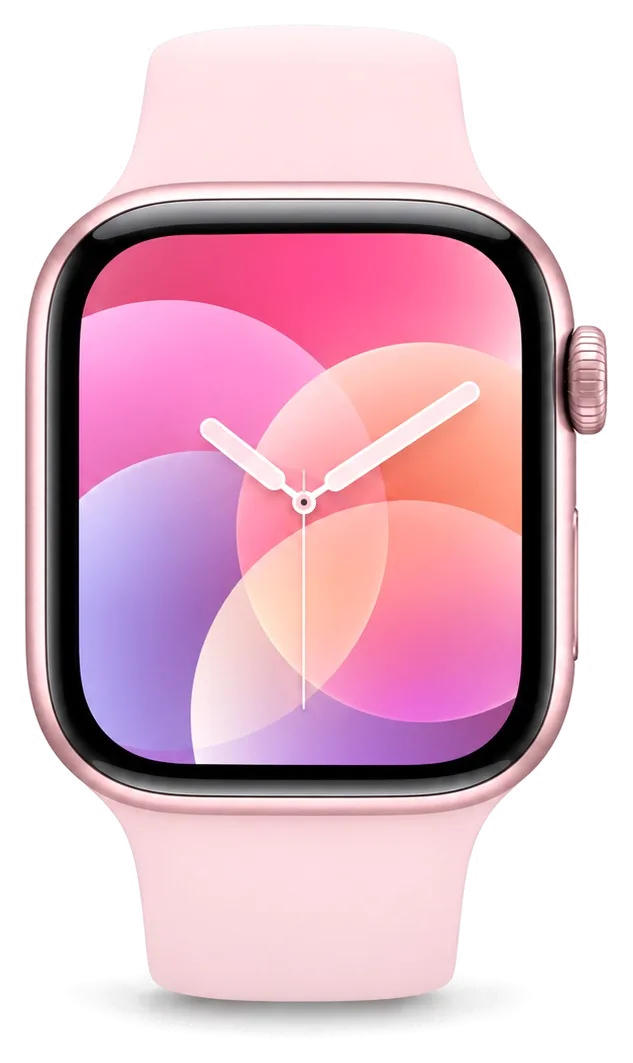
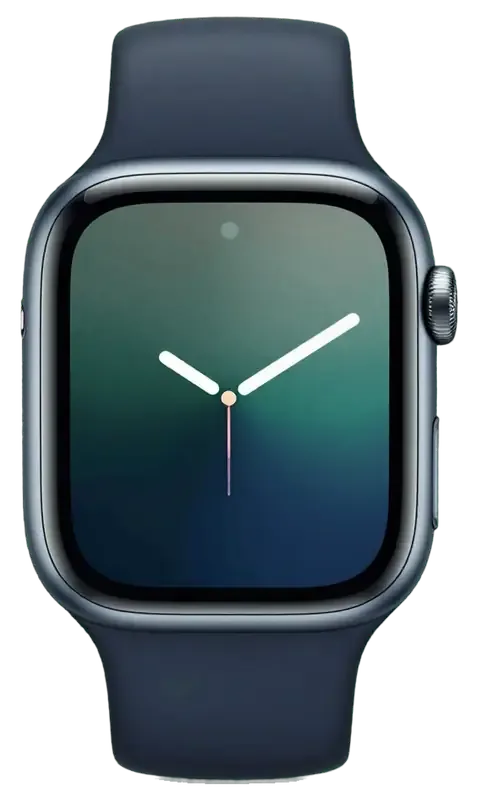
Apple Watch Series 7 in dark night color
Apple Watch Series 7, Midnight repair
Glass replacementfrom 53 900 ₸
Display replacementfrom 75 900 ₸
Battery replacementfrom 23 900 ₸
All services and prices

Which faults most often bring an Apple Watch Series 7 in for repair

With a display that fills the front, Series 7 glass and batteries are what most often need attention.

01

Battery gives up early

After years of wear, the watch wants a charger by lunchtime and tires in workouts.

02

Swollen case

The glass lifts off the frame and a gap shows at the back, a sign of a puffed cell.

03

Crown feels gritty

The dial scrapes, the side button sticks or neither returns to its resting position.

04

Crack across the crystal

A chip from a knock has grown and now runs across the large front surface.

05

Burned-in display

Dark patches and uneven colors have appeared on the screen over time.

06

Random restarts

The watch shuts down or loops through restarts although it still holds charge.

07

Charging needs coaxing

You must hold the watch in one exact position on the puck or charging keeps stopping.

08

Speaker rattles

After water or dust the sound buzzes, and callers hear you as muffled.

09

Wrong heart rate

On a run the watch shows resting heart rate or jumps by dozens of beats.

10

Vibration gone

Notifications arrive with no response on the wrist, even though haptics are on.

11

Side button sticks

The button under the dial presses hard or sinks in and won't open the Dock.

12

Screen ignores touches

The image is there, but swipes and taps lag or only work in one area.

How much does Apple Watch Series 7 repair cost?

We handle battery, display and glass work on the Series 7, using original or aftermarket parts. The final cost is named after free diagnostics or via WhatsApp.

ServiceOriginalAftermarket
Glass replacement96 900 ₸53 900 ₸
Display replacement136 900 ₸75 900 ₸
Battery replacement40 900 ₸23 900 ₸
Rear cover with sensors replacement83 900 ₸46 900 ₸
Digital Crown repair24 900 ₸13 900 ₸
Side button replacement24 900 ₸13 900 ₸
Speaker replacement24 900 ₸13 900 ₸
Microphone replacement24 900 ₸13 900 ₸
Other repairsPrice
Board repairmicrosoldering · 1–3 days42 900 ₸per job
Firmware flashingsoftware restore, no parts replaced5 490 ₸per job

The final figure depends on the chosen part and the condition of the case, and the technician confirms it after inspection.

Original or aftermarket on an older watch

For a model with a few years behind it, part quality decides how long the remaining components will keep serving you.

Original Applewarranty up to 1 year
Apple Watch Series 7 glass96 900 ₸
Apple Watch Series 7 glass: original part in Apple packaging
Lifespan
Holds capacity and brightness for longer
Fit
Glass and module sit without gaps
Response
Touch feels the way it did when new
Warranty
Up to 1 year on the completed repair
Chosen by 64% of clients
Book with an original part
Aftermarketwarranty 6 months
Apple Watch Series 7 glass53 900 ₸−44%
Apple Watch Series 7 glass: aftermarket part in an antistatic bag
Lifespan
Capacity and brightness fade sooner
Fit
Small gaps at the rim are possible
Response
Touch is a little duller near the edges
Warranty
Up to 1 year on work, ask about the part
Chosen by 36% of clients
Book with an aftermarket part

What Series 7 owners can expect

Since a watch is worn daily, timing, price and warranty should be clear before any work begins.

11years

Across generations

We have repaired Apple watches of many generations for eleven years and know how models like the Series 7 age.

1year

Warranty on the work

Completed repairs carry a warranty up to 1 year, and the technician outlines the terms before starting.

8technicians

Experienced technicians

Older cases with dried adhesive are opened by experienced technicians who know where not to put pressure.

0₸

Prices in plain sight

Battery, display and glass starting prices sit in the table, and we confirm the total after inspection.

7days a week

Weekends covered

We receive visitors on weekdays 10:00–19:00 and on weekends and holidays from 11:00 to 18:00.

5min

Honest about limits

If the watch has reached the end of its useful life we say so, and help you compare repair with buying another.

Apple Watch Series 7 before and after repair

1 / 3
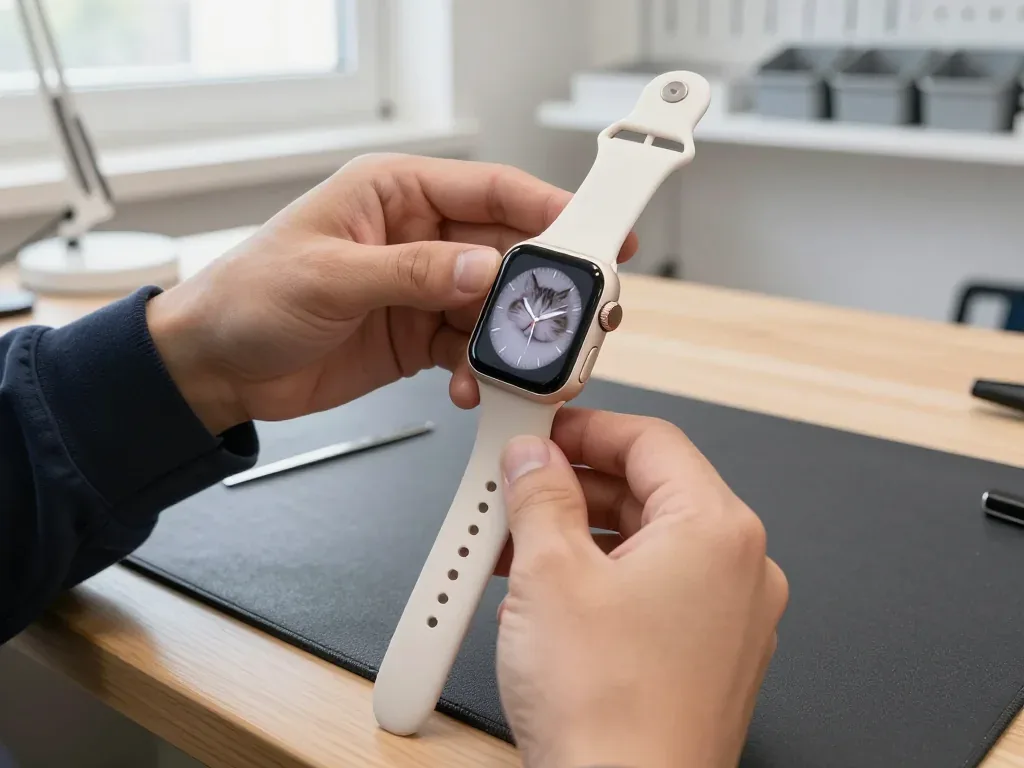
Apple Watch 7 with a cat watch face on the technician's hand after glass replacement, the Digital Crown visible on the right

Apple Watch 7: cracked glass after hitting a door

The client caught the watch on a door frame — the glass cracked but the display stayed intact. We replaced just the glass, checked the touch sensor and water resistance — the watch works as before.

from 53 900 ₸repair cost
I want the same
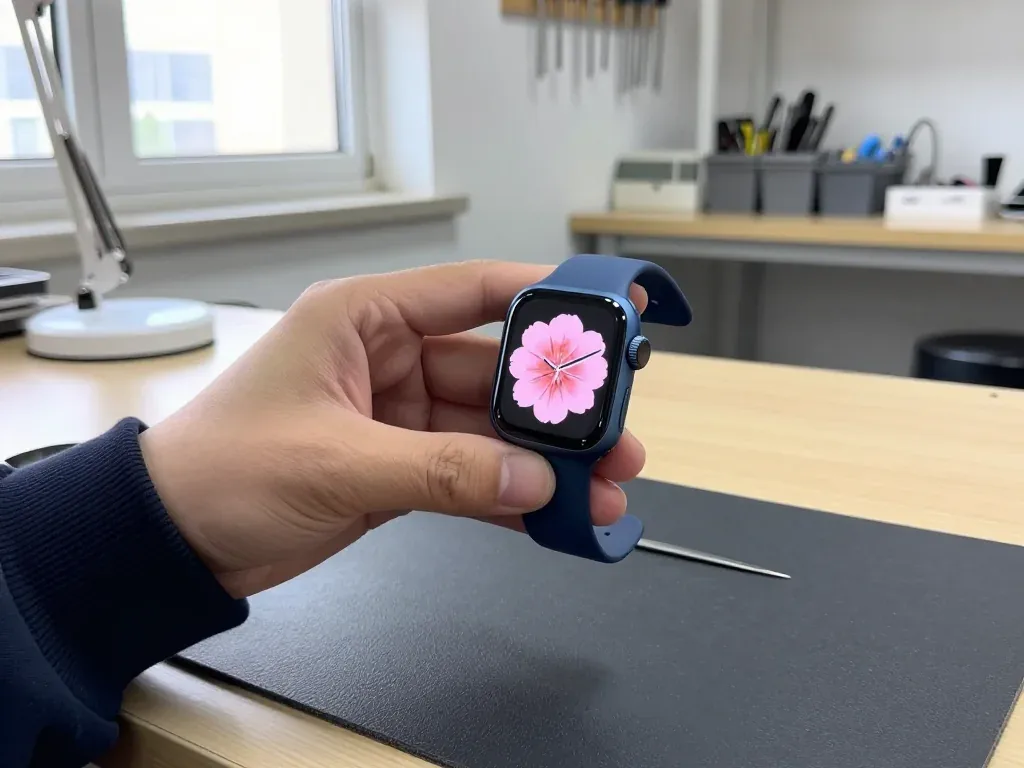
Blue Apple Watch 7 in the technician's hand after display replacement, analog face with a pink flower on screen

Apple Watch 7: lines after a hit

The client caught the watch on a door handle and the screen developed lines. We replaced the display and checked the touch sensor and water resistance: the watch tells time and responds to touch again.

from 75 900 ₸repair cost
I want the same
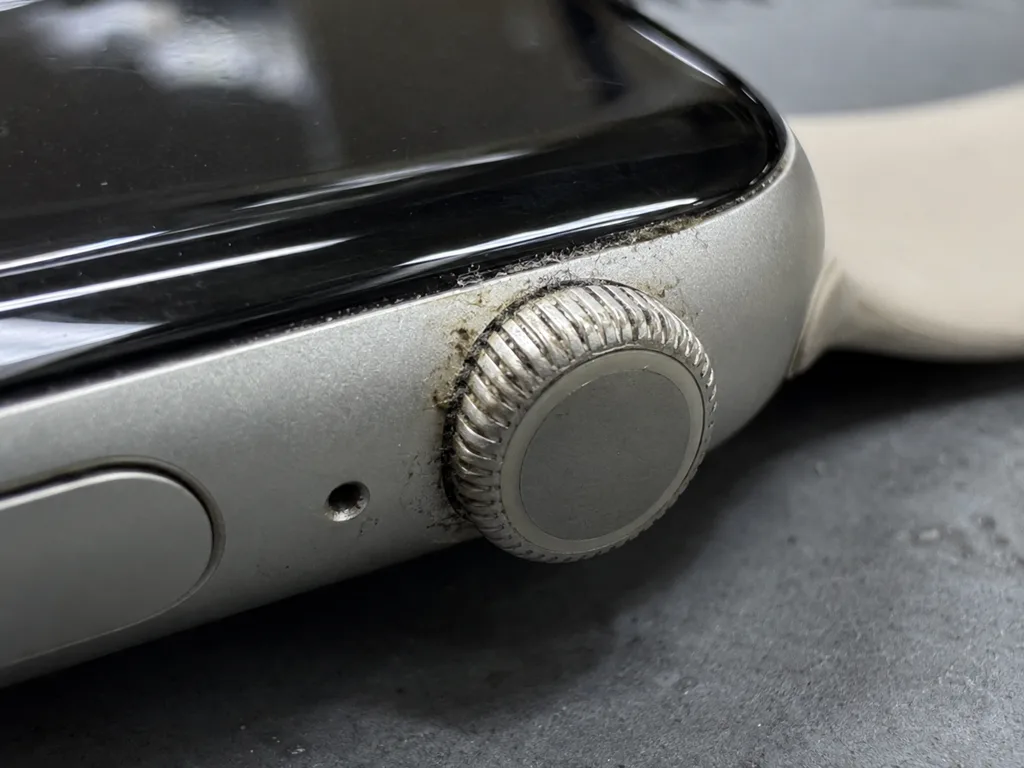
Before photo: Digital Crown clogged with dirtBefore: Digital Crown clogged with dirt
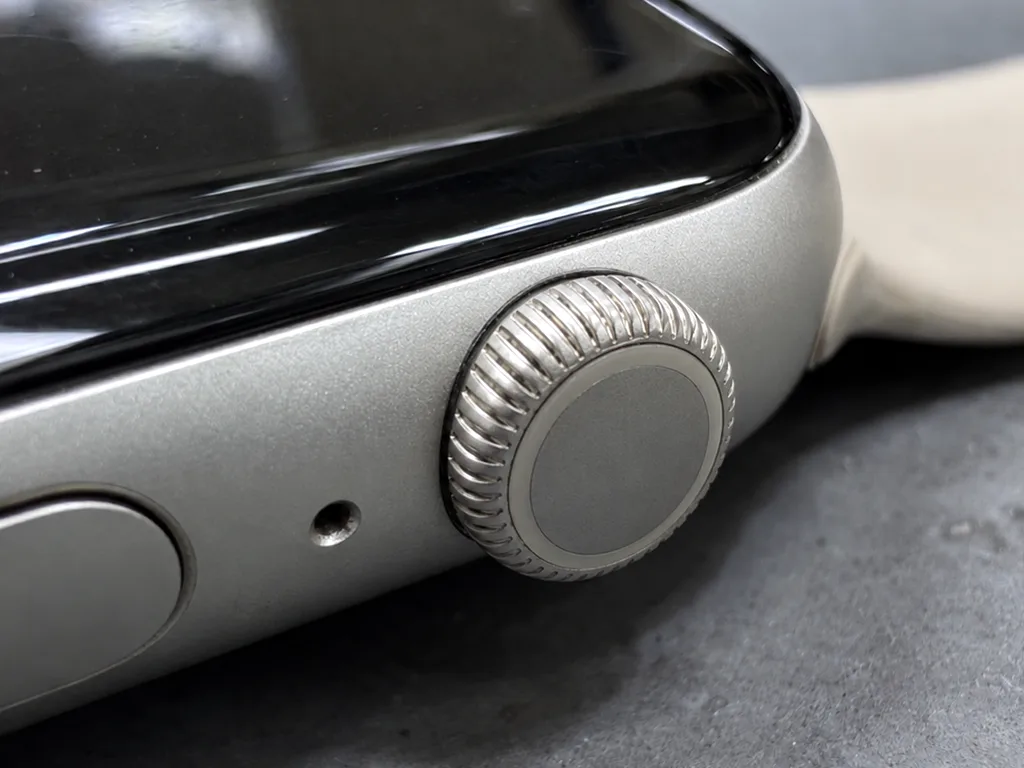
After photo: clean wheelAfter: clean Digital Crown
BeforeAfter

Apple Watch Series 7: Digital Crown won't turn

1 dayCleaning3-month warranty
Problem
The crown turned stiffly and would not click.
What we did
Disassembled the wheel assembly, cleaned it and replaced the seal.
1 dayspins freely
I want the same

How Apple Watch Series 7 repair is done in Almaty

Usually the whole journey — from message to pickup — takes less than an hour; complex repairs follow the timeline in the receipt.

Book a repair
  1. Step 1

    Message or call

    5 min

    You send a photo of the damage on WhatsApp — we quote the price and available time. Or you call a courier.

  2. Step 2

    Free diagnostics

    15 min

    An engineer checks the device in front of you and shows what is broken. 0 ₸, even if you decline the repair.

  3. Step 3

    Price in the receipt

    2 min

    We fix the price, the part (original or analog), the timeline and the warranty. You sign — we start.

  4. Step 4

    Repair while you wait

    20–40 min

    Before installation we show you the new part in its factory packaging. You wait in the waiting area with coffee and Wi‑Fi.

  5. Step 5

    Post-repair check

    10 min

    Touchscreen, brightness, Digital Crown, sensors, microphone, speaker, charging. You check them together with the engineer.

  6. Step 6

    Pick up your device

    warranty up to 1 year

    Together with the receipt, warranty card and the old part. Payment — Kaspi, card or cash.

Who will fix your Apple Watch Series 7

Technicians for iPhone, Mac, iPad, Apple Watch and AirPods repair.

1 / 6
MNMukhpilov Nail — smartphone repair technician, iServices service center in AlmatyPhoto: Mukhpilov Nail

Mukhpilov Nail

smartphone repair technician
10years of experience
4.83rating, 83 reviews
MRMolchanov Rinat — Apple repair and diagnostics engineer, iServices service center in AlmatyPhoto: Molchanov Rinat

Molchanov Rinat

Apple repair and diagnostics engineer
10years of experience
4.85rating, 33 reviews
SAShokan A — diagnostics technician, iServices service center in AlmatyPhoto: Shokan A

Shokan A

diagnostics technician
8years of experience
5.0rating, 37 reviews
SBSybanbaev Birzhan — firmware specialist, iServices service center in AlmatyPhoto: Sybanbaev Birzhan

Sybanbaev Birzhan

firmware specialist
7years of experience
4.75rating, 74 reviews
DGDenis Gushchin — display replacement technician, iServices service center in AlmatyPhoto: Denis Gushchin

Denis Gushchin

display replacement technician
20years of experience
5.0rating, 34 reviews
DADuisebaev Azhdar — connector replacement technician, iServices service center in AlmatyPhoto: Duisebaev Azhdar

Duisebaev Azhdar

connector replacement technician
7years of experience
4.3rating, 35 reviews
Gamid K, phone repair technician
“If the repair didn’t suit you or you have a complaint, write to me personally.”
Gamid Kphone repair technician · +7 705 900-70-95

We'll quote Apple Watch Series 7 repair in Almaty from a photo in 5 minutes

Send a photo of the fault — an engineer will reply on WhatsApp, give the price and a time you can come in.

  1. 5 minAn engineer replies and names the price
  2. 0 ₸Diagnostics in front of you in 15 minutes
  3. 30 minMost repairs — while you wait

Apple Watch Series 7 Repair in Almaty with Original Parts

In short

iServices repairs Apple Watch Series 7 in Almaty as a direct contractor with its own experienced technicians, not an aggregator. We replace the display module, battery, Digital Crown and rear cover, and repair boards under a microscope. Diagnostics is free and takes 15 minutes in front of you, and every repair carries a warranty up to 1 year.

Mukhpilov NailWe reply on WhatsApp within 10 minutes
Ask

What Makes Apple Watch Series 7 Repair Different

The Series 7 has a larger, thinner-bezel screen and comes in 41 and 45 mm with either Ion-X or sapphire glass — the material decides how a crack behaves and how we repair it.

Ion-X or sapphire glass on the Series 7

Aluminium Series 7 models use Ion-X glass, while stainless-steel versions carry sapphire, and the harder sapphire resists scratches but cracks in a sharper, more localised way. Ion-X flexes slightly before it breaks, so damage on an aluminium watch often shows as a spiderweb with the touch layer still alive underneath. Sapphire takes a knock without visible marks for months, then splits along a single line that can run edge to edge in one impact. Both materials sit bonded to the same OLED panel, and the adhesive layer between cover and digitizer is where a crack either stops or spreads. On a steel body the stiffer frame sends impact energy straight into the surface.

41 mm and 45 mm bodies and the parts inside

We stock display modules, batteries and rear covers for both the 41 mm and 45 mm Series 7, so the case size never delays a repair at our workshop. The two sizes share electronics but not glass or cell dimensions, and the 45 mm battery holds more capacity than the 41 mm one in the same thickness. A 41 mm module measures roughly four millimetres narrower across the diagonal, and the rear cover carries a different sensor cutout layout on each size. We confirm the size from the caseback before quoting, since a 45 mm part will not seat in a 41 mm frame.

What the Series 7 keeps that older models lack

The Series 7 has an always-on screen and dust resistance, both dependent on the module and case seal being fitted correctly after repair. Always-On drops the refresh rate to 1 Hz instead of switching the OLED off, so the driver and the ambient light sensor must communicate continuously. Dust resistance rests on a gasket between the glass and the aluminium or steel frame, compressed once and never reused. Older generations ran the panel off completely in wrist-down mode, hiding a weak driver; on the Series 7 the same fault shows up as flicker at low refresh. If Always-On stops working after a swap, the cause is usually a mismatched module rather than a software fault — worth checking before assuming the watch is faulty.

Apple Watch Series 7 Repair for Cracks, Lines and Dead Touch

A crack is not always a dead screen. On the Series 7 the glass, touch layer and OLED panel are bonded, so the symptom shows which layer failed.

Glass, touch layer or full display module

Glass, touch layer or full display module We replace only the glass when the image is clean and touch works, swap the touch layer when taps fail but the picture is intact, and fit a full display module when there are lines, blotches or dead pixels. The protective glass sits on top of the OLED, so a hairline crack usually leaves the panel untouched. The touch layer is a separate film bonded between glass and panel, and it fails when the watch ignores swipes but shows a perfect picture. A cracked glass with a flawless image is the cheapest fix, but a delayed crack lets dust reach the OLED and turns a glass job into a module job. For Apple Watch Series 7 repair in Almaty, the engineer checks which layer failed, so the customer pays only for the part that needs replacing.

Matching the symptom to the repair

Symptom against the layer we actually replace
SymptomLayer at faultWhat we replaceWhat stays
Crack, picture cleanProtective glassGlass onlyOriginal OLED and touch
Taps not registeringTouch layerTouch layerOriginal OLED
Lines or dark blotchesOLED panelFull display moduleCase and battery
Glass lifted, no crackAdhesive sealSeal and re-glueDisplay module

Original or aftermarket display and how we fix the choice

We offer both an original display module and a quality aftermarket one, and 64% of our customers choose the original part for the Series 7. The original module holds Always-On brightness at the same level as the factory screen and keeps touch sensitivity consistent right to the curved edges. The aftermarket option costs less and works for most owners, but on a dimmed Always-On screen the difference in brightness is visible side by side. Whichever part the customer picks, the price, the part type, the turnaround and the warranty are written on the receipt before work starts, and we show the new module in its factory packaging before installation. If the customer relies on the always-on screen, the original module is the safer long-term pick.

Apple Watch Series 7 Repair for Battery Drain and a Lifted Display

A watch that dies by lunchtime or shows a gap around the screen signals a failing power pack, and a swollen unit needs attention before it damages the panel.

When a fast-draining battery needs replacing

We replace the Series 7 cell when the watch no longer lasts a full day or shuts down in the cold, and the new one is shown in its factory packaging before we fit it. Most owners notice the decline in stages: the device ends the evening at 30 percent instead of 60, then drops from a full charge within hours, then cuts out entirely below freezing. A healthy pack holds a full day of typical use with always-on mode enabled, so losing that margin points to the component rather than software. Our technicians fit the replacement in 25 minutes at the bench, and the customer can watch the work through the waiting-area glass. Health in Settings is a guide, not a verdict — a unit can read acceptable and still swell, so a physical check of the case gap matters as much as the percentage.

A swollen battery that lifts the screen

A swollen pack pushes the panel up and can crack the glass from inside, so a watch with a visible gap should be powered down and brought in rather than charged again. The lithium unit expands as gas builds inside it, and the thin aluminium case of the Series 7 gives it nowhere to go but outward against the display module. Once the pack presses on the panel, the adhesive gasket sealing the body starts to separate, and the display flex — the ribbon carrying touch and image signals — bends at an angle it was never designed to hold. Left in place, the pressure builds until the seal gives way and the panel separates.

Keeping the heart sensor working after the rear cover opens

Keeping the heart sensor working after the rear cover opens — The heart sensor sits in the rear cover, so we test pulse and ECG readings with the customer after any power or rear-cover work before the watch leaves the bench. The optical array and electrical heart contacts both live on the underside of the case, and the replacement route passes right beside them. When the cover goes back on, the sensor's connector must seat flat against the board, and the crystal over the optical LEDs has to sit flush or readings turn erratic. We run the pulse check on the customer's wrist and open the ECG app while the customer is still in the waiting area. A sensor that reads nothing after a repair is usually a seating or contact issue, so we check it in the same visit.

When the Watch Will Not Charge or Power On

A dead Series 7 is rarely dead outright. We work from the charger inward — stand and cable first, then the charging coil and contacts, then the main circuitry.

Checking the charger before the watch

Before opening anything we test the watch on a known-good stand and cable, because a failed charger mimics a failed device and costs nothing to rule out. A Series 7 charges by magnetic induction, so the puck must sit flat against the ceramic back with no case in between; a worn cable or loose adapter leaves the screen black. We try two pucks and watch for the charging symbol and warm back showing power reaches the hardware. A watch that charges on one dock but not another points to the induction part or rear contacts, not the battery — a distinction that changes the whole repair.

Coil, contacts and board under the microscope

If the charger is fine, we inspect the induction coil and rear contacts, and when the fault reaches the circuitry we repair it under a microscope, which can take 1 to 3 days. The receiving element sits just under the ceramic back and is the first thing a hard knock damages; the spring contacts that carry power to the logic board corrode after sweat gets past a lifted rear cover. A broken charging line looks intact to the eye, so the engineer works under magnification and traces the path from the pads to the power management chip. Failures after a fall often show as intermittent charging rather than a total blackout, so we test the device through several charge cycles before calling it fixed.

How long the visit takes and when to leave the watch

Most Series 7 repairs are finished while the customer waits — 72% end in the waiting area — and the whole visit from first contact to pickup usually takes less than an hour. Coil and contact work is done at the counter in 20 to 40 minutes, the engineer runs the 32-function check in about 10 minutes more, and the customer can sit with coffee and Wi-Fi. The jobs that need the watch left behind are board work and post-liquid diagnostics, so a fault on the logic board is the main reason a same-day visit becomes a multi-day one. The customer sends a photo on WhatsApp and an engineer replies within five minutes with a price and a free slot.

Water, Crown, Buttons and Sensors After a Knock

Water and knocks test the parts a screen swap never touches. Here is what happens to the seal, the crown and the sensors, and what we inspect before handover.

Water resistance after the case is opened

We re-glue the case after every opening, but we cannot promise the factory seal, so we advise against swimming with the watch once it is repaired. The gasket is a thin adhesive ring between the display and the aluminium body, and its grip depends on how clean the channel is and how evenly the new glue cures. A unit that survived the pool and the shower before service should be treated as splash-resistant afterwards, not swim-proof — rain, hand-washing and sweat are fine, laps are not. On the Series 7 the ring also sits close to the speaker vent, so a rushed re-glue shows up first as muffled sound.

Liquid damage and why diagnostics can take longer

After liquid contact, diagnostics can take up to two days because corrosion spreads and the fault may only appear once the board dries and is tested under load. Salt from a sea swim is the worst case: residue stays on the contacts and under the shields long after the device looks dry and switches on normally. We open the case, inspect the board under the microscope and clean the corrosion before we judge the damage — a unit that powers up is not the same as a sound one. A watch that works right after a soak can fail a week later as residue eats the contacts, so a fast "it seems fine" needs the longer test. Bring it in early.

Checking the Digital Crown and side button at the end

  • Touch and display — swipe and tap across the whole screen, confirm Always-On and brightness.
  • Pulse and sensors — verify heart rate and ECG readings match the expected values.
  • Charging — place the watch on the stand and confirm it charges and holds.
  • Vibration and sound — feel the Taptic Engine and test the speaker and microphone.
  • Crown and buttons — rotate the Digital Crown and press the side button through a full click.

Summary: Apple Watch Series 7 Repair

Five points decide whether a Series 7 repair is a same-day job or a longer one, and each comes down to matching the symptom to the part.

  • Crack vs dead screen: glass, touch layer and OLED fail separately, so visible damage and actual fault can differ.
  • Swollen battery: it lifts the display; power down instead of charging, or the panel can crack inside.
  • No charge: check from the stand inward; only a board fault makes a quick visit multi-day.
  • Water resistance: drops after any opening; treat a repaired watch as splash-resistant, not swim-proof.
  • Size and surface: confirm before quoting; 41 and 45 mm parts differ, and Ion-X versus sapphire changes the job.

Series 7 owner questions

Did not find an answer? Message us on WhatsApp: an engineer replies, not a bot.

Ask a question
Is a chip on the edge of the Apple Watch Series 7 screen worth fixing?

Yes, it is better not to ignore it. The Series 7 front crystal reaches almost to the case edge, and a chip there can grow into a crack and let dust or moisture in. The technician checks whether the display underneath is still intact.

Can I swim with an Apple Watch Series 7 after the glass is replaced?

Pool swimming is usually fine, but treat the watch more gently than when it was new. The factory seal is replaced by new adhesive, so avoid diving, hot water and the sauna. Ask the engineer what water exposure is reasonable for your watch after the repair.

Was the Apple Watch Series 7 designed to resist dust?

Yes, Series 7 was the first Apple Watch experienced for dust resistance. Even so, fine grit collects around the Digital Crown and the buttons over the years. After an opening repair the seal is restored with new adhesive, not the factory one.

Is a new battery worth it for an Apple Watch Series 7?

It is, if the screen, case and sensors are still in good condition. Check Maximum Capacity under Settings, Battery, Battery Health on the watch. If it is clearly reduced or a service message appears, a replacement brings the runtime back.

What should I do if my Apple Watch Series 7 screen starts lifting?

Take the watch off and stop charging it straight away. A lifting screen usually means a swollen battery pushing from inside. Do not press the display back down; bring the watch in for a safe battery replacement.

Why does my Apple Watch Series 7 screen stay dark when I raise my wrist?

First check that Wake on Wrist Raise is turned on in the watch settings. If the watch vibrates and responds to taps but the screen stays black, the display or its cable is likely damaged. In that case the engineer tests the panel before suggesting a replacement.

Reviews of Apple Watch Series 7 repair in Almaty

1 / 6
4.9

average rating on Google Maps, wikicity and our website · 445 reviews
Google Maps4.438 reviews ›wikicity5.015 reviews ›Reviews on the iServices website5.0392 reviews ›
СМ
Светлана М.Order No. IS‑2305‑•••73 · 9 May 2023
Apple Watch Series 7 · screen

На Apple Watch Series 7 экран не реагировал на часть нажатий. По результатам диагностики проверели дисплейный модуль и устранили проблему с сенсором.

iServices customer review, in Russian
МВ
Максим В.Order No. IS‑2609‑•••99 · 5 September 2026
Apple Watch Series 7 · screen

На Apple Watch Series 7 у часов начал отходить экран. После обращения осмотрели корпус и крепление дисплея.

iServices customer review, in Russian
КЗ
Куаныш З.Order No. IS‑2208‑•••48 · 10 August 2022
Apple Watch Series 7 · charging

U moego Apple Watch Series 7 zaryadnaya shayba to opredelyalas to net. V servise proverili kontakty i zaryadku.

iServices customer review, in Russian transliteration
ГС
Гульнура Сундетова10 September 2020

Забрала эпл вотч с ремонта, поменяли стекло на часах, супер, а то сколы глаза мазолили постоянно и красоту портили

Service reply

Добрый день, Гульнура. Благодарим Вас за обратную связь. Мы рады, что Ваше обращение в наш сервис оставило положительные эмоции. Если потребуется квалифицированный совет, мы всегда готовы оказать необходимую помощь.

ГО
Гаухар О.30 August 2026

На смарт-часах треснуло защитное стекло на задней панели, где стоят датчики. Боялся, что внутрь попадет пот или влага при тренировках. Принес ребятам, деталь оперативно заменили на новую. Всё работает корректно, часы как новые.

МЖ
Марат Ж.28 August 2026

Умные часы перестали ловить домашний вай-фай и постоянно теряли связь с телефоном. В сервисе обновили внутреннее программное обеспечение и устранили ошибку модуля связи. Теперь всё подключается моментально, уведомления приходят.

Showing 6 of 6See all reviews

Where to get Apple Watch Series 7 repair in Almaty

Address
Khusainov St., 28
Opening hours
Mon–Fri 10:00–19:00Sat–Sun 11:00–18:00
Phone and messengers
+7 705 900-70-95WhatsApp: +7 705 900-70-95
Directions map: iServices Almaty — Khusainov, 28© OpenStreetMapFind us on the maps: Google Maps · 2GIS