Your city

AstanaAstana, Kabanbay Batyr Ave., 7/2 · +7 727 339-99-12
Eng

iPhone 7 Repair in Almaty

No sound and a greyed-out speaker on iPhone 7 — we repair the board under a microscope and confirm the price before work starts.

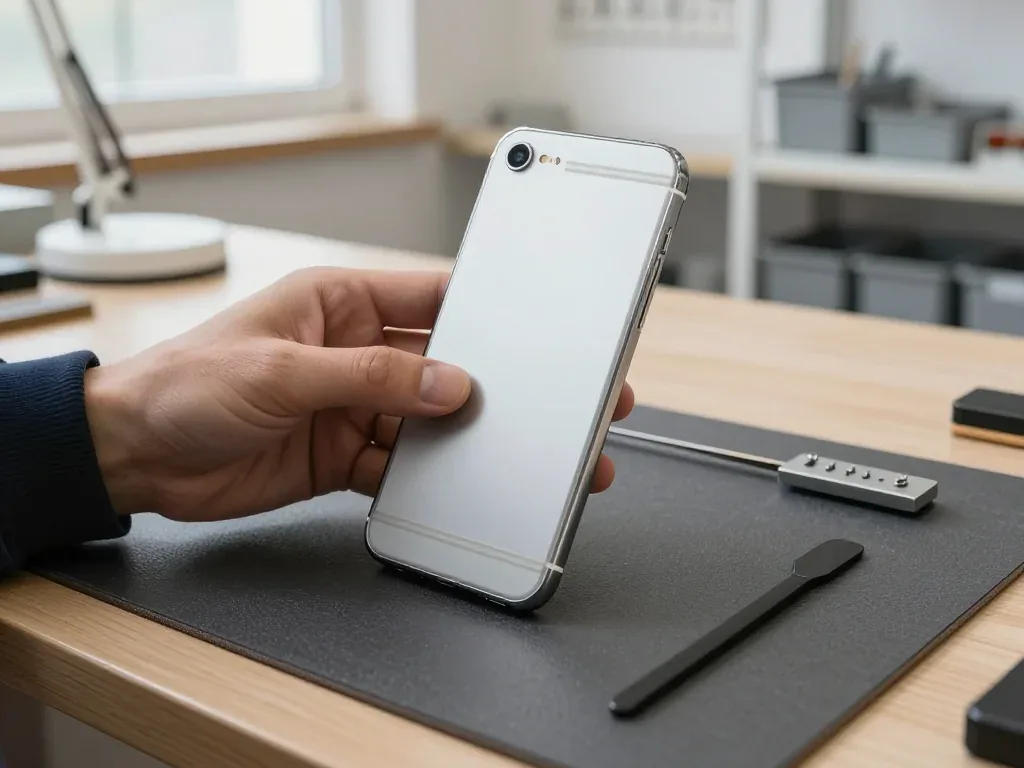
iPhone 7 in black onyx color showing the back side
iPhone 7, Jet Black repair
Battery replacementfrom 12 900 ₸
Display replacementfrom 21 900 ₸
Speaker replacementfrom 15 900 ₸
All services and prices

Which iPhone 7 repair jobs come in most often

This was the first model without a mechanical Home button, and many faults come from the speaker, the board and water sealing.

01

Speaker button grayed out

On a call the speaker icon is dim, and neither side can hear the other.

02

Dead haptic Home key

The flat button gives no buzz, and presses register only sometimes.

03

Cracked display

Spider-web cracks, colored bands or patches that ignore touch.

04

Short battery life

The phone dies in the cold or lasts a fraction of what it used to.

05

Weak stereo sound

One speaker is quieter than the other, or crackles on high volume.

06

Searching for service

The signal bars vanish, and the phone keeps looking for an operator.

07

Camera shake

The preview jitters, photos are soft and the lens rattles slightly.

08

Water exposure

After a splash or bath the screen flickers and audio becomes muffled.

09

Not charging

The Lightning port is clogged with lint or loose, and the percentage does not go up.

10

Caller can't hear you

The bottom microphone is silent on calls and videos, and voice messages come out empty.

11

3D Touch not working

A firm press registers as a normal tap, and the icon menu does not open.

12

Wi-Fi won't turn on

The wireless switch is inactive, and no hotspots are found.

iPhone 7 repair prices in Almaty

Guide prices for common jobs on the iPhone 7; the final amount depends on the part chosen and the cause of the fault.

ServiceOriginalAftermarket
Battery replacement21 900 ₸12 900 ₸
Display replacement28 900 ₸21 900 ₸
Speaker replacement26 900 ₸15 900 ₸
Charging port replacement17 900 ₸10 900 ₸
Housing replacement55 900 ₸30 900 ₸
Camera glass replacement19 900 ₸10 900 ₸
Main camera replacement38 900 ₸21 900 ₸
Front camera replacement29 900 ₸16 900 ₸
Home button replacement36 900 ₸21 900 ₸
Earpiece speaker replacement26 900 ₸15 900 ₸
Microphone replacement26 900 ₸15 900 ₸
Button replacement26 900 ₸15 900 ₸
Vibration motor replacement26 900 ₸15 900 ₸
Proximity sensor replacement27 900 ₸16 900 ₸
Other repairsPrice
Audio codec replacementboard-level chip · microsoldering23 900 ₸with parts
Water damage cleaningcorrosion cleaning · diagnostics up to 2 days17 900 ₸per job
Power controller replacementboard-level chip · microsoldering22 900 ₸with parts
Modem repairboard-level chip · microsoldering26 900 ₸with parts
Wi-Fi module repairwireless module · board-level repair19 900 ₸with parts
Logic board repairmicrosoldering · 1–3 days75 900 ₸per job
Storage replacement and upgradememory chip installation30 900 ₸with parts
Firmware flashingsoftware restore, no parts replaced10 900 ₸per job
Touch ID repairpaired to the board — no aftermarket27 900 ₸per job

The technician names the exact amount after diagnostics, because board-level work depends on what is really wrong.

How original and aftermarket parts really compare

Both kinds have their place, and the right one depends on how long you want the phone to last.

Original Applewarranty up to 1 year
iPhone 7 screen28 900 ₸
iPhone 7 screen: original part in Apple packaging
Display
Wide color range and an even backlight
Battery
Capacity and load behavior near factory level
Speaker
Clear sound without buzzing when loud
Price
Higher than aftermarket, see the price list
Chosen by 64% of clients
Book with an original part
Aftermarketwarranty 6 months
iPhone 7 screen21 900 ₸−24%
iPhone 7 screen: aftermarket part in an antistatic bag
Display
Paler colors and occasional light unevenness
Battery
Lower capacity and a shorter working life
Speaker
Quieter, with some distortion at the maximum
Price
Lower than original, good for a backup phone
Chosen by 36% of clients
Book with an aftermarket part

What an iPhone 7 owner gets from us

A phone whose board tends to lose sound and signal is better placed with technicians who work at the chip level.

1year

Warranty up to 1 year

Completed repairs carry a warranty up to 1 year, which counts for a lot on a model that has already seen plenty of wear.

11years

Eleven years with iPhone

After 11 years of working with Apple devices we know the typical weak spots of the 7, from board-level audio to the worn Home button.

8technicians

Board-level skills

Work on the board, such as audio faults, is carried out by experienced technicians used to micro-soldering.

0₸

Diagnosis first

We do not replace everything in the hope that it helps. First we establish what exactly has failed.

7days a week

Practical hours

Come on weekdays from 10:00 to 19:00, or on weekends and holidays from 11:00 to 18:00, even straight after work.

2cities

Two cities

We work in Almaty and in Astana, so a move or a business trip will not leave your phone without help.

iPhone 7 before and after repair

1 / 3
Gold iPhone 7 with a white front panel held by a technician, lock screen showing a husky in the snow and 18:15

iPhone 7: battery died by midday

A customer from Almaty said the iPhone 7 had to go on the charger by lunchtime even with light use. We replaced the battery and checked its capacity and charging — the phone now lasts a full day again.

from 12 900 ₸repair cost
I want the same
Silver iPhone 7 held by its back: new aluminium housing with antenna lines, camera and flash in the top-left corner

iPhone 7: dented corner after a drop

The client dropped the phone on the tiles outside — the corner got dented and the buttons started sticking. We moved the internals into a new housing and checked the buttons and camera — everything works fine.

from 30 900 ₸repair cost
I want the same
White iPhone 7 held in hands, thumb on the Home button, family picnic photo on the lock screen

iPhone 7: Home button stopped responding

The client brought the phone in after the Home button stopped responding to presses — likely moisture got in during a trip out of town. We replaced the button flex and checked the press and Touch ID — everything works as it should.

from 21 900 ₸repair cost
I want the same

How iPhone 7 repair is done in Almaty

Screen — 40 minutes, battery — 25. Body and board — 1–3 days.

Book a repair
  1. Step 1

    Message or call

    5 min

    You send a photo of the damage on WhatsApp — we quote the price and available time. Or you call a courier.

  2. Step 2

    Free diagnostics

    15 min

    An engineer checks the device in front of you and shows what is broken. 0 ₸, even if you decline the repair.

  3. Step 3

    Price in the receipt

    2 min

    We fix the price, the part (original or analog), the timeline and the warranty. You sign — we start.

  4. Step 4

    Repair while you wait

    20–40 min

    Before installation we show you the new part in its factory packaging. You wait in the waiting area with coffee and Wi‑Fi.

  5. Step 5

    Checking 32 functions

    10 min

    Face ID, True Tone, cameras, microphones, speakers, charging, network. You check them together with the engineer.

  6. Step 6

    Pick up your device

    warranty up to 1 year

    Together with the receipt, warranty card and the old part. Payment — Kaspi, card or cash.

Who will fix your iPhone 7

Technicians for iPhone, Mac, iPad, Apple Watch and AirPods repair.

1 / 8
MNMukhpilov Nail — smartphone repair technician, iServices service center in AlmatyPhoto: Mukhpilov Nail

Mukhpilov Nail

smartphone repair technician
10years of experience
4.83rating, 83 reviews
GKGamid K — phone repair technician, iServices service center in AlmatyPhoto: Gamid K

Gamid K

phone repair technician
9years of experience
4.8rating, 65 reviews
AAArman A — on-site technician, iServices service center in AlmatyPhoto: Arman A

Arman A

on-site technician
8years of experience
4.9rating, 43 reviews
MRMolchanov Rinat — Apple repair and diagnostics engineer, iServices service center in AlmatyPhoto: Molchanov Rinat

Molchanov Rinat

Apple repair and diagnostics engineer
10years of experience
4.85rating, 33 reviews
SAShokan A — diagnostics technician, iServices service center in AlmatyPhoto: Shokan A

Shokan A

diagnostics technician
8years of experience
5.0rating, 37 reviews
SBSybanbaev Birzhan — firmware specialist, iServices service center in AlmatyPhoto: Sybanbaev Birzhan

Sybanbaev Birzhan

firmware specialist
7years of experience
4.75rating, 74 reviews
DGDenis Gushchin — display replacement technician, iServices service center in AlmatyPhoto: Denis Gushchin

Denis Gushchin

display replacement technician
20years of experience
5.0rating, 34 reviews
DADuisebaev Azhdar — connector replacement technician, iServices service center in AlmatyPhoto: Duisebaev Azhdar

Duisebaev Azhdar

connector replacement technician
7years of experience
4.3rating, 35 reviews
Gamid K, phone repair technician
“If the repair didn’t suit you or you have a complaint, write to me personally.”
Gamid Kphone repair technician · +7 701 333-47-01

We'll quote iPhone 7 repair in Almaty from a photo in 5 minutes

Send a photo of the fault — an engineer will reply on WhatsApp, give the price and a time you can come in.

  1. 5 minAn engineer replies and names the price
  2. 0 ₸Diagnostics in front of you in 15 minutes
  3. 30 minMost repairs — while you wait

iPhone 7 Repair in Almaty with Original Parts and Warranty up to 1 year

In short

iServices handles iPhone 7 repair in Almaty as a direct contractor with its own technicians, not an agency. We diagnose the device free in front of you in 15 minutes, fix most faults while you wait, and offer a choice between an original part and an aftermarket one. Warranty runs up to 1 year and is fixed on the receipt.

Mukhpilov NailWe reply on WhatsApp within 10 minutes
Ask

What Usually Fails on an iPhone 7 and How It Shows

The iPhone 7 is an older device, so its faults are predictable. We list the ones we see most often and what each symptom actually points to before any screwdriver comes out.

The Symptoms Owners Bring Us Most Often

We see four faults on this handset more than any others — a cracked display, a worn cell, a charging socket that no longer grips the Lightning cable, and a dead earpiece or microphone after a drop. The device carries an IP67 rating, yet the socket still oxidises from sweat and humidity over years of daily pocket carry. A shattered front panel on this model usually keeps the digitizer working while the outer layer spiderwebs, which is why many owners delay the visit. A phone that dies at 30 % is usually a cell with a high cycle count, not a board fault, so the battery health reading is worth checking before you assume the worst.

Symptom, Likely Cause and What We Do

Matching visible faults to parts and actions
What you noticeLikely causeWhat we do
Screen cracked, touch worksBroken glass onlyGlass replacement
Lines or dead zones on screenDamaged display moduleFull module swap
Dies at 20–30 %Worn batteryCell replacement
Charges only at an angleDirty or oxidised portClean or replace connector
No sound on callsEarpiece or audio codecDiagnose, then repair
Blurry photosScratched camera lens coverLens cover replacement

Why This Model Ages Differently From Newer Ones

The handset still uses a physical Home key with Touch ID, a Lightning socket and an aluminium body, so its repairs differ from newer models in one key way — there is no TrueDepth assembly to protect. That single change means a screen job on this model does not risk the face-recognition hardware that newer phones carry, and the part count inside is lower. Lightning, meanwhile, has a tighter connector tolerance than USB-C, so lint packs into the opening faster and mimics a charging fault. Because the Home key is paired to the board, a technician who swaps it without transferring the original component loses Touch ID permanently, so always ask what happens to that part.

Screen Repair for the iPhone 7, Glass or Full Module

A cracked iPhone 7 screen is not always a full module job. Whether you need glass only or the whole display depends on what still works underneath, and the difference matters for both time and result.

When Only the Glass Needs Replacing

If the digitizer and the image are both intact and only the outer glass is shattered, we can replace that layer alone and keep your original LCD. Touch response stays even, colours render cleanly and there are no dark patches or lines — that is the case where a partial job makes sense. On this handset the panel sits bonded to the frame, so separating the cracked top takes steady heat control and a clean bench rather than speed. Such work is only worth it when the screen underneath is flawless — a single dead pixel or a faint shadow means the full assembly should be swapped instead, or the new cover will sit on a failing panel.

When the Whole Display Module Has to Go

We replace the full assembly when the image is distorted, the digitizer is dead or there are lines and dark patches, and on this model it takes about 40 minutes while you wait. A complete unit covers the LCD, digitizer and outer glass as one sealed part, so nothing is re-bonded by hand and the result is uniform from edge to edge. This handset has no True Tone, so there is no calibration to transfer after a swap — but the front camera and earpiece ribbon must be moved across carefully or calls and selfies will fail. 72% of jobs finish while the customer waits in the seating area.

What Still Works After a Screen Repair

  • Touch ID: works as long as the original Home button is kept and its ribbon is undamaged during the swap.
  • Front camera: must be tested afterwards, since its connector sits under the panel and is easy to pinch.
  • Earpiece and sensors: the proximity sensor and speaker sit on the screen connector and need checking before the phone is closed.
  • Water resistance: the IP67 rating is not guaranteed after any opening, even with new adhesive applied along the frame.
  • 3D Touch: the pressure sensor is part of the assembly and should respond evenly across the whole surface.

Original or Aftermarket Part for Your iPhone 7

The part you choose decides how the phone behaves afterwards. We show both options in factory packaging before installation and write the choice on the receipt, so there is no surprise later.

How Original and Aftermarket Parts Differ in Practice

Сравнение оригинальных и аналоговых деталей по функциям
PartFit and lookFunctions keptBest for
Original displayExactAll, including 3D TouchLong-term use
Aftermarket displayCloseMost, brightness may differBudget repair
Original batteryExactFull health reportingDaily driver
Aftermarket batteryCloseHealth reading may varyOlder spare phone

What We Fix on the Receipt Before Work Starts

Before a single screw turns, we write the price, the part type, the turnaround and the warranty on the receipt, and that takes about two minutes. The engineer fills it in front of you, not in a back room: you see the exact part name, whether it is original or aftermarket, and how long the job will run. The new component arrives in factory packaging and is opened while you watch, so the label on the box matches the line on the paper. A receipt that names the part is your proof if the screen or battery fails later — without it, a warranty claim turns into a debate about what was actually installed. Keep that sheet with the old part we hand back.

Why 64 % of Our Customers Pick the Original Part

Nearly two thirds of the people who come to us choose an original part, mostly because they plan to keep the device for another year or two. The reasoning is practical rather than sentimental: a genuine display module keeps 3D Touch and the exact colour calibration, and a genuine cell reports battery health the way the system expects. Owners who run the phone as a daily driver tell us they would rather pay once than come back in six months. For a phone used as a spare or a child's first device, an aftermarket part is a reasonable trade — the money saved matters more than a slight difference in screen brightness. We name both options on the receipt either way.

iPhone 7 Repair Almaty Timelines and How a Visit Works

Most iPhone 7 jobs finish while you sit in the waiting area. Here is the order of events from the first message to the moment you walk out with the phone.

From a WhatsApp Photo to a Fixed Price

Send a photo of the damage on WhatsApp and a technician replies within five minutes with a price estimate, then books you a free time slot. Diagnostics are free and happen in front of you: the specialist opens the phone, points to the failed component and explains whether a glass-only fix or a full module makes sense — the check takes about fifteen minutes, even if you decide against the work. Before anything is unscrewed, the price, the part, the turnaround and the warranty are fixed on the receipt, roughly two minutes at the counter. The replacement then comes out of its factory packaging and is shown to you before installation. This is how iPhone 7 repair in Almaty starts, and the whole process from first contact to pickup usually takes less than an hour.

How Long Each iPhone 7 Job Takes

Turnaround for each iPhone 7 task
JobTimeWait on site
Screen module40 minWhile you wait
Battery25 minWhile you wait
Camera glass20 minWhile you wait
Charging port30–40 minWhile you wait
Board repair1–3 daysDrop-off

What to Do Before You Hand the Phone Over

  • Back up first: an iCloud or computer backup protects photos and messages if the board work goes wrong.
  • Know your Apple ID: Find My iPhone must be switched off for full post-repair testing.
  • Note the passcode: the engineer needs it to check calls, camera and network after the fix.
  • Remove the case and screen protector: they hide cracks and slow the diagnosis.
  • Bring the charger: a charging fault is easier to confirm with the cable you actually use.

Water Damage and Board Work on the iPhone 7

Water and board faults are the cases where patience pays. The iPhone 7 is rated IP67, but that rating fades with age, and a wet phone needs a different approach from a cracked screen.

What Happens After an iPhone 7 Goes Into Water

A wet iPhone 7 should never be charged or dried with a hairdryer, because heat pushes moisture deeper and current through a damp circuit can short it permanently. The IP67 rating holds only while the seals are intact, and after years of use the gaskets around the screen and SIM tray have usually weakened. We open the device, disconnect the battery first, then clean the logic board in an ultrasonic bath and dry it slowly before any current returns. Diagnostics after water sometimes take up to two days, since corrosion under the shields only shows after cleaning and a slow dry — a fast answer here is usually a wrong one. Leave the phone off and bring it in as soon as you can.

When the Board Needs Microscope Work

Microscope work on the iPhone 7 is the one job that cannot be finished while you wait — expect one to three days. The mainboard carries hundreds of tiny components, and the power controller, charge IC and audio codec are the usual suspects when a phone stops charging or booting after a drop. Under magnification we trace the fault to a single rail or a cracked joint, then reball or replace only that element instead of the whole mainboard. Many "dead" iPhone 7 units are recoverable because the fault sits in a single supply rail, so ask for a diagnosis before agreeing to a full replacement. A microscope inspection answers that question before any soldering starts.

The 32-Point Check Before You Take the Phone Home

  • Touch ID: unlock the phone with the Home button to confirm it still reads your fingerprint.
  • Cameras: take a photo with the rear and front camera and check focus.
  • Microphones and speakers: make a call and record a voice memo to test both.
  • Charging: plug in the Lightning cable and confirm the battery icon responds.
  • Network: check that the signal bars return and a call connects.
  • Buttons: test volume, mute switch and the power button.
  • Final check: run all 32 functions with the engineer before paying, since a fault found at the counter is far easier to attribute than one that appears on the walk home.

Summary: iPhone 7 Repair

A good repair decision rests on a few simple checks: what actually failed, which component goes in, and how the work is documented before it starts.

  • Diagnose before deciding: a free check in front of you separates a cracked glass from a failing module, battery or board.
  • Match the component to the plan: original hardware keeps every function intact, while an aftermarket option suits a phone kept as a spare.
  • Ask about the Home button: on this model it is paired to the board, so working Touch ID depends on keeping the original.
  • Expect short waits for common jobs: screen, battery and camera glass are each done in under an hour.
  • Treat water seriously: skip charging and the hairdryer, and allow up to two days for a proper diagnosis.


Frequently asked questions about iPhone 7 repair

Did not find an answer? Message us on WhatsApp: an engineer replies, not a bot.

Ask a question
Why does my iPhone 7 show No Service even with a working SIM card?

If the SIM works in another phone, the cause is often the modem area of the iPhone 7 board. This model is known for such faults, and they are repaired at board level. The engineer first rules out settings and the SIM tray, then checks the board.

Does the iPhone 7 have a headphone jack?

No, the iPhone 7 was the first iPhone without the 3.5 mm jack. Wired headphones connect through a Lightning adapter, or you can use Bluetooth. If the adapter stopped working, the Lightning port is the first thing to check.

Can a screen from the iPhone 6s be fitted to the iPhone 7?

No, although both phones have a 4.7-inch display, the connectors and mounting differ. Only a module made for the iPhone 7 will work properly. This also applies to the glass and the backlight.

Can scratches on a Jet Black iPhone 7 be polished out?

Not reliably, because the glossy finish is a thin layer on the aluminium and polishing can wear it through. Deep scratches and dents are removed only by replacing the housing. Ask the engineer which finishes are available.

Can several iPhone 7 problems be fixed in one visit in Almaty?

Yes, for example a battery and a screen are often changed together, since the phone is opened anyway. Each part with its warranty is listed on the receipt before the work starts. Mention every fault at the free diagnosis.

Why does a second-hand iPhone 7 ask for the previous owner's Apple ID after a reset?

That is Activation Lock: the seller did not sign out of iCloud and turn off Find My before selling. Only the account owner can remove it, so contact the seller and ask them to do it remotely. A repair workshop cannot legally bypass this lock.

iPhone 7 repair reviews from Almaty clients

1 / 10
4.9

average rating on Google Maps, wikicity and our website · 445 reviews
Google Maps4.438 reviews ›wikicity5.015 reviews ›Reviews on the iServices website5.0392 reviews ›
ОА
Олжас А.20 August 2026

Батарея на айфоне совсем износилась, телефон выключался на холоде даже при тридцати процентах заряда. Заменили аккумулятор на новый оригинальный буквально за полчаса. Теперь заряд держит отлично весь день, очень доволен.

ГС
Гульмира С.16 August 2026

Разбила стекло на своем айфоне, думала, придется менять весь экран за бешеные деньги. Мастер посмотрел и сказал, что сама матрица целая, можно переклеить только стекло. Сделали за пару часов, дисплей как новый, сенсор работает идеально.

ДА
Дастан Айбекулы18 December 2019

Надо было восстановить работу Айфона пытался сначала сам сделать но при переустановке по постоянно выдавало ошибку восстановления . В этом сервисном центре помогли исправить ошибку . Мастеру понадобилось пару часов на это . Когда я вернулся в сервис уже айфон был в порядке . Спасибо действительно лучше заплатить немного мастеру чем самому мучиться.

AY
Asya Yarosh18 August 2018

Обратилась в данную компанию по ремонту в связи с неработающей кнопкой на iPhone. Довольно профессиональная компания и сотрудники. Сделали все качественно и быстро. Подробно объяснили что случилось с моей техникой и пути решения моей проблемы. Прейскурант цен умеренный. Очень порадовали сами сотрудники. Обходительность и вежливость сотрудников уже 80 % успеха компании.

АШ
Айнур Ш.29 August 2026

Случайно сломал кнопку блокировки на телефоне, она просто провалилась внутрь корпуса и не нажималась. Мастер разобрал устройство и заменил сам механизм кнопки на шлейфе. Теперь нажимается с четким щелчком, не западает больше.

КЕ
Кайрат Е.18 August 2026

Телефон упал в воду на отдыхе, сразу выключился и больше не подавал признаков жизни. Прибежал сюда, мастера оперативно приняли устройство, полностью разобрали и удалили всю окись. Аппарат спасли, все фотки и данные внутри целы.

К
Крис18 November 2025

Отдала телефон, который перестал заряжаться, поменяли разъём и даже корпус протёрли, мелочь но приятно.

РР
Роман Расулев27 October 2024

Очень рекомендую Service Apple! Пролил воду на телефон, после этого перестала работать камера. Принес в этот сервис, и остался очень доволен. Все сделали быстро, и качественно. Очень вежливый персонал. Впечатление очень хорошее!

VD
Van Day23 October 2024

отнёс туда свой телефон, восстановили, всё сделали, рекомендую!

АФ
Алексей Федотов16 March 2024

Ребята просто молодцы. Все сделали быстро и качественно. Помогли в безнадежной ситуации, когда все другие отказались ремонтировать телефон.

Showing 10 of 11

Where to get iPhone 7 repair in Almaty

Address
Almaty, Panfilov St., 21
Opening hours
Mon–Fri 10:00–19:00Sat–Sun 11:00–18:00
Phone and messengers
+7 701 333-47-01WhatsApp: +7 701 333-47-01
Directions map: iServices Almaty — Panfilov, 21© OpenStreetMapFind us on the maps: Google Maps · 2GIS