Eng

iPhone 7 Repair in Astana

iPhone 7 won’t charge or keeps shutting down — we’ll check it free while you wait and quote price and warranty before any work.

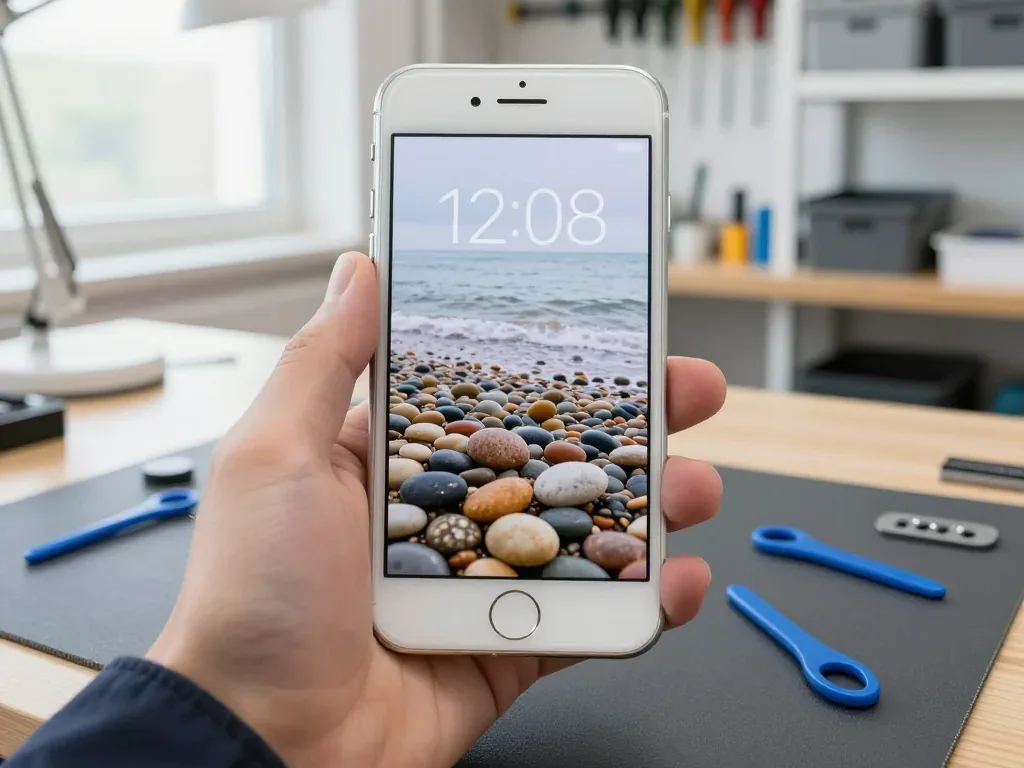
iPhone 7 in black onyx color seen from the front
iPhone 7, Jet Black repair
Battery replacementfrom 12 900 ₸
Screen replacementfrom 21 900 ₸
Charging port replacementfrom 10 900 ₸
All services and prices

Reasons Astana owners bring in an iPhone 7 for repair

This model is usually repaired for a temperamental charging port, power faults, the haptic Home button, the speaker or a cracked screen.

01

Will not take a charge

The lightning-bolt icon never appears, or charging stops after a few minutes.

02

Dies under load

The phone shuts off in apps or outdoors and only wakes up on a charger.

03

Buzz-less Home key

Pressing gives no haptic feedback, so the button feels completely dead.

04

Silent speakerphone

The loudspeaker button is greyed out on calls and voice memos stay silent.

05

No 3D Touch

A firm press on an icon opens nothing, though ordinary taps still work.

06

Hot but idle

The back panel is warm in a pocket and the percentage falls too quickly.

07

Dim display

The backlight is weak, and the picture is hard to see even at full brightness.

08

Weak microphone

People say your voice sounds distant, noisy or full of echo.

09

Cracked screen

A drop on tile left a web of cracks, and the touch is glitchy near the edge.

10

Speaker icon greyed out

On calls the speakerphone icon is inactive, and voice memos record with no sound.

11

Stuck on Searching

The modem no longer sees the carrier, though the SIM works in another phone.

12

Camera rattles

The main camera module knocks when it starts, and the image shakes and looks blurry.

What iPhone 7 repair costs in Astana

Guide prices for the jobs most tied to power, charging and the Home button, plus the usual screen and battery work.

ServiceOriginalAftermarket
Battery replacement21 900 ₸12 900 ₸
Screen replacement28 900 ₸21 900 ₸
Speaker replacement26 900 ₸15 900 ₸
Charging port replacementLightning socket17 900 ₸10 900 ₸
Housing replacement55 900 ₸30 900 ₸
Camera glass replacement19 900 ₸10 900 ₸
Main camera replacement38 900 ₸21 900 ₸
Front camera replacement29 900 ₸16 900 ₸
Home button replacement36 900 ₸21 900 ₸
Earpiece speaker replacement26 900 ₸15 900 ₸
Microphone replacement26 900 ₸15 900 ₸
Button replacement26 900 ₸15 900 ₸
Vibration motor replacement26 900 ₸15 900 ₸
Proximity sensor replacement27 900 ₸16 900 ₸
Other repairsPrice
Audio codec replacementboard-level chip · microsoldering23 900 ₸with parts
Water damage cleaningcorrosion cleaning · diagnostics up to 2 days17 900 ₸per job
Power controller replacementboard-level chip · microsoldering22 900 ₸with parts
Modem repairboard-level chip · microsoldering26 900 ₸with parts
Wi-Fi module repairwireless module · board-level repair19 900 ₸with parts
Logic board repairmicrosoldering · 1–3 days75 900 ₸per job
Storage replacement and upgradememory chip installation30 900 ₸with parts
Firmware flashingsoftware restore, no parts replaced10 900 ₸per job
Touch ID repairpaired to the board — no aftermarket27 900 ₸per job

The final figure follows diagnostics: the technician finds the cause first and only then states the cost.

iPhone 7 parts choice in Astana original or aftermarket

A comparison for people who use the phone daily and do not want to come back after half a year.

Original Applewarranty up to 1 year
iPhone 7 screen28 900 ₸
iPhone 7 screen: original part in Apple packaging
Battery
Fewer voltage dips under load and in the cold
Screen
Bright, with accurate response to firm presses
Connectors
Hold the cable snugly and loosen later
Price
Above aftermarket; the list shows the gap
Chosen by 64% of clients
Book with an original part
Aftermarketwarranty 6 months
iPhone 7 screen21 900 ₸−24%
iPhone 7 screen: aftermarket part in an antistatic bag
Battery
Smaller capacity, so frost shows the weakness sooner
Screen
Plainer color and brightness, softer touch
Connectors
Work, but may wobble earlier
Price
Lower than original, handy for a spare phone
Chosen by 36% of clients
Book with an aftermarket part

How we help iPhone 7 owners in Astana

Diagnosis first, replacement second: owners of this classic in Astana get a clear order of work and a warranty up to 1 year.

11years

Eleven years of practice

We have worked on Apple devices for 11 years and know the typical power, charging and button faults of this model well.

1year

Warranty up to 1 year

Every repair we finish is covered by a one-year guarantee, giving you peace of mind about the outcome.

6technicians

Soldering specialists

Board work is done by experienced technicians under a microscope, and they leave untouched whatever is working.

0₸

Diagnostics before anything

We establish whether the port, cable, controller or battery is at fault first, and quote the price at the end.

7days a week

A schedule that fits

On weekdays the shop is open 10:00–19:00; on Saturdays, Sundays and public holidays it opens at 11:00 and closes at 18:00, so after work is fine.

2cities

Astana and Almaty

We serve two cities, Astana and Almaty, so frequent travelers can have their phone looked after in either one.

iPhone 7 before and after repair

1 / 2
Technician holds a silver iPhone 7 with a new wallpaper and working screen

iPhone 7: touchscreen unresponsive after a drop

A customer brought in an iPhone 7 after a fall — the screen was cracked and the touchscreen stopped responding. We replaced the display module and checked the sensor and brightness — the phone works like new again.

from 21 900 ₸repair cost
I want the same
Technician holding a black iPhone 7 with the screen on showing an autumn birch grove wallpaper

iPhone 7: swollen battery lifted the screen

A client from Astana noticed the screen was starting to lift from the case and the phone was draining fast. We replaced the swollen battery and checked capacity and charging — now the iPhone 7 runs normally.

from 12 900 ₸repair cost
I want the same

How iPhone 7 repair is done in Astana

Screen — 40 minutes, battery — 25. Body and board — 1–3 days.

Book a repair
  1. Step 1

    Message or call

    5 min

    You send a photo of the damage on WhatsApp — we quote the price and available time. Or you call a courier.

  2. Step 2

    Free diagnostics

    15 min

    An engineer checks the device in front of you and shows what is broken. 0 ₸, even if you decline the repair.

  3. Step 3

    Price in the receipt

    2 min

    We fix the price, the part (original or analog), the timeline and the warranty. You sign — we start.

  4. Step 4

    Repair while you wait

    20–40 min

    Before installation we show you the new part in its factory packaging. You wait in the waiting area with coffee and Wi‑Fi.

  5. Step 5

    Checking 32 functions

    10 min

    Face ID, True Tone, cameras, microphones, speakers, charging, network. You check them together with the engineer.

  6. Step 6

    Pick up your device

    warranty up to 1 year

    Together with the receipt, warranty card and the old part. Payment — Kaspi, card or cash.

Meet the iServices team

Technicians for iPhone, Mac, iPad, Apple Watch and AirPods repair.

1 / 5
BSBakmukhammed S. — on-site iPhone technician, iServices service center in AstanaPhoto: Bakmukhammed S.

Bakmukhammed S.

on-site iPhone technician
13years of experience
4.93rating, 107 reviews
GSGalymzhan S. — iPhone repair technician, iServices service center in AstanaPhoto: Galymzhan S.

Galymzhan S.

iPhone repair technician
8years of experience
4.79rating, 90 reviews
ZSZhandos Sh. — iPhone screen replacement technician, iServices service center in AstanaPhoto: Zhandos Sh.

Zhandos Sh.

iPhone screen replacement technician
6years of experience
4.65rating, 112 reviews
DTDarkhan T. — iPhone firmware technician, iServices service center in AstanaPhoto: Darkhan T.

Darkhan T.

iPhone firmware technician
8years of experience
4.44rating, 19 reviews
KSKudiret S. — iCloud unlock specialist, iServices service center in AstanaPhoto: Kudiret S.

Kudiret S.

iCloud unlock specialist
10years of experience
4.37rating, 100 reviews
Bakmukhammed S., on-site iPhone technician
“If the repair didn’t suit you or you have a complaint, write to me personally.”
Bakmukhammed S.on-site iPhone technician · +7 701 333-47-01

We'll quote iPhone 7 repair in Astana from a photo in 5 minutes

Send a photo of the fault — an engineer will reply on WhatsApp, give the price and a time you can come in.

  1. 5 minAn engineer replies and names the price
  2. 0 ₸Diagnostics in front of you in 15 minutes
  3. 30 minMost repairs — while you wait

Same-Day iPhone 7 Repair in Astana Using Original Components

In short

In Astana, iServices repairs iPhone 7 issues — battery, screen, charging port, audio and camera glass — with most jobs done in 20–40 minutes, so you can wait on site. Our own technicians do the work, show the new component in its factory packaging before fitting, and cover each job with a warranty up to 1 year.

iServices Editorial TeamWe reply on WhatsApp within 10 minutes
Ask

Typical iPhone 7 Failures and Their Symptoms

The iPhone 7 has a well-known set of weak points — the audio codec, the Lightning connector and an ageing cell. Here is how each failure actually presents before you bring the phone in.

Screen, Battery and Charging Symptoms That Point to a Specific Fault

Symptoms matched to the fault behind them
SymptomProbable reasonWhat we do
Lines, black patches, dead touch zonesDisplay module damageSwap the display module
Drops fast, shuts down in coldWorn cellFit a fresh one
Charges only at a certain angleDirty or worn Lightning connectorClean or swap the flex
No sound or mic on calls onlyAudio codec faultBoard-level work under microscope
Cracked glass over the lensCamera cover damageFit a new cover
Back panel shatteredRear panel damageSwap the rear panel

Why the iPhone 7 Has Its Own Audio and Modem Quirks

The iPhone 7 generation is known for two board-level faults — a failing audio codec that kills the earpiece and microphone during calls, and modem issues that show up as dropped signal. The codec is the more common of the two, and it is easy to misread: the speaker and mic work fine in a voice memo but go silent on a call. The modem side behaves differently, with signal cutting out where other handsets hold full bars. Neither is solved by swapping the speaker or the antenna — both need micro-soldering on the motherboard, which is why we diagnose them under a microscope before quoting.

When the Problem Is the Battery and When It Is the Charging Port

A phone that dies quickly but charges fine needs a new cell, while a handset that will not charge at all usually has a dirty or worn Lightning connector — we confirm which on the spot during free diagnostics. Many "dead" charging sockets are simply compacted lint, and cleaning is part of the free diagnostics we run in front of you. If the socket is physically worn or the charge flex is damaged, we swap that part instead. A cell that shuts the phone down in cold or drops from full to empty in hours has aged past its useful cycle life, and no software reset brings it back. Before changing anything we clean the connector and test with a known-good cable, so the diagnosis points at the real fault rather than the first guess.

iPhone 7 Screen Fix Glass Replacement or Complete Module

The iPhone 7 uses an LCD module, so the choice is usually between replacing the whole display assembly and, in some cases, the glass alone. Here is how we decide and what stays intact.

Can You Replace Only the Glass on an iPhone 7

On the iPhone 7 the glass and the LCD are laminated together, so in most cases we replace the full display module rather than the glass alone, which keeps the touch layer and image quality consistent. Separating a bonded layer by hand risks micro-cracks in the panel and dust trapped under the new cover, and those defects show up as bright spots or dead touch zones within weeks. Glass-only work makes sense when the panel underneath is fully intact and the crack sits above an undamaged layer. We inspect the assembly under magnification before deciding, because a hairline fracture is invisible at arm's length. Replacing only the glass is possible when the LCD underneath is fully intact, but it is a longer bench job — if you need the phone back the same visit, the module swap is the faster route.

Will Touch ID Still Work After a Screen Swap

Touch ID on the iPhone 7 sits in the Home button, not the screen, so it keeps working after a display swap. The Home button stays with your phone — we never swap it for a donor part, since its sensor is paired to the logic board. Prior to any work, the receipt records the cost, turnaround time, warranty and which part will be used (original or aftermarket); before fitting, the replacement component is presented in its factory packaging. After the repair you check the cameras, microphones, speakers, charging and network together with the engineer, and the device is returned with the receipt, warranty card and the old part.

Original or Aftermarket Display and What Actually Differs

How each screen option behaves after fitting
OptionColour and brightnessTouch ID
Original displayMatches factory outputWorks, Home button stays with your phone
Aftermarket displayClose, may differ slightlyWorks, Home button stays with your phone
Glass-only repairKeeps your original panelWorks, Home button stays with your phone

Astana iPhone 7 Repair Timeframes and Your Visit Explained

The majority of repairs are completed while you wait, and the entire visit — from initial contact to collection — typically lasts less than an hour. Below is the sequence of steps and what to verify at pickup.

From WhatsApp Photo to Fixed Price on the Receipt

Send a WhatsApp photo showing the damage; an engineer responds within 5 minutes with a price and a free slot. On arrival, about 2 minutes are needed to fix the price, part, turnaround and warranty on the receipt. That's the start of iPhone 7 repair in Astana: the new component is presented to you in its factory packaging prior to fitting, and you can relax in the waiting area with coffee and Wi-Fi during the work. Having the part type and warranty written down is what protects you if anything about the job is disputed later — verbal agreements do not survive a change of shift.

Time Required for Each iPhone 7 Repair

Job types and their usual turnaround
JobTypical time
Screen replacement40 minutes
Battery replacement25 minutes
Camera glass20 minutes
Charging port20–40 minutes
Board repair (audio, modem)1–3 days

The Function Check You Do Together Before Leaving

  • Touch ID and Home button: unlock with a registered finger and confirm the click response feels the same as earlier.
  • Display and brightness: open Display settings and check that brightness adjusts smoothly and the panel responds evenly across the screen.
  • Cameras: open both rear and front cameras and check focus, flash and the switch between lenses.
  • Microphones and speakers: record a voice memo and play it back at full volume to catch a loose flex.
  • Charging and network: plug in the cable and confirm signal bars, a call connect and stable data.

iPhone 7 Water Damage and Board-Level Repairs

The iPhone 7 carries an IP67 rating, but any opening of the case reduces that protection, and water exposure is the one case where speed and correct handling decide the outcome.

What to Do First When a Phone Gets Wet

Do not charge a wet device and do not dry it with a hairdryer — switch it off, leave the port and speaker grilles open to air, and bring it in for a proper clean rather than waiting for it to "come back to life". The IP67 rating covers a brief dunk in fresh water, yet the adhesive seals weaken with age and every previous repair, so liquid reaches the logic board more often than the spec suggests. Moisture settles beneath the metal shields around the charging controller, where it starts eating traces within hours. Heat from a hairdryer pushes moisture deeper into the circuitry and accelerates corrosion, which is why a phone that seems fine for a day often fails a week later.

Why Water Diagnostics May Require Two Days

When liquid damage is involved, diagnostics may stretch to as much as two days: corrosion beneath the shields becomes visible only after the logic board has been cleaned and then powered up in stages. Our engineers strip the mainboard and clean it under a microscope, then check the board in stages — a shorted charging controller shows up long before the screen lights. We run this inspection through a microscope, since a single corroded via near the CPU can mimic a dead battery or a failed charging IC. A phone that boots after a quick dry is not proof of recovery — we test it at load and re-check the supply chain, since intermittent faults are the usual result of incomplete cleaning.

Steps to Take Prior to Handing In Your Phone

  • Back up to iCloud or a computer: a fresh backup means a logic fault never costs you photos or messages.
  • Know your Apple ID password: some checks need the account signed in.
  • Decide on Find My: leave it on for the technician or sign out in advance, but tell us which.
  • Note the passcode: we need it to run the full post-repair function check.

Why a Direct Repair Provider Changes the Outcome

Who actually holds the screwdriver matters. A direct repair provider with its own technicians and workshop keeps every step in one pair of hands, unlike an aggregator passing your device to a third party.

Direct Provider or Aggregator and What the Difference Means for You

As a direct provider we repair in our own workshop with our own technicians, so the specialist who quotes the job is the team that performs it, and there is no hand-off to an unknown third party. We have eleven years in business behind us and have completed more than 46,000 repairs across the Almaty and Astana branches. When you message us on WhatsApp, the same engineer who replies within five minutes later opens the device on the bench. With an aggregator the guarantee is only as strong as the subcontractor behind it, and the spare you agreed to can change between the front desk and the workbench — a direct provider removes that gap.

What You Take Home After the Repair

  • Receipt: the fixed price, part type, turnaround and coverage period from the day of the job.
  • Warranty card: covers the work up to 1 year.
  • Old part: handed back in a bag so you can see what came out of the phone.
  • Payment: Kaspi, card or cash, whichever suits you.

Can You Send the Phone In Without Coming to the Branch

If you cannot reach the branch, a courier can be called to collect the device, and the same WhatsApp image quote and receipt process applies from a distance. An engineer replies within five minutes, estimates the cost from the picture, and before any work begins, the receipt records the cost, part type, turnaround and coverage. Courier handover suits a cracked screen, a tired battery or a shattered camera glass — faults that show clearly in a snapshot. Remote drop-off works best when the fault is visible in an image; for intermittent board issues, an in-person diagnostic saves a round trip.

Summary: iPhone 7 Repair

A short recap of what decides the outcome when an iPhone 7 fails — from matching the symptom to the right fault to keeping the paperwork after the job.

  • Match the symptom to the fault first: screen, battery, port and audio each present differently, and a clear description speeds up the fix.
  • Ask what happens to Touch ID: on this model the Home button stays with your phone, so it keeps working after a display swap.
  • Agree the part before work starts: original and aftermarket displays differ in colour and reliability, so fix the choice in writing.
  • Know the timeline: most jobs finish in 20–40 minutes, while board-level audio and modem faults take 1–3 days.
  • Keep the paperwork and the old part: a receipt and warranty card are what protect you if anything goes wrong later.


Short answers on iPhone 7 repair in Astana

Did not find an answer? Message us on WhatsApp: an engineer replies, not a bot.

Ask a question
Can the vibration motor of the iPhone 7 be replaced on its own?

Yes, the Taptic Engine is a separate module at the bottom of the iPhone 7 and is swapped without touching the board. When it fails, notifications stop vibrating and the Home button loses its click feel. The engineer checks the motor before suggesting other repairs.

Why did my iPhone 7 lose signal after a drop?

An impact can damage an antenna contact or the modem area on the board. The first check is the SIM tray and the antenna connections, which are quick to fix. If the board is at fault, the radio part is repaired at component level.

Is the processor replaced when an iPhone 7 does not turn on?

Rarely, because a dead iPhone 7 is far more often caused by power chips, a short circuit or the battery. The processor and memory are tightly linked, so swapping them is a last resort. The engineer measures the circuits first and explains what actually failed.

How soon should a wet iPhone 7 be brought in for cleaning?

As soon as possible, ideally the same day. The iPhone 7 has splash protection, but seals age and do not stop water every time. Switch it off, do not charge it and do not dry it with a hair dryer.

Why is my iPhone 7 stuck in a boot loop and keeps showing the Apple logo?

A worn battery, a damaged cable or a fault on the board can all cause a boot loop. On the iPhone 7 the audio chip is a frequent suspect too. The engineer finds the cause before anything is replaced.

Which repairs can be combined on one iPhone 7 visit in Astana?

A screen plus a battery, or a charging connector together with a loudspeaker and rear glass, are commonly replaced in one go since the handset must be taken apart regardless. Before any work begins, the receipt lists each component along with its twelve-month coverage.

Customer reviews of iPhone 7 repair

1 / 2
4.9

iServices network rating on Google Maps, wikicity and our website · 2 028 reviews
Google Maps4.438 reviews ›wikicity5.015 reviews ›Reviews on the iServices website4.91 975 reviews ›
РН
Родион Н.Order No. •••25 · 2 October 2022
iPhone 7 · screen

Позвонил в три места, здесь внятно объяснили по цене. Сначала пошёл в авторизованный, там назвали такое, что я сел. Проблема — треснул экран. Сказали, что перезвонят, и правда перезвонили. Нужна была новая деталь: шлейф. Заплатил 44 500 тенге, и всё. Полёт нормальный.

iServices customer review, in Russian
АБ
Адиль Б.Order No. ЗК‑IS‑•••93 · 19 December 2018
iPhone 7

В Астана сервисов много, но по Apple берут не все. Отдал в сервис: iPhone 7. Проблема — не включаеться. Ответили в WhatsApp, потом созвонились. Вытащили и показали: шлейф. Советую. Сделали так, что и не придерёшься.

iServices customer review, in Russian
Showing 2 of 2See all reviews

Where to get iPhone 7 repair in Astana

Address
Astana, Kabanbay Batyr Ave., 7/2
Opening hours
Mon–Fri 10:00–19:00Sat–Sun 11:00–18:00
Phone and messengers
+7 727 339-99-12WhatsApp: +7 701 333-47-01
Directions map: iServices Astana© OpenStreetMapFind us on the maps: Google Maps · 2GIS