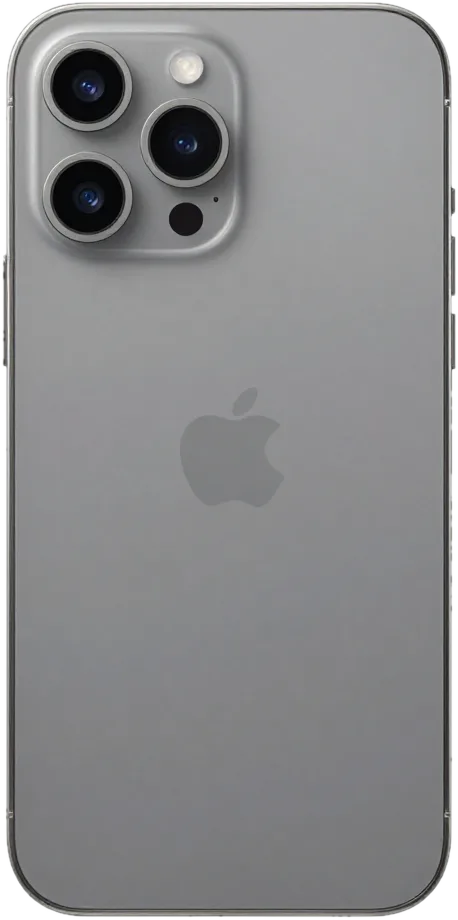
The titanium frame, USB-C and the 5× tetraprism camera changed the failure pattern of this model. Below is what most often reaches our workbench and what each symptom points to.
The Failures We See Most on This Model
Most iPhone 15 Pro Max units arrive with a cracked screen, a worn battery or damaged camera glass, and the titanium frame often survives drops that shatter the front panel. Most often we handle the display module; next comes swapping the battery once its cells pass peak cycle counts. The lens ring sits proud of the rear panel and takes the hit first, so the cover over the optics cracks without warning. The USB-C port collects lint and oxidises faster than Lightning did, so a phone that "won't charge" is frequently a cleaning job, not a board fault. The 5× tetraprism module is mechanically delicate, and a hard knock can leave photos blurry while the surface looks intact.
Symptom, Probable Reason and Our Action
Mapping each complaint to the component we inspect first| Symptom | Probable cause | What we do |
|---|
| Screen cracked, touch works | Broken cover glass | Glass-only replacement if the matrix is intact |
|---|
| Lines or dead zones | Damaged display module | Full module swap |
|---|
| USB-C charging fails | Lint or oxidised port | Clean or replace the port flex |
|---|
| The cell inside is worn | Worn cell | Battery replacement |
|---|
| Blurry photos | Lens cover has scratches | Lens cover replacement |
|---|
| No network after drop | Antenna or board | Board check under microscope |
|---|
Why USB-C and the Titanium Frame Are Significant
The titanium frame is stiffer than steel but transfers impact straight to the glass, and USB-C changed both the charging connector and the cable you need. Since the chassis bends less, a fall that seems minor may shatter the rear panel while the front remains intact, so inspect both sides after any drop. The Action button, along with the raised camera plateau, is among the first points to meet fingers and surfaces. Charging complaints on this generation come up far more often than on Lightning-era phones, and most trace back to pocket lint packed into the connector. The tetraprism lens sits deep inside the camera hump, so rear damage needs a closer look than a cracked back alone suggests.
iPhone 15 Pro Max Screen Repair
A cracked front panel is the reason most owners of this model walk in. Below we explain when the outer layer alone is enough, when the whole module is required, and what happens to Face ID and True Tone afterwards.
Whole Display Module or Glass Only
Here we swap only the cover sheet if the digitizer and OLED matrix remain undamaged, preserving the factory panel and its calibration. That top sheet sits above the OLED, so a spiderweb crack with clean colours and a responsive digitizer is a glass-only case. A dark line, a green tint or a dead strip means the matrix underneath is already damaged, and no top-sheet swap brings those pixels back. A glass-only job costs less and preserves the factory assembly, but if there is any line or dead zone the matrix has failed and a full module is the only fix.
Will Face ID and True Tone Survive
TrueDepth is a standalone component, so Face ID survives screen work; True Tone functions again after its calibration is moved to the new assembly. The TrueDepth projector is not glued to the display and rests in the upper bezel, so replacement leaves it untouched. True Tone is different: the ambient sensor pair is matched to the original assembly, and our engineer copies that pairing to the replacement during the job. This pairing step is what allows the display to adjust colour temperature to the light around you. Certain aftermarket assemblies cannot restore this colour setting, so request an original display at booking if that matters to you.
How Long a Screen Job Takes
- Start with a photo: send us an image of the damage and we identify the component before your visit.
- Bench time: the swap itself runs about 40 minutes, calibration transfer included.
- Waiting area: coffee and Wi-Fi while the engineer works at the bench.
- Handover check: you test touch response, the auto-brightness setting and Face ID together with us.
Original or Aftermarket Parts for Your iPhone 15 Pro Max Repair in Astana
Which functions survive the repair depends on the component you pick. Here is how the options differ by component, and how to lock the decision in writing before a technician opens the phone.
Original vs Aftermarket Parts — the Difference
Which functions each part type preserves| Part | Original keeps | Aftermarket may lose |
|---|
| Display | True Tone, brightness, touch | True Tone on some panels |
|---|
| Battery | Battery health reading | Health percentage display |
|---|
| Camera glass | Full sharpness | Slight colour shift |
|---|
| Charging port | Fast charge, data | Fast charge on some units |
|---|
What the Receipt Locks In
Before work begins, roughly two minutes are spent fixing on the receipt the price, component type, turnaround and warranty. The document names the exact component — original or aftermarket — so there is no gap between what you were told at the counter and what goes into the phone. The replacement part is shown in its factory packaging prior to installation, and coverage lasts up to 1 year. Our engineers write the line item by hand in front of you, not after the device disappears into the workshop. This is how an iPhone 15 Pro Max repair in Astana stays transparent from the first minute. Later, a receipt naming the exact component safeguards you, since a warranty claim is verified against what was written rather than what was spoken.
The Unknown Part Message Explained
The "unknown part" alert signals which kind of component is involved rather than a defect, and it shows up when a part isn't paired with the board. Apple ties several modules to the logic board at the factory, so a replacement display or battery that was not calibrated shows a note in Settings under the part history. The phone keeps working: touch, cameras and charging behave normally, and the notice is informational rather than a lockout. Calibration through a paired component removes it on most units, though not every aftermarket panel supports the pairing step. The message does not stop the phone working, but it does tell a future buyer the component was changed, so keep the receipt to explain it.
Charging, Battery and Camera Work on the 15 Pro Max
Charging, battery and cameras are the three assemblies that most often follow a screen job into the workshop. Each one fails in its own way, and each needs a different check before anything is ordered.
When the USB-C Connector Causes Trouble
A phone that will not charge over USB-C is often a dirty or oxidised port rather than a board fault, and we confirm which one on the bench. The iPhone 15 Pro swapped Lightning for USB-C, so the connector now carries data, power and video through a single flex that sits directly under the lower speaker grille. Lint from pockets packs into the socket and prevents the pins from making contact, whereas dampness creates a green oxide layer that halts charging completely. We inspect the cavity under magnification, test the flex on a meter, and only then decide whether cleaning is enough or the charging assembly has to come out. Cleaning the port is quick, but if the flex is corroded the whole charging assembly is swapped, so do not force a cable in to test it.
Battery Replacement and Health
Swapping the battery on a 15 Pro Max requires roughly 25 minutes, and we replace the cell once health drops and the phone powers off prematurely. The 4,441 mAh pack behind the display degrades on a curve: capacity falls slowly at first, then the voltage sags under load and the handset cuts out at 20–30 percent. We read the cycle count and peak capacity in settings, run a short discharge test, and compare the numbers against the symptoms you describe. The new cell goes in after the adhesive strips are softened and the connector is reseated, then we charge the phone to confirm it holds. An original battery keeps the health percentage readable in settings, which matters if you plan to resell the phone.
Rear Panel and Camera Glass
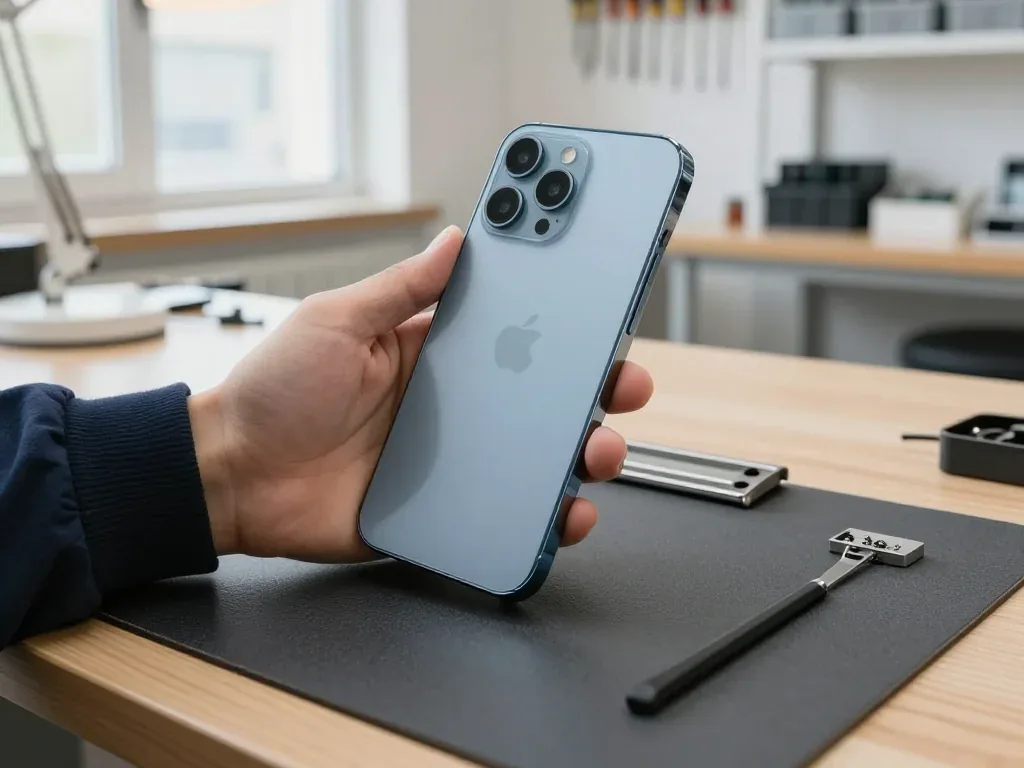
A cracked camera glass on the 15 Pro Max is replaced in about 20 minutes, and the tetraprism zoom keeps working once the new glass is fitted. The rear glass is bonded to a titanium frame and a push-button Action button sits on the same edge, so heat and force have to stay local or the frame coating lifts. We lift the shattered lens cover with a suction tool, clear the adhesive channel, and seat a fresh cover so dust cannot reach the 5x periscope underneath. If the rear glass is shattered but the frame is intact, we replace the panel rather than the whole body, which keeps the titanium frame original.
What the Visit Involves and What You Receive
A repair is a sequence of small, checkable steps: a photo on WhatsApp, a free inspection in front of you, the work itself, then a handover where you test the device alongside the engineer and leave with paperwork.
From WhatsApp Photo to Free Diagnostics
Send us a WhatsApp photo showing the damage; within 5 minutes an engineer answers with the cost and a free time slot, and the diagnostics — 15 minutes, done while you watch. The inspection is free even if you decide against the repair, and the engineer shows you exactly what has failed rather than describing it from a back room. Prior to starting, the part, the timeline and the warranty are written on the receipt, taking roughly 2 minutes, and the new component stays in factory packaging until you've inspected it. Since our technicians and workshop are in-house and we work as a direct contractor, whoever quotes your job also carries it out — no middleman markup, no device handed to a third party. Ask to watch the diagnostics — seeing the failed component yourself is the fastest way to judge whether the quoted scope is honest.
The 32-Point Check Before Handover
- Face ID: unlock the phone and confirm it reads your face reliably at arm's length.
- True Tone: toggle it in display settings and watch the colour shift warm and cool.
- Cameras: shoot on each lens, including the 5× zoom, and open the gallery previews.
- Audio: record a voice note, play it back, and test the speaker on a call.
- Charging and network: plug in USB-C, confirm the charge indicator, check signal and Wi-Fi.
Warranty, Old Part and Payment
Each repair is covered by a warranty up to 1 year, and you walk out holding the receipt, the warranty card and the replaced component. The receipt is the key document: it lists the part type, timeline and warranty conditions as agreed before work started, so no renegotiation happens at the counter. Payment runs through Kaspi, a card or cash, whichever suits you, and a courier can be called if you would rather not travel across the city yourself. The majority of jobs take 20–40 minutes; while waiting, you can sit with Wi-Fi and coffee, and 72% of repairs are done within that one visit. Keep the old component with the paperwork — it proves what was removed if a warranty question ever comes up.
Summary: iPhone 15 Pro Max repair
Fixing an iPhone 15 Pro Max means identifying the fault and matching it to the correct part, finalizing the terms in writing and testing the device upon return.
- Match the symptom to the node: a cracked screen, a dead USB-C port and a worn battery each point to a different component.
- Glass or module: a glass-only fix preserves the original panel when the matrix underneath is intact.
- Your choice drives functions: original components keep True Tone, battery health readouts and full zoom sharpness.
- Fix the terms first: price, replacement unit, turnaround and warranty belong on the receipt ahead of any work.
- Check on handover: test Face ID, cameras, audio, charging and network before leaving the workshop.











 iPad
 MacBook
 iMac
 Mac mini and Studio
 Apple Watch
 AirPods
 Apple Pencil
 Apple TV
 HomePod




