KS Photo: Kudiret S.
Kudiret S.
iCloud unlock specialist
10years of experience
4.37rating, 100 reviews

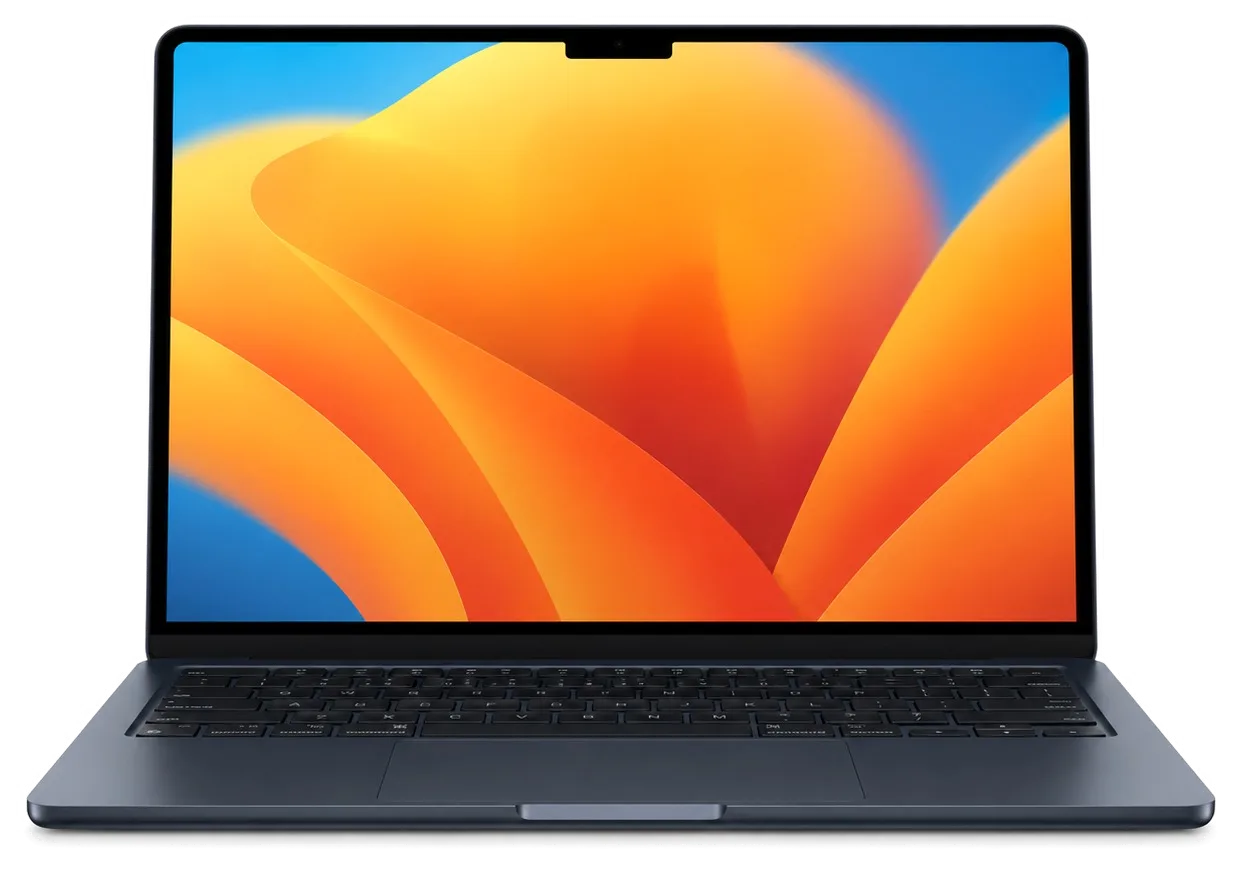
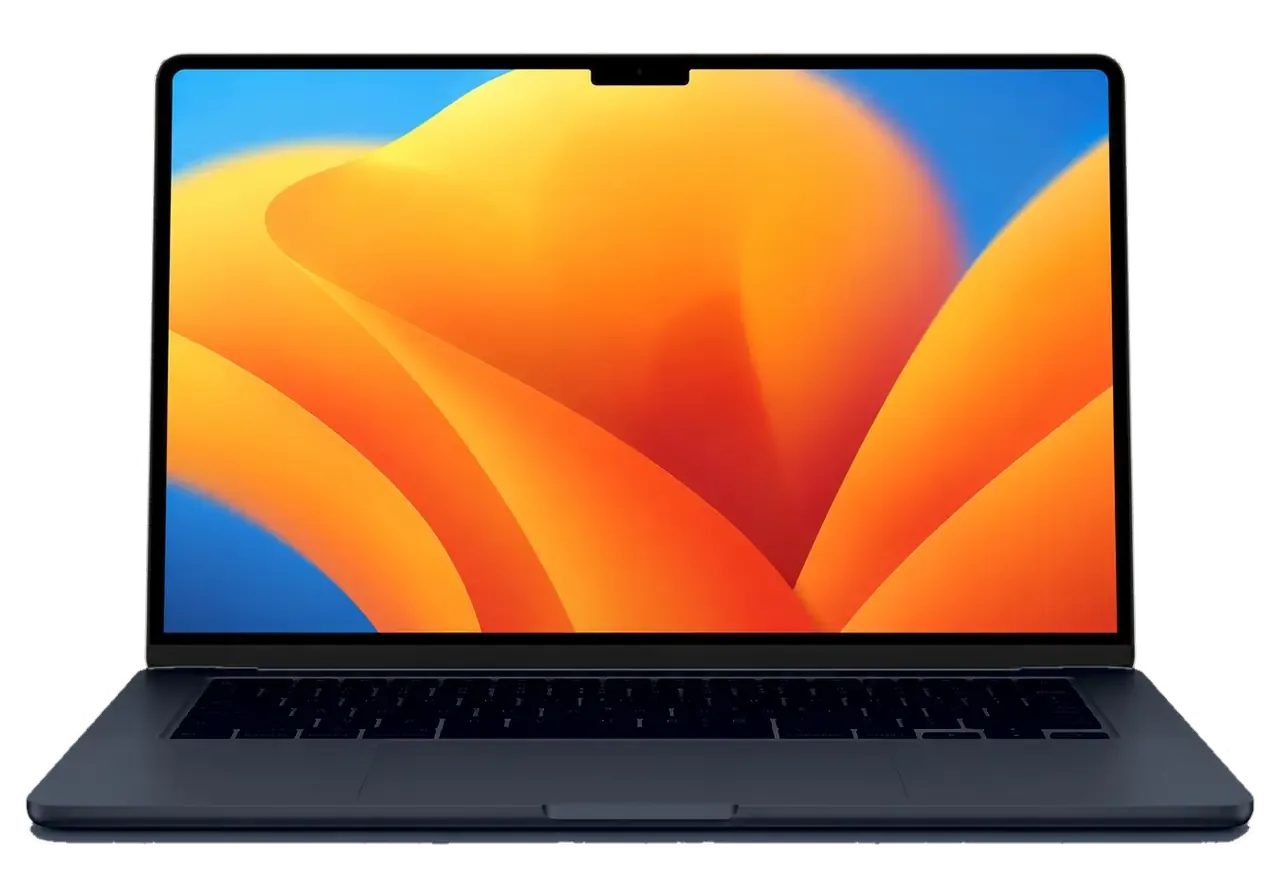
MacBook Air 15" M4 overheated, liquid-damaged or won't turn on — we'll check it free of charge while you wait and give you a time estimate with no pressure.

Air 15" M4 owners come to us after exposure to cold, liquid spills, drops, as well as with worn batteries, cracked screens and port failures.
Brought in from the cold and turned on — moisture on the board, screen goes dark.
By midday the charge is already in the red, even though the Air was fully charged.
The bag with the laptop fell, and cracks spread across the matrix, dark spots appeared.
After spilled coffee, some letters don't press, others stick when typing.
The panel has risen or stopped responding to presses — a swollen battery is possible.
An external drive or monitor is not detected when connected to the port.
No reaction to the power button or charger — the cause may be in the power circuit.
The case is hot, there's no fan, and under prolonged load the system reduces performance.
The hinges have loosened, the display swings and doesn't stay in the desired position.
During video calls the image disappears or the camera is not detected by the system.
Speakers distort at volume, the other person's voice sounds muffled.
The network appears and disappears, although other devices nearby work stably.
The chart lists base rates for common fixes for the 15" M4 Air, while the exact sum is confirmed by the specialist after checking the unit.
| Service | Original | Aftermarket |
|---|---|---|
| Display panel replacement | 416 900 ₸ | 257 900 ₸ |
| Battery replacement | 230 900 ₸ | 132 900 ₸ |
| Keyboard replacement | 125 900 ₸ | 69 900 ₸ |
| Charging port replacement | 35 900 ₸ | 19 900 ₸ |
| Speaker replacement | 33 900 ₸ | 18 900 ₸ |
| Other repairs | Price | |
| Water damage repaircorrosion cleaning · diagnostics up to 2 days | 42 900 ₸per job | |
| Logic board repairmicrosoldering · 1–3 days | 16 900 ₸per job | |
| MacOS installationOS installation, no parts replaced | 10 900 ₸per job | |
| Wi-Fi module repairwireless module · board-level repair | 41 900 ₸with parts | |
The final price depends on board damage and the chosen part, so we confirm it only after checking the laptop.
Compare both part options on four points and choose the one that suits your budget and daily workload.


Why the workshop is convenient for Astana residents: transparent estimate, service in your city, experienced technicians and weekend hours.
Over eleven years of repairing Apple equipment, we've gained experience that helps quickly distinguish a minor glitch from a serious breakdown.
Upon completion you receive a guarantee up to 1 year; all nuances are explained by the specialist before work on the laptop begins.
Only experienced technicians accustomed to precise micro-soldering are allowed to work on Air boards and thin cables.
You learn what's broken, what part options are available and what affects the final amount before work starts.
The workshop is in Astana, so you won't have to send an expensive laptop to another city and wait.
Our hours are 10–19 Monday to Friday, and 11–18 on weekends and public holidays.
Usually the whole journey — from message to pickup — takes less than an hour; complex repairs follow the timeline in the receipt.
Book a repairYou send a photo of the damage on WhatsApp — we quote the price and available time. Or you call a courier.
An engineer checks the device in front of you and shows what is broken. 0 ₸, even if you decline the repair.
We fix the price, the part (original or analog), the timeline and the warranty. You sign — we start.
Before installation we show you the new part in its factory packaging. You wait in the waiting area with coffee and Wi‑Fi.
Screen, keyboard and trackpad, camera, microphones, speakers, charging, Wi‑Fi. You check together with the engineer.
Together with the receipt, warranty card and the old part. Payment — Kaspi, card or cash.
Technicians for iPhone, Mac, iPad, Apple Watch and AirPods repair.
Photo: Kudiret S. Photo: Kamran A.

“If the repair didn’t suit you or you have a complaint, write to me personally.”
Send a photo of the fault — an engineer will reply on WhatsApp, give the price and a time you can come in.
MacBook Air 15 M4 Repair in Astana with iServices Engineers
Our own technicians handle MacBook Air 15 M4 service in Astana at iServices, never through an aggregator. We carry out free 15-minute diagnostics while you watch, quote the turnaround once testing is done, and cover every job with a guarantee up to 1 year. Original or aftermarket part, your choice, fixed on the receipt.
The M4-powered 15-inch Air breaks down in a limited, well-known set of parts. Here is how each of those failures appears from the user's perspective.
Liquid Retina displays with fractures or shimmer, batteries that swell or drain rapidly, Thunderbolt 4 and MagSafe 3 ports that stop feeding power, and spills onto the logic board are the usual faults seen on the MacBook Air 15 M4. Shimmer at low brightness usually points to the panel or its flex cable, while a cell dropping from full to half in an hour signals worn chemistry rather than software. Power faults stem either from the MagSafe 3 connector or from the charging controller on the board, and each requires its own fix. A bloated pack pushes against the trackpad and bottom cover, so a stiff click or a visible bulge is a reason to stop using and charging the machine — it is no minor quirk.
| Symptom | Likely cause | What we check |
|---|---|---|
| Screen flickers or stays dark | Display or display cable | Image on external monitor, backlight |
| Battery drains fast or bulges | Worn or swollen battery | Cycle count, case and trackpad fit |
| No charging | MagSafe 3 socket or charging chip | Both sockets, adapter, mainboard |
| Keys stick or double-type | Keyboard or top case | Key response across the deck |
| Camera or speakers fail | Camera module or speaker | Center Stage camera, both speakers |
| Dead after liquid | Corrosion on the mainboard | Inspection under microscope |
On the MacBook Air 15 M4, memory and flash storage are soldered straight onto the logic board, so unlike older MacBook Pro unibody machines they cannot be swapped as separate components. The M4 chip, unified memory and flash all sit on that one board, so a storage or memory fault turns into board-level work rather than a quick exchange. There is no slot to open and no module to lift out. Because the drive is not removable, a dead SSD means board repair, and in that case a copy made before the failure is worth more than the fix itself — once the drive stops answering, the data goes with it.
The build of this model changes what fails and how a repair is carried out. Three features matter most when a machine comes in dead, hot or charging badly.
With no fan inside, the Air 15 M4 relies on passive cooling, so the familiar "dust in the cooler, swap the fan" repair does not apply to this model at all. Heat leaves via the aluminium body and an internal heat spreader, and there is no moving part to wear out, seize or clog. When a fanless Air runs hot, the cause is usually a heavy workload or a swollen battery pressing on the chassis, not blocked cooling, so cleaning is rarely the fix. A battery swollen enough to bow the bottom case also distorts the trackpad and the keyboard well before it fails outright.
Power reaches this Air through MagSafe 3 or either of the two Thunderbolt 4 sockets, and the power key houses the Touch ID sensor, meaning a charging problem may originate in any of three distinct spots. The MagSafe route relies on its own connector, cable and input to the charge controller, whereas the USB-C route leads to the port board and that same controller. Touch ID is a standalone module connected to the power key, and it can break by itself with no effect on charging. Should the laptop charge over Thunderbolt but not over MagSafe, the problem lies in the MagSafe route, and checking both before disassembly prevents replacing the wrong part. A unit that refuses to turn on should first be tested through both charging routes.
Drops, pressure on the shut lid inside a bag, or fluid creeping in at the top edge of the lid are what usually harm the 15-inch Liquid Retina panel and the Center Stage camera at 12 MP. The camera sits within the display assembly behind the same glass and links through a flex routed around the hinge, so a knock to the lid can destroy the camera even when the picture stays perfect. Since the panel is a single bonded unit, faint pressure marks or one bright dot normally mean the whole module, not a loose cable. If only the camera fails while the screen still works, the fault is in the camera or its flex rather than the entire lid, so test each separately before ordering parts.
Everything runs through defined stages from your initial inquiry until you leave with the device in hand, and every stage can be verified on your side.
We price a MacBook Air 15 M4 repair in Astana from a WhatsApp photo, an engineer answers within 5 minutes, and everything is confirmed during free 15-minute diagnostics performed in your presence. The engineer opens the unit, points out the faulty part and explains the replacement before anyone picks up a screwdriver. The receipt is drawn up before service begins and fixes cost, component, turnaround and guarantee, so nothing changes after signing. You also inspect the new component in its factory packaging prior to installation. Ask for the aftermarket option to be listed beside the original on the receipt — that choice stays visible if you later resell the laptop.
Most laptop and iPad jobs are completed within a day, often in about an hour, board work takes 1–3 days, and 72% of our repairs are finished while the customer waits in the lounge with coffee and Wi-Fi. A screen or battery job on the 15-inch Air often fits that same-day slot; a logic board fault follows its own schedule. Pickup by courier can be arranged, but a board-level fault is the one case where diagnostics, not the courier, set the pace, so plan for the longer window. If this machine is your only work device, send the photo on a weekday morning, when bench time queues are shortest.
After the repair we perform a 32-point check lasting about 10 minutes, covering display, True Tone, camera, microphones, speakers, charging, network and keyboard, and you review it together with the engineer. True Tone and the camera are the two items owners most often forget to verify on a 15-inch Air, so watch those tests closely. The device is returned with the receipt, the old part and warranty card, so you can see exactly what was removed and keep it as proof of service. Store that old battery or display in the box for the duration of the warranty — it resolves any dispute about what was replaced.
Liquid damage and a machine that refuses to start are the two cases where what the owner does in the first minutes matters more than the repair itself.
If liquid gets into a MacBook Air 15 M4, switch it off immediately and avoid connecting the charger, since corrosion continues to spread while power is supplied. Disconnect MagSafe 3 or USB-C, angle the unit so the fluid runs away from the keyboard, and keep the lid open. Never press the power button again to see if it works — every attempt feeds corrosion on the mainboard. Coffee, juice and sugary drinks are more harmful than water: sugar and acid attack the solder joints around the charging chip. Never dry it using a hairdryer or heat, as warmth drives moisture deeper inside, and a device that appears fine the next day may fail weeks later.
After liquid damage our diagnostics may require as long as two days, since corrosion must be located and removed before we can say what actually survived. Fifteen minutes in your presence suffices for a cracked screen or a dead battery, but dried residue hides beneath shields and between layers. Board repair happens under a microscope and needs 1–3 days, and the honest answer on a badly corroded unit is sometimes that the data matters more than the machine. If the aim is to rescue files rather than revive the laptop, the plan and the quote change. Waiting a day for a proper diagnosis beats a rushed verdict that misses a shorted rail.
When a MacBook Air 15 M4 refuses to power on, it is typically a charging-path fault, a deeply discharged battery or a board issue, and the sequence of those checks determines how quickly it is resolved. Try another charger and both Thunderbolt 4 ports before opening the laptop — that distinguishes an adapter problem from an internal one and prevents most unnecessary board work. Inspect the MagSafe 3 connector for lint and the LED for any response. If the machine stays silent on a known-good charger, the next suspects are the charging chip and the battery, not the display. A unit with no life goes under the microscope, where a shorted capacitor or a burnt trace is visible within minutes.
Two things decide how the laptop comes back to you: which part goes in, and what happens to the data already inside it. Both are settled before anyone opens the case.
You choose between an original component and an aftermarket one before work starts, 64% of our customers pick the original, and whichever you take is written on the receipt together with the price, turnaround and warranty. The receipt names the component type exactly — not "display" but the precise assembly going into your MacBook Air 15 M4. We present the new part in its factory packaging before fitting, so you can match what was promised on paper against what is actually installed. An aftermarket display can look right on a test bench and then show a warmer tint at full brightness, which is why the choice is fixed in writing rather than agreed verbally at the counter.
| Option | Origin | What to expect | On the receipt |
|---|---|---|---|
| Original part | Factory part | Closest match to factory behaviour | Part type, warranty |
| Aftermarket part | Third-party part | Works, may differ in feel | Part type, warranty |
| Display | Either option | Check brightness and True Tone | Part type, warranty |
| Battery | Either option | Check cycle behaviour after fitting | Part type, warranty |
Before handing over a MacBook Air 15 M4, create a Time Machine copy, write down your password and user, and decide how to handle Find My Mac, because board repair can affect access to the data. A local copy on an external drive takes one evening and removes the biggest risk in any repair. Signing out of Find My Mac matters when the logic board is involved: testing after the board is swapped can be blocked by activation lock, and unlocking it later needs the original account credentials. On this model the SSD is soldered, so data recovery is a board-level job, and a copy made in advance is the only dependable safeguard. Put the password on paper, not on the laptop.
Five factors determine whether a MacBook Air 15 M4 repair succeeds. The list below condenses everything above and is worth keeping once you hand the machine in.
Did not find an answer? Message us on WhatsApp: an engineer replies, not a bot.
Ask a questionIt's better to wait until the case warms up to room temperature. Otherwise condensation forms inside, which can short the board. Let the laptop sit in a warm place without charging for half an hour to an hour.
The screen is replaced as a complete module with the lid, which also houses the camera and antennas. After installation, the technician checks the image, backlight, camera and Wi-Fi. The choice between original and analog is discussed before work begins.
This model has a Force Touch trackpad: the click is created by a vibration motor, not mechanics. First check the trackpad settings and restart the laptop. If there's no response or the trackpad has risen, diagnostics are needed: a swollen battery is often the cause.
Because the M4 chip is soldered onto the board, repairing it takes micro-soldering and precise diagnostics. This affects the complexity of work on the power circuit, but the final cost is announced after inspection. The estimate is agreed before any work starts.
A lithium-ion battery delivers less energy in the cold, and the percentage drops more noticeably. Capacity returns in warmth. If the laptop also holds charge worse at home, the battery is worn out.
Which part is being installed — original or analog, what exactly is included in the work, and whether related elements like cables need replacing. Also ask about the warranty: it's up to 1 year on the work performed.
До этого обращалась в сервис у дома, там только развели руками. После обновления началось: вздулась батарея. Камран А. — мастер от бога, если можно так сказать. Привезла на такси, приняли без вопросов. Обошлось заменой: матрица. Смета — 46 000, чек дали. Советую. Полёт нормальный.
Қабылдау тез болды, кезек жоқ. Нәтижесіне ризамын. Жұмыс істеп тұр, шағым жоқ
Друг посоветовал, у него после воды ноут подняли. Принёс с мороза, открыл — залили водой. Работает, как будто и не ломалось.
Проблема — треснул экран. Камран А. всё сделал при мне, за пятнадцать минут. Пользуюсь и вспоминаю добрым словом.
Позвонила по объявлению, приехала на следующий день. Кот скинул со стола, теперь — не включается. Привезла на такси, приняли без вопросов. Ни разу не пожалела.
Бұл жерге бірінші рет келдім. Жұмысты сол күні аяқтады. Бағасы мен сапасы сай
Проблема — вздулась батарея. Камран А. провозился, но сделал. Внешне не видно, что разбирали.
У нас в офисе три таких ноутбука, один сломался. Работал в жару, и вот — не работает клавиатура. Всё чётко, без сюрпризов
Проблема — залили водой. Вернули — проверил, всё ок. Все функции проверил — работают!!
Камран А. принял без вопросов, хотя был без записи. Функционирует, тьфу-тьфу

Replace the battery when macOS reports Service Recommended and runtime no longer covers your workday. A free 15-minute check shows whether the cell is at fault.

Why your MacBook runs hot and loud, and whether cleaning solves it or the board needs repair.

Power it off, unplug the charger and bring the laptop in for a free 15-minute check before corrosion spreads.

Sticky or unresponsive keys usually mean debris, worn mechanisms or liquid damage. A technician can check the keyboard and advise on cleaning or replacement.

Back up your data, turn off Find My, and bring proof of purchase — then the repair starts faster.

 iPad
 iMac
 Mac mini and Studio
 Apple Watch
 AirPods
 Apple Pencil
 Apple TV
 HomePod
