KS Photo: Kudiret S.
Kudiret S.
iCloud unlock specialist
10years of experience
4.37rating, 100 reviews

Crash after an update or fast battery drain on MacBook Pro A2338 — we'll check it free and put the price and warranty on the receipt.

This MacBook comes in both after purchase and during daily use: freezes, a tired battery, dents and sluggish ports.
After a macOS update the laptop sticks on the logo or restarts in a loop.
A used unit shows a high cycle count and the charge lasts a couple of hours.
Signs of falls can hide screen, cable and port problems inside.
Charging comes in bursts and an external drive disconnects for no reason.
Dark key prints, a web of cracks or patches without backlight.
The click is faint in one corner and a swollen battery lifts the surface.
The strip goes dark during work or shows buttons with a delay.
Sticky keys and corrosion point to past contact with tea or water.
The cooler howls during simple tasks, and the vents are clogged with dust.
Networks are not visible or the connection drops every few minutes.
The FaceTime camera doesn't start, and calls show a gray rectangle.
Touch ID in the power button no longer accepts saved fingerprints.
The jobs below for the MacBook Pro A2338 carry a "from" price; the technician gives the final sum after checking the actual laptop.
| Service | Original | Aftermarket |
|---|---|---|
| Display replacement | 301 900 ₸ | 186 900 ₸ |
| Charging port replacement | 35 900 ₸ | 19 900 ₸ |
| Speaker replacement | 33 900 ₸ | 18 900 ₸ |
| Fan replacement | 26 900 ₸ | 14 900 ₸ |
| Battery replacement | 155 900 ₸ | 89 900 ₸ |
| Other repairs | Price | |
| Logic board repairmicrosoldering · 1–3 days | 16 900 ₸per job | |
| Dust cleaningdisassembly and dust cleaning | 10 900 ₸per job | |
| Liquid damage cleaningcorrosion cleaning · diagnostics up to 2 days | 42 900 ₸per job | |
| Wi-Fi module repairwireless module · board-level repair | 41 900 ₸with parts | |
| MacOS installationOS installation, no parts replaced | 10 900 ₸per job | |
The sum depends on the check results and the chosen part; the technician agrees it with you before the repair begins.
For a laptop with mileage, the ratio of price to the new part's lifespan matters most.


Whether you are choosing a laptop or fixing your own, we check it without hurry and give an honest estimate.
Eleven years of fixing Apple gear taught us to notice small signs of how hard a laptop has worked and what is hidden inside.
The technician tests power, battery, ports and screen in turn and says what is fine and what will need money.
Completed work carries a warranty of up to 1 year, and the technician explains the terms of your repair beforehand.
Laptops are repaired by experienced technicians who handle boards and thin cables with care.
We name the sum after diagnostics and explain what it consists of, so you decide whether a repair is worth it.
We receive laptops on weekdays 10:00–19:00 and on Saturdays, Sundays and holidays 11:00–18:00.
Usually the whole journey — from message to pickup — takes less than an hour; complex repairs follow the timeline in the receipt.
Book a repairYou send a photo of the damage on WhatsApp — we quote the price and available time. Or you call a courier.
An engineer checks the device in front of you and shows what is broken. 0 ₸, even if you decline the repair.
We fix the price, the part (original or analog), the timeline and the warranty. You sign — we start.
Before installation we show you the new part in its factory packaging. You wait in the waiting area with coffee and Wi‑Fi.
Screen, keyboard and trackpad, camera, microphones, speakers, charging, Wi‑Fi. You check together with the engineer.
Together with the receipt, warranty card and the old part. Payment — Kaspi, card or cash.
Technicians for iPhone, Mac, iPad, Apple Watch and AirPods repair.
Photo: Kudiret S. Photo: Kamran A.

“If the repair didn’t suit you or you have a complaint, write to me personally.”
Send a photo of the fault — an engineer will reply on WhatsApp, give the price and a time you can come in.
Clear Conditions for MacBook Pro A2338 Repair in Astana
In Astana, iServices staff repair MacBook Pro A2338 directly — no middleman. Diagnostics are free and done in front of you within 15 minutes; a typical fix takes from an hour up to a day. Choose an original or aftermarket component; before work begins, the receipt locks in price, part, turnaround and a warranty up to 1 year.
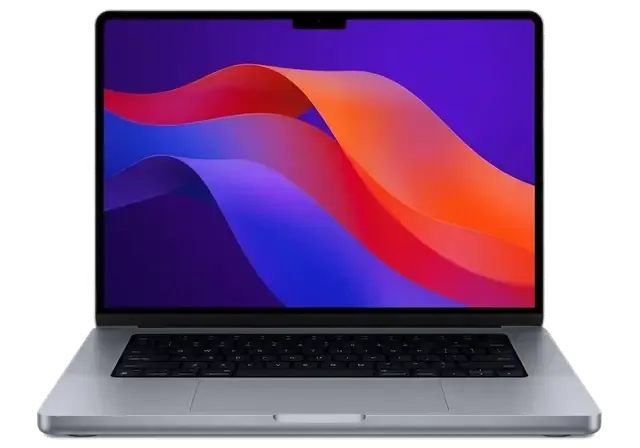
Built on Apple Silicon, the A2338 is a 13-inch MacBook Pro featuring a Touch Bar and active cooling. The model number on the bottom cover decides which parts fit, so every repair starts with identification.
A small inscription on the bottom cover carries the model number; here it says A2338, the code for the 13-inch Pro built on Apple Silicon. Open the About This Mac window: an M1 or M2 chip confirms the Apple Silicon generation, while an Intel Core label means you have a different machine. The port layout helps too — two or four USB-C/Thunderbolt ports and no MagSafe connector. The marketing name on the box ("Pro 13 M1" or "M2") is not enough to order a part, because two units sold under similar names can carry different displays and batteries; the A-number is what a technician actually matches against.
On the A2338 the memory and SSD are soldered to the logic board, so unlike older unibody Pros we cannot swap in more RAM or a bigger drive, and repairs focus on the mainboard, battery, display and keyboard deck. That single design choice reshapes the whole job: a dead SSD is no longer a five-minute swap but a board-level operation under the microscope, and a failed charging controller sits on the same substrate as your data. We ask every owner one question before the screwdriver comes out — is there a backup? Because storage lives on that substrate, a fault there can put your files at risk in a way a failed drive never did, which is why we confirm a backup before touching it.
Most A2338 units arrive with one of a handful of faults, and each has a recognizable sign. The table below matches the symptom you see to what we actually check and do.
| Symptom you notice | Likely cause | What we do |
|---|---|---|
| Lines, cracks or a dark screen | Display or flex cable | Replace display module or cable |
| Trackpad hard to click, lid bulging | Swollen battery | Replace battery |
| Buttons stick or type twice | Keyboard deck wear | Replace top case |
| Spilled liquid, then dead | Corrosion | Clean and repair the mainboard |
| Will not charge or power on | Port or power controller | Diagnose port and board |
A fan and heatsink keep this Pro cool, so when it overheats and the fan stays loud, the usual cause is dust packed into the fins or dried thermal paste rather than a dead component. The 13-inch chassis moves a lot of heat through one fan, and after a few years of daily use the fins clog with lint while the paste under the heatsink hardens and stops transferring heat. We strip the cooler, clear the fins, replace the paste and reassemble, then load the machine to confirm the fan settles back to a quiet idle. Cleaning restores airflow but does not fix a machine that throttles because a heavy workload simply exceeds a 13-inch chassis, so we tell you honestly when a cleaning will not change what you feel.
On this generation the keyboard sits in the top case, so one dead button or a Touch Bar that stops responding is handled as a deck-level repair rather than a single-swap job. The butterfly mechanism under each cap is thin and sits close to the mainboard, which is why crumbs and dust reach it easily and why a cap starts to stick, repeat a letter or feel mushy. The Touch Bar is a separate strip bonded to the deck, and when it goes dark or freezes the fault usually sits in its flex connector rather than the display above it. A cap that double-types is often debris under the mechanism, and a quick clean can settle it before anyone commits to a full deck, so we check that first.
Each stage is short and fixed, from the first message all the way to pickup. Here is what happens from the snapshot you send to the moment you check the machine yourself.
Snap the damage and send it over WhatsApp — an engineer answers with a price based on that picture inside five minutes; at the branch, a no-cost quarter-hour check happens with you watching, and you still pay nothing if the repair is declined. The engineer opens the machine on the bench beside you and points at the failed component rather than describing it from memory. On a MacBook Pro A2338 repair in Astana, the WhatsApp quote and the bench check usually land on the same figure, because hinges, displays and batteries photograph clearly. Once terms are agreed, you can settle with Kaspi, a bank card or cash. The receipt is written before any work starts and takes roughly 2 minutes, because a price agreed only in chat is easy to argue about later while a signed receipt is not.
After the repair we run a 32-function check of about 10 minutes, and you go through the key ones with the engineer before the device leaves. So True Tone, camera, microphone, speaker, charging, and network functions each get checked live with you present, not just marked on a checklist. Before installation the new component is displayed in factory packaging, and the failed one returns in that box with you. A receipt, the warranty card and the part that was swapped out all go home with you — so should anything act up afterward, you can check the documents and compare the removed component. The old element settles most arguments faster than any description of the fault does.
Every part on this model comes in two versions, and the choice is yours to make with the trade-offs in front of you. What matters is that the decision is written down before work begins.
| Part | Original option | Aftermarket option | What to weigh |
|---|---|---|---|
| Display | Factory-matched panel | Compatible panel | Brightness and color accuracy |
| Battery | Factory cell | Compatible cell | How health holds over time |
| Keyboard deck | Factory top case | Compatible deck | Key feel and finish |
| Charging port | Factory connector | Compatible connector | Fit and long-term wear |
Before work starts we fix four things on the receipt: the price, whether the part is original or aftermarket, the turnaround and the warranty, which runs up to 1 year. The engineer enters all four in about two minutes while you watch, so nothing about the job stays verbal. We also show you the new part in its factory packaging before it goes in, so the receipt and the box you saw describe the same component rather than two different ones. If the part you agreed on is not the part that arrives, the paper trail makes the mismatch obvious on the spot. At pickup you get the old part back along with the warranty card and that slip — your reference if anything behaves oddly weeks later.
Among our customers, 64% pick an original part; the rest choose aftermarket when budget or the machine's age makes that the more sensible call. There is no single correct answer here, and the deciding question is almost always how long the laptop has left in daily use. A machine you will carry for years rewards the factory-matched panel and cell, because brightness and battery health are what you notice every single day. A unit already earmarked for replacement rarely justifies the same outlay on a compatible deck or connector. Ask the engineer to talk you through both options for your specific fault before you commit, then let the receipt carry the decision.
Liquid and power faults are the cases where what you do in the first minutes matters most. The same section covers how we protect your files while the board is on the bench.
If liquid gets in, power the device off at once and do not plug in a charger, because corrosion spreads on the mainboard for as long as it carries current. Keep the power button pressed down until the machine powers off completely; tip the laptop so any liquid flows out away from the keys, and let air reach the ports rather than covering them. The power controller on this unit sits close to the charging circuitry, and that is exactly where residue does the quickest damage. Do not run a diagnostic loop to test whether it still works — every minute of current flow pushes corrosion further under the chips. Rice and a warm room do not stop corrosion inside a mainboard, so the useful move is to get it to a bench rather than to dry it yourself for a day.
When liquid damage is involved, diagnostics may require as long as two days, since corrosion can remain hidden beneath parts and becomes visible only after the mainboard is cleaned and examined under a microscope. The first fifteen minutes are free and happen in front of you: an engineer opens the machine, shows you where the residue sits and explains what can be saved. After that, mainboard work is done under a microscope, which is the only way to see a damaged trace beneath a shield or a corroded pad under a chip. A mainboard that looks fine on the surface can still fail a week later, so we would rather spend the extra day finding the damaged trace than hand back a machine that dies again.
Five points carry the whole decision: confirm the model, understand what the platform allows, read the symptom correctly, fix the terms on paper and back up the files first.
Did not find an answer? Message us on WhatsApp: an engineer replies, not a bot.
Ask a questionIn daylight the ambient light sensor switches it off on purpose, so check the brightness settings for the keyboard in Control Center first. If it stays off in a dark room, the backlight circuit or the keyboard itself is checked.
Restart the Mac and clean the trackpad surface first, since moisture and grease confuse the sensor. If the jumps continue, the trackpad, its flex cable or a battery pressing from below is tested.
Yes, but the board underneath is cleaned and checked first, because sticky keys are often the smallest part of liquid damage. Once the board is clean, a new keyboard brings back normal typing.
Usually yes. Closing the lid on earbuds or a pen presses on the panel and can damage it or its flex cable. The engineer checks which of the two is affected before suggesting a cable or display replacement.
Check the output device and the balance slider in Sound settings first. If one side is quiet or rattles, dust in the grilles or a worn speaker module is the cause, and the module can be replaced.
Only if the stored data was reset during the work. With the original sensor in place, you can add fingers again under Touch ID and Password in System Settings in a minute.
Проблема — не работает клавиатура. Функционирует, тьфу-тьфу. Дома включила, всё на месте!!
Құрылғыны әкелдім, бірден қабылдады. Жұмысты сол күні аяқтады. Екі күнен кейін өзі қоңырау шалды. Бағаны алдын ала айтты, соңында өзгермеді. Бөлшек қоймада бар екен, күтпедік. Мастер бәрін түсіндірді. Ақауын тез анықтады, қажетсіз нәрсе ұсынбады. Кепілдік берді, бұл маңызды. Диагностика тегін болды. Бағасы мен сапасы сай.
Сначала думал сам поменять, посмотрел видео и передумал. Приехал с MacBook Pro A2338, как есть. Проблема — не работает клавиатура. Камран А. всё сделал при мне, за пятнадцать минут. Не пришлось стоять в очереди. Вытащили и показали: плата. Отдал 18 000 и не жалею. Обращусь ещё. Проверил на всех режимах — держит
Құрылғыны әкелдім, бірден қабылдады. Мастер бәрін түсіндірді. Бағасы мен сапасы сай)
Қабылдау тез болды, кезек жоқ. Кешігу болды, бірақ ескертті. Достарыма айтамын!!
Искал, где есть оригинальные запчасти, а не «как оригинал». Принёс с мороза, открыл — залили водой. Приняли без записи, оформили за пять минут. Пришлось ставить: аккумулятор. Ни копейки больше обещаного. Достойно сделали. После ремонта — как новое.
Камран А. разрулил всё быстро. Диагностику сделали при мне. Функционирует, тьфу-тьфу.
Проблема — треснул экран. Камран А. — мастер от бога, если можно так сказать. Пользуюсь и вспоминаю добрым словом.
Проблема — не работает клавиатура. Внешне не видно, что разбирали. Работает, как будто и не ломалось.
Было ощущение, что ремонт выйдет дороже нового. Проблема — не включается. После ремонта — как новое.

Replace the battery when macOS reports Service Recommended and runtime no longer covers your workday. A free 15-minute check shows whether the cell is at fault.

Why your MacBook runs hot and loud, and whether cleaning solves it or the board needs repair.

Power it off, unplug the charger and bring the laptop in for a free 15-minute check before corrosion spreads.

Sticky or unresponsive keys usually mean debris, worn mechanisms or liquid damage. A technician can check the keyboard and advise on cleaning or replacement.

Back up your data, turn off Find My, and bring proof of purchase — then the repair starts faster.


 iPad
 iMac
 Mac mini and Studio
 Apple Watch
 AirPods
 Apple Pencil
 Apple TV
 HomePod
