KS Photo: Kudiret S.
Kudiret S.
iCloud unlock specialist
10years of experience
4.37rating, 100 reviews

MacBook Air A2337 draining fast or a cracked screen — battery replaced in an hour, display in a day, price noted on the receipt.

The slim Apple-silicon Air is great on the move, but it takes a beating from bags, damp and daily top-ups.
The lid no longer closes flush and the hinge area creaks when you open it.
Charging cycles added up, and the laptop now needs power by mid-afternoon.
The feedback is weak at the bottom edge and swipes sometimes register late.
The plug wiggles, and a monitor or drive flickers on and off.
A low rattle shows up on bass-heavy music, usually after dust or a knock.
One side of the display looks dimmer, or a faint band crosses the picture.
System messages about low space or disk errors appear during updates.
A splash reached the keyboard, and the laptop restarted before going dark.
The bottom cover bulges, and the trackpad is hard to press and clicks dull.
At loud volume in movies you hear a rattle, and bass sounds muffled.
An external screen over USB-C flickers or isn't recognized at all.
The body above the keys gets warm, and under long load the Air slows down.
The table gives starting prices for the main A2337 jobs, and the technician names the final sum after inspecting the device.
| Service | Original | Aftermarket |
|---|---|---|
| Display replacement | 267 900 ₸ | 165 900 ₸ |
| Battery replacement | 115 900 ₸ | 66 900 ₸ |
| Trackpad replacement | 119 900 ₸ | 66 900 ₸ |
| Charging port replacement | 35 900 ₸ | 19 900 ₸ |
| Speaker replacement | 33 900 ₸ | 18 900 ₸ |
| Other repairs | Price | |
| Keyboard replacementmicrosoldering · 1–3 days | 55 900 ₸per job | |
| Liquid damage cleaningcorrosion cleaning · diagnostics up to 2 days | 41 900 ₸per job | |
| Wi-Fi module repairwireless module · board-level repair | 41 900 ₸with parts | |
| MacOS installationOS installation, no parts replaced | 10 900 ₸per job | |
The final bill depends on board damage and the part you choose, so we confirm it only after diagnostics.
Four quick points compare the two options so you can match them to your daily workload and your budget.


We work out why the laptop misbehaves before we talk about price or timing.
11 years of Apple repair work gives us a feel for symptoms, so we quickly tell a small glitch from a serious fault.
Completed repairs come with coverage of up to 1 year, and you find out beforehand which situations fall under it.
The Apple silicon board and the glued battery mount go to experienced technicians with experience of this exact work.
Diagnosis comes first and the estimate second, so healthy parts and needless replacements stay out of your bill.
The workshop operates in Astana, so a work laptop stays in your city with no shipping and no waiting.
Weekdays 10:00–19:00; on Sat–Sun plus public holidays we open 11:00–18:00, which leaves room to drop by around your schedule.
Usually the whole journey — from message to pickup — takes less than an hour; complex repairs follow the timeline in the receipt.
Book a repairYou send a photo of the damage on WhatsApp — we quote the price and available time. Or you call a courier.
An engineer checks the device in front of you and shows what is broken. 0 ₸, even if you decline the repair.
We fix the price, the part (original or analog), the timeline and the warranty. You sign — we start.
Before installation we show you the new part in its factory packaging. You wait in the waiting area with coffee and Wi‑Fi.
Screen, keyboard and trackpad, camera, microphones, speakers, charging, Wi‑Fi. You check together with the engineer.
Together with the receipt, warranty card and the old part. Payment — Kaspi, card or cash.
Technicians for iPhone, Mac, iPad, Apple Watch and AirPods repair.
Photo: Kudiret S. Photo: Kamran A.

“If the repair didn’t suit you or you have a complaint, write to me personally.”
Send a photo of the fault — an engineer will reply on WhatsApp, give the price and a time you can come in.
Same-Day MacBook Air A2337 Repair Service in Astana
iServices in Astana takes on MacBook Air A2337 repairs — screen, battery, keyboard or board issues — and includes a free 15-minute diagnostics right in front of you. Most repairs are completed within one hour up to a single day; before installation we present the replacement component in its factory packaging, and coverage lasts at least twelve months.
The fanless M1 Air breaks down differently from Intel Pros: dust faults are rarer, while battery, port and liquid issues appear more often. Here are the faults we see most and how each is confirmed.
| Symptom | Likely cause | First check we run |
|---|---|---|
| Trackpad stiff, lid bulging | Swollen battery | Swelling and cycle count |
| Screen showing stripes or dark areas | Display matrix or flex | External monitor test |
| Keys stick or double-type | Keyboard or top case | Key-by-key response test |
| Dead after a spill | Liquid corrosion | Microscope inspection |
| No charge, dead port | Charging controller or USB-C port | Port and controller test |
| Hot, sluggish, throttling | Dried thermal paste, debris | Cooling and thermal check |
Without a fan inside the A2337, overheating leads to throttling rather than audible whine, and dust buildup manifests as sluggishness, not noise. Heat leaves this Apple Silicon machine through the aluminium chassis and a heatsink over the M1, so the only serviceable part is the thermal paste under that heatsink. A sudden drop in speed on this model is more often a tired cell or a logic fault than clogged airflow — the fanless design simply has no intake to clog. Cooling service here is therefore far lighter than on an Intel Pro, and it rarely needs doing at all. If your Air feels hot and slow, ask for a battery health and logic check before agreeing to any cooling work — that order saves you an unnecessary repair.
The A2337 is an Apple Silicon machine, and that changes what can be swapped and what cannot. Knowing this up front sets realistic expectations ahead of handing the laptop over.
Memory and SSD on the A2337 are fixed to the logic board by soldering, meaning no upgrade or swap is possible — unlike storage on older unibody Pros. The unified memory sits in the same package as the M1 chip, and the flash storage is fixed to the board rather than slotted. A display, battery, keyboard, trackpad, speakers and the USB-C port assembly are all separate parts and can be replaced on their own. That means a failing SSD is a board-level job rather than a quick drive change, and buying more RAM later is not an option — so repairs focus on restoring the existing hardware, not expanding it.
The model number is printed in small type on the underside of the laptop, and A2337 identifies the 13-inch M1 Air specifically. It sits near the hinge on the bottom cover, next to the regulatory marks, and reading it takes a few seconds with the device flipped over. People frequently refer to the marketing name rather than the A-number, so we identify parts using the number printed on the base — a screen or battery made for another Air generation won't fit, even when the name matches. Take a photo of that line before you order anything: confirming that a screen, battery or keyboard fits your machine reliably depends on the A-number alone.
The A2337 charges over USB-C rather than MagSafe, and it shares its display-and-battery service approach with the other Retina-era Airs we handle. Two Thunderbolt ports carry both power and data, and the display assembly is a single sealed unit with the lid glass bonded to the panel. Because there is no magnetic connector to fail, a no-charge complaint on this model usually points to the USB-C port or the charging controller on the board, so we test the port before assuming the battery is at fault. A five-minute port check on the bench separates a worn connector from a board fault, which keeps the diagnosis honest and the repair targeted at the real cause.
Getting from your initial message to collection takes little time and involves no guesswork. Here is exactly what happens at each step, so you know what to expect once you arrive.
Send a photo of the damage on WhatsApp and an engineer replies within 5 minutes with a price estimate and a free time slot. Our team reads the image for the specific fault — a cracked display assembly, a swollen cell, a liquid-damaged board — and tells you which component the job needs prior to committing to a visit. The quote comes from the photo, not from a phone script, so the figure you hear is tied to your actual A2337. If the picture is unclear, the specialist asks for a second angle or a short video of the fault. Quoting from a photo lets you decide whether the trip is worth it from home. A MacBook Air A2337 repair in Astana begins like this — you send a photo, and we confirm your slot.
The check runs roughly 15 minutes, happens with you present, and costs nothing regardless of whether you go ahead with the repair. The technician opens the laptop on the bench, tests the charging circuit, the battery health readout, the display cable and the board under a microscope where the symptom points there. You see the failing component identified in real time rather than described to you later at the counter. We open only what the inspection demands, and should you turn the job down, the device goes back together before you walk out. Watching the specialist test the machine means you see which component actually failed rather than taking a diagnosis on trust, and you can ask questions while the laptop is still open on the bench.
Before any repair begins, the receipt lists the price, which component type is used, the turnaround time and the warranty terms; the replacement is also shown in factory packaging before it goes in. That covers original versus aftermarket, the exact model of the spare, and coverage of up to 1 year on the work. The paperwork takes about 2 minutes and both of you keep a copy, so nothing about the job is verbal. If the fault turns out deeper once the machine is open, the engineer stops and returns to the receipt rather than adding charges on the fly. Fixing these four points on paper in about 2 minutes removes the usual mid-repair surprises, and seeing the sealed spare means you know exactly what is going into your laptop before the screws come out.
Picking an original component versus an aftermarket one affects both how the repair feels and its lifespan. Here is how we help you decide, without pressure either way.
| Aspect | Genuine component | Aftermarket part |
|---|---|---|
| Finish and fit | Matches factory spec | Close, varies by batch |
| Display behaviour | True Tone and brightness as designed | May differ slightly |
| Battery readings | Health and cycles settle normally | Can read inconsistently |
| Availability | Sometimes needs ordering | Usually on hand |
| Warranty | Up to 1 year | 6 months |
Roughly 64% of buyers go for an original component, mainly since it keeps the laptop working just as it did before the breakdown. We show both components in factory packaging prior to installation, so the decision rests on what you see rather than on a sales pitch. The aftermarket route makes more sense when the machine is older or the budget is tight, and since the original carries a warranty of up to 1 year and the aftermarket part 6 months, the decision comes down to how much the small differences matter to you. On a display the gap shows up in brightness uniformity and True Tone behaviour; on a battery it appears in how cycle count and health readings settle over the first weeks. Put plainly, the choice comes down to how long you intend to hold on to the machine — match the part to that.
No matter which part is chosen, before any screw is turned the receipt lists the part type, price, warranty and turnaround. We fill that line in about 2 minutes while you watch, and you leave with a copy in hand. Having the part type on paper protects you later, because if a different component were ever fitted the receipt would show the mismatch — which is why we write it down rather than leaving it verbal. The same sheet names the warranty up to 1 year and the expected turnaround, so there is no room for a verbal promise to drift. Ask for the receipt to be read back to you prior to work starting, and keep it with the old part we hand over at pickup.
Most A2337 jobs finish the same visit, and the handover is where we prove the repair holds. Here is how long to plan for and what we test together ahead of you taking the laptop home.
Many laptop fixes need anywhere between 1 hour and 1 working period, board-level jobs span 1 to 3 days, and 72% of repairs are completed while the customer waits in the waiting area. A screen or battery swap on the A2337 is planned as a longer bench job than a phone, and even a full top-case replacement rarely pushes past a single shift. The one exception is liquid damage: after a spill, diagnostics alone can take up to two days until we know whether the logic board is recoverable. The waiting area has coffee and Wi-Fi, so a quick screen or battery job fits around your schedule — but a microscope-level fix is worth planning as a multi-visit drop-off rather than something to squeeze into a lunch break.
Before the handover, note your Find My Mac status and password, plus create a Time Machine backup; when you pick up the device, take the warranty card, the old part and the receipt with you. Turn off Find My Mac and sign out of your account first — an activation lock can stall a board swap for hours while we wait for credentials. Coverage lasts one year, and the component that came out travels home with you in a bag, its serial label still attached. Keeping the old part gives you a record of what was removed, and because the SSD is soldered on this model, a backup taken in advance is the only safety net if a logic-board job ever goes further than expected.
A repair decision on the A2337 comes down to a few checks: what actually failed, which part goes in, what the receipt locks in, and how the handover is verified.
Did not find an answer? Message us on WhatsApp: an engineer replies, not a bot.
Ask a questionThe M1 Air has a basic HD camera with modest resolution, so some grain in dim light is normal. A replacement camera will not make it sharper. Better light in front of you helps more.
No, the M1 chip in the A2337 drives one external monitor alongside the built-in screen. To get more, people use docks with DisplayLink and its own driver.
Either of the two USB-C ports on the left side charges the A2337. If only one of them works, the other port has a fault, and you can keep charging through the working one until the repair.
It is better not to wait: a crack often spreads as the lid opens and closes and as the temperature changes. Lines and dead areas usually follow, and then the whole display has to be replaced anyway.
Update macOS first, since early M1 software had Bluetooth bugs that later updates fixed. Then remove the device and pair it again. If drops continue with several devices, the wireless module or its antenna is checked.
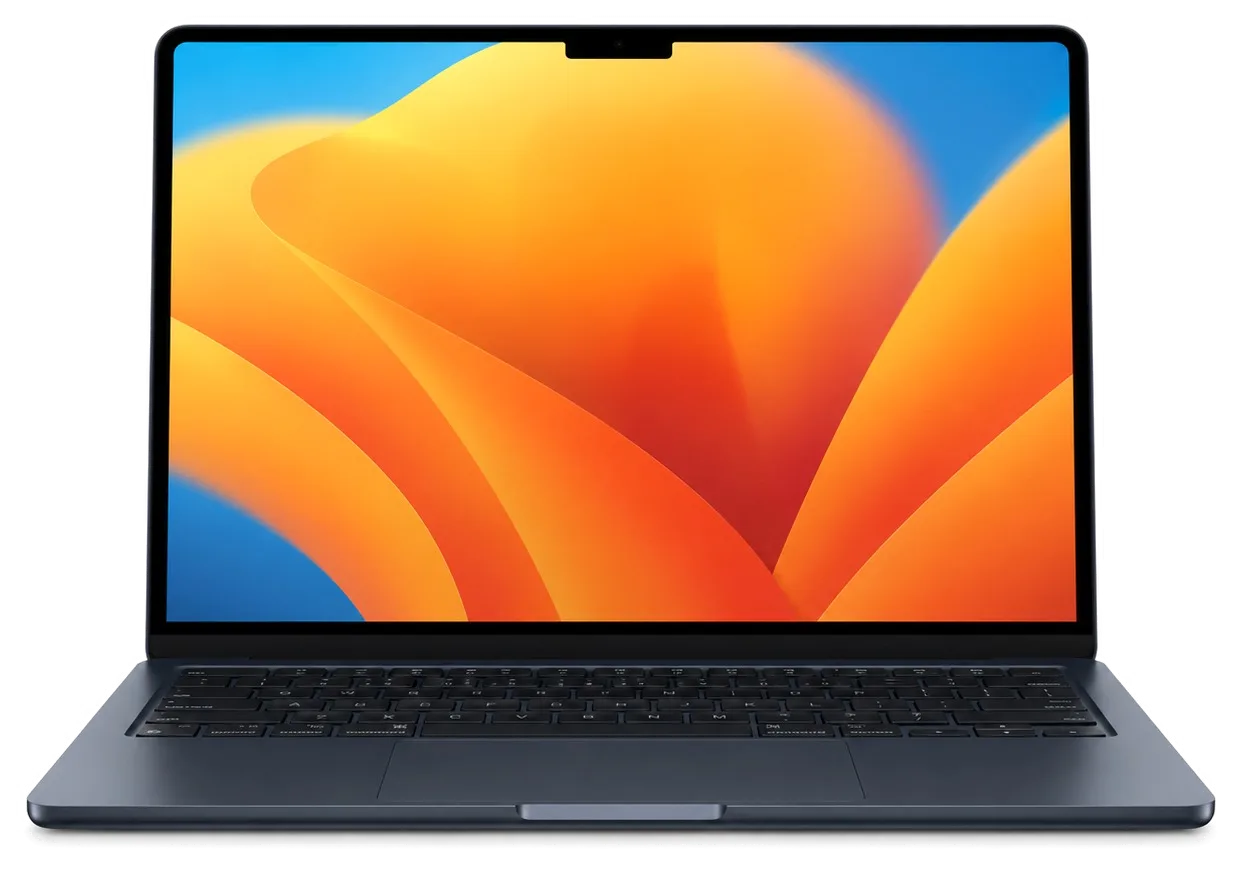
No, the M2 Air has a larger screen with a camera notch and a different lid, so its display does not fit the M1 Air. The A2337 needs a display made for this model.
Смотрел отзывы в 2ГИС, выбрал по адекватности. После переезда — не включается. Камран А. показал старую деталь, всё прозрачно. Ответили в WhatsApp, потом созвонились. После ремонта — как новое.
После обновления началось: залили водой. Приняли без записи, оформили за пять минут. Вытащили и показали: клавиатура. Рекомендую без оговорок. Ни шума, ни запаха, всё штатно.
Знакомый мастер раньше работал с Apple, дал наводку. Записалась на ремонт MacBook Air A2337. Проблема — не включаеться. Назвали срок — два дня, уложились. Вытащили и показали: клавиатура. Дома включила, всё на месте.
Кепілдігі бар жер іздедім. Құрылғыны әкелдім, бірден қабылдады. Келесіде де осында келемін.
У нас в офисе три таких ноутбука, один сломался. Не думал, что придёться везти в сервис. Проблема — не включается. Камран А. подобрал аналог дешевле, не навязывал оригинал. Экран яркий, батарея держит.
Проблема — не работает клавиатура. Ни шума, ни запаха, всё штатно. Работает, даже лучше прежнего)
Приехала с MacBook Air A2337, как есть. Проблема — не работает клавиатура. Перезвонили на следующий день, уточнили детали. Внутри оказалось: матрица. Отдала 22 500 и не жалею. Полёт нормальный
MacBook Air 13″ (M1, 2020) подвёл: компьютер не включался с первого раза. Ребята проверили питание и вернули стабильный запуск.
У моего MacBook Air 13″ (M1 2020) клавиатура начала пропускать нажатия. В сервисе проверили клавиатуру и устранили проблему с клавишами.
Проблема была такая: периодически пропадал звук — и непонятно, что делать. После обращения проверели аудиотракт и восстановили звук.

Replace the battery when macOS reports Service Recommended and runtime no longer covers your workday. A free 15-minute check shows whether the cell is at fault.

Why your MacBook runs hot and loud, and whether cleaning solves it or the board needs repair.

Power it off, unplug the charger and bring the laptop in for a free 15-minute check before corrosion spreads.

Sticky or unresponsive keys usually mean debris, worn mechanisms or liquid damage. A technician can check the keyboard and advise on cleaning or replacement.

Back up your data, turn off Find My, and bring proof of purchase — then the repair starts faster.



 iPad
 iMac
 Mac mini and Studio
 Apple Watch
 AirPods
 Apple Pencil
 Apple TV
 HomePod
