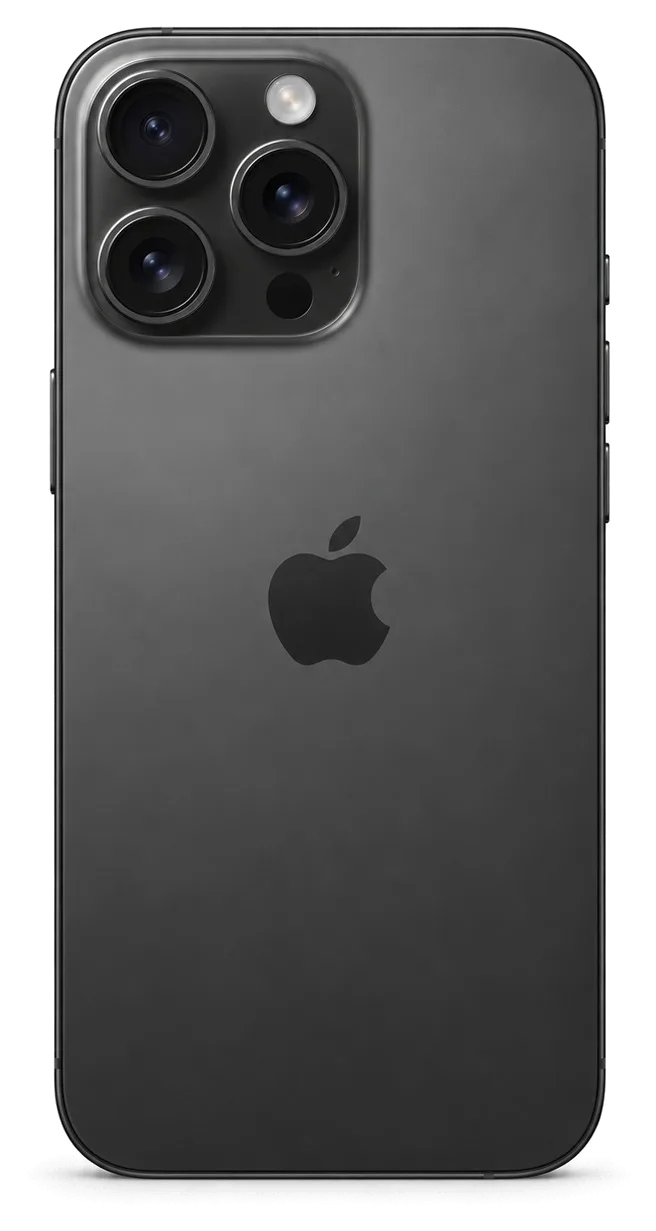
The titanium 16 Pro has USB-C and a dedicated Camera Control key, and breakdowns centre on a handful of parts. Below are the problems people arrive with and which component each symptom points to.
Cracks, Lines and a Dead Touch Layer
Most 16 Pro screen cases we see split into three groups — cracked glass with a working image, green or pink lines across the OLED, and a touch layer that stops responding in one zone. Because the display module here is a laminated assembly, even a hairline crack in the top sheet may creep into the OLED within days once the frame is pressed. Lines that appear after a drop usually mean the matrix itself took the impact, while a clean picture with dead swipes points at the digitiser. Before any quote, the panel gets checked under magnification and touch is verified over the entire surface.
Battery Drain, Heat and Charging That Stops
A battery that empties fast, warmth around the camera, or a USB-C port charging only at certain angles on the 16 Pro typically points to one of three causes — worn battery cells, a port clogged with dirt or oxidation, or a failing charging flex. The titanium chassis holds heat longer than an aluminium frame, so a worn cell shows up as warmth around the camera plateau rather than at the back centre. Pocket lint compacts into the socket and blocks the pins from seating fully, which reads to the phone as a cable fault. The charging flex carries power from the socket to the board, and a bend there from a drop interrupts current at certain angles. A connector that charges only when the cable is wiggled is more often lint and oxide than a board fault.
Symptom to Cause to What We Do
Maps common complaints to the part behind them| Symptom | Probable origin | What we do |
|---|
| Cover cracked, display works | Top sheet only | Cover replacement |
|---|
| Green lines on OLED | Matrix damage | Display module swap |
|---|
| Battery drops fast | Cell wear | Battery replacement |
|---|
| Charges at one angle | Lint or oxide | Clean or flex swap |
|---|
| Blurry photos | Cracked lens ring | Lens cover replacement |
|---|
What Happens to True Tone and Face ID When the Screen Is Replaced
Owners worry most about the display, since True Tone and Face ID are located right beside it. Here is how we decide between a cover-glass fix and a full assembly, and what stays working afterwards.
Cover Glass Replacement Versus a Complete Display Assembly
If the digitizer and OLED matrix remain undamaged and the damage is confined to the outer glass, swapping just the cover is possible; where lines, dead zones or unresponsive touch appear, replacing the entire display module is the fair solution. In our workshop the deciding step is always the same: the engineer inspects the panel under magnification and runs a touch test across the whole surface before quoting anything. A hairline crack over a healthy OLED is a cover-glass job; a bright green line or a strip that ignores your finger means the matrix itself is damaged, and a new top sheet would only hide the fault.
True Tone and Face ID Following Display Replacement
With a properly done screen replacement, Face ID continues to function, as the TrueDepth unit sits apart from the display; on the fresh screen, True Tone becomes active once its calibration data has been carried over. The TrueDepth assembly sits in the top bezel and carries the dot projector and infrared camera; a technician who moves it across without touching the paired components keeps the biometrics untouched. True Tone depends on a calibration profile tied to the panel, so we program the new module and confirm the setting is live before handover. On some aftermarket panels True Tone may not come back at all, so if that setting matters to you, say so before the component is chosen rather than after.
Water Protection After the Phone Is Opened
Any time a 16 Pro is opened, the factory water resistance is no longer guaranteed, because the seal is broken and the adhesive gasket has to be renewed. The IP68 rating is measured on a sealed unit, and once the display is lifted the original gasket stretches and cannot be reused. We fit a fresh adhesive gasket on reassembly, which brings back everyday splash protection around the seams and buttons. A fresh gasket restores splash resistance but not the original IP rating, so treat the phone as rain-safe rather than pool-safe after any repair. We also check that the gasket sits flat around the whole perimeter before the display is pressed down, because a lifted corner is where moisture gets in first.
Choosing Between an Original Part and an Aftermarket One — and How We Settle It
The component you choose decides how the phone behaves for years, so we make the difference visible before work starts and write the choice down. Here is what separates the two options and how it is recorded.
How Original and Aftermarket Parts Differ in Use
A factory component matches the phone's behaviour across brightness, colour and sensor functions, while an aftermarket one can differ in brightness ceiling, True Tone support and how the battery reports its health. On the iPhone 16 Pro the display is a single module, so the panel carries the calibration that True Tone and auto-brightness rely on; a compatible screen may light up and respond to touch yet lose the warm-to-cool shift and the top of its brightness range. The battery follows the same logic — a non-original cell can charge and hold, but the Battery Health readout may show a service warning or no percentage at all. 64% of customers pick the factory option, and we show both in packaging side by side.
The Unknown Part Message Explained
The unknown component message is an indicator of which module the phone is running, not a fault in itself, and it can appear after a legitimate repair with a non-factory unit. The handset pairs certain modules — display, battery, camera — with the logic board, and when a module without the matching pairing data is installed, iOS flags it in Settings under that section. The device keeps working: the screen responds, the cell charges, the camera shoots. What changes is transparency — the system tells the next person who opens the device that a unit was swapped and that it is not the factory one. This is why the message matters more at resale or at a second repair than on the day of the fix. The warning does not stop the phone working, but it does tell a future buyer or technician what was changed, so keep the receipt alongside it.
What the Receipt Fixes Before Work Starts
Before starting, four details get recorded on the receipt — cost, component type (original or aftermarket), turnaround and warranty — which takes roughly two minutes. The document names the exact module, states which type goes in, and carries the warranty of up to 1 year, so nothing about the job stays verbal. You sign it while the engineer is still in front of you, prior to the device being opened, and you keep a copy. The old component goes back to you at handover together with the warranty card, which closes the loop on what was removed and what went in. A written type is what protects you later, because it turns a verbal promise about "a good screen" into something you can point to if a function misbehaves.
How iPhone 16 Pro Repair Works in Astana from the First Message to Pickup
The whole visit is built around not wasting your day, so most of it happens while you sit in the waiting area. Here is the sequence, from the first photo to the moment you walk out.
A Photo on WhatsApp and a Price in Five Minutes
WhatsApp us a picture of the damage and an engineer answers in five minutes or less with pricing and an available free slot, so the cost is clear before you set off. The quote is based on what the picture shows: a cracked top layer, a dead touch strip, a cloudy camera lens or a port that no longer grips the cable. We ask for one close-up in good light and, if the phone still powers on, a screenshot of the battery health screen. A clear photo of the cracked area or the port saves a second trip, because it lets us tell a glass-only job from a module swap ahead of your arrival. That is the starting point for iPhone 16 Pro repair in Astana — one photo and a quoted price before you leave the house.
Free Diagnostics and the Part Shown in Its Packaging
The check costs nothing and lasts around 15 minutes with you watching, regardless of whether the repair goes ahead, and the replacement part is presented in its factory packaging before fitting. The engineer opens the phone on the bench, points at the failed component and explains whether an original or an aftermarket unit fits your case — 64% of our customers pick the original. Before any work starts, the receipt lists warranty, turnaround, part type and price — this takes roughly two minutes. Seeing the component sealed before installation is the simplest way to confirm what is going into your phone, so ask to look at it if the engineer does not offer.
Work Times and Waiting on Site
Job types against typical turnaround and whether you wait| Job | Usual duration | On-site waiting |
|---|
| Display assembly | 40 min | Indeed |
|---|
| Battery | 25 minutes | Yes |
|---|
| Glass for the camera | 20 minutes | Yes |
|---|
| USB-C connector | 20–40 minutes | Yes |
|---|
| Logic board service | 1–3 days | No |
|---|
Passing the Device Back for Your Check and Ours
The repair is not finished when the part goes in — it is finished when you have checked the phone yourself. Below is what we test jointly and what you leave with.
The 32-Point Check You Do With the Engineer
Once repair is done, roughly 10 minutes are spent checking 32 functions; together with the engineer you verify charging, network, speakers, microphones, cameras, True Tone and Face ID. The list covers every sensor and radio the device uses, from the front camera to the earpiece, so a weak component shows up ahead of your departure from the bench. You hold it, tap through the same menus you use daily, and ask questions while the engineer is still beside you. Testing on the spot is what catches a misaligned sensor or a loose connector while the unit is still on the bench, rather than after you get home.
Steps to Take Prior to Dropping Off the Phone
Before the device is handed over, create a backup, have your Apple ID password at hand and be prepared to disable Find My when the repair requires it — that way neither the work nor your data gets held up. A full backup to iCloud or a computer takes minutes and copies photos, messages and app data that no repair can restore once lost. Write the passcode down or confirm it with the engineer at the counter, because a locked device slows diagnostics and hides the faults we need to see. A backup taken the previous night is worth more than one taken in the doorway, because a phone that will not power on cannot be backed up at the counter.
The Old Component, the Receipt and Your Warranty Card
You get the phone back along with a receipt, a warranty card valid for one year on the work performed, and the replaced component; payment is accepted via Kaspi, by card or in cash. The receipt names the component fitted, the turnaround and the warranty term, so the paper matches what was agreed ahead of the work. A courier can be called if you would rather not travel across the city to collect the device. Keeping the old component and the receipt together gives you a record of what was changed, which matters if you ever sell the phone or claim the warranty. Store both in one envelope at home, so a future owner or a second workshop can see exactly which module went in and when.
Summary: iPhone 16 Pro Repair
A repair on this model comes down to a few decisions you make ahead of any work. Here is what to carry away from the process.
- Screen damage: a cracked 16 Pro screen is not always a full module job — a matrix and touch test decides between glass and the whole display.
- True Tone and Face ID: when a screen swap is done correctly, Face ID keeps working since the TrueDepth module sits apart, yet True Tone hinges on the part and how it is calibrated.
- Choosing the part: which functions remain available depends on whether the component is original or aftermarket, so that decision should be recorded on the receipt before work begins.
- Timing: the majority of repairs are completed on the spot; only board-level servicing calls for bringing the device in a second time.
- Handover: check the phone with the engineer at handover and keep the receipt, warranty card and old component together.











 iPad
 MacBook
 iMac
 Mac mini and Studio
 Apple Watch
 AirPods
 Apple Pencil
 Apple TV
 HomePod




