Eng

iPad Air M3 Repair in Astana

Your iPad Air M3 stopped charging or the screen is cracked — we'll fix the fault and check every function together with you.

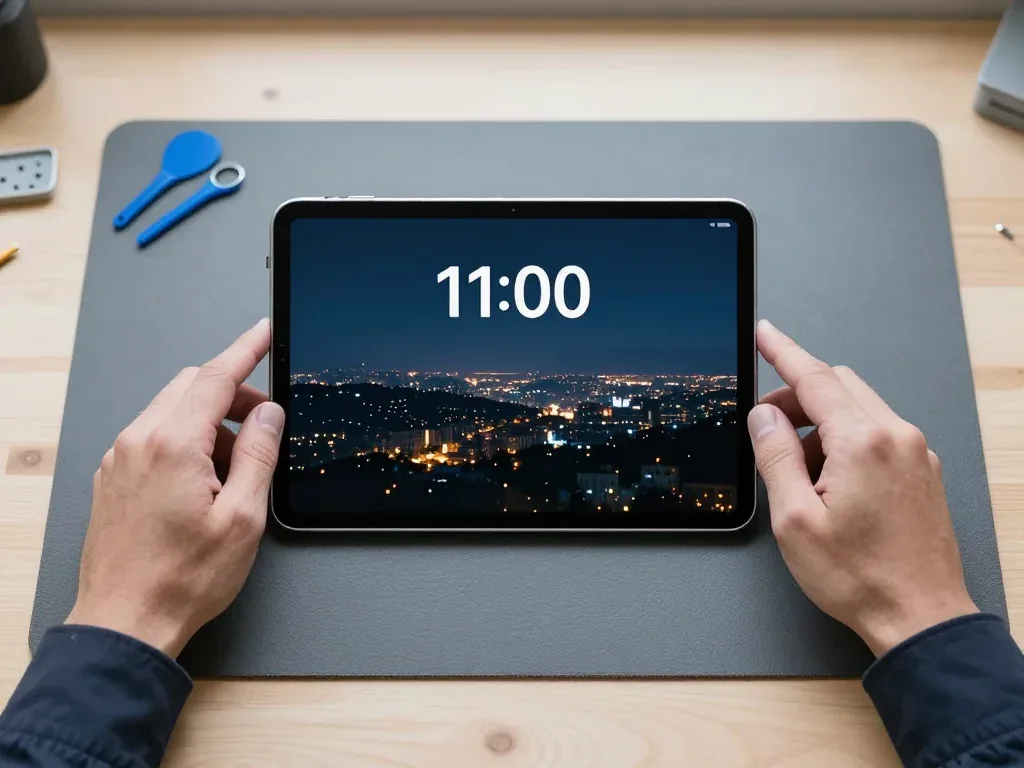
iPad Air M3 tablet showing its bright display screen
iPad Air M3 repair
Front camera replacementfrom 33 900 ₸
Button replacementfrom 38 900 ₸
Speaker replacementfrom 20 900 ₸
All services and prices

What people in Astana most often bring for iPad Air M3 repair

Carried in a backpack and left out in the cold, the M3 tablet in Astana most often suffers from mechanical damage, charging problems and Touch ID failures.

01

Cracked screen

A chip or crack after a drop on tiles; taps don't register in places.

02

Not charging via USB-C

The cable goes in with effort, or charging only works with the connector in one position.

03

Touch ID not working

The top button is stiff to press, or the fingerprint isn't recognised after a knock.

04

Battery drains fast

Charge disappears even with light tasks, and in the cold the tablet shuts down sooner.

05

Apple Pencil not detected

The stylus no longer pairs or charges, even though it works fine on another iPad.

06

Wi-Fi drops out

The network drops in the next room, and you have to move closer to the router.

07

Speakers sound distorted

At medium volume the sound rattles, and bass disappears in films and games.

08

Camera won't focus

On video calls the front camera gives a blurry picture or stops tracking your face.

09

Magic Keyboard not working

The keyboard isn't detected after a hit to the back cover, or the contacts are dirty.

10

Spots on the display

Dark or light spots have appeared under the glass, and the picture has become dim.

11

Liquid damage

Spilled coffee or tea got into the body, and the tablet won't turn on or keeps restarting.

12

Volume buttons stuck

The buttons are hard to press or trigger on their own after a drop.

iPad Air M3 repair prices by type of work

Below are the services for iPad Air M3 with approximate prices; the final amount depends on the fault and the type of part.

ServiceOriginalAftermarket
Display replacement254 900 ₸157 900 ₸
Battery replacement126 900 ₸72 900 ₸
Charging port replacement119 900 ₸66 900 ₸
Main camera replacement146 900 ₸81 900 ₸
Front camera replacement60 900 ₸33 900 ₸
Button replacement74 900 ₸41 900 ₸
Speaker replacement67 900 ₸37 900 ₸
Microphone replacement26 900 ₸14 900 ₸
Flex cable replacement21 900 ₸15 900 ₸
Other repairsPrice
Logic board repairmicrosoldering · 1–3 days76 900 ₸per job
Liquid damage cleaningcorrosion cleaning · diagnostics up to 2 days13 900 ₸per job
Wi-Fi module repairwireless module · board-level repair15 900 ₸with parts
Firmware flashingsoftware restore, no parts replaced12 900 ₸per job

The technician will give you the exact price after inspecting the tablet, once it's clear what has failed.

How to choose a part for iPad Air M3

The large screen and powerful M3 chip call for a careful approach to choosing components: it's important to understand how you use the tablet.

Original Applewarranty up to 1 year
iPad Air M3 glass and display
iPad Air M3 glass and display: original part in Apple packaging
Display
Colour and brightness as from the factory
Battery
Resistant to cold and heat
Tasks
Drawing, editing, working with documents
Warranty
The work we do is backed by a guarantee of up to 1 year
Aftermarket
iPad Air M3 glass and display
iPad Air M3 glass and display: aftermarket part in an antistatic bag
Cost
Far cheaper than the genuine part
Picture
Suitable for video and reading
Tasks
Study, internet, household tasks
Warranty
Our repairs carry a guarantee of up to 1 year

Why people in Astana choose iServices for iPad Air M3 repair

We know the specifics of the new M3 models and approach repairs without unnecessary replacements, explaining every step.

11years

Experience with Apple devices

Eleven years working with Apple devices lets us quickly find the cause of a fault even in new USB-C models.

1year

Warranty up to 1 year

The work we perform is covered for up to 1 year, and we walk you through the exact conditions before starting the repair.

2options

Experienced technicians

Display repair, soldering and flex cable replacement are done by experienced specialists so fragile parts aren't damaged.

Only the necessary work

If cleaning the port or replacing a flex cable is enough, that's what we'll do, without suggesting a whole module swap.

5min

Advice on choosing a part

We'll tell you when an original is justified and when an analogue will do, based on your tasks and budget.

7days a week

Convenient opening hours

We accept tablets on weekdays 10:00–19:00, and on Saturdays, Sundays and holidays 11:00–18:00.

iPad Air M3 before and after repair

1 / 2
iPad Air M3 with the screen on lying on a mat, technician's hands on both sides

iPad Air M3: black spots after a fall

The tablet slipped out of the client's hands onto the tiled floor at home — cracks spread across the screen and black spots appeared. We replaced the display module and checked touch and image — the tablet works like new again.

from 106 900 ₸repair cost
I want the same
iPad Air M3 on a mat with cable connected, ginger cat wallpaper on screen

iPad Air M3: wouldn't last till evening

The tablet was dying by lunchtime even though the client stayed near a charger. We replaced the battery and checked charging — now it lasts all day.

from 41 900 ₸repair cost
I want the same

How iPad Air M3 repair is done in Astana

Usually the whole journey — from message to pickup — takes less than an hour; complex repairs follow the timeline in the receipt.

Book a repair
  1. Step 1

    Message or call

    5 min

    You send a photo of the damage on WhatsApp — we quote the price and available time. Or you call a courier.

  2. Step 2

    Free diagnostics

    15 min

    An engineer checks the device in front of you and shows what is broken. 0 ₸, even if you decline the repair.

  3. Step 3

    Price in the receipt

    2 min

    We fix the price, the part (original or analog), the timeline and the warranty. You sign — we start.

  4. Step 4

    Repair while you wait

    20–40 min

    Before installation we show you the new part in its factory packaging. You wait in the waiting area with coffee and Wi‑Fi.

  5. Step 5

    Post-repair check

    10 min

    Screen and touch, Face ID or Touch ID, cameras, microphones, speakers, charging, Wi‑Fi. You check together with the engineer.

  6. Step 6

    Pick up your device

    warranty up to 1 year

    Together with the receipt, warranty card and the old part. Payment — Kaspi, card or cash.

Meet the iServices team

Technicians for iPhone, Mac, iPad, Apple Watch and AirPods repair.

1 / 5
BSBakmukhammed S. — on-site iPhone technician, iServices service center in AstanaPhoto: Bakmukhammed S.

Bakmukhammed S.

on-site iPhone technician
13years of experience
4.93rating, 107 reviews
GSGalymzhan S. — iPhone repair technician, iServices service center in AstanaPhoto: Galymzhan S.

Galymzhan S.

iPhone repair technician
8years of experience
4.79rating, 90 reviews
ZSZhandos Sh. — iPhone screen replacement technician, iServices service center in AstanaPhoto: Zhandos Sh.

Zhandos Sh.

iPhone screen replacement technician
6years of experience
4.65rating, 112 reviews
DTDarkhan T. — iPhone firmware technician, iServices service center in AstanaPhoto: Darkhan T.

Darkhan T.

iPhone firmware technician
8years of experience
4.44rating, 19 reviews
KSKudiret S. — iCloud unlock specialist, iServices service center in AstanaPhoto: Kudiret S.

Kudiret S.

iCloud unlock specialist
10years of experience
4.37rating, 100 reviews
Bakmukhammed S., on-site iPhone technician
“If the repair didn’t suit you or you have a complaint, write to me personally.”
Bakmukhammed S.on-site iPhone technician · +7 701 333-47-01

We'll quote iPad Air M3 repair in Astana from a photo in 5 minutes

Send a photo of the fault — an engineer will reply on WhatsApp, give the price and a time you can come in.

  1. 5 minAn engineer replies and names the price
  2. 0 ₸Diagnostics in front of you in 15 minutes
  3. 30 minMost repairs — while you wait

iPad Air M3 Repair in Astana with a Part You See Before It Goes In

In short

As a direct contractor with in-house technicians, iServices handles iPad Air M3 repair in Astana — not a middleman. Free diagnostics take 15 minutes with you watching, most screen and battery faults are sorted within an hour to a day, and the receipt records warranty, part, price and turnaround before work starts. Warranty runs up to 1 year.

iServices Editorial TeamWe reply on WhatsApp within 10 minutes
Ask

What Fails on the iPad Air M3 and the Symptoms It Gives

The iPad Air M3 is a laminated Liquid Retina tablet with Touch ID integrated into the top button and USB-C, so faults cluster around the display module, the glued-in battery and the charging port.

Fractures, Stripes and Unresponsive Touch on a Bonded Display

On the Air M3 the glass and LCD form a single laminated unit, which is why a crack often reaches the panel and touch may stop working in spots or over the entire display. One hit to the corner frequently appears as a spiderweb at the edge, and within days a thin green or white line spreads across the panel. Since the digitiser is part of that same layer stack, an Apple Pencil can keep drawing even when a finger is no longer detected. Pressure marks and bright spots indicate the LCD layer absorbed the impact, not merely the cover glass. Once a hairline crack still responds, stop pressing on the glass right away, as pressure drives the fracture into the LCD and turns a glass-only repair into a complete module replacement.

Why the Screen Lifts and the Tablet Dies Without Warning

A swollen cell pushes the screen up off the frame and the tablet may shut down without warning; never charge a puffed battery or squeeze it back down. In this Air M3 the power cell is glued to the aluminium body, so as it ages and gives off gas, the pressure has only one way out — upward into the panel. Owners usually notice a thin gap along one edge, a wobble on a flat table, or the screen giving under a fingertip. Shutdowns come out of nowhere even at 40 percent, and the gauge can fall from 30 to 5 within minutes. Once the display starts lifting, keep the device off and away from heat until it is inspected, since a pressurised swollen cell is a safety matter, not a performance one.

Charging, USB-C and Water Damage Symptoms

  • No charge at all: check the cable and adapter first, then the USB-C socket and its flex.
  • Charges slowly or drops: compacted lint in the connector, a worn flex, or a battery that no longer holds.
  • Dead after liquid: corrosion creeping across the board, which needs cleaning and inspection under magnification.
  • Won't power on: a drained or swollen pack, the power controller, or a board-level fault.
  • Gets hot and shuts down: board or battery trouble, so stop charging it and keep it off.

Glass, Display Module or Battery and What Your Fault Actually Needs

The Air M3 is laminated, so the glass cannot be peeled off and replaced on its own the way it can on older iPads. That single fact decides which repair is even possible.

Why the Air M3 Takes a Full Module and Not Just Glass

Since the glass and LCD are bonded together on an iPad Air M3, a damaged front is swapped as an entire display assembly, not as bare glass. The cover glass, touch sensor and LCD panel sit under one layer of optical adhesive, with no air gap like older models had. To separate these layers, the part must be heated to soften the glue and cut through with a wire. The touch layer is thinner than the glass above it, so a single slip ruins both the digitizer and the LCD. That is why a "glass only" quote for this model should raise suspicion. If you need iPad Air M3 repair in Astana, the workshop should state upfront that the job is a complete assembly replacement.

Touch ID, the Top Button and the Cameras After a Screen Swap

We move the original top button with its Touch ID across to the replacement module, since the sensor is matched to the logic board and a new button would not unlock the tablet. The button is set into the frame of the display assembly, so it comes with the screen unless the technician intentionally transfers it. The front camera, the ambient light sensor and the microphone sit in the same top edge and are re-fitted onto the new assembly during the swap. We test all of them at the end, together with the rear camera, before the tablet leaves the bench. Ask any workshop to confirm the top button is transferred before the screen goes back on, since a swapped button only reveals itself when you try to unlock.

Matching the Fault to the Right Repair

Symptoms mapped to the parts and work involved
SymptomPart involvedWhat we do
Cracked or shattered glassLaminated display moduleFull module replacement
Lines, blotches, dead touchLCD panelFull module replacement
Screen lifting at the edgeSwollen batteryBattery replacement
Won't charge or charges slowlyUSB-C port and flexPort or flex repair
Dead after liquidBoard and connectorsCleaning and board inspection

What Happens During iPad Air M3 repair in Astana, From First Contact to Collection

The whole route is short by design. You send a photo, we quote from it, you come in, and in most cases you leave with a working tablet on the same visit.

From a WhatsApp Picture to a Fixed Quote on Paper

Message a picture of the broken screen on WhatsApp and a technician answers in 5 minutes with a quote, then the price, component, timeframe and warranty are recorded on the receipt in about 2 minutes before any work begins. Every tablet repair follows the same paperwork: the technician notes whether the display unit is original or aftermarket, how many hours the job takes, and how long the warranty lasts, and the warranty card stays with you alongside the device. Nothing gets opened until you have read the receipt and approved it. A quote based on a picture is only as reliable as the picture, so capture the entire screen and the edges where the frame may be bent.

Free Diagnostics in Front of You and the Part in Its Packaging

Diagnostics are free and take 15 minutes while you watch, even if you decide not to repair, and the new part is shown in its original factory packaging before installation. A technician opens the box at the counter, fits the part, and hands back the old one so you can see exactly what came out of the tablet. For a board-level fault the work moves under a microscope, and after water contact the check can stretch to two days before we commit to anything. Watching the packaging being opened and the old component tested is the simplest way to know the part you paid for is the part that went in.

What to Prepare on Your Tablet Before Handing It In

  • Back up first: copy your data to iCloud or a computer before anything else, so a repair cannot cost you photos or notes.
  • Пароль Apple ID под рукой: нужен именно пароль, а не просто адрес почты, привязанный к аккаунту.
  • Disable Find My iPad: a device that remains locked cannot be tested after repair, and activation will prevent the check.
  • Note the passcode: the technician needs it to run through functions once the new part is in.
  • Старую деталь забираете с собой: мы возвращаем её вместе с устройством, чеком и гарантийным талоном.

Genuine Component or Third-Party and What the Warranty Includes

Both routes are open on the Air M3, and the choice affects touch response, brightness and how long the component lasts. Here is what actually differs.

How an Original Display and an Aftermarket One Differ in Use

A genuine part preserves factory brightness, colour and Apple Pencil response, while a third-party panel may vary in luminosity and touch feel. 64% of our customers pick the original unit. The difference shows in small details: a non-original display can appear dimmer in direct sunlight, feel slightly warmer under the finger and add minor lag to Pencil strokes on fast diagonals. Before fitting, we show you the replacement in its sealed manufacturer box so you can inspect the label and connector yourself. During the 32-function test, brightness, True Tone and colour temperature are measured against the old glass. If you sketch or write with the Pencil, check line smoothness on the new screen before leaving, since that is where a third-party panel reveals itself first.

Battery Choice and Why the Cell Is Glued In

The Air M3 battery is glued under the display, so it is reached by removing the front glass, and the replacement cell is chosen between an original and an aftermarket option with the same warranty terms. The adhesive is the reason a battery job on this tablet is a screen-off job: the display is lifted, the old cell is cut free, and the frame is cleaned of residue before anything new is seated. Both cell types hold a charge and pass the same charging and network checks; the difference is in cycle life and how the health reading settles over the first weeks. A battery swap is the moment to have the adhesive renewed properly, because a poorly reseated front panel is what lets dust and moisture back in later.

What the Warranty Includes and How the Terms Are Set

  • Covered by the one-year term: the component we installed and the labour we performed on it.
  • Covered: faults that appear inside the replaced part while the term runs.
  • Fixed on the receipt: price, part, turnaround and warranty are recorded before work starts.
  • Keep safe: the receipt, the warranty card and the removed component.
  • Why it matters: the receipt ties the guarantee to your exact job if a question comes up.

Turnaround Times and How You Check the Result

Most Air M3 repairs are completed while you wait, and those that aren't involve board-level work. In either case you inspect the tablet yourself before leaving.

How Long Each Repair Takes and When You Can Wait

repair types against typical duration and waiting option
WorkTypical timeCan you wait
Display module1 hour – 1 dayUsually yes
Battery1 hour – 1 dayUsually yes
USB-C port or flex1 hour – 1 dayUsually yes
Board repair under microscope1 to 3 daysNo
Liquid damage diagnosticsUp to 2 daysNo

The 32-Function Check You Do Together With the Engineer

After the repair we check 32 functions in about 10 minutes, and you go through Touch ID, True Tone, cameras, microphones, speakers, charging and network together with the engineer. The list is not a formality: a display swap touches the True Tone sensor and the front camera flex, and a battery job touches the charging circuit, so each of those gets tested on the spot rather than assumed working. You sit next to the bench and watch the readings, and any function that fails is re-opened before you pay. Run your own Pencil test and open a few apps before you sign off, because the check covers hardware and you know your daily use best.

When the Fault Is on the Board and Not the Screen

Board faults on the Air M3 show up as no Wi-Fi, no network, overheating or a tablet that dies under load, and we repair the board under a microscope in 1 to 3 days. The Wi-Fi module and the power controller sit close together on the same layer, so a shorted controller can kill wireless and drain the cell at once — a pattern that looks like two separate faults until the board is under magnification. A board fault can mimic a battery or port problem, so the free diagnostic is what separates a one-hour job from a multi-day one before you commit.

Summary: iPad Air M3 Repair

A brief summary of the build details and the checks that turn iPad Air M3 repair into a predictable job rather than a risk.

  • Laminated screen: the glass and LCD are bonded together as one piece, so a broken Air M3 gets a full display assembly rather than just new glass.
  • Battery is glued in: the cell sits behind the display and is reached by lifting the module, never from the outside of the shell.
  • Touch ID travels: the top button with its sensor is moved across to the new part, never replaced, so biometrics keep working.
  • Back up and unlock first: a locked tablet cannot be tested after the work, and a fresh backup protects photos and documents.
  • Check before you leave: run the functions yourself, then keep the receipt, the warranty card and the old part as proof of what was done.


What Astana customers want to know about iPad Air M3 servicing

Did not find an answer? Message us on WhatsApp: an engineer replies, not a bot.

Ask a question
Can the glass alone be swapped out on an iPad Air M3?

No. The screen in this device is a single unit: the coating, touch layer and panel are bonded together. If something fails, the whole assembly is replaced — original or analogue.

Why won't the iPad Air M3 charge via USB-C?

The cause is often a dirty or damaged port, and less often a faulty power controller. Diagnostics are needed to pinpoint the culprit.

Touch ID stopped working — what should I do?

The scanner is built into the top button, and after a drop or moisture it can fail. A technician will check the button and its flex cable and replace it if needed.

Is Apple Pencil Pro compatible with the iPad Air M3?

Yes, the iPad Air M3 supports Apple Pencil Pro and Apple Pencil USB-C. If the stylus won't pair, the problem may be in the module or the pencil itself — we'll check both.

What should I do if the tablet shut down in the cold?

Let it warm up at room temperature and don't use a hairdryer. If it still shuts down in the warm with charge left, the battery probably needs replacing.

Does the iPad Air M3 have a Home button?

No, there's no Home button: Touch ID is in the top power button. If it won't press or read a fingerprint, it's repaired or replaced.

Astana clients on iPad Air M3 repair outcomes

1 / 10
4.9

iServices network rating on Google Maps, wikicity and our website · 2 028 reviews
Google Maps4.438 reviews ›wikicity5.015 reviews ›Reviews on the iServices website4.91 975 reviews ›
УК
Уалихан К.Order No. IS‑•••55 · 12 October 2026
iPad Air (M3)

Проблема — не роботает тач. Ғалымжан С. объяснял без умных слов, за это спасибо. Все функции проверил — работают

iServices customer review, in Russian
АЦ
Алексей Ц.Order No. ISV‑•••95 · 14 September 2026
iPad Air (M3) · charging

В Астана сервисов много, но по Apple берут не все. Проблема — не заряжаеться. Работает, как будто и не ломалось

iServices customer review, in Russian
МЩ
Милана Щ.Order No. •••39 · 18 August 2026
iPad Air (M3) · screen

Залила чаем, и через день — треснул экран. Привезла на такси, приняли без вопросов. Дома включила, всё на месте.

iServices customer review, in Russian
СЯ
Сайран Я.Order No. ISV‑•••36 · 2 June 2026
iPad Air (M3)

Телефонмен кеңестім, кейін апардым. Ақауын тез анықтады, қажетсіз нәрсе ұсынбады. Мастер бәрін түсіндірді. Барлығы ресми, чек берді. Ескі бөлшекті көрсетіп, қайтарып берді. Кепілдік берді, бұл маңызды. Бөлшек қоймада бар екен, күтпедік. Рахмет, ұсынамын)

iServices customer review, in Kazakh
ЕБ
Ескендір Б.Order No. IS•••73 · 18 April 2026
iPad Air (M3)

Бұл жерге бірінші рет келдім. Ескі бөлшекті көрсетіп, қайтарып берді. Мастер бәрін түсіндірді. Барлығы ресми, чек берді. Қосымша жұмыс қажет болды, бірақ бағаны көтермеді. Бөлшек қоймада бар екен, күтпедік. Кепілдік берді, бұл маңызды. Бағасы мен сапасы сай.

iServices customer review, in Kazakh
АВ
Анар В.Order No. •••80 · 24 March 2026
iPad Air (M3)

Проблема — не держит заряд. Ғалымжан С. всё сделал при мне, за пятнадцать минут. Дома включил, всё на месте.

iServices customer review, in Russian
ЭО
Эрик О.Order No. IS‑•••84 · 3 February 2026
iPad Air (M3) · battery

В Астана сервисов много, но по Apple берут не все. В работе было: iPad Air M3. Проблема — не заряжается. Перезвонили на следующий день, уточнили детали. Внутри оказалось: аккумулятор. Ни шума, ни запаха, всё штатно.

iServices customer review, in Russian
МА
Молдир А.Order No. IS•••71 · 5 January 2026
iPad Air (M3)

Было важно, чтобы сделали до конца недели. Было ощущение, что ремонт не окупится. Проблема — не держит заряд. Позвонил, описал проблему, сказали привозить — посмотрят. Вскрытие показало: шлейф. Заплатил 9 000 тенге, и всё. Про i service узнал от коллеги из офиса. Ставлю пять. Работает, даже лучше прежнего

iServices customer review, in Russian
АД
Арсен Д.Order No. •••94 · 2 December 2025
iPad Air (M3) · charging

Проблема — не заряжаеться. Проверил на всех режимах — держит. Функционирует, тьфу-тьфу.

iServices customer review, in Russian
СХ
Стелла Х.Order No. IS‑•••22 · 19 October 2025
iPad Air (M3) · screen

Хотела сначала в официальный, но там очередь и цена. Оставила на зарядке на ночь, утром — треснул экран. Ғалымжан С. провозился, но сделал. Внешне не видно, что разбирали.

iServices customer review, in Russian
Showing 10 of 19

Where to get iPad Air M3 repair in Astana

Address
Astana, Kabanbay Batyr Ave., 7/2
Opening hours
Mon–Fri 10:00–19:00Sat–Sun 11:00–18:00
Phone and messengers
+7 727 339-99-12WhatsApp: +7 701 333-47-01
Directions map: iServices Astana© OpenStreetMapFind us on the maps: Google Maps · 2GIS