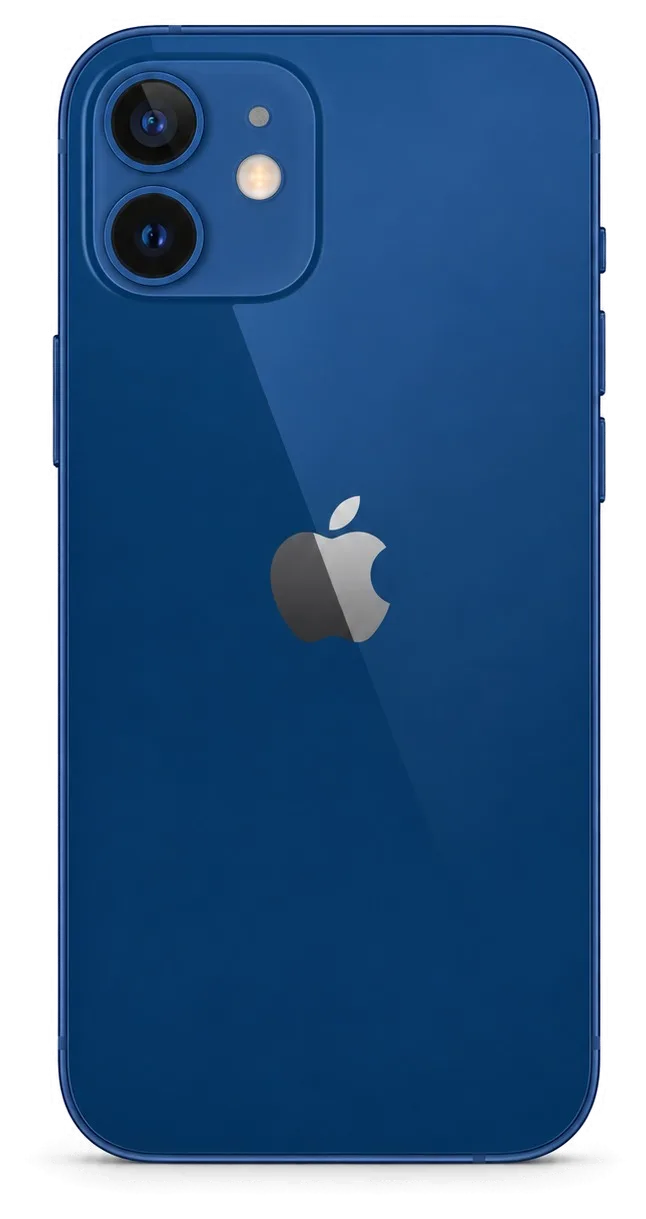
The 12 mini packs a full OLED screen and Face ID into the smallest body of the 12 line, so the same drop hits more parts at once. Here is what owners bring us most often.
Which faults the 12 mini comes in with most often
Most units we see arrive with a cracked OLED display, a worn battery or a Lightning port that no longer holds the cable, and these three cover the bulk of our 46,000+ repairs. The screen assembly is the most common part on the bench, followed by the power source and the charging flex. Our engineers have handled this chassis for 11 years, so the pattern is clear: drops land on the corners first, and the outer layer cracks outward from there. Ageing shows up later, usually as sudden shutdowns at 20–30% charge. Because the body is small, the module and the frame take the impact together, so a screen that looks fine can still hide a bent chassis that later lifts the top layer. If you are looking for iPhone 12 mini repair in Astana, our engineers see this exact set of faults every week.
Symptom, likely cause and what we do
Matching each visible fault to the repair it needs| Symptom | Likely cause | What we do |
|---|
| Green lines or dead touch zones | Damaged OLED matrix | Replace the display module |
|---|
| Cracked outer layer, image intact | Broken glass only | Glass replacement where the matrix is sound |
|---|
| Cable falls out, slow charge | Dirty or worn Lightning port | Clean or replace the port flex |
|---|
| Battery drops fast, shuts down | Aged cell | Battery replacement |
|---|
| Blurry photos, cracked lens | Broken camera glass | Camera glass swap |
|---|
Why the small body changes the repair
The 12 mini shares the OLED screen and Face ID of the 12 line but fits them into a tighter chassis, so parts sit closer and every millimetre of clearance matters during a swap. The TrueDepth module, the power pack and the display are stacked with almost no gap between them, which is why our engineers work on this frame carefully and check the fit prior to closing the device. A swollen battery is the quiet risk here: it pushes the front up from inside long before the owner sees a low-charge warning. On a compact frame the power source and the module sit almost against each other, so swelling can lift the top layer before any alert appears.
Screen Damage and What Happens to Face ID and True Tone
A cracked screen is the most common reason a 12 mini lands on our bench. The real question is not whether it can be fixed but which functions survive the fix.
Glass only or the whole display module
We replace only the outer glass when the OLED matrix underneath is intact, and swap the full display module when the image itself is damaged, which keeps the cost and the work matched to the real fault. A hairline crack over a clean, evenly lit picture is a glass job; dark blotches, touch dead zones or a green tint mean the matrix is gone and no outer layer will bring it back. On the 12 mini the screen is a compact 5.4-inch OLED unit, and separating the layers takes a heated vacuum press rather than a hand tool. Our engineers inspect it under magnification prior to quoting, so you are not sold a module when a sheet would do. A glass-only job leaves the original matrix and its calibration in place, so the picture keeps the exact colour profile the phone shipped with.
Will Face ID and True Tone still work
Face ID keeps working after a display replacement because the TrueDepth module is a separate unit, and True Tone works once the calibration is transferred to the new screen. The TrueDepth array sits in the top bezel and is paired to the logic board by serial number, so a careful technician moves the original unit across instead of fitting a new one. True Tone relies on a calibration value written to the display, and we copy it to the replacement during the swap. On some aftermarket parts True Tone cannot be carried over, so we test it in front of you before handover and tell you in advance if the component will not hold it.
What a screen swap does to water resistance
Any time the 12 mini is opened, the factory water resistance is no longer guaranteed, even when the repair is done cleanly and the frame is resealed. The phone left the factory with an IP68 rating, and that figure depends on a continuous adhesive gasket pressed at the plant, not on the screws alone. A fresh gasket restores a good seal, but the rating is measured on a sealed unit, not on a reassembled one. That gasket is a one-time layer, so a phone that survived a splash prior to the repair should be treated as splash-resistant only after it, and kept away from pools and rain.
Original Part or Aftermarket and What the Receipt Locks In
The part you choose decides how the phone behaves afterwards. We show both options and write the choice down before any work starts.
How original and aftermarket parts differ in use
Comparing factory and aftermarket parts by function| Part | Fit and look | Functions to expect |
|---|
| Original display | Matches factory spec | Face ID, True Tone, full brightness |
|---|
| Aftermarket display | Close fit, may differ in tint | Face ID works, True Tone may not |
|---|
| Original battery | Factory cell | Health readout behaves normally |
|---|
| Aftermarket battery | Works, may warn | Possible part message in settings |
|---|
What the receipt records before work begins
Prior to touching the handset, the receipt records the price, the part type, the turnaround and the warranty, and it takes about two minutes to fill in. The engineer also notes whether the item is factory or aftermarket, so both sides work from the same document. When the job is done, the device goes back to you with the receipt, a warranty card and the old unit in a bag. A written type is what protects you later, because a verbal promise of a factory item cannot be checked once the case is closed. Keep that paper — it is the only proof of what sits inside the phone.
Why a direct contractor changes the answer
iServices is a direct contractor with its own technicians and workshop, so the specialist who quotes the repair is the same team that performs it. That matters when a part is chosen: the technician who opens the handset is the one who sourced the item and who signs off on the 32-function check afterwards. With an aggregator the device can travel to a third party you never meet, and the line on the receipt is only as reliable as the shop that actually installs it. Ask who holds the tools prior to agreeing to a price — the answer tells you how much the paperwork is worth.
Charging, Battery and Camera Glass on a Small Body
Not every 12 mini fault is a screen. Charging trouble, a tired battery and cracked camera glass are the next most common reasons owners walk in.
When the phone stops charging properly
A 12 mini that will not charge usually has a dirty or worn Lightning port rather than a dead board, and the free check shows which one it is within minutes. The engineer looks into the connector under light and a magnifier, clears the packed lint with a non-metal tool, and tests the cable and the charging flex separately. Only when the port is clean and the phone still ignores the charger do we move to the power controller on the board. Most no-charge cases end at the connector, not at the chip. Lint packed into the port looks exactly like a failed charging IC to the owner, so cleaning prior to replacing saves a part swap that was never needed.
Reading battery wear before you replace it
We check the battery health reading and the real behaviour under load before recommending a swap, because a fast drop is not always the cell itself. The engineer reads the Battery Health figure, then watches how the percentage moves during a short heavy-load test and asks when the phone actually dies — in the cold, on a call, or under the camera. A worn cell loses capacity gradually, while a failing power controller can drain a healthy pack. We show the reading on screen and explain what it means prior to opening any part. A battery that shuts the phone down in cold weather can still show a healthy percentage, so the symptom matters more than the number on screen.
Cracked camera glass and the rear panel
Cracked camera glass is a 20-minute swap on the 12 mini, while a shattered rear panel is a bigger job because the glass is bonded to the frame. The lens cover is a separate part on this model, so a single cracked ring is replaced without touching the camera module itself. A broken rear panel means heat-separating the old sheet from the aluminium frame, cleaning the adhesive and fitting a new one — a longer bench job than the lens. Dust and moisture reach the sensor through an open lens ring, which is why we treat it as urgent rather than cosmetic. A cracked lens cover lets dust reach the sensor, so a photo that looks soft after a drop is often the cover, not the camera module.
How a Visit Works From WhatsApp Photo to Handover
The whole visit is built around waiting, not leaving the phone behind. Here is the path from a first message on WhatsApp to the moment you walk out with it.
From a photo to a booked slot
Send a picture of the damage on WhatsApp and an engineer replies within 5 minutes with a price and a free time slot, so you know the plan prior to travelling. The shot does not need to be perfect — the cracked corner, the dead charging port or the fogged camera lens is enough for the first read, and the engineer asks a follow-up question or two if the angle hides the fault. The free diagnostics then take 15 minutes at the bench in front of you, even if you decide not to go ahead. A clear image of the damaged area lets us tell a glass-only job from a full module swap in advance, which is why the first quote usually holds at the bench.
Diagnostics, part display and the wait
The free diagnostics take 15 minutes in front of you, the new component is shown in its factory packaging before installation, and 72% of repairs finish while the customer waits in the lounge. While the engineer works, you can sit in the waiting area with coffee and Wi-Fi instead of making a second trip across the city. Screen swaps run about 40 minutes, batteries 25 and camera glass 20, so most jobs fit into a single visit. Seeing the spare in its sealed packaging prior to installation is the simplest way to confirm what the receipt says, and it costs you nothing to ask for it.
The 32-point check and what you take home
- Face ID and True Tone: unlock and colour shift checked on the spot.
- Cameras and microphones: front, rear and both mics tested with a live call.
- Speakers and charging: sound from both grilles and a charge test with your own cable.
- Network and buttons: signal, Wi-Fi and every physical button pressed.
- Documents: receipt, warranty card and the old part handed back with the phone.
What to do before you hand the phone in
Prior to the visit, make a backup, turn off Find My iPhone and have your passcode ready, because a locked device cannot be fully tested after the repair. A current iCloud or computer backup protects chats, images and app data if a board fault turns out to be deeper than the first message suggested. The passcode lets the engineer reach the home screen and run the full post-repair check rather than a partial one, and it also unlocks the settings pages where Face ID and network tests are confirmed. Find My iPhone left on blocks that function check, so switching it off beforehand saves a second visit just to confirm the handset works.
Summary: iPhone 12 mini Repair
A compact handset rewards a careful decision more than a fast one. The five points below decide whether a repair holds up and whether the device leaves the bench working as it should.
- Match the fix to the fault: a cracked outer glass and a dead OLED matrix are separate jobs, so confirm which one you are paying for prior to opening anything.
- Ask what survives: Face ID and True Tone can be kept intact, while water resistance is never guaranteed once a housing has been opened.
- Write the part down: the receipt should name the part type, the turnaround and the warranty prior to the first screw coming out.
- Check on pickup: test unlock, colour, cameras, sound and charging at the bench, so any issue is caught while the engineer is still there.
- Prepare the device: a fresh backup and Find My switched off make the post-repair check complete and the handover quick.










 iPad
 MacBook
 iMac
 Mac mini and Studio
 Apple Watch
 AirPods
 Apple Pencil
 Apple TV
 HomePod




