KS Photo: Kudiret S.
Kudiret S.
iCloud unlock specialist
10years of experience
4.37rating, 100 reviews

Air M2 died after frost or a spill — we'll check it free while you wait, and put the price and time in your receipt.
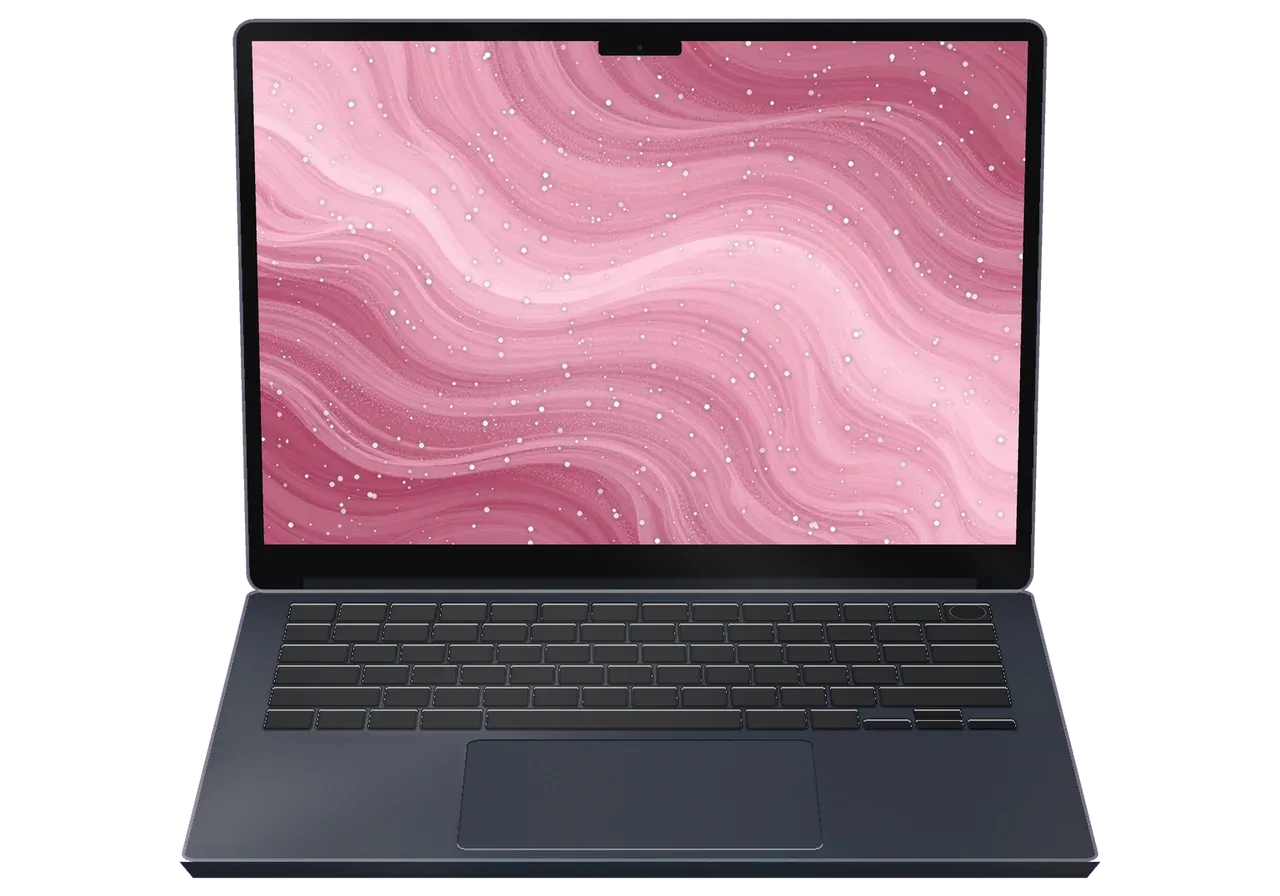
Cases we repair on the Air M2 in Astana: a cracked panel from the commute, charging faults, spills, ports, swelling and flicker.
A charger and keys in the same bag press on the lid and spider the display.
The Mac shuts off early even though the menu bar still shows a healthy level.
A latte reached the keys, and now several letters stick or do not type.
A USB-C or MagSafe connection wiggles, charges on and off or fails entirely.
The body no longer sits flat because a swollen cell pushes up from below.
Brightness jumps or a band of color crosses the picture after a bump.
The laptop reboots with an error report, often under a plain browser load.
Speakers crackle or the camera goes black after a fall or moisture.
At high volume the speakers crackle and the other person's voice sounds muffled.
A USB-C monitor is not recognized or flickers when connected.
The hinges have loosened, so the display rocks and won't stay in place.
The network comes and goes even though nearby devices work fine.
The table gives starting prices for the main Air M2 jobs, and a technician confirms the final amount once the laptop has been inspected.
| Service | Original | Aftermarket |
|---|---|---|
| Display panel replacement | 273 900 ₸ | 169 900 ₸ |
| Battery replacement | 165 900 ₸ | 95 900 ₸ |
| Keyboard replacement | 100 900 ₸ | 55 900 ₸ |
| Trackpad replacement | 49 900 ₸ | 27 900 ₸ |
| Charging port replacement | 35 900 ₸ | 19 900 ₸ |
| Speaker replacement | 33 900 ₸ | 18 900 ₸ |
| Other repairs | Price | |
| Logic board repairmicrosoldering · 1–3 days | 16 900 ₸per job | |
| Cleaning after liquid damagecorrosion cleaning · diagnostics up to 2 days | 41 900 ₸per job | |
| Wi-Fi module repairwireless module · board-level repair | 41 900 ₸with parts | |
| MacOS installationOS installation, no parts replaced | 10 900 ₸per job | |
The final price depends on damage to the board and the part you pick, so we confirm it only after checking the laptop.
Four quick points show how the two kinds of parts differ, so you can match the choice to your budget and daily workload.


What Astana customers get from us: a clear estimate, a workshop in their own city, experienced technicians and weekend hours.
11 years of Apple repair work taught us to tell a minor glitch from a real failure quickly and without fuss.
Every completed repair is covered by a warranty up to 1 year, with terms clarified before any work begins.
The Air's board and ultra-thin cables are handled by experienced technicians used to delicate micro-soldering.
You learn what failed, which part options exist and what drives the final sum before any work begins.
There is a branch in Astana, so a valuable laptop does not have to travel to another city and wait.
We accept devices on weekends and holidays from 11:00 to 18:00, and on weekdays between 10:00 and 19:00.
Usually the whole journey — from message to pickup — takes less than an hour; complex repairs follow the timeline in the receipt.
Book a repairYou send a photo of the damage on WhatsApp — we quote the price and available time. Or you call a courier.
An engineer checks the device in front of you and shows what is broken. 0 ₸, even if you decline the repair.
We fix the price, the part (original or analog), the timeline and the warranty. You sign — we start.
Before installation we show you the new part in its factory packaging. You wait in the waiting area with coffee and Wi‑Fi.
Screen, keyboard and trackpad, camera, microphones, speakers, charging, Wi‑Fi. You check together with the engineer.
Together with the receipt, warranty card and the old part. Payment — Kaspi, card or cash.
Technicians for iPhone, Mac, iPad, Apple Watch and AirPods repair.
Photo: Kudiret S. Photo: Kamran A.

“If the repair didn’t suit you or you have a complaint, write to me personally.”
Send a photo of the fault — an engineer will reply on WhatsApp, give the price and a time you can come in.
MacBook Air M2 Repair in Astana with Clear Terms and Parts
For MacBook Air M2 repair in Astana, iServices performs a free 15-minute diagnostics right in front of you and completes most fixes within a timeframe of one hour up to a full day. The receipt records the price, the part, the turnaround and a warranty up to 1 year.
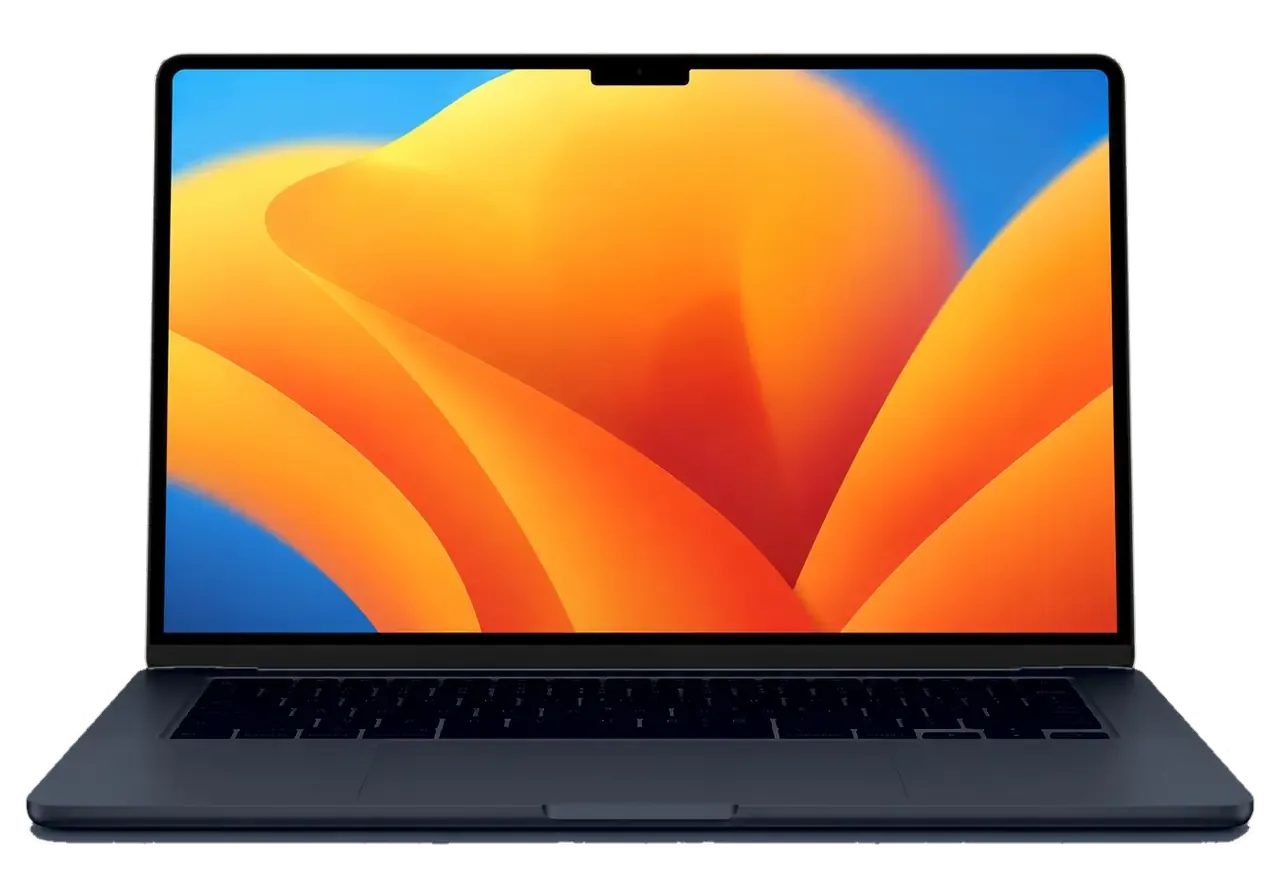
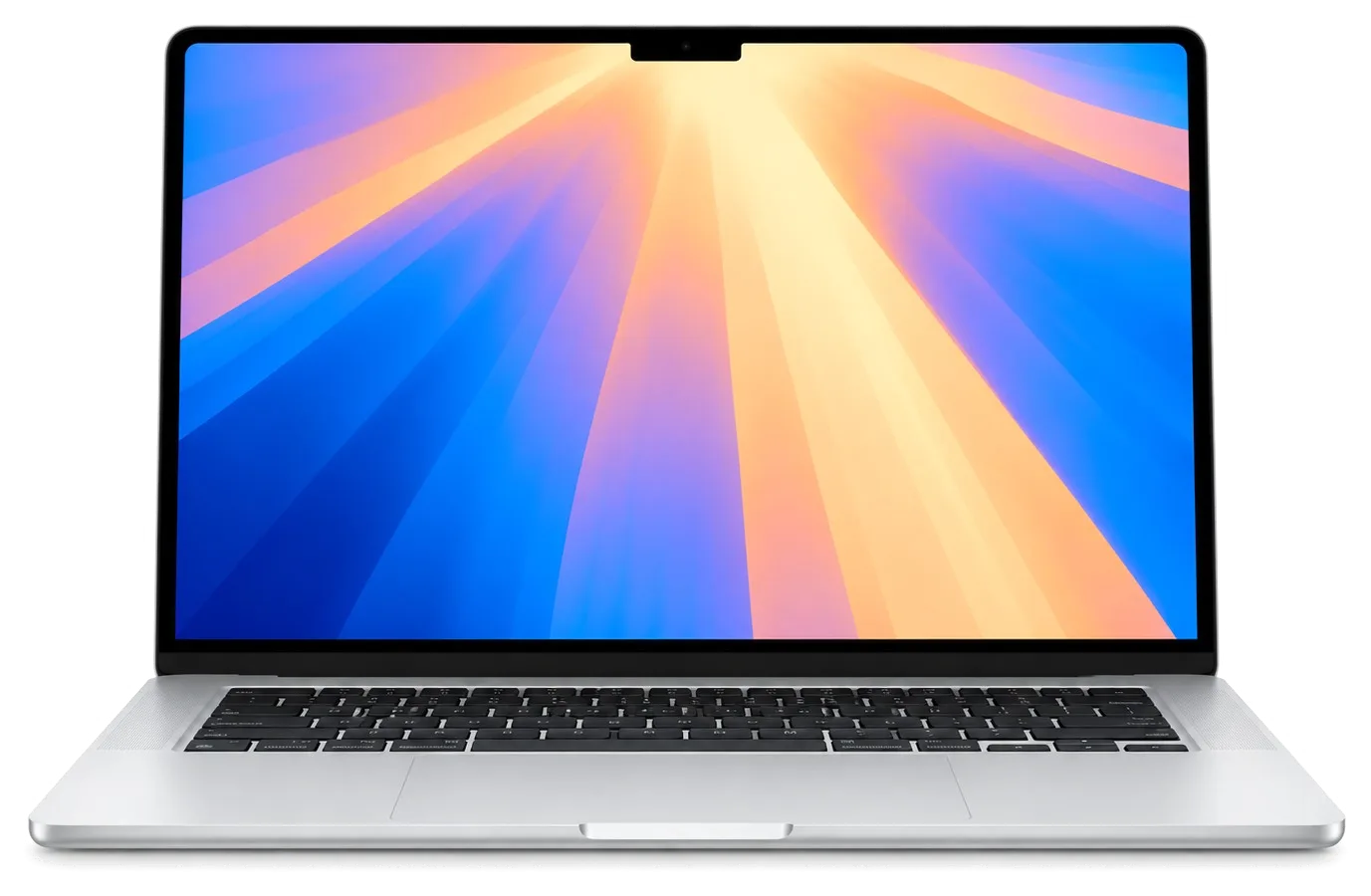
The Air M2 is a thin fanless laptop with a notch display and MagSafe 3 charging. Here are the symptoms owners most often describe when they first bring the machine in, before we break down each fault.
A cracked or striped Air M2 display, a swollen battery that lifts the trackpad, and a MagSafe 3 or USB-C port that no longer charges are the three most common reasons this model arrives at a workshop. Display damage usually starts at the notch edge or the top corners, where the glass is thinnest, and shows up as vertical lines, a dark patch or a flickering backlight. A swollen cell bows the aluminium bottom case and pushes up through the Force Touch trackpad, so clicks feel stiff or stop registering. Charging faults split into two groups: a MagSafe 3 connector that seats loosely or shows no light, and a USB-C port with bent pins or oxidised contacts. A swollen battery presses on the trackpad and the bottom case, so keep using the laptop only after the cell is replaced — pressure can crack the glass and bend the chassis.
Should liquid enter the device, immediately power off the Air M2 and refrain from connecting the charger, since corrosion of the logic board continues to spread as long as current flows through it. Coffee, tea and fizzy drinks are the usual culprits, and the damage rarely stays where the spill landed — it creeps along the circuitry toward the power controller and the charging circuit. A laptop that shows nothing after a spill may still be alive: the assembly needs cleaning in an ultrasonic bath and a close look under a microscope before anyone declares it dead. Skip the rice and the hairdryer, since heat drives moisture deeper into the layers. Water rarely kills the electronics instantly — it is the corrosion over the next hours that does, so the sooner the cleaning happens, the more of it can be saved.
There is no fan inside the Air M2, so it stays silent at all times — when it runs hot and throttles, the usual culprits are a heavy workload or dried thermal paste, not fans clogged with dust. Heat spreads through the aluminium chassis and a graphite heat spreader instead of a blower, which is why the area above the keyboard warms up during long video exports or dozens of open tabs. A machine that throttles on light tasks and drains its battery faster than usual points to a worn cell or a runaway background process, not to a cooling failure. With no fan pulling dust through, an Air needs its thermal paste refreshed much less often than a Pro, and overheating usually points to a worn battery or a software load rather than to dirt.
The Air M2 runs on Apple Silicon with memory and SSD soldered down and charges through MagSafe 3. Here is what each of those changes means when the laptop actually breaks.
RAM and SSD on the Air M2 are soldered onto the logic board, so swapping or upgrading them, as was possible on older unibody MacBook Pro models, is not an option. There is no slot and no socket — the memory package and the flash chips sit directly on the mainboard, and the storage controller is part of the M2 package itself. In practice this shifts the repair logic: a failed drive or a memory fault is a microscope job, not a parts swap. The battery, the display module, the keyboard, the trackpad, the speakers and the ports remain replaceable assemblies, and most of what owners bring to us falls into that group. That makes the logic board the single most valuable part of this laptop — a board-level fault is worth diagnosing properly before anyone quotes a whole-board replacement.
We test both charging paths on the Air M2 — the MagSafe 3 port and the USB-C ports — because a fault in one does not always mean the other is dead, and the fix differs. The magnetic connector carries power straight to the charging circuitry, while the Thunderbolt ports handle power, data and external displays at once. A worn MagSafe 3 plug, a bent pin or lint packed into the recess will stop charging on that path alone, and the same unit will happily take power over USB-C. We see this split often enough that our engineers start by swapping the cable and cleaning both connectors, then measure the power controller before touching the mainboard. A laptop that charges over USB-C but not over MagSafe 3 usually has a port or cable problem, not a logic fault, which is why we check the simple path first.
The Air M2 screen has a camera notch and is bonded as one assembly, so a cracked panel is replaced as a complete display module rather than as bare glass. The LCD, the backlight layers, the camera and the flex cables are laminated into a single lid, and separating them in a workshop destroys the panel. That is why a hairline crack across the corner and a spiderweb across the middle go through the same procedure: the whole module comes off, a matching assembly goes on, and the camera and True Tone calibration are checked afterwards. Because the whole lid is one part, a small chip at the corner can cost the same as a large crack — worth knowing before deciding whether to live with a cosmetic mark.
The path from your first message to pickup is short. Below is exactly how the work moves, from a photo on WhatsApp to checking functions together with the engineer.
MacBook Air M2 repair begins with a WhatsApp photo showing the damage; an engineer answers within 5 minutes and gives a price based on that picture. The engineer looks at the crack, the charging port or the liquid mark, names the likely component and offers a free time slot, so you choose when to come in. Whatever we agree in that chat — component, turnaround, warranty — goes onto the receipt in roughly 2 minutes, before any screwdriver touches the laptop. Getting a photo quote first saves a trip: many owners arrive already knowing the likely component, so the visit is spent confirming it rather than guessing. This is how MacBook Air M2 repair in Astana stays predictable from the first message.
We provide a free 15-minute diagnostics with you present, even if you choose not to proceed with repair, and before any work starts we lock in the price, component, turnaround and warranty on the receipt within roughly 2 minutes. Right at the service desk, the specialist lifts the lid and points out which part has failed, then clarifies if your situation calls for an original or an aftermarket variant. For liquid damage the check can stretch to two days, because corrosion under the shield needs a microscope to read properly. A receipt written before the work starts is what protects you from a surprise component or a longer wait — everything you agreed to is on paper, not in a conversation.
You choose the part; the turnaround depends on the assembly. Here is how aftermarket and original parts compare for the Air M2, plus how long each type of work takes.
Before fitting, the replacement part is presented to you sealed in factory packaging; an original is picked by 64% of our customers, while a tighter budget still allows a valid aftermarket choice. An original screen module keeps True Tone and the factory colour profile intact, while a good aftermarket panel can lose automatic brightness calibration and may need manual adjustment. For the battery, an original cell holds its rated capacity longer under daily charge cycles; a compatible cell works but degrades faster. The engineer places both variants in front of you and names the difference in behaviour, not just the difference in cost. The choice is fixed on the receipt, so what is inside the laptop at pickup is exactly what you agreed to — no silent substitution between an original and a copy, and no swapping of the agreed component.
| Type of work | Typical turnaround | Done while you wait |
|---|---|---|
| Screen module replacement | From 1 hour up to 1 day | Often |
| Battery replacement | Between 1 hour and 1 day | Often |
| Charging port (MagSafe 3 or USB-C) | From 1 hour up to a full day | Often |
| Logic board repair under microscope | 1 to 3 days | No |
| Liquid damage diagnostics | up to 2 days | No |
While the work is done, you can stay in our lounge where coffee and Wi-Fi are available, or arrange for a courier; payment options include Kaspi, card, or cash. The waiting area seats customers whose job runs the full hour, and 72% of repairs finish while the owner is still in the building — you watch the engineer run the 32-function check before you take the laptop home. If a courier brings the device in, the same receipt and warranty card travel back with it, and the old component goes into the box. If you plan to wait, come earlier in the day — a job that starts in the morning is far more likely to finish while you sit than one dropped off late.
Before handing over the Air M2, think about your files and your login password; once the work is done, think about the guarantee. Here is how to prepare the laptop and what you receive back.
Before handing over the Air M2, make a Time Machine backup, note your login password and decide whether to turn off Find My Mac, since a logic board repair can affect access to the files. A full copy to an external drive runs roughly an hour for a typical 256 GB library, and the first one is always the longest. Find My Mac sits under System Settings and, when active, can block activation after a logic board swap, so settle this in advance rather than at the counter. Write the login password on paper for the engineer — many jobs need a signed-in session to test Wi-Fi, Bluetooth and the speakers. On Apple Silicon the SSD is soldered and tied to the motherboard, so a backup is not optional — if the motherboard is replaced, the files do not travel with it.
A warranty of up to 1 year applies to every repair, and along with the receipt and the old part, the warranty card is provided. The card names the replaced component, the work done and the date, so there is no room for interpretation later. Our technicians log each job in the system, and 46,000+ repairs across 11 years have taught us that clear paperwork prevents most disputes. If the same component fails within the term, we look at it again at no charge; accidental damage after pickup is a separate conversation. Keep the old part and the warranty card together — if a question ever comes up about the replaced component, they are the fastest proof of what was done and when.
A few points sum up what matters when an Air M2 needs repair, and they hold whether you are choosing a component or planning the wait.
Did not find an answer? Message us on WhatsApp: an engineer replies, not a bot.
Ask a questionUsually not: the adapter is a sealed unit, and when it fails it is replaced rather than opened. Before buying a new one, try another cable and another adapter, as the fault may be in the cable or the laptop's port.
The light shows amber while charging and green when full, so no light means the cable, the adapter or the port is not making contact. Try charging over USB-C: if that works, the MagSafe side needs a check.
It will charge, but very slowly, and under heavy load the battery may still go down. For everyday use, an adapter with the power of the original is better.
The Air M2 natively supports only one external display, so a second monitor stays dark with a normal hub. That is a limit of the chip, not a fault. Special DisplayLink adapters with their own driver are a workaround.
That is normal: the Force Touch trackpad imitates a click with vibration, and it works only when the laptop is on. If it does not click with the laptop running, the trackpad or its cable needs checking.
It is replacing one of the thin ribbon cables that link parts such as the trackpad or the display to the board. A damaged cable makes a working part stop responding, and swapping the cable is cheaper than replacing the part itself.
Позвонил в три места, здесь внятно объяснили по цене. Работал в жару, и вот — залили водой. Камран А. посмотрел и честно сказал: менять не надо. Работает, как будто и не ломалось.
В Астана сервисов много, но по Apple берут не все. Сначала грешил на систему, потом понял — железо. Проблема — не включается. Приняли без записи, оформили за пять минут. Приговор — клавиатура. По деньгам вышло ровно, без сюрпризов. Ставлю пять. Ни шума, ни запаха, всё штатно.
Экран сынып қалды, көрсетуге апардым. Екі күннен кейін өзі қоңырау шалды. Кепілдік берді, бұл маңызды. Бөлшек қоймада бар екен, күтпедік. Жұмысты сол күні аяқтады. Бағаны алдын ала айтты, соңында өзгермеді. Бағасы мен сапасы сай)
Проблема — залили водой. Камран А. разрулил всё быстро. Работает, даже лучше прежнего.
Проблема — не работает клавиатура. Все функции проверила — работают. Проверила на всех режимах — держит.
Работаю рядом, заехала в обед. Проблема — залили водой. Экран яркий, батарея держит.
В Астана сервисов много, но по Apple берут не все. Утром открыл крышку, а там — не роботает клавиатура. Позвонил, описал проблему, сказали привозить — посмотрят. По факту меняли: матрица. 12 000, и горонтия в комплекте. Приятно удивлён. Работает, даже лучше прежнего.
С MacBook Air 15″ (M2 2023) вышла неприятность: после попадания жидкости устройство вело себя непредсказуемо. После обращения осмотрели плату и устранили обнаруженную неисправность в iservice.
У моего MacBook Air 15″ (M2, 2023) после сна появлялся чёрный экран. После обращения разобрались с запуском и изображением.
У моего MacBook Air 13″ (M2 2022) аккумулятор быстро садился. После обращения проверили состояние батареи и решили вапрос с автономностью.

Replace the battery when macOS reports Service Recommended and runtime no longer covers your workday. A free 15-minute check shows whether the cell is at fault.

Why your MacBook runs hot and loud, and whether cleaning solves it or the board needs repair.

Power it off, unplug the charger and bring the laptop in for a free 15-minute check before corrosion spreads.

Sticky or unresponsive keys usually mean debris, worn mechanisms or liquid damage. A technician can check the keyboard and advise on cleaning or replacement.

Back up your data, turn off Find My, and bring proof of purchase — then the repair starts faster.

 iPad
 iMac
 Mac mini and Studio
 Apple Watch
 AirPods
 Apple Pencil
 Apple TV
 HomePod
