KS Photo: Kudiret S.
Kudiret S.
iCloud unlock specialist
10years of experience
4.37rating, 100 reviews

Mac mini M1 fails to power on or makes unusual noise — we'll diagnose the issue at no cost while you wait and provide a quote before any repair.
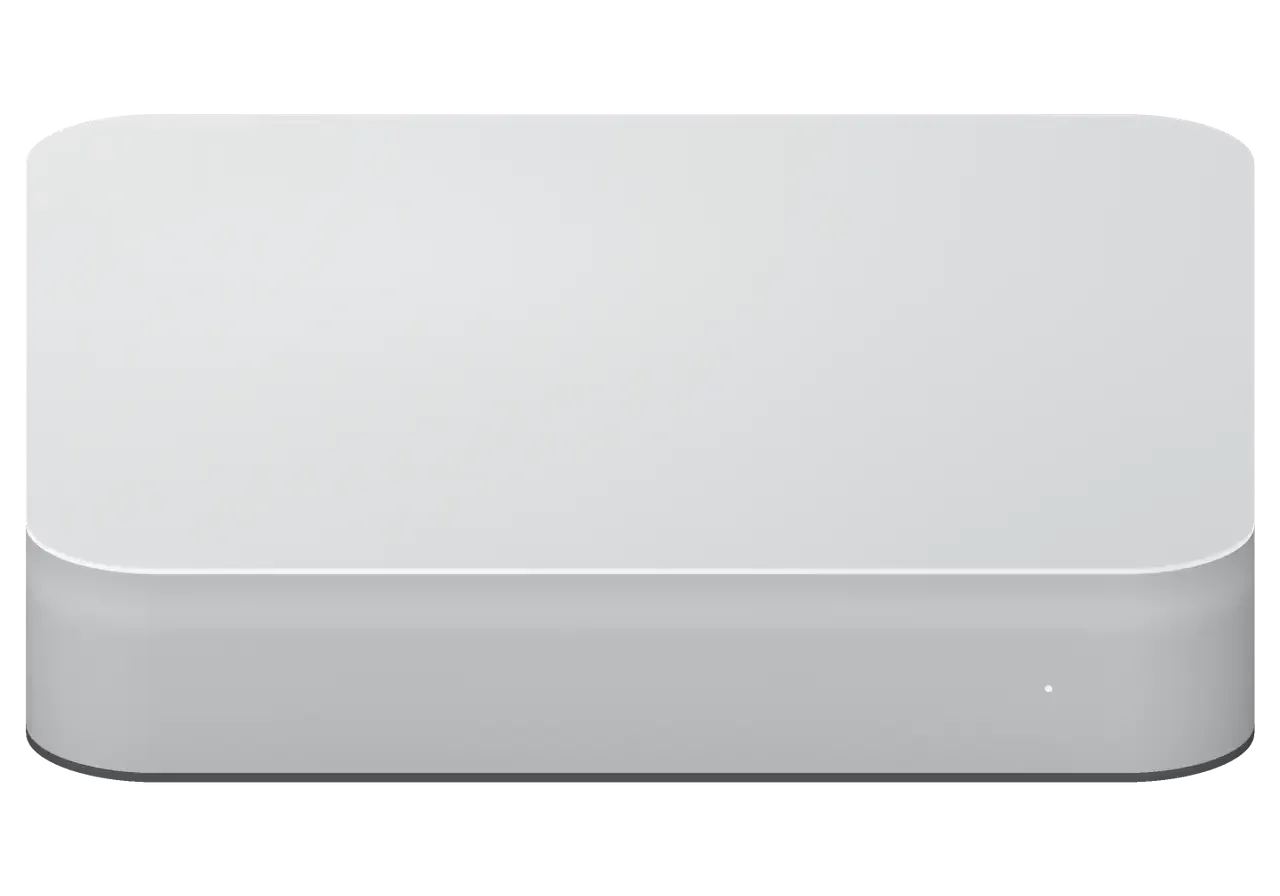
Typical problems owners of the compact desktop face: fan noise, overheating, and failures of the power supply or board.
No light and no chime: power never reaches the board, or the supply has failed.
The fan spins up with no load: dust, dry paste or a tired bearing.
The Mac mini goes dark under load: thermal protection or a sagging power rail.
Picture on some outputs only: an HDMI, Thunderbolt or video controller fault.
The network disappears after startup or under load: module or antenna trouble.
A keyboard or drive appears and disappears: a worn socket or a bad controller.
Startup halts at the Apple logo: firmware, storage or board power fault.
Moisture left on the board after cold and sudden warmth can short it at power-on.
The 3.5 mm port crackles and hums, sound drops in one channel.
Wireless keyboard and mouse lose connection after a few minutes.
Reinstalling macOS from Recovery stops with an error.
The Mac sleeps and ignores the keyboard and the power button.
Below are reference prices for common Mac mini M1 jobs; the exact amount is confirmed after diagnostics.
| Service | Original | Aftermarket |
|---|---|---|
| Power supply replacement | 47 900 ₸ | 26 900 ₸ |
| Fan replacement | 17 900 ₸ | 9 900 ₸ |
| USB-C / Thunderbolt ports replacement | 37 900 ₸ | 20 900 ₸ |
| Other repairs | Price | |
| Logic board repairmicrosoldering · 1–3 days | 19 900 ₸per job | |
| Dust cleaningdisassembly and dust cleaning | 19 900 ₸per job | |
| SSD installationstorage installation | 10 900 ₸with parts | |
| Wi-Fi module repairwireless module · board-level repair | 33 900 ₸with parts | |
| MacOS installationOS installation, no parts replaced | 10 900 ₸per job | |
| Water damage repaircorrosion cleaning · diagnostics up to 2 days | 16 900 ₸per job | |
Cleaning after a spill is assessed after diagnostics, since the extent of damage only shows once the case is open.
A Mac mini M1 can take either an original or a compatible part, and the right pick depends on how you use the computer.
In Astana the machine is taken in by experienced technicians, and finished repairs carry a warranty up to 1 year.
The warranty on repairs lasts up to 1 year, so a repeat fault after the job does not become your headache.
The technician finds the cause first and names the sum second, so you decide between a board repair and a simple cleaning.
11 years of work on Apple hardware means small desktop computers rarely surprise us, and we skip the guessing.
Experienced technicians open the unit and handle ribbon cables, antennas and the power supply with care.
On Saturdays, Sundays and public holidays the shop opens at 11:00 and closes at 18:00; weekdays it runs 10:00–19:00, so you can drop by after work.
The service runs in Astana and Almaty, which makes it easier to keep a history if you relocate.
Usually the whole journey — from message to pickup — takes less than an hour; complex repairs follow the timeline in the receipt.
Book a repairYou send a photo of the damage on WhatsApp — we quote the price and available time. Or you call a courier.
An engineer checks the device in front of you and shows what is broken. 0 ₸, even if you decline the repair.
We fix the price, the part (original or analog), the timeline and the warranty. You sign — we start.
Before installation we show you the new part in its factory packaging. You wait in the waiting area with coffee and Wi‑Fi.
Startup and operation under load, ports, Wi‑Fi and Bluetooth, sound. You check together with the engineer.
Together with the receipt, warranty card and the old part. Payment — Kaspi, card or cash.
Technicians for iPhone, Mac, iPad, Apple Watch and AirPods repair.
Photo: Kudiret S. Photo: Kamran A.

“If the repair didn’t suit you or you have a complaint, write to me personally.”
Send a photo of the fault — an engineer will reply on WhatsApp, give the price and a time you can come in.
Mac mini M1 repair in Astana with free on-site diagnostics
For Astana owners, iServices takes on mac mini m1 repair — from a dead power supply to HDMI and port faults. Our engineers perform free 15-minute diagnostics while you watch, give a quote from a WhatsApp photo in 5 minutes, and fix most units on the spot. Each repair is covered by a warranty up to 1 year.
The Mac mini M1 is a sealed aluminium box with almost nothing user-serviceable inside, so knowing what sits under the lid tells you what can fail and what a repair can realistically achieve.
The power unit of the Mac mini M1 is mounted inside the case rather than as a separate brick, which is unusual for a desktop; as a result, when that module fails the machine behaves as if nothing works at all. The mains cable runs straight into the case and feeds an internal module that converts wall voltage to the low-voltage rails the circuitry needs. When that module fails, nothing lights up, the fan stays still and the machine behaves as if it has no current at all. We confirm the module actually delivers voltage before touching anything else. Because it feeds the components directly, a failed unit can also damage the rails downstream, so we always test the main circuitry after replacing it rather than assuming the swap solved everything.
Inside the Mac mini M1, memory chips and the SSD are fixed directly onto the board by soldering, leaving neither a slot for extra RAM nor a removable drive. Both sit close to the M1 chip and share its thermal path, which keeps the machine compact but removes every upgrade route owners had on older minis. A storage fault therefore becomes a component-level problem rather than a simple drive swap, and it changes what a Mac mini M1 repair in Astana can involve: the technician works on the circuitry itself instead of sliding in a new component. That single design choice also means your files live on the same surface that has to be repaired, so data handling becomes part of the plan from the first minute.
Most owners come with a symptom rather than a diagnosis, so before anyone opens the case we match the common complaints to the components that typically cause them.
| Symptom | Likely cause | What we check first |
|---|---|---|
| No power, no light | Supply or rails | Built-in PSU, then main circuitry |
| Fan spins, no picture | Video output or main circuitry | Lead, socket, monitor, then main circuitry |
| Random restarts | Delivery or overheating | PSU, fan, thermal state |
| No Wi-Fi or Bluetooth | Wireless module or antennas | Module seating, antenna leads |
| Dead USB-A or Ethernet | Socket or controller | Connector, then traces |
When the unit powers on but shows nothing, we test the lead, the socket and the monitor before touching the main circuitry, because a large share of these cases are connection faults, not failed chips. The M1 unit has two video outputs, HDMI and USB-C, and a fault in one rarely kills the other, so we switch between them to see whether the graphics path is shared or single-socket. A monitor that never wakes from standby, a bent pin or an adapter that drops the signal all mimic a dead GPU while the machine boots normally. Trying the other output first is the fastest free test an owner can do, and it shows whether the fault sits in one socket or in the shared path.
Diagnosis is where a repair is won or lost, so we perform it while you watch and show what the meters read before ordering any part.
We perform free diagnostics in front of the customer for about 15 minutes, even if you choose not to proceed with the repair. An engineer opens the Mac mini on the bench, connects a lab power supply and a USB-C tester, and walks you through each reading on the screen. Our diagnostics show how much current the unit consumes when idle versus when loaded, what voltage the USB-C port delivers, and which part is dragging the system down. Everything is checked right in the lounge zone, where coffee and Wi-Fi are available, so there is no need to hand over the device and return another day. Watching the test happen means you see which part failed rather than taking it on trust, and it also rules out the cheap fixes before anyone quotes a logic-board job.
Using a lab power unit plus a USB-C tester, we probe the internal rails and the PSU that is built in, which lets us pinpoint whether the PSU or the main circuitry is at fault instead of guessing. The M1 draws power in short bursts when it boots, so a reading taken on a switched-off device tells us almost nothing. We load the rail, watch the voltage sag and compare each line against the expected value. If the PSU holds steady while the logic stays silent, the fault sits on the main circuitry; if the line collapses under load, the internal supply is the first suspect. A power supply that reads correct at idle can still fail under load, so we test it while the machine is working, not just when it is switched off.
The status light and the boot behaviour tell us whether the machine is dead, stuck in firmware or simply failing to output video. A steady light with a spinning fan but no image points to the video path, while a light that blinks in a pattern usually means the boot sequence never finished. We connect the Mac mini M1 to a known-good display and cable, then try a firmware restore from another Mac in DFU mode. If the restore completes and macOS loads, the hardware was fine and the fault was software. A Mac that lights up but never reaches the desktop is a different repair from one that shows nothing at all, and separating those two states early saves a lot of unnecessary part-swapping.
When the fault sits on the circuitry itself, the work moves to the microscope, and the question owners ask first is almost always about their files.
Board-level faults are repaired under a microscope with a soldering station, and such a job typically takes 1 to 3 days. We work at component level on the M1 main circuitry: power rails, controllers and the small passives around them are probed point by point before anything is desoldered, so the failed chip is identified rather than guessed. Our technicians are experienced and have handled 46,000+ repairs over 11 years, and the microscope lets us work on joints a fraction of a millimetre wide without disturbing neighbouring components. Working at component level means we replace the failed part rather than the whole module, which keeps more of the original hardware in your machine.
Because the SSD is soldered to the main circuitry, your data is only reachable while that circuitry works, so we treat data safety as part of the repair, not an afterthought. There is no separate drive to pull out and read on another machine, and the M1 chip encrypts storage by default, so a failed circuit means a failed route to your files unless the unit is revived. A firmware restore through DFU with Apple Configurator can bring a non-booting unit back, but it wipes the drive, which is why we ask about backups before we start. A Time Machine backup made ahead of the fault is the single best protection an owner has, and it costs nothing compared with recovering files from a dead module.
A repair lasts longer when the conditions that caused it are dealt with, so we cover the two most common external causes and how the handover works.
The M1 mini cools itself with a single fan, so a dust-clogged intake raises temperatures and can trigger restarts or throttling long before anything actually breaks. The intake grille on the base fills with household dust within a couple of years, and the fan then runs faster to move the same amount of air. A machine that keeps spinning up is telling you the airflow is restricted, not that the chip is failing. Dust is removed from the grille, the fan blades and the heatsink fins; afterwards a stress test verifies that temperatures return to normal during prolonged operation. A periodic clean is far cheaper than the component damage that sustained overheating can cause, and it is the maintenance task worth scheduling in advance.
Because the PSU is internal, there is no separate power brick that could soak up a voltage spike, meaning surges from the mains reach the board directly. The power supply sits inside the case, and the first components it feeds are the regulator stages that convert mains to the low voltages the internal circuitry needs. A short, sharp overvoltage can take those stages out in a single event, and the symptom afterwards is a unit that is completely dead or that powers up only intermittently. A surge protector or a small UPS is cheap insurance for a desktop that stays plugged in, and it removes a common cause of a dead unit.
A short summary of what shapes a Mac mini M1 repair and how to keep the unit running after it comes back.
Did not find an answer? Message us on WhatsApp: an engineer replies, not a bot.
Ask a questionSometimes: if the firmware is damaged, the M1 can be revived or restored from another Mac using Apple Configurator. The technician tries this before looking for a hardware fault. If the computer still does not respond, the power supply and board are checked.
Try another cable, another output (HDMI or Thunderbolt) and another display. A cheap adapter or a dock is often to blame. If there is no picture anywhere, the video outputs and the board need diagnostics.
Look over the vent and heat sink once a year, and clean sooner if the noise clearly grows. The price of dust cleaning is in the work table, and the technician explains the details.
No, neither memory nor storage can be swapped out — both chips sit soldered directly on the logic board. If you need more room, connect an external drive via Thunderbolt or USB instead.
Memory and storage on this model can't be upgraded — both are soldered directly to the logic board, so swapping modules isn't an option. If you need more room, connect an external drive via Thunderbolt or USB.
Unexpected restarts usually come from a system error, often triggered by a faulty peripheral or an outdated app. Install updates and unplug hubs and drives for a few nights. If restarts continue, the technician reads the error reports and checks the hardware.
Работаю рядом, заехала в обед. Принесла с мороза, открыла — шумит. Работает, даже лучше прежнего.
В Астана сервисов много, но по Apple берут не все. Проблема — перегревается. Все функции проверил — работают.
Проблема — не видит диск. Камран А. разрулил всё быстро. Крутится ровно, без рывков)
Проблема — не видит диск. Камран А. подобрал аналог дешевле, не навязывал оригинал. Про айсервис слышала от соседа. Проверила на всех режимах — держит.
Камран А. принял без вопросов, хотя был без записи. Крутится ровно, без рывков.
Привёз на диагностику: Mac mini M1. Проблема — шумит. Шум ушёл, работает тихо.
Искала сервис, где дадут гарантию и чек. После обновления началось: шумит. Позвонила, описала проблему, сказали привозить — посмотрят. Обошлось заменой: кулер. В 26 000 уложилась, как и обещали. Спасибо, что выручили. Работает, даже лучше прежнего.
У нас в офисе три таких ноутбука, один сломался. Сначала грешила на систему, потом поняла — железо. Проблема — не видит диск. Крутится ровно, без рывков!!
Честно, готовилась услышать приговор. Проблема — не включается. Всё оформили по договору, с печатью. Вскрытие показало: блок питания. В другом месте просили на треть больше. Сначала назвали одну сумму, потом уточнили. Пользуюсь и вспоминаю добрым словом.
Pozvonil po obiavleniiu, priekhal na sleduiushchii den. Rabotal godami — i na tebe. Problema — peregrevaetsia. Kamran A. otsovetoval dorogoi remont, predlozhil prostoi. Priniali bez zapisi, oformili za piat minut. Prigovor — plata. V drugom meste prosili na tret bolshe. Vernuli — proveril, vse ok.


 iPad
 MacBook
 iMac
 Apple Watch
 AirPods
 Apple Pencil
 Apple TV
 HomePod
