KS Photo: Kudiret S.
Kudiret S.
iCloud unlock specialist
10years of experience
4.37rating, 100 reviews

Noisy, not charging, or liquid-damaged A2780 — we'll find the cause while you wait and confirm the price upfront.

Dust in the cooling path, port glitches from static, a flickering monitor: what people in Astana bring in with this laptop.
Wind-blown dust clogs the vents, so the Mac gets loud and slows down.
Two monitors and a closed lid push the chassis temperature up.
In dry heated rooms a port drops the drive or the monitor goes blank.
After a voltage spike the Mac will not charge or restarts at random.
Between home and office the battery now empties far faster than before.
Sticky residue makes keys jam, repeat or stop lighting up.
One corner will not click, and a swollen battery may be pressing from below.
The HDMI picture drops whenever the cable or dock is moved.
Headphones left on the keyboard cracked the screen when the lid was closed.
The magnet won't hold the cable, the light is off, and no charge goes in.
At high volume the sound hisses and rattles, and the bass drops out.
macOS installation froze midway, and the laptop restarts in a loop.
Every A2780 job we do in Astana is in one table; prices are for the work itself, and the total follows the diagnosis.
| Service | Original | Aftermarket |
|---|---|---|
| Display replacement | 521 900 ₸ | 322 900 ₸ |
| Charging port replacement | 35 900 ₸ | 19 900 ₸ |
| Speaker replacement | 33 900 ₸ | 18 900 ₸ |
| Fan replacement | 26 900 ₸ | 14 900 ₸ |
| Battery replacement | 195 900 ₸ | 112 900 ₸ |
| Other repairs | Price | |
| Logic board repairmicrosoldering · 1–3 days | 16 900 ₸per job | |
| Dust cleaningdisassembly and dust cleaning | 10 900 ₸per job | |
| Cleaning after liquid damagecorrosion cleaning · diagnostics up to 2 days | 42 900 ₸per job | |
| Wi-Fi module repairwireless module · board-level repair | 41 900 ₸with parts | |
| MacOS installationOS installation, no parts replaced | 10 900 ₸per job | |
The technician names the amount after diagnostics, since it depends on board condition, the part chosen and how much cleaning is needed.
For the battery, keyboard and display there are two kinds of part, and the technician helps match one to your workload.


A powerful Pro used for work hates downtime, so here is how our job plan is built and what you receive in return.
Eleven years of repairing devices is enough to tell ordinary dust from a fault in the power circuit without delay.
Each finished repair comes with coverage of up to 1 year. We spell out the terms beforehand and answer any questions you have.
Boards and batteries go to experienced technicians; this kind of work demands experience and a steady, careful hand.
Ahead of the repair you receive a breakdown of the work and pick what fits your needs. No extra parts get swapped without your consent.
We work in Astana and Almaty, so whichever of the two cities you are in, you can bring the laptop to us.
On weekdays we receive from 10:00 to 19:00, and on Saturday, Sunday and holidays from 11:00 to 18:00.
Usually the whole journey — from message to pickup — takes less than an hour; complex repairs follow the timeline in the receipt.
Book a repairYou send a photo of the damage on WhatsApp — we quote the price and available time. Or you call a courier.
An engineer checks the device in front of you and shows what is broken. 0 ₸, even if you decline the repair.
We fix the price, the part (original or analog), the timeline and the warranty. You sign — we start.
Before installation we show you the new part in its factory packaging. You wait in the waiting area with coffee and Wi‑Fi.
Screen, keyboard and trackpad, camera, microphones, speakers, charging, Wi‑Fi. You check together with the engineer.
Together with the receipt, warranty card and the old part. Payment — Kaspi, card or cash.
Technicians for iPhone, Mac, iPad, Apple Watch and AirPods repair.
Photo: Kudiret S. Photo: Kamran A.

“If the repair didn’t suit you or you have a complaint, write to me personally.”
Send a photo of the fault — an engineer will reply on WhatsApp, give the price and a time you can come in.
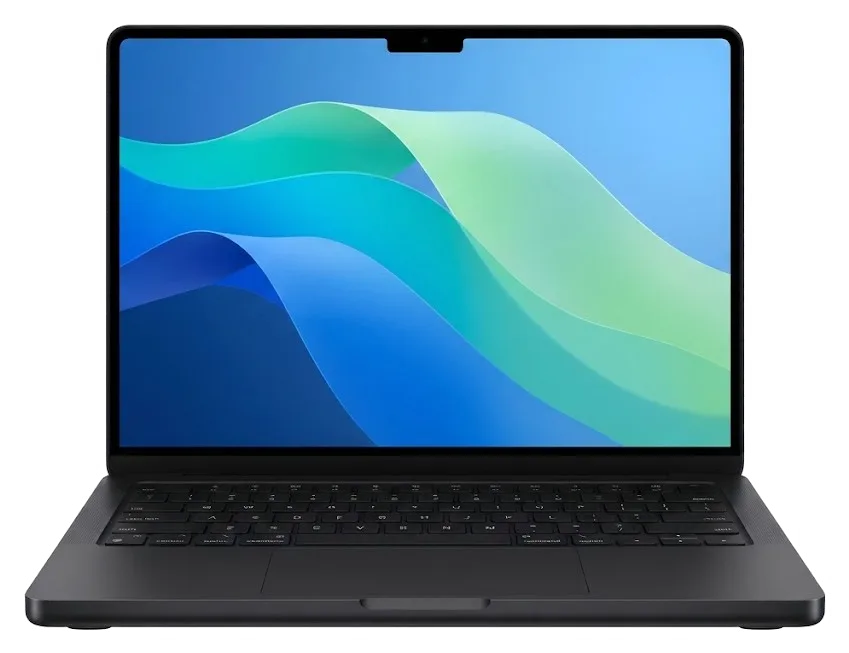
MacBook Pro A2780 Repair in Astana with Professional Service You Can Trust
iServices handles MacBook Pro A2780 repair in Astana as a direct contractor with in-house technicians, not a middleman. Diagnostics take just 15 minutes and are free of charge — with you watching; many repairs are completed within a day, warranty lasts up to 1 year. Pick between an original or aftermarket component — your choice is documented prior to any work beginning.
The A2780 is Apple Silicon's 16-inch Pro, and typical issues involve the display, battery, charging system and cooling. Here is what owners actually bring in and how we separate one fault from another.
| Symptom | Likely cause | What we check first |
|---|---|---|
| Dim or flickering screen | mini-LED panel or display cable | External monitor test, cable seating |
| Trackpad stiff or lifted | swollen battery | Battery swelling and cycle count |
| Will not charge | USB-C, MagSafe 3 connector, power controller | Both charging paths, controller |
| Fan loud under load | dust in cooling, dried thermal paste | Fan spin, heatsink airflow |
| Random shutdowns | battery or board power rail | Battery health, board inspection |
The A2780 uses a mini-LED display bonded into the lid and a battery glued into the chassis, so we replace the full display assembly and the full battery module rather than swapping a bare matrix or single cells. The panel carries hundreds of local dimming zones, and its flex cable runs through the hinge, where repeated opening wears the shielding. The battery spans several glued cells under the trackpad, so swelling pushes upward into the keyboard and palm rest before it shows anywhere else. Because the panel is bonded, a single dead zone near the edge is not a reason to replace the whole lid on the spot — we first rule out a loose display cable, which saves the customer a full assembly.
We test both charging paths on the A2780, MagSafe 3 and USB-C, because a fault in one does not always show in the other, and the power controller sits on the logic board. MagSafe 3 carries the higher wattage through a magnetic connector with its own sense pin, while USB-C Thunderbolt ports negotiate power separately and can fail on one side only. The controller manages handoff between them, so a shorted port can drag the whole rail down and mimic a dead board. A unit that charges on USB-C but not MagSafe 3 usually has a port or cable issue, not a dead board, so we never quote a board repair before checking the simpler path.
The A2780 is an Apple Silicon 16-inch Pro, and that shapes what is repairable. Memory and storage are soldered, the display is a bonded mini-LED assembly, and cooling is an active fan system.
In the A2780, RAM and SSD are permanently attached to the logic board, so upgrading or swapping them as separate parts—like older unibody Pros—is impossible. Unified memory is packaged together with the processor, while NAND chips are permanently attached to the PCB. What stays serviceable is everything around them: the battery, the display assembly, the fans, the ports and the board-level components. A failed NAND chip or a shorted power rail is repaired at the component level rather than by dropping in a new drive. That makes storage capacity a decision made at purchase, not at repair — if a fault threatens the SSD, the practical route is data recovery from the circuitry, not a drive swap.
Unlike the fanless Air, the A2780 has an active cooling system with fans and a heatsink, so dust buildup and dried thermal paste show up as noise and throttling rather than silence. Two fans pull air across a shared heatsink, and the chassis leaves little room for dust to escape once it settles on the fins. When a machine that used to run quiet starts spinning up under a browser and a video call, the usual culprit is a clogged heatsink, not a dead fan motor. A preventive clean with fresh thermal paste usually restores quiet operation before any part replacement, and fan behaviour is checked at load during the 32-function test.
For the A2780 the answer is almost always yes, because it is a current Apple Silicon 16-inch Pro whose display, battery and main circuitry are all serviceable, and a repair costs far less than a replacement machine. The mini-LED panel, the battery and the logic assembly are the three areas owners most often ask about, and each has a defined repair path. The exception is a fault combined with a physically cracked chassis — there the repair is still possible, but the practical question becomes whether the case damage matters to you, not whether the electronics can be saved. We back the work with a warranty up to 1 year, which changes the maths on a machine this recent.
You share a photo, we provide a quote and schedule a time, the engineer diagnoses while you watch, and all terms are documented on the receipt upfront.
After you share a picture of the problem via WhatsApp, an engineer comes back in five minutes or less with the cost and an available slot; roughly two minutes before work starts, everything — sum, component, timeline and guarantee — gets written into the receipt. From that first message the team already knows whether the task looks like a screen swap, a battery change or a board fault, and books the slot accordingly. At iServices the reply comes from the person who will actually handle the machine, not a call-centre script. That is the launch point for MacBook pro a2780 repair in Astana: a picture plus a precise estimate, provided prior to the technician touching anything. Fixing the terms on paper prior to the screwdriver coming out is what protects you from a surprise bill.
Checking the device costs nothing and lasts roughly a quarter of an hour, done right in front of you — you may still decline the repair; meanwhile you can sit in our lounge, drink coffee and use Wi-Fi while the technician works. The technician opens the machine on the bench beside you and points to the part that failed, rather than disappearing into a back room with your laptop. If a courier pickup suits you better, we can arrange one, and the same photo-first quote applies. Watching the diagnosis is the fastest way to understand your own device — the specialist shows what is broken on the spot, so you leave knowing the problem even if you postpone the repair.
Turnaround for most A2780 fixes ranges between sixty minutes and a full day; complex board work needs one to three days. While you wait, 72% of jobs are completed, and at pickup roughly 10 minutes go to verifying 32 functions. A screen or battery job on the 16-inch body is usually a same-visit fix, whereas anything that needs the microscope moves into the multi-day bracket. Everything is verified in your presence — Touch ID, True Tone, the camera, mics, speakers, charging, Wi-Fi — so anything that surfaces only once the unit is back together gets spotted while you are still with us, rather than afterward. You walk out with the receipt, the warranty card and the old part in hand.
Every repair comes with a parts choice, and that choice stays yours. We display the new component in factory packaging prior to installation and record your selection on the receipt, leaving nothing unclear afterwards.
| Component | Original option | Aftermarket option | What we record |
|---|---|---|---|
| Display assembly | Factory mini-LED panel | Compatible panel | Part type |
| Battery | Factory module | Third-party module | Part type |
| Charging port | Factory port | Compatible port | Part type |
| Fan | Factory fan | Compatible fan | Part type |
Before work begins, we document four details on the slip — price, whether the component is original or aftermarket, turnaround time, and warranty — and you receive it back along with the warranty card and the old component. An original unit matches the factory specification for the A2780, while a third-party one is a compatible alternative; 64% of our customers choose the original, and both carry the same warranty up to 1 year. The right pick depends on the item — for a display or battery the original preserves factory behaviour most closely, while for a port or a fan a quality alternative is often the practical choice. Keeping the old unit is not a formality — it lets you or any other technician verify later what was actually removed, which is why we hand it back rather than discard it.
Two scenarios demand the fastest possible reaction — liquid ingress and a board that will not start. Here is the first aid, how board work runs under the microscope, and what happens to your data along the way.
Should liquid reach the inside of an A2780, cut the power right away and leave the charger unplugged — corrosion progresses for as long as electricity is present. Unplug the MagSafe 3 cable, disconnect any USB-C accessory and hold the power button until the laptop shuts down fully if it still responds. Turn the unit upside down with the lid open so the fluid drains away from the keyboard and the circuitry rather than settling across the traces. Do not try to dry it with heat or a hairdryer — that pushes moisture deeper and can warp the bonded display — and bring it in as soon as possible, since the earlier the mainboard is cleaned, the more of it survives. Coffee, juice and sugary drinks do more damage than water because the residue keeps attracting moisture long after the surface looks dry.
For the A2780, microsurgical board work requires 1–3 days; if liquid has entered, determining what can be saved may take as long as two days of diagnostics. At iServices the engineer works on the exposed mainboard with magnification and a soldering station, tracing corroded joints, lifted pads and shorted rails that a visual check would miss entirely. The extra diagnostic time after liquid is not delay for its own sake — corrosion hides under components, and rushing the assessment is how a repairable unit gets written off. We would rather take the two days and tell you honestly what can be saved than promise a fast turnaround and return a dead device, so plan for the longer window when the spill was recent.
Ahead of bringing the A2780 in, run a Time Machine backup when the machine still starts, write down your user password, and consider disabling Find My Mac — the SSD is soldered, so data recovery is board-level work rather than a drive swap. The T2 chip encrypts the storage, so pulling the drive and reading it elsewhere is not an option on this platform — the files leave with the mainboard or not at all. Write down which accounts and documents you cannot lose and mention them at the counter. When the laptop shows no signs of booting, first explain to the engineer which information is most valuable — that alters the sequence of work, since a data-focused repair may begin with the circuitry instead of the failed part.
A few practical points decide whether an A2780 repair goes smoothly, so here is the short version worth keeping in mind before you hand the machine over.
Did not find an answer? Message us on WhatsApp: an engineer replies, not a bot.
Ask a questionOnly if it has the M2 Max chip, which supports up to four external displays; the M2 Pro version handles two. Check the chip in About This Mac before buying extra screens or adapters.
Some TVs and cables fail to agree on the signal at high resolutions. Try another HDMI cable, a different input on the TV or a lower resolution in Displays settings; if no screen works over HDMI, the port is tested.
Yes, if one of the woofers has failed, the speaker module on that side is replaced. First rule out an equalizer or output setting by playing the same track in another app.
Not necessarily: a frozen battery may refuse to deliver power until it warms up. Leave the laptop at room temperature for a while without opening it, then connect the charger; if it still stays dark, bring it in for a check.
The hinge is part of the display assembly, so a loose or creaking hinge is fixed on that assembly. If the picture flickers as you move the lid, the display cable is checked at the same time.
Sudden drops or shutdowns at a middle percentage usually point to a worn battery or a calibration glitch. Look at the condition in Battery settings; if it says Service Recommended, a replacement is due.
Знакомый мастер раньше работал с Apple, дал наводку. Проблема — не роботает клавиатура. Камран А. посмотрел и честно сказал: менять не надо. Позвонил в i-service по номеру из объявления. Все функции проверил — работают.
Проблема — не работает клавиатура. Камран А. отсоветовал дорогой ремонт, предложил простой. Третий месяц — никаких проблем
Сдал MacBook Pro A2780 мастеру. Проблема — вздулась батарея. Камран А. разрулил всё быстро. Ответили в WhatsApp, потом созвонились. Вытащили и показали: кулер. Смета — 21 500, чек дали. Работает, даже лучше прежнего.
Проблема — залили водой. Камран А. показал старую деталь, всё прозрачно. Ни шума, ни запаха, всё штатно
Бағасын білмей тұрып, бірнеше жерге қоңырау шалдым. Қабылдау тез болды, кезек жоқ. Ақауын тез анықтады, қажетсіз нәрсе ұсынбады. Бағасы мен сапасы сай.
Было ощущение, что ремонт выйдет дороже нового. Проблема — не работает клавиатура. Диагностику сделали при мне. По факту меняли: плата. Ни копейки больше обещанного. Внешне не видно, что разбирали.
Было важно, чтобы сделали до конца недели. Кот скинул со стола, теперь — не включаеться. Приняли вечером, хотя до закрытия было минут десять. Замена: плата. Итог — 73 000 тенге, ничего сверху. Не разочаровалась. Работает, даже лучше прежнего.
Камран А. — мастер от бога, если можно так сказать. Ни шума, ни запаха, всё штатно)
V Astana servisov mnogo, no po Apple berut ne vse. Prosto vykliuchilsia, i teper — zalili vodoi. i-service okazalsia edinstvennym, kto vzial takuiu model. Seichas rabotaet bez narekanii.
Problema — shumit kuler. Kamran A. provozilsia, no sdelal. Ekran iarkii, batareia derzhit.

Replace the battery when macOS reports Service Recommended and runtime no longer covers your workday. A free 15-minute check shows whether the cell is at fault.

Why your MacBook runs hot and loud, and whether cleaning solves it or the board needs repair.

Power it off, unplug the charger and bring the laptop in for a free 15-minute check before corrosion spreads.

Sticky or unresponsive keys usually mean debris, worn mechanisms or liquid damage. A technician can check the keyboard and advise on cleaning or replacement.

Back up your data, turn off Find My, and bring proof of purchase — then the repair starts faster.

 iPad
 iMac
 Mac mini and Studio
 Apple Watch
 AirPods
 Apple Pencil
 Apple TV
 HomePod
