Eng

MacBook Repair in Astana

MacBook won't charge, overheats or won't turn on — battery replaced in an hour, board repair in 1–3 days, price fixed upfront. Independent service, not authorized by Apple

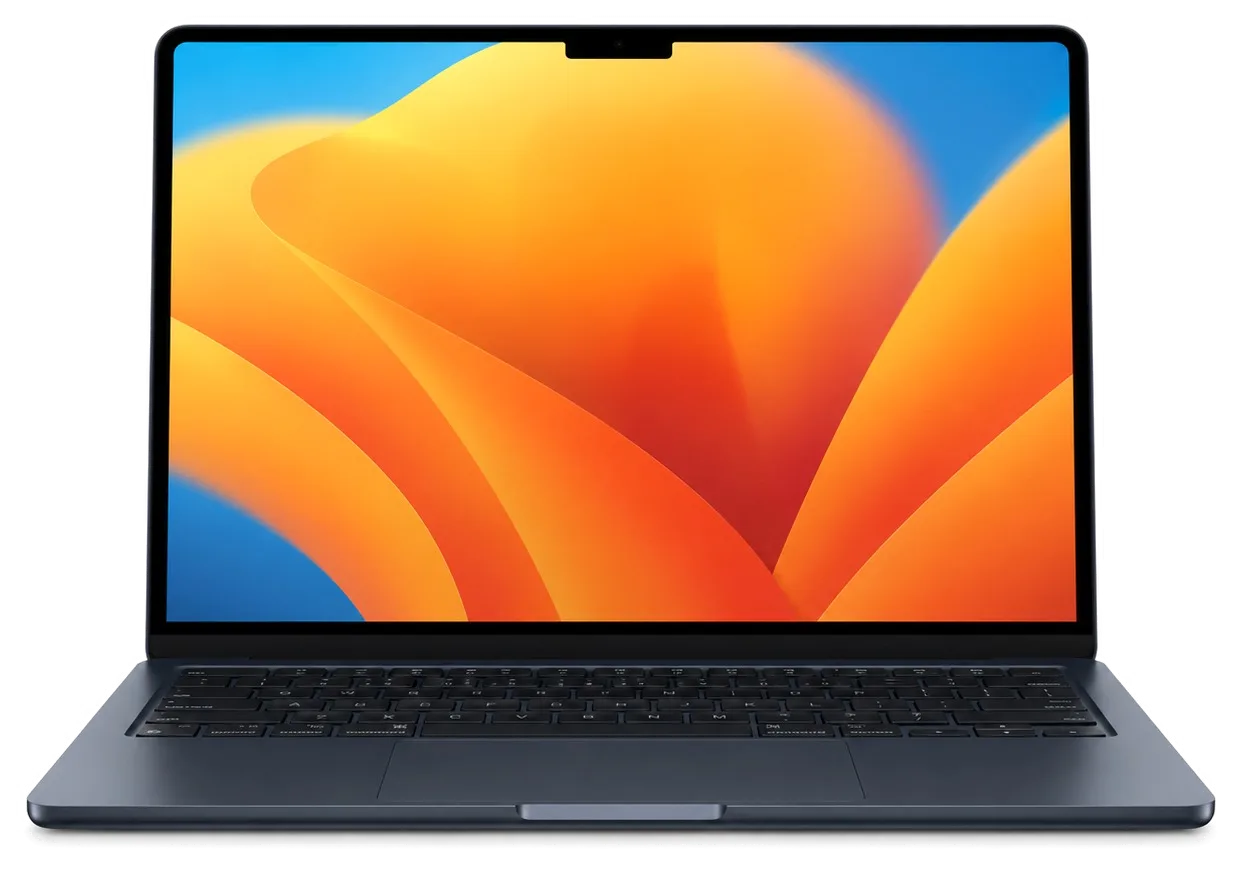
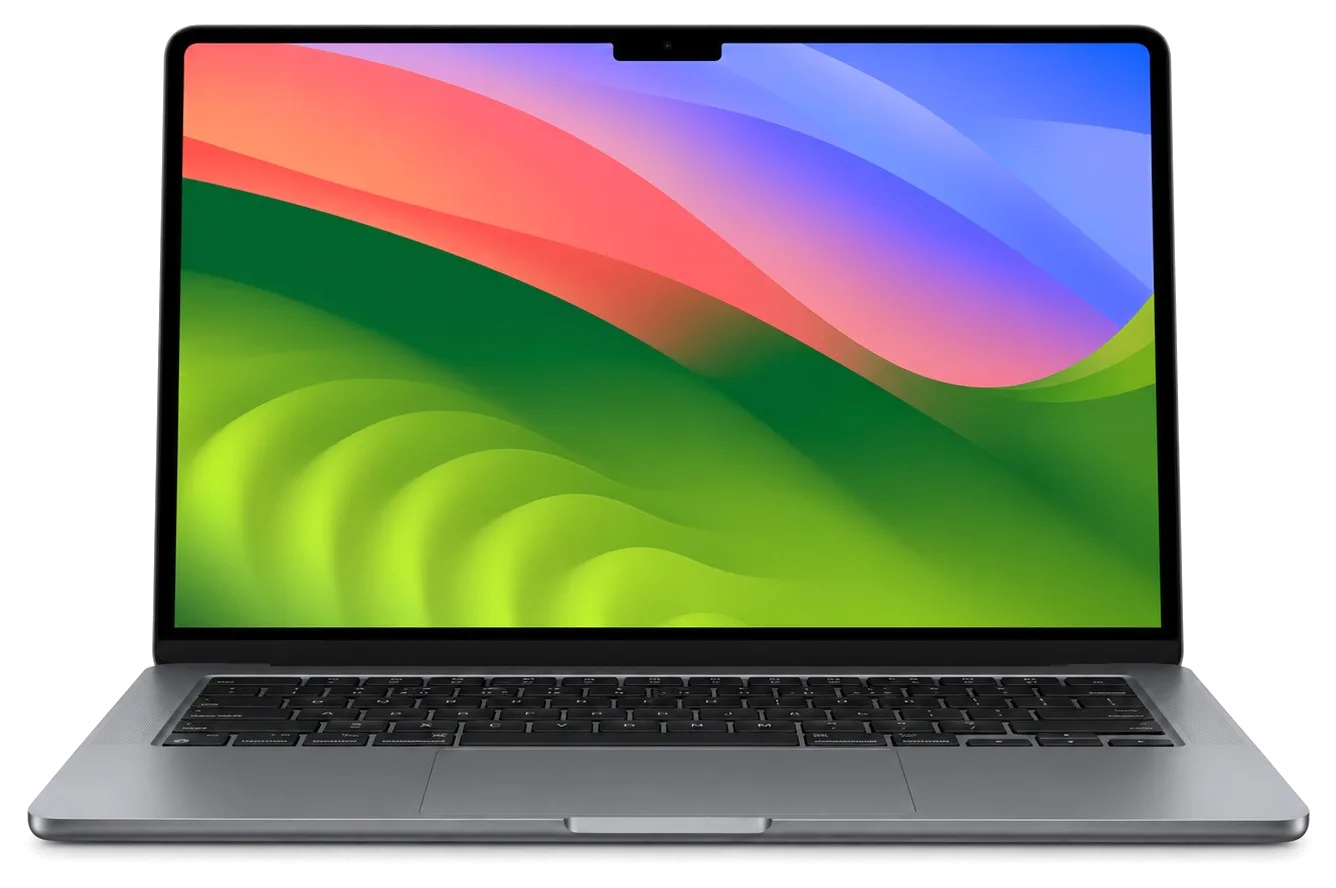
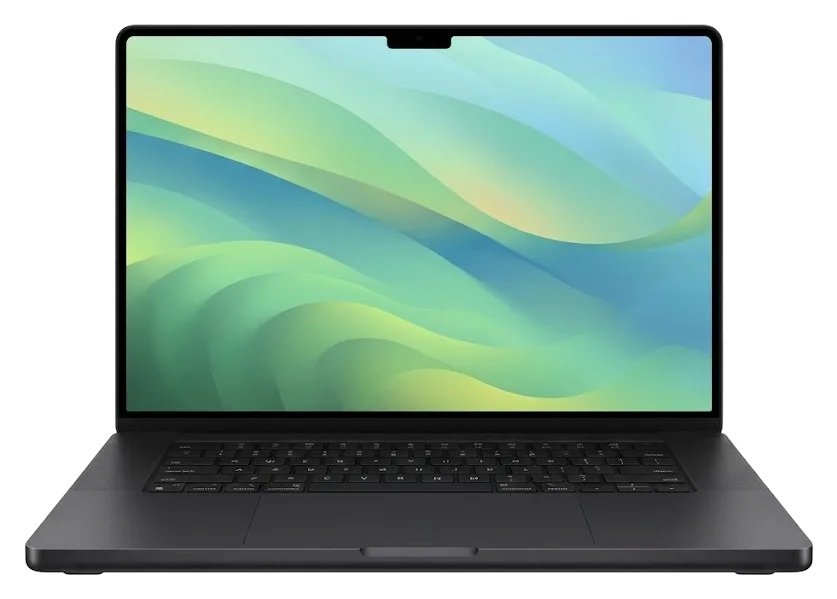
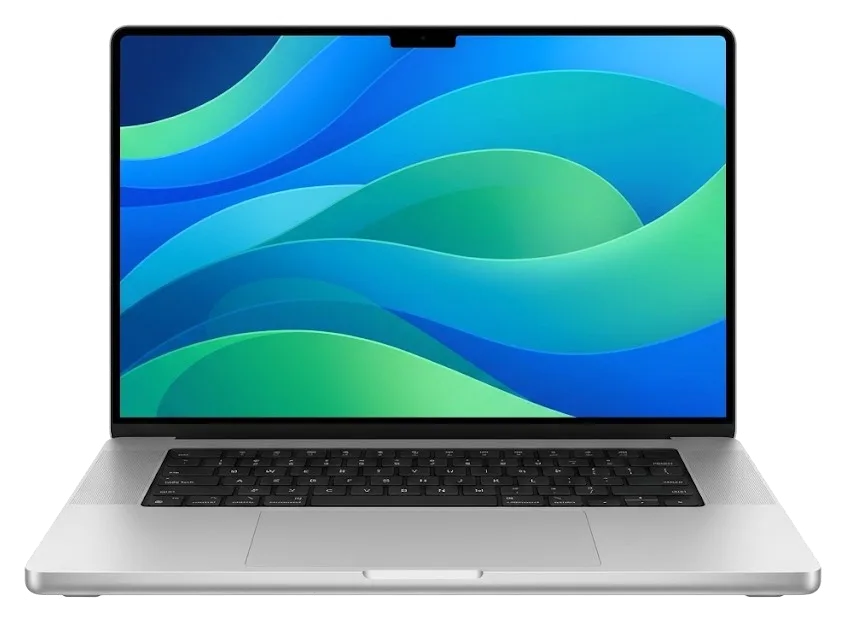
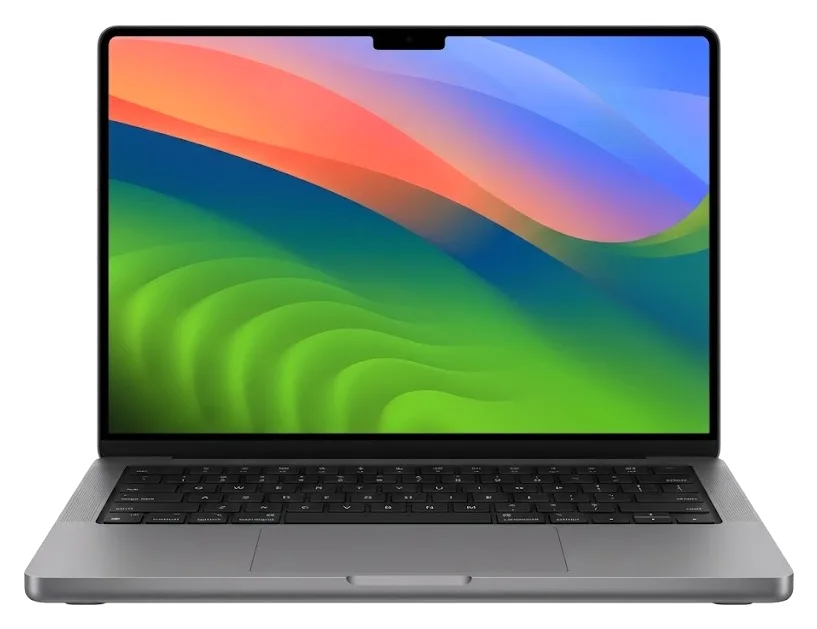
MacBook Air 13 M4 laptop showing its first screenMacBook Air 15 M4MacBook Pro 14 M4MacBook Pro 16 M4 Pro
MacBook repair — all models
Battery replacementfrom 32 900 ₸
Graphics chip replacementfrom 83 900 ₸
Keyboard replacementfrom 21 900 ₸
All MacBook prices

MacBook repair prices in Astana

The total depends on your model, original or aftermarket parts, and how much work the fault takes.

ModelCharging portLogic boardSpeakerWi-Fi module repairmacOS installation
MacBook Air M219 900 ₸16 900 ₸18 900 ₸41 900 ₸10 900 ₸
MacBook Air A217921 900 ₸44 900 ₸27 900 ₸55 900 ₸10 900 ₸
MacBook Air A233719 900 ₸55 900 ₸18 900 ₸41 900 ₸10 900 ₸
MacBook Air A268119 900 ₸16 900 ₸18 900 ₸41 900 ₸10 900 ₸
MacBook Air A294141 900 ₸16 900 ₸18 900 ₸41 900 ₸10 900 ₸
MacBook Air 15" M419 900 ₸16 900 ₸18 900 ₸41 900 ₸10 900 ₸
MacBook Air 13" M419 900 ₸16 900 ₸18 900 ₸41 900 ₸10 900 ₸
MacBook Air M319 900 ₸16 900 ₸18 900 ₸41 900 ₸10 900 ₸
MacBook Air19 900 ₸16 900 ₸18 900 ₸41 900 ₸10 900 ₸

Board repair and liquid damage are priced after diagnostics, once the real depth of the damage is visible.

Original and aftermarket parts we can fit in your laptop

How do you decide between a genuine component and a third-party one?

Original Applewarranty up to 1 year
MacBook Air 15 M4 battery230 900 ₸
MacBook Air 15 M4 battery: original part in Apple packaging
Display
Brightness and color stay near factory quality
Keyboard
Familiar key travel and an even backlight
Battery
Runtime and charge cycles behave predictably
Price
Above aftermarket, with fewer unpleasant surprises
Chosen by 64% of clients
Book with an original part
Aftermarketwarranty 6 months
MacBook Air 15 M4 battery132 900 ₸−42%
MacBook Air 15 M4 battery: aftermarket part in an antistatic bag
Display
Normal picture, the tint may differ slightly
Keyboard
Fine for typing, though the feel can be different
Battery
Lasts less than original but costs less
Price
Lower, handy for an older machine
Chosen by 36% of clients
Book with an aftermarket part

What to know about how we work

Before you visit, it helps to know our experience, the warranty, the choice between two part options and prices you can see in advance.

11years

11 years of experience

Eleven years of practice lets us tell a failing part from a failing board quickly and avoid replacing anything you do not need.

1year

Warranty up to 1 year

Our work is covered by a warranty up to 1 year; before repairs begin, the technician confirms what terms apply to your particular job.

6technicians

Experienced technicians

The laptop is taken in by a experienced technician, who identifies the fault first and then agrees the amount of work and the final cost with you.

2options

Two part options

Our technicians have handled laptops across many generations, so typical issues get spotted fast with no unnecessary disassembly.

0₸

Visible pricing

The table lists ten common jobs with their prices; for board-level and liquid damage, we give a quote once diagnostics are done.

7days a week

Reception hours

Coverage for finished repairs lasts up to 1 year, and before starting the technician confirms what applies to your particular case.

MacBook before and after repair in Astana

1 / 10
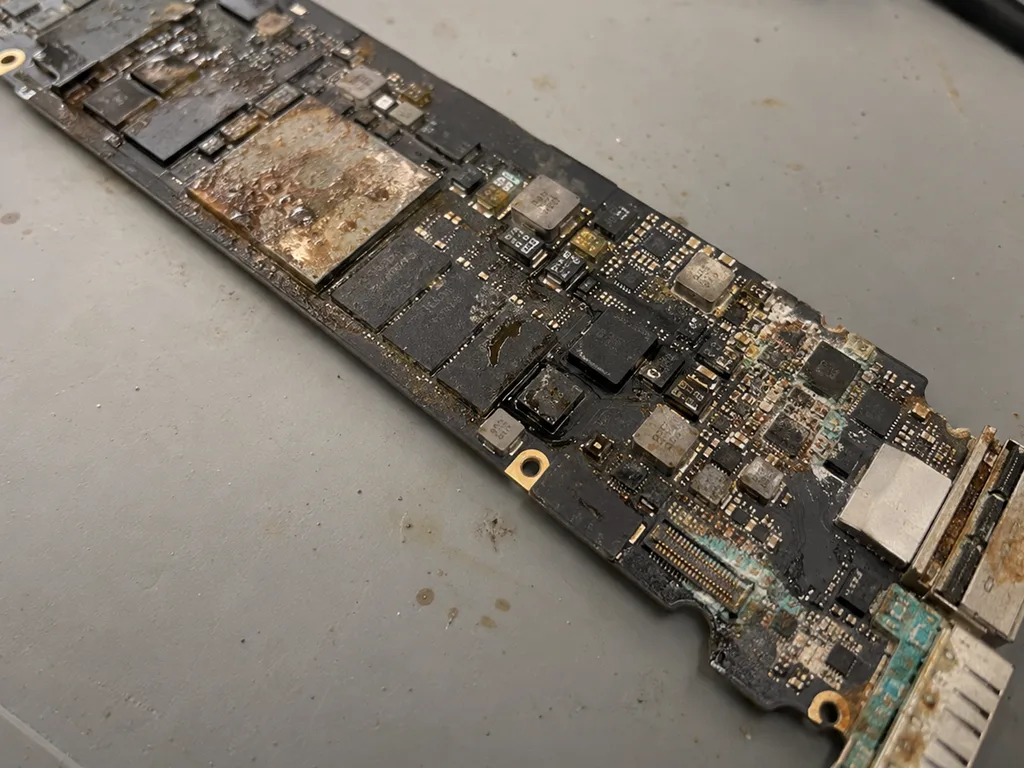
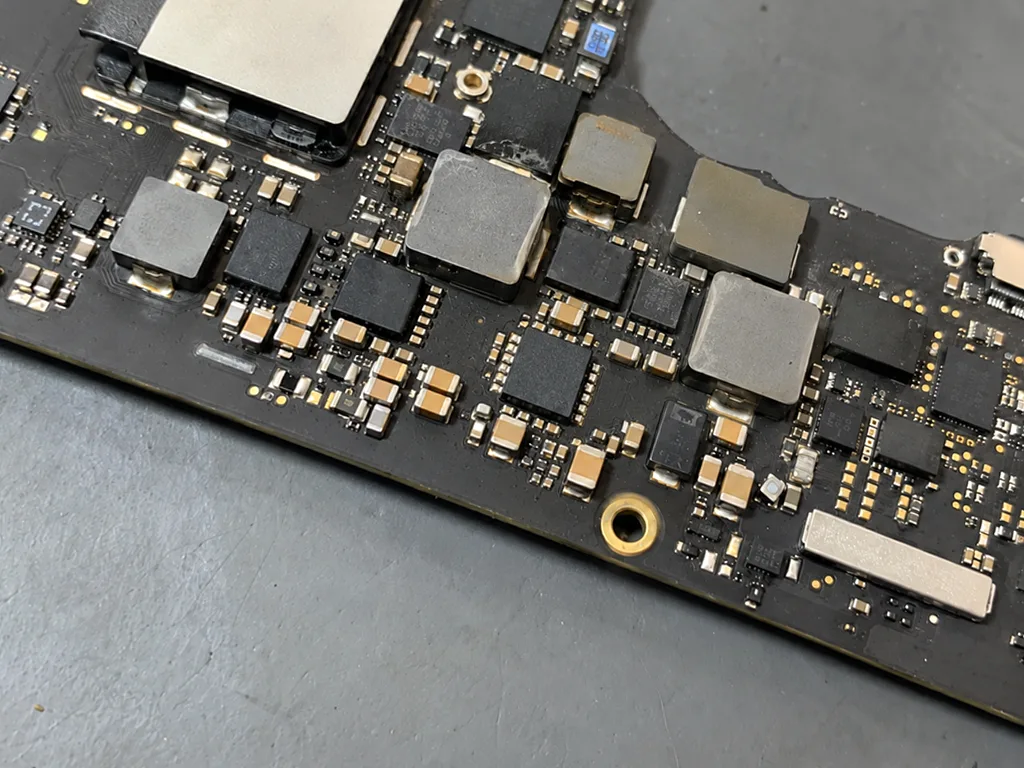
Before photo: MacBook board with corrosion after coffeeBefore: MacBook board with corrosion after coffee
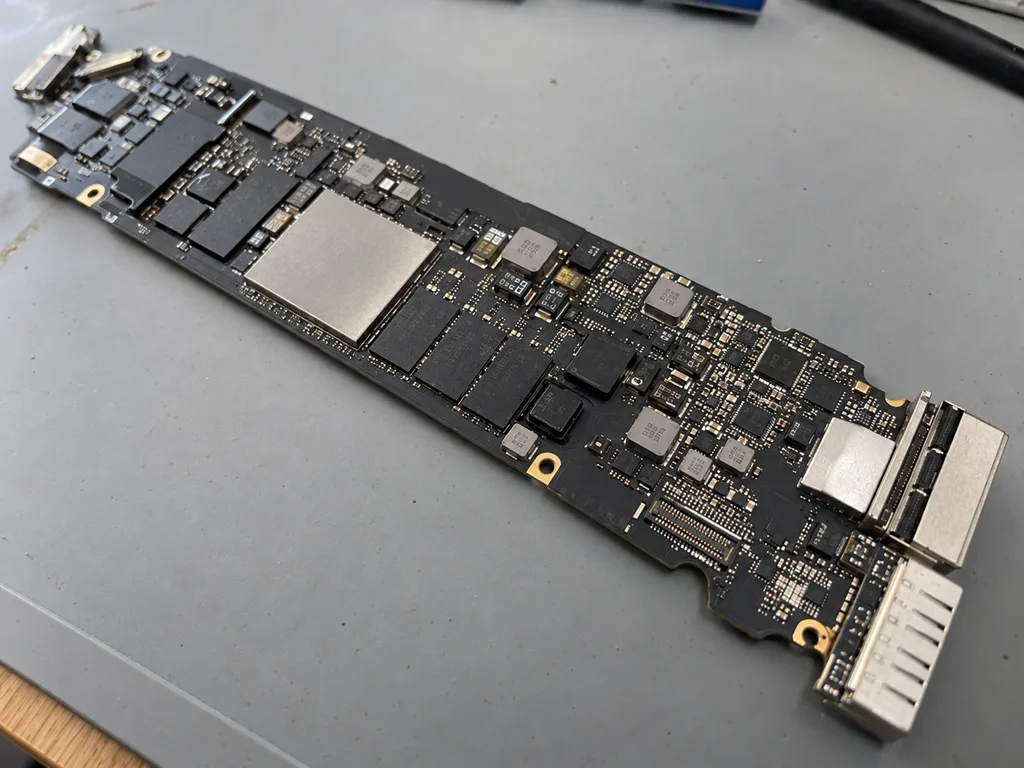
After photo: board after ultrasonic cleaningAfter: the board after ultrasonic cleaning
BeforeAfter

MacBook Air M2: coffee spill

2 daysLogic board repairWarranty 6 months
Problem
Coffee spilled on the keyboard, the laptop won't turn on. Another service suggested replacing the board for 520 000 ₸.
What we did
Cleaned the board in an ultrasonic bath, replaced 2 power controllers and the top case. The data was preserved.
−431 000 ₸against board replacement
I want the same
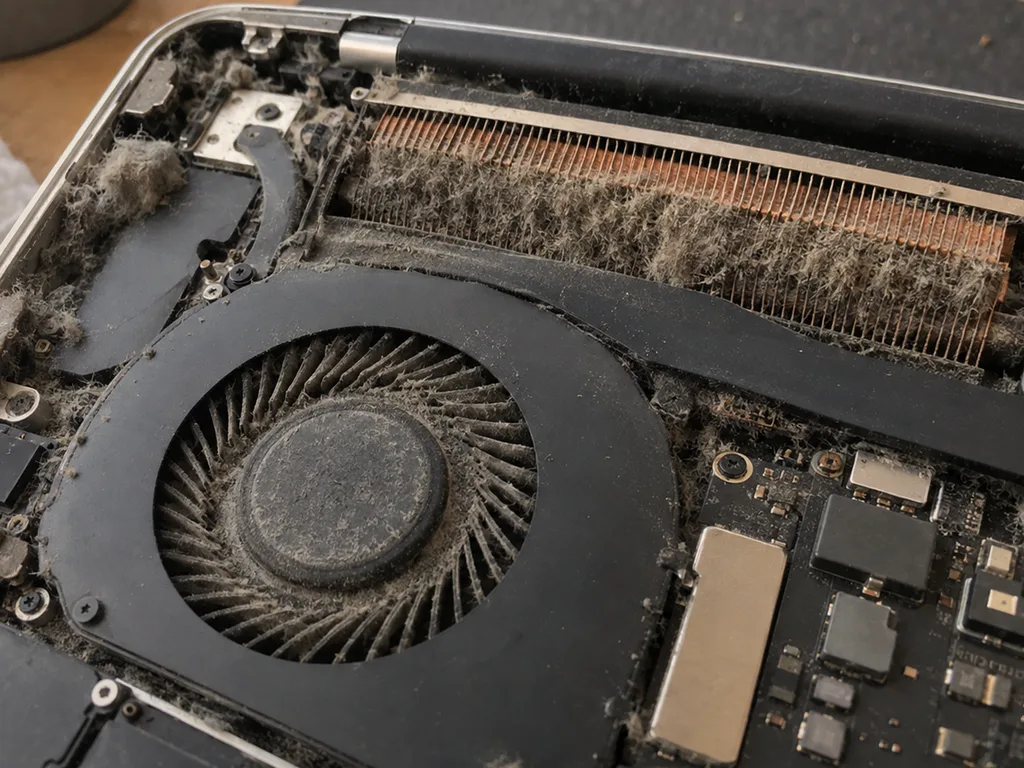
Before photo: dusty MacBook fanBefore: dusty MacBook fan
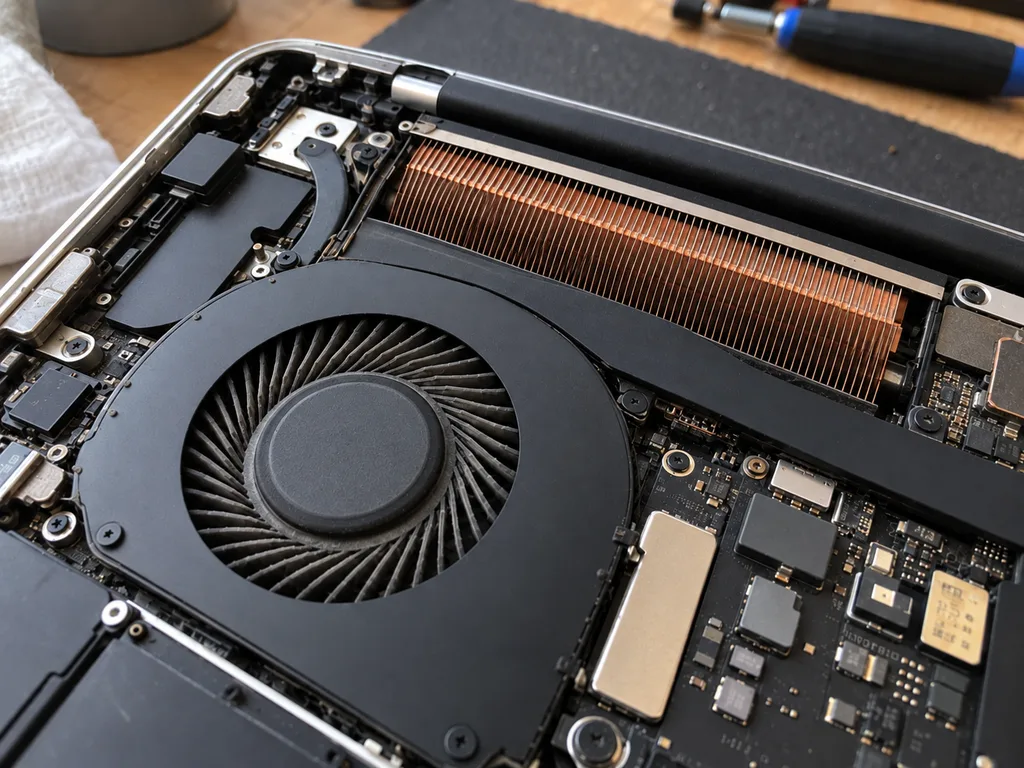
After photo: clean fanAfter: clean fan
BeforeAfter

MacBook Pro 14 M3: noisy and overheating

1 hourCleaningWarranty 3 months
Problem
Under load 98 °C, fans at maximum, Final Cut lags.
What we did
Cleaned the fans and heatsink, replaced the thermal paste and thermal pads.
−27 °Cunder load in Final Cut
I want the same
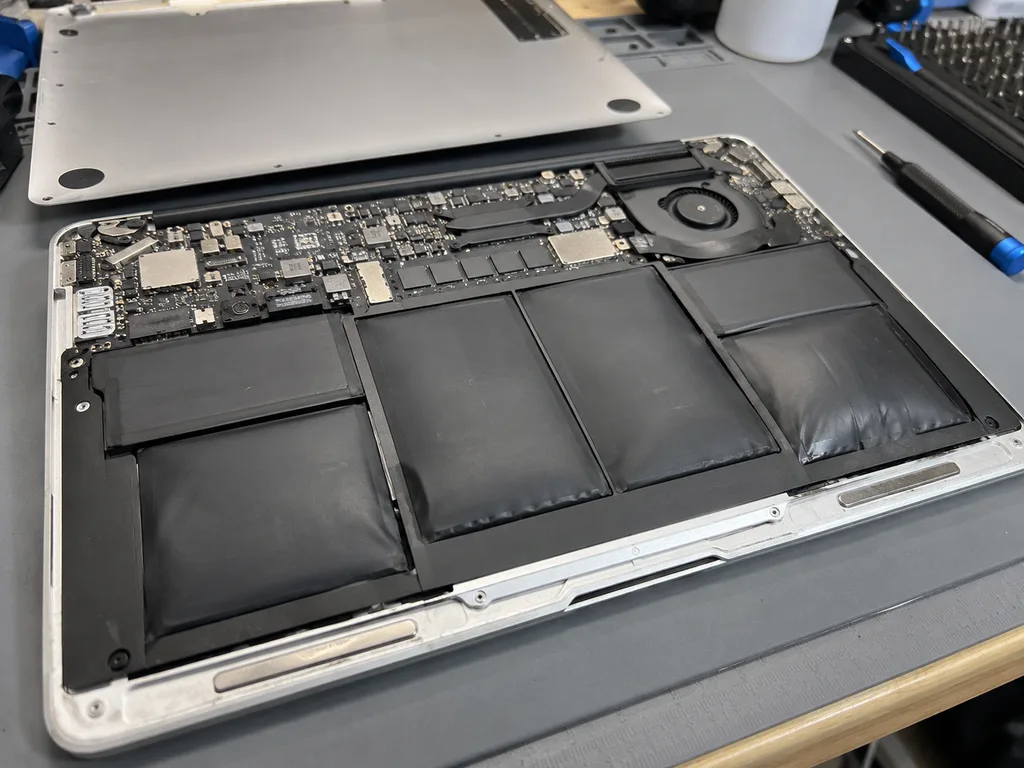
Before photo: swollen battery lifted the bodyBefore: swollen battery lifted the body
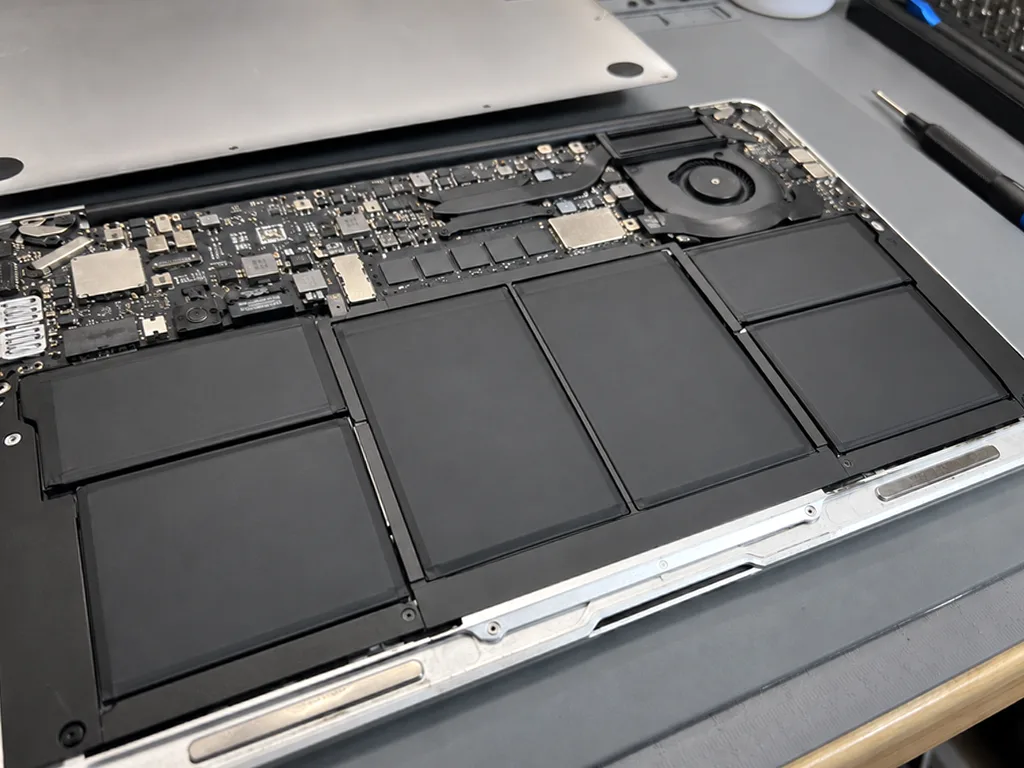
After photo: new battery, even bodyAfter: new battery, even body
BeforeAfter

MacBook Air M1: swollen battery

1 hourOriginalWarranty up to 1 year
Problem
The trackpad stopped clicking, the body rocks on the table. Inside — swollen battery cells.
What we did
Replaced the battery, checked the trackpad and charge cycles. Recycled the old battery.
17 hbattery life
I want the same
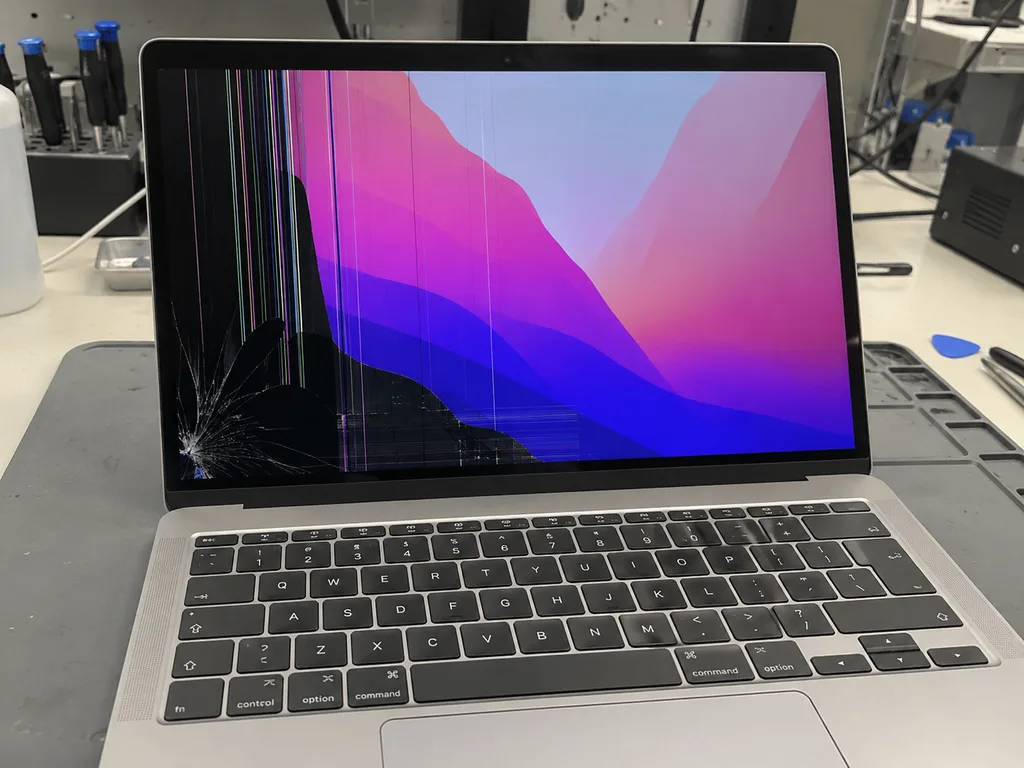
Before photo: crack and black spots on the screenBefore: crack and black spots on the screen
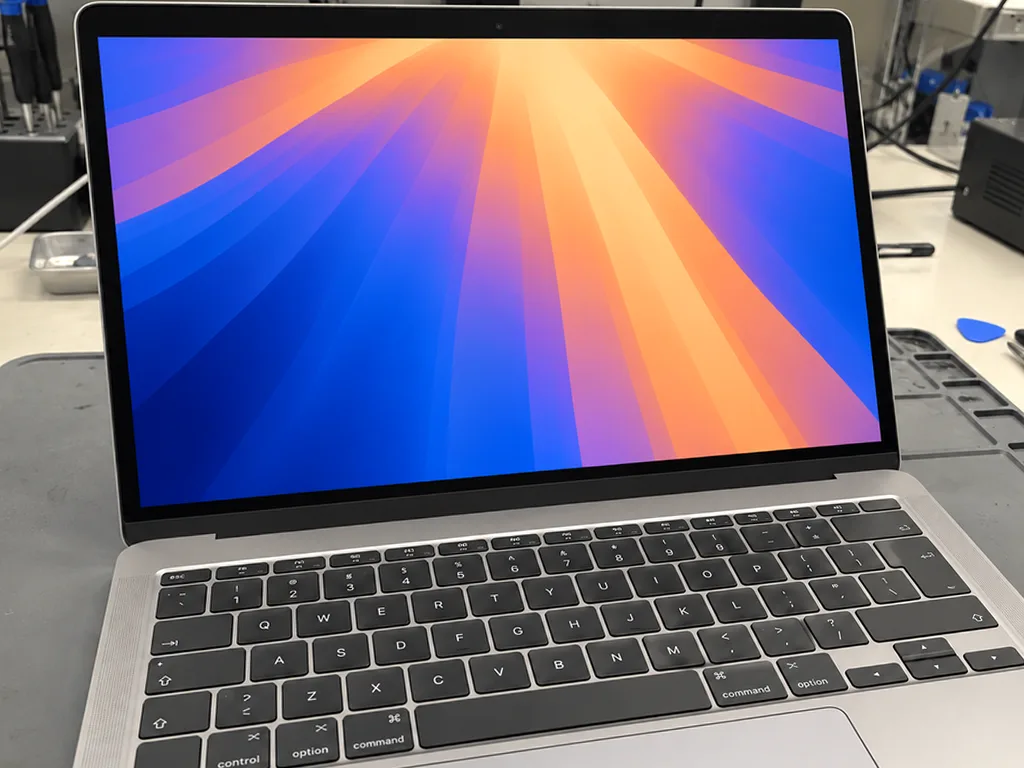
After photo: new displayAfter: new display
BeforeAfter

MacBook Pro 14 M3: cracked display

1 dayOriginalWarranty up to 1 year
Problem
The lid was closed with headphones on the keyboard. A crack in the corner, and stripes spread across the screen.
What we did
Replaced the display assembly with the lid, transferred the color calibration, checked True Tone.
1 dayscreen like from the factory
I want the same
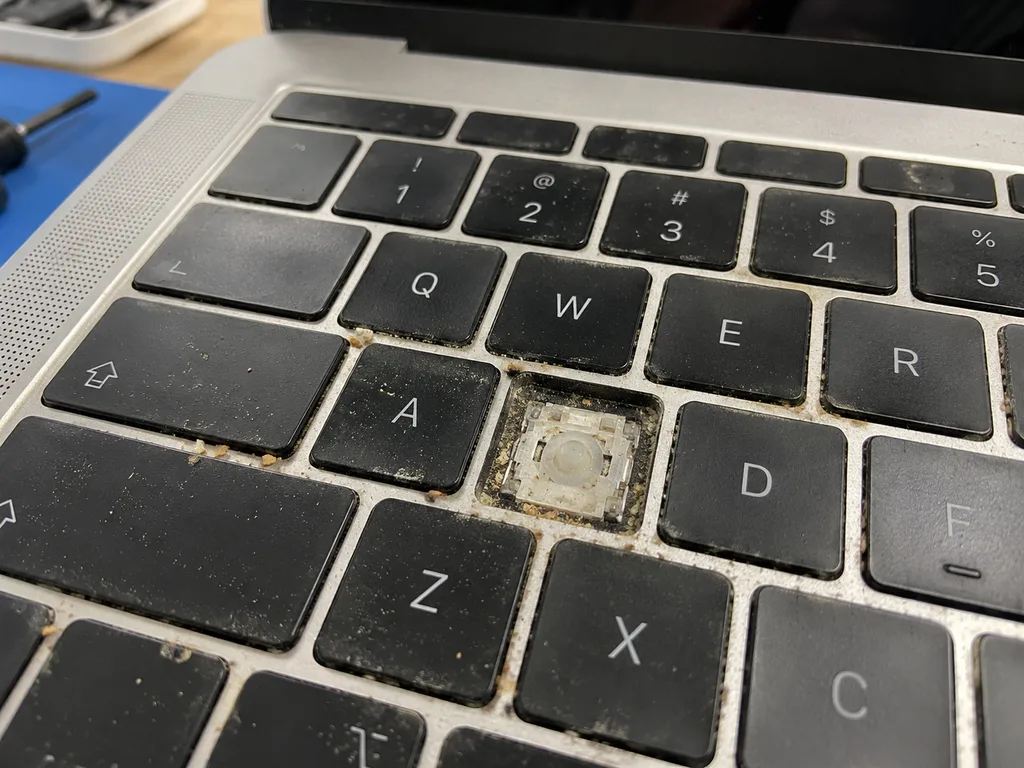
Before photo: butterfly keyboard with sticking keysBefore: butterfly keyboard with sticking keys
After photo: new keyboardAfter: new keyboard
BeforeAfter

MacBook Pro 13 2018: sticking keys

1 dayOriginalWarranty up to 1 year
Problem
The space bar and «E» worked only every other time, and letters doubled while typing.
What we did
Replaced the top case with the keyboard, cleaned the vents, and changed the thermal paste along the way — at the price of the cleaning.
1 daytypes without skips
I want the same
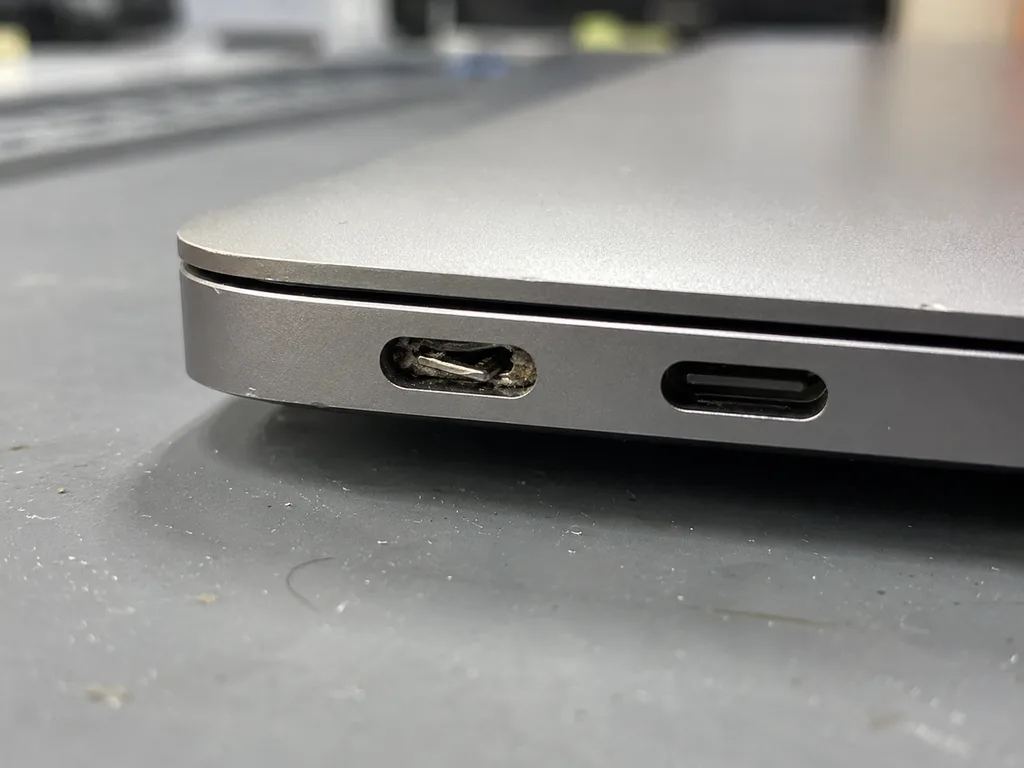
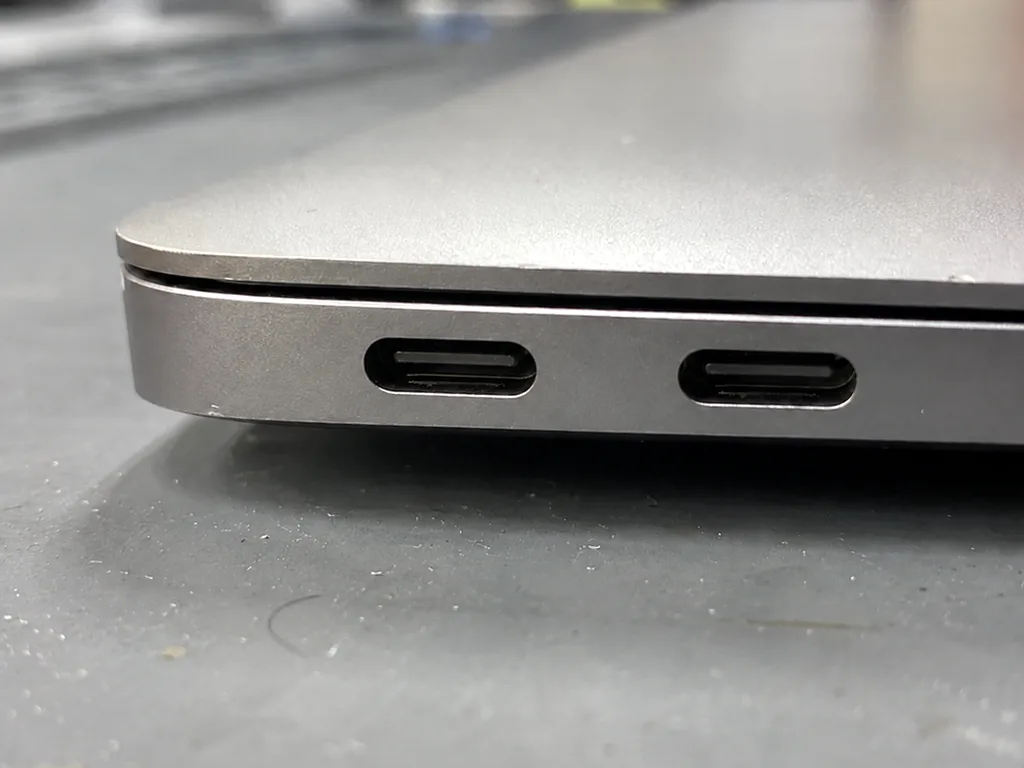
Before photo: loose USB‑C portBefore: loose USB‑C port
After photo: new USB‑C portAfter: new USB‑C port
BeforeAfter

MacBook Air M2: not charging

1 dayOriginalWarranty up to 1 year
Problem
Charging only worked if the cable was held in place. The left USB‑C port was loose.
What we did
Replaced the USB‑C and MagSafe port board, tested charging at 30 and 70 W.
1 daycharges from any port
I want the same
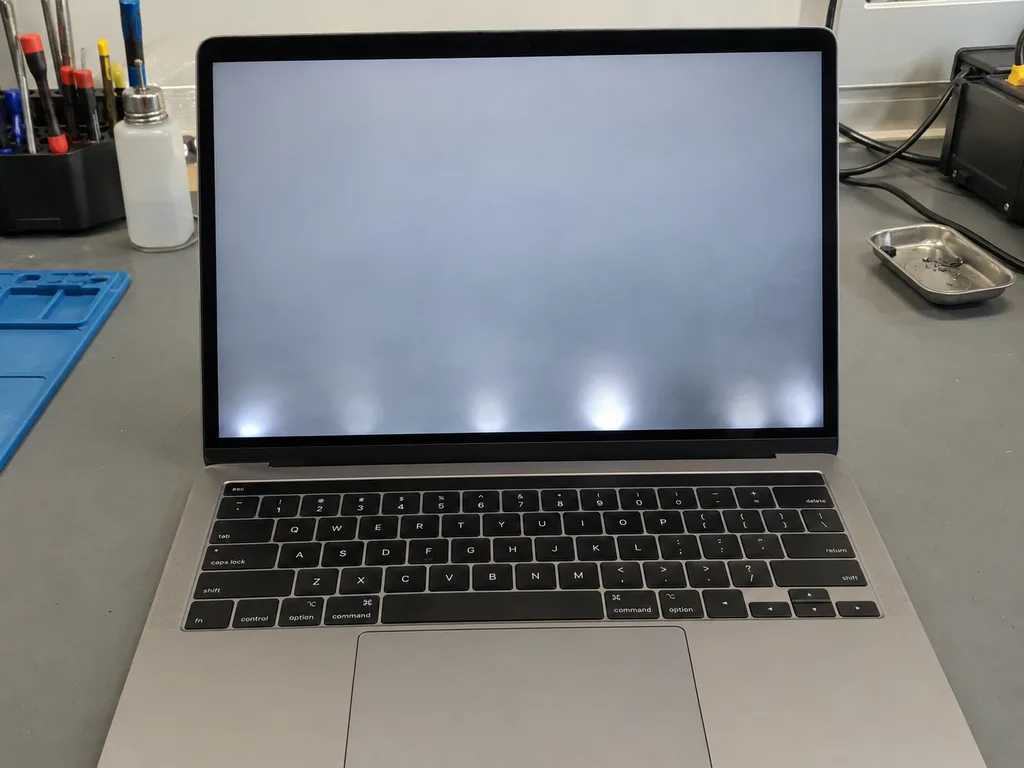
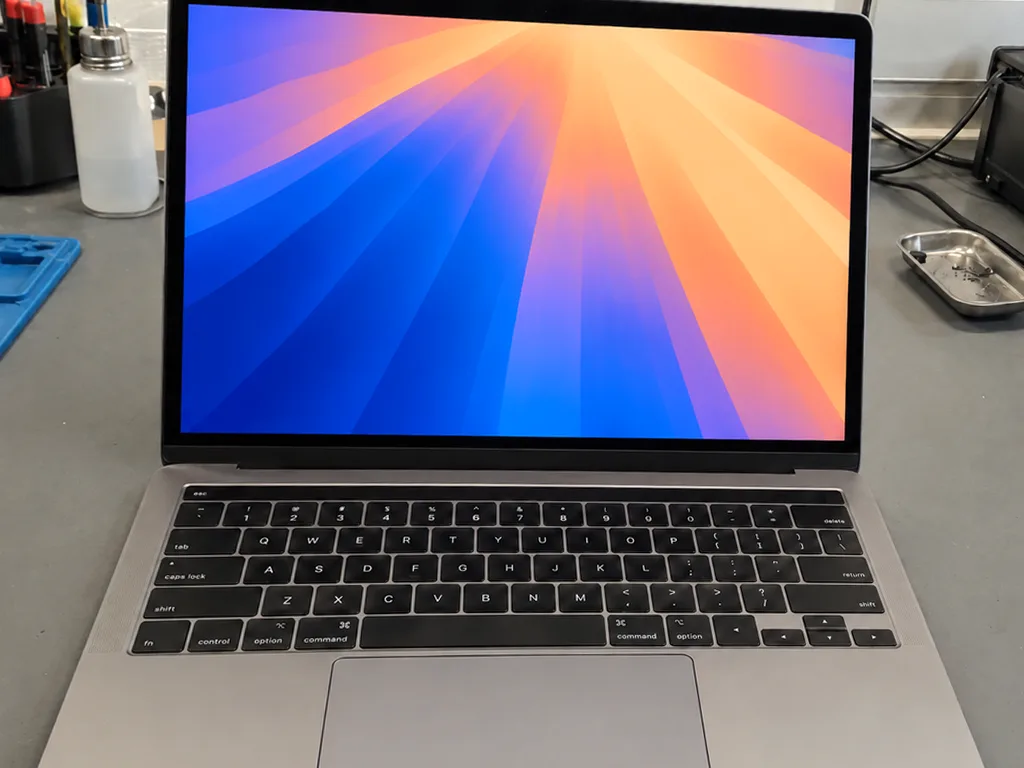
Before photo: screen goes dark when opening the lidBefore: screen goes dark when opening the lid
After photo: even backlightAfter: even backlight
BeforeAfter

MacBook Pro 13 2017: screen goes dark

1 dayFlex cableWarranty up to 1 year
Problem
The screen went dark if the lid was opened more than 90°, and there was a «stage» of light spots at the bottom.
What we did
Replaced the backlight flex cable with extra length so the fault wouldn't recur.
1 dayscreen stays on
I want the same
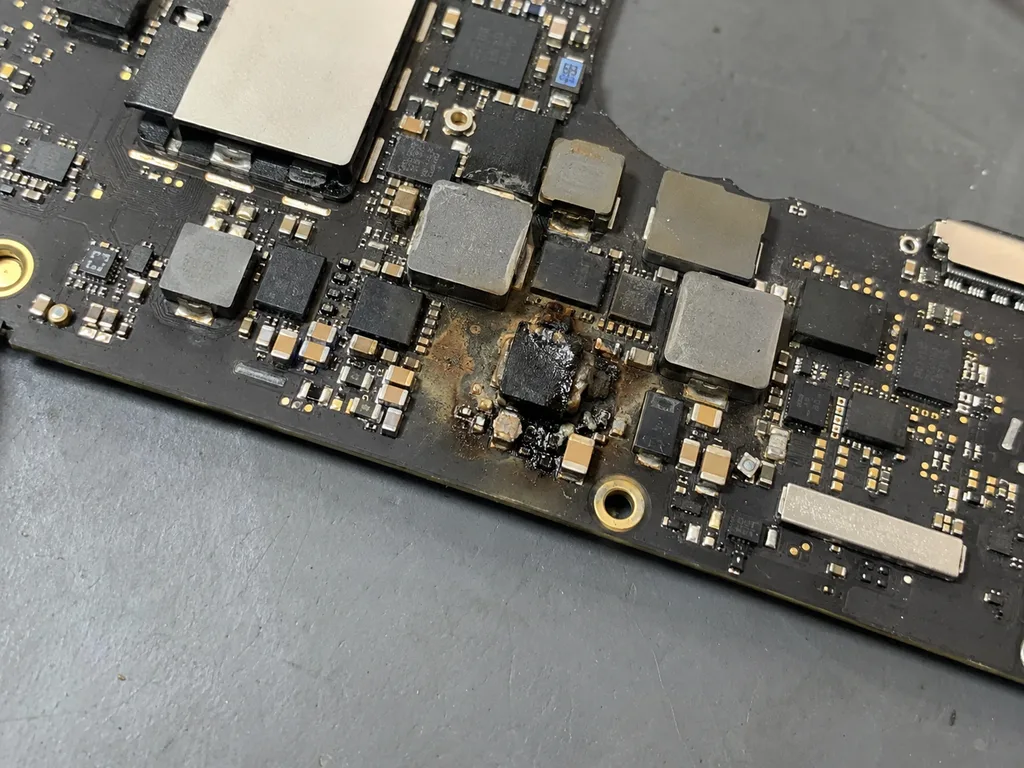
Before photo: burnt element on the boardBefore: burnt element on the board
After photo: restored boardAfter: restored board
BeforeAfter

MacBook Pro 16 2019: does not turn on

3 daysMicrosolderingWarranty 6 months
Problem
Does not turn on after a thunderstorm, charging is not detected.
What we did
Found a failed power controller, resoldered it under a microscope, and ran a 12-hour test.
3 daysinstead of a board for 480,000 ₸
I want the same
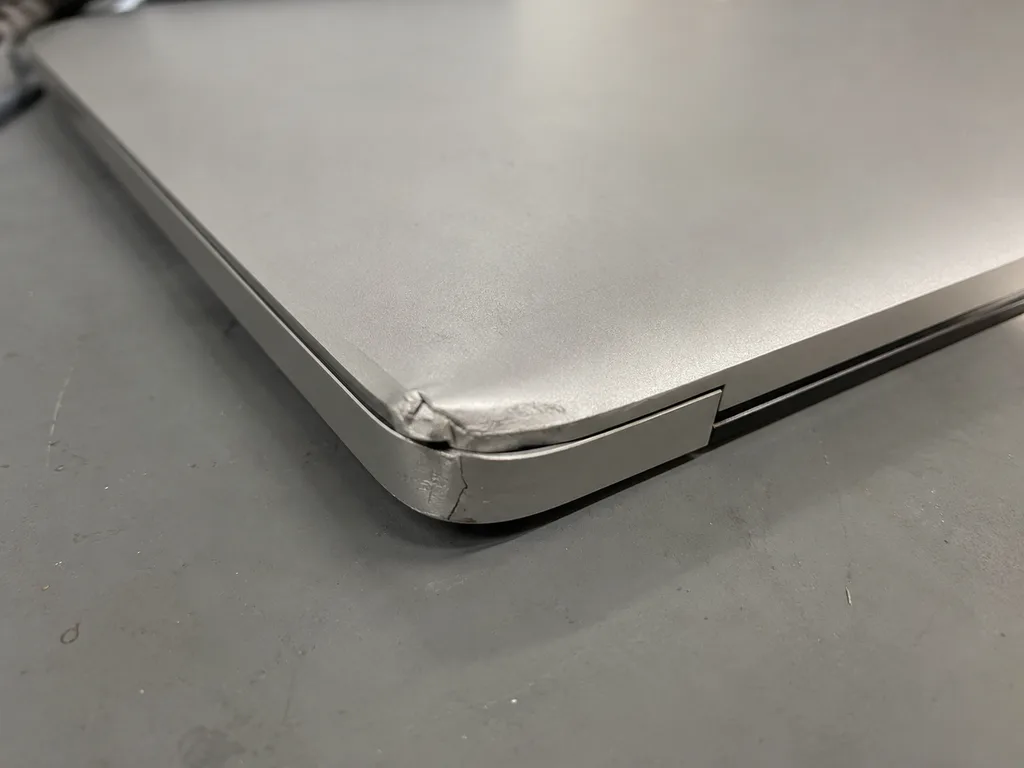
Before photo: cracked case near the hingeBefore: cracked case near the hinge
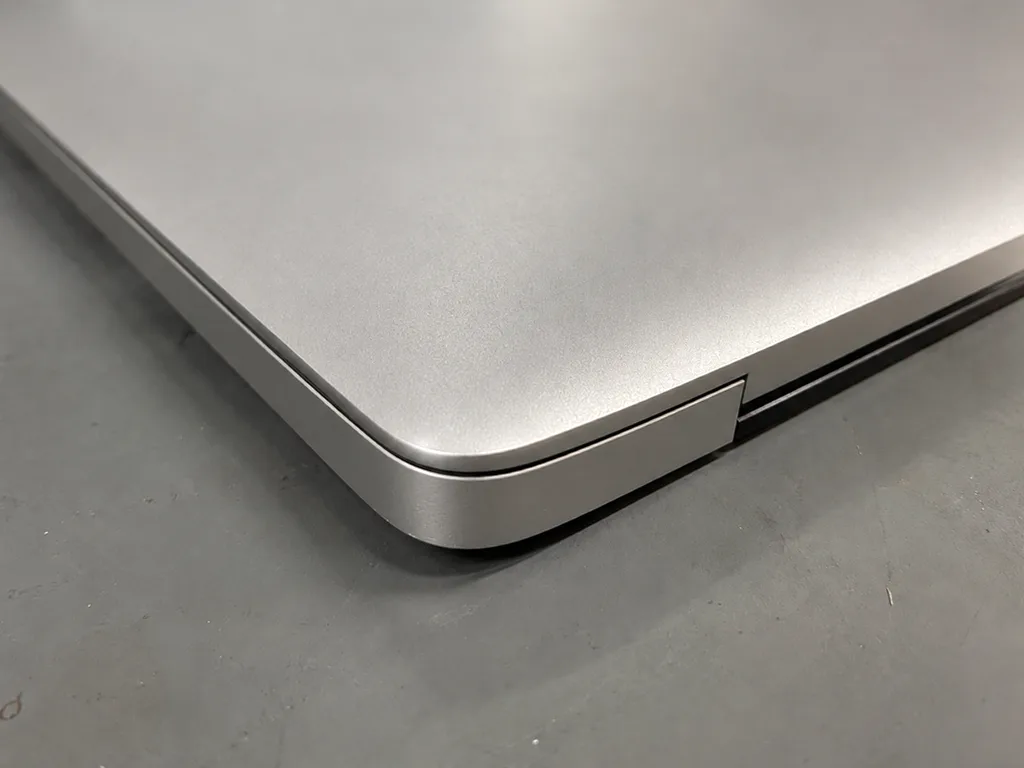
After photo: new caseAfter: new case
BeforeAfter

MacBook Air M1: case cracked at the hinge

1 dayOriginal colorWarranty up to 1 year
Problem
Fell in a backpack, the case near the hinge cracked, the lid closed crooked.
What we did
Replaced the bottom part of the case in silver, aligned the hinges.
1 daylid closes evenly
I want the same
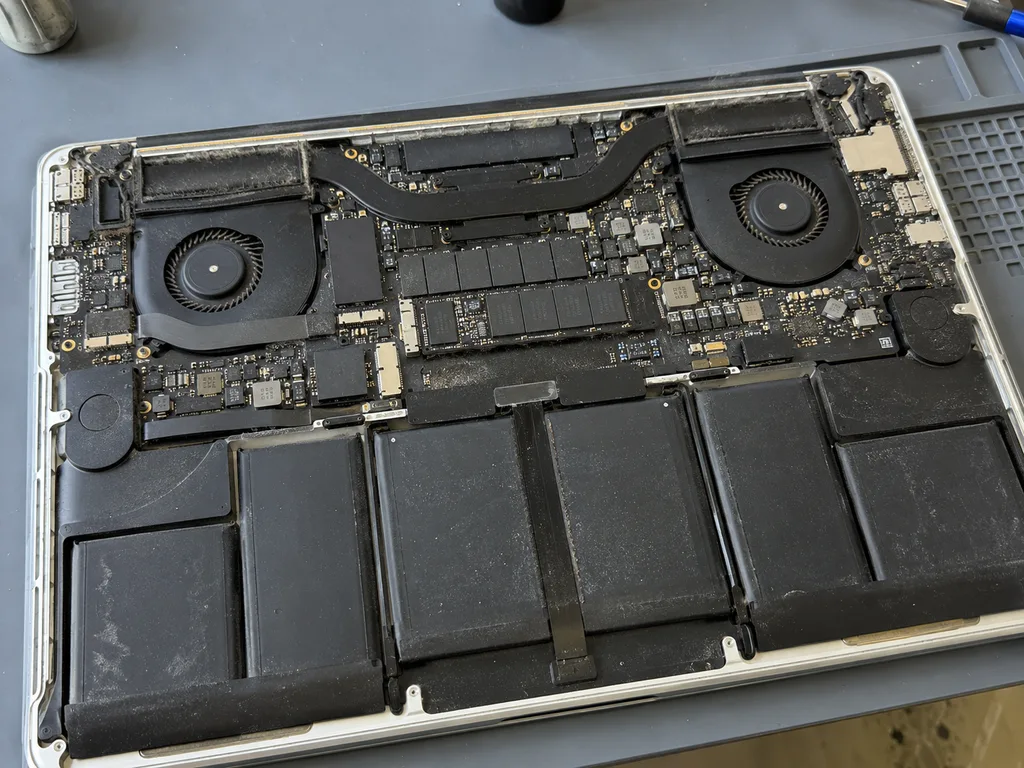
Before photo: old drive, 3-minute bootBefore: old drive, 3-minute boot
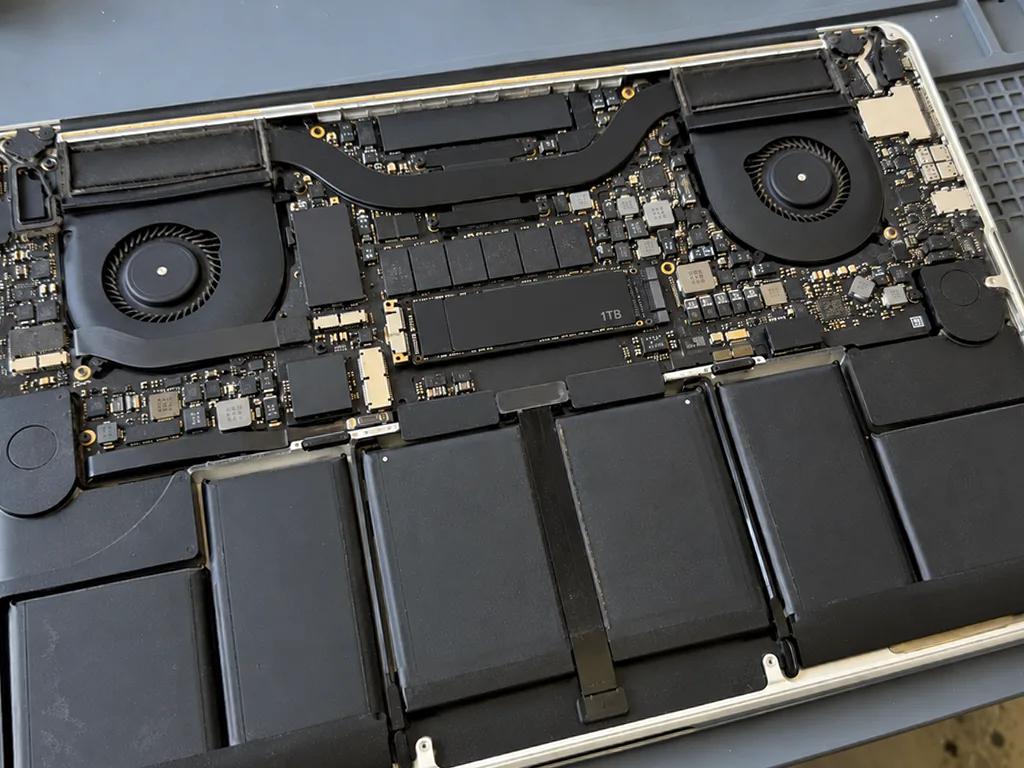
After photo: new 1 TB SSDAfter: new 1 TB SSD
BeforeAfter

MacBook Pro 13 2015: slow

2 hoursUpgradeWarranty up to 1 year
Problem
Took 3 minutes to boot, with 4 GB left on the drive.
What we did
Installed a 1 TB SSD, migrated the system and files, updated macOS to the latest supported version.
18 secboot instead of 3 minutes
I want the same

How MacBook repair works in Astana

Battery and cleaning — while you wait. Board repair — 1–3 days; the price is fixed in the receipt before work begins.

Book a repair
  1. Step 1

    Message or call

    5 min

    You send a photo of the damage on WhatsApp — we quote the price and available time. Or you call a courier.

  2. Step 2

    Free diagnostics

    15 min

    An engineer checks the device in front of you and shows what is broken. 0 ₸, even if you decline the repair.

  3. Step 3

    Price in the receipt

    2 min

    We fix the price, the part (original or analog), the timeline and the warranty. You sign — we start.

  4. Step 4

    Repair while you wait

    20–40 min

    Before installation we show you the new part in its factory packaging. You wait in the waiting area with coffee and Wi‑Fi.

  5. Step 5

    Post-repair check

    10 min

    Screen, keyboard and trackpad, camera, microphones, speakers, charging, Wi‑Fi. You check together with the engineer.

  6. Step 6

    Pick up your device

    warranty up to 1 year

    Together with the receipt, warranty card and the old part. Payment — Kaspi, card or cash.

Meet the iServices team

Technicians for iPhone, Mac, iPad, Apple Watch and AirPods repair.

1 / 2
KSKudiret S. — iCloud unlock specialist, iServices service center in AstanaPhoto: Kudiret S.

Kudiret S.

iCloud unlock specialist
10years of experience
4.37rating, 100 reviews
KAKamran A. — MacBook repair technician, iServices service center in AstanaPhoto: Kamran A.

Kamran A.

MacBook repair technician
4years of experience
4.33rating, 117 reviews
Bakmukhammed S., on-site iPhone technician
“If the repair didn’t suit you or you have a complaint, write to me personally.”
Bakmukhammed S.on-site iPhone technician · +7 701 333-47-01

We'll quote MacBook repair in Astana from a photo in 5 minutes

Send a photo of the fault and the MacBook model. An engineer will reply on WhatsApp, give the price and available time — no calls or forms.

  1. 5 minAn engineer replies and names the price
  2. 0 ₸Diagnostics in front of you in 15 minutes
  3. 30 minMost repairs — while you wait

Astana MacBook Repair with Free Diagnostics and Warranty up to 1 year

In short

For MacBook repair Astana owners can rely on iServices, a direct repair shop with its own technicians in Astana and Almaty. Every job comes with a warranty up to 1 year, and we stock both original and aftermarket parts. We test your MacBook free for 15 minutes while you watch, and many repairs finish within a day.

iServices Editorial TeamWe reply on WhatsApp within 10 minutes
Ask

What Usually Fails in a MacBook

Most complaints trace back to six components, and each announces itself before it fails outright. Below is how to read the symptom and what the fix involves.

Six Common Breakdowns That Most Often Require MacBook Service

Most faults cluster around the display, battery, keyboard, charging, cooling and the logic board, and each shows a recognisable symptom before it fails completely. A screen flickers or develops bright bands before the backlight dies. The power cell loses runtime in steps, then swells. Keyboards repeat letters or stop responding on one row. A charging port works only at a certain angle, then not at all. Dust packed into the cooling system raises fan noise and heat under load. The logic board reveals itself through random shutdowns, missing Wi-Fi or a machine that draws power but shows nothing on screen. A symptom you notice early, whether flicker, a swollen lid gap or a fan that never stops, usually means a cheaper and faster fix than the same fault caught after a full breakdown.

Symptom to Fix at a Glance

Matching the complaint to the part involved
What you noticeLikely partWhat we do
Flicker, lines, cracked glassDisplay assemblyReplace panel or glass
Shuts down at 30%, swollen lidPower cellSwap the pack
Sticky or dead keysKeyboard or top caseReplace affected unit
Charges only at an angleCharging portClean or replace port
Fan never stops, case hotCooling systemClear dust, renew paste
No power, missing Wi-FiLogic boardBoard-level repair under microscope

A Swollen Battery Is Not a Wait-and-See Problem

When the battery swells, it exerts pressure on the trackpad and chassis, so we classify it as urgent and swap it out instead of attempting a recharge. The cells expand as they age, and the pressure spreads across the Force Touch trackpad and the aluminium top case until the lid stops closing flush. We check the cycle count and condition before ordering the part, because a pack that has already deformed the chassis leaves a gap you can feel with a fingertip. If you continue to use a swollen unit, that pressure may crack the trackpad glass or deform the top case, escalating a simple replacement into a more extensive repair. If the lid no longer sits flat or the trackpad feels stiff, stop charging the machine and bring it in the same day.

How Your MacBook's Generation Influences the Repair Process

What can be fixed and how fast depends on the generation. First we locate the A-number, then check what this model lets us replace and what is soldered down.

Locate the A-Number Printed on the Bottom Case

The model identifier on the bottom case, formatted as A####, is what pinpoints your device for parts, and it is more dependable than the marketing name. On every Air and Pro the line sits near the hinge, in small print below the regulatory marks, and a single photo of it lets an engineer pull the exact parts list before you arrive. Two machines sold as the same screen size can be three generations apart, with displays, batteries and keyboards that do not interchange. The A-number removes that guesswork in one step and prevents the most common delay — ordering a component for the wrong revision. "Air M1" or "16-inch" indicates the family, yet the A-number reveals to the technician which display, battery and keyboard will actually fit, so a photo of that line prevents an unnecessary trip.

Intel, Apple Silicon and What That Changes

What each generation lets you upgrade or replace
GenerationUpgradeable partsRepair implication
Intel, pre-RetinaRAM, drive, batteryQuick modular swaps
Intel with T2Drive only, memory fixedChip-level work for RAM faults
Apple Silicon M1None, unified memory fixedStorage fault means logic repair
Apple Silicon M2None, memory integratedLonger turnaround
Apple Silicon M3None, fully integratedMicroscope-level logic work

Butterfly, Scissor and the Charging Port

Butterfly keyboards on Touch Bar models fail from dust and crumbs, while MagSafe and USB-C machines fail differently at the charging port, so the generation sets the likely culprit. The butterfly mechanism hovers just a tiny distance above the contacts, so a single crumb beneath one key can alter how the entire row responds. Scissor keyboards on later Air and Pro bodies tolerate far more debris before a key repeats or sticks. Charging splits the same way: MagSafe 1 and 2 pins bend and corrode, MagSafe 3 and USB-C ports collect lint and wear at the inner contacts, and Thunderbolt models can lose a single lane while still charging. A key that double-types is usually debris under the butterfly mechanism, not a dead key, and cleaning or a top-case swap is decided after we see it — not from the symptom alone.

How We Handle Your MacBook Repair in Astana

The route from your initial message to pickup is brief and clear. Below is what happens at each step, who does it, and how long each stage takes.

WhatsApp Photo In, Fixed Price Out

Snap the damage and send it via WhatsApp: an engineer answers in five minutes or less with the cost and a free slot, and before any work begins the receipt locks in price, part, turnaround and warranty. Preparing that receipt takes 2 minutes and names the exact spare — original or aftermarket — so nothing shifts once the case is open. You can pay with Kaspi, a card or cash, and if coming yourself is not possible, call a courier. Having the part and the warranty documented before anyone opens the device is what protects you if the fault turns out to be deeper than the photo suggested. This is how MacBook repair in Astana works at iServices: every step is agreed before the case is opened.

A Quarter of an Hour, Diagnostics Done in Front of You

Roughly fifteen minutes of free diagnostics happen in front of you — even when you choose not to repair — and we point out precisely what has failed. At the bench the engineer opens the case, shows which module failed and what its role is, instead of delivering a verdict from a back room. Eleven years in business and 46,000+ repairs mean most fault patterns are recognised on sight, so the check stays short. Watching it happen means you see the failed piece yourself, so the decision to repair or walk away rests on what you observed, not on a description.

Turnaround, Waiting Area and the Final Check

For most laptops, turnaround ranges from an hour up to a day; board-level work needs 1–3 days; and 72% of repairs are completed while the client is present in our waiting area. Board work itself goes under a microscope, which is why that stage runs longer than a screen or battery swap. Coffee and Wi-Fi are available in the lounge, and when a visit does not fit your schedule, a courier can pick the device up. Once the work is done, you and the engineer go through the device side by side — True Tone, the cameras, speakers, microphones, network and charging — so any leftover glitch surfaces while you are still with us, not after you get home. The closing check covers 32 functions in roughly 10 minutes, and you walk out with the receipt, the warranty card and the old part in hand.

Original or Aftermarket Part

Every part has two routes — original or aftermarket — and the difference is not only in price. It shows up in fit, colour and how long the component lasts.

Where the Real Distinction Lies

Side-by-side view of genuine versus compatible components
AspectOriginal partAftermarket part
FitMatches factory specificationCompatible, may need adjustment
Display behaviourTrue Tone and colour as designedBrightness or tint can differ
Battery lifeCharge holds to spec over timeCapacity fades sooner
AvailabilityOrdered to your modelUsually in stock

How We Help You Decide

Before fitting, we display the replacement part in its original factory packaging and note on the receipt if it's genuine or aftermarket, so you make the call and it's recorded. The engineer lays both options out during the free 15-minute diagnostics and explains what each one changes for your specific model — an M-series board, an Intel logic board or a display with True Tone. 64% of customers pick an original part, and the rest choose aftermarket for older machines. Choosing wisely hinges on which model you own and your intended years of use: a laptop slated for replacement inside twelve months seldom warrants the same component as a machine in daily service. Ask what fails first on your generation before you commit.

What Your Receipt Guarantees

Prior to any work, the receipt captures cost, which part is used, timing and warranty terms; when you collect the device you also receive a warranty card plus the component that came out. The warranty runs up to 1 year, and the document names the exact component installed, so nothing is left to memory. Hanging on to the removed component is worthwhile — it documents the swap that took place, and later, should something seem wrong, an independent check can verify the work. That is why we hand it back rather than discard it. Photograph the receipt and the old component together before you leave the workshop; it takes seconds and settles any question months down the line.

Spills, and a MacBook Refusing to Power Up

A spill and a machine that will not switch on are the two most urgent cases. The first few minutes after the accident decide how much of the logic board can be saved.

First Minutes After a Spill

  • Power off at once: shut the laptop down and unplug the charger, because corrosion across the circuitry keeps spreading while current is applied.
  • Do not plug it in: connecting a wet machine turns a moisture problem into a short circuit.
  • No rice, no radiator: each makes things worse rather than better, driving moisture further in and adding heat.
  • Keep it flat and closed: tilting or shaking spreads the liquid toward the keyboard, speakers and connectors.
  • Note what spilled: water, coffee, juice and sweet drinks leave different residue, and that changes how the internals are cleaned.
  • Get it seen quickly: corrosion advances fastest during the initial hours, so leaving the device powered off and having it inspected is the prudent choice.

Why a Liquid Case Needs More Diagnostic Time

When liquid has got inside, diagnostics may stretch to two days, while board-level repair, carried out under a microscope, runs 1 to 3 days. Moisture reaches places a visual check cannot see: under the shielding, beneath BGA chips, inside the charging circuit. Our engineers inspect the mainboard under magnification, look for corrosion and burned traces, clean the affected areas and test the power rails before reassembly. Because of this, a liquid-damage situation falls outside the standard slot used for most screen and battery jobs; when it comes to MacBook and iPad, the repair time is confirmed only after diagnostics — somewhere between 1 hour and 1 day. Corrosion lurks beneath components, so a device appearing clean may break down weeks down the line — that added diagnostic effort is what makes a repair last instead of merely postponing failure.

When It Won't Charge or Turn On

A unit that won't charge or turn on usually traces to the charging port, the charging controller or the battery, and the generation tells you which to suspect first. On an Air M2 or a 16-inch Pro, current comes in through MagSafe 3, so a dead port or a damaged MagSafe module is the first suspect; older Intel models rely on USB-C or an earlier MagSafe connector. A battery that has swollen or dropped below its threshold can also block startup even with a good charger. Trying a different cable and port before you come in is worth it — if a second charger works, the fault is the cable or adapter, not the machine.

Data, Preparation and Handover

Before handing a laptop over for service, it is worth thinking about your data and whether the repair makes sense at all. Below is how to prepare and when an older unit is still worth fixing.

Back Up, Sign Out, Switch Off Find My

  • Time Machine backup: run a full backup to an external drive or iCloud before the visit, so your files survive any repair step.
  • Password on paper: write down your login password and hand it over, because the engineer needs access to test the device after the work.
  • Find My Mac off: switch off activation lock in System Settings so the unit is not tied to your account during service.
  • Sign out of accounts: log out of iCloud and messaging apps to keep personal data off a computer that leaves your hands.

Is an Older MacBook Still Worth Fixing

Older unibody Pros and 11-inch Airs are often worth fixing because their drive and memory can be upgraded, which a soldered modern model cannot match. A unibody Pro takes a standard 2.5-inch drive and two RAM sticks, so a failing HDD can become a fast SSD and 8 GB can grow to 16 GB in one visit. The 11-inch Air uses a proprietary but still replaceable SSD, and its battery is a serviceable part rather than a sealed cell. On a newer unit with soldered storage and memory, the same fault means a board-level job with no upgrade path. A drive upgrade on an old Pro can make it feel new for everyday work, so the question is not age but whether the part that failed is one you can still replace.

Heat, Dust and Everyday Care

Dust in the cooling system causes overheating and noise, so a Pro on Intel benefits from cleaning and fresh thermal paste, while a fanless Air M1 needs it far less often. A mat of dust across the heatsink fins and dried paste that no longer transfers heat are a common cause of noisy Intel units. The fan then spins at full speed at idle, the case gets hot under light work, and the battery drains faster. A fanless Air has no vent to clog, so its heat path is the aluminium body and the thermal pads inside. A fan that runs constantly at idle is an early warning worth acting on — cleaning before the heat damages other parts is cheaper than repairing what the heat takes with it.

Summary: MacBook Repair

A few habits decide how smoothly a MacBook repair goes, and none of them take long to follow before the device changes hands.

  • Identify the model up front: find the A-number printed on the bottom case — it reveals to the technician the generation, keyboard variant and charging assembly fitted to this machine.
  • On Apple Silicon, memory and SSD are soldered: the drive travels with the logic board, so a backup made beforehand is the only copy you keep.
  • After a spill, power off and stop charging: current through wet circuitry turns a cleanable machine into a dead one within minutes.
  • A swollen battery is not a wait-and-see problem: it presses on the trackpad and chassis, so book the swap as soon as the lid stops closing flat.
  • At handover, back up and switch off Find My Mac: an activation lock blocks every test the engineer needs to run afterwards.


MacBook repair questions from Astana

Did not find an answer? Message us on WhatsApp: an engineer replies, not a bot.
Ask a question
Can a courier collect my MacBook in Astana?

Can I arrange a courier pickup if bringing the laptop in is not possible? Pack the charger with it and describe the model plus the problem beforehand, so the technician knows where to start.

What does a folder with a question mark mean when a MacBook starts up?

It means the laptop cannot find a startup disk with macOS on it. The cause may be a damaged system that just needs reinstalling or, on older models, a failing drive or its cable. Diagnostics shows which one it is before anything is erased.

Can the storage in a MacBook be upgraded?

Only on some models: many older Intel MacBooks use a removable SSD module that can be swapped for a bigger one. On newer MacBooks, including all M-series ones, storage is soldered to the board. Give us your model number and the technician will confirm what is possible.

Can macOS be reinstalled on a MacBook that will not boot?

Yes, macOS installation is one of the jobs in the price table. Before reinstalling, the engineer checks whether your files can still be copied, so a reinstall does not cost you data you have not backed up.

How can I pay for a MacBook repair in Astana?

You can pay by Kaspi, by card or in cash. The price, the part and the warranty are written on the receipt before work starts, so the final amount does not change without your agreement.

Can a MacBook that does not switch on at all still be saved?

Often yes: the reason may be a deeply discharged battery, a faulty charger or a short on the logic board. Leave it on a known-good adapter for a while and try again. If it stays dark, the engineer measures the power circuits to find the fault.

Should I bring my own charger when I drop off a MacBook in Astana?

Yes, bring the adapter and the cable you normally use. Charging complaints are often caused by the adapter itself, and testing your own set helps find the real fault faster.

What makes my MacBook reboot when a hub or external monitor is plugged in?

Usually the hub pulls more power than the port supplies or has a bad connection, and macOS reboots to protect the board. Test the display without the hub or with a powered one. Should reboots persist with nothing attached, diagnostics are needed on the port or board.

Astana clients on MacBook repair what they say

1 / 10
4.9

iServices network rating on Google Maps, wikicity and our website · 2 028 reviews
Google Maps4.438 reviews ›wikicity5.015 reviews ›Reviews on the iServices website4.91 975 reviews ›
ҰК
Ұлдана К.Order No. ISV‑•••05 · 20 October 2026
MacBook Pro 13″ A2338 · keyboard

Проблема — не работает клавиатура. Функционирует, тьфу-тьфу. Дома включила, всё на месте!!

iServices customer review, in Russian
АШ
Александра Ш.Order No. IS‑•••43 · 11 October 2026
MacBook Air 13″ (M4, 2025)

Камран А. — мастер от бога, если можно так сказать. Вернули — проверила, всё ок.

iServices customer review, in Russian
ШМ
Шәмшия М.Order No. IS‑•••10 · 10 October 2026
MacBook Air 15″ (M4, 2025) · battery

До этого обращалась в сервис у дома, там только развели руками. После обновления началось: вздулась батарея. Камран А. — мастер от бога, если можно так сказать. Привезла на такси, приняли без вопросов. Обошлось заменой: матрица. Смета — 46 000, чек дали. Советую. Полёт нормальный.

iServices customer review, in Russian
ДН
Давид Н.Order No. ISV‑•••29 · 7 October 2026
MacBook Air M3

Проблема — не включаеться. Камран А. пообещал и сделал, без напоминаний. Полёт нормальный.

iServices customer review, in Russian
МН
Молдир Н.Order No. ЗК‑IS‑•••04 · 1 October 2026
MacBook Pro 16″ A2485 · screen

Проблема — треснул экран. Камран А. объяснял без умных слов, за это спасибо. Работает, как будто и не ломалось.

iServices customer review, in Russian
ПШ
Перизат Ш.Order No. ЗК‑IS‑•••72 · 29 September 2026
MacBook Pro 16″ M4 · battery

Скептически относился, пока не забрал. Проблема — вздулась батарея. Камран А. посмотрел и честно сказал: менять не надо. Не пришлось стоять в очереди. После ремонта — как новое

iServices customer review, in Russian
АЩ
Абдулла Щ.Order No. •••28 · 20 September 2026
MacBook Pro 14″ M4 · screen

Бұрын басқа сервиске барғанмын, бірақ бұл жолы осында келдім. Экран сынып қалды, көрсетуге апардым. Достарыма айтамын.

iServices customer review, in Kazakh
БЛ
Берік Л.Order No. ЗК‑IS‑•••23 · 3 September 2026
MacBook Pro 16″ A2991

Мастер бірден қарап шықты. Достарыма айтамын. Жақсы сервис.

iServices customer review, in Kazakh
ДБ
Дильназ Б.Order No. IS‑•••99 · 3 September 2026
MacBook Pro M2

Бұл жерге бірінші рет келдім. Екі күнен кейін өзі қоңырау шалды. Кезекте аздап отырдым!!

iServices customer review, in Kazakh
ДЕ
Дархан Е.Order No. •••23 · 2 September 2026
MacBook Pro 14″ M3 · battery

Было ощущение, что ремонт выйдет дороже нового. Проблема — вздулась батарея. Камран А. провозился, но сделал. Приняли, объяснили, что и почему. Вышло из строя: плата. Проверил на всех режимах — держит.

iServices customer review, in Russian
Showing 10 of 286

Where to get MacBook repair in Astana

Address
Astana, Kabanbay Batyr Ave., 7/2
Opening hours
Mon–Fri 10:00–19:00Sat–Sun 11:00–18:00
Phone and messengers
+7 727 339-99-12WhatsApp: +7 701 333-47-01
Directions map: iServices Astana© OpenStreetMapFind us on the maps: Google Maps · 2GIS