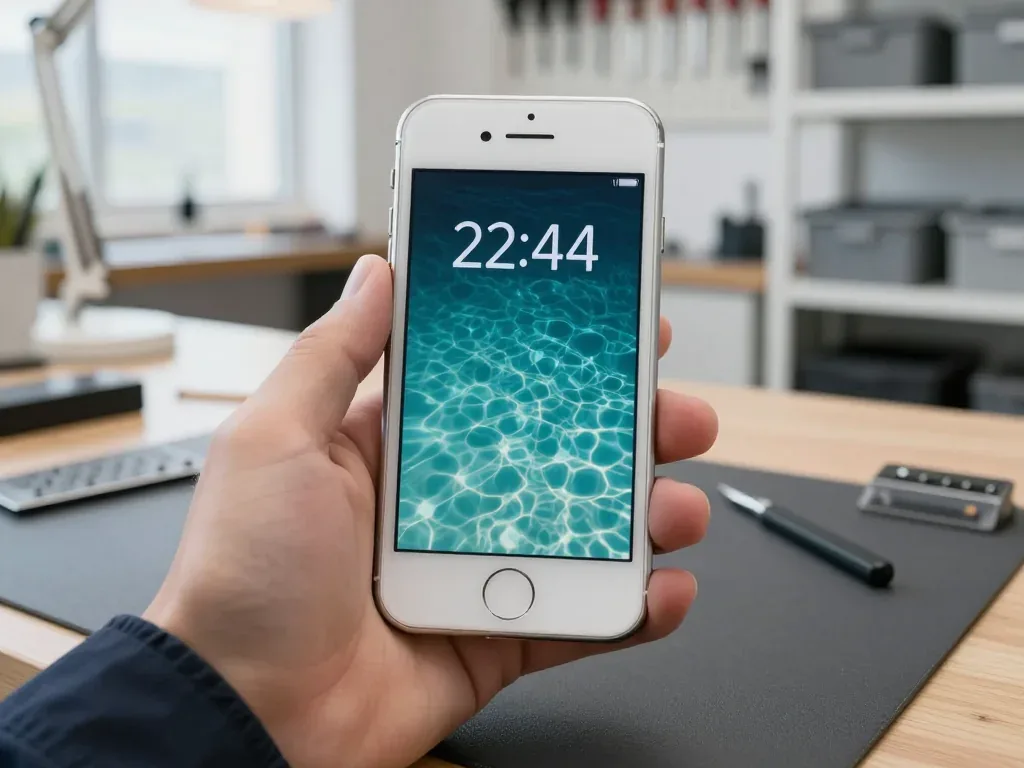
With its compact aluminium body, Lightning port and Touch ID, the 5s has aged in ways that determine which components fail first. Here is what we see most often and why the model still responds well to repair.
The Four Failures We See Most on the 5s
- Display module: cracks and dead touch zones from drops, since the glass sits directly over the panel with little give.
- Battery: capacity fades with charge cycles, so a healthy-looking handset starts dying by mid-day.
- Lightning port: pocket lint and oxidised pins stop charging or force the cable in at an angle.
- Camera lens: the small rear cover shatters easily and blurs every photo until replaced.
Symptom, Probable Cause, and Our Action
Matching the fault you notice to the part behind it| Symptom | Probable cause | What we do | Typical time |
|---|
| Cracked screen or unresponsive areas | Broken glass or panel | Replace glass or module | 40 minutes |
|---|
| Dies by mid-day | Worn battery | Install a fresh battery | 25 minutes |
|---|
| Charging fails | Port is dirty or oxidised | Clean or replace port | 20–40 minutes |
|---|
| Blurry photos | Shattered lens glass | Swap the lens glass | 20 minutes |
|---|
| No sound or weak signal | Cable or board fault | Diagnose, then repair board | 1–3 days |
|---|
Why an Older Handset Still Makes Sense to Fix
A 5s is worth repairing when the fault is a single wear part like the battery, screen or port, because those are the parts that age first and the rest of the device is usually still sound. The aluminium body, Lightning connector and Touch ID sensor rarely fail on their own, so one tired component does not mean the whole handset is finished. Free diagnostics settle it: the engineer opens the handset in front of you and shows exactly what has worn out before any work begins. The decision turns on how many separate faults the check finds — one worn part is a straightforward fix, while several unrelated failures at once usually mean the money is better spent elsewhere.
5s Screen Repair Glass or Full Module
The 5s carries a separate Home button that holds Touch ID, so the front is not one uniform part. Below we break down when the cracked outer glass alone can be swapped and when the whole assembly has to go.
When Only the Glass Needs Replacing
Provided the display produces a clear picture and the digitizer works across the whole surface, replacing only the broken outer glass lets us preserve your original panel and its calibration. A surface-only job makes sense when the front is shattered but the picture underneath stays uniform, with no dark patches and no dead strips along the edges. We check the matrix first: a healthy one means the sensor and the panel can stay in place while a fresh top layer goes on. A surface-only job only works while the display beneath is untouched — once you see lines, blotches or dead zones, the damage has reached the panel and the full assembly has to go.
When the Full Display Module Is the Only Option
When the image is distorted or touch fails in patches, we fit a complete assembly, and because the 5s keeps Touch ID in the Home button rather than the screen, your fingerprint sensor is untouched by the swap. A full unit replaces the outer surface, digitizer and panel as one sealed part, which removes any risk of a misaligned layer or trapped dust between them. The button and its cable stay with your original phone, so the sensor keeps the fingerprints already registered on it. Request the removed component when you collect the phone — comparing it with the new one is the easiest check that the assembly was actually swapped, not merely reseated.
Glass or Module at a Glance
How the two jobs differ in what they replace| What you notice | Glass only | Full module |
|---|
| Cracks, image still clean | Replaces outer surface | Not needed |
|---|
| Lines or dark blotches | Not suitable | Replaces whole panel |
|---|
| Touch dead in patches | Not suitable | Replaces digitizer |
|---|
| Touch ID and Home button | Untouched | Untouched |
|---|
Original Part or Aftermarket and What It Means for Your Phone
On the 5s, the gap between a factory component and an aftermarket one shows up in brightness, tint and service life. Here is how to choose between them and how to lock that choice into the paperwork.
How Original and Aftermarket Parts Differ in Practice
A factory component matches the original brightness, colour and fit, while an aftermarket one costs less and can differ in tint or touch feel, and 64% of our customers choose the original. A display module is where most people notice it first: an aftermarket panel may read slightly warmer or cooler than the rest of the interface, and the top layer can feel a fraction different under the thumb. A battery follows the same logic — an original cell holds its rated capacity for longer, an aftermarket one is a reasonable option if the device is a spare or a first phone for a child. We keep both types in factory packaging and name the fitted component on the paperwork. On a 5s the difference is easiest to judge side by side — we show both options before work starts so you compare the real components rather than a description.
The Unknown Part Message and What It Really Tells You
A component-not-recognised message is an indicator of the component type, not a fault, and it appears when the device cannot confirm a component matches what it expects. The 5s predates the strict pairing that newer models enforce, so the message here is rarer and usually tied to a battery or a display the system reads as non-factory. It does not switch off the camera, the speakers or the network — those keep working on their own circuits. What it does is tell you, in plain terms, that the item inside is not the one the handset left the factory with. The message does not mean the repair failed — it means the phone is reporting the component honestly, so treat it as information about what was fitted rather than a warning to panic over.
What Gets Written on the Receipt Before We Start
- Price: the agreed figure is printed before the engineer opens the device, so nothing changes mid-repair.
- Component type: original or aftermarket is named on the receipt, matching the packaging you are shown.
- Turnaround: the expected time is stated in writing, including board work that runs longer.
- Warranty: our cover lasts up to 1 year and is listed alongside the item it applies to.
Time Needed for iPhone 5s Repair in Astana
We walk through what happens from the first message to pickup, how long each job takes, and when the device has to stay with us instead of going home the same day.
From WhatsApp Photo to Collection
Send us a WhatsApp photo showing the damage; an engineer responds in five minutes or less with a quote and an available time, and from first message to collection the entire process typically takes less than an hour. At our workshop, the engineer performs free diagnostics for roughly 15 minutes in your presence and explains what is faulty, even if you choose not to proceed with repair. Two minutes before the work begins, the receipt gets the price, part type, turnaround and warranty, and before installation the new part is displayed in factory packaging. You may wait in our lounge with coffee and Wi-Fi while the device is open. For iPhone 5s repair in Astana, this photo-first approach keeps the estimate quick and the turnaround predictable.
Repair Times for the Jobs We Do Most
how long each common job takes| Job | Typical time |
|---|
| Screen replacement | 40 minutes |
|---|
| Battery replacement | 25 minutes |
|---|
| Camera glass | 20 minutes |
|---|
| Repair of the board | 1–3 days |
|---|
When the Phone Has to Stay With Us
A 5s stays with us when the fault is on the board or follows water damage, since board repair runs 1–3 days under the microscope and water diagnostics can take up to two days. Everything else — screen, battery, camera glass, charging port — is finished while you wait, and 72% of repairs are completed in the waiting area. A courier can be called if you would rather not travel across the city. Water damage is the case where patience pays — charging or powering a wet device before it is cleaned is what turns a recoverable fault into a dead board.
Phone Inspection on Collection and What You Keep
This section covers the steps around the bench work: what to prepare before the device changes hands, what we test together at pickup, and what documents and parts you carry out the door.
The Functions We Check Together Before You Leave
- Touch and display: you swipe and type across the whole panel to confirm the digitiser responds at the edges, not only the centre.
- Cameras and flash: both lenses and the LED flash fire in turn to catch a dead module or dust under the lens cover.
- Microphones and speakers: a voice memo and a speaker call confirm the bottom mic, top mic and earpiece all route sound.
- Charging and battery: the Lightning port is tested with a cable while the percentage is watched for a steady climb.
- Network and radios: your own SIM checks signal, cellular data, Wi-Fi and Bluetooth pairing against a live tower.
What to Do Before Handing Over the Device
Before handing over a 5s, make a backup, know your passcode and decide whether to sign out of your account, because a repair does not require your data and the less personal access you leave, the simpler the handover. An iCloud or iTunes copy takes minutes on a working screen and protects the photos and messages you cannot replace. Rather than guessing at the counter, write down the passcode — the engineer requires it to test touch, cameras and network after the repair. Signing out is optional for a screen or battery job, but it removes the activation question if the board is involved. A backup matters most for board and water jobs — those are the repairs where data recovery is not guaranteed, so the copy you made beforehand is the one that counts.
What Goes Home With You Following the Fix
Once the work is done, you get the phone back along with your receipt, a warranty document valid for at least twelve months, and the component that was removed; since our in-house specialists handle everything directly, no intermediary sits between you and the bench. Everything the engineer quoted over WhatsApp is written on the receipt — which part went in, if it was original or aftermarket, how long the job took, and the length of the warranty — so you never have to rely on recollection. Our technicians handle the device from intake to final test, so a question about the work goes straight to the person who did it. Keeping the old part is worth the drawer space — it is physical proof of what was replaced and the reference point if a warranty question ever comes up.
Summary: iPhone 5s Repair
A few rules keep an older phone worth repairing: confirm the fault first, pick the part deliberately, and check the device before you walk out.
- Diagnose before deciding. A free check in front of you separates a single wear component from a bigger fault and tells you whether the repair is worth it.
- Match the repair to the damage. Glass alone keeps the original panel when the matrix is sound; a full module is the call once the image or touch is compromised.
- Choose the part knowingly. Original and aftermarket differ in brightness, tint and feel, and the choice belongs on the receipt before work starts.
- Most repairs don't take long. A screen, battery or camera lens swap is usually done within 20–40 minutes; logic board faults and liquid damage, however, can take days.
- Check the phone before you leave. Testing functions on your own SIM and keeping the receipt, warranty and old part is what protects you afterwards.














 iPad
 MacBook
 iMac
 Mac mini and Studio
 Apple Watch
 AirPods
 Apple Pencil
 Apple TV
 HomePod




