KS Photo: Kudiret S.
Kudiret S.
iCloud unlock specialist
10years of experience
4.37rating, 100 reviews

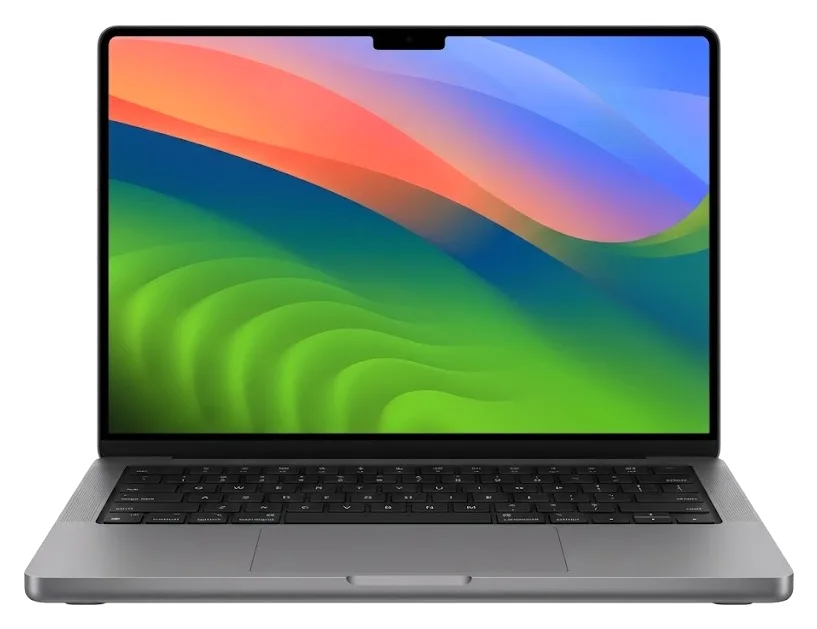
When a MacBook Pro 14" overheats, glitches, or stops charging, we run diagnostics and agree the scope with you before any work starts.
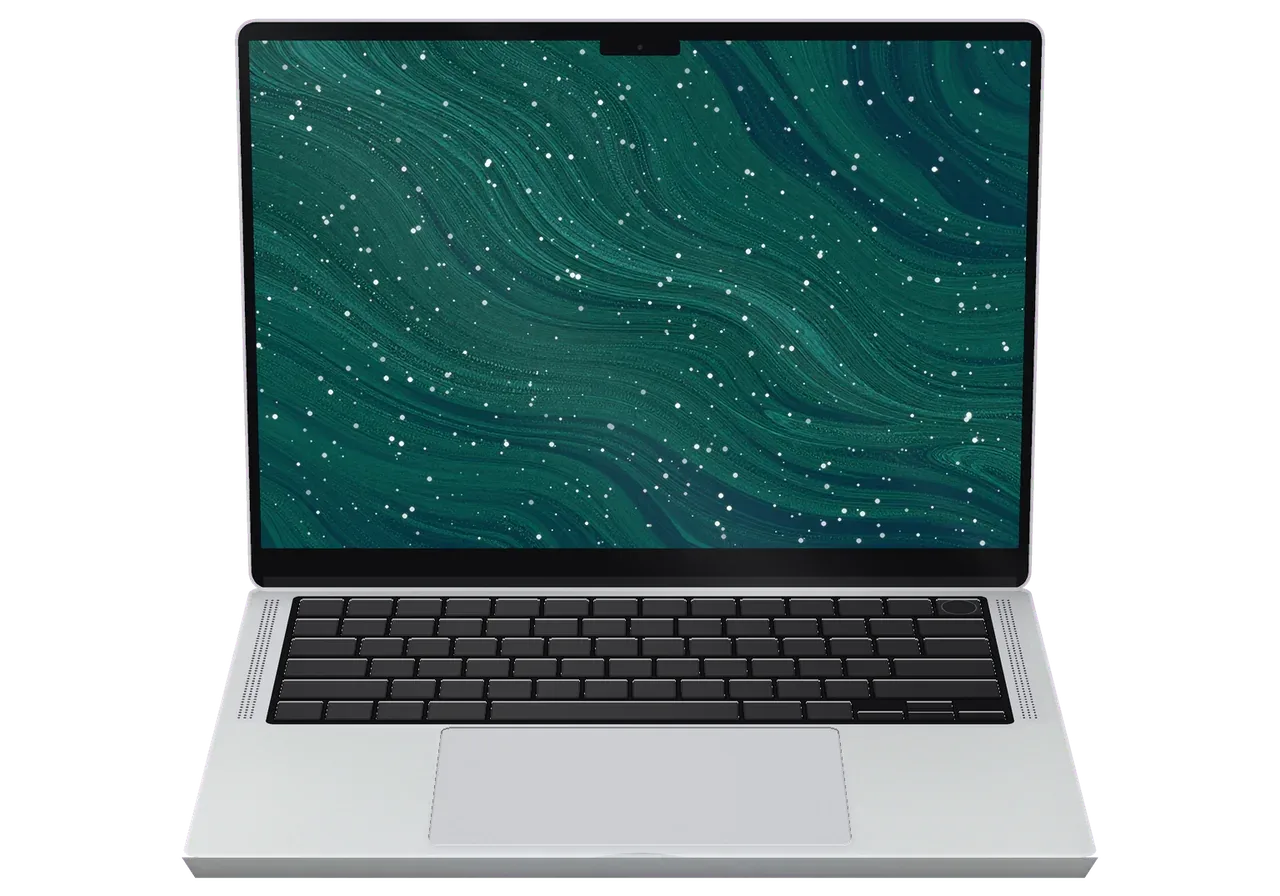
The laptop travels in hand luggage, works in freezing cold, and charges from third-party adapters — hence lid damage, charging issues, and overheating.
After pressure in a bag, light areas or stripes appear on the mini-LED matrix.
The image blinks when you change the lid angle — likely the display cable is damaged.
The connector is loose, charging is intermittent or doesn't start at all.
An external drive or monitor disconnects at the slightest movement of the connector.
A TV in a hotel or a home monitor doesn't receive a signal.
A camera card goes in tightly and interrupts file copying.
The case is hot even in the browser, fan speed increases, and tasks slow down.
After long office work, radiators are clogged and cooling performs worse.
Charge doesn't last a workday, and the lid lifts above the case.
Coffee on a cafe table — keys sink, urgent cleaning is needed.
The laptop won't turn on, although there are almost no external traces of liquid.
During calls, there's a black screen instead of an image or the camera isn't detected.
The main works for this model are collected in the price table: price per work, we select the part after inspecting the laptop.
| Service | Original | Aftermarket |
|---|---|---|
| Display panel replacement | 519 900 ₸ | 321 900 ₸ |
| Keyboard replacement | 130 900 ₸ | 72 900 ₸ |
| Charging port replacement | 35 900 ₸ | 19 900 ₸ |
| Speaker replacement | 33 900 ₸ | 18 900 ₸ |
| Fan replacement | 22 900 ₸ | 12 900 ₸ |
| Other repairs | Price | |
| Dust cleaningdisassembly and dust cleaning | 10 900 ₸per job | |
| Water damage repaircorrosion cleaning · diagnostics up to 2 days | 27 900 ₸per job | |
| Logic board repairmicrosoldering · 1–3 days | 16 900 ₸per job | |
| MacOS installationOS installation, no parts replaced | 10 900 ₸per job | |
| Wi-Fi module repairwireless module · board-level repair | 41 900 ₸with parts | |
The technician gives the price after a free check: it depends on the condition of the board and the part you choose.
For this model, there are genuine parts and compatible ones: they differ in compatibility, service life, and behavior under high load.


We work carefully with soldered memory and SSD, accept the laptop as a whole, and explain every step in simple language.
Eleven years of working with Apple laptops means well-established diagnostics and a clear explanation of the causes of failure without unnecessary terms.
We give a warranty on work for up to 1 year. The technician explains its exact coverage before you hand over the laptop.
Boards, batteries, and displays are repaired by experienced specialists who are used to fragile cables and soldered components.
After repair, we test 32 functions of the laptop: screen, ports, camera, sound, charging, and wireless modules — so you pick up a working device.
Inspection and fault finding are free. You receive a list of works and decide which ones to perform.
Branches in two cities: if you move or fly between them, the laptop can be dropped off at any of them under one repair history.
Usually the whole journey — from message to pickup — takes less than an hour; complex repairs follow the timeline in the receipt.
Book a repairYou send a photo of the damage on WhatsApp — we quote the price and available time. Or you call a courier.
An engineer checks the device in front of you and shows what is broken. 0 ₸, even if you decline the repair.
We fix the price, the part (original or analog), the timeline and the warranty. You sign — we start.
Before installation we show you the new part in its factory packaging. You wait in the waiting area with coffee and Wi‑Fi.
Screen, keyboard and trackpad, camera, microphones, speakers, charging, Wi‑Fi. You check together with the engineer.
Together with the receipt, warranty card and the old part. Payment — Kaspi, card or cash.
Technicians for iPhone, Mac, iPad, Apple Watch and AirPods repair.
Photo: Kudiret S. Photo: Kamran A.

“If the repair didn’t suit you or you have a complaint, write to me personally.”
Send a photo of the fault — an engineer will reply on WhatsApp, give the price and a time you can come in.
MacBook Pro 14 M4 Repair in Astana with iServices Engineers
For a MacBook Pro 14 M4 repair in Astana, iServices handles screen, battery, charging, liquid damage and board work with its own technicians. A WhatsApp photo gets you a quote within 5 minutes, the free 15-minute check happens while you watch, and most fixes take an hour to a day. Warranty lasts up to 1 year.
The 14-inch M4 body concentrates its weak points in a few predictable places. Here is what owners bring us most often and what each symptom points to.
We see cracked Liquid Retina XDR glass, worn batteries, MagSafe 3 and USB-C charging faults, liquid damage and board-level failures on the 14-inch M4 more than anything else. The mini-LED panel sits directly under the lid glass, so a knock that cracks the outer layer often leaves the diodes intact while the touch layer and True Tone sensor stop responding. Battery wear shows up early on units used for video calls and rendering, because those workloads keep the cells cycling at high temperature for hours. MagSafe 3 faults split roughly between a worn connector and a power controller that no longer negotiates the right voltage, and both look identical to the owner. A mini-LED panel can survive a fall that shatters only the outer glass, so the symptom on screen rarely tells you the full scope until the unit is opened.
| Symptom | Likely cause | What we check |
|---|---|---|
| Screen lines or black areas | Panel or display cable | Full panel and backlight test |
| Won't charge on MagSafe 3 | Port, cable or power controller | Port, battery, controller |
| Battery drains fast | Worn cells | Cycle count and health |
| Keys stick or double-type | Key mechanism or top case | Individual key response |
| Fan loud, body hot | Dust, dried thermal paste | Cooling path and temps |
| Dead after liquid | Board corrosion | Board under microscope |
After any repair we run a 32-function check that takes about 10 minutes, covering the display, charging, ports, keyboard, trackpad, camera, speakers, microphones and network. The Thunderbolt ports get a separate pass with a data device, since power delivery and data travel different paths inside the same connector. On the display side we confirm True Tone, the backlight across the full mini-LED array and the camera's image in a normal room light, because a failed ambient sensor shows up as a dim or tinted picture. MagSafe 3 is checked with both a charger and a cable, then unplugged mid-charge to make sure the laptop falls back to battery without a restart. A passing charge test alone proves little, because a port can power the board while still failing data over Thunderbolt, so we test both.
The M4 generation changes what is repairable and what is fixed to the board. Knowing this up front sets realistic expectations before any screw is turned.
In the 14-inch M4, RAM and flash storage are fixed directly onto the mainboard, meaning they can't be removed and replaced like the drives in older unibody designs. Apple Silicon M4 places unified memory right next to the CPU for speed, and the NAND chips are mounted on that same board without any connector between them. As a result, a memory problem can't be fixed by reseating a module, and adding more storage isn't offered as a service at all. The mainboard is treated as one replaceable part, and every diagnosis begins by pinpointing which chip on it has gone bad. Since storage is permanently attached, a dead SSD turns into mainboard-level work instead of a quick part swap, which is why backing up data matters before any repair begins.
The 14-inch M4 powers up via MagSafe 3 or Thunderbolt, is cooled by active fans, and features a mini-LED Liquid Retina XDR display, so each of these systems can fail in its own way and we test them one by one. For power, we inspect the MagSafe 3 connector, the USB-C ports and the battery management circuitry, because a failed port and a failed battery present the same way to the owner. Cooling depends on active fans and thermal paste that hardens after years of heat cycling. The mini-LED screen has a backlight layer that can break down separately from the image, so a black screen doesn't necessarily mean the display is gone. A fan that roars during light tasks usually signals dust or dried thermal paste rather than a dying fan, so cleaning often cures the noise before any part gets replaced.
| Feature | Older Intel Pro | MacBook Pro 14 M4 |
|---|---|---|
| Memory | Often socketed | Soldered |
| Storage | Swappable on unibody | Soldered |
| Charging | MagSafe 1 or 2 | MagSafe 3 or USB-C |
| Cooling | Fans, larger vents | Fans, tighter chassis |
| Display | Retina LCD | mini-LED XDR |
The path from first message to pickup is short and fixed at every step. Here is exactly what happens when you bring the laptop in.
Photograph the problem, forward it on WhatsApp, and a specialist replies within 5 minutes, quotes a sum from the image, and holds a free time slot for you. The dialogue stores everything: the snapshot of the shattered display, the model, the symptom in your own phrasing. An engineer inspects it before you come in, so the bench is prepared for a 14-inch M4 rather than some ordinary laptop. If the image is unclear, we ask for another angle or a brief video showing the issue. A quote drawn from a photo remains tentative until the device is opened, so the figure on the invoice after diagnostics is the actual one, not the first estimate. That is how MacBook Pro 14 M4 repair in Astana starts at iServices — with a picture and a settled price.
Inspection is free and takes 15 minutes with you there, even if you decline the repair, and prior to any work we fix the price, the part, the deadline and the warranty on the receipt. The specialist takes off the bottom cover at the counter, shows what has broken and explains which components sit on the mainboard. You examine the replacement in its factory box before it goes anywhere near the chassis. The paperwork lists whether the part is original or aftermarket, the deadline we commit to, and cover up to 1 year. Putting that in writing beforehand lets you compare what was agreed with what actually gets fitted, instead of trusting a spoken promise.
Most notebook fixes take from 1 hour up to 1 day, whereas board-level jobs need 1 to 3 days; 72% of repairs are finished on the spot while the client waits in our lounge with coffee and Wi-Fi. If crossing the city is a hassle, we can send a courier. After the work is done, the technician runs a 32-point test of roughly 10 minutes — charging, speakers, microphones, cameras, network — as you watch. You get the receipt, warranty papers and the replaced part. Component-level jobs take longer since they happen under a microscope and each trace is checked, so a fast estimate on a dead unit is a warning sign rather than a bargain.
Some faults get worse by the minute. These are the cases where what you do in the first hour matters as much as the repair itself.
If liquid gets inside, switch the laptop off at once and do not plug in a charger, because corrosion spreads while current is flowing through the circuitry. Coffee, juice and fizzy drinks are worse than water: sugar and acid keep eating the copper traces long after the surface looks dry, and the mainboard is where that damage lands. Turn the machine upside down, keep the lid open, mop what you can see with a lint-free cloth and bring it in without shaking it or testing whether it still boots. Rice and a warm radiator do not stop corrosion on a logic board, and the delay they cause is often what turns a cleanable unit into a replacement.
A laptop that won't power on or charge may involve the MagSafe 3 port, the battery or the power controller, and we identify which one through free diagnostics before quoting. The specialist disassembles the unit in front of you, tests the MagSafe 3 and USB-C paths separately, reads battery health and measures the supply rails on the mainboard, so the verdict is based on readings rather than a guess. That check is free even if you choose not to go ahead. A charger that lights up doesn't mean the port is fine, since it can pass current while failing the data lines, so we test both paths.
Persistent fan noise, a warm chassis or a trackpad sitting above the case surface usually come down to dust in the cooling path or a cell that has swollen and is pushing on the body. On the 14-inch M4 the fans sit near the heatsinks, and a layer of dust between the fins makes the system run hot at idle and spin up under any load; fresh thermal paste and a cleaned cooling path resolve most of these complaints. A trackpad that no longer clicks flush, a lid that closes with a gap or a bottom case that wobbles on the desk suggests cell swelling instead. A swollen battery is a safety concern, not just an inconvenience, so the device should stay off until the cells are replaced rather than run on mains power.
Two decisions shape the outcome of a repair: which component goes in, and what happens to your data. Both are settled before work begins.
We offer a genuine component or a compatible equivalent, show the new module in its factory packaging before installation, and 64% of our customers pick the genuine one. The compatible route costs less and covers the same faults, while the factory item keeps behaviour intact across brightness, True Tone and battery reporting. A technician lays both options on the counter with the matching warranty card so you compare like for like, not from a catalogue photo. On a 14-inch M4 body the display assembly and the battery are the two components where the gap between options shows up first. The right choice depends on how long you plan to keep the laptop and which function matters most, since some third-party panels can affect brightness or True Tone.
| Aspect | Original part | Aftermarket part |
|---|---|---|
| Fit and finish | Matches factory | Close, varies by batch |
| Display behaviour | Full brightness, True Tone | May differ slightly |
| Battery health readout | Reports normally | May need calibration |
| Warranty | Up to 1 year | 6 months |
Before you hand the laptop in, create a Time Machine backup, sign out of Find My Mac and write down your user password so the technician can test the unit fully. Activation Lock prevents a complete function check, and a locked machine slows the 32-function check we run after every repair. Copy the working files you need onto an external drive too, since a backup on the same desk isn't a second copy. With storage fixed to the board, a backup is the only genuine safety net, because data recovery from a failed SSD on this model is far harder than restoring from a copy.
A repair on this model comes down to a few decisions that are worth getting right the first time. Here is what to carry into the conversation.
Did not find an answer? Message us on WhatsApp: an engineer replies, not a bot.
Ask a questionYes, if the connector itself or the circuits leading to it are damaged, not the whole board. The technician disassembles the laptop and checks where exactly the contact is lost. Sometimes it's enough to replace the connector, sometimes board repair is needed.
Usually dust builds up in the heatsinks and the paste loses its properties. Once we clear the dust and apply fresh paste, the fans spin quietly again. Should the noise persist, we inspect the sensors and logic board.
Yes, when replacing the battery, the memory and SSD are not affected. But before any repair, it's better to make a backup in Time Machine or the cloud. The memory and storage here are soldered, so a backup is always wise.
The answer depends on the cause: if the cable in the hinge is damaged, sometimes it can be replaced. If the mini-LED matrix itself is damaged, the module is replaced entirely. The exact answer is given by inspection.
Absolutely — we swap or clean the slot when dust or worn contacts are to blame. To rule out a faulty card, we first test it in another device, so a working slot isn't replaced needlessly. Reading and writing are verified after the fix.
Don't try to charge it and don't turn it on again. Bring the laptop for free diagnostics as soon as possible: the less time has passed, the higher the chances of getting by with board cleaning.
Бұрын басқа сервиске барғанмын, бірақ бұл жолы осында келдім. Экран сынып қалды, көрсетуге апардым. Достарыма айтамын.
Искала, где есть оригинальные запчасти, а не «как оригинал». Проблема — не роботает клавиатура. Работает, как будто и не ломалось.
Позвонил в три места, здесь внятно объяснили по цене. Проблема — треснул экран. Работает, даже лучше прежнего.
Камран А. сам позвонил и сказал, что готово. Приняли вечером, хотя до закрытия было минут десять. Экран яркий, батарея держит!!
Проблема — не включается. Камран А. объяснял без умных слов, за это спасибо. Внешне не видно, что разбирали.
Проблема — залили водой. Камран А. посмотрел и честно сказал: менять не надо. Ни шума, ни запаха, всё штатно
Смотрел отзывы в 2ГИС, выбрал по адекватности. Не думал, что придёться везти в сервис. Проблема — треснул экран. Камран А. подобрал аналог дешевле, не навязывал оригинал. Работает, даже лучше прежнего)
Жұмыстан кейін баруға болатын жер керек еді. Құрылғыны әкелдім, бірден қабылдады. Қайта жүгінуден тартынбаймын.
Искал, где есть оригинальные запчасти, а не «как оригинал». Кот скинул со стола, теперь — залили водой. Всё чётко, без сюрпризов.
Искал сервис, где дадут гарантию и чек. Сначала грешил на систему, потом понял — железо. Проблема — не включается. Все функции проверил — работают

Replace the battery when macOS reports Service Recommended and runtime no longer covers your workday. A free 15-minute check shows whether the cell is at fault.

Why your MacBook runs hot and loud, and whether cleaning solves it or the board needs repair.

Power it off, unplug the charger and bring the laptop in for a free 15-minute check before corrosion spreads.

Sticky or unresponsive keys usually mean debris, worn mechanisms or liquid damage. A technician can check the keyboard and advise on cleaning or replacement.

Back up your data, turn off Find My, and bring proof of purchase — then the repair starts faster.


 iPad
 iMac
 Mac mini and Studio
 Apple Watch
 AirPods
 Apple Pencil
 Apple TV
 HomePod
