Eng

Apple Watch Series 10 Repair in Astana

Apple Watch Series 10 dies in the cold? New battery in about two hours, price fixed on the receipt, watch tested with you.

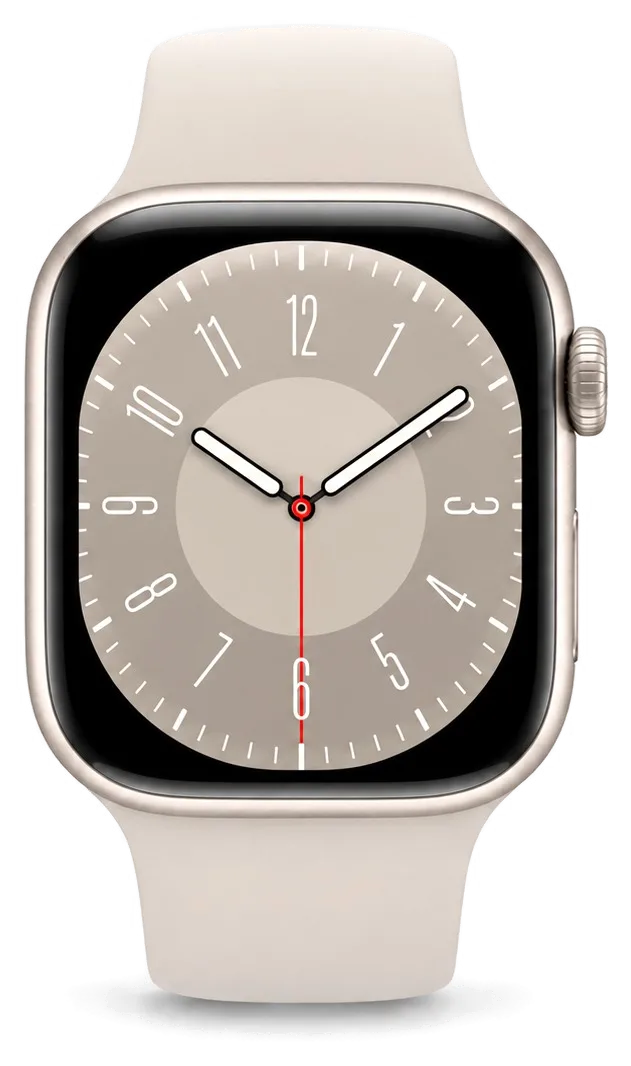
Apple Watch Series 10 in black onyx color
Apple Watch Series 10, Jet Black repair
Glass replacementfrom 73 900 ₸
Display replacementfrom 140 900 ₸
Battery replacementfrom 42 900 ₸
All services and prices

What Series 10 owners in Astana bring in for Apple Watch repair

In a cold climate a watch picks up knocks on door handles, condensation under the glass, a battery drained by frost and a cracked display.

01

Hairline crack on glass

A thin line starts at the rim and creeps toward the middle of the display.

02

Ghost touches

The screen opens apps by itself or ignores taps, sometimes with colored bands.

03

Battery gone by lunch

A watch that used to last a day now needs the charger before the afternoon.

04

Charging stops halfway

The watch begins to charge, warms up, then drops off the puck without finishing.

05

Case looks puffy

The back cover or glass has lifted slightly, which may mean a swelling cell.

06

Fog behind the glass

Moisture inside blurs the screen and confuses the touch sensors.

07

No heart rate data

Pulse and oxygen readings fail while the back sensor looks fine from outside.

08

Muffled speaker

Alerts and calls are faint, and the speaker holes are packed with dirt.

09

Won’t turn on

The watch ignores the button and the charger, the screen stays black.

10

Double Tap not working

The finger pinch gesture no longer answers calls or scrolls.

11

Display flickers

The picture trembles and fades in bands at low brightness.

12

Restarts on its own

In the middle of the day the Apple logo appears and the watch reboots.

Apple Watch Series 10 repair in Astana

We handle the most common Series 10 jobs, with the option of original or aftermarket parts.

ServiceOriginalAftermarket
Glass replacement132 900 ₸73 900 ₸
Display replacement253 900 ₸140 900 ₸
Battery replacement73 900 ₸42 900 ₸
Rear cover with sensors replacement206 900 ₸114 900 ₸
Digital Crown repair24 900 ₸13 900 ₸
Side button replacement24 900 ₸13 900 ₸
Speaker replacement40 900 ₸22 900 ₸
Microphone replacement40 900 ₸22 900 ₸
Other repairsPrice
Board repairmicrosoldering · 1–3 days68 900 ₸per job
Firmware flashingsoftware restore, no parts replaced38 900 ₸per job

The final amount depends on the part and on the state of the case, and we name it after a free diagnosis or on request via WhatsApp.

How an original part compares with an aftermarket one

A watch worn every day has to live with sweat, cold and knocks, so the part choice matters beyond price.

Original Applewarranty up to 1 year
Apple Watch Series 10 glass132 900 ₸
Apple Watch Series 10 glass: original part in Apple packaging
Durability
Copes better with heat and cold swings
Screen quality
Color and brightness stay as before
Touch
Responds well when wet or with gloves
Warranty
Up to 1 year of coverage on the finished repair
Chosen by 64% of clients
Book with an original part
Aftermarketwarranty 6 months
Apple Watch Series 10 glass73 900 ₸−44%
Apple Watch Series 10 glass: aftermarket part in an antistatic bag
Durability
Temperature swings affect it sooner
Screen quality
A little paler, with different tones
Touch
May misbehave when cold or damp
Warranty
Up to 1 year for labor; part coverage varies
Chosen by 36% of clients
Book with an aftermarket part

How we work with you

A diagnosis comes before any decision, experienced technicians open the case, and a warranty up to 1 year follows the repair.

11years

Eleven years in repair

We have spent eleven years fixing watches, phones and earbuds, so we know what daily life and weather do to them.

1year

Warranty on repairs

Every finished job carries up to 1 year of warranty, with the conditions spelled out by our technician beforehand.

6technicians

Experienced technicians

Prising open a compact watch demands a firm, patient touch, so owners hand it to specialists with many years of hands-on experience.

0₸

Clear prices

Prising open a compact watch demands a firm, calm grip — that's why people hand such jobs to specialists with eleven years behind them.

7days a week

Posted hours

Through eleven years of fixing watches, earbuds and phones, we learned how a slim case reacts beneath a screwdriver.

No needless swaps

If drying out or a restart is enough, we say so and do not recommend an expensive replacement.

Apple Watch Series 10 before and after repair

1 / 2
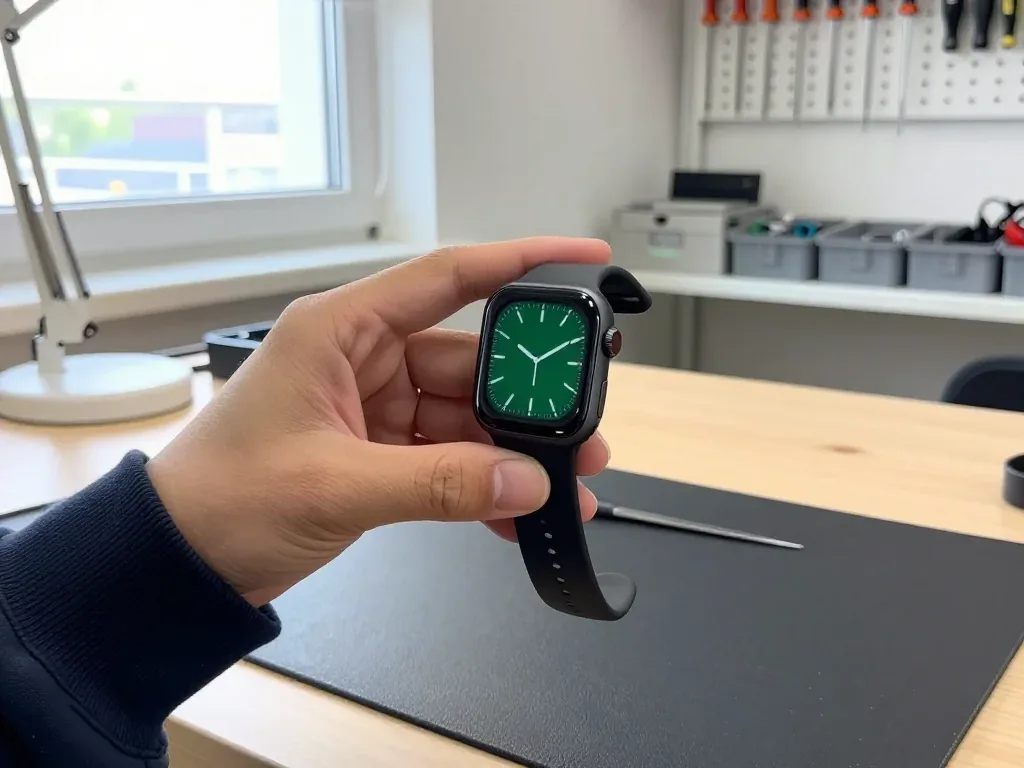
A technician holds an Apple Watch Series 10 with a dark green analog face after glass replacement

Apple Watch Series 10: cracked glass after impact

The client hit their hand against a door frame — a crack appeared on the glass, but the display and touch worked fine. We re-glued only the glass and checked the sensor and water resistance: the watch is like new again.

from 73 900 ₸repair cost
I want the same
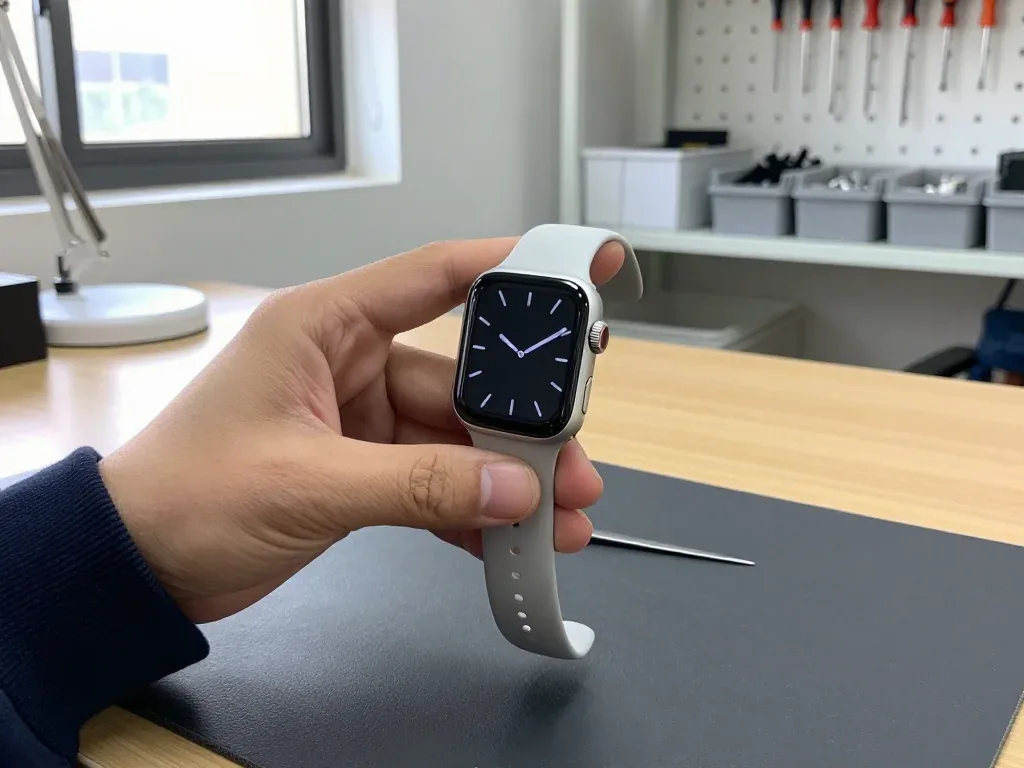
Silver Apple Watch Series 10 in the technician's hand with a dark analog dial, crown on the right

Apple Watch Series 10: screen went dark after a fall

A client in Astana dropped the watch on tile — the screen went dark and wouldn't turn on. We replaced the display and checked the touch sensor and water resistance: the watch tells time and responds to taps again.

from 140 900 ₸repair cost
I want the same

How Apple Watch Series 10 repair is done in Astana

Usually the whole journey — from message to pickup — takes less than an hour; complex repairs follow the timeline in the receipt.

Book a repair
  1. Step 1

    Message or call

    5 min

    You send a photo of the damage on WhatsApp — we quote the price and available time. Or you call a courier.

  2. Step 2

    Free diagnostics

    15 min

    An engineer checks the device in front of you and shows what is broken. 0 ₸, even if you decline the repair.

  3. Step 3

    Price in the receipt

    2 min

    We fix the price, the part (original or analog), the timeline and the warranty. You sign — we start.

  4. Step 4

    Repair while you wait

    20–40 min

    Before installation we show you the new part in its factory packaging. You wait in the waiting area with coffee and Wi‑Fi.

  5. Step 5

    Post-repair check

    10 min

    Touchscreen, brightness, Digital Crown, sensors, microphone, speaker, charging. You check them together with the engineer.

  6. Step 6

    Pick up your device

    warranty up to 1 year

    Together with the receipt, warranty card and the old part. Payment — Kaspi, card or cash.

Meet the iServices team

Technicians for iPhone, Mac, iPad, Apple Watch and AirPods repair.

1 / 5
BSBakmukhammed S. — on-site iPhone technician, iServices service center in AstanaPhoto: Bakmukhammed S.

Bakmukhammed S.

on-site iPhone technician
13years of experience
4.93rating, 107 reviews
GSGalymzhan S. — iPhone repair technician, iServices service center in AstanaPhoto: Galymzhan S.

Galymzhan S.

iPhone repair technician
8years of experience
4.79rating, 90 reviews
ZSZhandos Sh. — iPhone screen replacement technician, iServices service center in AstanaPhoto: Zhandos Sh.

Zhandos Sh.

iPhone screen replacement technician
6years of experience
4.65rating, 112 reviews
DTDarkhan T. — iPhone firmware technician, iServices service center in AstanaPhoto: Darkhan T.

Darkhan T.

iPhone firmware technician
8years of experience
4.44rating, 19 reviews
KSKudiret S. — iCloud unlock specialist, iServices service center in AstanaPhoto: Kudiret S.

Kudiret S.

iCloud unlock specialist
10years of experience
4.37rating, 100 reviews
Bakmukhammed S., on-site iPhone technician
“If the repair didn’t suit you or you have a complaint, write to me personally.”
Bakmukhammed S.on-site iPhone technician · +7 701 333-47-01

We'll quote Apple Watch Series 10 repair in Astana from a photo in 5 minutes

Send a photo of the fault — an engineer will reply on WhatsApp, give the price and a time you can come in.

  1. 5 minAn engineer replies and names the price
  2. 0 ₸Diagnostics in front of you in 15 minutes
  3. 30 minMost repairs — while you wait

Apple Watch Series 10 Repair in Astana While You Wait

In short

In Astana, iServices begins every Apple Watch Series 10 repair with a complimentary 15-minute inspection done right in front of you; the majority of jobs are completed in 20–40 minutes as you wait in the seating area. We fix the screen, battery, charging and Digital Crown, fix the part and warranty on the receipt before work begins.

iServices Editorial TeamWe reply on WhatsApp within 10 minutes
Ask

What Apple Watch Series 10 Repair Changes for the Series 10

The Series 10 is slimmer than earlier generations and carries a larger panel with a wider viewing angle. Both facts change how the watch opens and which part a crack or a tired battery actually affects.

A thinner case and a bigger display

The Series 10 has a slimmer case and a larger panel with a wide viewing angle, so the front glass and the module underneath are shaped differently from earlier Series watches. Buyers can pick the case in 42 mm or 46 mm, and compared with a Series 9 the display extends nearer to the curved border. That extra millimetre of active area sits under a thinner top layer, which means the protective sheet and the module are bonded as one tighter assembly. When the watch is opened, the whole unit lifts out rather than separating into layers. Because the panel sits closer to the edge, a crack near the bezel can reach the imaging layer faster, so a small chip is worth checking early rather than waiting.

Aluminium or titanium decides the glass

The aluminium Series 10 uses Ion-X, while the titanium version carries sapphire, and that difference shapes how a crack behaves and how the part is replaced. Ion-X flexes slightly before it breaks, so impact damage often shows as a spiderweb across the centre of the screen. Sapphire is harder and shrugs off keys and doorframes, but it chips in a sharper pattern right at the point of contact. The two materials also sit in different housings, so a front assembly for an aluminium watch does not fit a titanium case. Sapphire resists scratches but chips in a sharper pattern, so a titanium watch with a single impact crack often needs the full module rather than a cover-only swap.

Fast charging and the battery inside

We see Series 10 watches come in with a swollen cell that has already lifted the screen, and fast charging makes a worn battery heat up sooner. The power pack sits directly under the panel and above the charging coil, so as it expands it pushes upward against the front and the frame seal. A watch that charges fast but drains by midday is usually telling you the cell has lost capacity, not that the charger is faulty. A pack that swells pushes on the screen from behind, so stop charging the watch and bring it in before the front separates from the frame.

Cracked Glass or a Damaged Display on Your Apple Watch Series 10 Repair

A crack does not always mean the whole screen has to go. Here is when the glass alone is enough, when the display module is needed, and how that choice affects the watch functions.

Glass, touch layer or the whole module

Because the glass on a smartwatch is glued directly onto the OLED display, a fracture that leaves the picture intact may occasionally be solved by swapping only the top glass layer; if lines appear or the touch stops responding, the whole module is required. Three parts sit on top of each other: the cover you tap, the digitiser that reads the finger, and the panel that lights the image. A hairline split with a sharp picture points to the outer layer; vertical lines, black patches or a flickering Always-On view point to the panel itself. If the image is intact but taps miss in one corner, the digitiser is usually the culprit, and that is decided on the bench, not from a photo. For an apple watch series 10 repair in Astana, the engineer checks the layers in front of you and names the exact part before work starts.

Matching the damage to the job

Four screen cases and the matching repair
Damage you seeLikely layerWhat we doFunctions kept
Crack, picture cleanProtective glassGlass replacementTouch, Always-On
Stripes or black spotsDisplay moduleFull module swapAll display features
Touch misses in spotsTouch layerModule or touch fixDepends on layer
Glass lifted, bulgeBattery belowBattery and resealScreen and charging

Original or aftermarket for the screen

We offer an original panel or an aftermarket one, and 64% of our customers pick the original part for a Series 10 screen. Both arrive at the bench in factory packaging and are shown to you before installation, and the choice, turnaround and warranty are written on the receipt before work starts. Aftermarket panels differ most in peak brightness and in how the dimmed Always-On look reads at an angle. The cheaper option can soften touch response at the edges, so ask to compare brightness side by side before you decide — a two-minute check on the bench saves a second visit later.

When the Apple Watch Series 10 Repair Will Not Charge or Hold Power

Should the watch run out of power by the evening or fail to accept a charge, it follows an identical inspection route. Here is what we test at each step, and when the fault reaches the board itself.

From the stand to the charging coil

If a Series 10 refuses to charge, our first step is checking the stand and cable, next the charging coil and rear contacts, and the board is examined last. Our engineer places the watch on your own magnetic stand and watches the screen for a full minute, because some stands deliver too little current and the device simply ignores them. From there we inspect the rear contacts for dark spots and the coil for a break under the back glass. A watch that powers up on a different stand but not yours usually points to the charger, not the device, so bring your own stand to the check. If the coil reads open on the tester, the rear assembly is replaced; if it is fine but the board draws nothing, the fault sits in the power management chip.

A battery that swells and lifts the screen

A swollen battery pushes the display up from inside, and continuing to charge a watch in that state risks damaging the screen and the seal. The cell expands as it ages and gas builds up, so the top glass lifts at one edge first — usually near the Digital Crown side. Once the display module separates from the adhesive gasket, dust and moisture reach the internals, and the glass can crack under the pressure alone. Stop charging at the first sign of a lifted edge, because the pressure grows with heat and a swollen cell can crack the glass from within. A flat watch left unused for months is the usual candidate, so power it on carefully before leaving it on a charger overnight.

Reading the symptom before the bench

Matching each power symptom to the part we test first
SymptomLikely partWhat we check
Dies by eveningBatteryCell health and cycles
Will not chargeCoil or contactsStand, rear contacts, coil
Screen liftedSwollen batteryCell and seal
Dead after waterBoardCorrosion under microscope

Water, the Digital Crown and the Sensors

Water, a sticky crown and a pulse reading that vanished after the pool or a fall are among the most common complaints we hear. Here is what actually comes back and what does not.

What happens to water resistance after service

Once the case is opened, we reseal it, but the factory water resistance cannot be guaranteed, so swimming is not advised. The seal relies on a thin gasket and a ring of adhesive compressed at the factory under controlled pressure, and both are disturbed the moment the rear cover lifts. We renew the gasket and the adhesive on every sealed job, then close the case evenly so the display sits flush and no gap remains along the edge. What we cannot reproduce is the pressure chamber test the unit passes on the line, so the seal is restored in structure but not proven to the original rating. The gasket and adhesive are renewed, yet pressure testing at the factory level is not something a service can replicate, so treat a repaired watch as splash-resistant only.

A Digital Crown that sticks or will not turn

We clean and, when needed, replace a Digital Crown that sticks or stops turning, and we check the side button at the same time. Grit, dried sweat and pool residue work into the narrow gap around the dial and harden into a paste that grips the shaft, which is why the click disappears and rotation feels gritty rather than smooth. Usually an ultrasonic bath plus a new sealing ring restore the click without replacing anything; if the shaft is worn, we install a fresh assembly and verify that the Action button and side button move without resistance. Grit and dried sweat are the usual cause of a stiff dial, so a clean often restores the click without a full part swap.

Pulse, ECG and the link to your iPhone

After a rear-cover repair we test the pulse sensor and ECG, and we check that the watch pairs and stays connected to your iPhone. The optical pulse array and the ECG electrodes sit in the rear cover, so any job that lifts the back plate puts those contacts at risk, and a sensor that reads flat or an ECG that refuses to start usually points to a connector that shifted during reassembly rather than a failed component. We reseat the connector, run a live pulse reading and an ECG trace, then pair the watch to a phone and confirm Bluetooth stays up across the room. A sensor that reads nothing once the job is done is often a loose connector rather than a dead part, so we reseat it before quoting a replacement.

What Happens During the Appointment and What You Receive

From the first message to pickup, the watch follows a clear path. The steps are listed below, along with the details printed on your receipt and the checks you perform alongside the engineer prior to leaving.

Starting with a WhatsApp picture, ending with a receipt in hand

Send us a WhatsApp picture showing the fault; within 5 minutes an engineer responds with the cost, and 2 minutes later — before any work begins — the part, timeline and warranty are entered on the receipt. A free slot is named in the same reply, and you can book it for a weekday or a weekend. The receipt lists whether the replacement is original or aftermarket — 64% of customers pick an original part — so nothing changes once the watch is open. The new part is shown in factory packaging before installation, so you see what goes into your watch rather than taking it on trust. Keep the photo on your phone until pickup: it is the fastest way to compare the damage you reported with the work on the receipt if anything looks different.

Waiting on site or leaving the watch

The bulk of Series 10 repairs take 20–40 minutes during your wait, and 72% are done right in the waiting area, where coffee and Wi-Fi are available. A screen takes around 40 minutes, a battery about 25, and camera glass 20 — the engineer confirms the slot before starting. A board-level fault is the exception and takes 1–3 days under the microscope, so a watch that dies completely may need to be left; water damage can also push diagnostics to two days. A courier can be called if you would rather not come twice. The deciding factor is the symptom, not the model: a watch that boots but will not charge rarely stays overnight.

What you check together at pickup

When you collect the device, roughly 10 minutes are spent together on a 32-point inspection that includes touch response, heart-rate sensing, charging, vibration, speaker and mic. Along with the device you receive the receipt, a warranty card covering 1 year, and the replaced part returned in a bag. The engineer walks through the items one by one rather than handing the watch over — on a Series 10 the touch layer and the Digital Crown are the two things worth testing yourself before you sign. Before coming in, remove the pairing between the watch and iPhone — that way the backup remains stored on the phone; once at the service, pair them again to make sure the connection is fine.

Summary: Apple Watch Series 10 Repair

Five points decide whether a Series 10 repair goes smoothly, and each one is something you can verify yourself at the counter and again once the work is done.

  • Crack versus display — a crack with a clean picture may need only the glass, while stripes or a dead touch zone point to the full display module.
  • Swollen battery — an expanding cell pushes the screen upward, so halt charging and arrange an inspection while the glass is still properly in place.
  • Seals once opened — water resistance drops with any service, so treat a repaired watch as splash-resistant and skip swimming.
  • Photo and receipt — a WhatsApp photo yields a price within minutes, and the part, turnaround and warranty belong on the receipt.
  • Pickup checks — test touch, pulse, charging and the iPhone link together with the engineer at the counter.

Series 10 questions from Astana

Did not find an answer? Message us on WhatsApp: an engineer replies, not a bot.

Ask a question
Why does the Apple Watch Series 10 battery drop fast outdoors in Astana winters?

Lithium batteries give less energy in frost, so the level can fall quickly outside. Wear the watch under your sleeve to keep it warm. If it also drains fast indoors, the battery has likely worn down.

The rear cover of my Series 10 has come loose. What does that indicate?

A lifted back usually points to a swelling battery or failed adhesive. Stop charging and keep the watch away from heat. Bring it in quickly, before the swelling damages the display.

Why are Apple Watch Series 10 heart rate readings wrong in the cold?

Cold skin has less blood flow near the surface, which makes optical readings less reliable. A loose band, dirt on the sensor or tattoos have a similar effect. If readings stay wrong in warm conditions, the sensor needs a check.

The Apple Watch Series 10 speaker sounds muffled after swimming. Can it be fixed?

Turn on Water Lock and then turn the Digital Crown to push water out through the speaker. Give the watch time to dry. If the sound stays muffled, the speaker may be damaged and needs a check.

Should I bring my iPhone along with the Apple Watch Series 10 to Astana?

Yes, it is helpful: the engineer can test pairing, notifications and syncing after the repair. Make sure you know your Apple ID password. The watch itself stays linked to your account.

Which checks are performed on a Series 10 once service is finished in Astana?

The engineer checks the display, touch, sensors, speaker, microphone and charging with you. Any remaining issue is easier to spot right then. The receipt records the part and warranty up to 1 year.

Series 10 repair reviews from Astana clients

1 / 10
4.9

iServices network rating on Google Maps, wikicity and our website · 2 028 reviews
Google Maps4.438 reviews ›wikicity5.015 reviews ›Reviews on the iServices website4.91 975 reviews ›
ЛИ
Лев И.Order No. ISV‑•••06 · 29 September 2026
Apple Watch Series 10

Күтуге уақытым аз еді, сол күні бітірді. Кепілдік берді, бұл маңызды. Ескі бөлшекті көрсетіп, қайтарып берді. Диагностика тегін болды. Жұмысты сол күні аяқтады. Бағаны алдын ала айтты, соңында өзгермеді. Қосымша жұмыс қажет болды, бірақ бағаны көтермеді. Бөлшек қоймада бар екен, күтпедік. Достарыма айтамын.

iServices customer review, in Kazakh
АБ
Али Б.Order No. •••34 · 5 September 2026
Apple Watch Series 10

Астанада тұрамын, қаланың арғы жағына бару ыңғайсыз болды. Күтуге уақытым аз еді, сол күні бітірді. Жұмысты сол күні аяқтады. Ақауын тез анықтады, қажетсіз нәрсе ұсынбады. Қосымша жұмыс қажет болды, бірақ бағаны көтермеді. Екі күннен кейін өзі қоңырау шалды. Бағаны алдын ала айтты, соңында өзгермеді. Барлығы ресми, чек берді. Бағасы мен сапасы сай

iServices customer review, in Kazakh
ЖГ
Жасулан Г.Order No. ISV‑•••86 · 14 July 2026
Apple Watch Series 10 · screen

Проблема — не работает дисплей. Ғалымжан С. отсоветовал дорогой ремонт, предложил простой. Работает, как будто и не ломалось.

iServices customer review, in Russian
КЦ
Клавдия Ц.Order No. ЗК‑IS‑•••83 · 26 May 2026
Apple Watch Series 10 · screen

Позвонила в три места, здесь внятно объяснили по цене. Записалась на ремонт Apple Watch Series 10. Проблема — не работает дисплей. Приняли, объяснили, что и почему. Обошлось заменой: стекло. Сейчас работает без нареканий.

iServices customer review, in Russian
ДБ
Дарья Б.Order No. ISV‑•••78 · 6 April 2026
Apple Watch Series 10

Проблема — не держит заряд. Ғалымжан С. посмотрел и честно сказал: менять не надо. Работает, даже лучше прежнего.

iServices customer review, in Russian
АЖ
Аяулым Ж.Order No. IS•••64 · 7 February 2026
Apple Watch Series 10

Искал сервис, где дадут гарантию и чек. Уронил на плитку — и всё, не держит заряд. Ғалымжан С. разобрался в редкой модели. Не пришлось стоять в очереди. Дома включил, всё на месте

iServices customer review, in Russian
ТФ
Темір Ф.Order No. IS‑•••47 · 7 December 2025
Apple Watch Series 10 · screen

Позвонил по объявлению, приехал на следующий день. Проблема — не роботает дисплей. Работает, как будто и не ломалось.

iServices customer review, in Russian
ЖУ
Жасмин У.Order No. ЗК‑IS‑•••44 · 8 September 2025
Apple Watch Series 10 · battery

Позвонил по объявлению, приехал на следующий день. Достал из кармана, а там уже не включаеться. Ғалымжан С. показал старую деталь, всё прозрачно. Приняли вечером, хотя до закрытия было минут десять. По факту меняли: аккумулятор. Пользуюсь и вспоминаю добрым словом.

iServices customer review, in Russian
ИЛ
Игорь Л.Order No. IS•••95 · 15 July 2025
Apple Watch Series 10 · screen

Сначала не поверил, что сломалось. Проблема — треснуло стекло. Приняли, объяснили, что и почему. Замена: стекло. За такую работу 22 500 — адекватно. Сделали так, что и не придерёшься.

iServices customer review, in Russian
СЭ
Сайран Э.Order No. IS‑•••17 · 16 May 2025
Apple Watch Series 10

Проблема — не держит заряд. Позвонил в i-service по номеру из объявления. Третий месяц — никаких проблем.

iServices customer review, in Russian
Showing 10 of 16

Where to get Apple Watch Series 10 repair in Astana

Address
Astana, Kabanbay Batyr Ave., 7/2
Opening hours
Mon–Fri 10:00–19:00Sat–Sun 11:00–18:00
Phone and messengers
+7 727 339-99-12WhatsApp: +7 701 333-47-01
Directions map: iServices Astana© OpenStreetMapFind us on the maps: Google Maps · 2GIS