Eng

iPad 10 repair in Astana

Your iPad 10 took a drop and the screen is cracked — we'll fit a new one the same day and quote the price before we start.

Silver iPad 10 tablet showing its first screen
iPad 10, Silver repair
Battery replacement,from 55 900 ₸
Display replacement,from 106 900 ₸
Charging port replacement,from 61 900 ₸
All services and prices

Common breakdowns behind an iPad 10 repair

The newer iPad with USB-C and a colourful body suffers most from cracks, charging trouble and cold outdoors.

01

Cracked screen

A drop on tile or in a school bag cracks the glass and can spoil the touch layer.

02

Battery drains fast

The tablet dies in a few hours or shuts down at a mid-level charge.

03

USB-C will not charge

Lint or a bent contact stops the cable from seating, so charging is on and off.

04

Touch ID stops working

The top button feels loose or fails to read your finger after a knock.

05

Blurry front camera

Faces look soft in video calls, or the camera app shows a black image.

06

Dark patches on display

Stains, lines or flicker usually point to the panel or a loose flex cable.

07

Bent frame

The slim body flexes in a bag, leaving a gap along the edge of the glass.

08

Liquid damage

After a spill the tablet glitches, will not power on or stops charging.

09

Touch ID won't read your finger

The sensor in the top button stops accepting your fingerprint and asks for the passcode.

10

Pencil won't connect

The stylus won't pair over USB-C or an adapter and doesn't show up in the menu.

11

Mic can't hear you

On calls and videos the other side hears rustling while your voice cuts out.

12

Cellular keeps dropping

The SIM version loses the network and stops seeing the card after a fall.

iPad 10 repair prices in Astana

The table lists the main jobs for the iPad 10 with a starting price for the work itself.

ServiceOriginalAftermarket
Battery replacement,96 900 ₸55 900 ₸
Display replacement,172 900 ₸106 900 ₸
Charging port replacement,110 900 ₸61 900 ₸
Display glass replacement119 900 ₸66 900 ₸
Main camera replacement100 900 ₸55 900 ₸
Front camera replacement91 900 ₸50 900 ₸
Button replacement91 900 ₸50 900 ₸
Speaker replacement37 900 ₸20 900 ₸
Microphone replacement26 900 ₸14 900 ₸
Flex cable replacement21 900 ₸15 900 ₸
Housing replacement274 900 ₸152 900 ₸
Other repairsPrice
Logic board repair,microsoldering · 1–3 days76 900 ₸per job
Water damage cleaning,corrosion cleaning · diagnostics up to 2 days13 900 ₸per job
Wi-Fi module repairwireless module · board-level repair15 900 ₸with parts
Firmware flashingsoftware restore, no parts replaced12 900 ₸per job

The final amount depends on the condition of the tablet and the part you choose, and the technician confirms it after inspection.

Original or aftermarket parts for iPad 10 repair

Both kinds of parts fit the iPad 10, so the choice comes down to budget and how hard the tablet is used every day.

Original Applewarranty up to 1 year
iPad 10 glass and display172 900 ₸
iPad 10 glass and display: original part in Apple packaging
Screen look
Colors and brightness match the factory panel
Touch response
Familiar feel, including edge swipes
Price
Higher, most noticeably for the display
Best for
A daily work or study tablet
Chosen by 64% of clients
Book with an original part
Aftermarketwarranty 6 months
iPad 10 glass and display106 900 ₸−38%
iPad 10 glass and display: aftermarket part in an antistatic bag
Screen look
Close picture, brightness may differ slightly
Touch response
Usually good, varies by batch
Price
Clearly lower than original
Best for
A spare, kids' or kitchen tablet
Chosen by 36% of clients
Book with an aftermarket part

Why bring a family tablet to us

We inspect the tablet first, then give the estimate, and you can choose parts at your own pace.

1year

Warranty on repairs

A warranty of up to 1 year covers the repair itself; ask the technician about details for your specific part.

11years

11 years of experience

We have worked on Apple devices for eleven years, so a thin modern tablet is familiar ground for our team.

6technicians

Experienced technicians

Experienced technicians open the glued frame, which takes patience and the right tools to avoid damaging cables.

7days a week

Open on weekends

In Astana we are open Mon–Fri 10:00–19:00 and on weekends and holidays from 11:00 to 18:00.

2options

Two part options

For the screen, glass, battery and more you can choose between an original and an aftermarket part.

0₸

Prices on the page

Starting prices for the main jobs are in the table, so you know the range before you visit.

iPad 10 before and after repair

1 / 3
iPad 10 on a mat with a bride and groom wallpaper in a garden, technician's hands on both sides

iPad 10: cracks after a fall

The tablet slipped out of a bag onto the patio tiles — cracks and lines spread across the screen. We replaced the display module and checked touch and image: the sensor responds precisely, the picture is clear.

from 106 900 ₸repair cost
I want the same
iPad 10 tablet on a mat with the charging cable plugged in on the right, family picnic wallpaper on screen

iPad 10: wouldn't last until evening

A client from Astana brought in a tablet that was asking for a charger by evening even though it started the day full. We replaced the battery and checked charging — now the iPad runs through the whole day without fuss.

from 55 900 ₸repair cost
I want the same
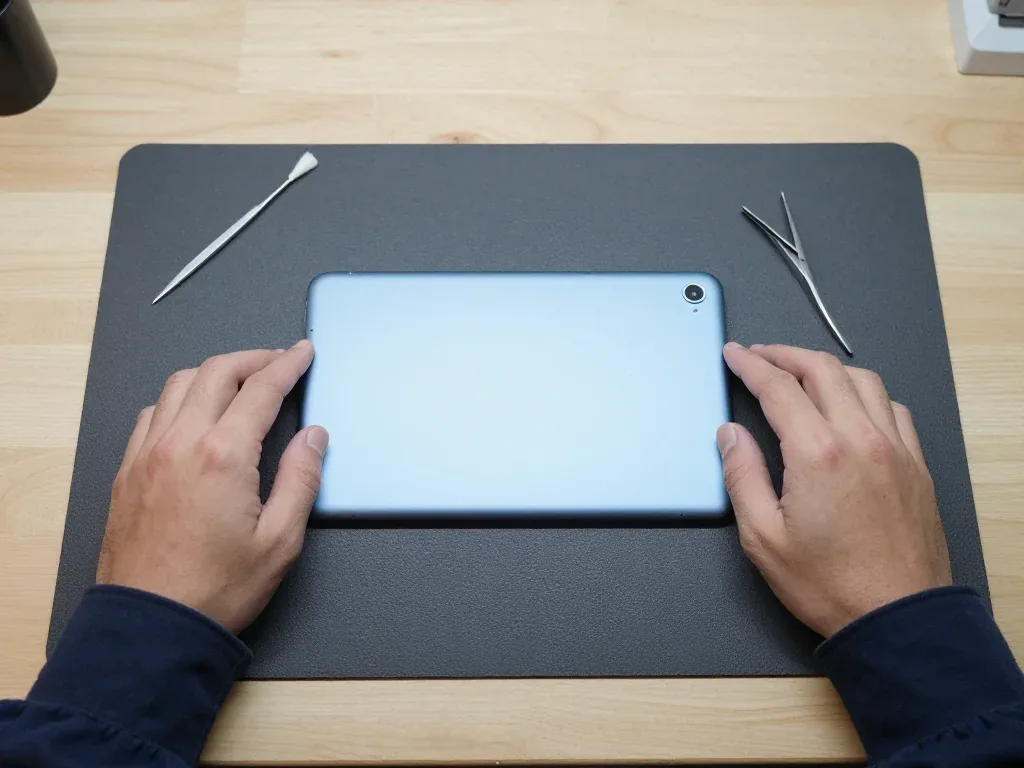
Blue iPad 10 face down with the camera in the corner and a technician's hands on both sides

iPad 10: camera won't focus

A client from Astana was filming her grandchildren at a school matinee, but the tablet kept giving blurry shots — the camera wouldn't focus. We replaced the camera module and checked the shooting: the picture is sharp again.

from 55 900 ₸repair cost
I want the same

How iPad 10 repair is done in Astana

Usually the whole journey — from message to pickup — takes less than an hour; complex repairs follow the timeline in the receipt.

Book a repair
  1. Step 1

    Message or call

    5 min

    You send a photo of the damage on WhatsApp — we quote the price and available time. Or you call a courier.

  2. Step 2

    Free diagnostics

    15 min

    An engineer checks the device in front of you and shows what is broken. 0 ₸, even if you decline the repair.

  3. Step 3

    Price in the receipt

    2 min

    We fix the price, the part (original or analog), the timeline and the warranty. You sign — we start.

  4. Step 4

    Repair while you wait

    20–40 min

    Before installation we show you the new part in its factory packaging. You wait in the waiting area with coffee and Wi‑Fi.

  5. Step 5

    Post-repair check

    10 min

    Screen and touch, Face ID or Touch ID, cameras, microphones, speakers, charging, Wi‑Fi. You check together with the engineer.

  6. Step 6

    Pick up your device

    warranty up to 1 year

    Together with the receipt, warranty card and the old part. Payment — Kaspi, card or cash.

Meet the iServices team

Technicians for iPhone, Mac, iPad, Apple Watch and AirPods repair.

1 / 5
BSBakmukhammed S. — on-site iPhone technician, iServices service center in AstanaPhoto: Bakmukhammed S.

Bakmukhammed S.

on-site iPhone technician
13years of experience
4.93rating, 107 reviews
GSGalymzhan S. — iPhone repair technician, iServices service center in AstanaPhoto: Galymzhan S.

Galymzhan S.

iPhone repair technician
8years of experience
4.79rating, 90 reviews
ZSZhandos Sh. — iPhone screen replacement technician, iServices service center in AstanaPhoto: Zhandos Sh.

Zhandos Sh.

iPhone screen replacement technician
6years of experience
4.65rating, 112 reviews
DTDarkhan T. — iPhone firmware technician, iServices service center in AstanaPhoto: Darkhan T.

Darkhan T.

iPhone firmware technician
8years of experience
4.44rating, 19 reviews
KSKudiret S. — iCloud unlock specialist, iServices service center in AstanaPhoto: Kudiret S.

Kudiret S.

iCloud unlock specialist
10years of experience
4.37rating, 100 reviews
Bakmukhammed S., on-site iPhone technician
“If the repair didn’t suit you or you have a complaint, write to me personally.”
Bakmukhammed S.on-site iPhone technician · +7 701 333-47-01

We'll quote iPad 10 repair in Astana from a photo in 5 minutes

Send a photo of the fault — an engineer will reply on WhatsApp, give the price and a time you can come in.

  1. 5 minAn engineer replies and names the price
  2. 0 ₸Diagnostics in front of you in 15 minutes
  3. 30 minMost repairs — while you wait

iPad 10 Repair in Astana with Screen and Battery Service

In short

iServices handles iPad 10 repairs in Astana, from shattered glass and tired batteries to charging problems. You receive the replacement component boxed as supplied by the maker; cost and coverage terms go onto your receipt, and our labour is guaranteed for up to 1 year. The exact turnaround is confirmed after diagnostics.

iServices Editorial TeamWe reply on WhatsApp within 10 minutes
Ask

Typical iPad 10 Breakdowns and Their Warning Signs

The iPad 10 is a recent model, so failures cluster around the display, battery and charging rather than age-related board wear; here is how each fault announces itself.

Cracks, Dead Spots and Lines on the Screen

A cracked iPad 10 screen shows up as spidered outer layer, dead touch zones or coloured lines, and the pattern tells you whether just the top sheet or the whole module took the hit. Its screen lacks lamination, which means the protective sheet rests over the LCD matrix leaving a gap of air in between. That gap is why a drop can shatter the outer sheet while the matrix underneath keeps working, and why a single dead strip along one edge usually signals a damaged digitiser rather than the matrix itself. Coloured vertical lines or dark blotches under the surface point the other way, to the LCD or its backlight. A hairline crack that still responds is worth covering with tape before the visit so dust does not reach the LCD and turn a small job into a module job.

A Battery That Dies Fast or Pushes the Screen Up

Sudden shutdowns at 30–40 %, a display edge lifting off the frame or a bulge under the surface all point to a worn or swollen battery, and a swollen cell should never be charged. The iPad 10 cell is glued into an aluminium chassis, so as it ages and swells it has nowhere to expand except outward against the panel above it. Owners often read the lifted corner as a display problem and book cosmetic work first. A lifting edge is a symptom, not a fault of the top sheet itself, so replacing that layer first would leave the real cause in place and the new one would lift again.

Charging Faults and a Loose USB-C Port

  • Cable and adapter: swap both for a known working pair first, since a tired cable mimics a dead connector.
  • USB-C socket and flex: the connector sits on its own flex, so a loose or corroded socket is a replaceable part.
  • Battery: a cell that no longer holds charge reads as a charging fault but is really worn out.
  • Power controller: the last stop, checked on the board only after the three steps above come back clean.
  • Lint in the socket: packed fluff mimics a dead connector closely enough that a cleaning settles the question before any part is ordered.

Glass or Full Module on the iPad 10

The tablet keeps glass and LCD as separate layers, which changes what a repair can save; the table below maps the options before we look at the fingerprint button.

Why the iPad 10 Can Take Just a New Glass Layer

Because this model's display is non-laminated, a touch glass swap alone is possible whenever the LCD beneath remains undamaged, and the original matrix stays in the tablet. Two separate parts — digitizer and LCD — are joined by a soft adhesive strip running along the frame's edge, with a gap of air separating them. The iPad 9 shares that same build, which explains why a cracked top layer does not automatically call for a whole new panel. A technician separates the broken sheet, cleans the old glue from the frame and bonds a fresh glass with new adhesive, leaving the matrix, backlight and connectors untouched. Keeping the original matrix also keeps the factory colour and brightness calibration, which a swapped-in module does not always match.

When the Whole Display Module Has to Go

If the LCD shows ink blotches, dead bands or a black patch that survives a restart, the damage sits in the matrix and the tablet needs a full display module rather than glass alone. Lines that change when you press the screen, a bright spot in one corner or a backlight that glows unevenly all point to a broken panel, and a laminated module of this kind is changed as one unit. Glass-only work on such a screen would leave the fault in place, so the part has to come as a complete assembly. Pressure marks from a drop can appear days after the impact, so a screen that looks fine right after a fall is worth rechecking before the case goes back on.

Comparing Glass-Only and Module Repair

Table compares the three screen repair routes
Repair routeWhat is replacedTypical durationWhat we check afterwards
Glass onlyTouch glass and adhesive1 hour – 1 dayTouch response, True Tone, Pencil input
Full moduleGlass and LCD together1 hour – 1 dayColour, brightness, touch across the panel
Glass plus frameGlass, adhesive, straightened frame1 hour – 1 dayFit of the panel, button feel, edges

Battery, Charging and the USB-C Port

Power faults on the iPad 10 rarely stay in one place, so we separate a tired cell from a socket problem and a board fault before quoting anything.

Replacing a Glued-In Battery

Since the cell is bonded beneath the screen, reaching it requires heating and lifting the display, then swapping the unit and re-gluing the panel — a bench task, not something to attempt at home. A heat pad softens the adhesive along all four edges, a thin pick separates the panel without cracking the digitizer, and the old module comes out only after its ribbon is released. Fresh glue goes on before the panel is pressed back and clamped. Fresh adhesive during re-gluing counts every bit as much as the swapped part, since a screen sealed with old glue tends to lift at a corner within a few weeks. The whole swap fits a single visit, and 64% of owners pick an original over an aftermarket one.

Port, Flex or Board When Charging Stops

  • USB-C socket: lint, bent pins or a worn inlet stop contact, so the tablet draws current only at an angle or not at all.
  • Port flex: the ribbon linking the inlet to the board cracks after drops, cutting the charge even when the plug looks intact.
  • Power controller: a failed charging chip on the board needs micro-soldering under a microscope, which takes 1–3 days.
  • Cable and adapter: a cheap lead is ruled out first, because it mimics an inlet fault and costs nothing to test.

What a Swollen Cell Means for Safety

A swollen pack pushes the screen off the frame and counts as a safety concern: do not charge the tablet and do not press it back together. The aluminium body has little room to give, so the expanding unit lifts the panel at the edge and can crack the digitizer from the inside. Charging a swollen tablet feeds the chemical reaction that produces the gas, and warmth speeds it up further. Storing such a device cool and flat until the visit slows the swelling, while heat and continued current make it grow faster. Bring it in as soon as the display starts to rise — a free 15-minute check in front of you confirms whether the cell is the cause.

Our iPad 10 Repair Process in Astana

The visit follows the same steps every time, from a photo on WhatsApp to a handover where you test the device yourself, and each step is written down before the next begins.

Starting With a WhatsApp Picture, Ending With a Printed Receipt

A WhatsApp photo gets you a quote in under five minutes; next comes a free 15-minute diagnostic done in your presence, and within roughly two minutes the receipt records the fixed cost, part, turnaround and warranty. Your message is picked up by an engineer who reviews the photo and offers a free slot, so the day and hour are known before you arrive. At the counter the technician opens the tablet, shows you the fault on the bench and explains whether glass, module or battery is the real issue. Paperwork comes afterwards: we record which component was fitted, how long the job took, and the guarantee terms on your receipt, while the replacement is taken out of its factory packaging just before fitting. That is the full path of an iPad 10 repair in Astana, from the first message to the finished device.

Preparing Your Device Before You Hand It In

  • Cloud backup: run an iCloud backup or plug the device into a computer the night before, while the battery still holds enough charge to finish the upload.
  • Apple ID password: write it down and keep it with you, because activation questions come up during testing and a locked unit stalls the visit.
  • Find My iPad: decide in advance whether the setting stays on, since a locked device limits what the engineer can open and verify.
  • Charging cable: bring the cable and adapter you normally use, so the USB-C port and charging speed are tested with your own accessories.

The Handover Check and the Old Part

At handover we run a 32-function check over about ten minutes and you repeat it with the engineer, testing touch, True Tone, cameras, microphones, speakers, charging and Wi-Fi before the unit leaves. The engineer hands it over rather than sliding it across the counter, and the two of you walk the same list in the same order, so nothing depends on a quick glance. iServices returns the old part in a bag together with the receipt and the warranty card, which matters if you ever want to see what came out of the chassis. Walking through the checklist yourself catches a dead microphone or a weak speaker while the hardware is still on our bench, not after you get home.

Original Part or Aftermarket and What the Warranty Covers

The component you choose shapes how the tablet feels afterwards and how long the repair holds, so here is what separates a factory unit from a cheaper alternative and what the warranty covers.

How Original and Aftermarket Parts Differ

A genuine iPad 10 component keeps the factory fit and behaviour, whereas a cheaper alternative saves money but may vary in colour, touch feel or endurance; both are unwrapped from factory packaging before fitting. A display module carries the digitizer, the glass layer and the backlight together, so its quality decides how warm the whites look and how evenly the panel responds to the Pencil. A cell is judged by real capacity and by how steadily it holds voltage under load — a cheaper one often loses a fifth of its runtime within months of heavy use. On a non-laminated screen the top layer is where differences show first, usually as a slightly different touch feel at the edges.

Comparing Part Options for the iPad 10

Side-by-side part choices and coverage terms
OptionFit and feelWhat it affectsWarranty
Original displayFactory matchColour, touch, Pencil responseUp to 1 year
Aftermarket displayClose, varies by batchColour warmth, edge touch6 months
Original batteryFactory capacityRuntime, charging behaviourUp to 1 year
Aftermarket batteryLower capacity typicalRuntime under heavy use6 months

Turnaround Times and Waiting In-House

iPad and MacBook tasks take between one hour and a full day, whereas board-level repairs need 1–3 days; when liquid has got inside, diagnostics alone may stretch to two days. Screen and battery replacements happen on the spot while you wait with coffee and Wi-Fi — that covers 72% of the work we do; anything involving the logic board is examined under a microscope in the workshop, so if you can't come back later, arrange a courier pickup. Choose an early appointment and same-day completion stays realistic; if the intake happens closer to evening and a part must be ordered, the repair may slip to the following day.

Summary: iPad 10 repair

Briefly, what shapes the result of an iPad 10 repair — starting with the top layer, then the battery and the charging path.

  • Non-laminated panel: the tablet's screen has a separate top layer, so a crack can often be fixed without touching the LCD beneath it.
  • Lifted edge: a screen that rises at the corner points to a swollen cell, and a swollen device should not be charged or pressed.
  • Charging path: faults are traced from cable to port to flex to board in that order before any part is ordered.
  • Backup first: with a current backup and the Apple ID password known to you, the device can be fully tested when you collect it.
  • Part choice: whether you go original or aftermarket affects fit, tactile feel and the repair's lifespan.


iPad 10 repair questions

Did not find an answer? Message us on WhatsApp: an engineer replies, not a bot.

Ask a question
Is it worth repairing an iPad 10?

Usually yes. The tablet is a current-style model with a USB-C port, and replacing a screen or battery costs less than a new device. If several parts have failed at once, ask the technician to compare options.

Which is cheaper, glass or display replacement?

Glass replacement is the cheaper job, but it only works when the panel underneath is undamaged. If you see stains, lines or dead areas, the display must be replaced. The technician decides after inspection.

Will the keyboard still attach to the iPad 10 after a housing replacement?

Yes, the Smart Connector on the side edge moves into the new housing with its cable, so a keyboard that attaches there works as before. If it was already dead before the repair, the technician tests that connector cable first.

Why does the iPad 10 only charge at certain angles?

The USB-C port is probably packed with lint or its contacts are worn. Cleaning can help, and if the plug still wobbles, replacing the charging port is the usual fix.

Will Touch ID still work after repair?

In most jobs it keeps working, but a damaged top button or flex cable may need extra attention. If your fingerprint is not recognized, re-enroll it in Settings and tell the technician.

Can I drop off my iPad 10 on a weekend in Astana?

Yes, on Saturdays, Sundays and holidays tablets are received from 11:00 to 18:00, and on weekdays from 10:00 to 19:00. Describe the fault in a message beforehand so the right part is ready.

iPad 10 owners on repair reviews from Astana

1 / 10
4.9

iServices network rating on Google Maps, wikicity and our website · 2 028 reviews
Google Maps4.438 reviews ›wikicity5.015 reviews ›Reviews on the iServices website4.91 975 reviews ›
НБ
Нәзира Б.Order No. ЗК‑IS‑•••60 · 8 September 2026
iPad (10-го поколения) · water damage

Друг посоветовал, у него после воды ноут подняли. Не ожидала, что придётся искать сервис. Проблема — не работает тач. Приняли вечером, хотя до закрытия было минут десять. Внутри оказалось: шлейф. Дома включил, всё на месте.

iServices customer review, in Russian
МЕ
Марал Е.Order No. ЗК‑IS‑•••50 · 9 August 2026
iPad (10-го поколения) · charging

Проблема — не заряжается. Ғалымжан С. не пропал после ремонта, помог с настройкой. Полёт нормальный

iServices customer review, in Russian
ЛР
Ляззат Р.Order No. IS‑•••17 · 27 April 2026
iPad (10-го поколения) · charging

Проблема — не заряжается. Ғалымжан С. всё сделал при мне, за пятнадцать минут. Внешне не видно, что разбирали.

iServices customer review, in Russian
ДУ
Дарья У.Order No. IS‑•••61 · 24 January 2026
iPad (10-го поколения) · screen

Обидно, вещь не из дешёвых. Проблема — не заряжается. Приняли без записи, оформили за пять минут. Вытащили и показали: дисплей. 30 000, и гарантия в комплекте. Скажу знакомым. Функционирует, тьфу-тьфу.

iServices customer review, in Russian
АИ
Аяла И.Order No. ЗК‑IS‑•••61 · 23 September 2025
iPad (10-го поколения)

Хотела сначала в официальный, но там очередь и цена. Проблема — не работает тач. Работает, как будто и не ломалось

iServices customer review, in Russian
АФ
Айгерим Ф.Order No. ISV‑•••48 · 19 July 2025
iPad (10-го поколения) · charging

До этого обращалась в сервис у дома, там только развели руками. Сначала не поверила, что сломалось. Проблема — не заряжаеться. Всё чётко, без сюрпризов.

iServices customer review, in Russian
МЦ
Марал Ц.Order No. IS‑•••11 · 28 March 2025
iPad (10-го поколения) · charging

Позвонил по объявлению, приехал на следующий день. Проблема — не заряжается. Сейчас работает без нареканий.

iServices customer review, in Russian
РШ
Рада Ш.Order No. ЗК‑IS‑•••09 · 2 January 2025
iPad (10-го поколения) · screen

Обратилась по поводу iPad 10. Проблема — треснул экран. Дома включил, всё на месте!!

iServices customer review, in Russian
АС
Алёна С.Order No. IS‑•••57 · 13 October 2024
iPad (10-го поколения)

В Астана сервисов много, но по Apple берут не все. Проблема — не роботает тач. После ремонта — как новое.

iServices customer review, in Russian
ОФ
Олеся Ф.Order No. IS•••42 · 26 May 2024
iPad (10-го поколения) · charging

Проблема — не заряжается. Ғалымжан С. посмотрел и честно сказал: менять не надо. Сейчас работает без нареканий!!

iServices customer review, in Russian
Showing 10 of 23

Where to get iPad 10 repair in Astana

Address
Astana, Kabanbay Batyr Ave., 7/2
Opening hours
Mon–Fri 10:00–19:00Sat–Sun 11:00–18:00
Phone and messengers
+7 727 339-99-12WhatsApp: +7 701 333-47-01
Directions map: iServices Astana© OpenStreetMapFind us on the maps: Google Maps · 2GIS