The SE 2 sits in the middle of the lineup — new chip, composite back, no Always-On display. That mix decides whether a repair makes sense, so we start from what actually breaks and what a fix restores.
What Usually Fails on an SE 2 First
Most SE 2 units that reach us come in with a cracked Ion-X glass, a battery that no longer lasts a full day, or a charging coil that stopped picking up the puck. The aluminum case survives most drops, so the damage usually lands on the front glass or hides underneath. A swollen cell is the quiet one: it lifts the display from inside until the owner notices anything on the surface. Impact detection and the sensor stack rarely fail on their own — when they do, it is almost always after water or a hard fall on the crown side. The composite back on SE 2 flexes slightly on impact, so a drop that leaves the glass intact can still loosen the coil underneath — worth checking even when the screen looks fine.
When a Repair Makes More Sense Than a New Watch
If the case and sensors are healthy and only the glass, battery or coil is gone, a repair keeps every function you already paid for and costs a fraction of a new unit. The logic is simple: the chip, the sensor array and the display panel are the expensive parts, and they usually survive. What fails is the consumable layer — glass, cell, charging hardware — and each of those is replaceable on its own. We have handled 46,000+ repairs over 11 years, and the pattern holds: watches written off as dead most often need one part, not a new body. The SE 2 keeps the same 40 and 44 mm case sizes as the first SE, so a repaired watch still fits every band and charger you own — a replacement rarely does.
Damage Types and What We Recommend
Damage mapped to the fix and the function it brings back| Damage | What we recommend | What it restores |
|---|
| Cracked glass, image intact | Glass replacement | Touch and looks |
|---|
| Lines or dead spots on screen | Full display replacement | Image and touch |
|---|
| Battery dies before evening | Battery replacement | Full-day runtime |
|---|
| Watch not charging on puck | Coil or board check | Wireless charging |
|---|
| Stuck side button | Button service | Press feedback |
|---|
Glass or the Whole Display on Your SE 2
On SE 2 the front panel is bonded to the display, so a crack does not automatically mean a new screen. What decides it is whether the image and touch still work.
How to Tell a Glass Crack From a Display Fault
If the crack shows only on the surface and the picture stays sharp with working touch, the outer sheet alone is damaged; lines, black patches or dead touch mean the display layer is gone too. The OLED panel sits under a touch layer and a display flex, all pressed into one laminate, so a break in the top sheet can run inward without the image failing at first. Watch for a bright green or pink stripe near the bezel, a growing dark blob close to the crown, or a spot where taps register a centimetre off. Run a finger slowly across the crack — if you feel a sharp lip catching, the outer sheet is fractured; a smooth line that will not wipe away is usually a hairline inside the laminate.
Why Ion-X Glass Cracks Differently From Sapphire
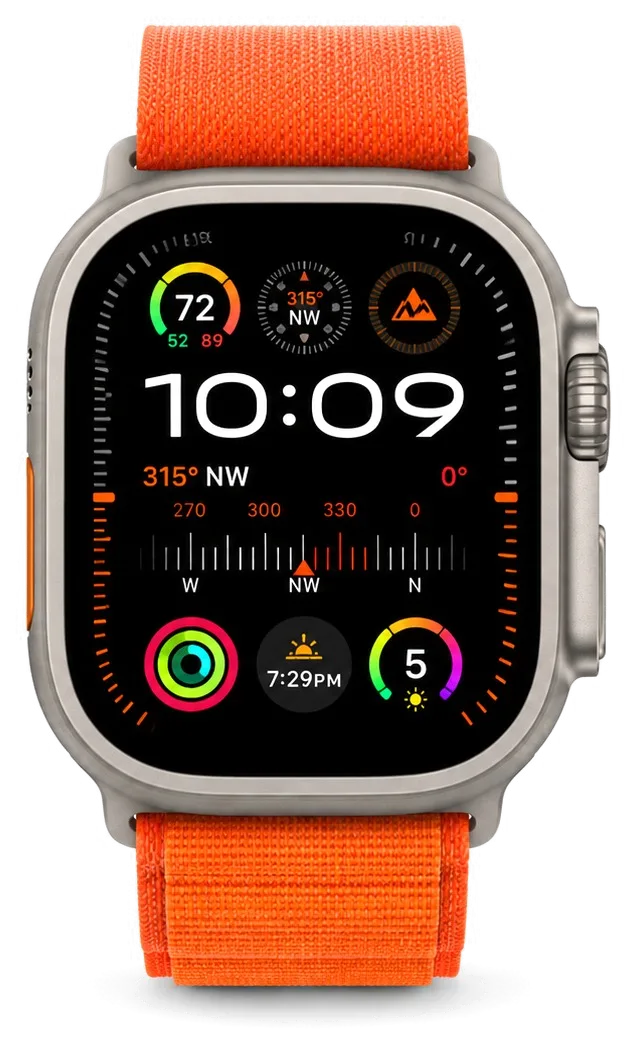
SE 2 uses Ion-X, which resists scratches well but chips and cracks at the edge on impact, unlike the sapphire on Ultra that mostly shrugs off drops. Ion-X is an aluminosilicate sheet hardened in a potassium salt bath, so its surface is tough while the border stays the thinnest, least supported part of the aluminium body. Ultra pairs sapphire with a raised titanium bezel, and that combination absorbs corner strikes that would travel straight into the front panel on a flatter case. Because Ion-X fails at the border, a case or bumper that covers the edge protects the watch far better than a film that only guards the flat centre.
Do You Need a Screen Protector After Repair
After we replace the glass we recommend a protector or a raised bumper, because the fresh Ion-X edge is just as exposed to the corner hits that cracked it the first time. Most cracked SE 2 watches come in with damage starting at the bezel, not the middle of the screen, so a film alone rarely prevents the next break. A bumper lifts the border a millimetre off tables and door frames and takes the strike before the panel does. A film protects against scratches but does nothing for the chips that actually break SE 2 glass, so a bumper that lifts the edge off surfaces is the more useful add-on.
Battery and Charging Problems on the SE 2
A watch that dies by lunch and a watch that will not charge look similar but fail in different places. Separating the two saves you from paying for the wrong part.
Why Your SE 2 Dies Before Evening
When an SE 2 stops lasting a full day, the cause is almost always a worn power cell rather than software, and a fresh one brings runtime back to normal. Lithium units lose capacity through cycles, and after two or three years of daily top-ups the device reports a healthy percentage while real runtime has halved. We confirm it during free diagnostics, reading the cycle count and showing the discharge curve on screen. A tired pack also drags the system down: the display dims early and workouts cut short. A component that has begun to swell lifts the display slightly off the frame — if you can see a thin gap at the edge, stop topping it up and bring the watch in prior to the glass cracking.
Watch Won't Charge on the Puck
If the SE 2 shows no power intake on a known-good puck, the fault is usually the charging coil or its connection to the mainboard, not the cable you already swapped. The coil sits behind the back crystal, and a knock or a swollen cell can shift it out of alignment or break its solder joint. Our engineers have handled 46,000+ repairs over 11 years, and reseating this coil is one of the quickest jobs on the bench. A dead coil often hides a second problem: corrosion on the contacts after sweat or water exposure. Try the watch on a different puck and a different adapter prior to assuming the worst — a weak adapter that cannot deliver enough current mimics a failed coil closely.
Symptom to Part and What We Do
matching each power symptom to the faulty component and the fix| Symptom | Likely part | What we do |
|---|
| Dies before evening | Battery | Replace the cell |
|---|
| Swollen screen gap | Battery | Replace and reseal |
|---|
| No charge on puck | Charging coil | Replace or reseat |
|---|
| Charges then stops | Board contact | Microscope check |
|---|
| Dead after water | Board and coil | Clean and diagnose |
|---|
Water, Buttons and Digital Crown on the SE 2
The SE 2 is swim-proof out of the box, yet that rating lives in the glue and seals. Once the housing is opened, or after a dip goes wrong, the buttons and the winding control complain first.
What Happens to Water Resistance After a Repair
Opening an SE 2 breaks the factory seal, so we re-glue the housing during the repair, but the watch is no longer the same swim-proof device it was when new. The gasket that keeps moisture out sits between the display and the aluminium chassis, and it compresses every time the body is separated. We clean the old adhesive channel, lay a fresh gasket and press the display back with even pressure, which restores splash protection but not the original factory rating. Treat a repaired SE 2 as splash-resistant rather than swim-ready — showers and hand washing are fine, but laps in the pool are the fastest way to bring it back with a liquid fault.
Digital Crown and Side Button That Stick
A winding control or side button that sticks on SE 2 is usually clogged with grit or dried residue, and a clean and reseat restores the click without replacing the whole assembly. The rotating dial turns on a tiny shaft with an O-ring seal, and dust, sweat salts or soap film pack into that gap until rotation feels gritty and the press stops registering. We flush the mechanism, check the switch underneath on the flex, and confirm the click prior to closing everything up. Rinse the dial under lukewarm tap water with the watch off and rotate it — if the click comes back, the fault was debris, not a broken switch, and no repair is needed.
Watch Went Swimming and Stopped Working
If an SE 2 dies after liquid contact, do not charge it — bring it in, because power on a wet board is what turns a cleanable fault into a dead one. Moisture reaches the system board through the dial opening or a hairline seal gap, and corrosion starts beneath the metal shields where nothing is visible from outside. We strip the board, clean it in an ultrasonic bath and inspect the traces under a microscope prior to judging what survived. Diagnostics after a dip can take up to two days, since corrosion beneath the shields only shows after the board is cleaned and dried, so plan for a longer wait than a screen swap.
How Apple Watch SE 2 Repair Works at iServices in Astana
The whole visit is built around you watching the work. From the first WhatsApp photo to the handover check, here is what an Apple Watch SE 2 repair in Astana looks like step by step.
From WhatsApp Photo to Fixed Watch
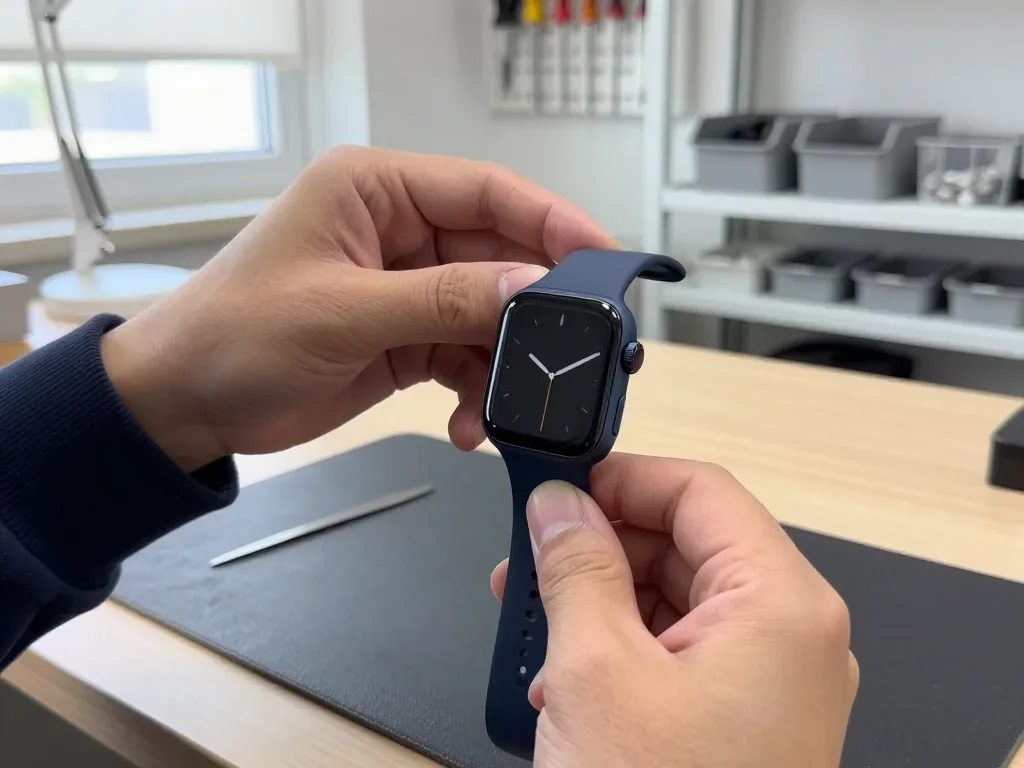
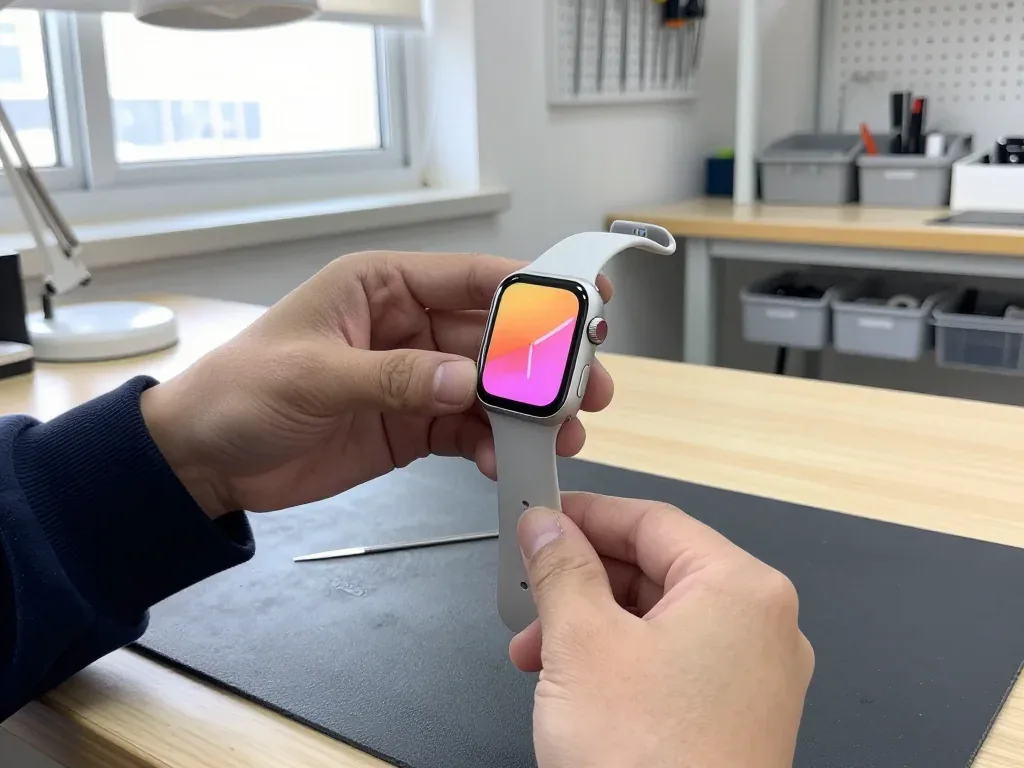
Send a photo of the damage on WhatsApp and an engineer replies within 5 minutes with a price and a free slot, then the diagnostic, the receipt and the repair follow in one visit. The free diagnostic takes 15 minutes and the engineer opens the watch in front of you, showing exactly which part failed prior to any order. Price, part, turnaround and warranty are written on the receipt in about 2 minutes, prior to the case being opened. Most jobs finish in 20–40 minutes while you sit in the waiting area with coffee and Wi-Fi — 72% of repairs are completed this way. The receipt fixes the price, the part, the turnaround and the warranty prior to any work starting, so nothing on the bill changes after the watch is opened.
Original Part or Aftermarket and What You Keep
You choose between an original part and an aftermarket one, and we show the new component in factory packaging prior to installation, so the decision is yours and it is on paper. On the SE 2 the display and the battery are where the difference is felt first: touch response and daily runtime separate the two options most clearly, while a charging coil or a side button rarely justifies the gap in cost. 64% of customers pick the original part, and the choice is recorded on the receipt with the warranty terms attached to it. For SE 2 the display and battery are where the original-versus-aftermarket gap shows most in touch response and runtime, while a coil or button rarely justifies the difference.
What We Check Together Before Handover
Prior to your departure we run through 32 functions with you in about 10 minutes, covering touch, the pulse sensor, charging, speakers and the crown, and you get the receipt, warranty card and old part. The check follows a fixed list: touch across the whole display, heart-rate readings against your own pulse, speaker and microphone clarity, charging on the puck, network pairing and Digital Crown rotation. Warranty runs up to 1 year, and payment is by Kaspi, card or cash at the counter. Unpair the watch from your iPhone in the Watch app prior to the visit — it clears Activation Lock and lets us test the sensors and pairing properly instead of guessing.
Summary: Apple Watch SE 2 Repair
A short recap of what decides the outcome of an SE 2 repair — the fault, the part, and what gets confirmed in writing before anyone opens the watch.
- Cracked glass is not always a display job: if the image is sharp and touch works across the screen, the glass alone can be replaced instead of the full display assembly.
- Dying before evening points to the battery: a worn cell or a visible gap at the case edge is a same-visit swap, not a board fault.
- Water resistance drops after opening: treat any repaired watch as splash-resistant and keep it out of pools and showers.
- Get the terms in writing first: ask to see the part in its factory packaging and have the price, part type and warranty fixed on the receipt prior to any work starting.
- Unpair from the iPhone beforehand: this lets the engineer test sensors, pairing and charging properly when the watch is handed back.









 iPad
 MacBook
 iMac
 Mac mini and Studio
 AirPods
 Apple Pencil
 Apple TV
 HomePod





