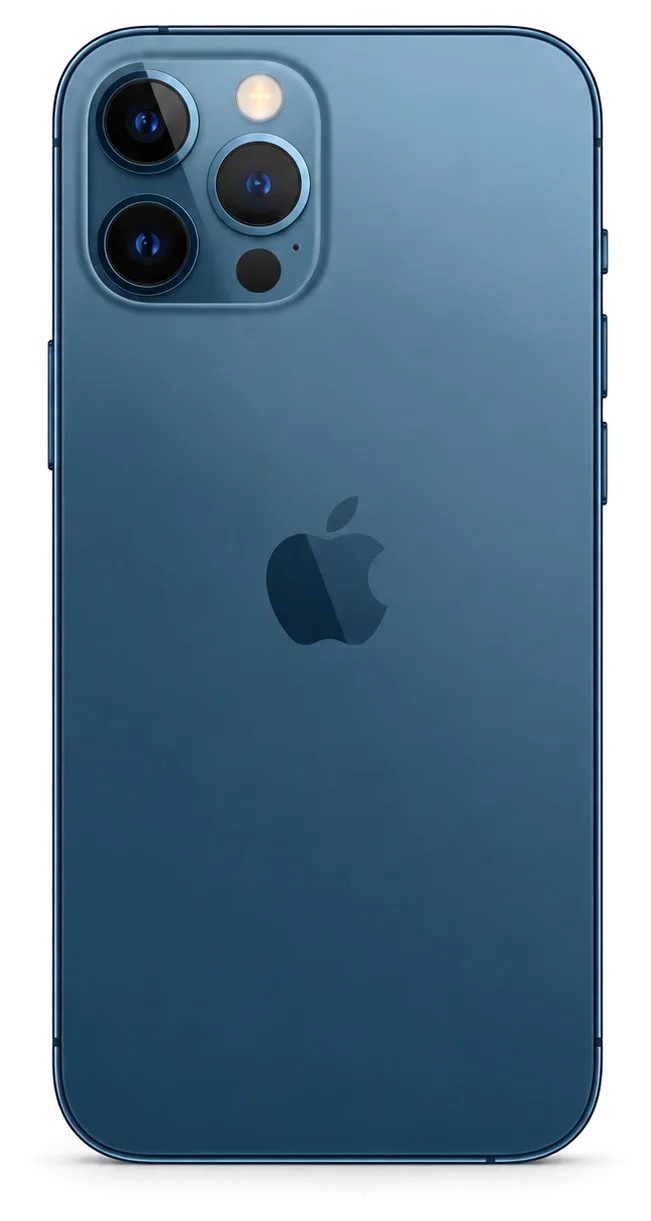
The 12 Pro Max is a big flat-edged phone with a steel frame, an OLED panel and MagSafe, so its weak spots differ from older models. Here is what owners bring us most often.
The Most Common Faults and How They Show Up
The faults we see most on this model are a cracked front glass, a worn battery, a clogged Lightning port and shattered camera glass, and each has a clear symptom you can recognise before visiting. The flat steel frame protects the corners well, so drops usually crack the glass over the OLED panel rather than bend the chassis, and MagSafe charging keeps the port idle enough that lint builds up inside it over months. Camera glass sits proud of the back and takes the hit when the phone lands face-down. A phone that still boots but drains fast or heats up is usually a battery or charging-path issue, not a dead board, so it is worth a free check rather than assuming the worst.
Symptom to Cause to What We Do
Complaints mapped to causes and repairs| Symptom | Likely cause | What we check | Typical fix |
|---|
| Won't charge | Dirt or oxidised port | Port, cable, charging path | Clean or replace port |
|---|
| Battery drains fast | Worn cell | Battery health reading | Battery replacement |
|---|
| Cracked front | Broken outer layer or panel | Outer layer, touch, image | Outer layer or full module |
|---|
| Blurry photos | Scratched camera glass | Lens glass, camera | Camera glass swap |
|---|
| No sound on calls | Speaker or mic | Speakers, microphones | Clean or replace part |
|---|
Battery and Charging Complaints
A battery replacement on the 12 Pro Max takes about 25 minutes with us, and a charging fault is often just a clogged Lightning port rather than a failed board. Owners who ask iPhone 12 Pro Max repair Astana shops for a quote usually describe the same pair of complaints: the phone dies by mid-afternoon, or the cable has to sit at an angle to charge at all. The port collects pocket lint and oxidises on the contact pins, while the cell simply loses capacity with charge cycles, and the two problems feel identical from the outside. Before booking a battery swap, check the Battery Health figure in Settings; a low reading plus fast drain points to the cell, while a healthy reading with sudden shutdowns points to the charging path instead.
Screen Repair on the 12 Pro Max Glass or Full Module iPhone 12 Pro Max Repair
The 12 Pro Max uses an OLED panel under Ceramic Shield, and whether you need the whole module or just the outer layer depends on what actually cracked. Here is how we decide.
When Only the Glass Needs Replacing
If the OLED image is intact and only the outer layer is shattered, we can replace just that layer and keep your original panel, which preserves the display's colour and brightness. The job means separating the broken layer from the OLED, bonding a new outer layer under vacuum and curing it without air bubbles — a bench process that takes longer than a swap and demands a clean room to keep dust out. We accept it only when touch responds across the whole area and the picture shows no lines, no bright spots and no green tint at low brightness. If any of those appear, the panel itself is damaged and a full assembly is the honest route. Ask us to test the screen in front of you before you commit — the free fifteen-minute diagnostic shows whether the swap will really save your original display.
Glass or Full Module Compared
Three screen repair routes side by side| Option | When it fits | What you keep |
|---|
| Outer layer only | Panel intact, outer layer cracked | Original OLED and image |
|---|
| Full module | Lines, dead touch, tint | New panel, faster fit |
|---|
| Module plus frame | Bent or crushed frame | Straight body and fit |
|---|
Will Face ID and True Tone Survive
Face ID keeps working after a screen repair because the TrueDepth module is a separate part from the display, and True Tone works on the new screen once its calibration is carried over. The TrueDepth assembly sits in the top bezel and is transferred from your old screen to the new one, so the infrared projector and dot projector stay paired to your device — unlocking by face is unaffected by a display swap. True Tone depends on a calibration step: the ambient light sensor and the panel's serial data must be written onto the new part, otherwise the setting vanishes from Control Centre. On some aftermarket panels the feature may not return at all, so if it matters to you, say so before we start and we will confirm what the chosen part supports. Mention it at the counter, not after pickup — calibration happens during the fit.
Original or Aftermarket Parts and What They Change
Every repair comes down to which component goes in, and the difference shows up in features rather than in looks. Here is how original and aftermarket components behave on this model.
How Original and Aftermarket Differ by Feature
How part types compare on feature support| Part | Feature behaviour | Best for |
|---|
| Original | Full feature support | Long-term keepers |
|---|
| Aftermarket | Some features may vary | Older or backup phones |
|---|
| Outer layer only | Keeps original panel | Cracked outer layer, good image |
|---|
The Unknown Part Message Explained
The "unknown part" message is an indicator of the component's type, not a fault, and it appears when the phone cannot confirm a component as its own original. On the iPhone 12 Pro Max it most often follows a battery or display module swap, because the phone matches the new component against its own record and flags anything it cannot verify. The component keeps working exactly as intended — nothing is disabled and nothing is blocked. What changes is reporting: battery health percentage and some service details may stop showing, so the settings screen looks less informative than previously. The message does not stop the component from working, but it can hide battery health details, so it is worth knowing prior to choosing an aftermarket cell rather than being surprised afterwards.
What We Fix on the Receipt Before Work Starts
Prior to any work beginning we write the price, the component type, the turnaround and the warranty on the receipt, which takes about 2 minutes and leaves you a copy to keep. The record names the exact component — original or aftermarket — plus the promised completion time and the warranty term of up to 1 year, so nothing about the job stays verbal. We show the new component in its factory packaging before installation, and you confirm it matches what the receipt says. A receipt that names the exact component protects you later, because it turns a vague promise into something you can point to if a feature ever misbehaves.
How a Visit Works From Photo to Pickup
The whole visit is built around not wasting your day, so most of it happens while you wait. Here is the path from your first message to picking the device up.
From WhatsApp Photo to a Booked Slot
You send a photo of the damage on WhatsApp, an engineer replies within 5 minutes with a price from the photo, and we book a free time slot that suits you. That early quote is what makes iPhone 12 Pro Max repair Astana predictable rather than a counter conversation you have to rearrange your morning for. Before work starts, the price, the part (original or aftermarket), the turnaround and the warranty are fixed on the receipt — a step that takes about 2 minutes. A quote from a picture is only as good as the angle, so include the whole handset and any error message on screen; it lets us flag a board issue early instead of at the counter.
Free Diagnostics in Front of You
The engineer checks the device in front of you for 15 minutes and shows what is broken, and the diagnostics stay free even if you decide not to repair. That inspection covers the display, the cell, charging, cameras and the mainboard, so a dead handset is not simply assumed to need a fresh power source. We run the same examination whether the fault looks obvious or not, and the findings shape which component goes on the receipt before anything is opened further. Watching the check happen is the point, because it separates a genuine fault from a guess and lets you ask questions while the unit is still open on the bench.
Repair Times and Waiting On Site
Turnaround by repair type and on-site waiting| Job | Typical time | Wait on site |
|---|
| Screen replacement | 40 minutes | Yes |
|---|
| Battery replacement | 25 minutes | Yes |
|---|
| Camera glass | 20 minutes | Yes |
|---|
| Board repair | 1–3 days | No |
|---|
The Handover Check and What Stays With You
The last step matters as much as the repair itself, because it is where you confirm the device is fully working. Here is what we check together and what you take home.
The 32-Point Check We Run Together
- Face ID: unlock the device and confirm the depth sensor registers your face without a second attempt.
- True Tone: toggle it in Display settings and watch the screen shift between warm and cool.
- Cameras: open each lens, check focus on screen, and switch to the front module.
- Microphones and speakers: record a voice note, play it back, and take a short call on speaker.
- Charging: plug in, confirm the battery icon shows charging, then test the wireless pad.
- Network: check signal bars, load a page on mobile data, and place a quick call.
What to Do Before You Hand the Phone In
Before handing the phone in, make a backup, note your passcode and decide whether to sign out of your account, so the repair does not put your data at risk. A full iCloud or computer backup takes minutes and covers photos, messages and app data. Find My matters too: on some repairs the technician needs the device signed out to run a full test cycle, so ask when you book the slot and sign out only in front of the engineer. Write the passcode on the receipt rather than saying it aloud, and remove the case and any screen protector so the frame can be inspected properly. A current backup means a repair that touches the board carries no risk to your photos and messages, and it takes minutes to set up beforehand rather than hours to regret later.
Warranty, Old Part and Payment
The device comes back with the receipt, a warranty card covering up to 1 year and your old component, and you can pay by Kaspi, card or cash. The receipt repeats what was agreed before work started: the part fitted, whether it is original or aftermarket, the turnaround and the warranty term. We hand the old component over in a small bag, so you can see exactly what came out of the unit. Keeping the old part is not just a courtesy, because it lets you or another technician compare what was actually removed if a question ever comes up about the work. Ask for the warranty card to be filled in on the spot, and keep it with the receipt in one envelope.
Summary: iPhone 12 Pro Max repair
A repair decision comes down to a few checks: what the symptom actually points to, which component goes in, and what you confirm before leaving the counter.
- Match symptom to cause: a phone that will not charge is often a dirty port, not a dead board, so let the diagnosis decide.
- Glass versus module: if the OLED image is intact, glass-only keeps your original panel; lines or dead touch mean a full module.
- Features survive: Face ID keeps working after a screen repair, and True Tone returns once calibration is carried over.
- Component choice matters: original supplies support features most reliably, and the receipt should name the exact item fitted.
- Check before you leave: test Face ID, True Tone, cameras and charging at the counter, then keep the old unit and warranty card.










 iPad
 MacBook
 iMac
 Mac mini and Studio
 Apple Watch
 AirPods
 Apple Pencil
 Apple TV
 HomePod




