Eng

iPhone Water Damage Cleaning in Astana

Your iPhone got wet and won’t turn on — we’ll clean the board of corrosion and restore it in 1–3 days, with the price quoted before repair.

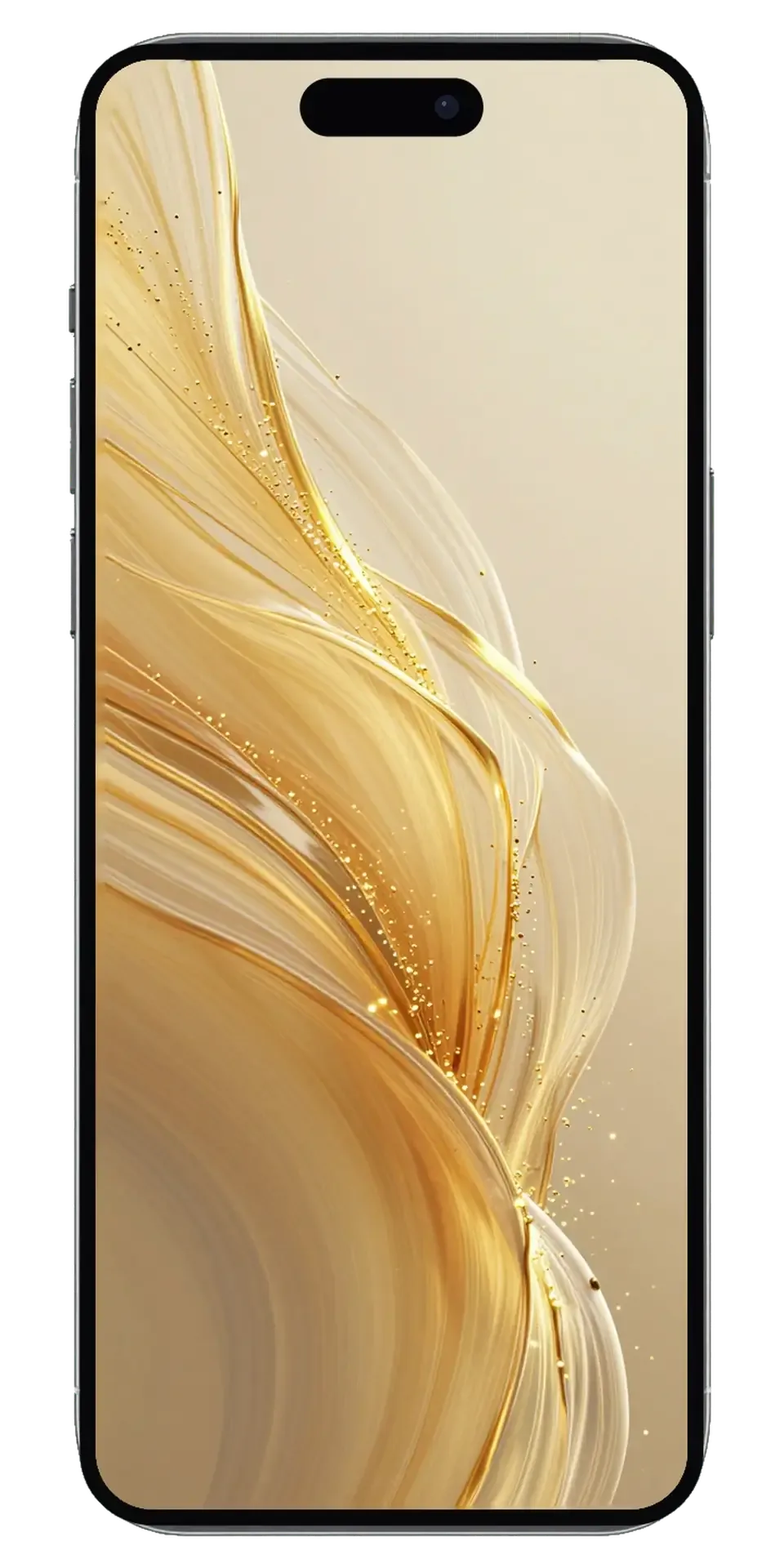
iPhone smartphone seen from the front on a plain background
Price incl. labor
from 27 900 ₸
Warranty
up to 1 year
  • Inspection and opening
  • Power disconnected first
  • Ultrasonic bath

Signs your iPhone needs water damage cleaning

If a phone has been in water and will not start, runs hot, refuses to charge or shows stripes, waiting for it to dry is a mistake.

Screen flickers or streaks

Moisture under the display cable causes lines, flicker and phantom touches, even while the picture still shows.

Phone will not turn on

After a dunk the screen stays black and charging does nothing: a power line on the board may be shorted.

Charging fails or it runs hot

Corrosion in the charging port breaks contact, so charging cuts in and out and the body warms up.

Sound, camera or Face ID gone

The speaker crackles, the mic is silent and the camera will not open: liquid has reached flex cables and modules.

iPhone water damage cleaning price in Astana

The price depends on the model: Pro versions pack their boards more tightly, so disassembly and board cleaning take more work.

ServiceWhat's includedPrice
iPhone 17 Pro Max water damage cleaningcorrosion cleaning · diagnostics up to 2 days61 900 ₸per job
iPhone 17 Pro water damage cleaningcorrosion cleaning · diagnostics up to 2 days61 900 ₸per job
iPhone 17 Air water damage cleaningcorrosion cleaning · diagnostics up to 2 days58 900 ₸per job
iPhone 17 water damage cleaningcorrosion cleaning · diagnostics up to 2 days55 900 ₸per job
Water damage cleaning iPhone 16corrosion cleaning · diagnostics up to 2 days44 900 ₸per job
iPhone 16 Plus water damage cleaningcorrosion cleaning · diagnostics up to 2 days44 900 ₸per job
iPhone 16e water damage cleaningcorrosion cleaning · diagnostics up to 2 days21 900 ₸per job
iPhone 15 Plus water damage cleaningcorrosion cleaning · diagnostics up to 2 days44 900 ₸per job
iPhone 14 Pro water damage cleaningcorrosion cleaning · diagnostics up to 2 days38 900 ₸per job
iPhone 14 Plus water damage cleaningcorrosion cleaning · diagnostics up to 2 days27 900 ₸per job
Water damage cleaning iPhone 16 Procorrosion cleaning · diagnostics up to 2 days47 900 ₸per job
Water damage cleaning iPhone 16 Pro Maxcorrosion cleaning · diagnostics up to 2 days47 900 ₸per job
Water damage cleaning iPhone 15corrosion cleaning · diagnostics up to 2 days44 900 ₸per job
Water damage cleaning iPhone 15 Procorrosion cleaning · diagnostics up to 2 days47 900 ₸per job
Water damage cleaning iPhone 15 Pro Maxcorrosion cleaning · diagnostics up to 2 days47 900 ₸per job
Water damage cleaning iPhone 14corrosion cleaning · diagnostics up to 2 days27 900 ₸per job
Water damage cleaning iPhone 14 Pro Maxcorrosion cleaning · diagnostics up to 2 days38 900 ₸per job
Water damage cleaning iPhone 13 Procorrosion cleaning · diagnostics up to 2 days27 900 ₸per job
Water damage cleaning iPhone 13 Pro Maxcorrosion cleaning · diagnostics up to 2 days27 900 ₸per job
iPhone SE (2022) water damage cleaningcorrosion cleaning · diagnostics up to 2 days21 900 ₸per job
iPhone 13 water damage cleaningcorrosion cleaning · diagnostics up to 2 days27 900 ₸per job
iPhone 13 mini water damage cleaningcorrosion cleaning · diagnostics up to 2 days27 900 ₸per job
iPhone 12 Pro Max water damage cleaningcorrosion cleaning · diagnostics up to 2 days27 900 ₸per job
iPhone 12 Pro water damage cleaningcorrosion cleaning · diagnostics up to 2 days27 900 ₸per job
iPhone 12 water damage cleaningcorrosion cleaning · diagnostics up to 2 days27 900 ₸per job
iPhone 12 mini water damage cleaningcorrosion cleaning · diagnostics up to 2 days24 900 ₸per job
iPhone SE 2 water damage cleaningcorrosion cleaning · diagnostics up to 2 days8 900 ₸per job
iPhone 11 Pro Max water damage cleaningcorrosion cleaning · diagnostics up to 2 days18 900 ₸per job
iPhone 11 Pro water damage cleaningcorrosion cleaning · diagnostics up to 2 days18 900 ₸per job
iPhone 11 water damage cleaningcorrosion cleaning · diagnostics up to 2 days18 900 ₸per job
iPhone XS Max water damage cleaningcorrosion cleaning · diagnostics up to 2 days17 900 ₸per job
iPhone XS water damage cleaningcorrosion cleaning · diagnostics up to 2 days17 900 ₸per job
iPhone XR water damage cleaningcorrosion cleaning · diagnostics up to 2 days17 900 ₸per job
iPhone X water damage cleaningcorrosion cleaning · diagnostics up to 2 days17 900 ₸per job
iPhone 8 Plus water damage cleaningcorrosion cleaning · diagnostics up to 2 days17 900 ₸per job
iPhone 8 water damage cleaningcorrosion cleaning · diagnostics up to 2 days17 900 ₸per job
iPhone 7 Plus water damage cleaningcorrosion cleaning · diagnostics up to 2 days17 900 ₸per job
iPhone 7 water damage cleaningcorrosion cleaning · diagnostics up to 2 days17 900 ₸per job
iPhone SE water damage cleaningcorrosion cleaning · diagnostics up to 2 days8 900 ₸per job
iPhone 6s Plus water damage cleaningcorrosion cleaning · diagnostics up to 2 days8 900 ₸per job
iPhone 6s water damage cleaningcorrosion cleaning · diagnostics up to 2 days8 900 ₸per job
iPhone 6 Plus water damage cleaningcorrosion cleaning · diagnostics up to 2 days8 900 ₸per job
iPhone 6 water damage cleaningcorrosion cleaning · diagnostics up to 2 days8 900 ₸per job
iPhone 5s water damage cleaningcorrosion cleaning · diagnostics up to 2 days8 900 ₸per job
iPhone 5c water damage cleaningcorrosion cleaning · diagnostics up to 2 days8 900 ₸per job
iPhone 5 water damage cleaningcorrosion cleaning · diagnostics up to 2 days8 900 ₸per job
iPhone 4s water damage cleaningcorrosion cleaning · diagnostics up to 2 days8 900 ₸per job
iPhone 4 water damage cleaningcorrosion cleaning · diagnostics up to 2 days11 900 ₸per job

We confirm the final amount after diagnostics, and replacing damaged parts is not part of the cleaning.

What an iPhone water damage cleaning includes

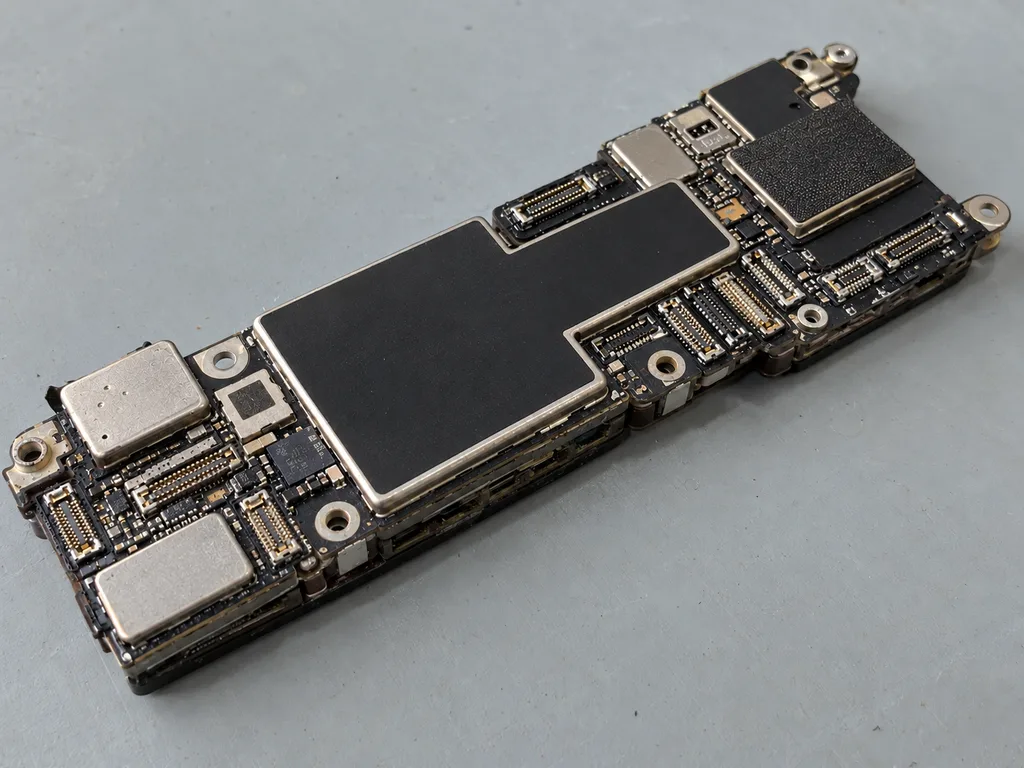
The technician takes the phone apart, rinses the board of moisture and corrosion, dries it and checks that it powers on.

  1. 01
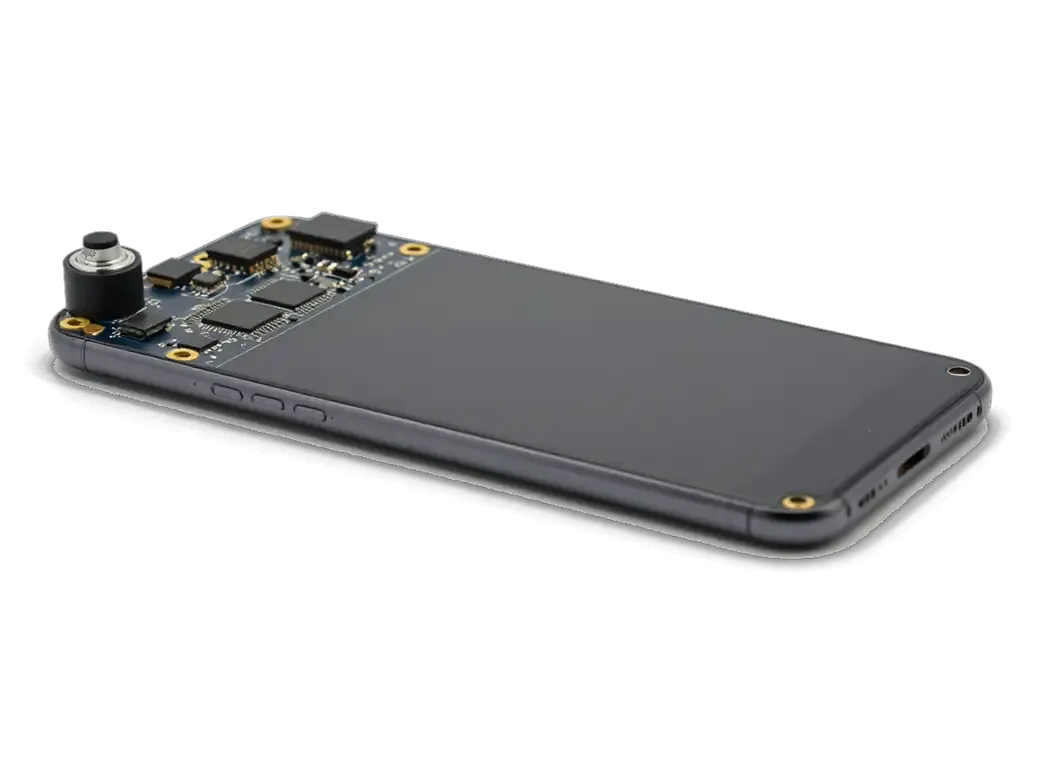
    Opened iPhone with the display tilted open
    Inspection and opening

    The technician carefully removes the display and battery and records where moisture got in and how far it spread.

  2. 02
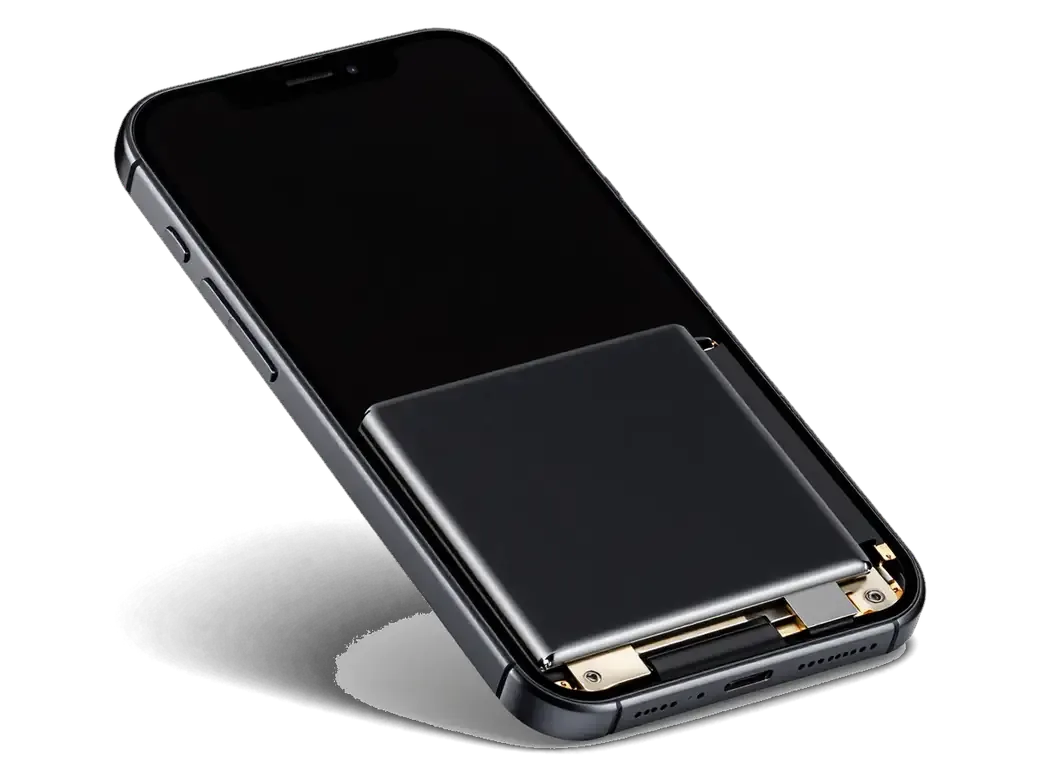
    Disconnected iPhone battery
    Power disconnected first

    We unplug the battery before anything else so liquid cannot short more circuits and harm the board further.

  3. 03
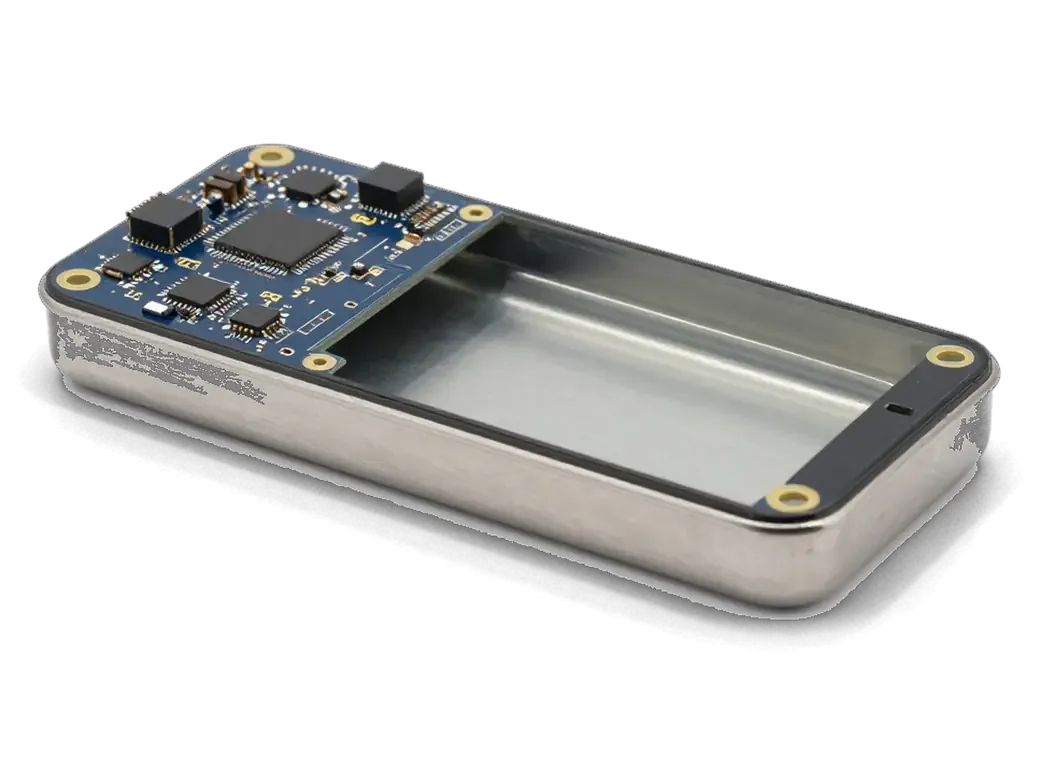
    iPhone board in an ultrasonic bath
    Ultrasonic bath

    The board is washed in a special solution that lifts salt and grime from under chips where a brush cannot reach.

  4. 04
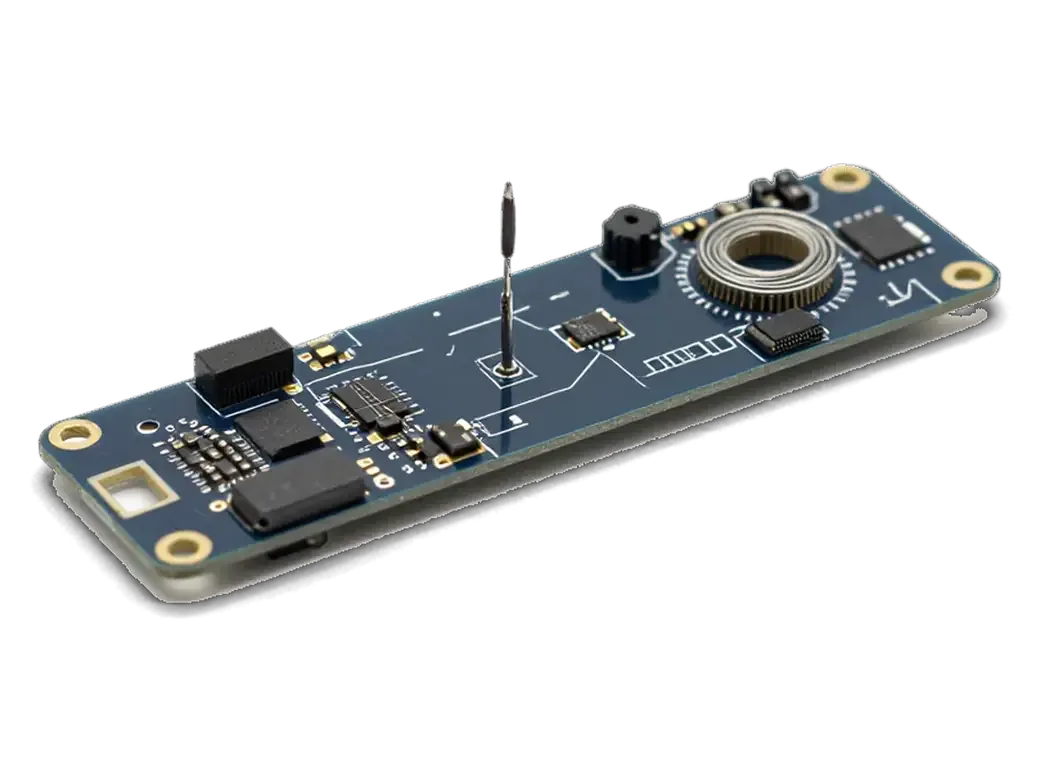
    iPhone board under a microscope
    Drying and microscope check

    After drying we look for corrosion, broken traces and burnt parts, and mark what needs soldering.

  5. 05
    Soldering elements on an iPhone board
    Soldering and part swaps

    If a filter, controller or connector has failed, we replace just that component, not the whole motherboard.

  6. 06
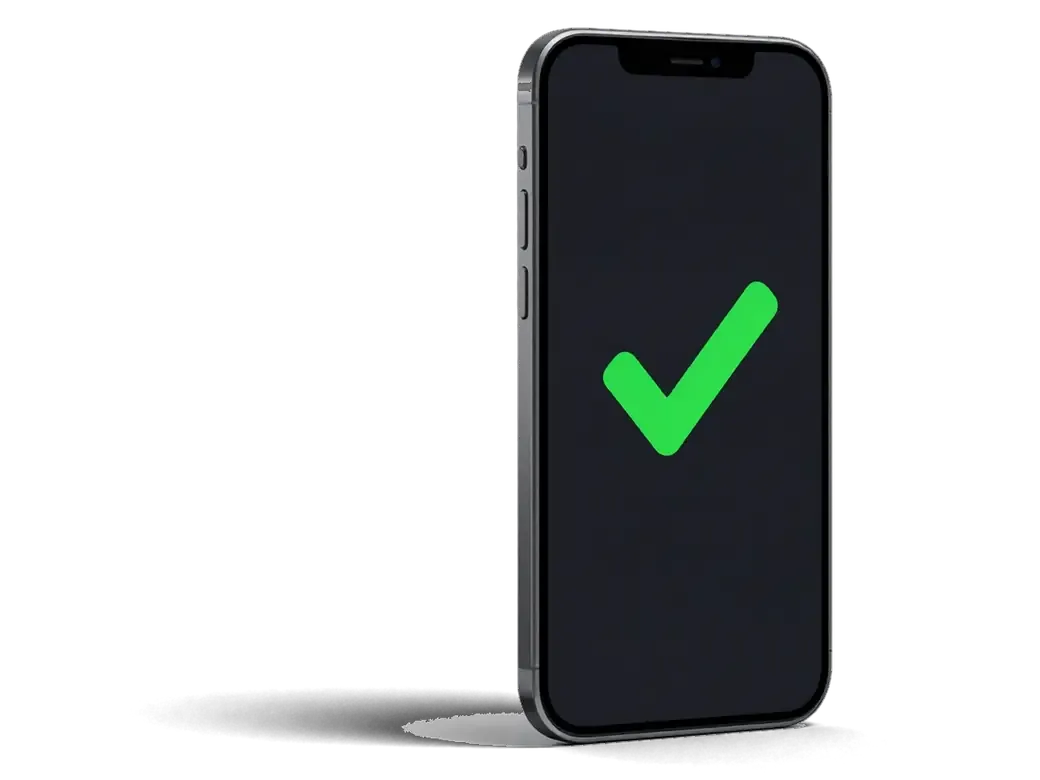
    iPhone with a check mark on the screen
    Reassembly and testing

    We rebuild the phone and test charging, screen, sound, cameras and sensors before handing it back.

  7. iPhone 13 water damage cleaning
    from27 900 ₸

    Cleaning is only the first step; the board diagnosis decides the rest.

    Price for my model

Original or aftermarket if a part is damaged

After liquid exposure the display, battery and port suffer most, and each can be replaced with an original or aftermarket part.

Original Applewarranty up to 1 year
iPhone water damage cleaningafter diagnostics
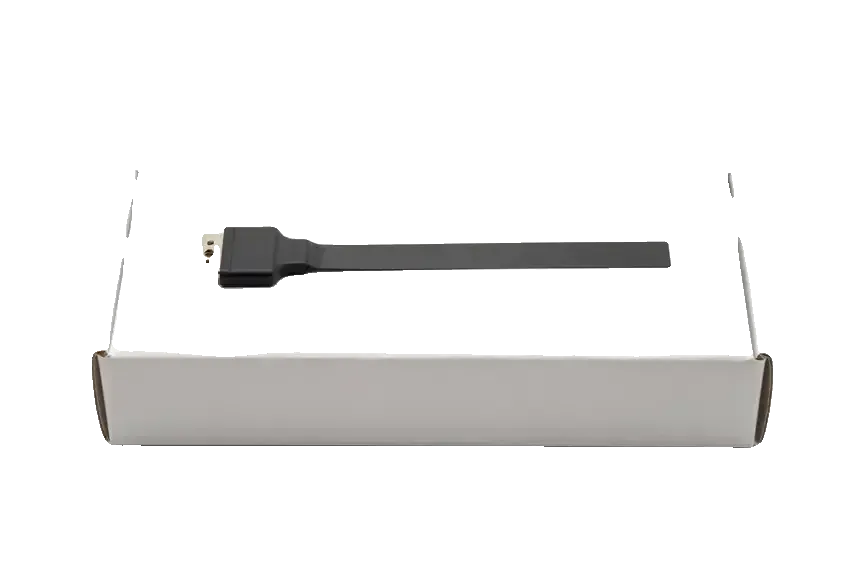
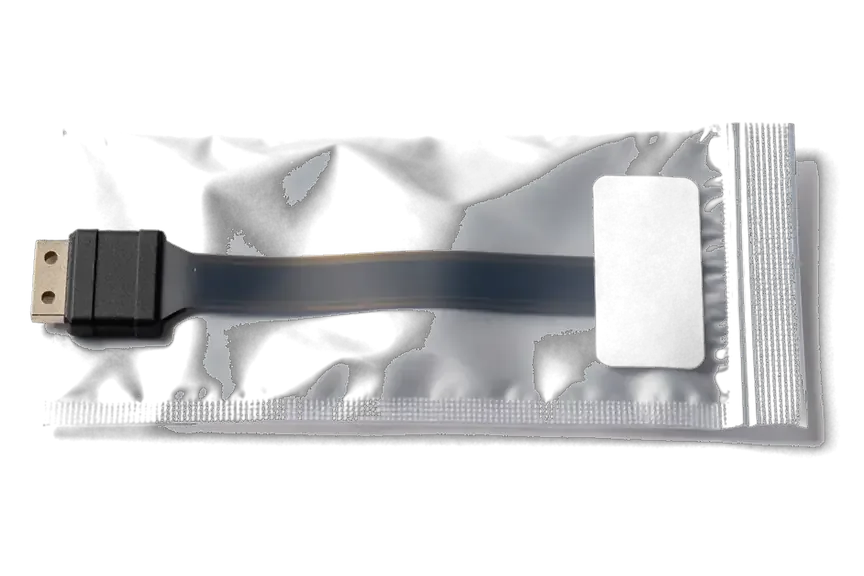
Original iPhone charging port flex cable on a white box
Compatibility
Native specs and full iOS feature support
Lifespan
Built for long use, closest to factory quality
Water sealing
Factory gaskets are easier to seat properly
Best when
it is your main phone and no compromise is wanted
Chosen by 64% of clients
Book with an original part
Aftermarketwarranty 6 months
iPhone water damage cleaning8 900 ₸
Analog iPhone charging port flex cable in an antistatic bag
Compatibility
Works in most cases, minor quirks possible
Lifespan
Depends on the maker, usually somewhat shorter
Water sealing
Body seal may be weaker than the factory one
Best when
you want a budget fix for an older model
Chosen by 36% of clients
Book with an aftermarket part

Why people bring wet phones to us

Moisture keeps eating the contacts hour after hour, so the phone goes to a workshop where the repair is backed by a warranty up to 1 year.

11years

Repair experience

Eleven years of work on Apple devices: we have seen water-damaged phones from many generations and know where corrosion hides.

1year

Warranty up to 1 year

Our work carries a warranty up to 1 year, and the technician explains the terms before repairs begin.

6technicians

Experienced technicians

Boards are soldered by experienced technicians, so chips and connectors are replaced at component level rather than as a whole unit.

0₸

Diagnostics before work

We first find out what is damaged and what can be saved, and only then name the repair amount.

2options

Original or aftermarket

If a part has to change, we explain the difference and let you choose instead of pushing the pricier one.

7days a week

Convenient in Astana

We receive visitors on weekdays from 10:00 to 19:00, and on weekends and holidays from 11:00 to 18:00.

iPhone water damage cleaning before and after in Astana

1 / 3
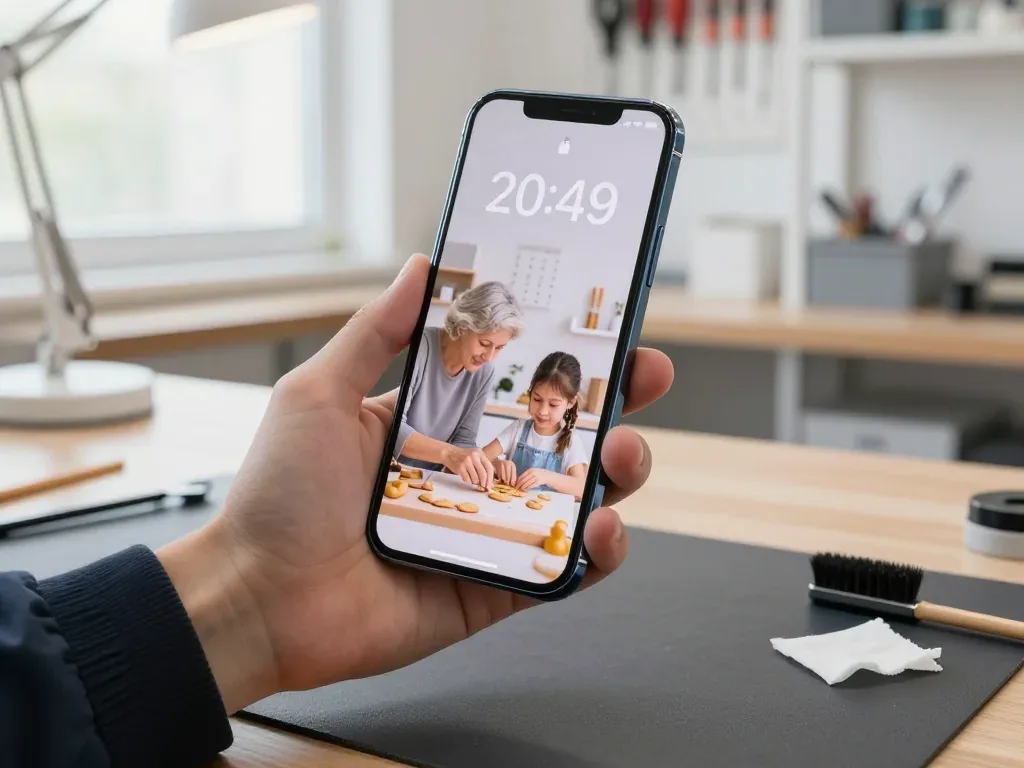
A technician holds an iPhone 13 after water cleaning, with a wallpaper of a grandmother and granddaughter on screen

iPhone 13: dropped in water, wouldn't turn on

The client dropped their iPhone 13 in water and it stopped turning on. We disassembled it, cleaned the board from corrosion, replaced the damaged component, and checked — the phone works, and the wallpaper with a grandmother and granddaughter is still there.

from 27 900 ₸repair cost
I want the same
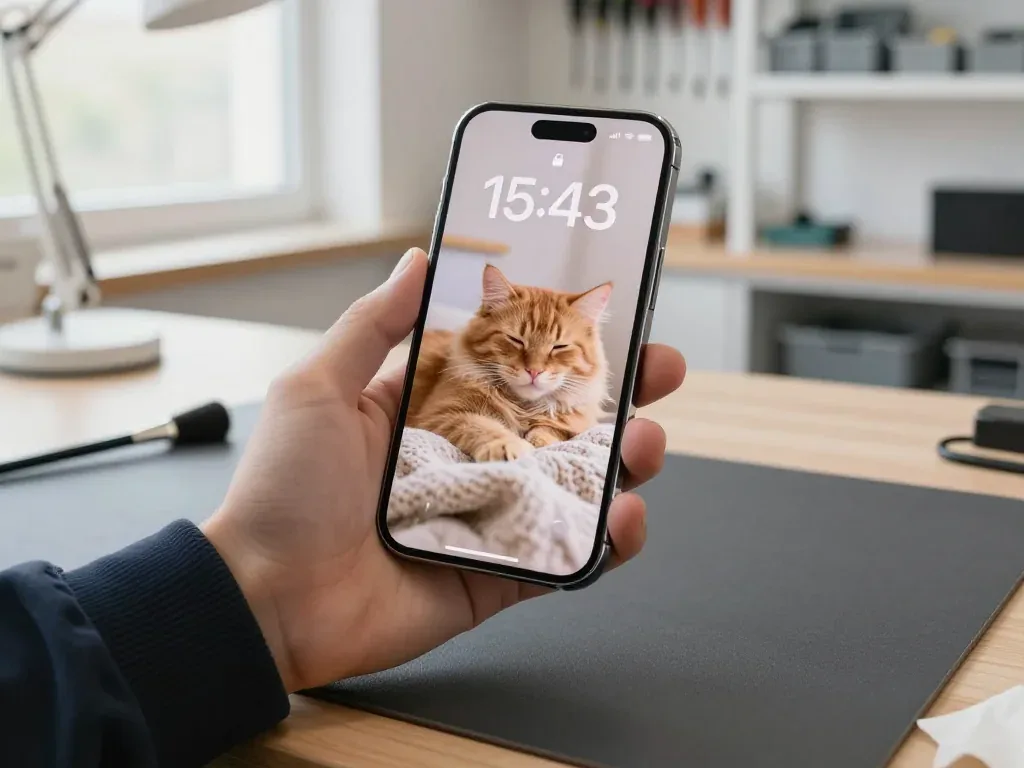
Technician holds an iPhone 14 Pro after water cleaning, ginger cat wallpaper on the screen

iPhone 14 Pro: dropped in water, wouldn't turn on

The customer dropped the phone in water on the street in Astana, and it wouldn't turn on. We disassembled it, cleaned the board from oxidation, replaced the damaged component and tested it — the phone works, the ginger cat wallpaper is still there.

from 38 900 ₸repair cost
I want the same
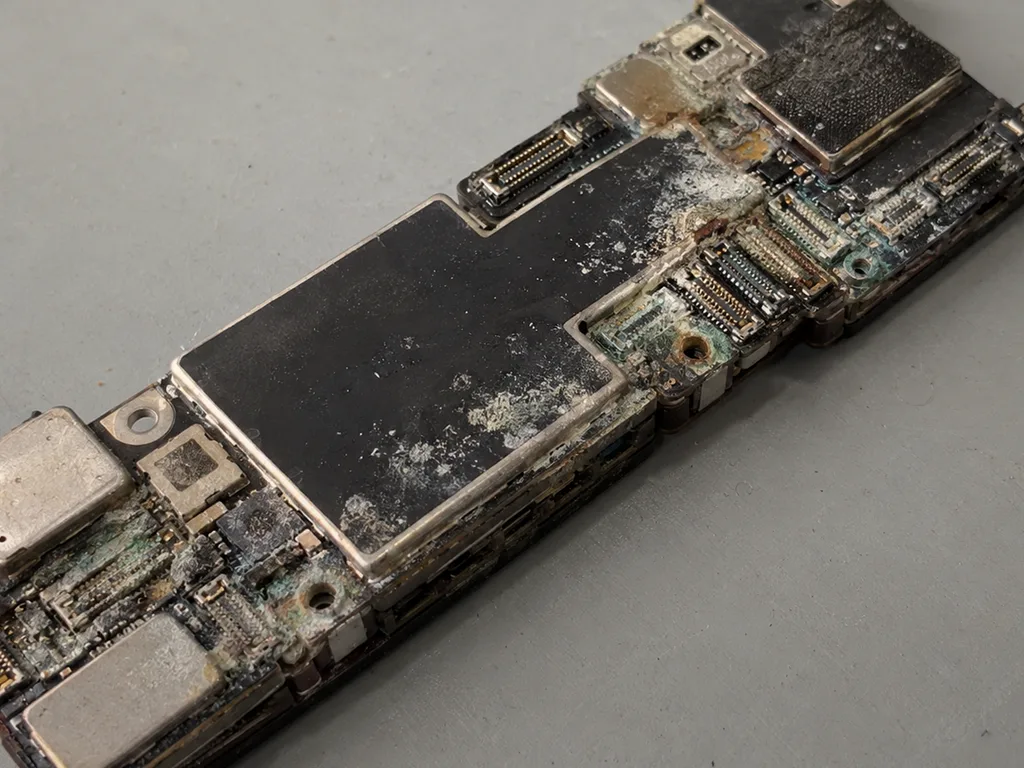
Before photo: a board with oxidation after salt waterBefore: a board with oxidation after salt water
After photo: board after ultrasonic cleaningAfter: the board after ultrasonic cleaning
BeforeAfter

iPhone 13: dropped into the sea

2 daysLogic board repairWarranty 6 months
Problem
Does not turn on after a dip in the sea, brought in 6 hours later. White oxidation under the board shields.
What we did
Cleaned the board in an ultrasonic bath, replaced the power controller, and transferred the data.
100%photos and messages preserved
I want the same

How water-damaged iPhone repair with board cleaning after water is done in Astana

The whole journey — from message to finished phone, with the time stated on the receipt.

Book a repair
  1. Step 1

    Message or come in

    5 min

    You message us on WhatsApp with the model and what happened — we give you the price and time. Or you come in without an appointment.

  2. Step 2

    Diagnostics in front of you

    10 min

    We open it up and check where the liquid got in and which parts were affected.

  3. Step 3

    Price in the receipt

    2 min

    We write down the model, the work, the price, the time and the warranty.

  4. Step 4

    Clean the board

    time on the receipt

    We take the phone apart, clean oxidation off the board and connectors, and dry it.

  5. Step 5

    Check the parts

    time on the receipt

    If a part still doesn't work after cleaning, we quote the replacement price and replace it only with your consent.

  6. Step 6

    You check together with the engineer

    warranty up to 1 year

    Power-on, charging, screen, sound, cameras, connectivity. You pick up the phone and the receipt.

Meet the iServices team

Technicians for iPhone, Mac, iPad, Apple Watch and AirPods repair.

1 / 5
BSBakmukhammed S. — on-site iPhone technician, iServices service center in AstanaPhoto: Bakmukhammed S.

Bakmukhammed S.

on-site iPhone technician
13years of experience
4.93rating, 107 reviews
GSGalymzhan S. — iPhone repair technician, iServices service center in AstanaPhoto: Galymzhan S.

Galymzhan S.

iPhone repair technician
8years of experience
4.79rating, 90 reviews
ZSZhandos Sh. — iPhone screen replacement technician, iServices service center in AstanaPhoto: Zhandos Sh.

Zhandos Sh.

iPhone screen replacement technician
6years of experience
4.65rating, 112 reviews
DTDarkhan T. — iPhone firmware technician, iServices service center in AstanaPhoto: Darkhan T.

Darkhan T.

iPhone firmware technician
8years of experience
4.44rating, 19 reviews
KSKudiret S. — iCloud unlock specialist, iServices service center in AstanaPhoto: Kudiret S.

Kudiret S.

iCloud unlock specialist
10years of experience
4.37rating, 100 reviews
Bakmukhammed S., on-site iPhone technician
“If the repair didn’t suit you or you have a complaint, write to me personally.”
Bakmukhammed S.on-site iPhone technician · +7 701 333-47-01

We'll quote iPhone water damage cleaning in Astana from a photo in 5 minutes

Send a photo of the screen and the iPhone model. An engineer will reply on WhatsApp, give the price and today's available time.

  1. 5 minAn engineer replies and names the price
  2. 0 ₸Diagnostics in front of you in 15 minutes
  3. 30 minMost repairs — while you wait

iPhone Water Damage Cleaning in Astana with a 32-Point Check

In short

iServices handles iPhone water damage cleaning in Astana as a direct contractor with its own technicians and workshop. We strip the device, disconnect the battery, clean oxidation off the board and test 32 functions before handover. Diagnostics is free and takes 15 minutes in front of you, and every job carries a warranty up to 1 year.

iServices Editorial TeamWe reply on WhatsApp within 10 minutes
Ask

Getting a Wet iPhone to Us for iPhone Water Damage Cleaning Without Making It Worse

How fast you act and how the device reaches a technician decide much of the outcome, so the delivery step is part of the result rather than paperwork around it.

What to Do in the First Minutes After Contact With Liquid

Power the handset down at once and keep it off the charger, because current through wet circuitry drives corrosion far faster than still water does. Liquid reaching the logic board and the power controller turns trapped moisture into conductive paths, and the battery keeps feeding those paths every second the unit is awake. Do not press buttons to test the screen, do not shake it to drain it, and do not plug it in to see whether it charges. The clock that matters is not drying time but powered time, so a device that sat wet but switched off for a day often arrives in better shape than one that was tested every few hours. Wet connectors oxidise in the same window, and oxidation on the charging port and battery contacts is what turns a cleaning job into a board repair later.

Sending Photos on WhatsApp or Booking a Courier

We reply on WhatsApp within 5 minutes, quote from a photo and hold a free slot, and a courier can be called if you cannot come yourself. Send one clear shot of the opened SIM tray and the frame around it, since the tray opening and the case seal are where liquid usually enters and where its colour shows best. A photo taken in good light with the tray removed tells the engineer more about liquid type and depth than a long written description, so shoot it before you wipe the surface down. Our engineer checks the device in front of you in 15 minutes, free even if you decide against the work, and the price, part and turnaround are fixed on the receipt before anything is opened.

What Our Technicians Actually Do With a Water-Damaged iPhone

Restoring a wet device is not drying — it is disassembly, power isolation, oxidation assessment and cleaning. Below is what happens on our bench, and why rice and a hair dryer never replace that work.

Stripping the Device, Disconnecting the Battery and Reading the Oxidation

We open the handset, disconnect the battery first and inspect the board and connectors for oxidation before any cleaning starts, and this first look is part of the free 15-minute diagnostics done in front of you. The display module comes off, the shield plates are lifted and every flex connector is checked under a microscope for corrosion on the pins. Oxidation appears as a greenish film on connector pins long before the device misbehaves, which is why the inspection happens under magnification rather than by eye alone. An iPhone water damage cleaning job in Astana begins here, not at the cleaning bath. The cell is always isolated before anything else is touched — a live board plus cleaning fluid turns a recoverable unit into a dead one.

Why Rice and a Hair Dryer Do Not Clean Anything

Rice absorbs nothing from under the shields and a hair dryer pushes warm, dusty airflow across the board, so neither removes the liquid that causes corrosion. A sealed bag of grain only pulls moisture from the atmosphere inside the bag, while the droplet sitting on a connector pin stays exactly where it landed. Warm airflow from a household dryer adds a second problem: dust travels with it and settles into the same gaps. Heat also softens the adhesive that seals the display and camera glass, so a dried-out unit can come back with a loose screen on top of the original water damage. On top of that, the body gasket loses its shape after a hot session, and the device stops keeping splashes out.

Cleaning, Board Repair or Module Replacement

The scope depends on the fluid and on how long the handset stayed powered. Below is how we pick the option and how the substance changes the picture.

Matching the Work to the Damage

Which repair route follows each inspection finding
What we findProcedure performedTypical turnaround
Light oxidation, device still powers onUltrasonic board cleaning and dryingSame visit
Corroded traces, no powerMicroscope soldering repair1–3 days
Dead display, camera or speakerModule replacement after cleaning20–40 minutes
Swollen or unstable batteryBattery replacement after cleaning25 minutes

How Liquid Type and Elapsed Time Change the Outcome

Salt water and sweet drinks leave residues that keep conducting current, while plain water mainly causes corrosion, and both get worse with every hour the unit stays on. Seawater and sugary soda deposit salts and sugar across the logic board, bridging contacts that should stay isolated and triggering short circuits the moment power returns. A milder spill still eats at solder joints and copper traces, and oxidation spreads under the shields where nothing is visible from outside. Time is the multiplier in both cases: a handset that sat powered overnight is a heavier job than one switched off within the hour. A device that fell into a pool and was rinsed afterwards is not the same case as one that sat in seawater, so describe the substance honestly when you hand it over.

When the iPhone Will Not Switch On After Water

Some phones go dark the moment liquid gets in, others keep working and give up days later. Below is what fails first inside the circuitry and which components start misbehaving after the handset has already dried out.

Dead Phone, Power Rails and the iPhone X Case

A handset that stays dark after liquid usually has a broken rail or a shorted controller, and on iPhone X and newer the Face ID module is the first casualty we check. Moisture bridges neighbouring contacts on the board, current flows where it should not, and the management chip either shuts the device down or burns a trace. The Face ID sensor sits right next to the earpiece opening and the SIM tray, two of the easiest entry points, so a TrueDepth failure on a black screen is a common combination. Water resistance weakens with every drop and every previous opening, so a sealed unit can still take on moisture through a tired gasket around the SIM tray.

Symptoms That Show Up Days Later

  • Muffled speakers: sound drops in volume or turns tinny because dried residue sits on the speaker mesh and in the acoustic chamber.
  • Fogged camera lenses: condensation trapped under the glass shows as a blurry spot on every photo, especially in cold weather.
  • Charging that stalls: the battery stops at an odd percentage when the charging port pins are already oxidised.
  • Weak microphone: callers hear you cut out, a sign of corrosion on the lower microphone contacts.
  • Ghost touch and flicker: the display reacts on its own when moisture reached the display connector.
  • Random restarts: the handset reboots under load once a corroded rail cannot hold stable voltage.

Timelines, Your Data and the Warranty

Water damage rarely follows a standard repair schedule, and whether your photos survive depends on how the phone was handled before it reached us. Below is what to expect on time, data and coverage.

Why Water Diagnostics Can Take Up to Two Days

After liquid, diagnostics can run up to two days because we watch how the board behaves once it is clean and dry, while a standard check takes 15 minutes in front of you. Ultrasonic cleaning lifts residue from beneath the power controller and neighbouring chips, then the board sits beneath a microscope while we load each rail and log voltage drops a quick visual pass would miss. Most water cases still close within a day; the two-day ceiling covers heavily corroded boards or devices that sat wet for a long stretch. The waiting period exists to catch a fault that only appears at peak load, so a handset released the same hour would risk coming back with the same symptom.

Protecting Photos and What We Check Before Handover

  • Face ID: the sensor is confirmed to recognise your face once the module has dried and been reseated.
  • True Tone: colour temperature is verified, since liquid often damages the ambient light sensor.
  • Cameras: front and rear lenses are tested for focus and the blurring that follows moisture.
  • Microphones and speakers: each one is played back to rule out muffled or crackling audio.
  • Charging and network: the port, cable, cellular, Wi-Fi and Bluetooth are all verified together.
  • Your data: photos and files stay on the device throughout, and the old part returns with the receipt and warranty card.

Summary: iPhone Water Damage Cleaning

Water damage rarely kills an iPhone in the first minute — it does so through the wrong decisions that follow. These five points decide whether the phone survives.

  • Power off and do not charge: current through a wet board turns oxidation into a short, so keep the cable out until a technician opens it up.
  • Rice and a hair dryer clean nothing: they only move moisture around and add heat, while the corrosive residue stays where it landed.
  • Cleaning is not drying: liquid leaves salts and minerals behind, and only a board-level clean with the right solution lifts them off.
  • Delayed symptoms are normal: Face ID, True Tone, speakers and the network can fail days later, so a handset that switches on is not yet one that works.
  • Judge a service by its handover: a 32-point check run with the owner and a warranty up to 1 year say more than a quick boot test.

Questions about iPhone water damage cleaning

Did not find an answer? Message us on WhatsApp: an engineer replies, not a bot.

Ask a question
What should I do if my iPhone fell in water and will not turn on?

Do not switch it on or put it on charge. Wipe the body, remove the SIM tray and bring the phone for diagnostics as soon as you can. A technician will open it and check the board.

Can an iPhone be restored after water damage?

Often yes, especially if it was switched off quickly and not charged. It depends on the liquid and the time. Only a board diagnosis gives the final answer.

Is drying a phone in rice enough?

No. Rice does not remove the salt and sugar from the liquid, which stay on the board and keep corroding contacts. Opening the case and cleaning is far more reliable.

Why might a part need replacing after cleaning?

Water can damage the display, battery or port, and cleaning will not bring them back. The technician then offers a replacement, and you choose between an original and an aftermarket part.

Will my data and photos survive?

If memory and the processor are intact, the data stays. It cannot be promised before diagnostics, so make a backup beforehand if you can.

Why does my iPhone say «Liquid Detected in Lightning Connector»?

iOS has found moisture in the charging port and blocks charging to avoid corrosion. Unplug the cable, hold the phone port down and let it dry instead of using the emergency override. If the alert keeps coming back on a dry phone, the port may already be corroded and needs a check.

Can melted snow get inside an iPhone and cause water damage?

Yes, snow packed into the port or under a cracked screen melts as the phone warms up indoors. Switch the phone off, wipe it and do not charge it straight away. If it starts behaving oddly, bring it to the Astana branch for cleaning before corrosion sets in.

Reviews of iPhone water cleaning in Astana

1 / 10
4.9

iServices network rating on Google Maps, wikicity and our website · 2 028 reviews
Google Maps4.438 reviews ›wikicity5.015 reviews ›Reviews on the iServices website4.91 975 reviews ›
ВД
Вадим Д.Order No. •••14 · 6 November 2026
iPhone 17 · water damage

Проблема — попала вода. Бақмухаммед С. принял без вопросов, хотя был без записи. Ни разу не пожалел.

iServices customer review, in Russian
ЯГ
Ярослав Г.Order No. IS•••62 · 22 October 2026
iPhone 12 Pro Max · water damage

Достал из кармана, а там уже попала вода. Работает, как будто и не ломалось.

iServices customer review, in Russian
ТИ
Талгат И.Order No. IS‑•••50 · 12 October 2026
iPhone 14 Pro Max · water damage

Искал, где есть оригинальные запчасти, а не «как оригинал». Приехал с iPhone 14 Pro Max, как есть. Проблема — попала вода. Мастер сам предложил забрать технику позже. Вышло из строя: плата. Цену держали до конца, молодцы. Полёт нормальный.

iServices customer review, in Russian
ТЖ
Тихон Ж.Order No. ЗК‑IS‑•••26 · 22 September 2026
iPhone 11 Pro · water damage

У нас в офисе три таких ноутбука, один сломался. Проблема — попала вода. Дома включил, всё на месте.

iServices customer review, in Russian
СВ
Самал В.Order No. IS‑•••80 · 22 September 2026
iPhone 16e · screen

Смотрел отзывы в 2ГИС, выбрал по адекватности. Залил чаем, и через день — не роботает камера. Ғалымжан С. отсоветовал дорогой ремонт, предложил простой. Сказали, что перезвонят, и правда перезвонили. Вскрытие показало: дисплей. Пять баллов. Сейчас роботает без нареканий.

iServices customer review, in Russian
ОИ
Оксана И.Order No. IS‑•••83 · 22 September 2026
iPhone Air · water damage

Честно, думала продать на запчасти. Проблема — попала вода. Ни шума, ни запаха, всё штатно.

iServices customer review, in Russian
КЧ
Күләш Ч.Order No. ЗК‑IS‑•••60 · 6 September 2026
iPhone 17 Pro Max · screen

Живу в Есиле, искал поближе к дому. Было ощущение, что ремонт выйдет дороже нового. Проблема — попала вода. Приняли, объяснили, что и почему. Нужна была новая деталь: дисплей. Нашёл i-service по отзывам в 2ГИС. Ни разу не пожалел.

iServices customer review, in Russian
ИЦ
Илья Ц.Order No. IS•••92 · 1 September 2026
iPhone 11 · Face ID

Друг посоветовал, у него после воды ноут подняли. Нужен был ремонт iPhone 11. Проблема — не распознаёт лицо. Выдали номер заказа и сказали, как отслеживать. Вскрытие показало: шлейф Face ID. Шлейф Face ID поменяли, всё ожило. Приятно удивлён. Все функции проверил — работают.

iServices customer review, in Russian
ВФ
Василиса Ф.Order No. IS‑•••25 · 7 August 2026
iPhone SE (2-го поколения) · camera

Работаю рядом, заехала в обед. Нужен был ремонт iPhone SE 2. Проблема — попала вода. Оплату взяли после ремонта. По факту меняли: камера. Отдала 11 000 и не жалею. Советую. Внешне не видно, что разбирали.

iServices customer review, in Russian
АР
Акжол Р.Order No. IS•••56 · 28 July 2026
iPhone 14 · water damage

Обратился по поводу iPhone 14. Проблема — не держит заряд. Ни шума, ни запаха, всё штатно.

iServices customer review, in Russian
Showing 10 of 122

Where to get iPhone Water Damage cleaning in Astana

Address
Astana, Kabanbay Batyr Ave., 7/2
Opening hours
Mon–Fri 10:00–19:00Sat–Sun 11:00–18:00
Phone and messengers
+7 727 339-99-12WhatsApp: +7 701 333-47-01
Directions map: iServices Astana© OpenStreetMapFind us on the maps: Google Maps · 2GIS