Eng

Apple Watch Series 8 Repair in Astana

Apple Watch Series 8 overheat while charging and die by lunch — we fit a new battery in a couple of hours, price confirmed in writing upfront.

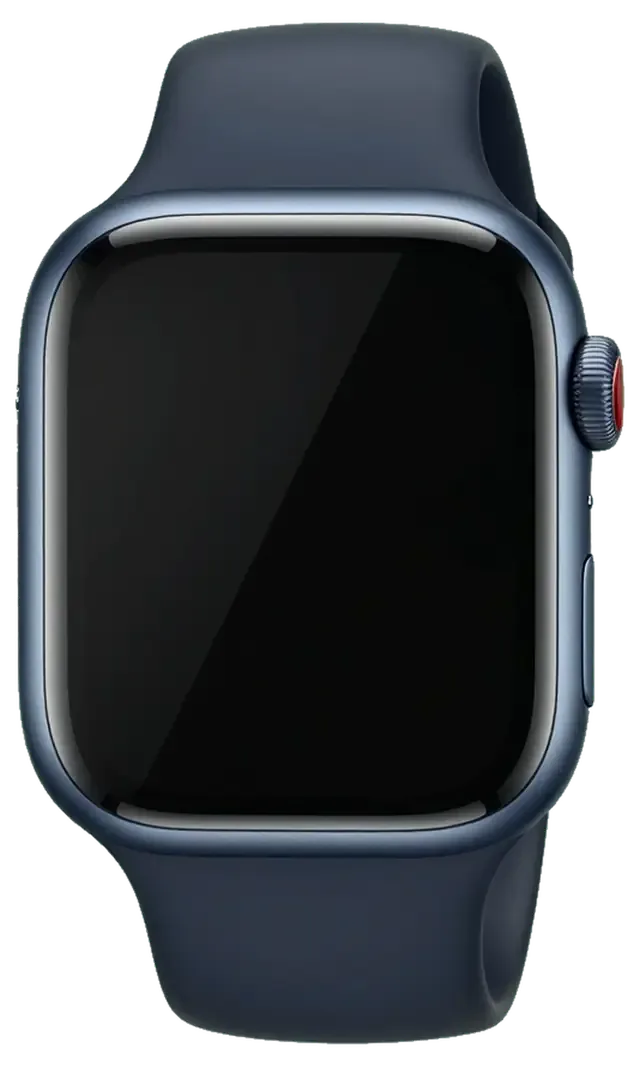
Apple Watch Series 8 in the dark night
Apple Watch Series 8, Midnight repair
Glass replacementfrom 51 900 ₸
Display replacementfrom 95 900 ₸
Battery replacementfrom 24 900 ₸
All services and prices

What we most often see during Apple Watch Series 8 repair

What we see on Series 8 watches: chipped glass edges, short battery life, an unresponsive screen, weak call audio and a gritty crown.

01

Chipped glass rim

A knock on a handrail leaves a chip at the edge, and a crack starts from it.

02

Short battery life

It used to last a day; now the watch asks for a charger after lunch.

03

Warm while charging

The case feels hot on the puck and the percentage creeps up slowly.

04

Swipes ignored

The touch layer skips gestures, and a strip near the edge does not respond.

05

Weak call audio

The speaker sounds dull and the microphone carries speech with noise or not at all.

06

Erratic heart rate

Readings leap at rest because the sensor glass on the back is scratched.

07

Crown feels gritty

The Digital Crown scrapes and jerks after sweat, soap and sunscreen.

08

Display lifting

A thin gap shows at the edge: the glass is raised, perhaps by a swollen battery.

09

No temperature readings

Wrist temperature data stops reaching Health for several nights.

10

No vibration

Alarms and notifications go unfelt even though haptics are on in settings.

11

Won't power on

After running flat, the watch ignores both the charger and the side button.

12

Flickering display

The picture shimmers and dims in bands at low brightness.

Apple Watch Series 8 repair costs in Astana

The list shows the main Series 8 jobs; prices are starting prices, and the part is included where marked “with parts”.

ServiceOriginalAftermarket
Glass replacement92 900 ₸51 900 ₸
Display replacement172 900 ₸95 900 ₸
Battery replacement42 900 ₸24 900 ₸
Rear cover with sensors replacement96 900 ₸53 900 ₸
Digital Crown repair24 900 ₸13 900 ₸
Side button replacement24 900 ₸13 900 ₸
Speaker replacement24 900 ₸13 900 ₸
Microphone replacement24 900 ₸13 900 ₸
Other repairsPrice
Board repairmicrosoldering · 1–3 days47 900 ₸per job
Firmware flashingsoftware restore, no parts replaced5 490 ₸per job

The technician names the final sum after inspecting the watch, as it depends on the part and what is found.

Should a watch get an original or an aftermarket part

On the wrist, outdoor brightness and steady touch matter most, so choose the part with that in mind.

Original Applewarranty up to 1 year
Apple Watch Series 8 glass92 900 ₸
Apple Watch Series 8 glass: original part in Apple packaging
Display
Readable in sun, accurate touch, natural colour
Battery
Lifespan close to factory, fewer surprises in winter
Glass
Clarity and fit around the rim as before
Warranty
Up to 1 year on completed work
Chosen by 64% of clients
Book with an original part
Aftermarketwarranty 6 months
Apple Watch Series 8 glass51 900 ₸−44%
Apple Watch Series 8 glass: aftermarket part in an antistatic bag
Display
Dimmer in bright light, slightly lower sensitivity
Battery
Does the job, though endurance depends on the batch
Glass
Fits the case, but tint and reflections may differ
Warranty
Up to 1 year on completed work
Chosen by 36% of clients
Book with an aftermarket part

What a watch owner can expect

What a watch owner can expect at our Astana service: a choice of parts, a clear estimate, a warranty and convenient hours.

11years

Eleven years of experience

11 years of work with Apple devices means thin cases, adhesive seals and tiny flex cables are familiar territory.

1year

Warranty up to 1 year

Warranty on completed work lasts up to 1 year, and the technician states the terms before the repair begins.

2options

Experienced technicians

Your watch is handled by a experienced technician who works carefully with tiny parts and sensors.

5min

Choice of parts

We explain how an original part differs from an aftermarket one and let you choose what fits your budget.

0₸

A clear estimate

The price list for main jobs is open, and the final price is named after inspection and agreed before the repair.

7days a week

Convenient hours

Mon–Fri 10:00–19:00, Sat–Sun and holidays 11:00–18:00, so you can visit when it suits you.

Apple Watch Series 8 before and after repair

1 / 2
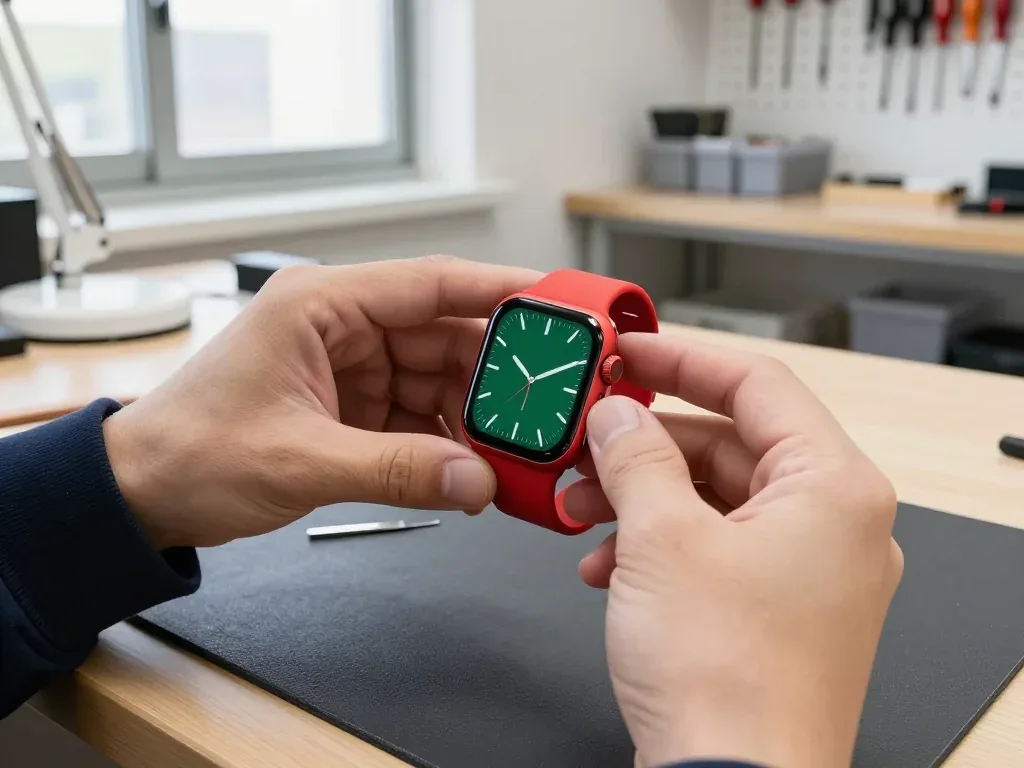
Red Apple Watch 8 in the technician's hands with a dark green dial after glass replacement

Apple Watch 8: cracked glass after hitting a door

The customer bumped the watch against a door frame — the glass cracked, but the display and touch worked fine. We replaced just the glass, checked the sensor and water resistance, and the watch looks like new again.

from 51 900 ₸repair cost
I want the same
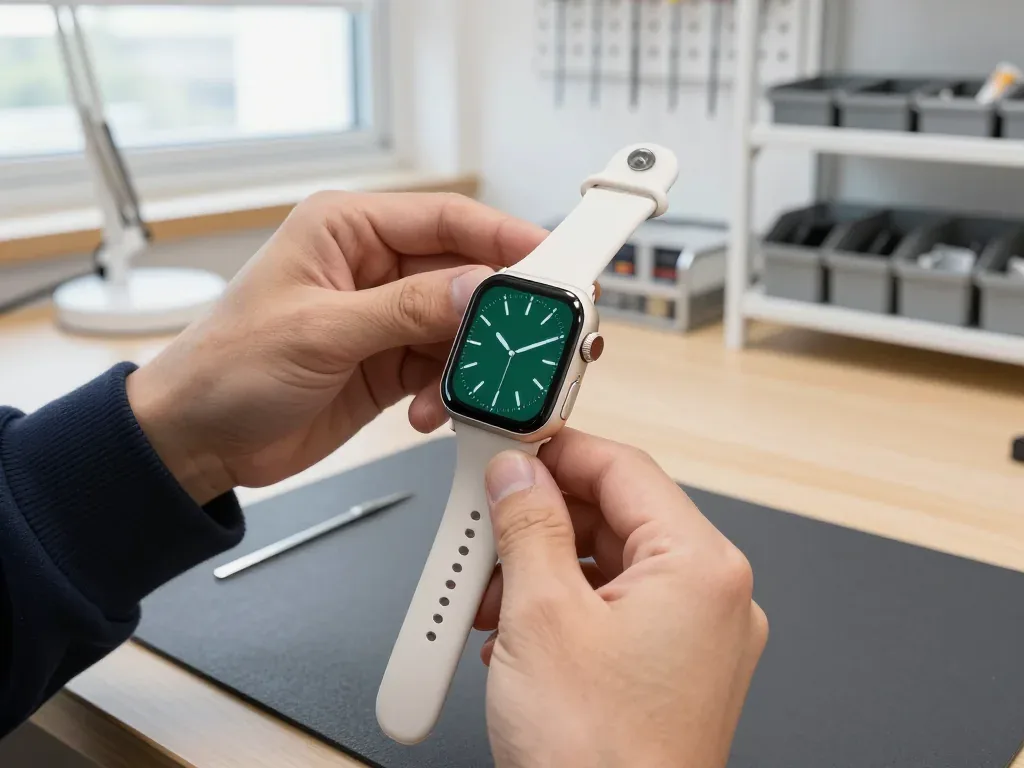
Technician holding an Apple Watch 8 with a dark green analog face after a display replacement

Apple Watch 8: stripes on screen after a knock

A client in Astana caught the watch on a door frame — stripes appeared on the screen and the touch sensor stopped responding in places. We replaced the display and checked the sensor and water resistance: the watch tells time and responds to touch again.

from 95 900 ₸repair cost
I want the same

How Apple Watch Series 8 repair is done in Astana

Usually the whole journey — from message to pickup — takes less than an hour; complex repairs follow the timeline in the receipt.

Book a repair
  1. Step 1

    Message or call

    5 min

    You send a photo of the damage on WhatsApp — we quote the price and available time. Or you call a courier.

  2. Step 2

    Free diagnostics

    15 min

    An engineer checks the device in front of you and shows what is broken. 0 ₸, even if you decline the repair.

  3. Step 3

    Price in the receipt

    2 min

    We fix the price, the part (original or analog), the timeline and the warranty. You sign — we start.

  4. Step 4

    Repair while you wait

    20–40 min

    Before installation we show you the new part in its factory packaging. You wait in the waiting area with coffee and Wi‑Fi.

  5. Step 5

    Post-repair check

    10 min

    Touchscreen, brightness, Digital Crown, sensors, microphone, speaker, charging. You check them together with the engineer.

  6. Step 6

    Pick up your device

    warranty up to 1 year

    Together with the receipt, warranty card and the old part. Payment — Kaspi, card or cash.

Meet the iServices team

Technicians for iPhone, Mac, iPad, Apple Watch and AirPods repair.

1 / 5
BSBakmukhammed S. — on-site iPhone technician, iServices service center in AstanaPhoto: Bakmukhammed S.

Bakmukhammed S.

on-site iPhone technician
13years of experience
4.93rating, 107 reviews
GSGalymzhan S. — iPhone repair technician, iServices service center in AstanaPhoto: Galymzhan S.

Galymzhan S.

iPhone repair technician
8years of experience
4.79rating, 90 reviews
ZSZhandos Sh. — iPhone screen replacement technician, iServices service center in AstanaPhoto: Zhandos Sh.

Zhandos Sh.

iPhone screen replacement technician
6years of experience
4.65rating, 112 reviews
DTDarkhan T. — iPhone firmware technician, iServices service center in AstanaPhoto: Darkhan T.

Darkhan T.

iPhone firmware technician
8years of experience
4.44rating, 19 reviews
KSKudiret S. — iCloud unlock specialist, iServices service center in AstanaPhoto: Kudiret S.

Kudiret S.

iCloud unlock specialist
10years of experience
4.37rating, 100 reviews
Bakmukhammed S., on-site iPhone technician
“If the repair didn’t suit you or you have a complaint, write to me personally.”
Bakmukhammed S.on-site iPhone technician · +7 701 333-47-01

We'll quote Apple Watch Series 8 repair in Astana from a photo in 5 minutes

Send a photo of the fault — an engineer will reply on WhatsApp, give the price and a time you can come in.

  1. 5 minAn engineer replies and names the price
  2. 0 ₸Diagnostics in front of you in 15 minutes
  3. 30 minMost repairs — while you wait

Apple Watch Series 8 Repair in Astana with Sensor-Safe Screen Work

In short

For Apple Watch Series 8 repair in Astana, iServices handles cracked screens, worn batteries and charging faults while you wait, with free 15-minute diagnostics in front of you. We fix the price, the part and the warranty on the receipt before work starts, and 64% of customers choose an original part.

iServices Editorial TeamWe reply on WhatsApp within 10 minutes
Ask

What Usually Fails on an Apple Watch Series 8 Repair

The Series 8 shares the Series 7 body and screen, so the same faults dominate — edge cracks, a battery that fades by evening, and charging that stops. We start by naming what actually broke before any part is chosen.

The Three Faults We See Most on a Series 8

  • Cracked screen edge: a chip or hairline along the curved Ion-X cover, often after a knock against a door frame.
  • Battery that fades by evening: the cell no longer holds a full day, so the watch dies before you get home.
  • Charging that stops on the puck: the watch warms up on the charger without gaining charge, usually a worn wireless coil.
  • Temperature sensor faults: the Series 8 added skin-temperature sensing, and a damaged back crystal can knock it out alongside heart rate.
  • Dead touch strips: a crack that has spread into the OLED layers leaves parts of the panel unresponsive.

Repair or Replace a Series 8

A Series 8 is still a current-generation watch, so a screen or battery repair almost always costs less than a new unit and keeps the sensors you already paid for. The case is the same aluminium or stainless steel body as the Series 7, and the OLED panel, battery and charging coil inside are serviceable parts rather than sealed into one throwaway block. The temperature sensor, crash detection and the heart-rate array on the back crystal decide the outcome. If the body is straight and the back crystal is undamaged, the watch is worth repairing rather than replacing — once the case is bent or the sensor stack is crushed, a new unit is the honest answer.

What a Cracked Edge Does to Touch and Water Resistance

A crack along the curved edge often leaves touch working at first, but it breaks the seal that keeps water out and lets moisture reach the panel and the board. The cover is bonded to the screen with an adhesive gasket, and that gasket holds the water resistance together. A chip that looks cosmetic can still let water wick under the layer, where it reaches the touch layer and then the system board. Once the watch has been opened, the factory seal is gone and has to be renewed during the repair. Because the cover is bonded to the panel, the seal matters as much as the visible crack — a hairline at the edge is a bigger risk than a scratch in the middle.

Glass or the Whole Display

The most common question is whether the glass alone can be replaced. On a Series 8 the answer depends on what the damage did to the display underneath, so we check both before quoting.

When Only the Glass Can Be Replaced

If the crack sits in the cover and the image underneath is clean, with no lines, dark spots or dead touch zones, we can replace just the cover and keep your original display. The cover on a Series 8 is bonded to the OLED panel and the touch layer, so the swap is a controlled separation rather than a simple lift-off. Our technicians work under magnification and reseal the edge so dust and moisture stay out afterwards. For an Apple Watch Series 8 repair in Astana that owners book most often for a chipped corner, this is the lighter option: the panel you already have stays in place. A clean image is the deciding signal — once you see lines or blotches, the OLED layer is damaged and cover-only work will not bring the picture back.

When the Display Has to Be Replaced

Lines, dark patches or a touch layer that no longer responds mean the panel itself is damaged, so we replace the full assembly rather than the cover alone. The assembly carries the OLED panel, the touch layer and the panel cable as one unit, which is why a watch with dead touch zones rarely recovers from a cover swap. We have handled more than 46,000 repairs over 11 years, and the full unit is the standard path once the picture itself is compromised. The new part arrives in factory packaging and is shown to you before installation. Replacing the whole assembly also renews the touch layer and the panel cable, which is why a watch with dead touch usually needs the full unit and not a cover swap.

Glass or Display at a Glance

Visible damage mapped to the affected layer and the usual fix
Visible damageWhat is affectedWork usually needed
Crack in glass, clean imageGlass onlyGlass replacement
Lines or dark spotsOLED displayFull display assembly
Touch not respondingTouch layerFull display assembly
Edge chip, no image faultGlass and sealGlass replacement and reseal

Battery and Charging Problems

A Series 8 that dies by evening or refuses to charge is usually telling you about the battery or the charging coil. We separate a worn battery from a charging fault before touching anything.

Why a Series 8 Stops Lasting a Full Day

When a Series 8 no longer reaches evening, the usual cause is a worn battery, and we replace it by opening the watch from the screen side. The battery sits under the panel, sealed to the case with an adhesive gasket, so the screen comes off first and goes back on with fresh sealant. Our engineers run a free 15-minute check in front of you and show the battery health reading before any work is agreed. The new cell is shown in factory packaging before installation, and the whole swap usually runs 20–40 minutes while you wait in the lounge with coffee and Wi-Fi. A battery that has begun to swell pushes the screen up from inside, so a panel that sits slightly proud of the case is a sign to check the battery before the screen cracks.

When the Watch Will Not Charge at All

If the watch shows no charge on a known-good puck, we check the charging coil and the board, since a failed coil or a board fault both stop charging. The coil is a flat copper winding glued behind the back crystal, and the back crystal carries the temperature and crash sensors, so the part is handled with care during the swap. Board-level faults we trace under a microscope, and that job takes 1–3 days rather than the 20–40 minutes of a coil swap. As a direct contractor with our own workshop and technicians, we do not pass the watch to a third party. Trying a second charger and a different puck first saves a trip — if neither brings the watch to life, the fault is inside and needs the bench.

Symptom to Cause for Power Faults

Power symptoms matched to the part we inspect first
SymptomPart checked firstWhat we do
Dies before eveningBatteryBattery replacement
Screen lifted at edgeBatteryBattery replacement and reseal
No charge on any puckCharging coilCoil or board repair
Charges then stopsBoardBoard check under microscope

Keeping the Temperature and Crash Sensors Working

The Series 8 added a temperature sensor and crash detection, and both sit close to the parts we open. Here is how we protect them and what we check at handover.

Protecting the Sensors on the Back Crystal

The temperature and heart-rate sensors sit on the back crystal, so we open the watch from the screen side and keep the back assembly untouched during screen and battery work. The sensor stack under the rear crystal is bonded to a thin ceramic layer, and that layer flexes if it is levered from behind — the temperature reading then drifts and the pulse trace turns noisy. Opening through the front cover means the panel lifts away first and the rear housing stays flat on the bench, sealed and supported. Prying from the back is the fastest way to damage the crystal and the sensors under it, and a replacement rear assembly is the costliest part on the watch. Ask any workshop which side they open from — the answer shows how they treat the sensor stack.

What Water Does After the Watch Is Opened

Any opening reduces the factory water seal, so we reseal the case, but we do not recommend swimming in a watch that has been repaired. The factory gasket is a molded adhesive ring pressed under controlled pressure; once the display is lifted, that ring is cut and cannot be reused. A fresh seal restores splash protection — rain, hand washing, sweat during a run — but not the pressure rating the watch carried when it left the factory. Water that reaches the logic board through a weak seal corrodes the charging coil contacts first, then the panel connector. A reseal restores splash resistance, not the factory dive rating, so treat a repaired watch as rain-safe rather than pool-safe.

The Functions We Check Before Handover

  • Touch and panel: swipe across all four edges to confirm the digitizer responds without dead zones.
  • Pulse and temperature: run the heart-rate sensor and confirm the rear crystal reads steadily.
  • Charging coil: place the watch on the magnetic charger and watch the percentage climb.
  • Speaker and microphone: play a tone and record a voice memo to test both audio paths.
  • Buttons and crown: press the side button and rotate the Digital Crown through every detent.

Original Part or Aftermarket and How the Visit Runs

The part you choose and the way the visit runs decide how the repair feels. We fix both on paper before work starts, so there are no surprises at pickup.

Original or Aftermarket Part

You choose between an original part and an aftermarket one, and 64% of our customers pick the original, with the choice written on the receipt before work begins. We show the new component in its factory packaging before installation, so you see exactly what goes into the watch rather than taking our word for it. An aftermarket panel or back crystal costs less and covers the basic job, while an original assembly keeps the screen brightness, always-on behaviour and sensor readings closest to how the Series 8 left the factory. The part choice affects how closely the panel and sensors match factory behaviour, so it is worth deciding before the watch is opened rather than after.

How the Visit Runs in Astana

  • Photo first: send a picture of the damage on WhatsApp and an engineer replies within 5 minutes with a price and a free slot.
  • Free diagnostics: the engineer checks the device in front of you for 15 minutes, even if you decide not to repair.
  • Fixed on paper: price, part, turnaround and warranty go on the receipt in 2 minutes before any work starts.
  • Waiting area: coffee and Wi-Fi while you wait, since most jobs take 20–40 minutes.
  • Courier option: if you cannot come in, a courier can be called to collect and return the watch.

Preparing the Watch and What You Take Home

Before the visit, unpair the watch from your iPhone in the Watch app so activation lock is off, and you leave with the receipt, the warranty card and the old part. Unpairing also backs up your settings to the phone, so the watch comes back to a familiar setup rather than a blank one. Our warranty runs up to 1 year, and the card states what it covers, which matters more than the length printed on it. At handover you and the engineer run through 32 functions together — charging, speakers, microphones, cameras and network — before you sign anything. Keep the old part: on a water-damaged unit it shows how far corrosion had spread, and that detail helps if a fault returns later.

Summary: Apple Watch Series 8 Repair

A short recap of what decides the outcome on a Series 8, from the first crack to the final function check.

  • Fault path: a Series 8 usually fails at the screen edge, the power cell or the charging coil, and each fault has a defined repair route.
  • Panel choice: cover-only work fits a clean image, while lines or dead touch point to the full assembly.
  • Swollen cell: a swelling power pack lifts the screen, so a raised edge is a reason to inspect it before the top layer cracks.
  • Water seal: opening the watch lowers the factory seal, so a repaired unit is rain-safe rather than pool-safe.
  • Ahead of the visit: unpairing from the iPhone keeps activation lock off and your settings backed up.

Answers to common Apple Watch Series 8 repair questions

Did not find an answer? Message us on WhatsApp: an engineer replies, not a bot.

Ask a question
Why are heart rate readings on my Series 8 odd?

Residue on the back of the watch or a loose strap is the usual cause. Clean the sensor glass, tighten the strap, and book a check if the problem persists.

Why does my Series 8 stop charging before it is full?

This is usually Optimised Battery Charging, which pauses charging overnight and finishes it before you normally put the watch on. It slows battery wear and is not a fault. If the watch never reaches full charge even during the day, the battery or puck needs a check.

What if the speaker on my Series 8 sounds dull after a shower?

Use the water eject feature and let the watch dry. If the sound does not return within a day, have it inspected.

Does a deep scratch on the Series 8 screen mean the display must be changed?

Not necessarily: a scratch is cosmetic as long as the picture and touch work normally. The front glass cannot be polished back to new, so removing a deep scratch means replacing the display module. Many owners simply live with a fine scratch.

Why does my Series 8 keep asking for its passcode while it is on my wrist?

Wrist detection relies on the sensors on the back, so dirt, a loose band or a cracked back crystal can make the watch think it is off your wrist. Clean the back and tighten the band first. If it keeps locking, the back sensors need checking.

Do I need my iPhone when picking up a repaired Series 8?

Yes, it is useful: the watch is paired again and notifications, calls and Apple Pay are tested with your phone. Bring the iPhone charged and know your Apple ID password. That way you leave with a fully working pair.

What Astana owners say about Series 8 service

1 / 10
4.9

iServices network rating on Google Maps, wikicity and our website · 2 028 reviews
Google Maps4.438 reviews ›wikicity5.015 reviews ›Reviews on the iServices website4.91 975 reviews ›
АА
Акбота А.Order No. ISV‑•••19 · 18 October 2026
Apple Watch Series 8 · screen

Проблема — не роботает дисплей. Ғалымжан С. пообещал и сделал, без напоминаний. Внешне не видно, что разбирали)

iServices customer review, in Russian
ФЗ
Фаина З.Order No. ЗК‑IS‑•••40 · 17 May 2026
Apple Watch Series 8 · screen

Искала, где есть оригинальные запчасти, а не «как оригинал». Проблема — треснуло стекло. Дома включила, всё на месте.

iServices customer review, in Russian
ЕУ
Екатерина У.Order No. IS‑•••98 · 25 February 2026
Apple Watch Series 8

Ғалымжан С. принял без вопросов, хотя был без записи. Полёт нормальный.

iServices customer review, in Russian
АР
Аяна Р.Order No. •••60 · 9 December 2025
Apple Watch Series 8 · screen

Проблема — треснуло стекло. Ғалымжан С. сам позвонил и сказал, что готово. Дома включила, всё на месте

iServices customer review, in Russian
ДС
Дамира С.Order No. IS•••69 · 18 September 2025
Apple Watch Series 8

Было важно, чтобы сделали до конца недели. Проблема — не включается. Третий месяц — никаких проблем

iServices customer review, in Russian
АП
Айгерим П.Order No. IS•••97 · 6 March 2025
Apple Watch Series 8

Телефонмен кеңестім, кейін апардым. Барлығы ресми, чек берді. Мастер бәрін түсіндірді. Қосымша жұмыс қажет болды, бірақ бағаны көтермеді. Бөлшек қоймада бар екен, күтпедік. Бағаны алдын ала айтты, соңында өзгермеді. Жақсы сервис.

iServices customer review, in Kazakh
ЕФ
Есения Ф.Order No. IS‑•••52 · 17 January 2025
Apple Watch Series 8 · screen

В Астана сервисов много, но по Apple берут не все. Проблема — треснуло стекло. Все функции проверила — работают.

iServices customer review, in Russian
АЯ
Айгерим Я.Order No. IS‑•••11 · 23 September 2024
Apple Watch Series 8 · screen

У нас в офисе три таких ноутбука, один сломался. Ребёнок поиграл, теперь не держит заряд. Ғалымжан С. разобрался в редкой модели. Диагностику сделали при мне. Вскрытие показало: стекло. Ни копейки больше обещанного. Один раз не дозвонилась, но перезвонили. Всё чётко, без сюрпризов.

iServices customer review, in Russian
МХ
Молдир Х.Order No. IS•••22 · 31 July 2024
Apple Watch Series 8 · screen

Друг посоветовал, у него после воды ноут подняли. Проблема — треснуло стекло. Функционирует, тьфу-тьфу.

iServices customer review, in Russian
КП
Канат П.Order No. IS•••31 · 8 April 2024
Apple Watch Series 8 · screen

Хотел сначала в официальный, но там очередь и цена. Проблема — не роботает дисплей. В айсервис привёл знакомый, у него тут чинили iPhone. Третий месяц — никаких проблем

iServices customer review, in Russian
Showing 10 of 22

Where to get Apple Watch Series 8 repair in Astana

Address
Astana, Kabanbay Batyr Ave., 7/2
Opening hours
Mon–Fri 10:00–19:00Sat–Sun 11:00–18:00
Phone and messengers
+7 727 339-99-12WhatsApp: +7 701 333-47-01
Directions map: iServices Astana© OpenStreetMapFind us on the maps: Google Maps · 2GIS