The 14 Pro Max has a large body and a heavy display module, so a fall usually lands on the glass — front or back. Here is what breaks most often and how each fault shows up.
The Most Common Faults on This Model
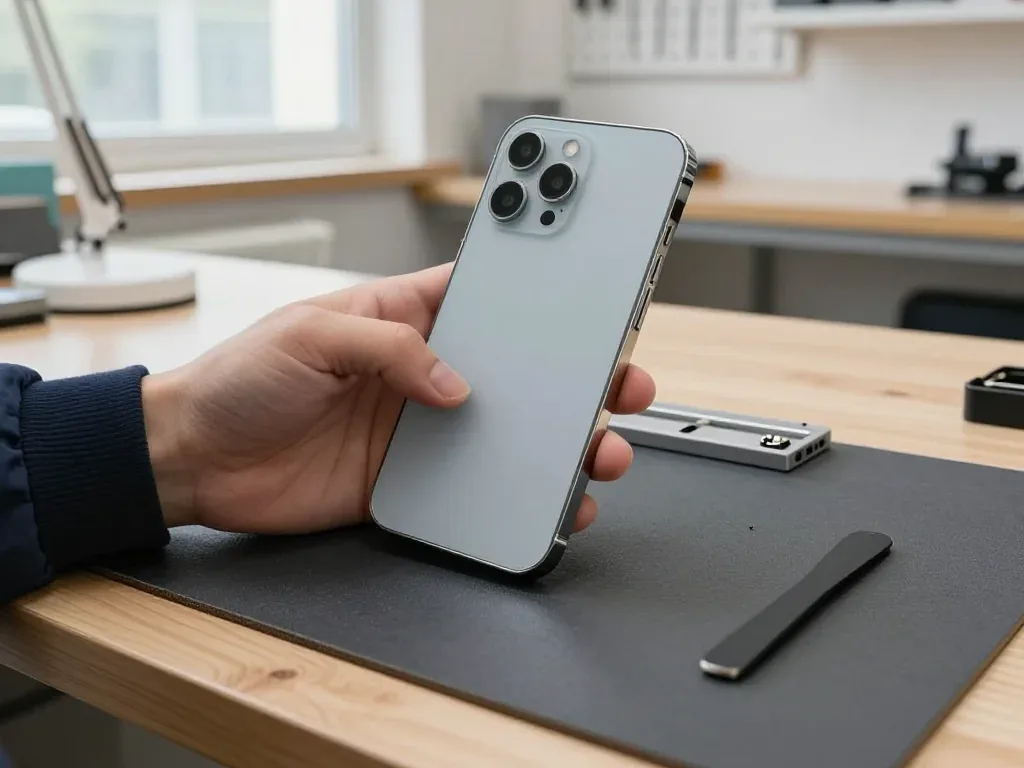
On the 14 Pro Max the most frequent faults are a cracked display or rear glass, a worn battery, a clogged charging port and damaged camera glass, because the large glass body takes the impact in a fall. The stainless steel frame survives drops that shatter the panels around it, and the heavy display module puts extra stress on the glass the moment the phone lands face down. Rear glass cracks just as easily, since the back panel is one continuous sheet with no raised lip to absorb contact. Camera glass sits on a raised plateau and breaks when the phone lands on its back corner. A fault that looks like a dead phone is often just a drained or swollen battery, so the symptom alone never decides the repair — the free check does.
Symptom, Likely Cause and What We Do
Matching each visible symptom to the part that causes it| Symptom | Likely cause | What we do |
|---|
| Lines or black patches on screen | Damaged display module | Replace module or glass only |
|---|
| Battery drains fast, phone shuts down | Worn battery | Battery replacement |
|---|
| Will not charge | Dirty or worn charging port | Clean or replace port |
|---|
| Blurry photos, cracked lens | Broken camera glass | Replace camera glass |
|---|
| No sound on calls | Clogged or failed microphone | Clean or replace component |
|---|
Charging and Battery Problems on the 14 Pro Max
A 14 Pro Max that stops charging is often a dirty or oxidised port rather than a dead board, and a battery that drops fast is usually simply worn out. Pocket lint compacts against the port contacts and blocks the charger from seating fully, which is why the cable feels loose and charging cuts in and out. The charging flex behind the port can also fail after a bend or a drop, and that is a separate component from the battery. We check the port, the flex and the power controller in that order, because the cheapest fix is the one that solves it. Cleaning a port takes minutes and costs far less than a board repair, so it is always checked first before any component is ordered.
Screen Repair for the iPhone 14 Pro Max in Astana
A shattered front panel is the most frequent reason people bring this model to us. Here is when replacing just the outer layer is enough, when the full assembly is needed, and what happens to True Tone afterwards.
Glass Only or the Whole Display Module
If the OLED matrix is intact and only the outer layer is cracked, we can replace just that cover; if there are lines, dead zones or touch faults, the whole assembly is swapped. A glass-only job keeps the original OLED panel, its brightness curve and its factory calibration untouched, and the digitizer underneath stays as it left the factory. A full swap is the only route once the picture itself is damaged: green or pink lines, black patches, a strip that no longer responds to touch. On the 14 Pro Max the display is laminated to the cover, so separating them takes a heated plate and a vacuum press rather than a quick peel. For an iPhone 14 Pro Max repair in Astana, the choice between these two routes is settled during the free diagnostics.
Will Face ID and True Tone Still Work
Face ID keeps working after a screen repair because the TrueDepth module is a separate component, and True Tone works once its calibration is transferred to the new display. The TrueDepth assembly sits above the earpiece and is not glued to the panel, so a careful technician moves it across intact and Face ID unlocks exactly as before. True Tone is a different story: the phone stores a pairing between the ambient light sensor and the display, and that pairing has to be written to the new component with a programming tool. On some aftermarket panels this colour adjustment may not return, so it is checked together with you at pickup before you leave.
How Long a Screen Repair Takes
A screen replacement on the 14 Pro Max takes about 40 minutes, and most of our repairs are finished while the customer waits in the lounge. The clock covers the full cycle: free diagnostics in front of you, the module swap, then a 32-point function check of roughly ten minutes covering Face ID, True Tone, cameras, microphones, speakers, charging and network. Across the workshop, 72% of jobs are completed while the owner stays on site, and a cracked front layer is one of the fastest categories. Because the phone stays with you, you can watch the component come out of factory packaging and see the function check right after.
Original Part or Aftermarket for iPhone 14 Pro Max Repair and What It Changes
The component you choose shapes how the phone behaves after the repair and what the system reports about it. Below we compare original and aftermarket options by function and show how your choice is locked in before work begins.
How Original and Aftermarket Parts Differ by Function
how each part type behaves after repair| Part | Original | Aftermarket |
|---|
| Display | Full brightness, True Tone | May lose True Tone |
|---|
| Battery | Health reporting intact | Health may not show |
|---|
| Camera glass | Exact fit and clarity | Slight colour shift possible |
|---|
| Charging port | Matches factory spec | Works, shorter lifespan |
|---|
The Unknown Part Message Explained
The unknown part message is an indicator of the part type, not a fault, and it appears when the phone cannot confirm a component as its own. On the 14 Pro Max it most often follows a display or battery replacement, because the system stores a pairing record for those modules and flags anything it does not recognise. The message shows in Settings under the component and battery section, and the phone keeps working exactly as before. It is not an error code, it does not disable the camera or Face ID, and it does not shorten the life of the new component. What it does is tell the next owner or technician that a component was swapped. It is worth knowing about before the repair, so the message is not a surprise afterwards.
What We Write on the Receipt Before Work Starts
Before any work starts we fix the price, the part, the turnaround and the warranty on the receipt, and we show the new part in factory packaging before installing it. The component is named as original or aftermarket, so there is no ambiguity later about what sits inside the phone. We do this in two minutes, in front of you, and you keep a copy. Our warranty runs up to 1 year, and we hand back the old part together with the warranty card at pickup. A written record protects both sides, so keep the receipt, the warranty card and the old component you get back at pickup — they are what a warranty claim rests on.
How a Visit Works From First Message to Pickup
The repair starts long before a screwdriver touches the handset — with a photo on WhatsApp and a few minutes of preparation at home. Here is how the visit runs and what to check at pickup.
Sending a Photo and Booking a Slot
Send a photo of the damage on WhatsApp and an engineer replies within 5 minutes with a price and a free time slot. From there the visit is short: free diagnostics take 15 minutes and happen in front of you, a technician shows exactly what is broken even if you decide not to repair, and the price, component, turnaround and warranty are fixed on the receipt in about 2 minutes before any work starts. Most jobs finish in 20 to 40 minutes while you wait in the seating area over coffee and Wi-Fi. A clear photo of the fault often lets us confirm the component ahead of your arrival, which shortens the visit — so shoot the damage in good light and mention when the symptom appears.
What to Do Before You Hand the Phone In
- Back up first: save photos and messages to iCloud or a computer ahead of the visit, so a board fault cannot cost you data.
- Know your passcode: the technician needs it to unlock the device and test functions after the repair.
- Check Find My: decide in advance whether it stays on during the work, not at the counter.
- Note the symptoms: write down when the fault appears — after charging, in cold, on camera — so diagnostics run faster.
- Bring the charger: the original cable helps confirm a charging fault on the spot instead of guessing.
The Function Check at Pickup
At pickup you check 32 functions together with the technician in about 10 minutes, including Face ID, True Tone, cameras, microphones, speakers, charging and network. The handset comes back with the receipt, the warranty card and the old component, and the warranty runs up to 1 year. Payment works by Kaspi, card or cash, whichever suits you. Testing with the engineer before you leave means any issue is caught while the device is still on the bench, not days later — run through the cameras and microphone yourself rather than trusting a quick glance. Ask the technician to show you the True Tone shift and the Face ID unlock twice, since those are the two functions most often affected by a replacement display.
Why a Direct Repair Shop Beats a Middleman
Who you hand the phone to decides how the repair goes. Here is how a direct contractor differs from a middleman, what the warranty covers, and how to collect the device without visiting.
Direct Contractor or Middleman
We are a direct contractor with our own technicians and workshop, not an aggregator or a middleman, so the person who quotes the repair is the one who does it. A photo on WhatsApp gets a price within five minutes from an engineer, and that same engineer opens the device on the bench here. Nobody forwards your phone to a third party across town while you wait for updates. With a middleman the device travels between hands, and the person answering your questions is rarely the one holding the screwdriver. Ask who physically performs the work before you agree to anything — if the answer is vague, the device will likely change locations at least once.
Warranty, Old Part and Payment
Every repair comes with a warranty of up to 1 year, and at pickup you get the receipt, the warranty card and the old component back. The receipt is written before work starts and fixes the price, the component type, the turnaround and the warranty term in one document, which takes about two minutes. Payment works by Kaspi, card or cash, whichever suits you. Keeping the old component lets you see exactly what was replaced, which is a simple way to confirm the work matches the receipt. 64% of customers choose an original component, and the receipt always states which one went in, so there is no room for a quiet swap later.
Waiting on Site or Calling a Courier
You can wait in the lounge with coffee and Wi-Fi while the phone is repaired, or call a courier if you cannot come in person. Most jobs finish in 20 to 40 minutes — a screen takes 40, a battery 25, camera glass 20 — and 72% of repairs are completed while the customer waits on site. Waiting in person usually beats a round trip with a courier, because you skip the pickup window and check the phone on the spot. If the board needs microsoldering under the microscope, expect one to three days, and a courier then saves you a second visit.
Summary: iPhone 14 Pro Max repair
A few practical points decide whether a repair restores your phone fully or quietly removes a feature you rely on every day.
- Screen damage: a cracked front glass does not always mean a full module swap — glass-only is possible when the panel underneath is intact.
- Face ID and True Tone: Face ID survives a screen repair, while True Tone depends on the part and its calibration.
- Parts: original and aftermarket components differ in which features they keep, so choose by what you need, not by price alone.
- Before the visit: a backup and a known passcode protect your data through any repair.
- At pickup: checking functions together at the counter catches problems while the phone is still on the bench.














 iPad
 MacBook
 iMac
 Mac mini and Studio
 Apple Watch
 AirPods
 Apple Pencil
 Apple TV
 HomePod




