KS Photo: Kudiret S.
Kudiret S.
iCloud unlock specialist
10years of experience
4.37rating, 100 reviews

If the Liquid Retina XDR shows faults or a MagSafe 3 has failed, we examine it at no charge and give you a firm cost estimate before any work begins.
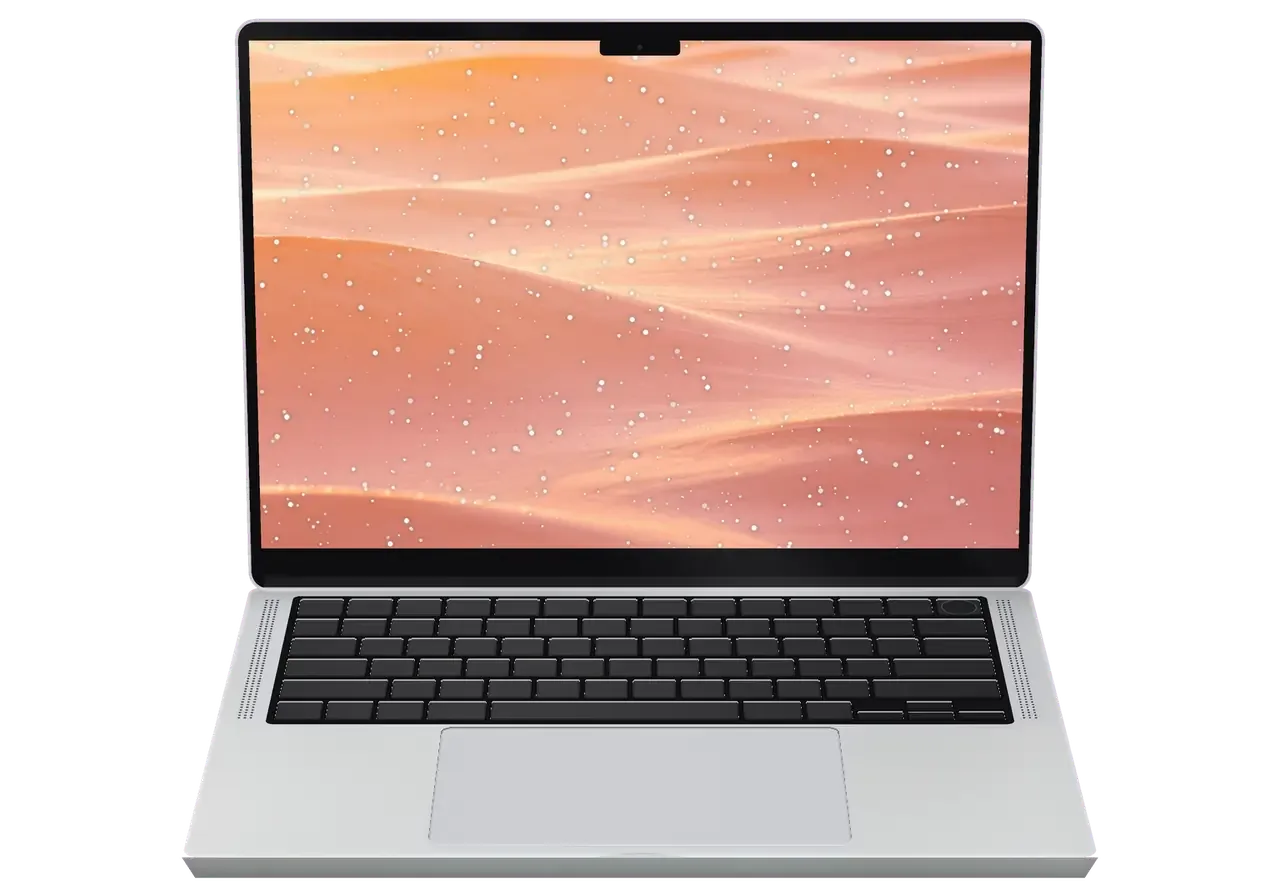
The compact body with mini-LED display and soldered memory forgives less than it seems, so laptops arrive in Astana after travel, trips, and daily work.
Faint lines appear on the Liquid Retina XDR screen when a bag presses on the lid.
The image flickers when you change the screen angle, often due to the cable in the hinge.
The body is hot, both fans won't quiet down even in a browser, and speed drops.
The MagSafe 3 cable doesn't hold or charging doesn't happen, although USB-C works.
A monitor or external SSD via Thunderbolt disconnects, the port doesn't see the cable.
The TV via HDMI gets no picture — we check the port and output circuits.
A camera card doesn't click in or isn't read after copying.
Battery life drops, the laptop shuts down in cold or under load.
Coffee or water on the keys — urgent cleaning and drying of the board is needed.
Unsteady voltage can kill the machine — soldered memory and SSD need expert board care.
The click is gone or works intermittently, the bottom cover has risen.
The power button doesn't recognize a finger, unlocking only by password.
Main works for this model are collected in the table for Astana: the price is for labor, the part is selected after inspection.
| Service | Original | Aftermarket |
|---|---|---|
| Display panel replacement | 487 900 ₸ | 301 900 ₸ |
| Battery replacement | 214 900 ₸ | 123 900 ₸ |
| Charging port replacement | 35 900 ₸ | 19 900 ₸ |
| Speaker replacement | 33 900 ₸ | 18 900 ₸ |
| Fan replacement | 22 900 ₸ | 12 900 ₸ |
| Other repairs | Price | |
| Dust cleaningdisassembly and dust cleaning | 10 900 ₸per job | |
| Water damage repaircorrosion cleaning · diagnostics up to 2 days | 27 900 ₸per job | |
| Logic board repairmicrosoldering · 1–3 days | 16 900 ₸per job | |
| MacOS installationOS installation, no parts replaced | 10 900 ₸per job | |
| Wi-Fi module repairwireless module · board-level repair | 41 900 ₸with parts | |
The price depends on the condition of the motherboard and the type of part; the exact amount will be announced by the engineer after the free check.
For this model, original parts and analogs are available; the difference is visible on the display, battery, and keyboard.


For the owner of a 14-inch Pro, it's important that the laptop is accepted as a whole and the cause of the breakdown is explained without haste.
Eleven years of repairing Apple equipment means well-established diagnostics and a clear explanation of causes without complex terms.
We give a warranty up to 1 year for the work performed. The engineer explains which cases it covers before the repair.
Boards, displays, and batteries of this model are repaired by experienced technicians accustomed to fragile cables and soldered components.
Before handing over, we run the laptop through 32 functions: screen, ports, camera, sound, charging, and wireless modules.
After diagnostics, you see the list of works and decide what to do. Replacement of expensive components is agreed in advance.
Branches are in Astana and Almaty: if you often visit both cities, the laptop can be dropped off at either.
Usually the whole journey — from message to pickup — takes less than an hour; complex repairs follow the timeline in the receipt.
Book a repairYou send a photo of the damage on WhatsApp — we quote the price and available time. Or you call a courier.
An engineer checks the device in front of you and shows what is broken. 0 ₸, even if you decline the repair.
We fix the price, the part (original or analog), the timeline and the warranty. You sign — we start.
Before installation we show you the new part in its factory packaging. You wait in the waiting area with coffee and Wi‑Fi.
Screen, keyboard and trackpad, camera, microphones, speakers, charging, Wi‑Fi. You check together with the engineer.
Together with the receipt, warranty card and the old part. Payment — Kaspi, card or cash.
Technicians for iPhone, Mac, iPad, Apple Watch and AirPods repair.
Photo: Kudiret S. Photo: Kamran A.

“If the repair didn’t suit you or you have a complaint, write to me personally.”
Send a photo of the fault — an engineer will reply on WhatsApp, give the price and a time you can come in.
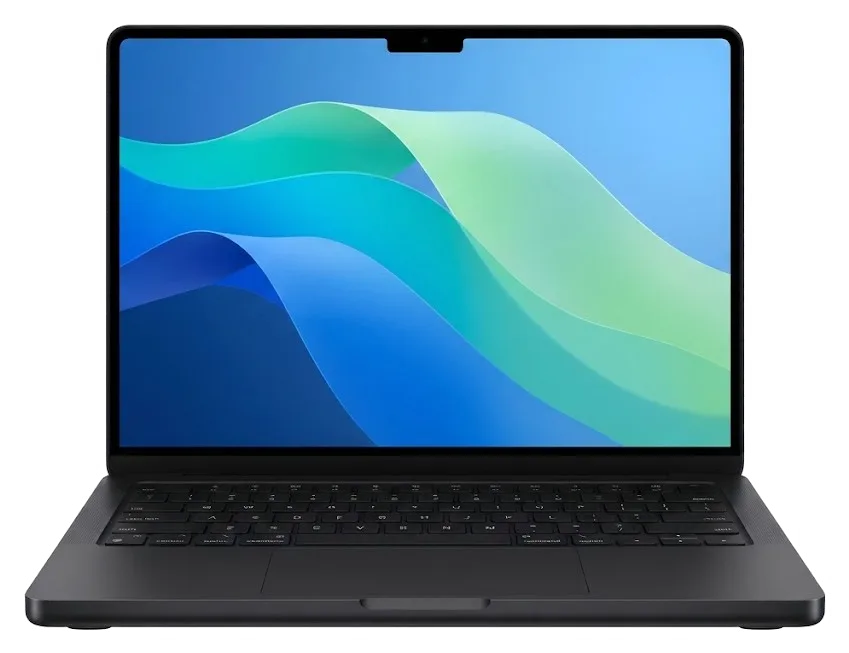
At iServices Center in Astana, MacBook Pro 14 M3 Repair
For MacBook Pro 14 M3 repair in Astana, our engineers fix board-level faults, liquid damage, keyboard, charging, battery and screen on every 14-inch M3 variant, Pro and Max included. The free 15-minute check happens while you watch, most fixes take an hour to a day, and each job comes with a warranty of up to 1 year.
The 14-inch M3 pairs a mini-LED Liquid Retina XDR panel, MagSafe 3, Thunderbolt, HDMI and SDXC with soldered memory and storage — so the failure list is specific, and so is what we can and cannot swap.
| Symptom | What it usually means | What we do |
|---|---|---|
| Cracked or flickering mini-LED panel | Display assembly damage | Display replacement |
| Battery drains fast or bulges | Worn cells, swelling | Cell replacement |
| MagSafe 3 refuses to charge | Fault in the port or charging circuitry | Port or logic board repair |
| Uneven brightness, dim corner | Local dimming fault | Display job, not settings |
| Liquid damage, dead unit | Corrosion on the mainboard | Microscope repair |
| Keyboard keys fail or stick | Top case or membrane wear | Top case service |
On the M3 14-inch, memory and storage are fixed directly to the mainboard, meaning they can't be upgraded or replaced as separate components — however, the screen, battery, keyboard and top case, ports, and board-level issues can all be repaired. This is the most common mismatch we encounter at the counter: customers come in wanting to add RAM or extra storage, and the truthful response is that a module swap isn't possible. What can be repaired is everything surrounding that core: a shattered mini-LED panel, a swollen battery cell, a broken MagSafe 3 port, a liquid-damaged mainboard. Since storage is integrated into the same silicon carrier, a failing drive turns into a more involved repair, which is why we estimate such jobs at 1–3 days instead of the 1-hour-to-1-day window for a module swap.
Unlike older Intel units with swappable drives and memory, the M3 14-inch has everything critical on the board, so repairs focus on modules and board-level work rather than upgrades. On an Intel unibody Pro a slow machine was often fixed by a drive swap or a RAM upgrade; on the M3 the same slow symptom points to the mainboard, thermal behaviour or software, so the diagnostic path is different from the start. The unified architecture also means a single failed component can affect several subsystems at once — charging, boot and battery reporting can all trace back to one area. That is why we run diagnostics before naming a cause, rather than guessing from the symptom alone.
The path from something is wrong to a checked, warrantied laptop is short and fixed on paper before any work starts — here is exactly what happens at our bench.
An engineer answers in under 5 minutes with a cost and an open appointment after you snap the damage on WhatsApp; the amount, part kind (original or aftermarket), duration and guarantee are then recorded on the receipt in roughly 2 minutes. Our specialist inspects the image for the typical 14-inch M3 faults — a shattered mini-LED display, an inflated battery, a twisted MagSafe 3 contact — and identifies the part while you remain in the conversation. That is the opening of a MacBook Pro 14 M3 repair in Astana, with the work agreed before the device arrives at the workbench. The receipt specifies whether the part is original or aftermarket, so the decision is documented in writing.
Diagnostics cost nothing and last roughly 15 minutes, with the engineer inspecting the device in your presence and pointing out the fault — even if you choose against repair. On a 14-inch M3 the inspection begins with the logic board and its power rails, then proceeds to the display flex, the battery health reading and the MagSafe 3 and USB-C charging paths, so a dead machine is traced to an actual fault rather than guessed at. Nothing vanishes behind a back door: you watch each step on the bench. Observing the check as it happens is what lets you distinguish a genuine board fault from a loose cable or a software glitch before consenting to any replacement — and it costs you nothing if you walk away.
How long you are without the laptop depends on the job, not the model name — module swaps finish while you wait, board work does not, and liquid changes the clock entirely.
| Job type | Typical turnaround |
|---|---|
| Display module replacement | 1 hour – 1 day |
| Battery replacement | 1 hour – 1 day |
| Charging port and cable-side faults | 1 hour – 1 day |
| Camera and microphone modules | 1 hour – 1 day |
| Full function check after work | about 10 minutes |
Component-level work on the M3 14-inch runs 1–3 days and happens under a microscope, since it is board-level rather than a module swap. An engineer tracks the fault across the logic board, swaps out individual components and re-verifies the circuit under magnification before the laptop goes back together. A board job is quoted as a range, not an hour, because the microscope stage shows the real extent of the fault — corrosion or a short can expand the scope once the board is under the lens. A single dead port may turn out to involve a second damaged line nearby. Ask for the range in writing on the receipt before you leave the device.
You can drop the laptop off at our branch during opening hours or arrange a courier; branches are open Mon–Fri 10:00–19:00 and Sat–Sun and holidays 11:00–18:00. We operate in Almaty and the capital, and a courier can be sent to pick up the device from your address. If you book a courier, photograph the damage first and send it on WhatsApp — the quote and slot are arranged before pickup, so the courier trip is not wasted on an unquoted job. An engineer answers in under 5 minutes and quotes from the photo, so the driver arrives for a job that already has a bench slot reserved.
The part decision is yours, but it is made on facts, not pressure — here is what actually differs between an original and an aftermarket part on this model, and what gets written down.
| Criterion | Original component | Aftermarket component |
|---|---|---|
| Factory fit | Matches the chassis exactly | Tolerance can vary by batch |
| Display behaviour | Full brightness and local dimming | Dimming zones may fall short |
| Connector tolerance | Snug, no play | Occasional loose seating |
| Colour accuracy | Calibrated to the panel | Needs checking on arrival |
| Availability | Ordered to order | Usually in stock |
Before any work starts we fix four things on the receipt — price, part (original or aftermarket), turnaround and warranty — and the new part is shown in factory packaging before installation. That sheet takes about two minutes to complete, and it names the exact component going into your machine, whether that is a display assembly, a battery or a charging board. You sign it before a screwdriver touches the chassis, so there is no room for a swapped part later. Seeing the sealed part before it goes in is what makes the receipt meaningful — it ties the paper to the physical component you can identify afterward, so ask to compare the packaging label with the line on the sheet.
All work comes with a warranty of up to 1 year, and the device is returned together with the receipt, warranty card and the removed part. The card lists what was replaced and the covered period, so a repeat fault on the same component is resolved without a fresh dispute over what happened. We give back the removed part during the same visit, not on request weeks later. Keeping the old part matters on a board or display job — it is the physical record of what was replaced, useful if a related fault appears later. For a repair in Astana, hold onto that component until the warranty period ends, because it is your clearest evidence if the same symptom returns.
A spill or a laptop that refuses to start are the two cases where your actions in the first ten minutes matter more than the repair itself.
After liquid contact diagnostics can take up to two days, because corrosion has to be assessed under the microscope before we can say what is salvageable. A spill rarely damages one spot — coffee and sugary drinks creep along the logic board, settle under the shielding and attack solder joints and the rails that feed the M3 chip. Under the microscope we trace the residue, clean the affected areas and test each rail separately, which is why the check cannot be compressed into a single pass. The honest verdict matters more than a fast one: a rushed answer after water is how people pay twice. A laptop that switches on after a spill is not proof of recovery — corrosion can surface days later, which is why the two-day window exists rather than a same-hour verdict.
A 14-inch M3 that will not switch on or charge is usually a MagSafe 3 or USB-C charging fault, a battery issue or a power-controller problem on the circuitry, and the free 15-minute diagnostic in front of you shows which one it is. The M3 draws current through the MagSafe 3 port or either Thunderbolt port, and each path has its own controller soldered to the mainboard, so a dead port does not always mean a dead mainboard. We start by measuring the charger output and the current the laptop actually pulls, then check battery health and the supply rails. Trying a different charger first is worth it — a dead MagSafe 3 cable mimics a component fault, and ruling it out in the diagnostic saves a needless repair job.
A brief summary of what determines the result on this chassis, so your next step is clear instead of a guess.
Did not find an answer? Message us on WhatsApp: an engineer replies, not a bot.
Ask a questionNo: RAM and SSD are soldered to the motherboard, no slots are provided. That's why before repairing the board, it's worth backing up in advance while the laptop still boots. The specialist will discuss possible risks before starting the repair.
In most cases the cause is dust clogging the heatsinks and thermal paste that has dried and thickened. A clean-out plus fresh thermal interface brings back silent running. Should the noise continue, we inspect the sensors and the board.
First we check the cable and power adapter, then the contacts of the MagSafe 3 connector. Sometimes cleaning is enough, sometimes the port needs replacement. Diagnostics will show the exact cause.
No, the backlight layer of the Liquid Retina XDR is damaged; polishing won't help. Replacement of the display module or restoration of the cable is needed if that's the issue. The technician will say what suits your case.
Duration varies by task: battery swaps and cleanings tend to be quick, while board-level work takes more time. The technician confirms the exact timing once diagnostics are done. In Astana, you can drop the laptop off any day of the week.
We look at the power circuits on the board, the charging controller, and the battery condition. Soldered components complicate repair, so careful diagnostics is important. The technician discusses the outcome with you before work.
Было ощущение, что ремонт выйдет дороже нового. Проблема — вздулась батарея. Камран А. провозился, но сделал. Приняли, объяснили, что и почему. Вышло из строя: плата. Проверил на всех режимах — держит.
Позвонила насчёт MacBook Pro 14" M3. Проблема — не включаеться. Полёт нормальный!!
Обратился по поводу MacBook Pro 14" M3. Проблема — не включается. Третий месяц — никаких проблем.
Камран А. провозился, но сделал. Сейчас работает без нареканий. Работает, как будто и не ломалось!!
У нас в офисе три таких ноутбука, один сломался. После обновления началось: треснул экран. После ремонта — как новое.
После переезда — залили водой. Мастер сам предложил забрать технику позже. Пришлось ставить: клавиатура. Ставлю пять. Работает, как будто и не ломалось
После переезда — шумит кулер. Привезла на такси, приняли без вопросов. Третий месяц — никаких проблем.
Позвонила по объявлению, приехала на следующий день. После переезда — шумит кулер. Камран А. — мастер от бога, если можно так сказать. Оплату взяли после ремонта. Внутри оказалось: кулер. В 74 500 уложилась, как и обещали. Спасибо, что выручили. Работает, даже лучше прежнего)
Искала сервис, где дадут гарантию и чек. После обновления началось: шумит кулер. Дома включила, всё на месте.
Камран А. разобрался в редкой модели. Мастер вышел, послушал и срозу забрал в работу. Функционирует, тьфу-тьфу.

Replace the battery when macOS reports Service Recommended and runtime no longer covers your workday. A free 15-minute check shows whether the cell is at fault.

Why your MacBook runs hot and loud, and whether cleaning solves it or the board needs repair.

Power it off, unplug the charger and bring the laptop in for a free 15-minute check before corrosion spreads.

Sticky or unresponsive keys usually mean debris, worn mechanisms or liquid damage. A technician can check the keyboard and advise on cleaning or replacement.

Back up your data, turn off Find My, and bring proof of purchase — then the repair starts faster.


 iPad
 iMac
 Mac mini and Studio
 Apple Watch
 AirPods
 Apple Pencil
 Apple TV
 HomePod
