Eng

iPhone 17 Air Repair in Astana

The thin iPhone 17 Air body bends on impact, and the battery dies by evening — we'll find the cause with a free diagnostic and get your phone back in shape.

Sky blue iPhone 17 Air smartphone seen from the front
iPhone 17 Air, Sky Blue repair
Display replacementfrom 226 900 ₸
Back glass replacementfrom 59 900 ₸
Charging port replacementfrom 43 900 ₸
All services and prices

Typical repair requests for the iPhone 17 Air

The thin titanium body and compact battery take their toll — here are the faults this model sees more often than most.

01

Body bends after impact

The thin titanium frame bends in a pocket, so the panel no longer sits flat.

02

Crack in the screen glass

The 6.5-inch ProMotion display takes chips along the edge or a spiderweb on impact.

03

Battery drains quickly

Its slim cell degrades, so you need to plug in sooner as the day goes on.

04

USB-C port gets loose

The cable doesn't sit tight, charging happens at an angle, and data transfers fail.

05

Camera gives blurry shots

Scratches on the lens glass or a shifted module make photos blurry, with glare.

06

Face ID stops recognizing

After a drop or moisture, facial recognition switches off and only password entry remains.

07

Action button doesn't respond

The key sticks or works intermittently, and the assigned action doesn't launch.

08

Camera Control button sticks

The new touch-sensitive key stops responding to presses, making shooting inconvenient.

09

Speaker crackles and muffles sound

The grille is clogged with dust, the other party hears you worse, and music sounds flat.

10

MagSafe won't hold a charge

Wireless charging cuts out, and the magnet grips accessories more weakly after a drop.

11

eSIM can't see the network

After a reset or repair, the phone can't find the carrier and the eSIM won't activate.

12

Traces of moisture inside the body

After rain or a spilled drink, the phone heats up, restarts, and holds a charge poorly.

iPhone 17 Air service prices, Astana

This table shows common services for the iPhone 17 Air; where a part can be swapped, you'll see "original or analog".

ServiceOriginalAftermarket
Display replacement356 900 ₸226 900 ₸
Charging port replacement164 900 ₸98 900 ₸
Back glass replacement94 900 ₸59 900 ₸
Display glass replacement177 900 ₸98 900 ₸
Camera glass replacement58 900 ₸32 900 ₸
Front camera replacement80 900 ₸44 900 ₸
Speaker replacement79 900 ₸47 900 ₸
Microphone replacement67 900 ₸40 900 ₸
Button replacement89 900 ₸53 900 ₸
Other repairsPrice
Water damage cleaningcorrosion cleaning · diagnostics up to 2 days58 900 ₸per job
Logic board repairmicrosoldering · 1–3 days100 900 ₸per job
Firmware flashingsoftware restore, no parts replaced26 900 ₸per job
Power controller replacementboard-level chip · microsoldering87 900 ₸with parts
Modem repairboard-level chip · microsoldering87 900 ₸with parts

Original and analog parts cost differently, so we quote the final amount after inspecting the phone.

When an analog fits, and when original is better

We fit the screen and battery for the iPhone 17 Air in two versions; the choice depends on your budget and how long you plan to use the phone.

Original Applewarranty up to 1 year
iPhone 17 Air screen356 900 ₸
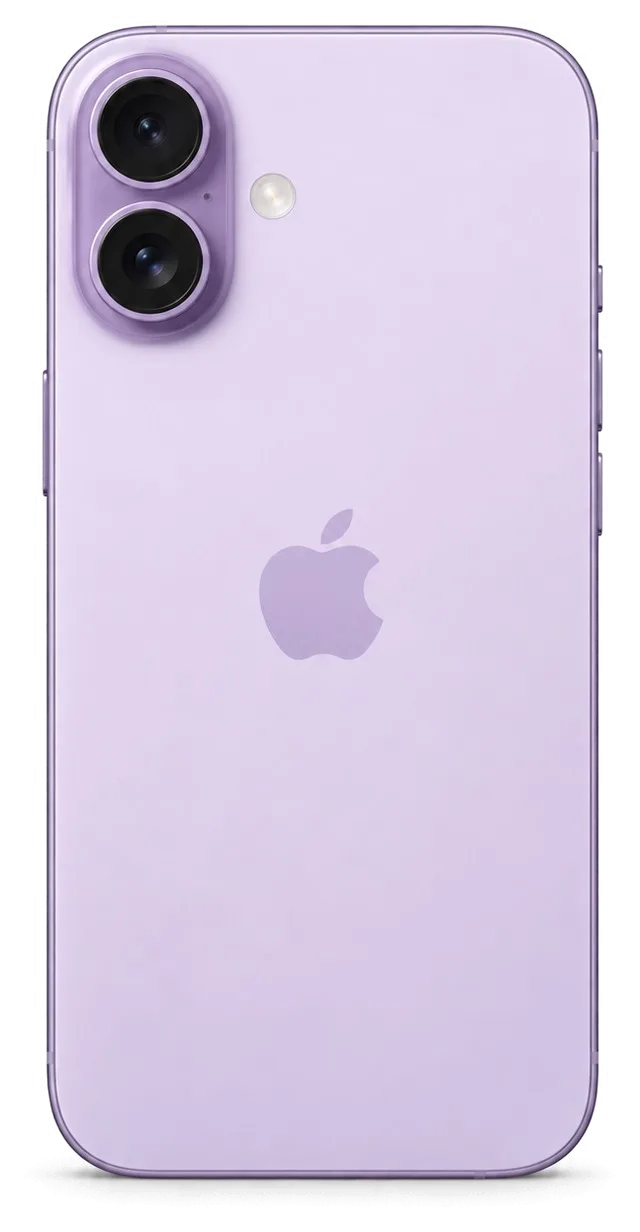
iPhone 17 Air screen: original part in Apple packaging
Display
Color and brightness closer to factory
Face ID
Works without extra messages
Wear
Loses quality more slowly under load
Price
Higher, but service life is predictable
Chosen by 64% of clients
Book with an original part
Aftermarketwarranty 6 months
iPhone 17 Air screen226 900 ₸−36%
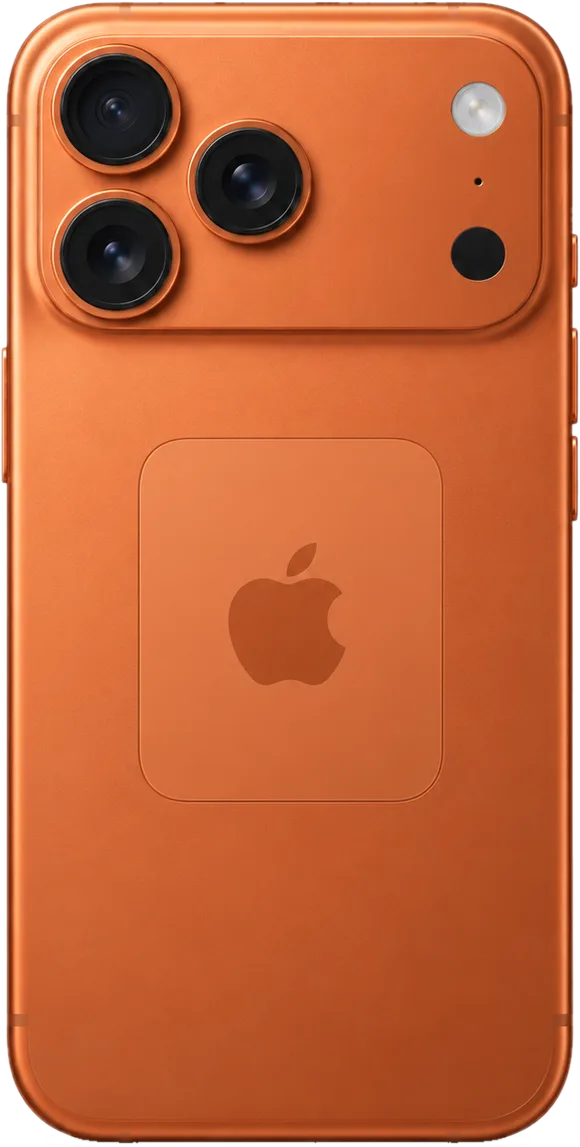
iPhone 17 Air screen: aftermarket part in an antistatic bag
Display
Hue and peak brightness differ
Face ID
We check after fitting the part
Wear
Determined by the part manufacturer
Price
Easier on the budget, same functions
Chosen by 36% of clients
Book with an aftermarket part

Why Astana Chooses iServices for iPhone 17 Air

In Astana we're valued for experience, warranty, precise testing, and respect for your choice.

11years

Eleven years of experience

We've worked with Apple tech for eleven years, so we know how phones age and what's worth fixing first.

1year

Warranty up to 1 year

The warranty on completed work lasts up to 1 year, and we state the term for your order before we begin.

2options

Experienced technicians

Your phone is repaired by experienced technicians who are comfortable working with glued parts and thin flex cables.

32checks

Testing instead of guesswork

We test the phone, find the real cause, and only then suggest a replacement, with no unnecessary parts.

5min

You decide

We explain the differences between original and analog in plain words, and the choice stays with you.

2cities

Astana and Almaty

We have workshops in two cities. Monday to Friday — 10 am to 7 pm, weekends and holidays — 11 am to 6 pm.

iPhone 17 Air before and after repair

1 / 2
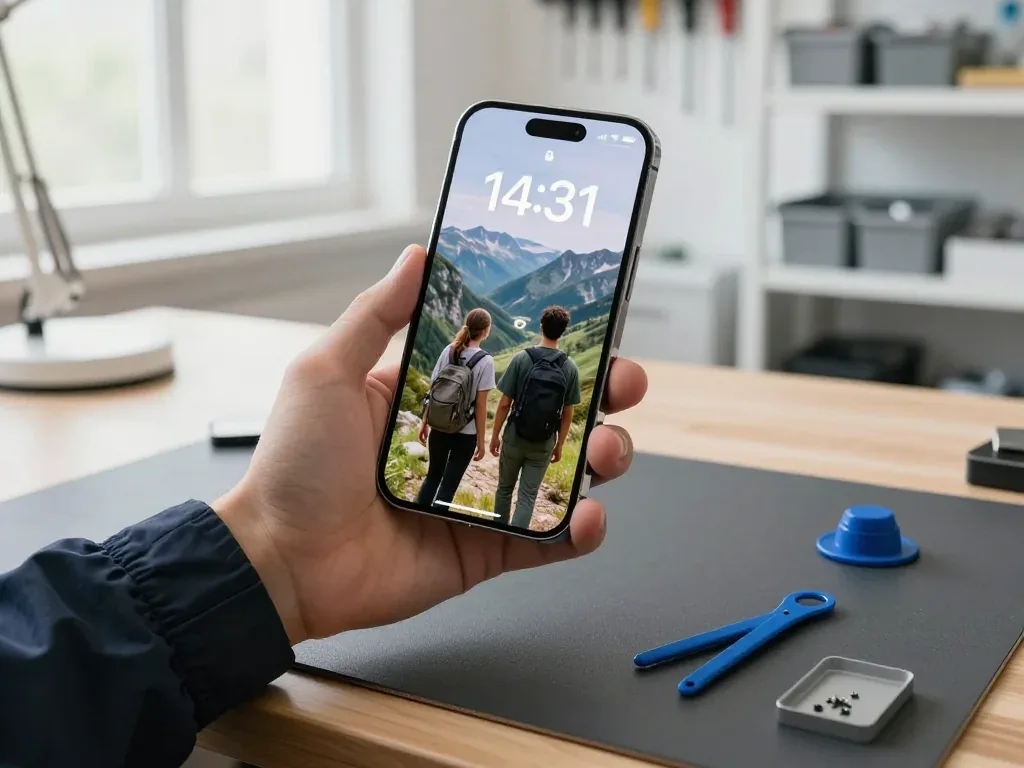
iPhone 17 Air held by a technician after display replacement, wallpaper showing two tourists in the mountains

iPhone 17 Air: stripes appeared after a drop

The client dropped the phone in the parking lot near Khan Shatyr — stripes ran across the screen and the touch sensor stopped responding in places. We replaced the display module and checked the sensor, brightness and True Tone — the device is like new again.

from 226 900 ₸repair cost
I want the same
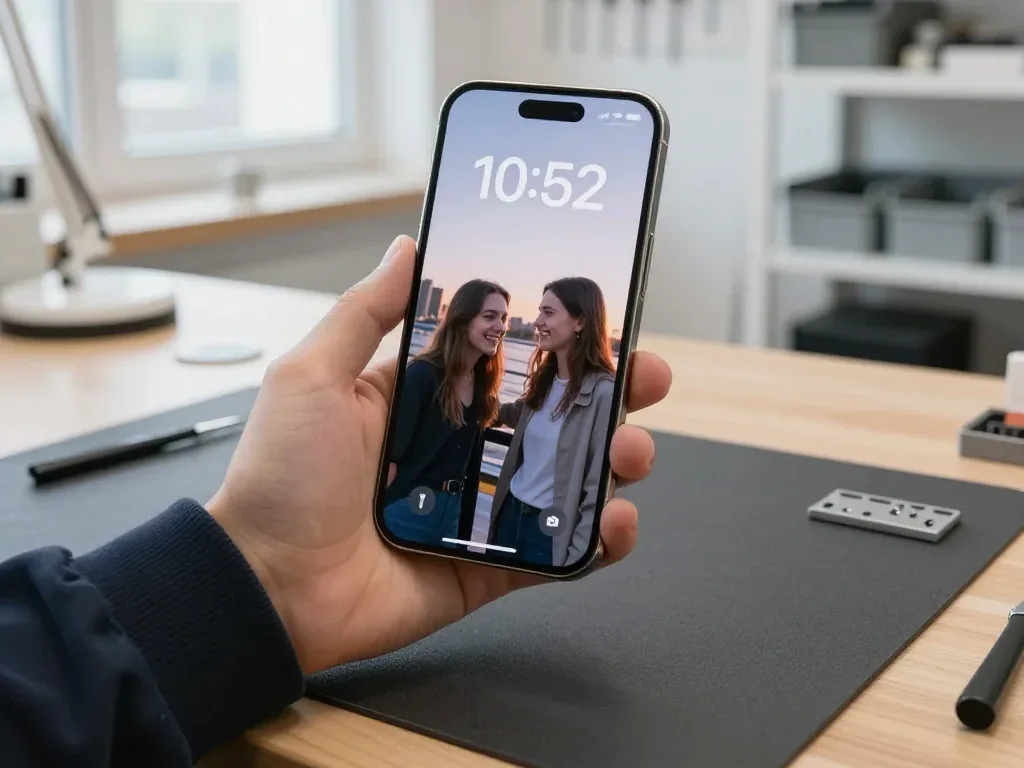
iPhone 17 Air in the technician's hand after a battery replacement, wallpaper showing two friends

iPhone 17 Air: swollen battery lifted the screen

A customer from Astana noticed the screen starting to separate from the body and the phone no longer lasting until evening. We replaced the battery, checked its capacity and charging — the screen sits flush again.

from 13 900 ₸repair cost
I want the same

How iPhone 17 Air repair works in Astana

Screen — 40 minutes, battery — 25. Body and board — 1–3 days.

Book a repair
  1. Step 1

    Message or call

    5 min

    You send a photo of the damage on WhatsApp — we quote the price and available time. Or you call a courier.

  2. Step 2

    Free diagnostics

    15 min

    An engineer checks the device in front of you and shows what is broken. 0 ₸, even if you decline the repair.

  3. Step 3

    Price in the receipt

    2 min

    We fix the price, the part (original or analog), the timeline and the warranty. You sign — we start.

  4. Step 4

    Repair while you wait

    20–40 min

    Before installation we show you the new part in its factory packaging. You wait in the waiting area with coffee and Wi‑Fi.

  5. Step 5

    Checking 32 functions

    10 min

    Face ID, True Tone, cameras, microphones, speakers, charging, network. You check them together with the engineer.

  6. Step 6

    Pick up your device

    warranty up to 1 year

    Together with the receipt, warranty card and the old part. Payment — Kaspi, card or cash.

Meet the iServices team

Technicians for iPhone, Mac, iPad, Apple Watch and AirPods repair.

1 / 5
BSBakmukhammed S. — on-site iPhone technician, iServices service center in AstanaPhoto: Bakmukhammed S.

Bakmukhammed S.

on-site iPhone technician
13years of experience
4.93rating, 107 reviews
GSGalymzhan S. — iPhone repair technician, iServices service center in AstanaPhoto: Galymzhan S.

Galymzhan S.

iPhone repair technician
8years of experience
4.79rating, 90 reviews
ZSZhandos Sh. — iPhone screen replacement technician, iServices service center in AstanaPhoto: Zhandos Sh.

Zhandos Sh.

iPhone screen replacement technician
6years of experience
4.65rating, 112 reviews
DTDarkhan T. — iPhone firmware technician, iServices service center in AstanaPhoto: Darkhan T.

Darkhan T.

iPhone firmware technician
8years of experience
4.44rating, 19 reviews
KSKudiret S. — iCloud unlock specialist, iServices service center in AstanaPhoto: Kudiret S.

Kudiret S.

iCloud unlock specialist
10years of experience
4.37rating, 100 reviews
Bakmukhammed S., on-site iPhone technician
“If the repair didn’t suit you or you have a complaint, write to me personally.”
Bakmukhammed S.on-site iPhone technician · +7 701 333-47-01

We'll quote iPhone 17 Air repair in Astana from a photo in 5 minutes

Send a photo of the fault — an engineer will reply on WhatsApp, give the price and a time you can come in.

  1. 5 minAn engineer replies and names the price
  2. 0 ₸Diagnostics in front of you in 15 minutes
  3. 30 minMost repairs — while you wait

iPhone 17 Air Repair in Astana for a Body That Bends

In short

For iPhone 17 Air repair in Astana, iServices fixes the thin titanium body, 6.5-inch ProMotion screen, 48 MP camera and USB-C port with our own technicians. Free check lasts 15 minutes as you watch, most jobs are done within 20–40 minutes on site, and each repair is covered for up to 1 year.

iServices Editorial TeamWe reply on WhatsApp within 10 minutes
Ask

What Kind of Defects Occur with iPhone 17 Air Repair

A very thin titanium body and a single 48 MP camera set this model's own failure profile: a hard knock flexes the chassis, the display and lens take the hit, and the USB-C port collects debris.

Why the Thin Titanium Body Bends and What It Means for Repair

The iPhone 17 Air is built very thin with a titanium frame, so a hard drop can flex the body before the glass cracks, and a bent chassis changes how the screen and back sit. Titanium resists scratching but has little room to absorb impact in a shell this slim, so the energy travels into the edges and the display module instead. A bend of a millimetre or two is enough to open a gap along one side, and the phone then rocks on a flat table or catches light at the seam. A shell that has flexed is worth checking prior to any screen swap, because a new display fitted onto a warped body can lift at the edges later.

Common Symptoms and What They Usually Mean

Symptom-to-cause map for this model
ProblemProbable originOur fix
Screen flickers or shows linesDisplay flex damageTest panel, swap glass or full unit
Body feels bent after a dropFlexed titanium chassisCheck geometry before new glass
Battery drains fastThin cell wearHealth check, replacement
Won't charge on USB-CPort dirt or oxideClean or replace the port
Blurry photosCracked lens glassFit new 48 MP glass
Face ID not recognisedTrueDepth faultDiagnose sensor, not screen

Camera Glass and the Single 48 MP Lens

We replace the cracked glass over the single 48 MP camera in about 20 minutes, and because there is only one lens on this model, the job is quicker than on multi-camera units. The glass sits almost flush with the back, so it takes the first contact when the phone lands face-down. We lift the shattered piece, clear fragments from the lens ring and fit a new one, then check focus and exposure on a test shot before handing the device back. A hairline crack in that glass scatters light into every photo, so it is worth fixing before the sensor underneath takes moisture or dust.

iPhone 17 Air Repair Screen and Body Work on This Thin Frame

The 6.5-inch ProMotion display and the slim titanium chassis take the most hits. Below we explain when the outer layer alone is enough and how a bent frame changes the order of work.

When to Swap Just the Cover or the Entire Panel

If the 6.5-inch ProMotion matrix is undamaged and only the outer layer has cracks, we can replace just that layer; when the OLED shows lines, dead zones or touch faults, the full module is the honest fix. Our engineer reads the panel under light before quoting, checking for pressure marks and uneven backlight that a photo never shows. A cover-only job leaves your OLED, digitiser and ProMotion layer untouched, so brightness and 120 Hz behaviour stay as they were. If the crack sits over the front camera or the earpiece, we test those separately — damage there can hide behind an intact surface. For iPhone 17 Air repair in Astana, the same panel test decides whether a cover-only job is enough. Ask for the panel test result prior to agreeing to a module; that one question separates a real diagnosis from a guess.

How Long Screen and Body Repairs Take

Which jobs finish at the counter and which need the bench
JobTypical timeWait on site
Cover replacement40 minutesYes
Full display module40 minutesYes
Battery swap25 minutesYes
Camera cover20 minutesYes
USB-C port20–40 minutesYes
Board-level work1–3 daysNo

Back Glass and Frame Straightening

The slim titanium frame of the iPhone 17 Air may bend upon impact, so our team inspects the chassis and back panel as a pair and advises whether the frame requires realignment before fresh glass is applied. A fall that shatters the rear frequently leaves the shell slightly warped, which becomes visible as a thin gap along one side after the new piece is glued in place. Our team examines the chassis geometry, then gently reshapes it before installing the panel with new moisture-sealing adhesive. Mounting fresh rear glass on a shell that remains misshapen creates a gap that admits dust and dampness, so realigning beforehand prevents a return trip. Bring the device to us even when only the back appears affected — a warped shell silently strains the display above it.

Face ID, True Tone and Water Resistance After iPhone 17 Air Repair

Owners usually fear losing Face ID, True Tone or water protection once the case is opened. Here is what genuinely survives service and what depends on the component and on how carefully the body is handled.

Does Face ID Survive a Screen Repair

After a display fix, Face ID continues to work because the TrueDepth unit stands apart from the screen, and our specialists confirm it with you before the phone leaves our bench. The projector, infrared camera and dot matrix sit in a dedicated housing at the top of the frame, wired to the logic board rather than the glass, so swapping the panel leaves the biometric parts as they were. On the slim iPhone 17 Air chassis the sensor sits pressed against the titanium rim, so the technician has to lift the glass without prying close to the sensor window. A repairer who shifts or damages the TrueDepth unit while swapping is the usual reason unlocking stops working, so ask for it to be confirmed right there.

True Tone and the Unknown Part Message

When the calibration is carried across, True Tone still functions on a replacement display, and the unknown part notice merely shows which kind of component is installed instead of pointing to a defect. Inside the display sits a tiny chip holding its colour calibration; moving that calibration onto the new unit brings back the warm-to-cool adjustment as ambient light changes. Without the transfer, the screen appears bright with a blue cast in a dimly lit room. The alert in settings only notes that the installed part is not the factory original — touch response, brightness and the ProMotion refresh rate all work as usual. Certain aftermarket panels do not support carrying True Tone over, so it is better to verify this before deciding rather than after everything is assembled.

What Happens to Water Resistance After Opening

Once any device is opened, the factory water resistance is no longer guaranteed, and the iPhone 17 Air is no exception even with its sealed titanium frame. The barrier is a gasket of adhesive compressed between the glass and the chassis at the factory under controlled pressure; cutting that seal to reach the internals and pressing a new one by hand never reproduces the original clamp force. A fresh seal and a re-glued frame reduce the risk, but treating the phone as splash-proof rather than waterproof is the safer habit. Treat the phone as splash-proof only, not waterproof. If the device already took water before service, diagnostics can run up to two days while corrosion on the board is mapped under the microscope.

Genuine vs Third-Party Components and What Stays Working

The part you pick decides which functions survive the repair. Below we set original and aftermarket parts side by side by unit, then explain how your choice is locked onto the receipt before any work begins.

Original and Aftermarket Parts Side by Side

How each part type affects functions after repair
PartOriginal keepsAftermarket keeps
Display moduleTrue Tone, full brightnessTrue Tone may not transfer
BatteryBattery health reportingHealth may read differently
Camera glassFull clarityClarity can vary
USB-C portFast charge, dataCharge works, data may vary

How We Fix Your Choice Before Work Starts

Before starting, we put the cost, the component type, the completion time and the guarantee on the receipt, which takes roughly two minutes to finalise. The technician specifies the exact part — original or aftermarket — along with the matching turnaround, so a 40-minute display replacement and a 25-minute battery change are both written down. We present the new component in its sealed factory box prior to fitting, and the removed part is returned to you when you collect the device. A receipt listing the precise part is your safeguard should the function you cared about not perform as promised later on.

Why Most Owners Pick the Original Part

Roughly 64% of our customers pick an original part for the iPhone 17 Air, mainly since it preserves True Tone and battery readouts. On a body this thin, the display assembly and battery are the two parts where a lower-grade choice shows up soonest — missing True Tone shifts colour temperature, and a non-original cell may display health differently in settings. The third-party route still suits anyone who needs a working phone on a limited budget, so fair advice hinges on which features you value. If True Tone matters to you every day, an original display assembly is the wiser choice; when the phone only has to power on and charge, a third-party battery will do.

What You Get Back and What the Appointment Involves

From a WhatsApp photo all the way to handover with a complete check, this is each stage of a visit and what remains with you after the work is done.

From a WhatsApp Photo to a Free Diagnosis

You share a picture of the fault via WhatsApp, a technician answers in 5 minutes with a quote, and the complimentary 15-minute inspection takes place with you watching even should you decline the repair. The specialist opens the phone at the bench, points out the faulty part and describes what the fix entails before any screwdriver touches the chassis. After you consent, the quote, the part, the turnaround and the warranty are written on the receipt — roughly 2 minutes, and nothing is altered later. Most jobs are then carried out while you wait in the lounge, and 72% of repairs are completed while the client waits.

The 32-Point Check Before You Leave

Following the work we verify 32 functions in roughly 10 minutes, and you run through Face ID, True Tone, cameras, microphones, speakers, charging and network alongside the specialist. This checklist is no formality: on a chassis this slender, a display connector may sit half-seated yet still light up, then lose True Tone a day later. Board-level repairs are performed under a microscope, and after liquid damage diagnostics may occasionally need up to two days before we can state what survived. You hold the phone, unlock it with your face, snap a photo, play a track and connect a cable while the technician watches the readings. Checking the features you use daily, not merely the part that was changed, is what spots a loose connector before you walk out the door.

What Comes Back With Your iPhone

Along with your iPhone 17 Air you get back the removed part, a warranty card covering 1 year and the receipt, and payment is accepted via Kaspi, card or cash. The old screen or battery stays yours to keep or throw away, as the component itself is the clearest proof of what was actually fitted in the phone. Courier delivery can be arranged, and the same receipt and warranty card accompany the device. We bring 11 years in business and more than 46,000 repairs finished, which is why the handover is brief and uncomplicated. Holding on to the old piece is handy evidence of what got replaced, and it resolves most disagreements about a repair long after the visit.

Summary: iPhone 17 Air Repair

Five points decide whether a repair holds up or quietly fails months later. They cover the frame, the components chosen, the biometrics and the paperwork you leave with.

  • Inspect the chassis first: a thin titanium frame can flex on impact, so check the body prior to fitting a new display or rear panel.
  • Glass or full assembly: surface-only replacement works when the ProMotion matrix is intact, while lines or dead touch mean a complete unit.
  • Face ID and colour accuracy: the TrueDepth sensor is mounted separately and survives a screen change, yet faithful hues depend on carrying over the calibration.
  • Water resistance: it is never guaranteed after opening, so treat any repaired phone as splash-proof only.
  • Paper trail: a receipt naming the exact component, plus a warranty and the old piece, is what protects the repair later.


Common questions about iPhone 17 Air repair in Astana

Did not find an answer? Message us on WhatsApp: an engineer replies, not a bot.

Ask a question
Will the iPhone 17 Air warp in a pocket with no pressure applied?

The thin body with a titanium frame is designed for normal loads, but strong pressure can bend it. If the panel no longer sits flat, it's best to show the phone to a technician. Body repair starts with an inspection and an assessment of the geometry.

Is the front glass of the iPhone 17 Air available as a stand-alone part, apart from the screen?

If the image is clear and the touchscreen responds, replacing the glass while keeping the matrix is enough. With lines, spots, or dead zones, the whole module is replaced. The option is quoted after inspection, before work begins.

What should I do if Face ID stops working after a drop?

First we check whether the recognition system has shifted and whether the flex cables are intact. The cause is often the Face ID module or the contacts after impact. The technician will say whether a part replacement is needed or restoring the connection is enough.

What makes the iPhone 17 Air accept power from just a single cord?

Try another experienced USB-C cable and check for lint in the port. If the phone is finicky with some cables, the contacts may be worn. Then the port is cleaned or replaced.

Can the Camera Control button be fixed without replacing the body?

The button is connected to a flex cable and the body, so we first check the contacts and the mechanism. Sometimes cleaning or resoldering the flex cable is enough. If the key is damaged, it's replaced separately from the body.

Do I need to reprovision the eSIM after iPhone 17 Air repair?

If the repair didn't touch the board or modem, the eSIM profile is preserved. After a board replacement or settings reset, the carrier issues a new QR code. The technician will explain how to activate the eSIM in Astana.

Customer reviews of iPhone Air repair

1 / 10
4.9

iServices network rating on Google Maps, wikicity and our website · 2 028 reviews
Google Maps4.438 reviews ›wikicity5.015 reviews ›Reviews on the iServices website4.91 975 reviews ›
АЖ
Асан Ж.Order No. IS‑•••34 · 28 October 2026
iPhone Air

Ғалымжан С. разобрался в редкой модели. Внешне не видно, что разбирали

iServices customer review, in Russian
ОИ
Оксана И.Order No. IS‑•••83 · 22 September 2026
iPhone Air · water damage

Честно, думала продать на запчасти. Проблема — попала вода. Ни шума, ни запаха, всё штатно.

iServices customer review, in Russian
РБ
Рамазан Б.Order No. IS‑•••23 · 6 September 2026
iPhone Air · camera

Уронил на плитку — и всё, не роботает камера. Бақмухаммед С. показал старую деталь, всё прозрачно. Диагностику сделали при мне. Вышло из строя: камера. Выбрал iService, потому что близко к работе. Работает, как будто и не ломалось.

iServices customer review, in Russian
АЖ
Анар Ж.Order No. IS‑•••97 · 19 August 2026
iPhone Air

У нас в офисе три таких ноутбука, один сломался. Проблема — не держит заряд. Пользуюсь и вспоминаю добрым словом)

iServices customer review, in Russian
СЭ
Сауле Э.Order No. IS‑•••04 · 20 July 2026
iPhone Air

Ғалымжан С. не пропал после ремонта, помог с настройкой. Функционирует, тьфу-тьфу!!

iServices customer review, in Russian
МД
Мақпал Д.Order No. ЗК‑IS‑•••15 · 10 July 2026
iPhone Air

Я не из тех, кто сразу паникует, но тут расстроилась. Проблема — не включается. Перезвонили на следующий день, уточнили детали. Вскрытие показало: шлейф. В 9 500 уложилась, как и обещали. Обращусь ещё. Ни шума, ни запаха, всё штатно.

iServices customer review, in Russian
АИ
Айнур И.Order No. IS‑•••14 · 7 June 2026
iPhone Air · screen

Смотрела отзывы в 2ГИС, выбрала по адекватности. Записалась на ремонт iPhone 17 Air. Проблема — не работает камера. Бақмухаммед С. не пропал после ремонта, помог с настройкой. Мастер сам предложил забрать технику позже. Вытащили и показали: дисплей. Работает, как будто и не ломалось

iServices customer review, in Russian
НЧ
Нурай Ч.Order No. ISV‑•••39 · 17 May 2026
iPhone Air · screen

Было важно, чтобы сделали до конца недели. Честно, думал продать на запчасти. Проблема — треснул экран. Позвонил, описал проблему, сказали привозить — посмотрят. Пришлось ставить: аккумулятор. Пользуюсь и вспоминаю добрым словом

iServices customer review, in Russian
НД
Нұрлан Д.Order No. ISV‑•••18 · 8 May 2026
iPhone Air

Знакомый мастер раньше работал с Apple, дал наводку. Проблема — не включается. Сейчас работает без нареканий)

iServices customer review, in Russian
АУ
Асель У.Order No. IS‑•••90 · 18 April 2026
iPhone Air · sound

Проблема — не держит заряд. Про айсервис слышала от соседа. Ни разу не пожалела)

iServices customer review, in Russian
Showing 10 of 21

Where to get iPhone 17 Air repair in Astana

Address
Astana, Kabanbay Batyr Ave., 7/2
Opening hours
Mon–Fri 10:00–19:00Sat–Sun 11:00–18:00
Phone and messengers
+7 727 339-99-12WhatsApp: +7 701 333-47-01
Directions map: iServices Astana© OpenStreetMapFind us on the maps: Google Maps · 2GIS