KS Photo: Kudiret S.
Kudiret S.
iCloud unlock specialist
10years of experience
4.37rating, 100 reviews

The computer won't turn on or the monitor loses signal — we'll find the source during free diagnostics and approve the estimate before opening the case.
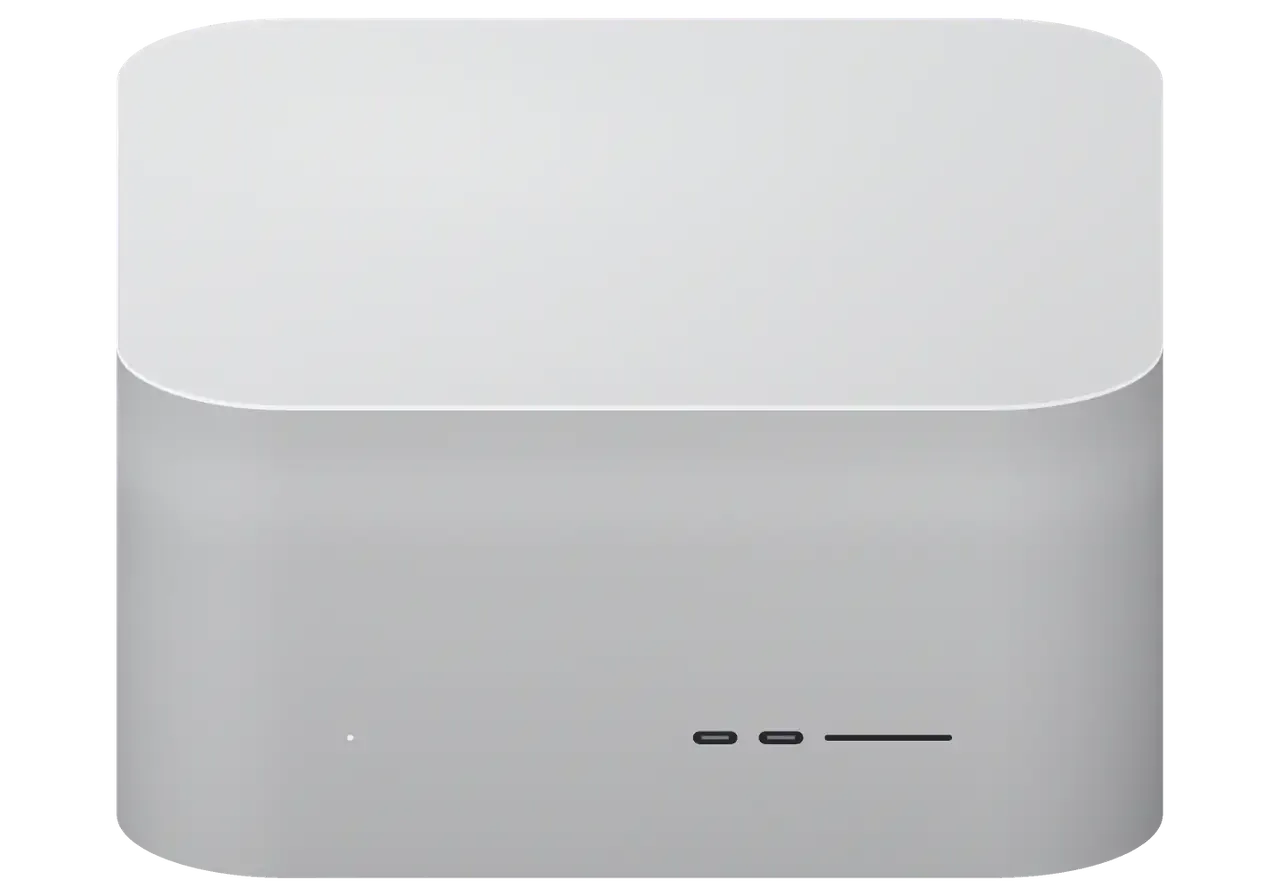
The compact case with built-in power supply and soldered memory dictates its own set of failures — from ports to storage modules on the board.
No response to the button: we check the power supply and startup circuit.
The progress bar doesn't reach the end: firmware, storage module, or controller.
The station shuts down under load: overheating, dried thermal paste, or power drop.
The blades are audible without tasks: dust-clogged heatsink or worn bearings.
The rear network port drops or won't link up: connector, cable, or controller.
External SSD and dock aren't recognized: we check connectors, cables, and circuit power.
Monitor is black while the station works: port, cable, or video circuit on the board.
Card isn't detected or drops out: contact inside the slot or board circuitry.
Flash drive and keyboard don't respond to the front port: connector, cable, or controller.
Clicks and noise when connecting: worn jack or audio circuit on the board.
System sounds and notifications aren't heard: speaker or its cable.
System starts with a memory error: soldered chips and their circuitry require diagnostics.
We'll give the exact amount for restoring your Mac Studio M4 Max in Astana after diagnostics, once we identify the cause; leave a request by phone or WhatsApp.
| Service | Original | Aftermarket |
|---|---|---|
| Power supply replacement | 80 900 ₸ | 44 900 ₸ |
| Fan replacement | 24 900 ₸ | 13 900 ₸ |
| USB-C / Thunderbolt ports replacement | 37 900 ₸ | 20 900 ₸ |
| Other repairs | Price | |
| SSD installationstorage installation | 39 900 ₸with parts | |
| Dust cleaningdisassembly and dust cleaning | 17 900 ₸per job | |
| Logic board repairmicrosoldering · 1–3 days | 44 900 ₸per job | |
| Wi-Fi module repairwireless module · board-level repair | 33 900 ₸with parts | |
| MacOS installationOS installation, no parts replaced | 12 900 ₸per job | |
The amount depends on the unit, part, and scope of work, so we don't quote exact figures before inspection.
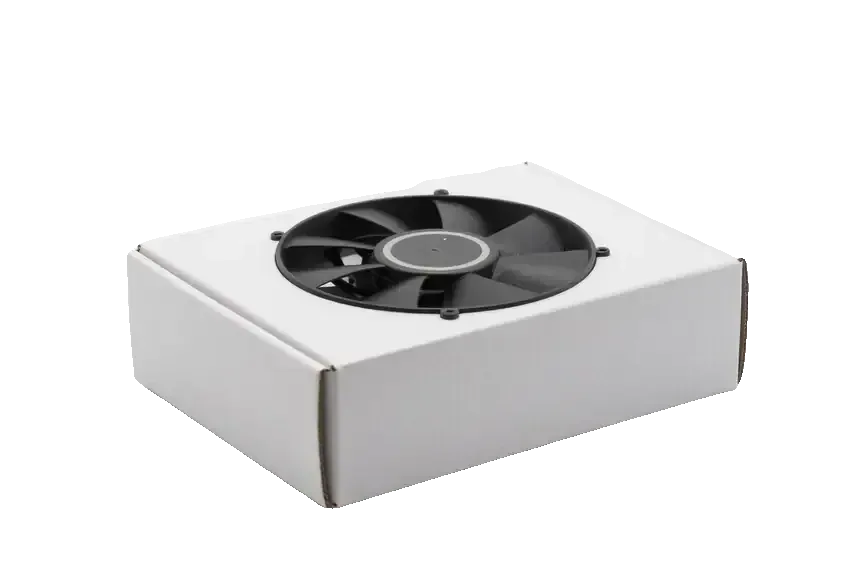
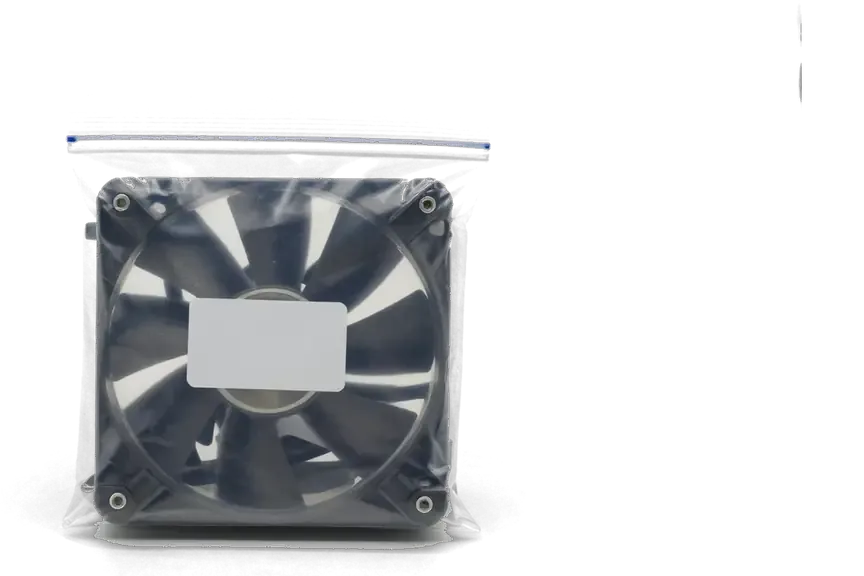
For cooling fans, ports, or power parts for the Mac Studio M4 Max, our specialist will suggest a genuine part or an equivalent — you decide which to take.
A powerful station needs clear diagnostics and a transparent estimate, not random replacement of components.
First we find the cause and show it to you, and you decide on the repair, not the technician at their discretion.
Eleven years of experience help quickly separate a software failure from a hardware one and avoid replacing unnecessary components.
All work is covered for at least twelve months, so should the same fault come back, we sort it out with you calmly and without arguments.
We entrust stations to experienced technicians familiar with the built-in power supply, board, and fan cables.
Weekdays — 10:00–19:00, weekends and holidays — 11:00–18:00, easily fit a visit around work.
Branches in Astana and Almaty: if you move, station service can continue in the other city.
Usually the whole journey — from message to pickup — takes less than an hour; complex repairs follow the timeline in the receipt.
Book a repairYou send a photo of the damage on WhatsApp — we quote the price and available time. Or you call a courier.
An engineer checks the device in front of you and shows what is broken. 0 ₸, even if you decline the repair.
We fix the price, the part (original or analog), the timeline and the warranty. You sign — we start.
Before installation we show you the new part in its factory packaging. You wait in the waiting area with coffee and Wi‑Fi.
Startup and operation under load, ports, Wi‑Fi and Bluetooth, sound. You check together with the engineer.
Together with the receipt, warranty card and the old part. Payment — Kaspi, card or cash.
Technicians for iPhone, Mac, iPad, Apple Watch and AirPods repair.
Photo: Kudiret S. Photo: Kamran A.

“If the repair didn’t suit you or you have a complaint, write to me personally.”
Send a photo of the fault — an engineer will reply on WhatsApp, give the price and a time you can come in.
Astana Mac Studio M4 Max Repair with Free Diagnostics
iServices repairs the Mac Studio M4 Max in Astana with free diagnostics while you watch, a fixed receipt before work starts, and warranty up to 1 year. Our engineers handle power faults, Thunderbolt 5 ports, board-level damage and firmware recovery, with most jobs finished while you wait or within 1–3 days for board work.
The Mac Studio M4 Max is a desktop machine in the familiar square body, but with a new-generation chip and logic board inside. That difference changes how a fault is traced and which parts can be reused.
The Mac Studio M4 Max retains the compact aluminium body of earlier models, with a built-in power supply, front USB-C and an SD slot, and Thunderbolt 5, HDMI and Ethernet at the back. The cooling system pulls air through a shared chamber, so dust and fan wear show up as noise long before a shutdown. Because the power supply sits inside that shell alongside the logic, a single voltage event can reach both at once — a machine that just won't turn on is rarely a one-part story. On a desktop of this class, a surge through the mains is more likely than a dropped device, so check the wall outlet and the power cable before assuming the mainboard is gone.
The M4 Max keeps its memory soldered directly to the processor, so there is no way to add more, whereas storage sits on detachable modules that remain locked to the system. In real terms, a memory failure is a circuit-board matter rather than a slot replacement, and it gets examined under the same microscope as any other board fault. Since the storage modules can be taken out, plenty of owners figure a direct swap should work. Because of that pairing, a storage module is far from a plug-and-play change — the device must be matched and the firmware processed properly, so questions about your data come ahead of questions about parts. Start with your files, then move on to the module.
| Aspect | Mac Studio M1 | Mac Studio M4 Max |
|---|---|---|
| Body and opening | Identical square shell | Identical square shell |
| Chip and circuitry | Previous generation | New generation |
| Part compatibility | Not shared | Not shared |
| Port set | Earlier Thunderbolt | Thunderbolt 5 at the back |
| Repair approach | Own diagnostics | Own diagnostics and supply checks |
Fresh hardware breaks differently from the older generation. Below are the causes that most often land a Mac Studio M4 Max on our bench, together with what typically hides behind each symptom.
A voltage spike can damage both the internal PSU and the circuits on the logic board, so we test the supply and the circuitry separately before quoting anything. A workstation plugged straight into the wall during a grid flicker takes the hit through the PSU first, and only then through the regulation stages that feed the M4 Max package. That is why a machine can power on with a fan spin and no display, or stay completely dark with a live cable. We measure the supply rails, then trace the logic side, because replacing one without checking the other just moves the fault. A UPS or surge protector is cheaper than component-level repair — for a workstation that runs all day, it is the single most useful habit owners can adopt.
A dead Thunderbolt 5 or USB socket is often a connector or a power-delivery fault rather than a whole-board failure, and we check each one under load before deciding. The rear cluster on this chassis carries Thunderbolt 5, USB-C, HDMI, Ethernet and audio, and each line has its own path to the controller. We plug in a known-good drive and display, draw power through the interface, and watch whether the link negotiates at full speed or drops to a fallback. A bent tongue inside the connector, a worn cable, or a shorted protection component all read as "dead connection" to the owner. Swap the cable and the device first — a surprising share of such visits turn out to be a lead or a monitor that never negotiated the link.
Liquid and impact damage on a Mac Studio M4 Max usually reaches the mainboard and the cooling assembly, while fan noise under load often points to dust-clogged fins rather than a failing fan. Air is pulled through the chassis, so a unit sitting on carpet or in a dusty office strangles its own airflow and spins faster to compensate. A knock to the housing may bend the heatsink stack or crack a solder joint beneath the memory package. After liquid, diagnostics may run to two days, as corrosion keeps resurfacing — a clean reading is worth waiting for instead of a rushed conclusion.
Diagnostics is not a formality before an invoice. Here is how fifteen minutes with the machine open in front of you turns a vague symptom into a named fault and a fixed set of terms.
We perform no-cost testing right in front of you for roughly 15 minutes, regardless of whether you go ahead with the repair, and the technician points out precisely what has failed. Testing takes place at the bench, not behind a closed door: a lab power supply gets hooked up, the board is probed, and every reading shows up on the meter as you watch. We take apart only what the test calls for, and nothing gets ordered before you have seen the outcome. Should the defect lie in a rail that only breaks down once warm, we record it and run the session longer instead of guessing. Seeing the test is the whole idea — you learn which port, which rail or which fan is failing, so the quote that follows describes a fault you already witnessed, not a black box.
Prior to starting, we lock in the cost, the component (genuine or third-party), the completion time and the guarantee on the receipt, and we present the replacement part in its original factory box before fitting it. That discussion lasts roughly two minutes, and it takes place while the device is still shut. You pick between an OEM component and a compatible alternative, with the difference spelled out rather than left to assumption; the completion time we give reflects the fault we just measured, not a one-size-fits-all estimate. The guarantee covers one year on the work we return to you. A written receipt safeguards both parties — should the part or the schedule shift during the job, the discussion picks up from the document, not from recollection.
Once the cause is found, the work begins. Below we explain what component-level board repair means, how ports are handled, and when firmware recovery through DFU is the right step.
Our component-level logic board repair is performed under a microscope, typically taking 1–3 days, and it frequently saves you from having to exchange the entire assembly. With a soldering station, a technician can remove just the one faulty chip, capacitor or rail on the M4 Max plate rather than replacing the whole module and transferring all attached parts. In most cases the problem comes down to a single localised element — a shorted rail, a damaged power controller, a cracked joint caused by heat cycling — and not to the M4 Max chip itself. Such surgery makes sense only when the fault is localised — a technician who cannot point to the failed element is guessing, not repairing.
| Fault | What we check | Typical work | Turnaround |
|---|---|---|---|
| Dead port | Connector, link, power delivery | Repair at the port level | 1 hour – 1 day |
| Multiple ports out | Rails, supply | Diagnostics | 1–3 days |
| No power at all | Supply, rails, plate | Supply or plate work | 1–3 days |
| Fan noise under load | Fins, fans, thermal path | Cleaning and test | 1 hour – 1 day |
When a Mac Studio M4 Max refuses to boot normally, firmware can be restored over DFU with a second Mac, and we keep one ready precisely for this. The procedure rewrites firmware through a USB-C cable while the two machines talk directly, so a botched update or interrupted boot need not mean a dead board. We try it before pricing any deep work — if the unit revives, you skip a multi-day repair altogether. DFU brings back the system, not your files — if the storage modules are the problem, recovery and data questions must be handled in the correct sequence.
For a workstation, downtime and file safety count as much as the parts. Here is how timing, data and handover work when a Mac Studio M4 Max repair in Astana passes through our workshop.
Your files remain on the storage modules, and data is discussed before any work that touches them, since the modules are bound to the system and are not a simple swap. In the M4 Max desktop, storage lives on separate modules bound to the system rather than a user-replaceable drive, so a board-level job means the data travels with the hardware. We confirm with you which parts of the repair could affect the drive and agree on a backup plan before the screwdriver comes out. On most port and power faults the modules are never touched at all — the unit simply returns with everything in place. A backup made before the machine fails is worth more than any recovery — for a workstation, an external drive and a routine copy are the real insurance.
Most repairs finish while you wait, and 72% of jobs are completed in the waiting area, while component-level work takes 1–3 days and the whole process from first contact to pickup usually takes less than an hour for simpler faults. Port and power issues typically clear within that same visit, with coffee and Wi-Fi on hand while the engineer works. Micro-soldering under the microscope is the exception: it needs bench time, so we quote a 1–3 day window and keep you updated as it moves. If the machine is your income, ask for that timeline up front — planning around a known 1–3 day window beats discovering it mid-week.
If you wish, we can send a courier; you may pay through Kaspi, by card or in cash, and when the machine is returned you get the receipt, the warranty card and the part that was swapped out, with coverage of up to 1 year. The receipt you receive states the component installed, the completion time and the guarantee period, so nothing depends on memory. If you cannot come in during business hours, a courier collects and returns the machine, and the same documents go with it. The replaced component is handed to you as proof of what was changed. Keep the replaced component and the warranty card in one place — should a problem arise later, they turn a vague complaint into a documented case.
A brief recap of what decides the outcome when a compact desktop Mac misbehaves, and which choices are worth making early.
Did not find an answer? Message us on WhatsApp: an engineer replies, not a bot.
Ask a questionDisconnect the power cable for a couple of minutes and turn it on again, try a different outlet. If the indicator is silent, the built-in power supply is likely damaged, and board diagnostics are needed. For the future, install a UPS.
No, the storage is made of modules on the board and is inaccessible outside a working station. Therefore, make backups in advance, and in case of failure we recover data along with the repair.
Usually the heatsink is covered with dust or the thermal paste has lost its properties, sometimes it's a faulty sensor. Cleaning and fresh paste restore silence, and the exact cause will be determined by a specialist during inspection.
Yes, most often the slot itself is replaced or its circuitry on the board is restored. First check the card in another station or card reader to rule out the card itself. Diagnostics will show whether it's a local problem or the board.
Check the cable and another port, as well as the dock's power. If the disk doesn't appear anywhere, a controller or connector failure is possible, diagnostics are needed.
Try macOS Recovery mode and reinstall without erasing data. If the process aborts with an error or the station won't enter the mode, the cause is usually hardware, and a service center is needed.
Работаю рядом, заехал в обед. Честно, готовился услышать приговор. Проблема — не включается. Камран А. разрулил всё быстро. Привёз на такси, приняли без вопросов. Ни шума, ни запаха, всё штатно
Сначала грешил на систему, потом понял — железо. Проблема — не видит диск. Камран А. принял без вопросов, хотя был без записи. Оплату взяли после ремонта. Обошлось заменой: блок питания. Заплатил 34 000 тенге, и всё. Доволен, если коротко. Дома включил, всё на месте)
Проблема — не включаеться. Камран А. разобрался в редкой модели. Кулер не слышно, грееться меньше.
Сначала думала сам поменять, посмотрела видео и передумала. Обратилась по поводу Mac Studio M4 Max. Проблема — не видит диск. Назвали срок — два дня, уложились. По факту меняли: кулер. Дома включил, всё на месте.
Камран А. объяснял без умных слов, за это спасибо. Мастер вышел, послушал и срозу забрал в работу. Функционирует, тьфу-тьфу.
Проблема — перегреваеться. Камран А. провозился, но сделал. Пользуюсь и вспоминаю добрым словом.
Живу в Есиле, искал поближе к дому. Залил кофе, и через день — не видит диск. Экран яркий, батарея держит
До этого обращался в сервис у дома, там только развели руками. Принёс с мороза, открыл — шумит. Камран А. показал старую деталь, всё прозрачно. Ответили в WhatsApp, потом созвонились. Внутри оказалось: блок питания. Сейчас работает без нареканий
Камран А. — мастер от бога, если можно так сказать. Шум ушёл, работает тихо!!
Живу в Есиле, искала поближе к дому. Проблема — не видит диск. Про айсервис слышала от соседа. Сейчас работает без нареканий.


 iPad
 MacBook
 iMac
 Apple Watch
 AirPods
 Apple Pencil
 Apple TV
 HomePod
