BS Photo: Bakmukhammed S.
Bakmukhammed S.
on-site iPhone technician
13years of experience
4.93rating, 107 reviews

Apple Pencil 1 won't connect to iPad or draws with gaps — we'll check the stylus and tablet for free and identify the cause before any work.
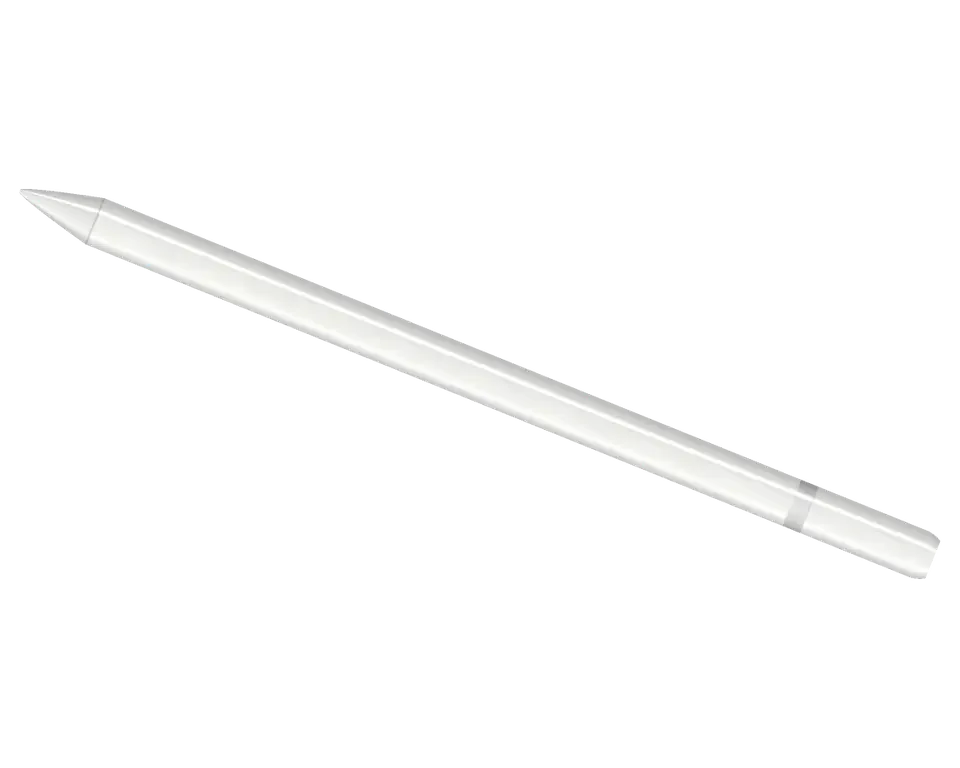
The stylus suffers from drops, tip wear, and Lightning charging issues, and sometimes the iPad itself is to blame.
You connect it to the tablet's connector, yet no charging sign shows up
The stylus doesn't appear in the device list or the connection drops instantly
The line breaks, strokes are lost, especially on fast movements
The tip is worn down to the metal or wobbles, leaving scratches on the glass
Stroke width stays the same, pressure response has vanished entirely
Line thickness doesn't respond to tilt, as if the option is turned off
The Lightning connector cap falls off and gets lost
The glossy finish has chips, and the stylus refuses to power on
A full charge runs out in an hour or two, though it used to last for days
No reaction when connected to iPad, the screen doesn't show charging
Pencil connects intermittently, you have to plug it into the port again
Contacts have darkened, charging is intermittent or not working at all
The price depends on the faulty component: connector, battery, tip, or board. The technician will give you the exact amount after diagnostics.
| Service | Original | Aftermarket |
|---|---|---|
| Charging connector repair | 5 490 ₸ | 2 990 ₸ |
| Tip replacement | 6 490 ₸ | 3 490 ₸ |
| Battery replacement | 20 900 ₸ | 11 900 ₸ |
| Other repairs | Price | |
| Bluetooth module repairwireless module · board-level repair | 2 990 ₸per job | |
| IPad pairing restorationsoftware restore, no parts replaced | 2 990 ₸per job | |
Diagnostics are free, and the final cost and timeframe are fixed before work begins.
The chosen part affects sensitivity, connection stability with iPad, and tip lifespan.
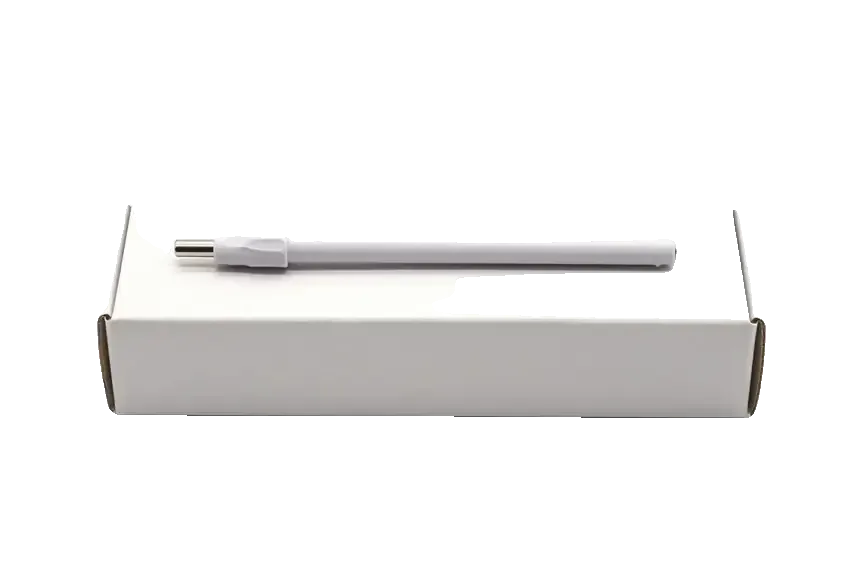
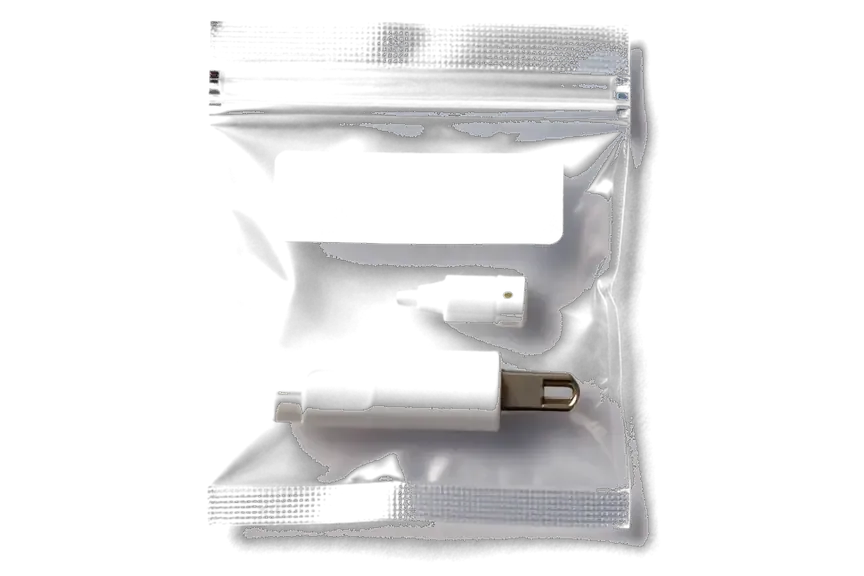
The stylus and tablet work as a pair, so we check both sides and honestly tell you if the fault can be repaired.
The service has been operating for eleven years, and technicians know how styluses and iPads behave together, they don't guess the cause.
All work comes with a guarantee of up to 1 year, and the specialist will list the parts needed for your stylus beforehand.
First we look at the stylus, then the iPad: often the fault is not the pencil but the port, a setting, or the screen protector.
The stylus body is non-removable, so the technician will tell you straight if repair is possible or if replacing the stylus is more reasonable.
We'll show you exactly what's wrong and offer options. You decide, without pressure or unnecessary work.
We're here on weekdays from 10 am to 7 pm, and on Saturdays, Sundays, and holidays from 11 am to 6 pm.
Usually the whole journey — from message to pickup — takes less than an hour; complex repairs follow the timeline in the receipt.
Book a repairYou send a photo of the damage on WhatsApp — we quote the price and available time. Or you call a courier.
An engineer checks the device in front of you and shows what is broken. 0 ₸, even if you decline the repair.
We fix the price, the part (original or analog), the timeline and the warranty. You sign — we start.
Before installation we show you the new part in its factory packaging. You wait in the waiting area with coffee and Wi‑Fi.
Pairing, pressure and tilt, charging, response on the iPad screen. You check together with the engineer.
Together with the receipt, warranty card and the old part. Payment — Kaspi, card or cash.
Technicians for iPhone, Mac, iPad, Apple Watch and AirPods repair.
Photo: Bakmukhammed S. Photo: Galymzhan S.
 Photo: Zhandos Sh.
 Photo: Darkhan T.
 Photo: Kudiret S.
“If the repair didn’t suit you or you have a complaint, write to me personally.”
Send a photo of the fault — an engineer will reply on WhatsApp, give the price and a time you can come in.
Apple Pencil 1 Repair in Astana, Free Diagnostics First
As a direct repair shop, not an agency, iServices provides Apple Pencil 1 repair in Astana. An engineer checks the stylus in front of you for free, shows what is broken, and fixes the Lightning connector, battery or board while you wait. Warranty runs up to 1 year, and the old part comes back with you.
An Apple Pencil 1 is not a sealed monolith. Inside the barrel sit a few serviceable and replaceable parts, and most reported failures trace back to one of them rather than to the iPad.
The exposed end of the stylus is the male Lightning plug that sits beneath a simple push-on cover, and this is where any charging investigation should begin. On the first-generation Pencil, power enters through this plug, which protrudes from the barrel protected only by a cap that slides on and off. That cover comes free without much effort, and once it is missing the plug absorbs all the wear of pockets, bags and desk drawers. Fluff gets pressed against the contact pins, the plug can get twisted when inserted at an angle, and charging either becomes slow or ceases altogether. A cap that keeps slipping off allows pocket debris to accumulate in the port, so clearing it out before deciding on any repair frequently brings charging back without the need to open the casing at all.
The cell in the stylus is bonded into its housing, so replacement is only considered once the port and the charging path have been cleared. To get inside, adhesive must be cut through, and the battery is wedged firmly next to the internal circuitry, making the job much trickier than a battery swap on a handset. For this reason, a sound diagnosis begins with the Lightning connector and the charging electronics, and proceeds inward only when those are confirmed sound. A pencil that drains while not in use typically signals the cell or the charging board rather than the iPad, and that call determines whether the shell has to be opened in the first place.
A line that skips or a pressure response that disappears usually comes down to a worn tip or the sensor beneath it, not the tablet screen. The writing point is the sole part of the Pencil genuinely designed for user replacement: it twists off by hand, and a new one brings back a clean, uniform stroke in moments. Underneath it lies the pressure and tilt assembly, which measures how firmly and at what angle the point touches the glass; when that sensor drifts, strokes become thin, uneven or lose pressure completely even though the visible tip appears intact. A tip worn through to its metal centre scratches the iPad glass, so it is worth changing at the first sign of a flat, shiny end rather than waiting for the line to fail.
Before carrying the stylus in for repair, it makes sense to know which side the failure sits on. The pencil itself and the tablet it talks to fail in different ways, and the symptoms overlap.
If the iPad never shows the pencil in Bluetooth and the battery widget remains blank, the pairing process is breaking down before any charging issue is even relevant. Go to Settings, select Bluetooth, and search for the Apple Pencil 1 entry — a first-generation pencil connects over Bluetooth after its Lightning connector has been plugged into the iPad port. When the entry is absent altogether, the handshake never finished; when it shows up and vanishes, the link is unstable rather than missing. The battery widget reacts the same way: a paired but uncharged pencil reads 0%, while an unpaired one does not appear at all. Pairing again after removing the device from Bluetooth settings resolves a large number of "not detected" cases, because an outdated pairing entry prevents a fresh handshake.
| Check | What you do | Points to the pencil | Points to the iPad |
|---|---|---|---|
| Charging | Plug the Lightning connector into the iPad or a charger | No charge icon appears at all | It charges but still will not pair |
| Pairing | Forget the device in Bluetooth, then re-pair | It never appears in the list | Other Bluetooth devices also drop |
| Drawing | Draw a slow diagonal line in a notes app | Line skips only with this pencil | Line skips with any pencil |
| Pressure | Press harder on the same stroke | Pressure never changes | Pressure drops on any other unit |
If a second pencil also fails on the same iPad, the fault is on the tablet side and no amount of repair work will change it. Two cheap culprits mimic a dead pencil most often: a Lightning port packed with pocket lint, which blocks both charging and the pairing handshake, and a thick screen protector that traps pressure and makes the line break up. Test the pencil on a different compatible iPad, and test a known-working pencil on this one — the cross-check settles the question faster than any tool. A dirty charging port on the tablet or a screen protector trapping pressure can mimic a dead pencil, so both are checked before the barrel is opened.
The first-generation pencil charges through Lightning, and that single fact decides which nodes we inspect first when a customer says it will not charge.
We trace the charging route from the Lightning connector through the charging circuitry to the bonded-in cell, since the first generation has no wireless coil involved. The connector accepts the Lightning plug directly, the contacts feed a small charging circuit, and that circuit replenishes the cell within the barrel. A bent or corroded pin, fluff packed into the socket, or a cracked solder joint at the connector each break the chain at its very first link. Unlike the second generation, which charges on the iPad's magnetic edge, the first-generation model depends completely on a physical Lightning contact, so a bent pin is a genuine and frequent cause. Before concluding the cell has failed, shine a light into the socket — a dark compressed clump of pocket fluff can imitate a dead cell almost exactly.
| Part option | What it is | Fit and behaviour | Warranty |
|---|---|---|---|
| Original part | Factory component | Matches the device exactly | Up to 1 year |
| Aftermarket part | Third-party equivalent | Works, minor feel differences possible | 6 months |
| Board-level fix | Component-level repair of the charge circuit | Keeps the original barrel and cell | Up to 1 year |
We check the charging circuit on the board before replacing a battery, since a board fault can drain a healthy cell and look identical to a dead one. A pencil that shows no charge at all, or that dies within minutes of a full bar, may be feeding current into a shorted component rather than failing to store it. Board-level work on a stylus is done under a microscope, because the components are far smaller than those in a phone and a blind reflow risks more damage than the original fault. That is why we measure the circuit first and quote a battery swap only when the cell itself fails the test — replacing a good battery on a board fault fixes nothing and hides the real cause for another month.
The visit is built around diagnostics done in front of you: the engineer opens up the cause while you watch, not after the tool disappears behind a service door. Here is what the appointment looks like from start to finish.
Diagnostics require roughly 15 minutes and cost nothing even if you choose against repair, with the engineer examining the device while you watch and pointing out what has failed. We remove the cap, check the Lightning connector for corrosion and bent pins, test the charge path and observe battery behaviour under load. You witness exactly what we see on the bench — no verdict delivered behind closed doors. This is how the Apple Pencil 1 repair in Astana begins, with the fault identified before any work starts. Over the entire appointment, from the first WhatsApp message to pickup, the process normally takes less than an hour, and 72% of jobs are completed while the customer waits in the waiting area. Observing the check turn a vague "it does not charge" into a specific component is what makes the receipt meaningful.
Before any work begins, we lock in the price, the component, the turnaround and the warranty on the receipt, which takes roughly two minutes. The entry specifies the exact element — Lightning connector, battery or tip assembly — indicates whether it is original or aftermarket, and sets the warranty for up to 1 year. The replacement part is presented to you in its sealed manufacturer's box before fitting, and the old one is returned to you at pickup together with the warranty card. A written receipt safeguards both parties — if the agreed item or turnaround shifts during repair, the document is what the discussion refers back to.
Repair does not always make sense, and a straight answer to the repair-or-replace question saves both money and time. Here is how we decide on a first-generation unit.
We tell you plainly when service is worth it and when a replacement is the better call, based on what the diagnostics actually show. A unit with an intact barrel, a working Lightning connector and a sound pressure sensor but a dead battery is a strong candidate — the flat cell is swapped and the rest keeps its original calibration. A cracked barrel with a bent connector and several dead nodes rarely justifies the work, because the cost of components and labour climbs toward the price of a fresh pencil. As a direct repairer with our own workshop and technicians, we quote both paths before touching anything, so the choice stays yours.
A tip worn through to its metal centre will scratch the iPad glass, so it gets replaced as soon as the point appears flat and shiny. The nib is a soft polymer that rubs against the display with every stroke, and after months of drawing or note-taking it wears flat until the hard centre becomes visible. That exposed core drags fine grit across the glass and leaves hairline marks that no cleaning can remove. Changing the nib takes seconds and keeps the screen intact — and a screen protector provides a cheap extra layer of protection for heavy daily use. The tip is a consumable, not a defect, and replacing it early costs far less than polishing scratches out of a display.
The stylus comes back along with the proof of purchase, the guarantee document and the replaced part, and coverage runs for twelve months. The proof of purchase details the precise part installed, be it genuine or third-party, the repair time and the guarantee conditions — all agreed before any work began, so nothing rests on recollection. The part taken out is handed back in the very bag it came from, and the client can check it against the new unit shown in sealed packaging beforehand. Holding on to the old part is not nostalgia — it is evidence of what was truly swapped, and it settles any subsequent query about the repair in an instant.
Five points below summarise what most often decides the outcome of a first-generation pencil repair, from the earliest symptom to the moment a replacement part is chosen.
Did not find an answer? Message us on WhatsApp: an engineer replies, not a bot.
Ask a questionThere are several reasons: the Lightning connector is dirty, the stylus battery is discharged, or the iPad port itself is damaged. Check that the stylus is inserted all the way and try restarting the tablet. If there's no reaction, diagnostics of the pair are needed.
Yes, if the problem is in the Lightning connector or battery. The body is non-removable, so the technician opens it carefully and replaces the faulty component. First, they will check the stylus and tell you if repair is possible in your case.
When the nib is worn down to the metal, feels loose, or strokes cut in and out. A worn nib may scratch the iPad display, so replacing it early is wise.
Often a worn tip or a damaged sensor inside the stylus is to blame. Sometimes the issue is the iPad screen protector or the tablet itself. The technician will check both devices and identify the cause.
Bringing the iPad helps rule out tablet-side issues like a dirty charging port or a screen protector that interferes with the stylus. The technician can then test the pair together and pinpoint the fault faster. If you can't bring it, we'll still examine the stylus thoroughly.
Without the cap, the Lightning connector remains exposed and can get clogged with dust or oxidize. The technician will find a replacement and check if the connector is damaged. It's best not to leave the stylus unprotected.
Apple Pencil (1-го поколения) подвёл: стилус разряжался быстрее обычного. В итоге оценили аккумулятор и зарядку.
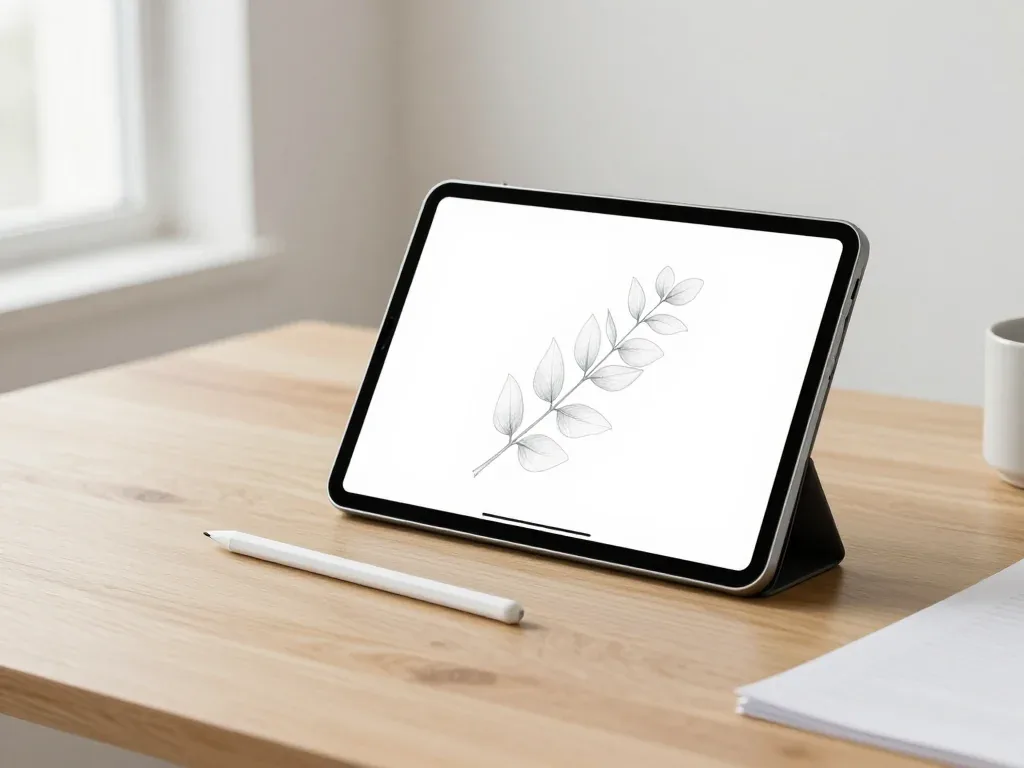
Most pairing failures come from a flat stylus, a stale Bluetooth entry or dirty contacts, and a free 15-minute check confirms the cause.

Back up your data, turn off Find My, and bring proof of purchase — then the repair starts faster.


 iPad
 MacBook
 iMac
 Mac mini and Studio
 Apple Watch
 AirPods
 Apple TV
 HomePod
